
N.O.V.A. — AI Examination & Voice Simulator Platform
Build with Gemini XPRIZE Hackathon Submission
Live App: https://novastudy.dev
1. Project Overview
N.O.V.A. (Next-gen Online Verbal Assessment) is an interactive AI-powered web platform designed for conducting voice exams, technical interviews, and architectural defenses powered by the Google Gemini API.
Unlike traditional multiple-choice text quizzes (A/B/C/D), N.O.V.A. emulates a real verbal examination:
- AI examiners with unique personalities and roles ask spoken questions.
- Users answer using their voice via microphone in real time.
- The system transcribes the audio stream, while Google Gemini automatically corrects speech errors and technical terms.
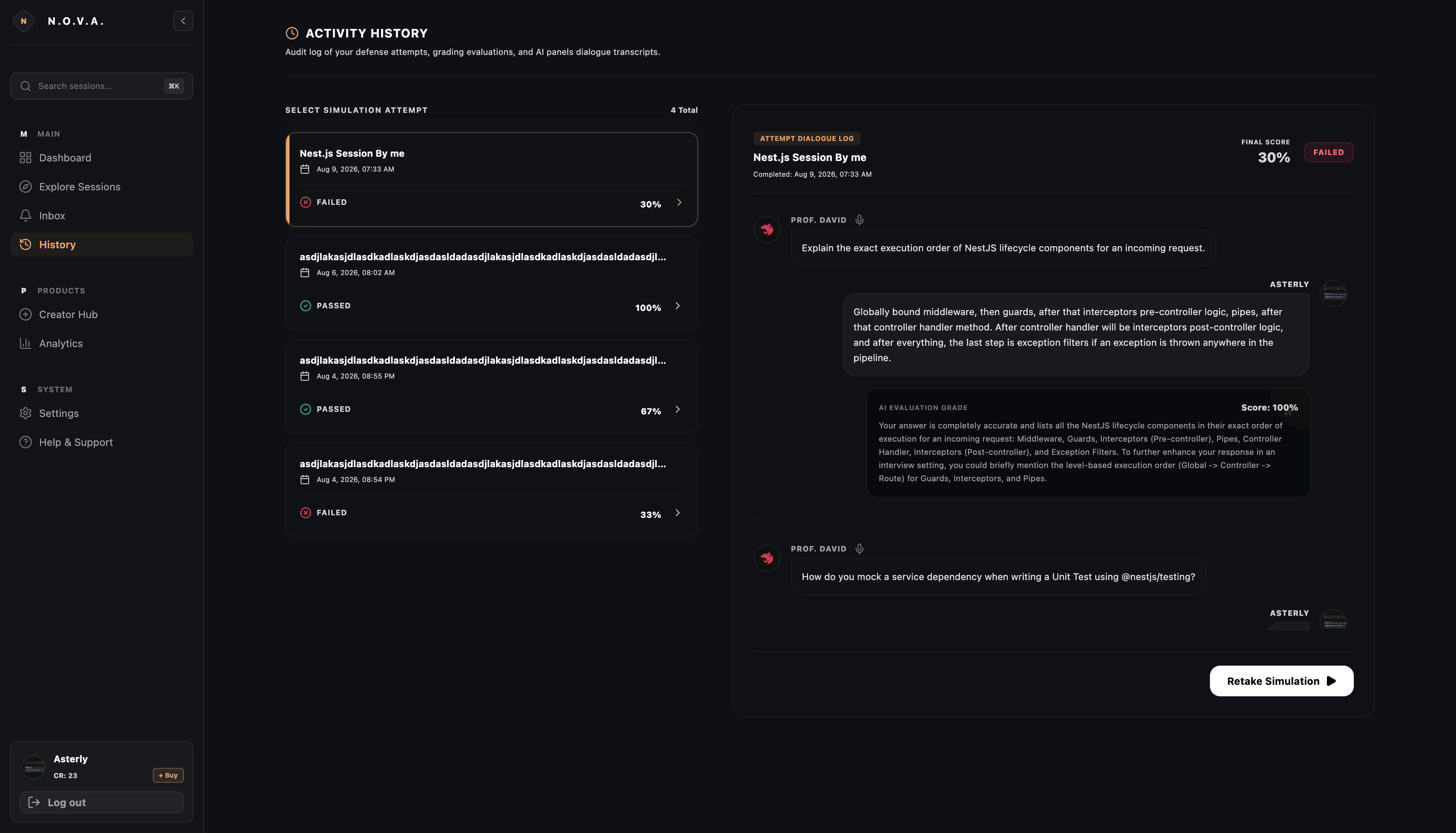
- Gemini deeply evaluates the answer across multiple criteria (accuracy, completeness, terminology) and provides detailed feedback.
2. Technology Stack
Frontend (apps/web)
- Core Framework: Next.js (App Router, React 19)
- State Management: Redux Toolkit + React-Redux (Global AuthState, session cards, attempt state, shopping cart)
- Styling & UI: Tailwind CSS v4, Vanilla CSS Design System, Custom Glassmorphism Theme Tokens (
bg-charcoal,brand-linear) - Icons: Lucide React Icons
- Authentication Client: Firebase Authentication SDK (Google Popup Auth)
Backend (apps/server)
- Core Framework: NestJS (TypeScript, Node.js 22)
- ORM & Database: Prisma ORM v7, PostgreSQL 15 (Northflank Postgres Addon)
- In-Memory Caching & Session Lock: Redis 7 / Upstash (ioredis with non-blocking fallback handling)
- Authentication & Security: Firebase Admin SDK (JWT Validation, Bearer Tokens), Custom Guards & Decorators
- Validation:
class-validator,class-transformer
AI & Third-Party Integrations
- LLM & Audio Engine: Google Gemini API (
@google/genai, Gemini Flash for high-speed evaluation, transcription correction & auto-generation of questions) - Payments & Billing: Stripe API & SDK (
Stripe Checkout Sessions,Stripe Webhooksfor credit top-ups & Pro subscriptions) - Email Notifications: Nodemailer (SMTP dispatch to
[email protected])
3. Detailed Features Breakdown
3.1. Authentication & Onboarding
- Google Single Sign-On (SSO):
- 1-click login via Firebase Google Auth (
signInWithPopup). - Secure
idTokenvalidation on NestJS backend viaFirebaseService.verifyIdToken(). - Automatic user creation in PostgreSQL database with 10 free starting credits.
- 1-click login via Firebase Google Auth (
- Interactive Onboarding:
- On first login, the system detects
isOnboarded: falseand opens a step-by-step form. - Profile data collection: Role (Student, Developer, Founder), Company Size (1-10, 50+), Industry, and Primary Goal.
- Saves profile data directly to the database
Profilemodel.
- On first login, the system detects
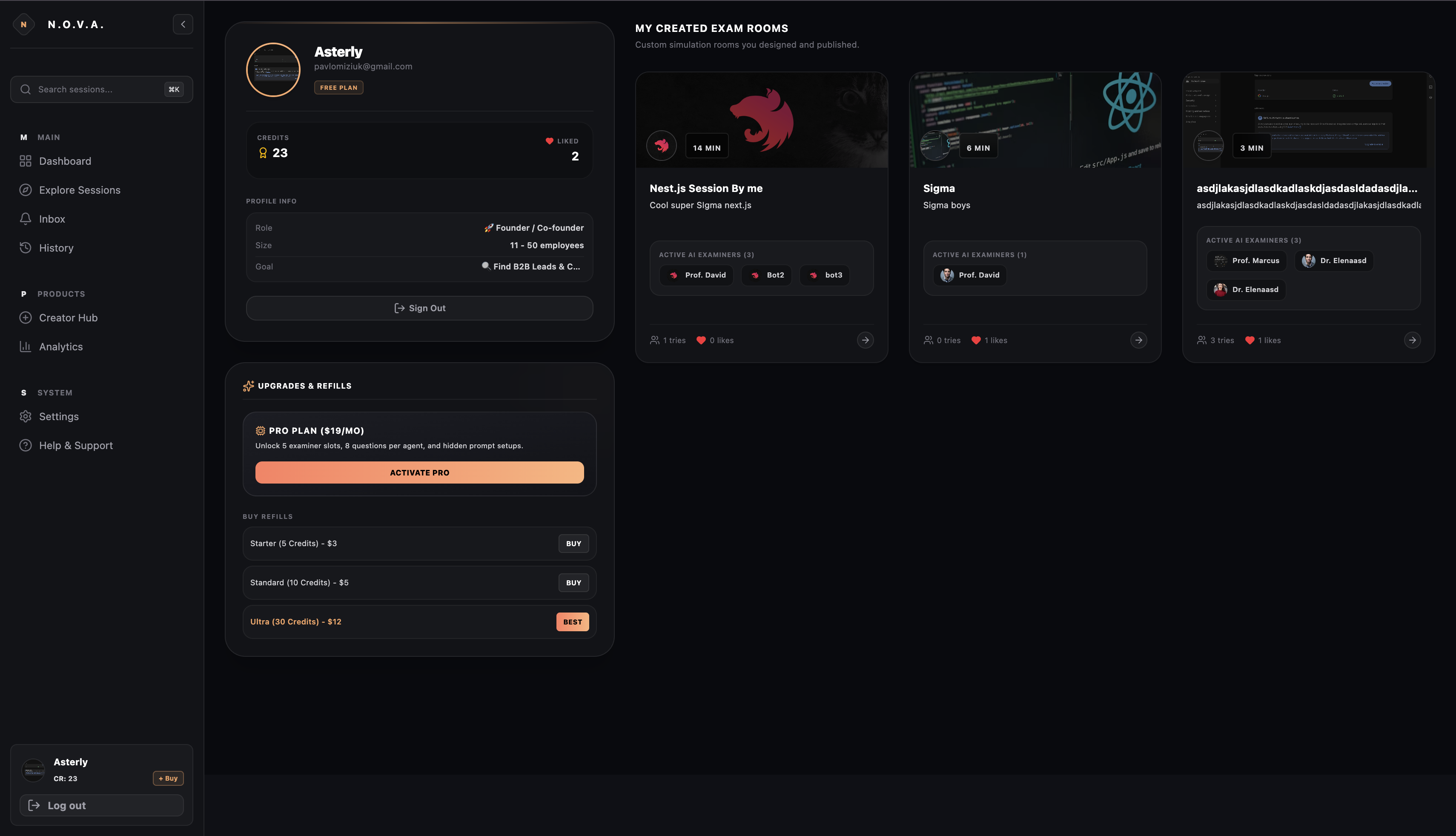
3.2. Main Dashboard
- Credits & Subscription Tracker: Live display of available attempt credits and
Pro Membershipstatus. - History & Progress Chart: Track pass rate percentage and previous exam attempts.
- Quick Launch: Personalized recommended exam stations based on user interests.
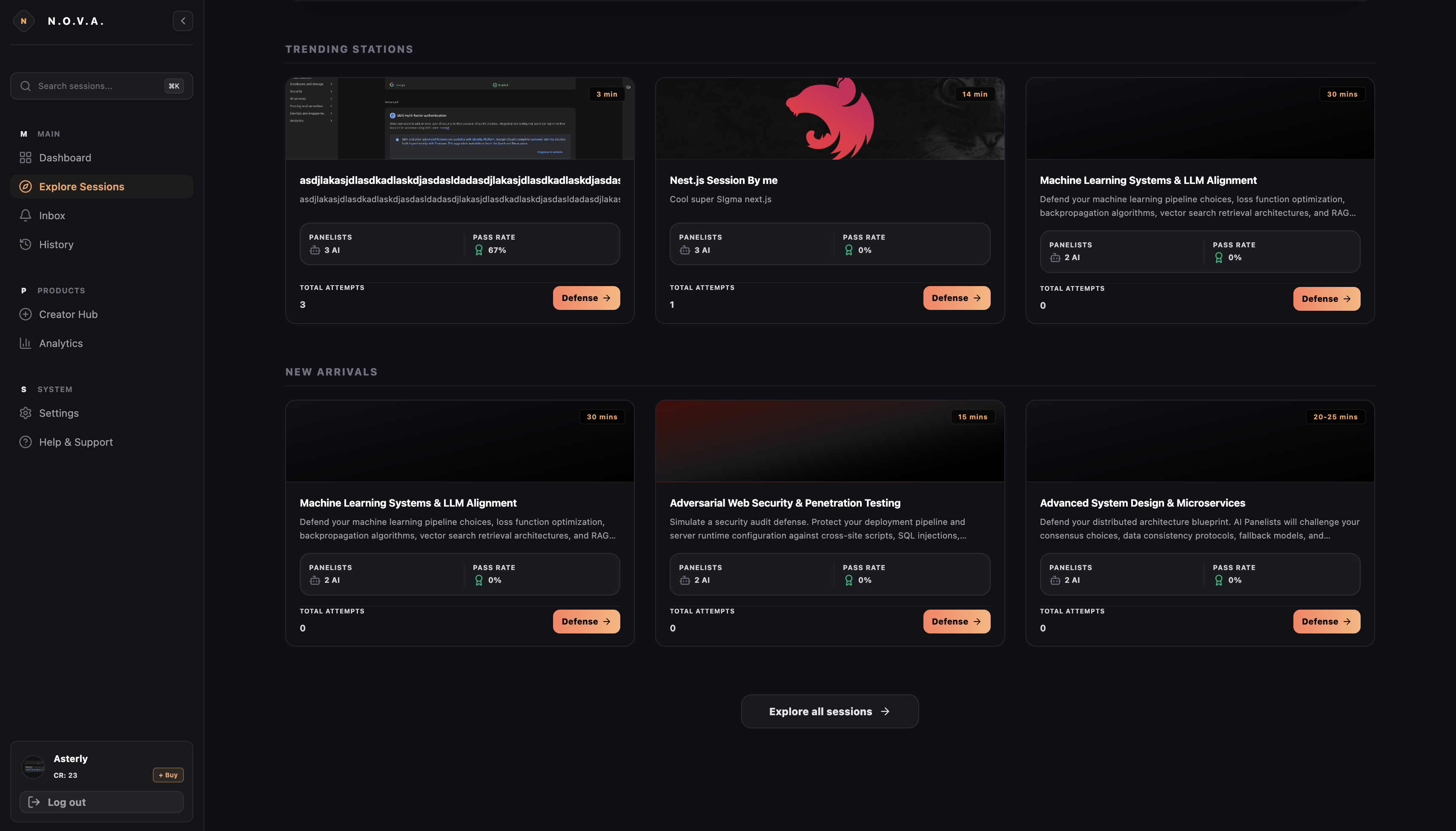
3.3. Exam Station Catalog (Explore & Search)
- Global Catalog: Browse all public examination simulation rooms.
- Filtering & Tags: Search by tags (System Design, Security, Machine Learning, DevOps) and difficulty levels.
- Interactive Station Cards:
- Displays avatar and theme styling.
- Number of AI examiners inside the room.
- Per-question time limits (in seconds).
- Like counts (
Likemodel) and view counts.
3.4. AI Verbal Exam Simulator
The core engine of N.O.V.A.:
- Virtual AI Examiners (AI Panelists):
- Each station features 1 to 3 AI examiners (e.g., Dr. Evelyn, Prof. Harrison) with distinct roles and avatars.
- Multiple Question Formats:
VOICE/CHAT: Verbal questions with voice or text responses.QUIZ: Interactive multiple-choice tests.CANVAS: Architectural diagram building challenges.
- Voice Input & Real-Time Transcription (Speech-to-Text):
- Audio recording using the browser MediaRecorder API.
- Sends Base64 audio to backend
/sessions/transcribe. - Automatic transcription and correction of technical jargon using Google Gemini.
- Evaluation Powered by Gemini AI:
- Instant server-side evaluation (
/sessions/evaluate-answerand/sessions/evaluate-audio). - Returns Score (0-100%), pass status (
isPassed), and detailed feedback on missed points.
- Instant server-side evaluation (
- Timer with Auto-Submission:
- Configurable per-question time limit (
questionTimeLimitSec, default 90s). Automatic answer submission upon expiration.
- Configurable per-question time limit (
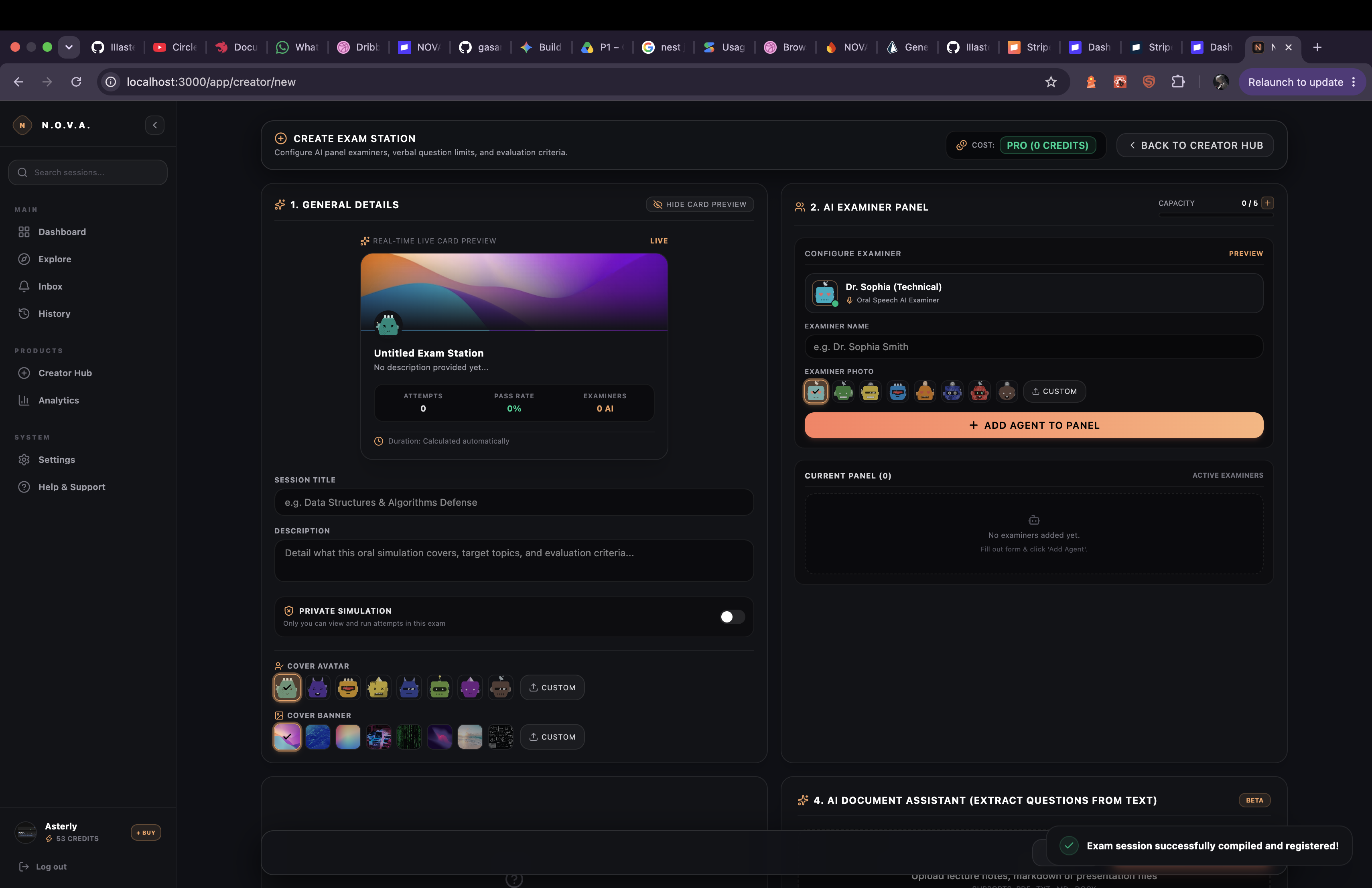
3.5. Author Creator Hub
Allows any user to design custom examinations:
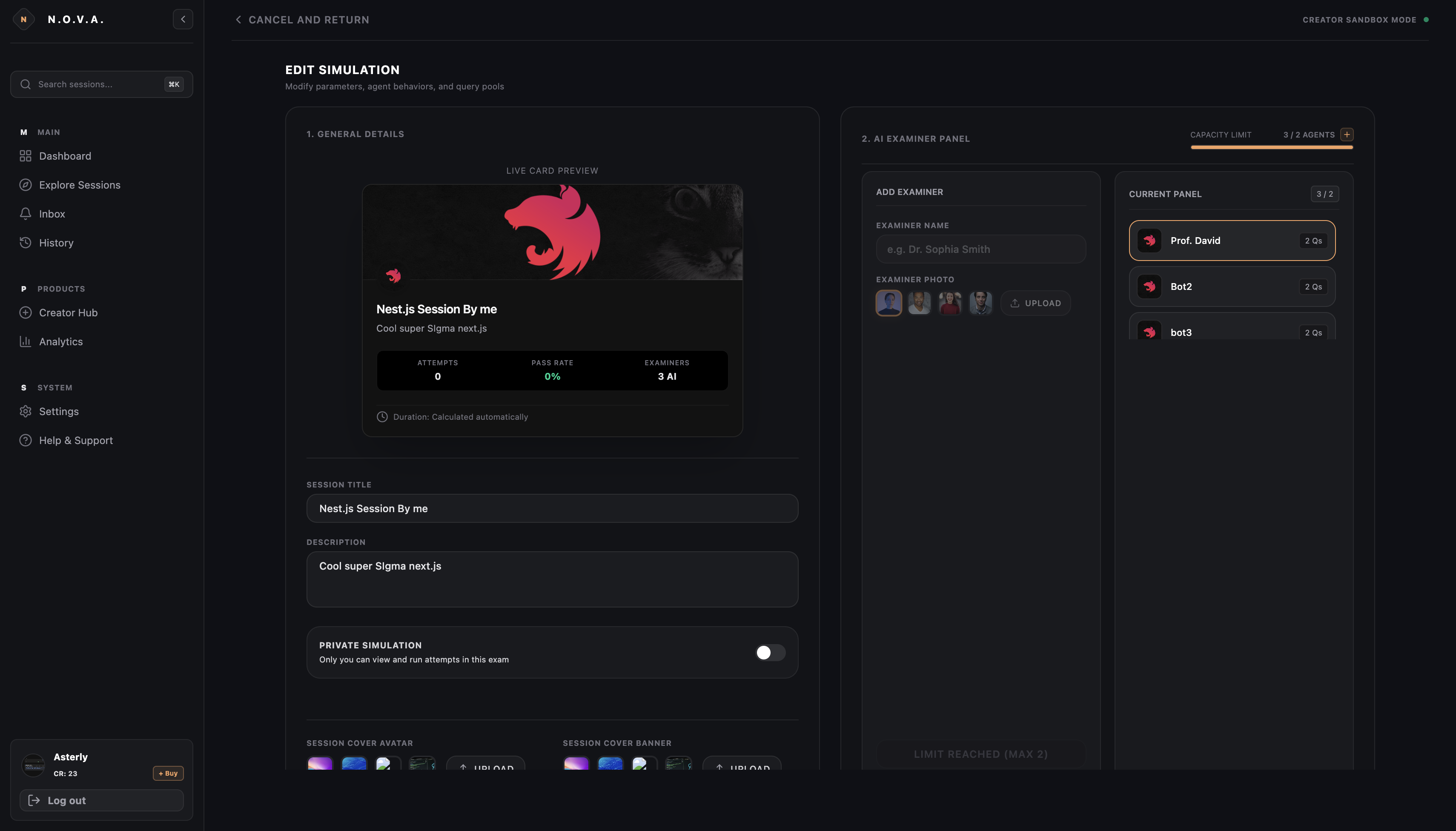
- Station Configuration: Custom title, description, banner, time limit, and privacy state (
Private Simulation). - Examiner Builder: Add custom examiner characters with custom roles.
- AI Question Generator (Gemini Assistant):
- Enter any topic (e.g., "Advanced PostgreSQL Optimization").
- Clicking Generate Questions calls
/sessions/generate-questions. - Gemini automatically generates questions, expected answers, evaluation criteria, and quiz options.
- Hidden Questions: Hide expected answers and rubric details from candidates.
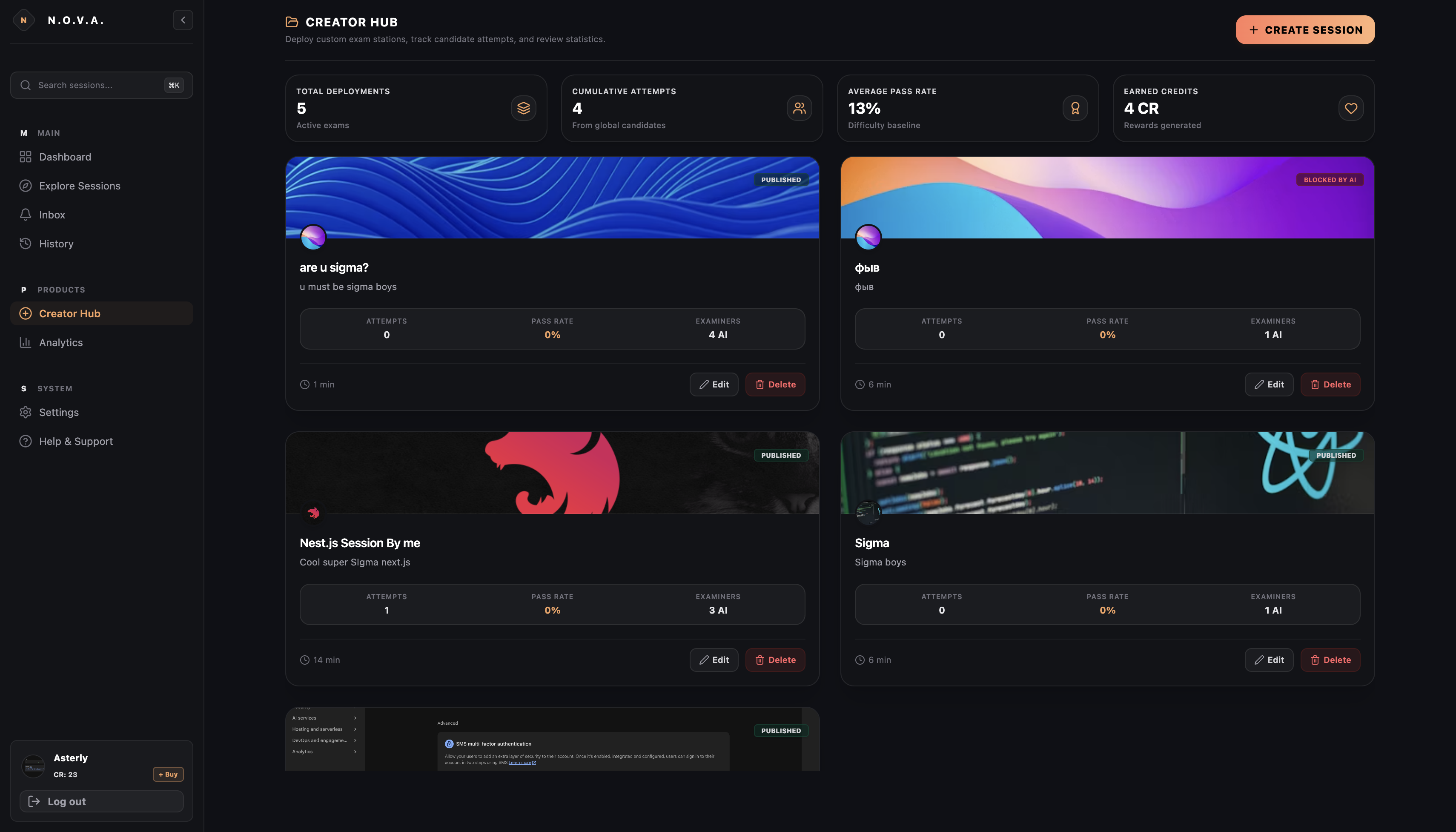
3.6. Creator Analytics
- Station authors have access to
/app/analytics. - Displays total attempts, overall pass rate, average response time, and station popularity metrics.
3.7. Payment System & Monetization (Stripe Integration)
- Payment Tiers:
subscription: Pro Plan ($19/month) — Unlimited room creation and access.credits_starter: 5 Attempts pack ($3.00).credits: 10 Attempts pack ($5.00).credits_ultra: 30 Attempts pack ($12.00).
- Stripe Checkout: Secure payment session initialization via
/payments/checkout. - Stripe Webhooks: Automatic handling of
checkout.session.completedat/payments/webhookwith instant credit and subscription fulfillment in PostgreSQL.
3.8. Promo Code System
- Redeem promo codes in the user profile via
/promo/redeem. - Example: Redeem code
NOVA10to receive +10 free attempt credits. Restricted to 1 redemption per user.
3.9. Support & Feedback System (SMTP Notifications)
- Support modal (
SupportModal) to report bugs, request features, or send feedback. - Reports are stored in the PostgreSQL database
SupportReporttable. - SMTP Email Dispatch (Nodemailer): Automatically sends email notifications containing report type, sender email, user ID, and message text to
[email protected].
4. Database Schema Design (Prisma)
User: User accounts,creditsbalance,isSubsctibedstatus, Stripe IDs, profile relations.Profile: Extended profile information (bio, phone, country, role, company size).Session: Exam stations, time limits (questionTimeLimitSec), banners, privacy settings.Agent: Virtual AI examiners inside a session.Question: Questions, expected answers, question types (VOICE,QUIZ,CHAT,CANVAS).Attempt: User exam attempt logs (score,isPassed, answer history).Like: User likes on exam stations.PromoCode&PromoCodeUsage: Promo codes and usage tracking.SupportReport: Support ticket logs.
5. Setup & Deployment Guide
Prerequisites:
- Node.js >= 22.0.0
- Docker & Docker Compose
- PostgreSQL 15 & Redis
1. Clone & Install Dependencies:
git clone https://github.com/IIIasterIII/BuildWithGeminiXPRIZE.git
cd BuildWithGeminiXPRIZE
npm install
2. Environment Configuration (apps/server/.env):
PORT=8000
DATABASE_URL="postgresql://postgres:postgres@localhost:5432/NOVA?schema=public"
REDIS_HOST="localhost"
REDIS_PORT=6379
GEMINI_API_KEY="your_google_gemini_api_key"
STRIPE_SECRET_KEY="sk_test_..."
STRIPE_WEBHOOK_SECRET="whsec_..."
SMTP_USER="[email protected]"
SMTP_PASS="your_16_digit_app_password"
FIREBASE_CREDENTIALS_JSON='{ ... }'
3. Database Migration & Run:
cd apps/server && npx prisma db push

# Start Development Mode
npm run dev # Launches Next.js frontend (localhost:3000)
npm run start:dev --workspace=apps/server # Launches NestJS backend (localhost:8000)
6. Summary
N.O.V.A. combines the intelligence of Google Gemini, the performance of Next.js & NestJS, and the reliability of Northflank / PostgreSQL, delivering an enterprise-ready platform for interactive verbal knowledge assessment.

Log in or sign up for Devpost to join the conversation.