-
-
Title
-
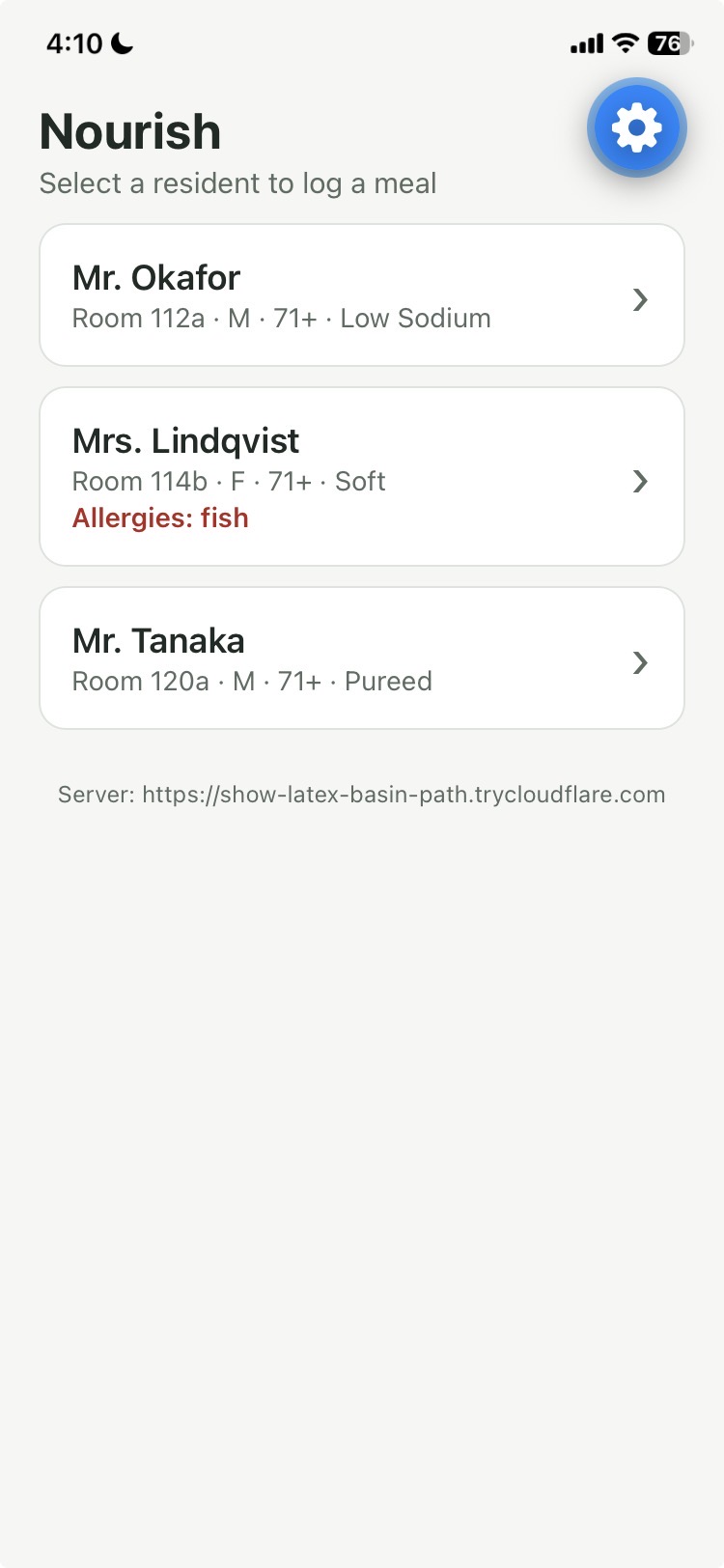
Home screen
-
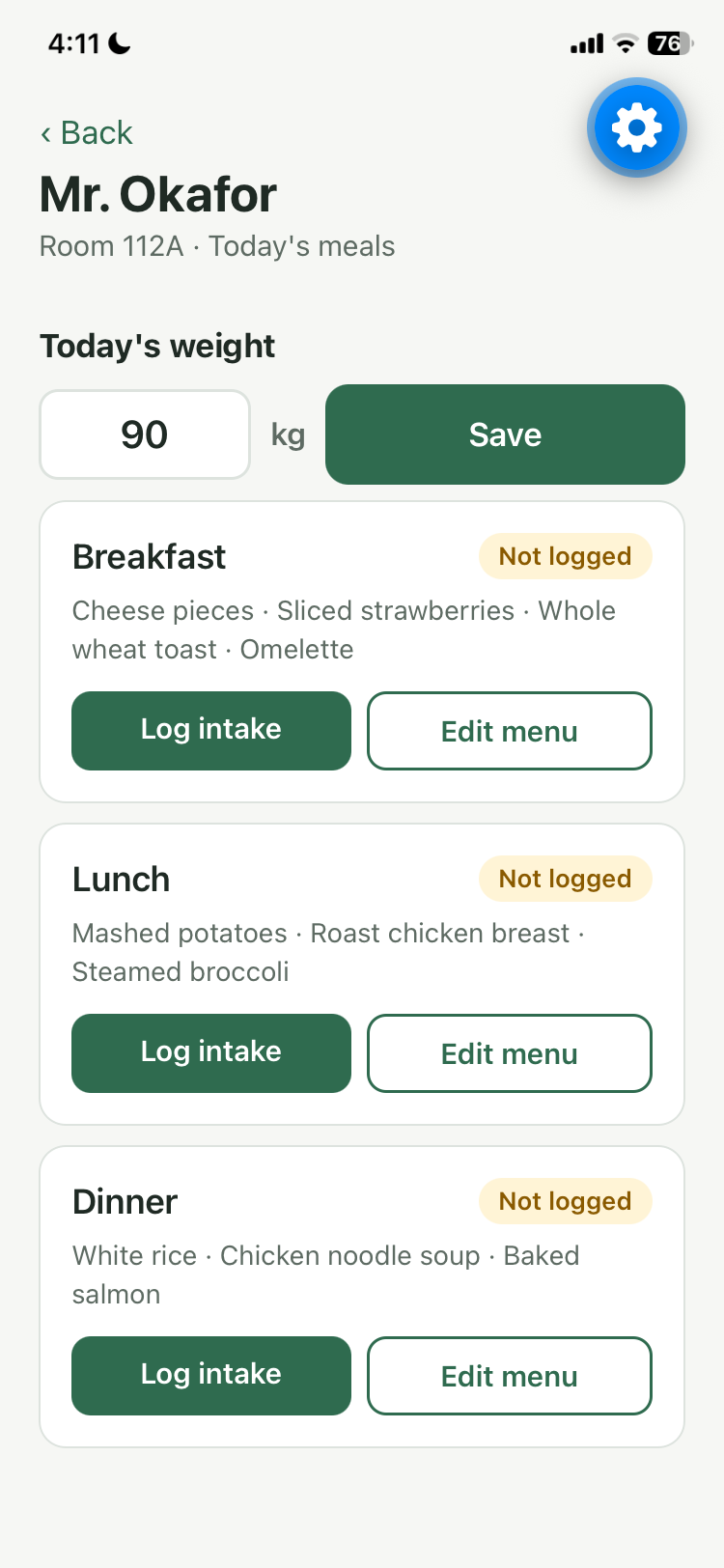
meal logs and menu edits
-
nutrient chart
-
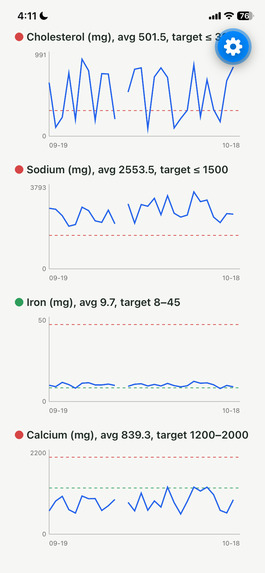
nutrient chart
-
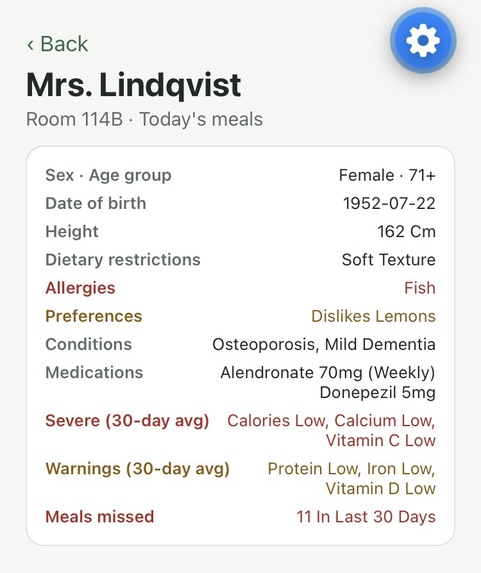
Resident profile
-
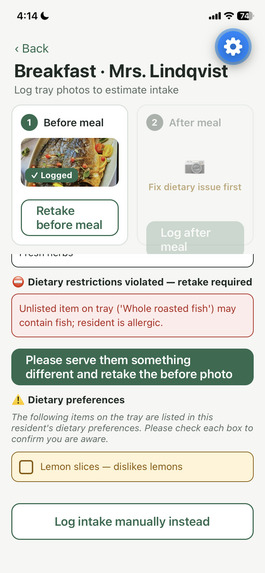
Dietary restrictions and dietary preferences
-
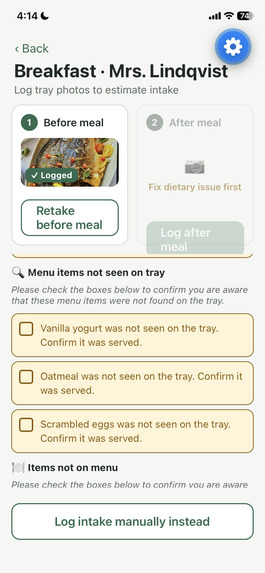
meal does not match menu
-
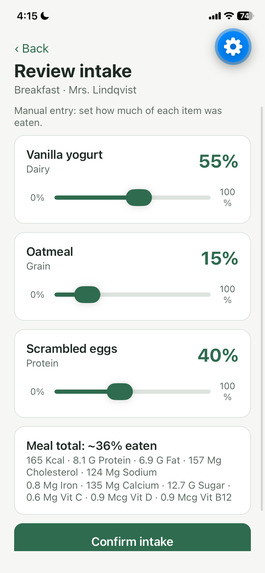
manual meal logs
-
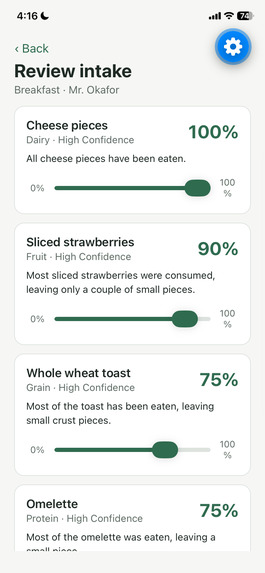
Percent consumed detection
-
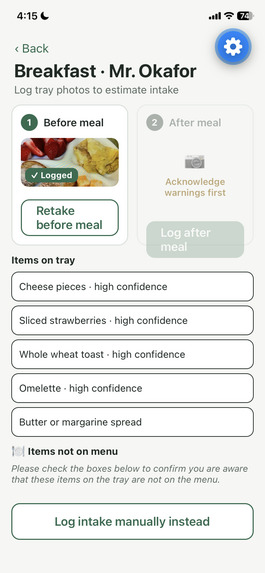
Meal item detection from image
-
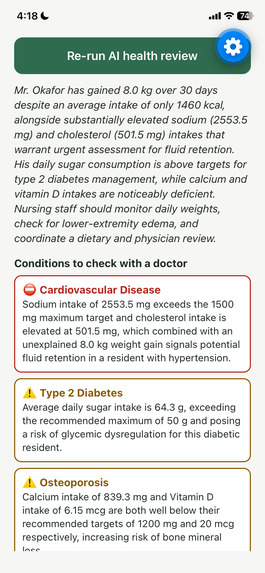
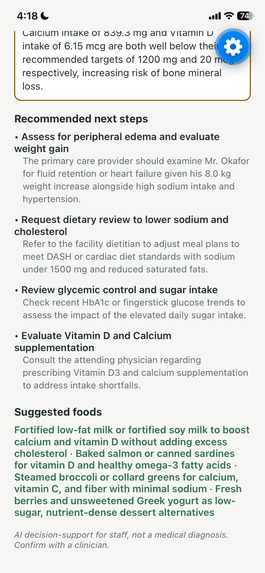
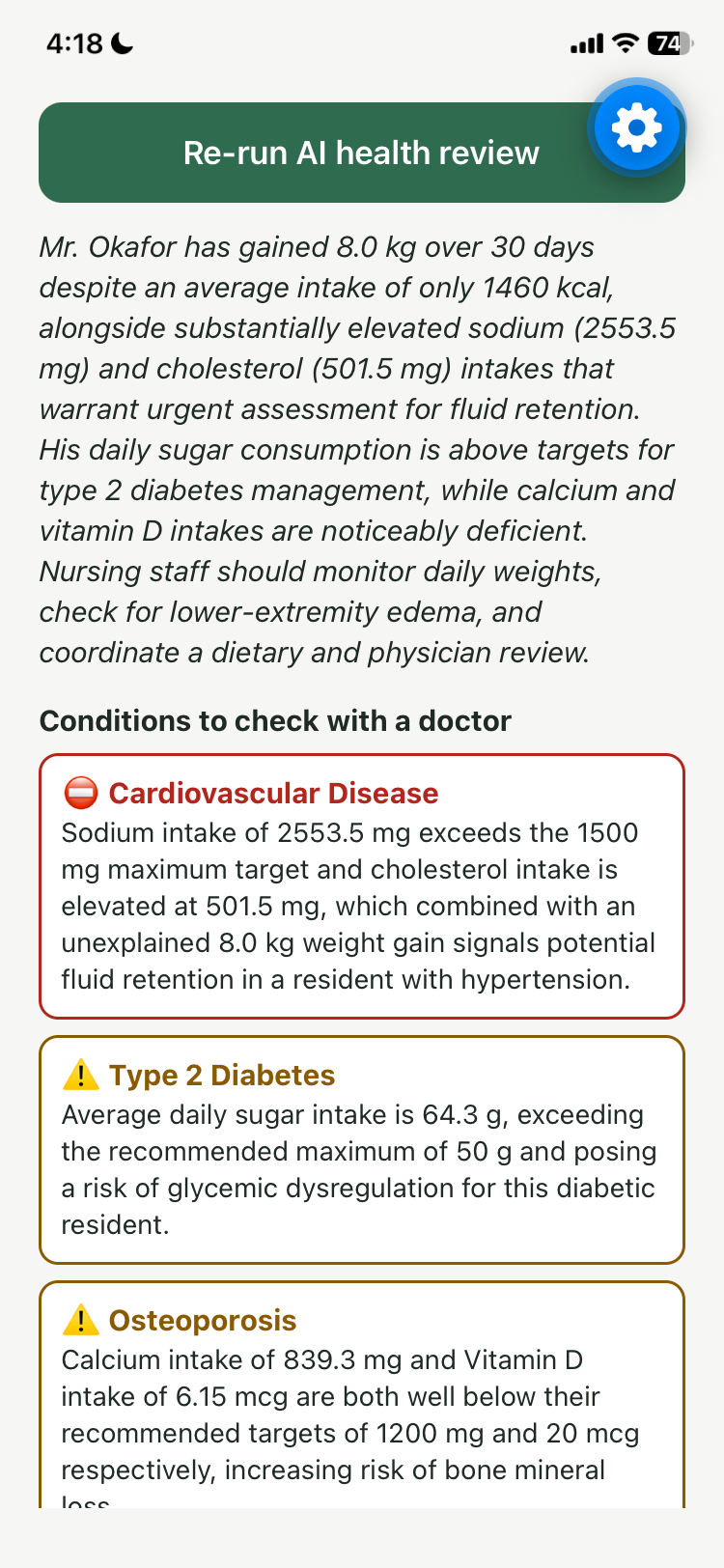
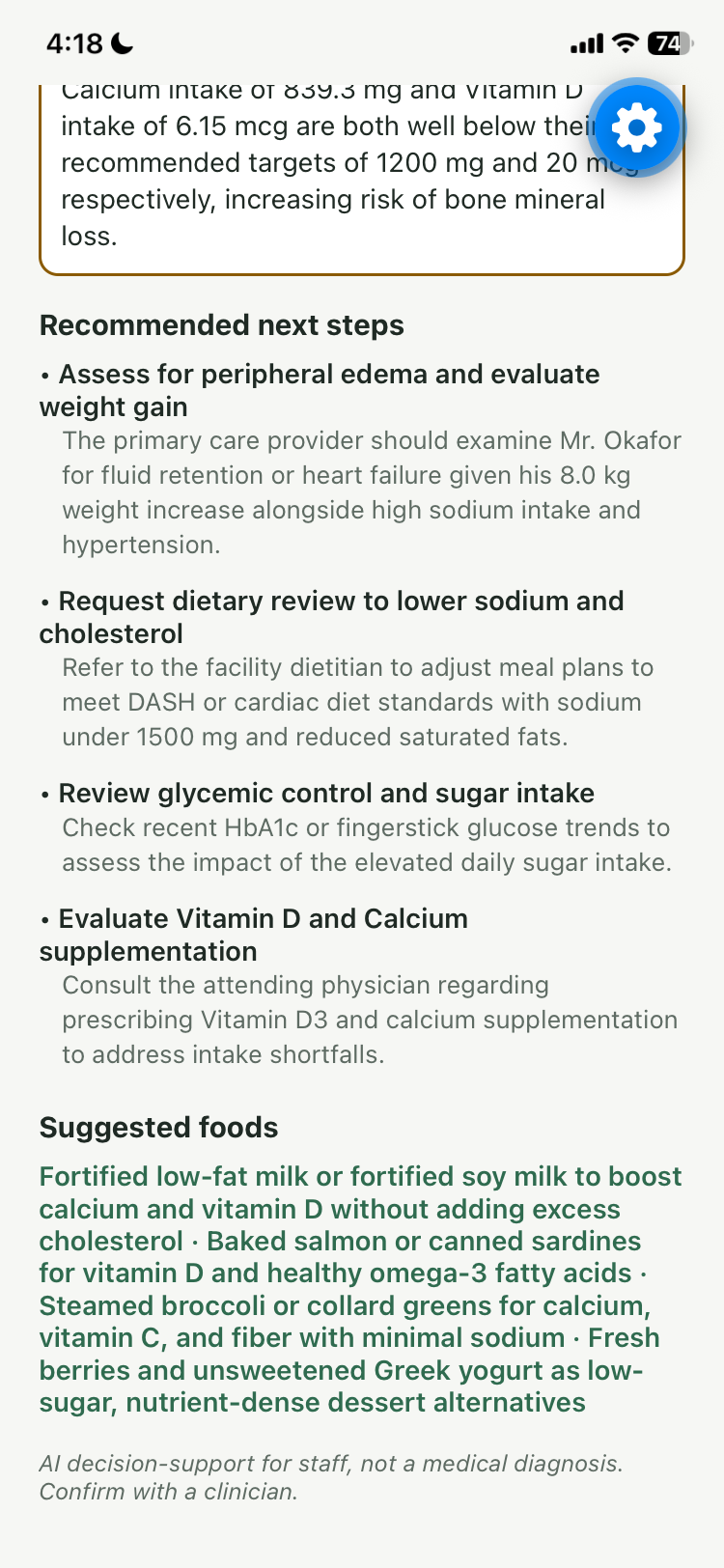
AI health review
-
AI health review
Inspiration
Some members of our team have friends who volunteer at retirement homes and so we heard stories about how understaffed and overwhelming the work can be, both physically and from an emotional perspective. Caregivers have a lot to keep track of, and making sure each resident’s meals meet their dietary needs can add even more pressure. As such, we wanted to make that part of caregiving a little easier. Nourish helps caregivers keep residents’ meals, dietary restrictions, and nutrition information organized in one place. It can also help them spot when a meal may not match a resident’s needs and track what the resident actually ate. We hope this takes some of the stress out of the more technical and clinical side of caregiving, so caregivers are able to ease their plates a little.
What it does
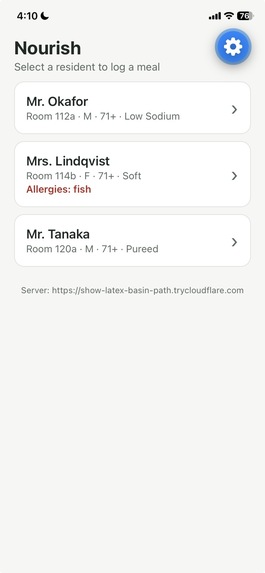
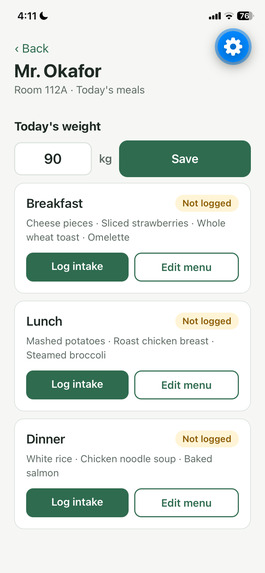
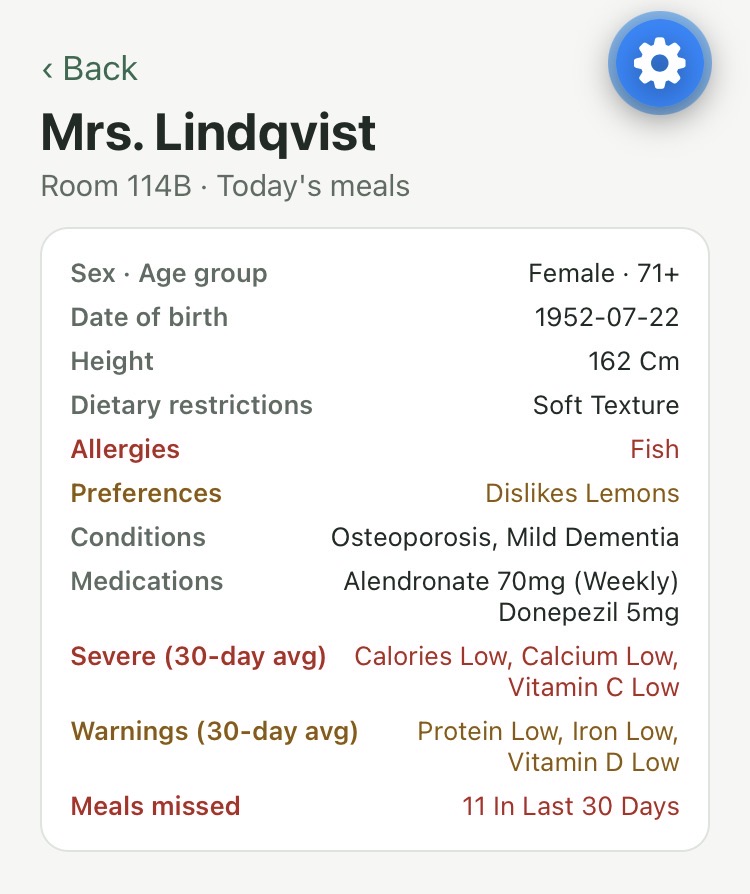
Our app helps caregivers track each resident’s meals, nutrition, and health in all one place. Firstly, the home page shows a list of all residents, with their name, gender, age, room number, and most important dietary restrictions. Each person’s name appears as a that the caregiver can click to open that resident’s page. Once the caregiver clicks on a resident, they will see a page that starts with the resident’s profile, which includes their sex, age group, date of birth, height, dietary restrictions, medical conditions, medications, and a summary of nutrient deficiencies or surpluses based on the past 30 days. The caregiver can then log the resident’s weight for the day and record their meals. Speaking of which, in the meal section, the caregiver can choose from the breakfast, lunch, or dinner options, where each one will show the day’s menu, whether the meal has already been logged, an option to log the meal intake, and an option to edit the menu. When the caregiver edits the menu, they will see a checklist of foods to choose from and the app will also show which foods are not recommended for that resident.
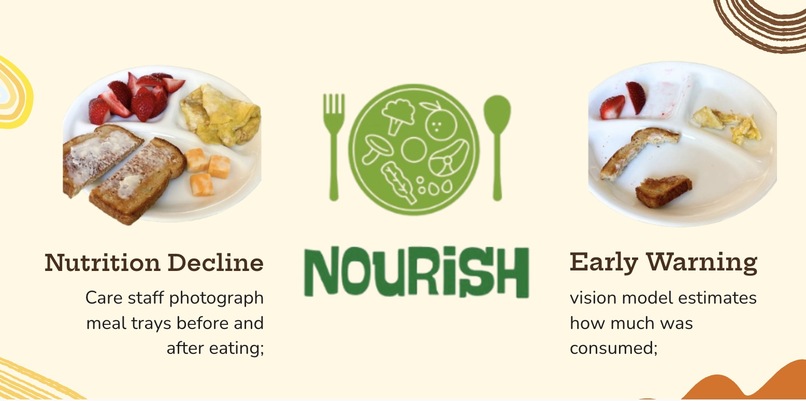
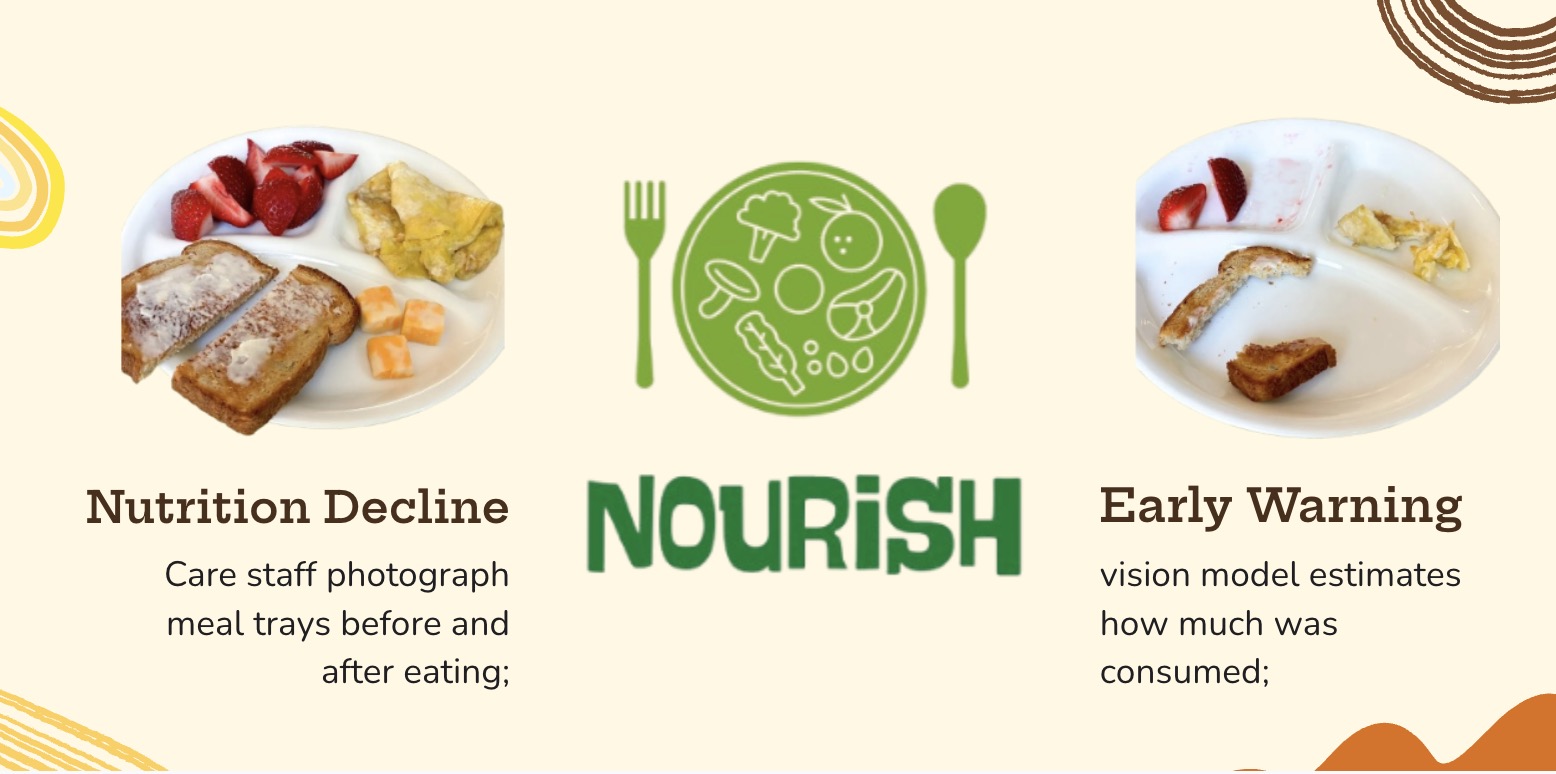
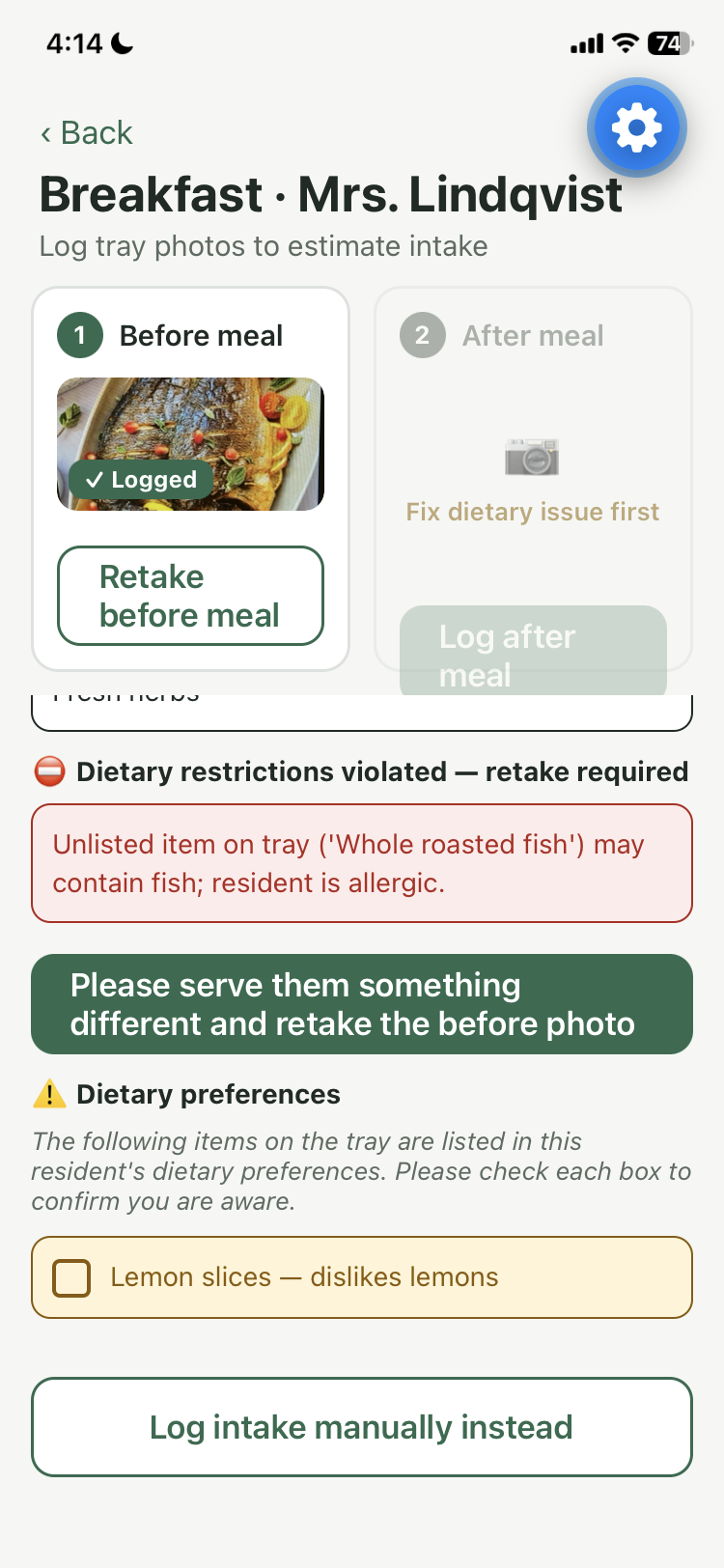
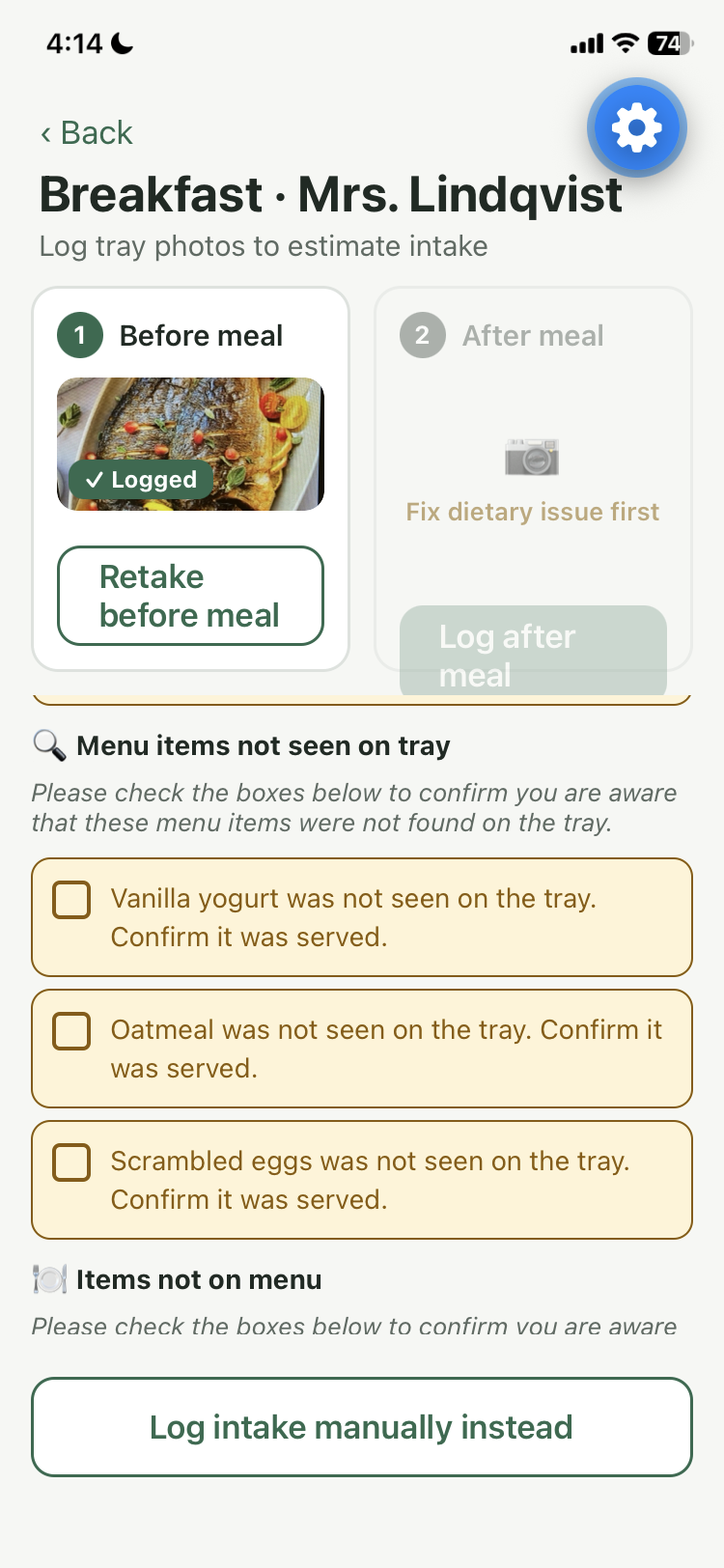
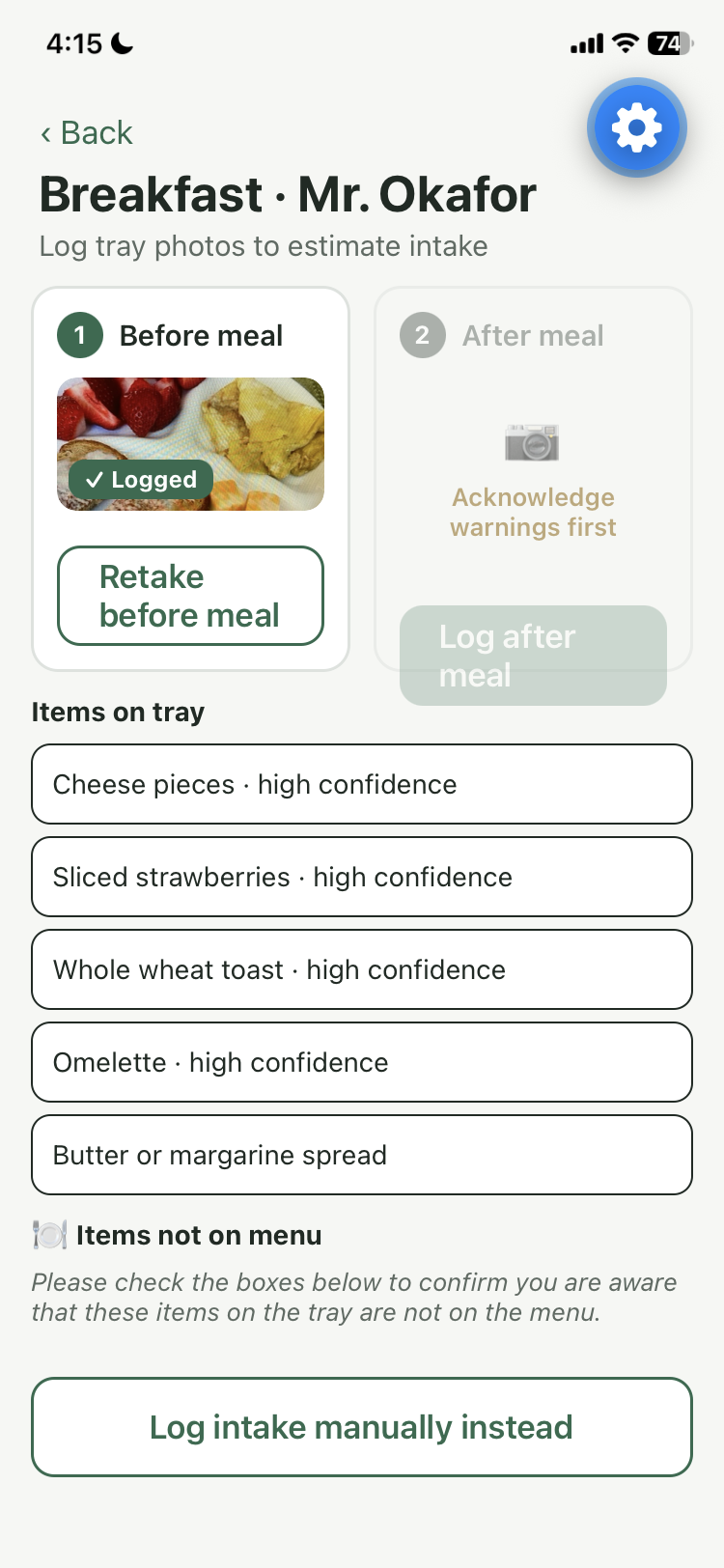
To log a meal, the caregiver can take photos or enter the meal manually. If they choose to take a photo, they first need to take a picture of the meal before it is eaten. The app then checks which items are in the picture, whether the meal breaks any of the resident’s dietary restrictions, and whether the items in the picture match the menu.
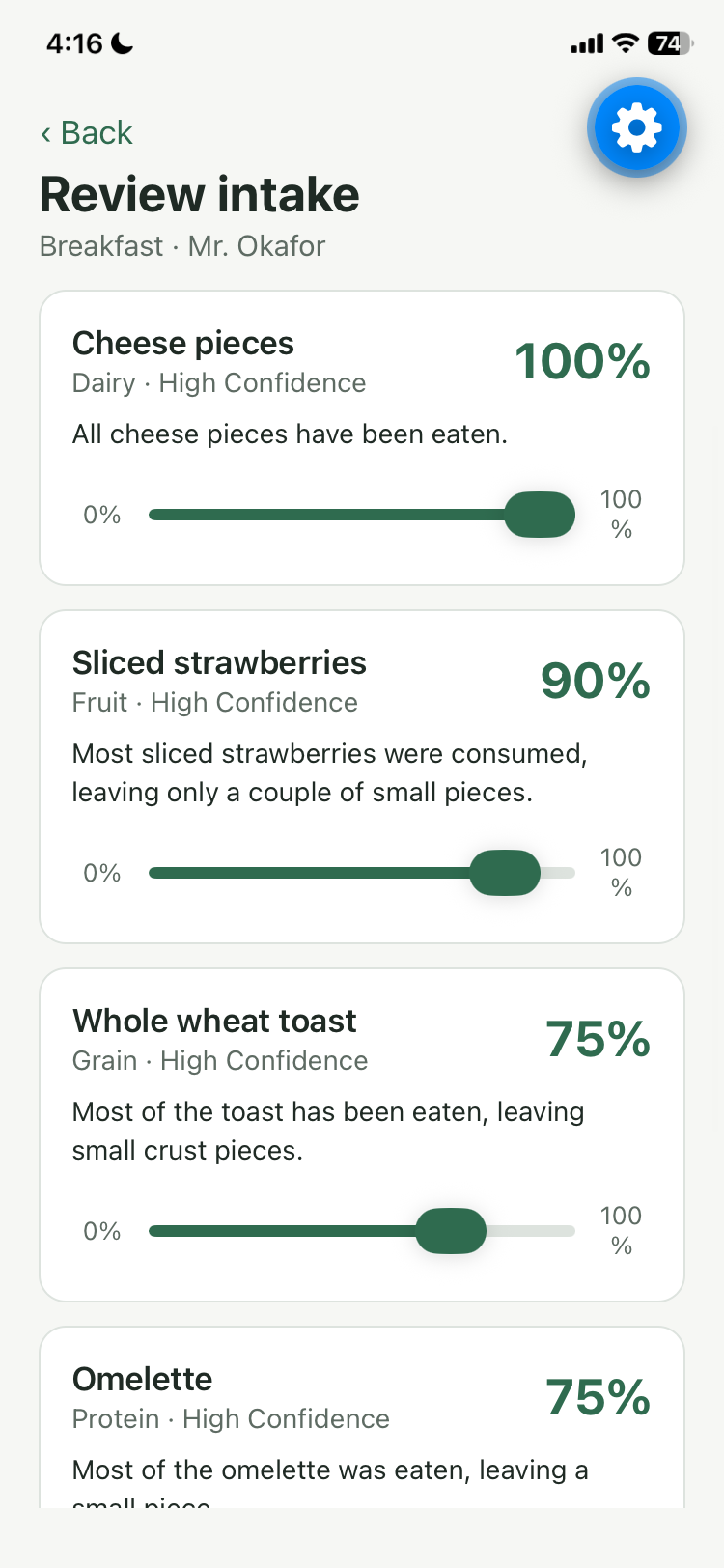
If the meal breaks a major dietary restriction, such as containing an allergen or having an unsuitable food texture, the app will not let the caregiver continue until they upload a meal that follows the resident’s restrictions. If there is a milder concern, such as a menu item not appearing in the picture, the app will flag it and ask the caregiver to confirm that they have acknowledged the issue. If everything is okay, the caregiver can take a photo after the meal, and the app will analyze the difference between the before and after photos. It will generate a report showing the percentage eaten for each item and Gemini’s confidence in each estimate. If the confidence is too low, the app will ask the caregiver to check the result.
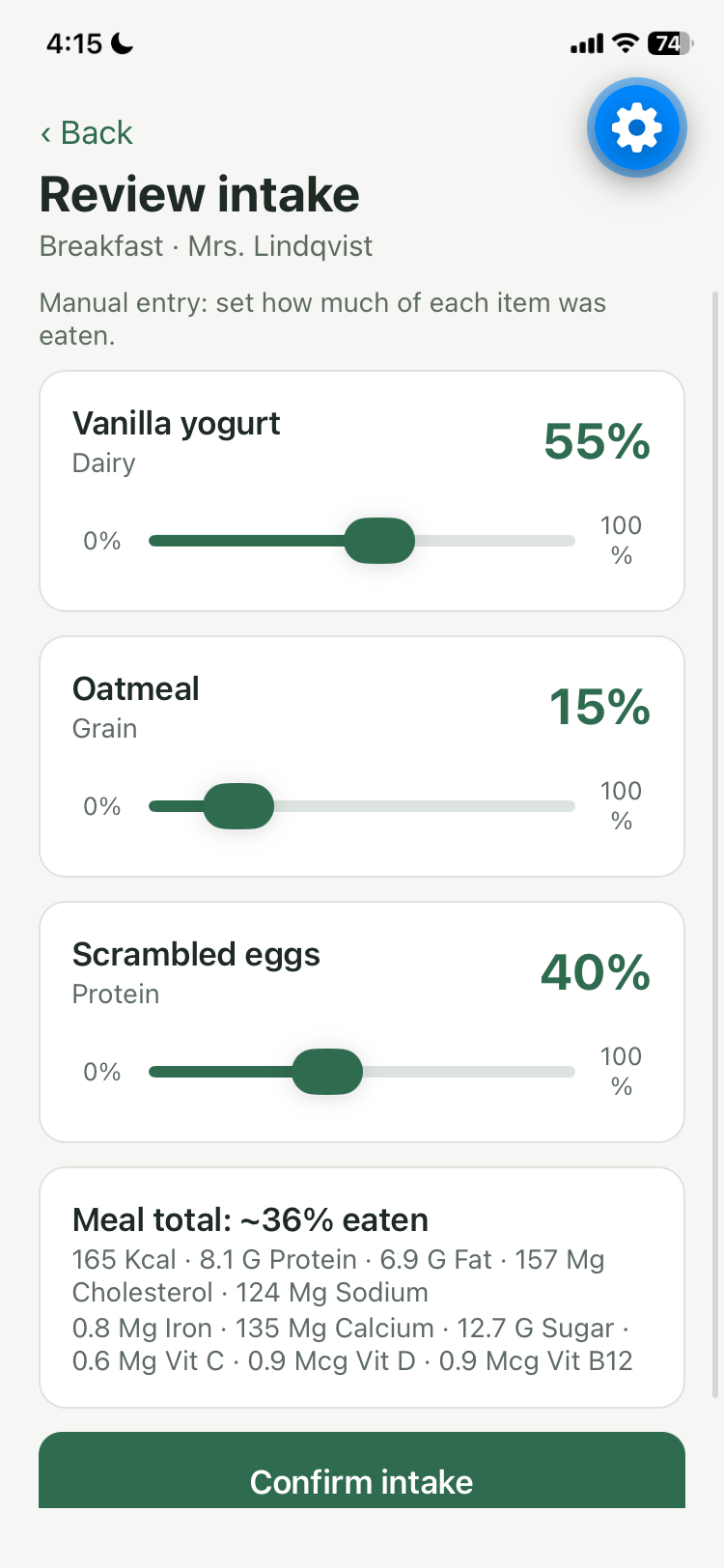
The caregiver can also manually change the percentages. The app will then generate a report showing the percentage of the meal that was eaten and the resident’s nutrient intake based on the percentage of each food they ate. Nutrient amounts are based on the menu, which is pulled from the USDA food database. The caregiver can also log how much of each supplement the resident took. The app shows how much of each nutrient is in a tablet, and the caregiver can enter how many tablets the resident took.
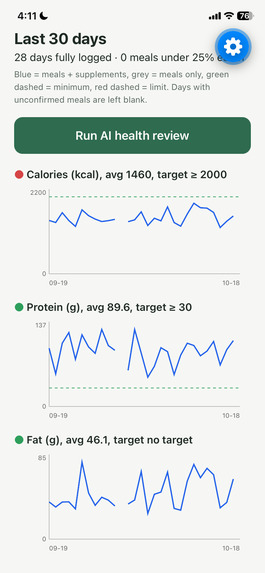
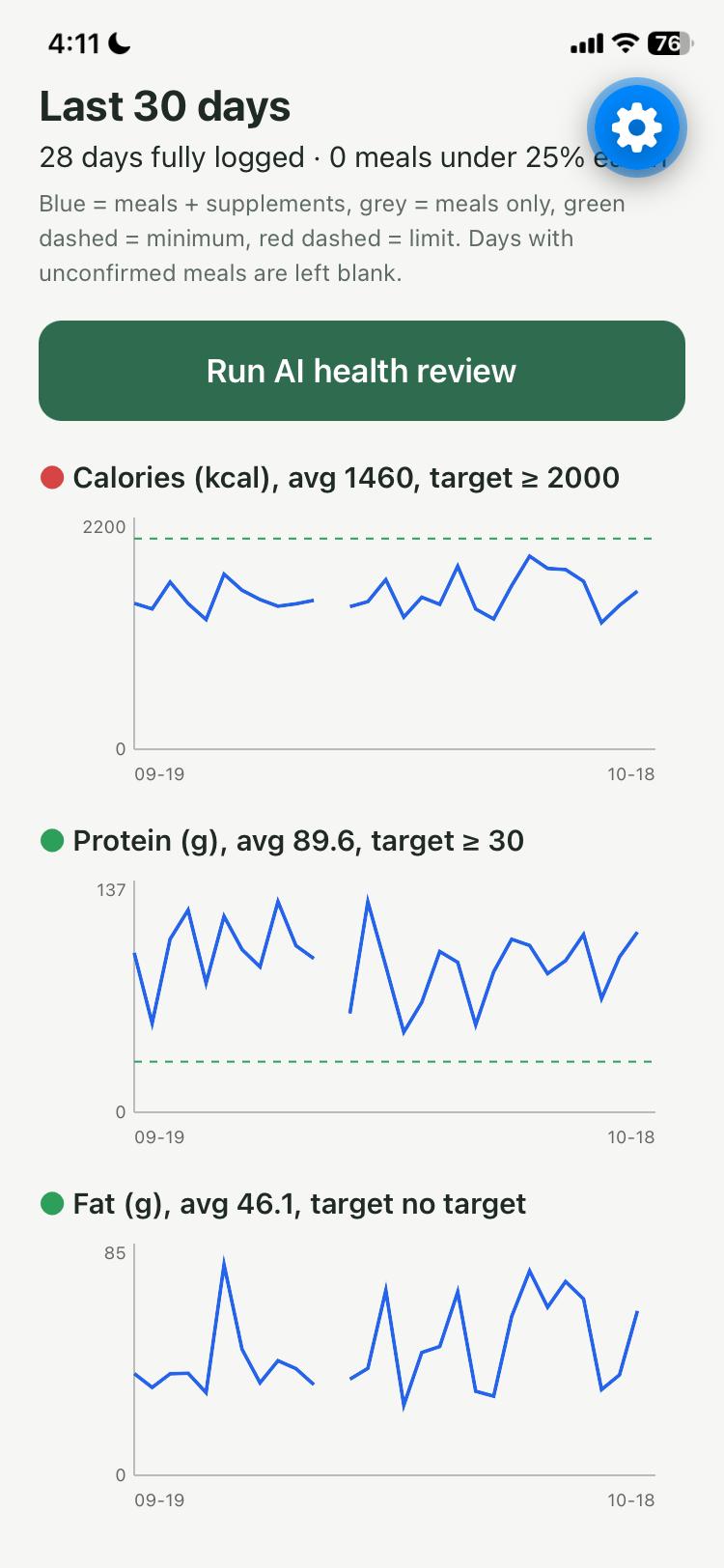
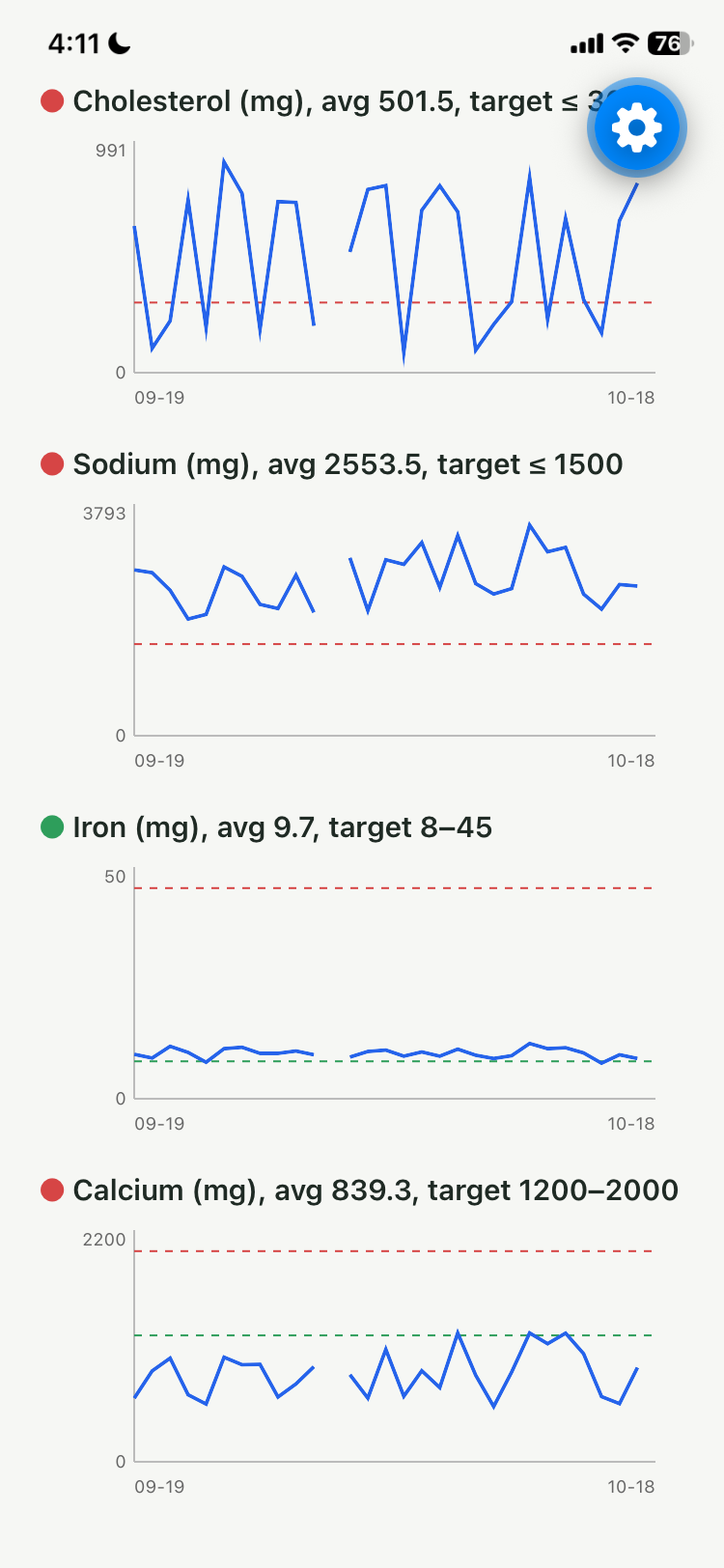
Additionally, the caregiver can view the resident’s nutrient chart. This is a prototype with fake, generated data. It shows 30 days of nutrient intake compared with the expected intake for the resident’s age group, sex, BMI, and medical conditions. The caregiver can also run an AI health review using Gemini. It flags potential conditions to double-check, such as iron or vitamin deficiencies, gives possible next steps, such as discussing a vitamin supplement, and suggests foods that may help balance the resident’s nutrient intake.
Finally, last but not least, the app also sends notifications to the caregiver’s phone if a meal has not been uploaded by 10 am for breakfast, 2 pm for lunch, or 8 pm for dinner as a reminder for who potentially has not eaten yet.
How we built it
Nourish is made up of four main parts: the mobile app, the backend, the database, and the external services it connects to. Firstly, the mobile app is built with Expo, where caregivers can use the different features in the app. The screens communicate with the backend through api.ts. During development, we used two tunnels so the phone could connect to the app and backend. Expo’s tunnel sends the app to the phone, and Cloudflare Tunnel gives the backend a secure web address so the phone can connect to it. The backend is built with FastAPI and split into different modules for different tasks. For example, analysis.py checks Gemini’s output and passes it to diet_rules.py and nutrition.py to apply set rules and calculation. longterm.py uses baselines.py to compare nutrient intake with targets, and gemini.py is the only module that communicates with the AI. The app saves its data in SQLite, with caregiver-confirmed meal intake stored in intake_records for tracking and the AI’s estimates stored separately in meal_analyses for later review. Gemini is called from the backend, so the API key stays there and isn’t sent to the phone, and USDA food information is added to the menu_items table ahead of time instead of being looked up each time.
Challenges we ran into
One of the main challenges we ran into was a server connection error every time we tried to connect the mobile app to our code and we spent a lot of time trying to figure out what was causing it and how to fix it. We also spent a lot of time designing the overall app’s architecture and thinking through how all the different parts should connect. Additionally, we used a new development tool that we had never worked with before (Kira and Expo Go) so we had to learn how to use it while building the app. Since we were calling Gemini, we also had to troubleshoot how to implement the API and get it working in the app.
Accomplishments that we're proud of
Honestly, just being able to have a functioning product to present was really rewarding on its own. With the help of AI, we could see how our ideas could be implemented more easily, for example, using Gemini for image recognition instead of finding a dataset and training our own model to recognize different foods. We’re also proud to have learned and have fun while creating a project that helps solve an issue we are passionate about. Finally, we are proud to have overcome bugs we had never seen before in a new development environment and learning from the process.
What we learned
Since we had limited time, we learned to embrace the hectic process of brainstorming, coding, learning, and debugging all at once. We also learned how to use new development tools and new ways to preview a mobile app on a phone. Finally, while it wasn’t that we necessarily learned this skill, but more so have come to appreciate it way more, was how important clear communication is between team members. There were times when some members couldn’t be there, but we were still able to coordinate accordingly, divide up tasks, and keep working together. Most of all, we had fun building a project we cared about because we were able to work on it together with open and high spirits.
What's next for Nourish
Next, we want to collect real data over the 30 days of the month and use it in the app instead of the fake data. Additionally, right now, the app calculates nutrition based on the meal menu, so if a resident is served something that isn’t on the menu, it won’t include that in their nutrition intake. We want to improve how the app works with the USDA food database so it can account for all the foods a resident is served and provide a more complete nutrition analysis.
Built With
- expo.io
- expogo
- expotunnel
- expoweb
- gemini
- geminiapi
- github
- kiro
- python
- react
- reactnative
- typescript
- usda-nutrition-data


Log in or sign up for Devpost to join the conversation.