
Nourio — AI Calorie & Macro Tracking From a Photo
💡 Inspiration
I've downloaded a calorie tracker maybe four times in my life. I've kept one for about six days, total.
The problem was never motivation. It was the twelve seconds. You finish a plate of biryani, open the app, and then you're typing "biryani" into a search box that returns forty results — "Chicken Biryani (Homemade)", "Biryani, restaurant style", "BIRYANI 1 cup" — and now you're supposed to know whether you ate 1 cup or 1.5. By day seven, you just stop opening the app.
So the question I started with wasn't "how do I build a better food database?" It was: what if logging a meal took as long as taking a photo of it? Because that's a thing people already do. Nobody needs to be convinced to photograph their food.
That's Nourio. Point your camera at the plate. Get calories, protein, carbs, and fat back in a few seconds. Fix anything that looks wrong. Move on with your day.
🥑 What it does
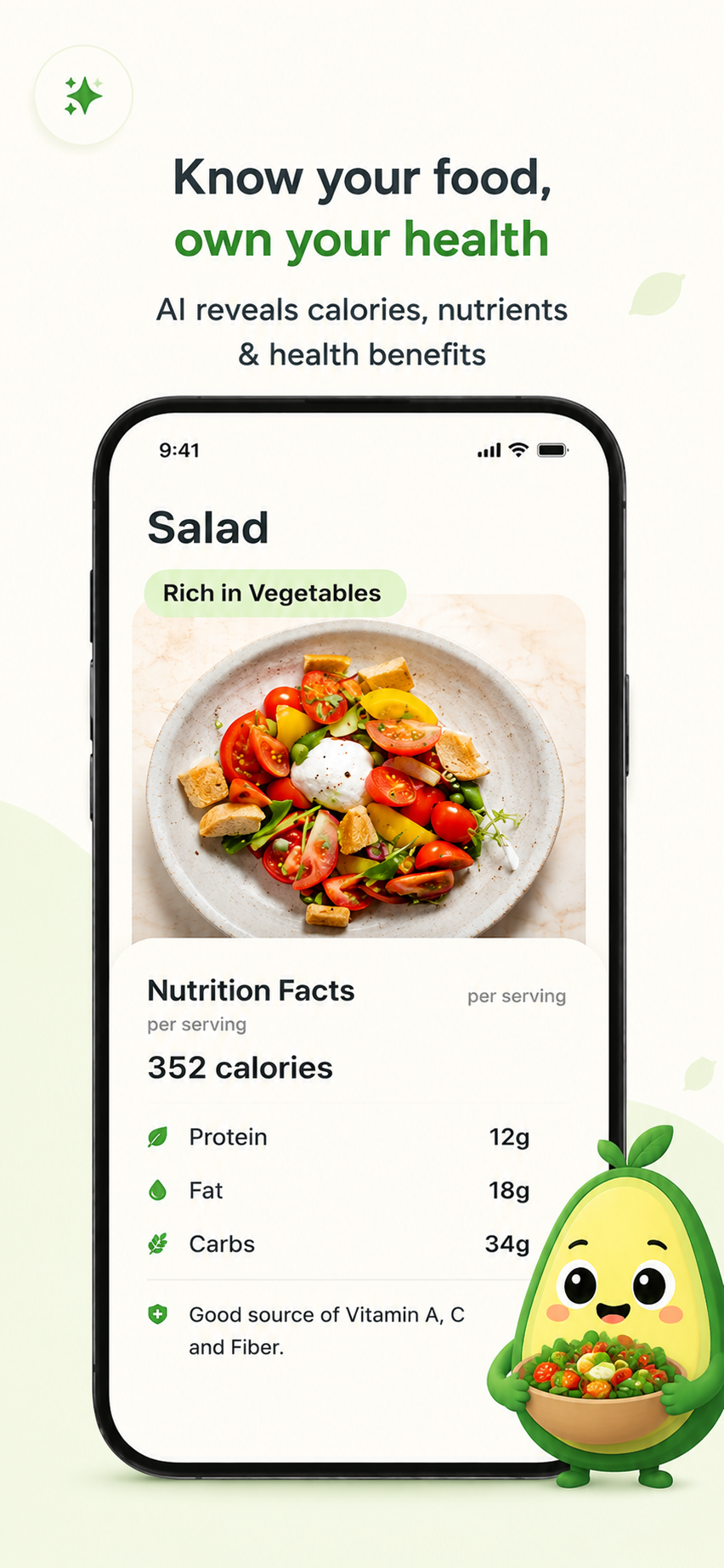
- Snap a photo → full nutrition breakdown. A vision model identifies the dish, estimates portion weight, and returns calories plus a macro split.
- Editable ingredient review. The AI's guess isn't the final word. Every ingredient comes back with an estimated gram weight you can adjust, and the numbers recompute.
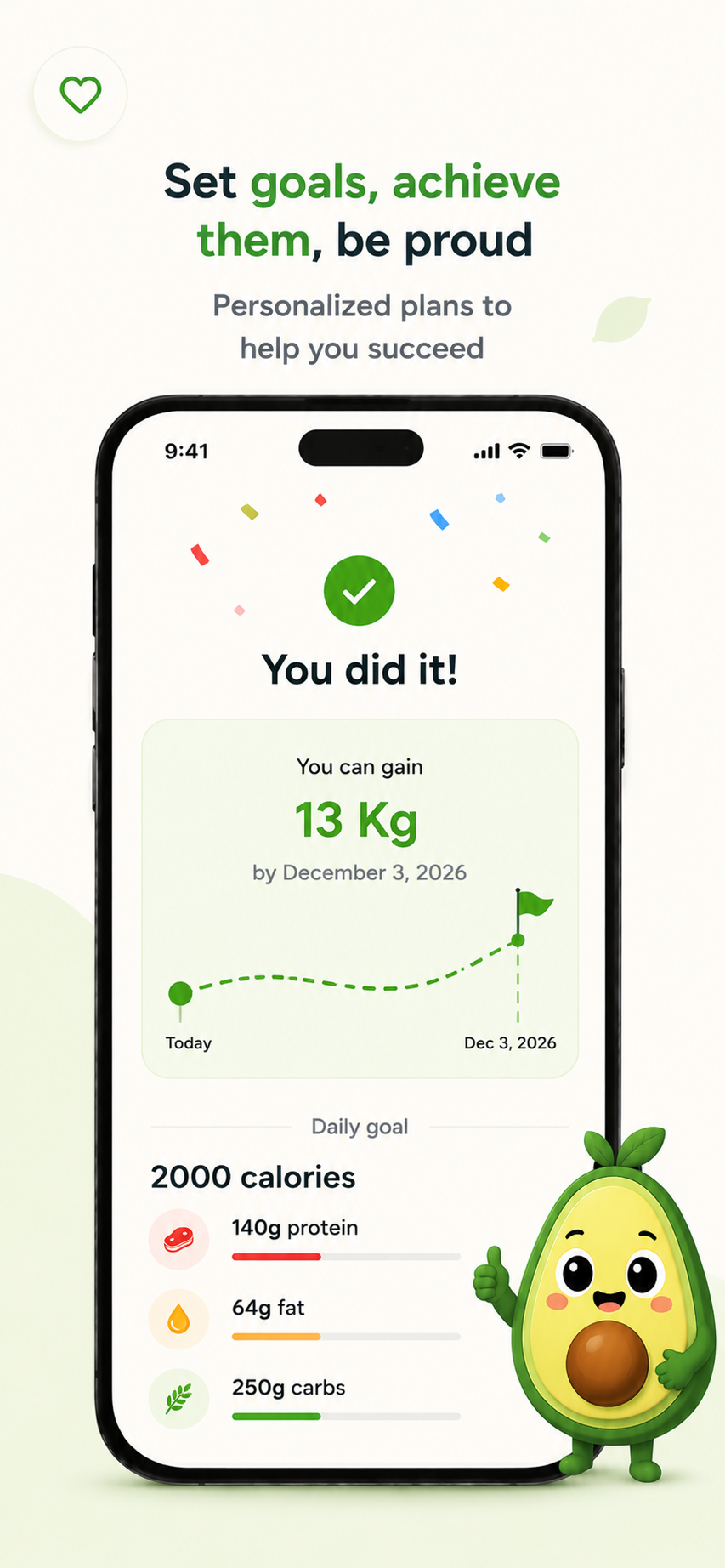
- Personalized daily targets built during onboarding from your age, sex, height, weight, activity level, goal, and how fast you want to get there.
- A hungry avocado. The mascot has three lives. Skip a day of tracking and it loses one. Track and it earns one back.
- Manual and ingredient-list entry for the meals a camera can't help with.
🛠️ How I built it
Nourio is a Flutter app shipping to both iOS and Android from one codebase, organized MVVM-style (lib/view, lib/view_model, lib/models).
The nutrition pipeline
Meal recognition goes through OpenRouter to a vision-capable model. The photo is base64-encoded into a data URL, sent alongside a system prompt that spells out an exact JSON schema, and requested in JSON mode. The response gets parsed into a MealAnalysis — dish name, ingredient list with gram weights, total portion weight, macros, plus a 1–10 "how balanced is this" rating and a set of reward badges like enough_protein or rich_in_fiber.
Text-only ingredient entry reuses the exact same call with a different content block, so there's one prompt contract to maintain instead of two.
The goal math
This part is deliberately not AI-first. Before any network call happens, Nourio computes a target locally using Mifflin–St Jeor:
$$ \mathrm{BMR} = 10w + 6.25h - 5a + s \qquad s = \begin{cases} +5 & \text{male} \ -161 & \text{female} \end{cases} $$
where $w$ is weight in kg, $h$ is height in cm, and $a$ is age in years. That gets scaled by an activity multiplier $M_a \in {1.2,\ 1.375,\ 1.465,\ 1.55,\ 1.725,\ 1.9}$, then shifted by the pace you picked — using the classic approximation that a pound of body weight is worth about $3500$ kcal:
$$ C = \operatorname{clamp}!\left(\ \mathrm{BMR}\cdot M_a \;\pm\; \frac{3500\,p}{7},\ \ 1200,\ \ 6000\ \right) $$
with $p$ as your target pace in lbs/week. The clamp matters — it's the guardrail that stops an aggressive pace setting from generating a genuinely unsafe target.
Macros then split off the calorie number:
$$ P = \frac{0.25\,C}{4} \qquad F = \frac{0.26\,C}{9} \qquad \mathrm{Carbs} = \frac{0.49\,C}{4} $$
(Those coefficients sum to 1.00 — worth checking, because they didn't on my first pass.)
On top of that, a separate GoalService asks an LLM for a coach-tuned version of the same target, using strict structured outputs — a JSON schema marked strict: true, so the model is constrained at the decoding level to return exactly four integers. It tries Groq first and falls back to the OpenRouter credential. If that call fails for any reason, the deterministic formula above is already sitting there as the answer.
The retention layer
An EngagementService schedules everything: morning and midday meal reminders that drip across a rolling week, an evening "your avocado is hungry" nudge, a same-day progress ping showing calories remaining, and limited-time offer notifications that switch off the moment someone goes Pro. Subscriptions run through RevenueCat, with a standard paywall and a discount variant.
🧗 Challenges I ran into
Getting an LLM to reliably return JSON. This ate the most time by far. Politely asking for JSON in a prompt gets you JSON roughly 95% of the time, and the other 5% is a markdown code fence or a cheerful sentence wrapped around it. The fix was layered: JSON mode on the request, the schema written out explicitly in the system prompt, client-side validation, and a single automatic retry on a parse failure. Later I moved goal generation to strict schema-enforced structured outputs, which made that whole class of bug disappear. Constraining the model beats convincing it.
Deciding how much to trust the AI. A photo can't tell you how much oil went into the pan. Rather than pretend to a precision that doesn't exist, I made the ingredient list editable and made the AI's output a starting point. The prompt even instructs the model to defer to user-supplied weights and notes over its own visual estimate.
Ripping out shared_preferences. The Android side needed to read the same stored user state as the Flutter side, and bridging two separate persistence layers was getting ugly. I dropped the package and wrote a MethodChannel bridge to native storage, so Flutter and Android both read and write the same nourio_user_prefs file. API keys go into the Keychain / EncryptedSharedPreferences rather than plain prefs.
Streaks that punish people. My first version was a conventional streak counter. Miss a day, back to zero. I hated using it — one bad day and there's no reason to open the app again. The avocado's three lives fixed that: you can have a bad day, and a good day earns a life back. One subtle detail took a while to get right — today is never scored, because the day isn't over yet, and evaluation is idempotent against the last-evaluated date so a day can't get double-counted across app launches.
Layouts that survive an iPhone SE and accessibility text scaling. Dynamic proportional spacing, clamped typography, and auto-fitting labels so "Sign Out" never renders as "Sign".
📚 What I learned
- Structured outputs are the answer, not prompt engineering. Every hour spent rewording "please return only JSON" would have been better spent on a strict schema.
- Every AI path needs a deterministic fallback. The Mifflin–St Jeor formula means a user with no connection and an expired API key still gets a real, sensible target. The AI improves the answer; it isn't load-bearing for it.
- Idempotent state beats incremental updates. Both the notification scheduler and the lives system rebuild from scratch on every sync. It felt wasteful and it eliminated an entire genre of "why is there a stale reminder from Tuesday" bugs.
- Retention is a design problem, not a notification-frequency problem. The forgiving-streak change did more for how the app feels than any amount of copy tuning.
- Secrets belong in the Keychain or a
--dart-define, never in source. Learned this one the way most people do.
🚀 What's next
Barcode scanning, Apple Health and Google Fit sync, meal history search, and a lighter on-device model for the common repeat meals — because the fastest possible log is the one that doesn't need a network call at all.

Log in or sign up for Devpost to join the conversation.