-
-

Postman Doc Logo
-
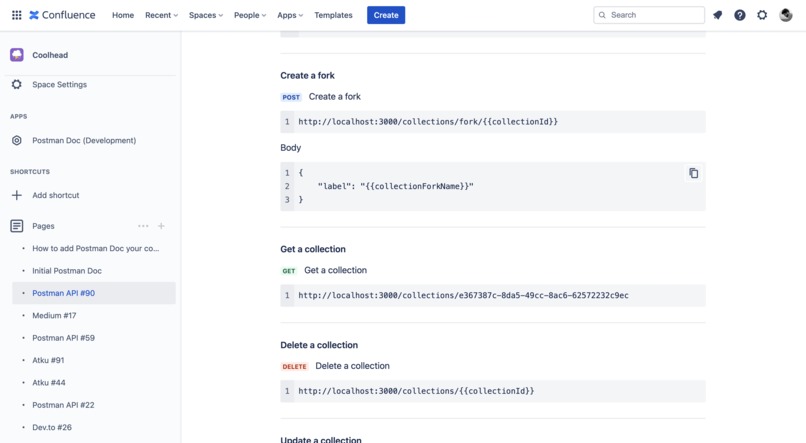
Get Beautiful Documentation in your confluence
-
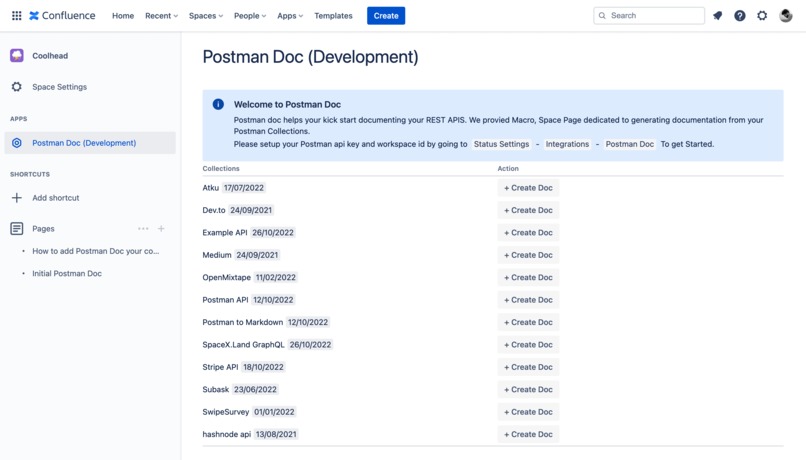
Dedicated Space page to create Documentation from Postman Collections.
-
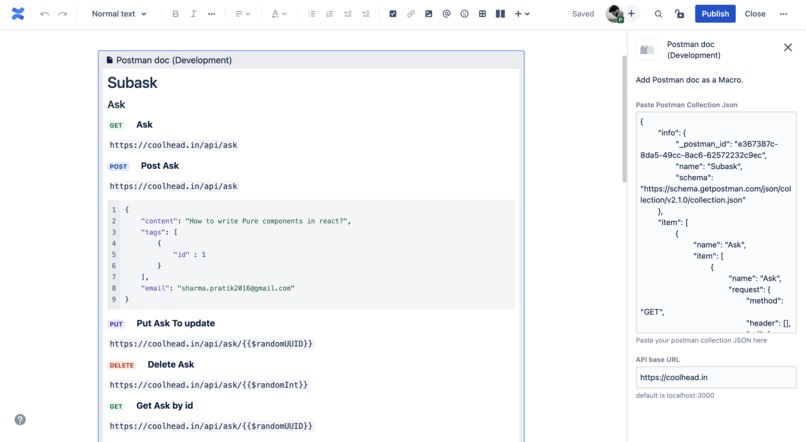
Macro : Best for smaller APIs

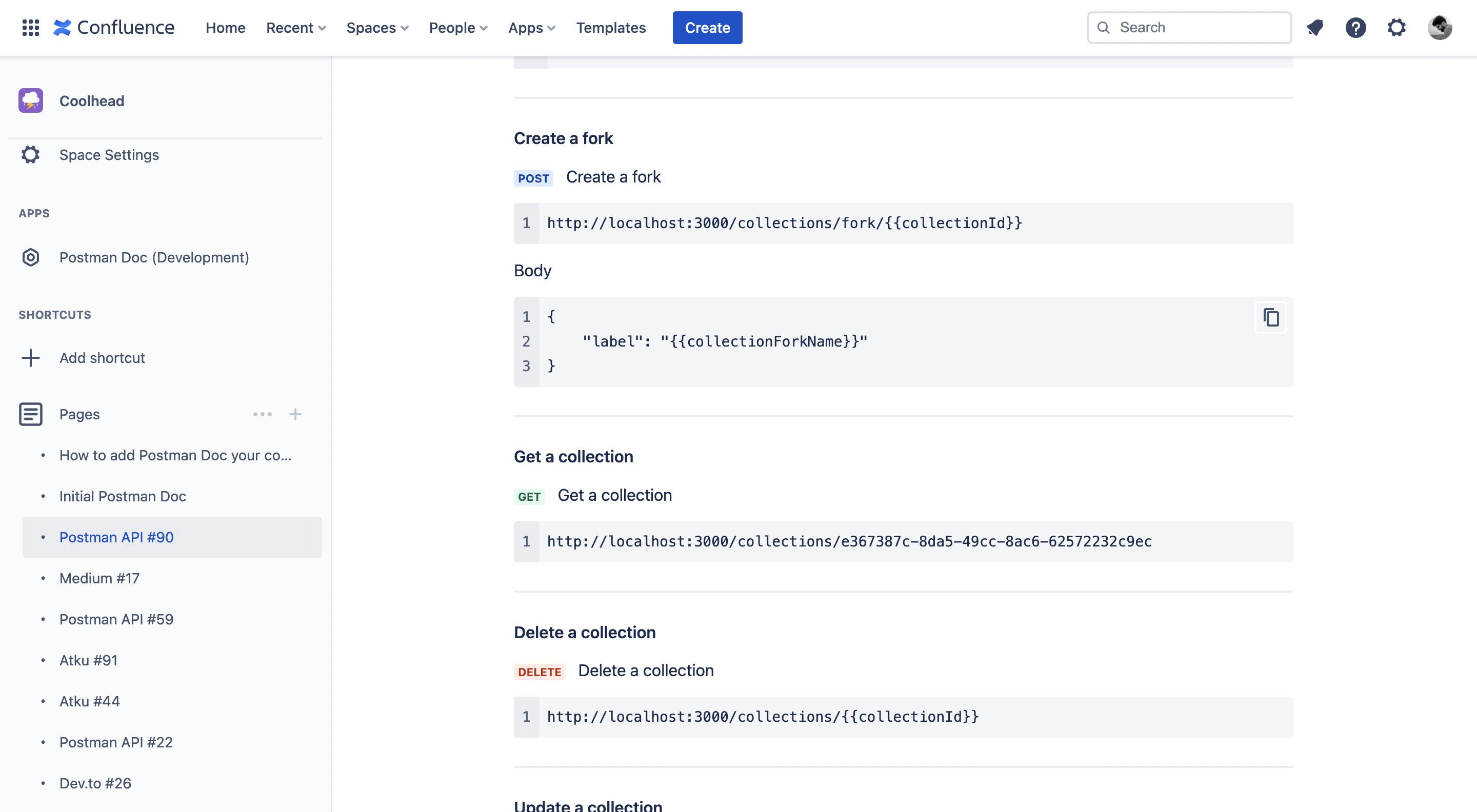

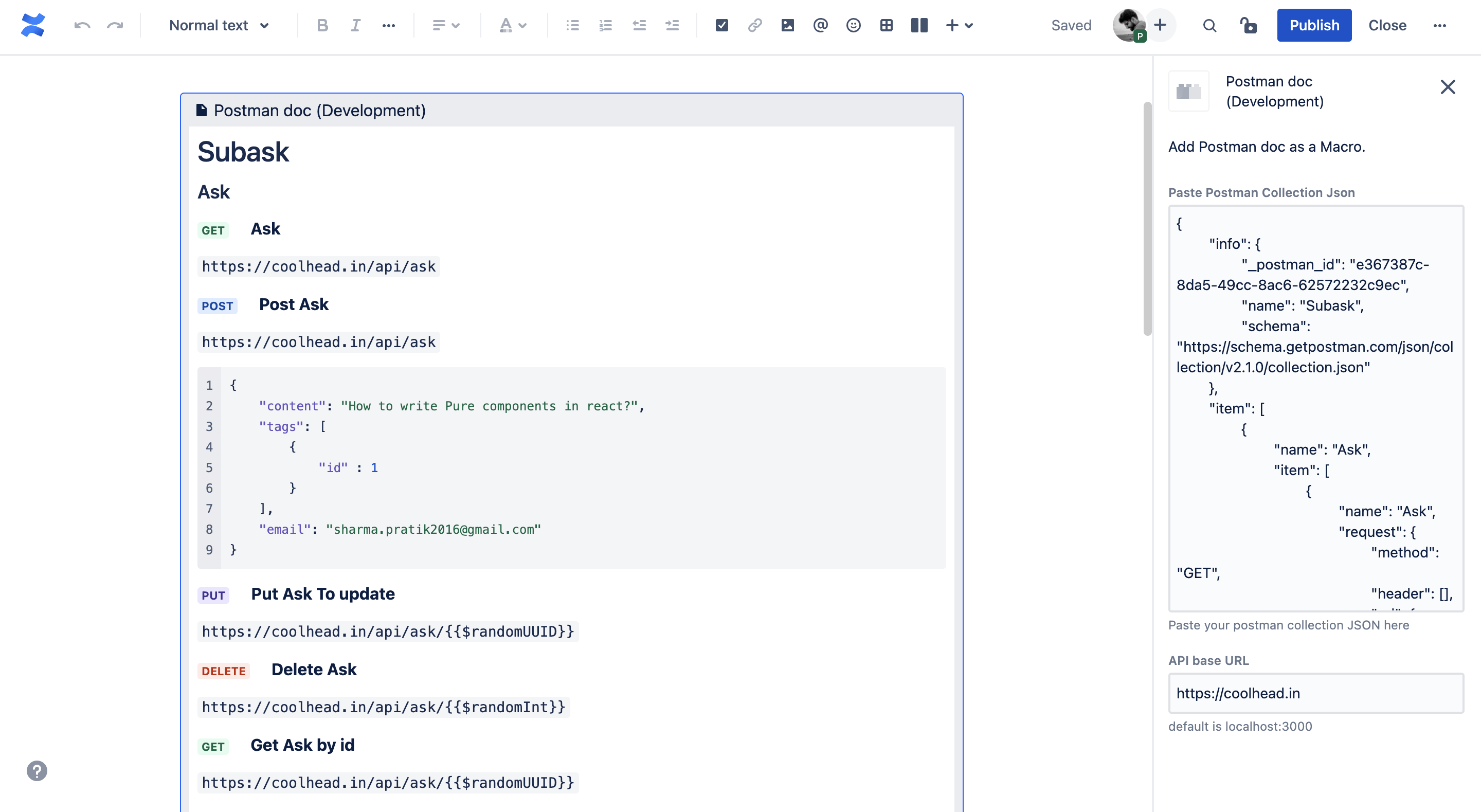
Postman doc helps you kick start documenting your APIS. We provide a Macro and Space Page dedicated to generating documentation from your Postman Collections.
Installation link
How to use Postman Doc?
- In Confluence, you can get the postman doc macro. by
/postman - When you install Postman doc, You can see Postman doc on your space page. Follow the instruction there to set up your postman API key and workspace id.
- To Create Postman API Key - learn more
- To Find the workspace ID - visit here
🎉 Features
- Dedicated Macro in your confluence
- Generate your Postman doc in two clicks
- Get a list of your collection in your Space.
- Support with Confluence Built-in Macros.
- Integrated using the Postman API.
- Open-sourced
🤝 Support
✅ Graphql Queries
✅ form-data
✅ x-www-form-urlencoded
✅ raw - Text, Javascript, JSON, HTML, XML
✍🏻 Issues
- Visit our GitHub Repo
- Create an Issue. https://github.com/biomathcode/Postman-Doc/issues
🤝 Contribute
- You can start by working on the present issues.
- Create an issue for improvement, or feature request.
- Make a pull request. 🥳
https://github.com/biomathcode/Postman-Doc
Inspiration
I work in a remote startup. Many of our company members don't really like to have longs meeting. We have also realised that having a writing culture is most important for a remote company to succeed.
Postman has become integral to the API Creation process. We really wanted to have something which could document our postman collection APIs in confluence for us. Something we can utilise as a reference point while discussing API bugs or feature requests.
More of an automation tool, which would integrate with Postman API and create beautiful REST API documentation for us. That’s where Postman Doc comes in.
What it does
Postman Doc Creates Beautiful REST API Documentation in your confluence. Postman Doc has support for Atlassian built-in Macros, which you can edit based on your preferences.
It supports almost all the postman formats - JSON, raw, form data etc.
How we built & Challenges we ran into
I started with creating a Macro, but it had its own limitations. I hit the storage limit of the textarea in the config macro. I keep trying to find a better way to achieve my goal. Also, being able to print your documentation was important for feature for Postman Doc. I still don’t really know if you can print a macro text.
I came up with the idea of creating a dedicated Space Page for Postman Doc and using the Postman API. Sending requests in storage format to create the confluence page, was a bit tedious for me in the beginning. After finding the right way, it worked wonders for me 🥳.
Finding details about the storage format was a bit difficult. Also, I created up to 200 to 300 confluence pages for testing Postman docs in every case possible.
I had to fix a lot of bugs, one, in particular, was <>. So, the storage format of confluence uses XML. I was getting some <> from the postman API. Simply removing them from the string worked for me.
I can really say Postman Doc is complete with all the features that I could think of. I will really like it if you find any bugs or have any feature requests. Please do let me know.
Accomplishments that we're proud of
It was really fun to work on Postman Doc. It is highly useful while documenting your work or even sending bug reports to someone. Postman Doc utilises almost all the built-in macros of Confluence. Using them has helped us create a Beautiful Documentation model.
If I have to point out :
- Using the built-in macros of confluence
- Adding Support for Graphql, JSON, raw data etc.
- Macro, which can be useful for small postman collections.
- Flexible, and easy to set up.
What we learned
I almost created a library to send data in the Atlassian storage format. It has support to create two layouts, three layouts, Expand, headings, code blocks, tags, etc. I have been thinking of creating a page builder. So anyone can design their template in that way.
What's next for Postman doc
I am very happy with the result of Postman Doc. I would like to format the code better. I tried to use typescript. Most of the UI.tsx has good type support. I can create a paid version of Postman Doc, where you can also edit the document template as well.


Log in or sign up for Devpost to join the conversation.