🧠 Inspiration
As Gen Z students, we live in a world full of tabs, apps, and distractions. We often start researching something, open a dozen Chrome tabs, get a notification — and suddenly, everything’s gone.
The momentum, the thought, the work — lost in a sea of multitasking.
We’ve personally faced this countless times. Between juggling classes, assignments, and projects, it’s easy to forget what we were doing when we closed a tab or switched tasks.
That frustration led to the birth of Notify — a Chrome extension designed to help us remember what matters, bookmark instantly, and pick up right where we left off.
Our goal: to make productivity effortless and focus-friendly for the generation that’s constantly online.
🚀 What it does
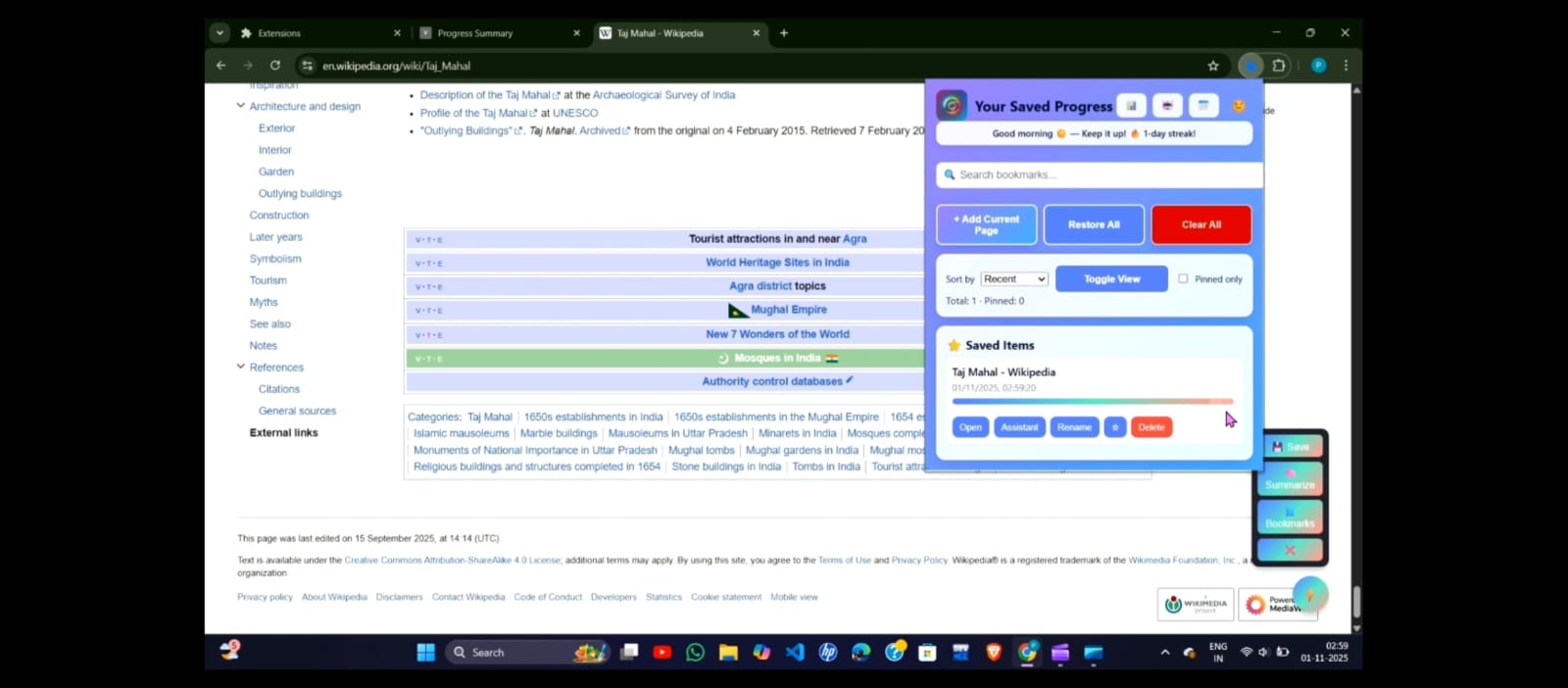
Notify is a smart Chrome extension that saves, summarizes, and reminds you of what you were doing — so you never lose track of your thoughts or tabs.
✨ Key Features
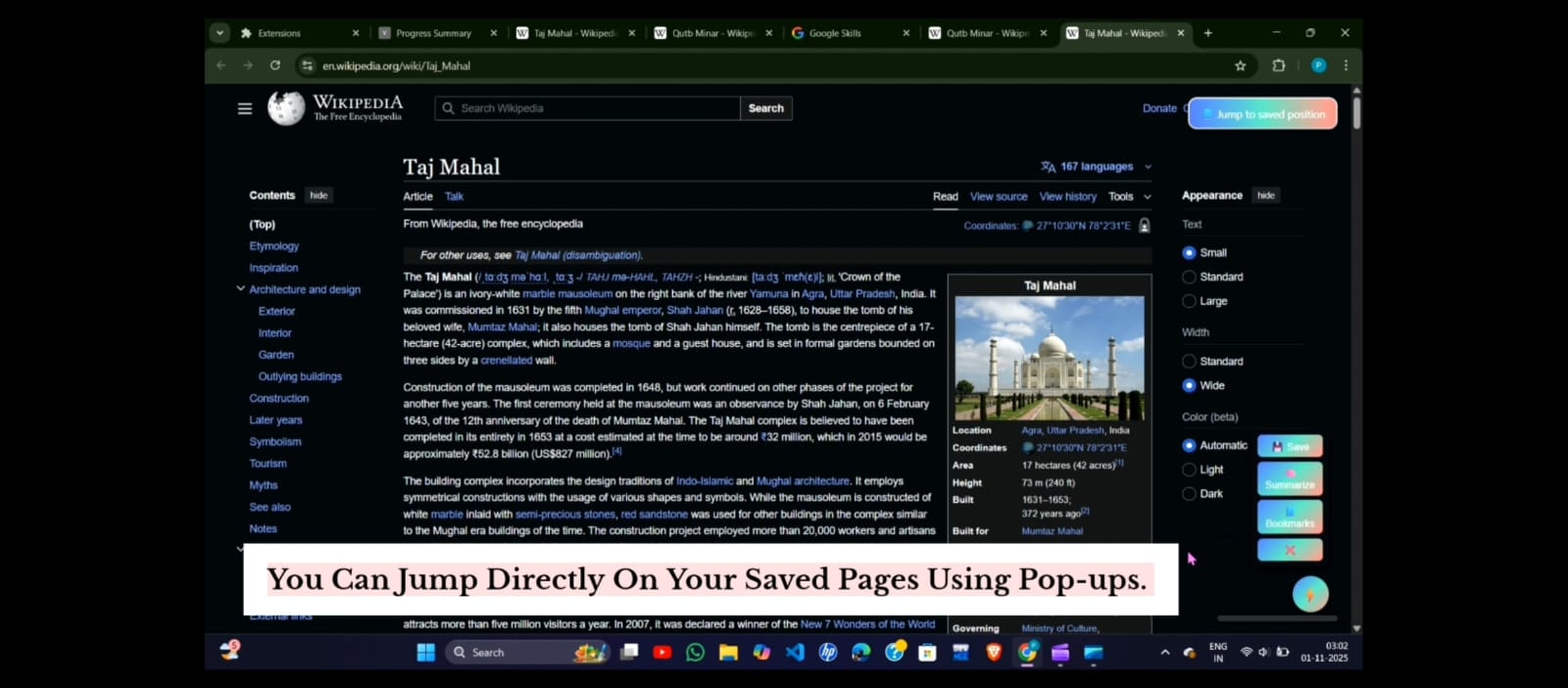
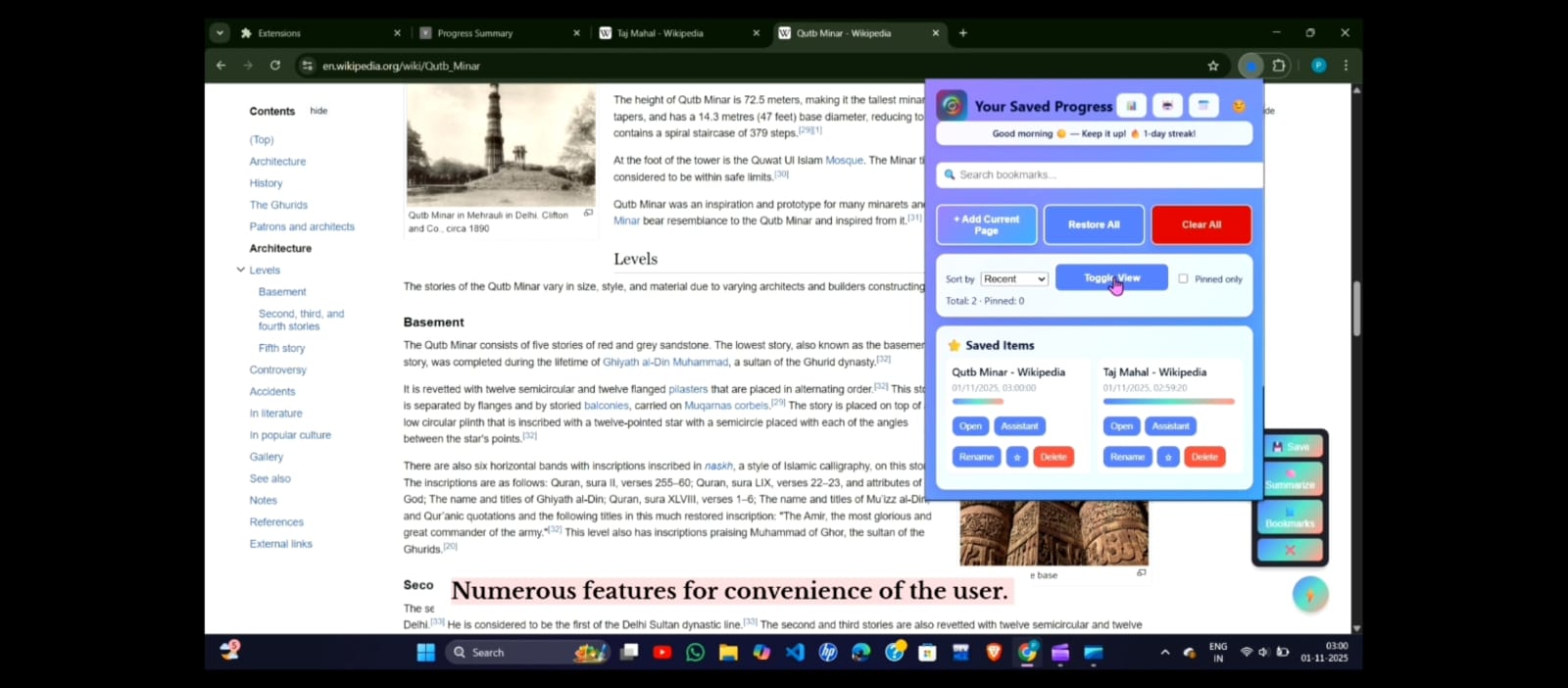
📌Instant Bookmarking: Save any webpage or snippet with one click, so you can revisit it anytime.
📍 Pin Important Work: Highlight key tasks or websites by pinning them to stay at the top of your list.
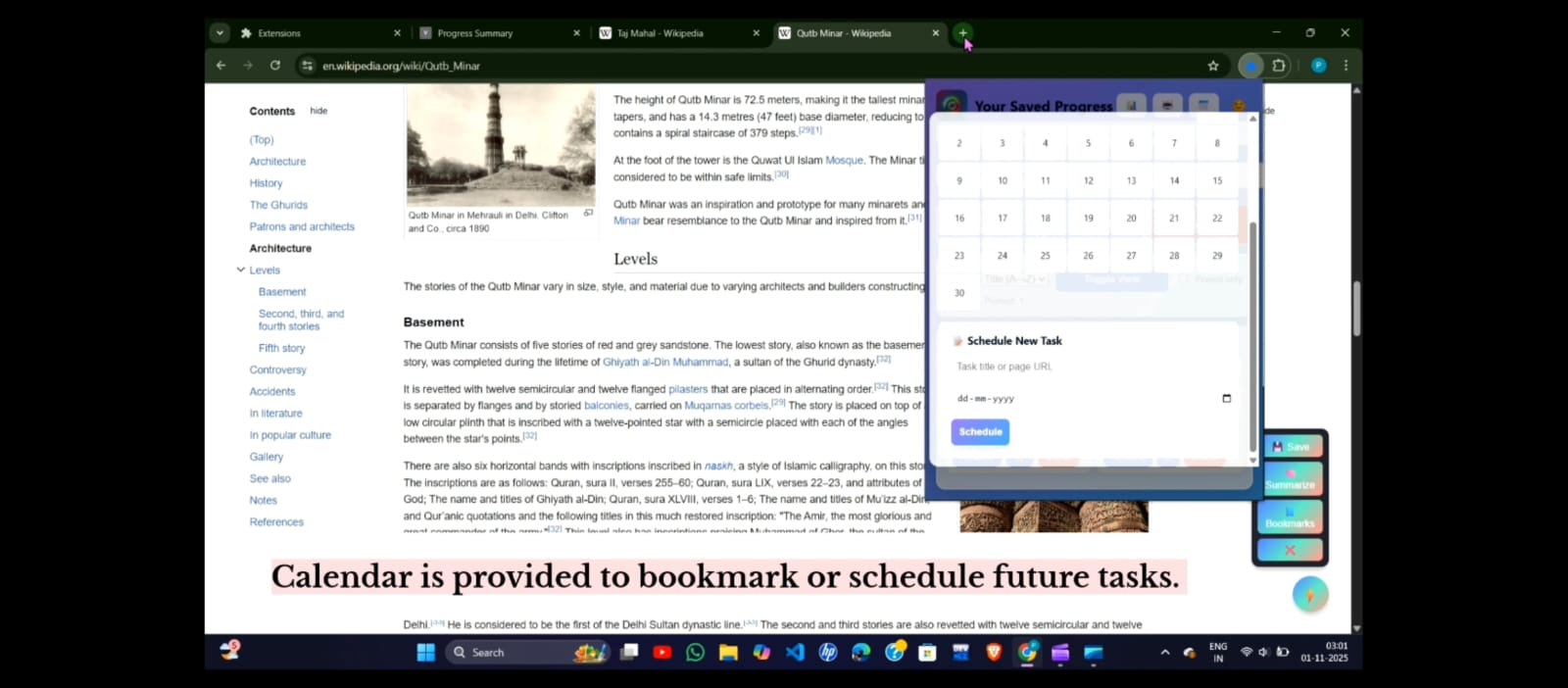
⏰ Task Scheduling & Reminders: Set reminders for important pages or tasks — and get a Chrome notification when it’s time to return to them.
🌙 Night & Day Modes: Choose between light and dark themes for distraction-free focus.
⚡ Offline Support: Works smoothly even without AI access, using a local summarization fallback.
It’s like your personal digital memory — always organized, always on time, and always keeping your ideas safe until you’re ready to continue.
🛠️ How we built it
Frontend: HTML, CSS, and JavaScript for popup UI and tab interaction.
Backend: Chrome Extensions Manifest V3 APIs for bookmarks, notifications, and scheduling.
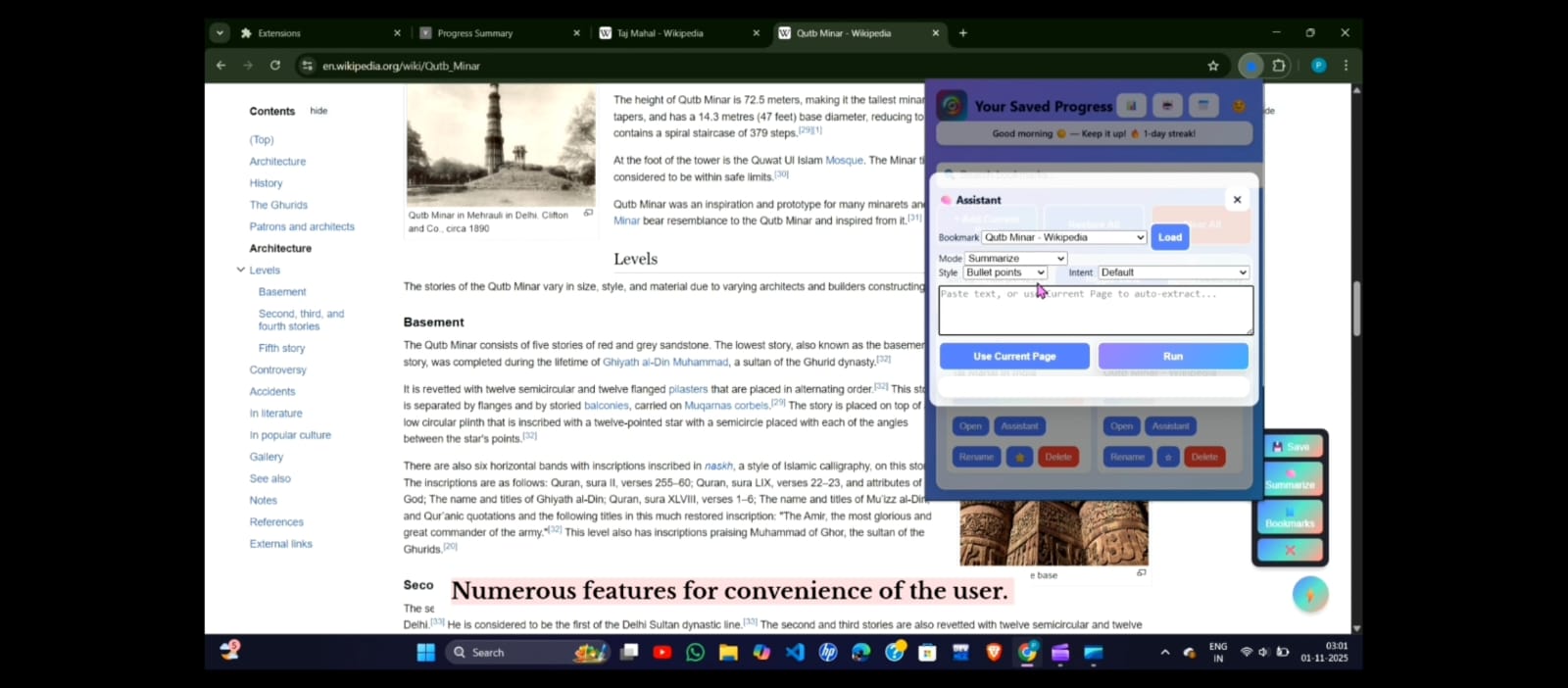
AI Engine: Gemini API for contextual summarization of saved pages.
Security: API key protection with local fallback to prevent exposure.
Styling: Clean and minimal UI with intuitive design and theme switching.
We implemented async messaging between popup.js, background.js, and content scripts to ensure smooth user experience — from bookmarking to receiving reminders.
⚙️ Challenges we ran into
🌍 Geo-lock restrictions on Chrome’s built-in AI limited full access.
🔐 Securing Gemini API keys in a client-side environment.
🧩 Handling messaging errors (like “Receiving end does not exist”).
⚡ Balancing performance with advanced features like AI summaries and reminders.
🏆 Accomplishments that we’re proud of
🚀 Built a fully functional Chrome extension that genuinely solves a Gen Z productivity problem.
🧠 Integrated AI summarization, bookmarking, pinning, and task reminders seamlessly.
🎨 Designed a clean, distraction-free interface that’s easy and fun to use.
💪 Achieved stable performance with fallback logic and smooth background communication.
📚 What we learned
How to build and debug Chrome Extensions using Manifest V3.
How to integrate Gemini AI securely and effectively.
How AI + simple UI can enhance focus, memory, and workflow.
That great design is about removing friction, not adding complexity.
🔮 What’s next for Notify
Since the Chrome AI features (Gemini API) are currently geo-locked, we’ll be waiting for them to fully unlock in more regions.
Once available, we’ll integrate:
*Context-aware AI reminders * that understand what kind of pages you’re saving.
Voice-based quick notes for saving ideas or reminders hands-free.
Cloud sync and cross-device support so you can access Notify anywhere.
Smarter on-device AI summarization, translation, prompting, and rewriting — built entirely client-side using Chrome’s built-in Gemini API. This ensures privacy, speed, and no external data dependency, letting users use AI features seamlessly inside Chrome.
Our vision is to make Notify the ultimate client-side productivity companion for Chrome — helping users remember, organize, translate, and act smarter online.
Built With
- actions
- and
- and-background-service-setup-background-service-workers-?-to-handle-task-scheduling-and-reminder-notifications-chrome-storage-api-?-to-save-bookmarks
- and-permissions-vs-code-&-chrome-devtools-?-for-debugging-and-development-??-entirely-client-side
- and-pinned-items-chrome-notifications-api-?-for-real-time-and-scheduled-alerts-indexeddb-?-to-enable-offline-functionality-ai.js-(gemini-api)-?-for-summarizing
- and-pinned-items-locally-chrome-notifications-api-?-for-real-time-and-scheduled-user-alerts-indexeddb-?-to-enable-offline-first-data-reliability-ai.js-(gemini-api-integration)-?-for-summarization
- and-rewriting-(client-side-planned-once-geo-lock-lifts)-day/night-mode-ui-?-for-user-accessibility-and-comfort-firebase-(future-use)-?-for-sync-and-cross-device-access-json-manifest-?-to-define-metadata
- built-with-html5
- css3
- icons
- javascript-(es6+)-?-for-the-front-end-and-popup-interface-chrome-extensions-manifest-v3-?-for-permissions
- keeping-user-data-private
- offline-first.
- prompt-rewriting-(client-side-planned-once-geo-lock-lifts)-day/night-mode-ui-?-for-accessibility-and-user-comfort-firebase-(future-integration)-?-for-cloud-sync-and-multi-device-access-json-manifest-configuration-?-to-define-metadata
- reminders
- secure
- translating
- translation


Log in or sign up for Devpost to join the conversation.