-
-
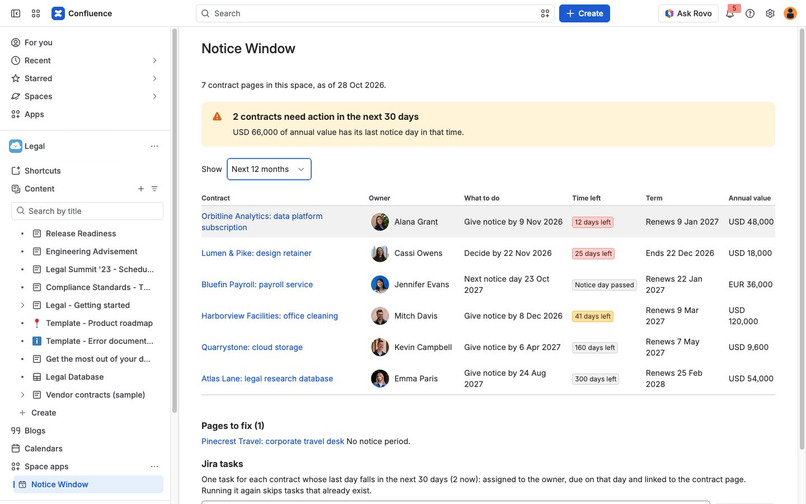
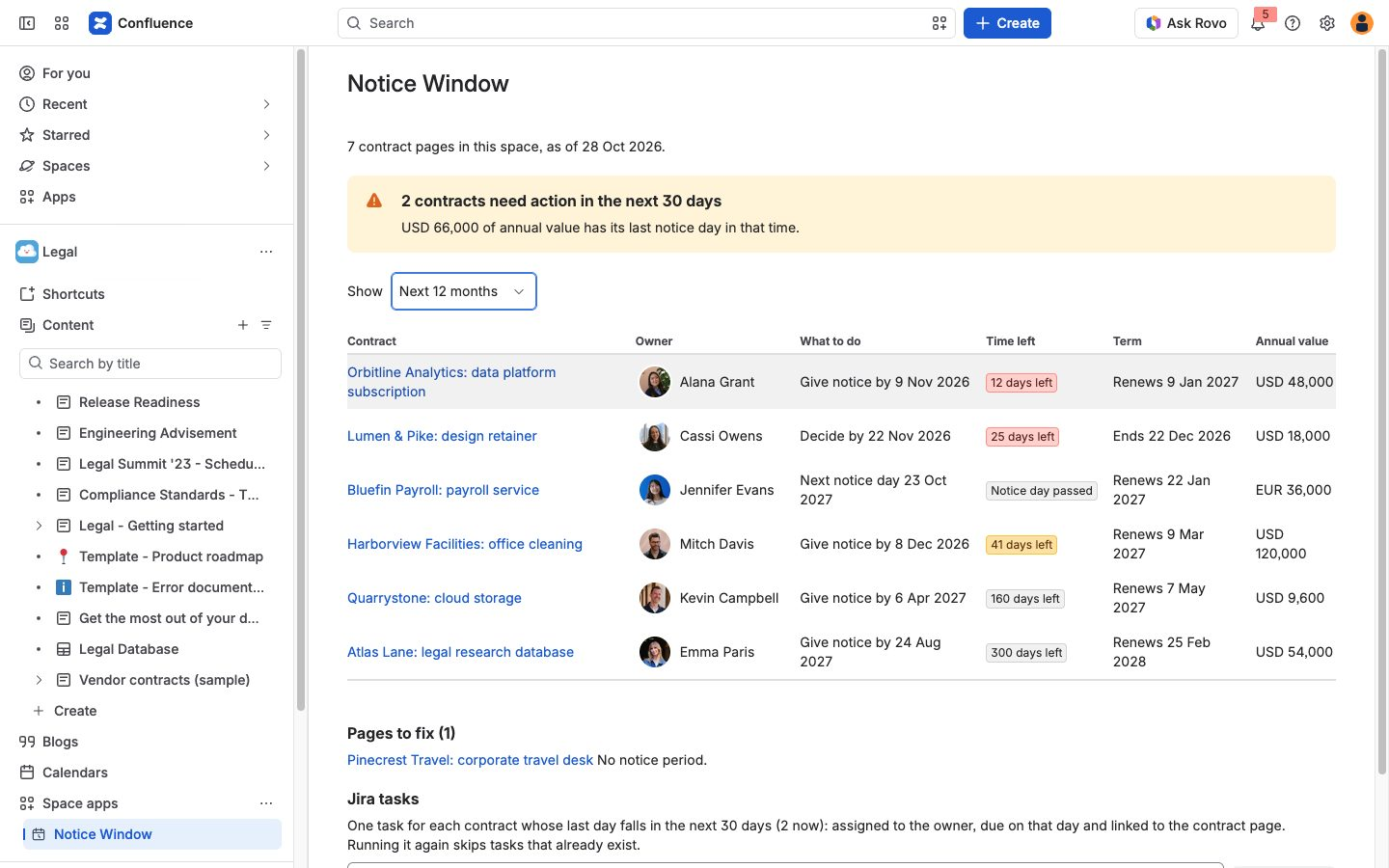
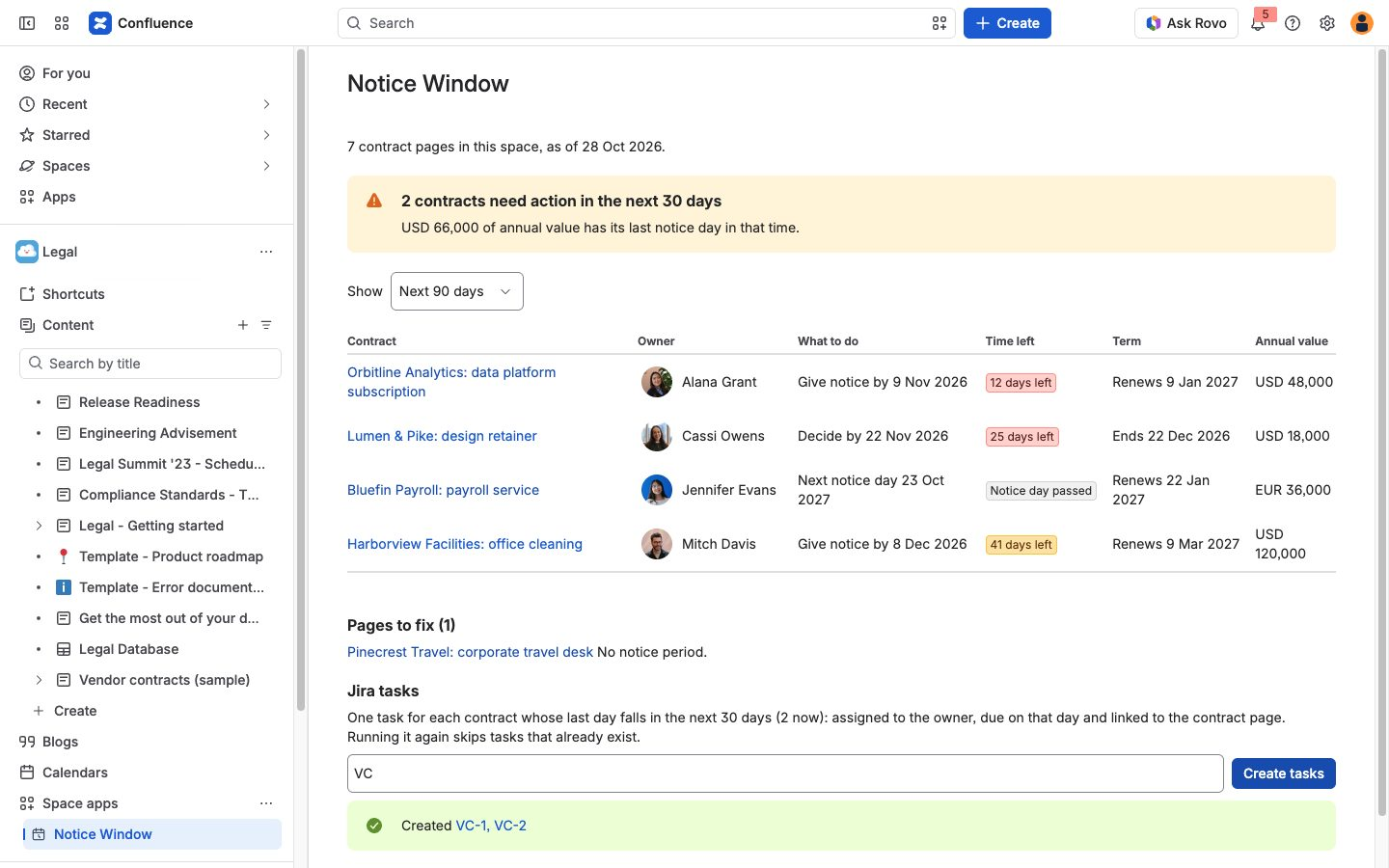
The Notice Window space page: each contract's next step and time left, and the annual value of contracts due for notice in 30 days.
-
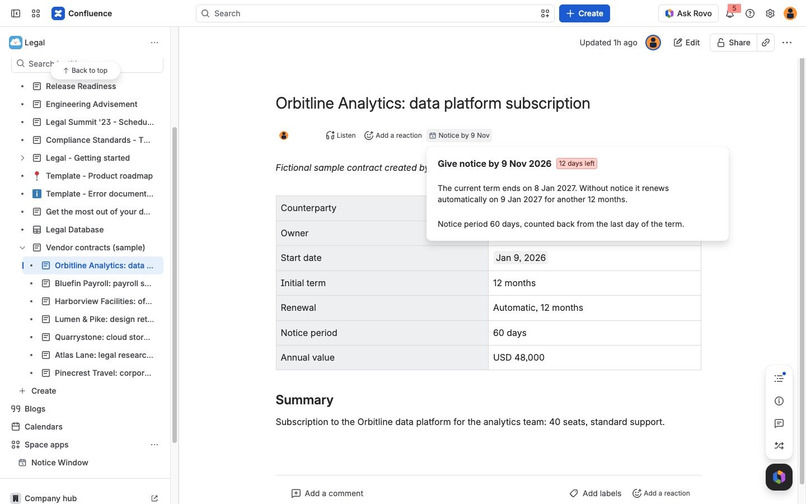
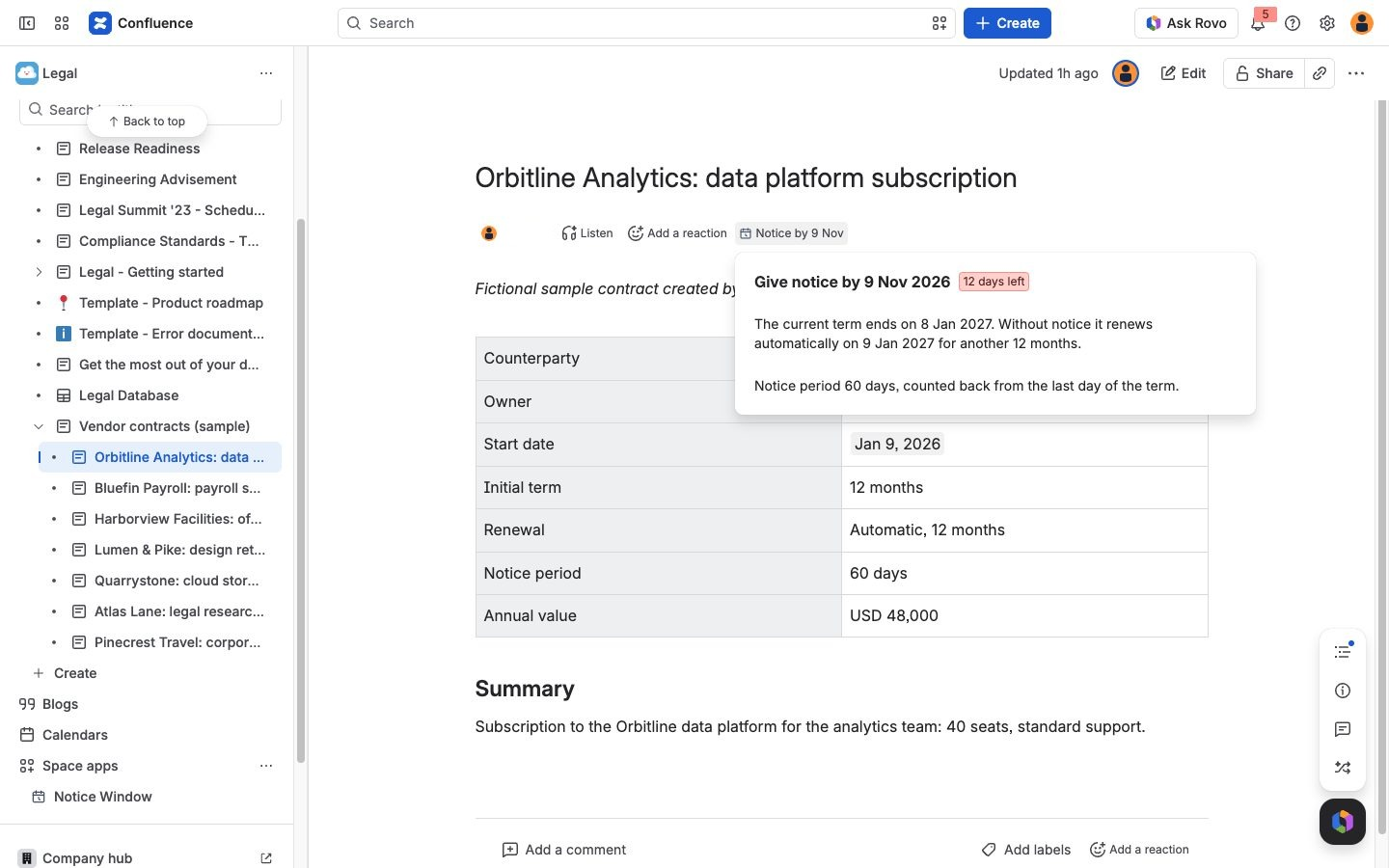
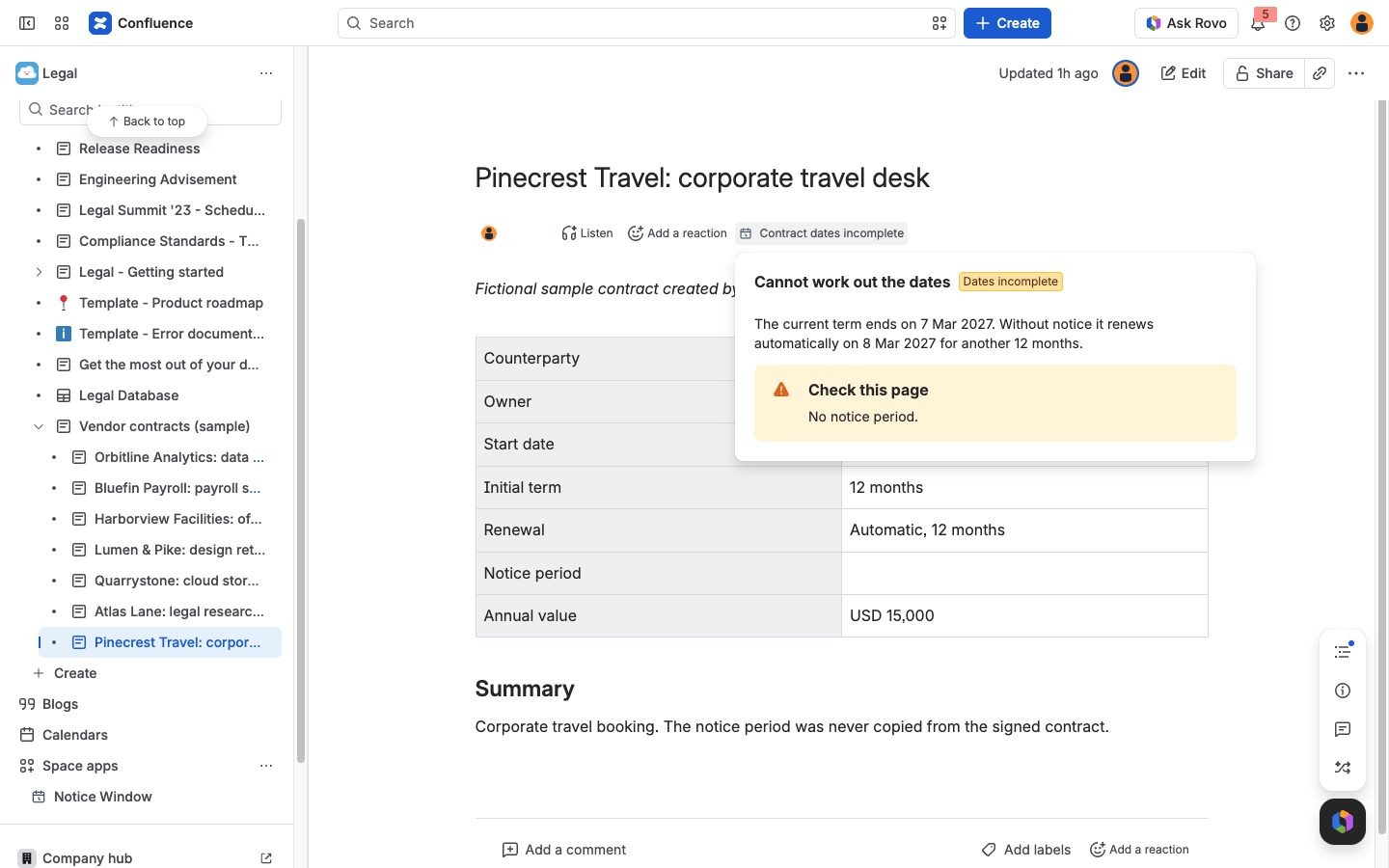
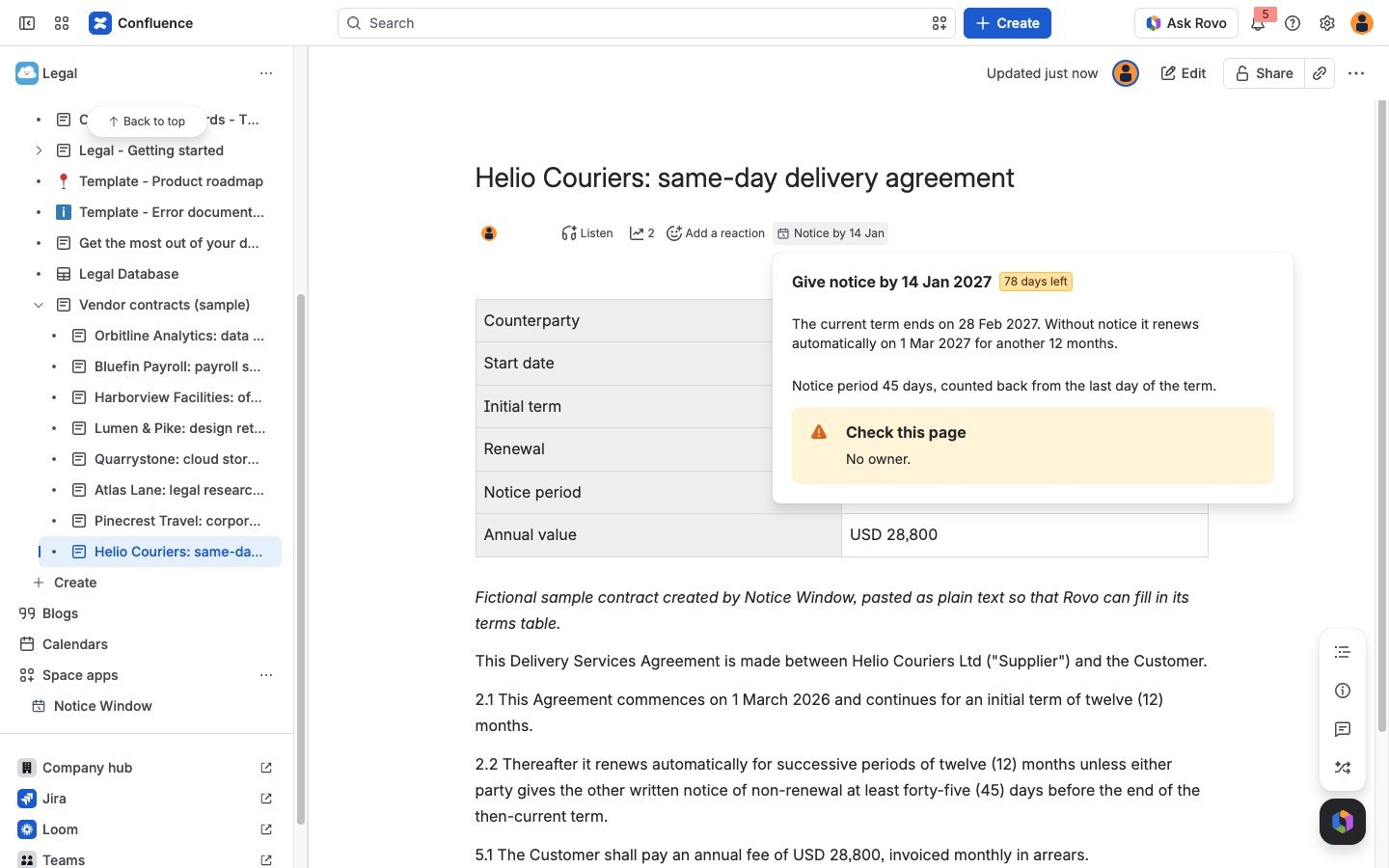
The notice day in the contract page byline. The popup shows the term end, the renewal date and the rule behind the date.
-
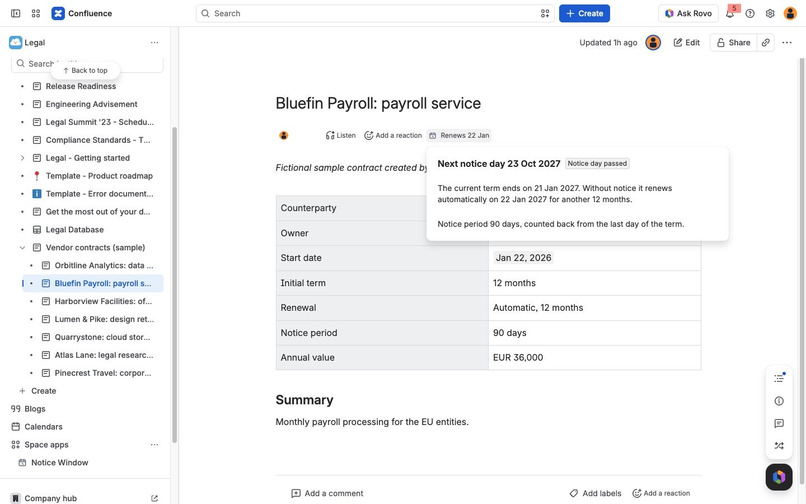
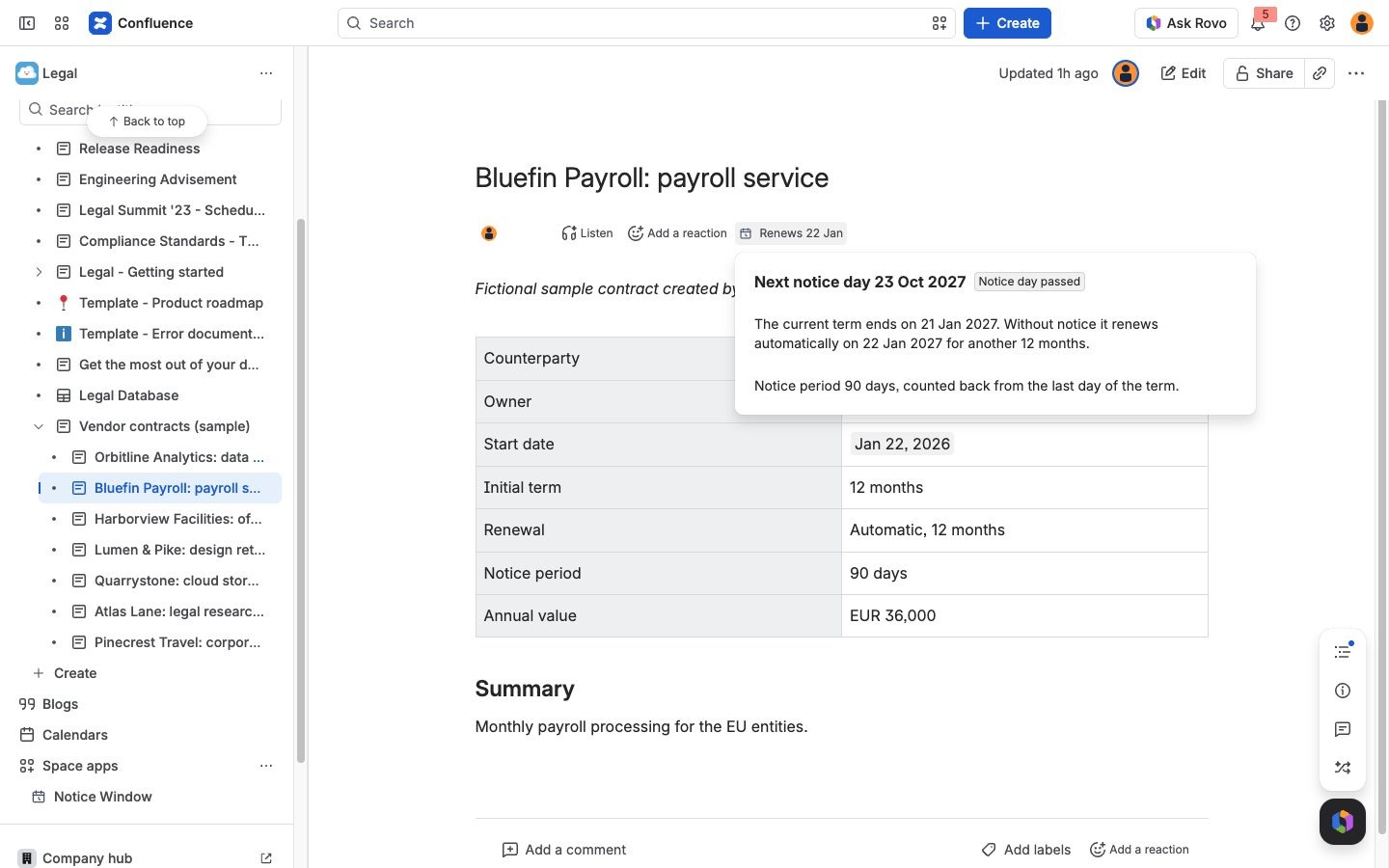
When the notice day has passed, the popup shows the renewal date and the next notice day.
-
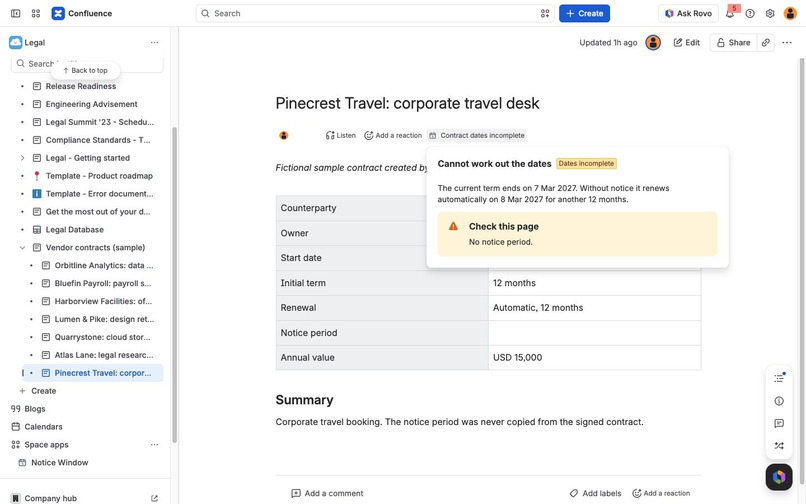
A page with a missing term is flagged with what to add, instead of a guessed date.
-
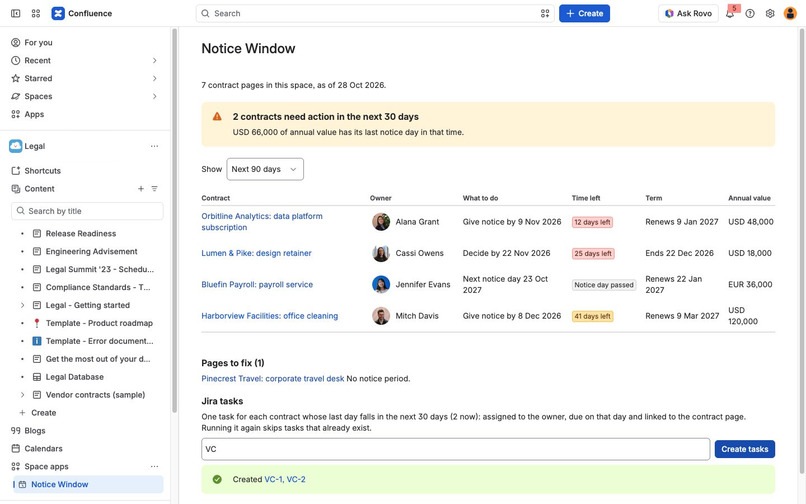
One Jira task per contract due in the next 30 days. Running it again skips tasks that already exist.
-
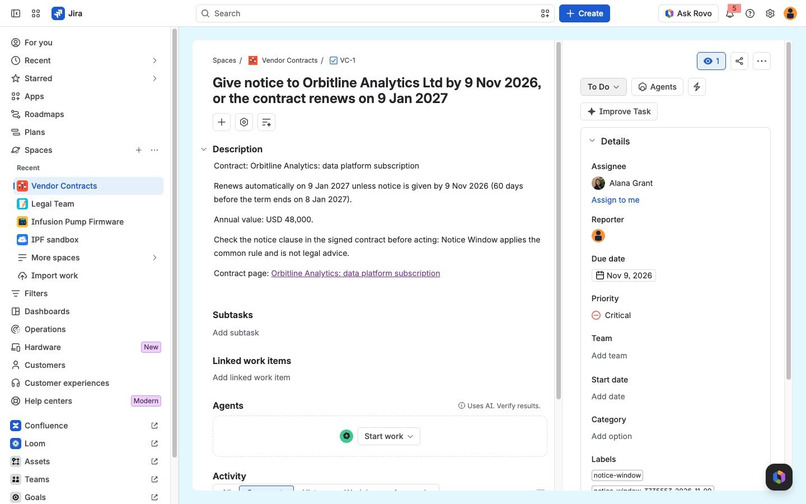
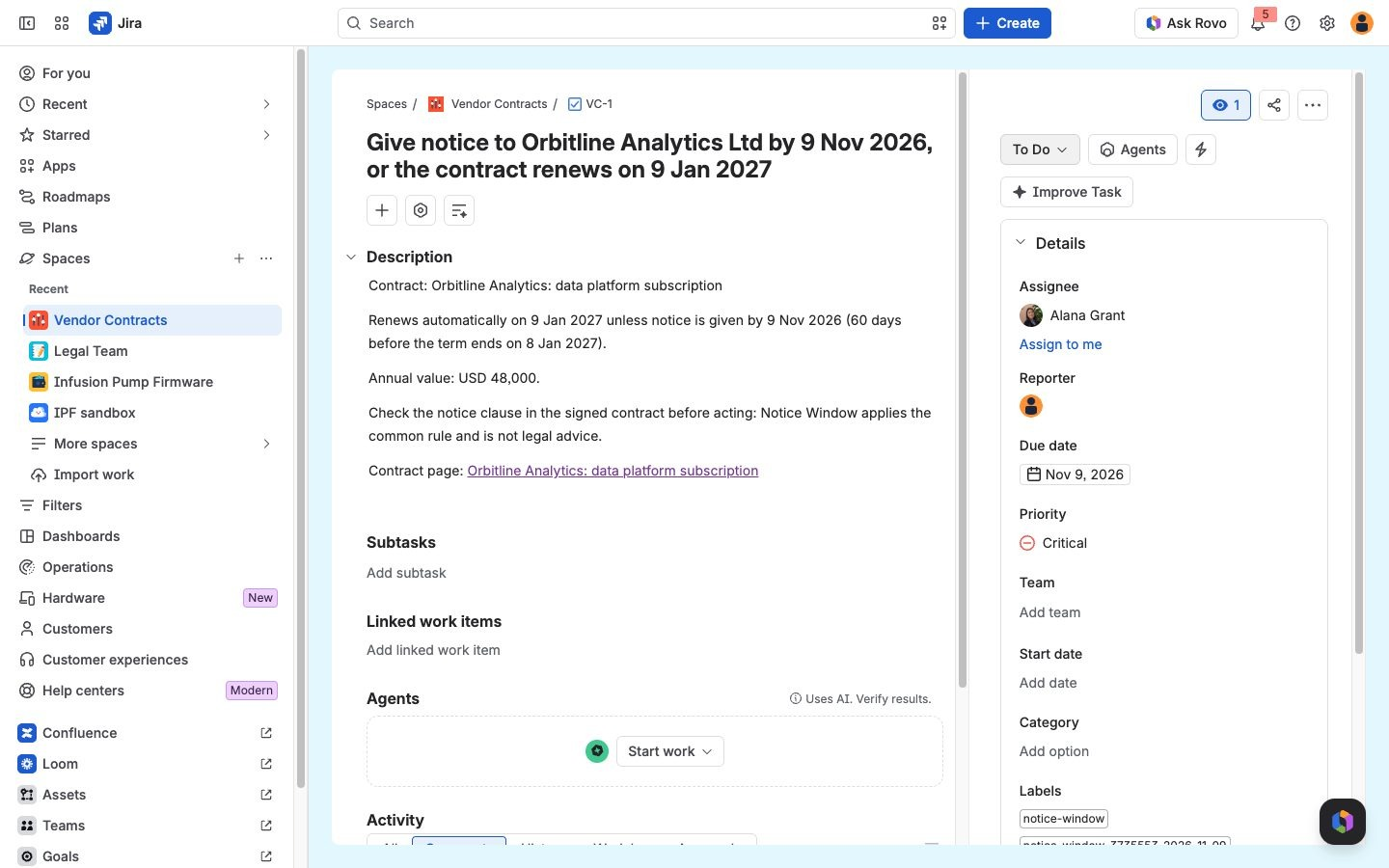
Each task is assigned to the owner named on the page, due on the notice day and linked to the contract.
-
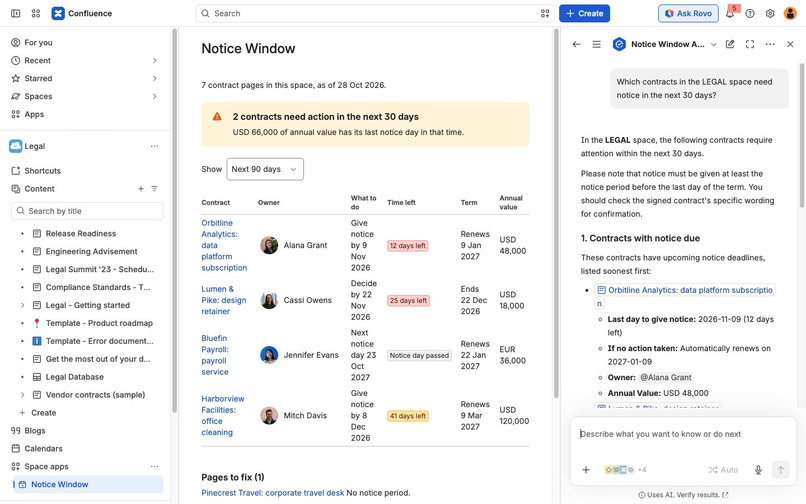
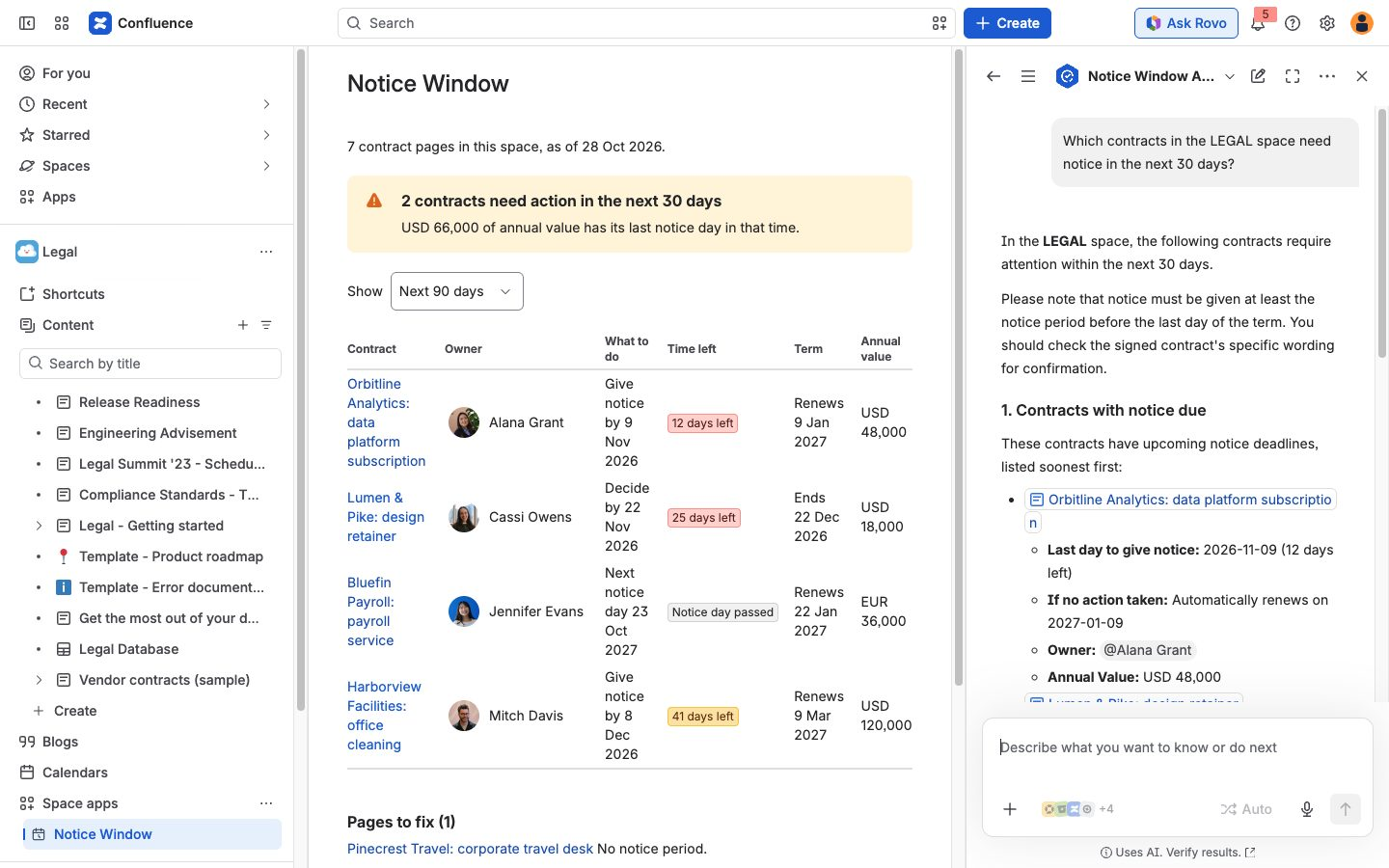
The Notice Window Assistant in Rovo answers from the contract pages. Its actions are also tools on the Atlassian MCP server.
-
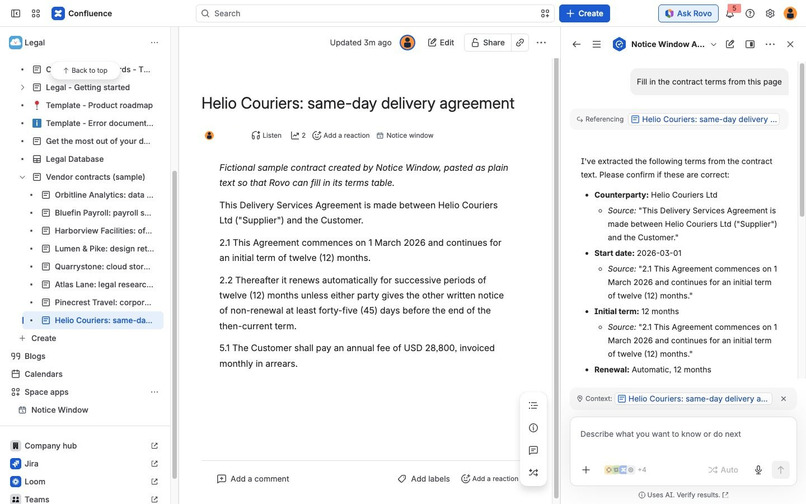
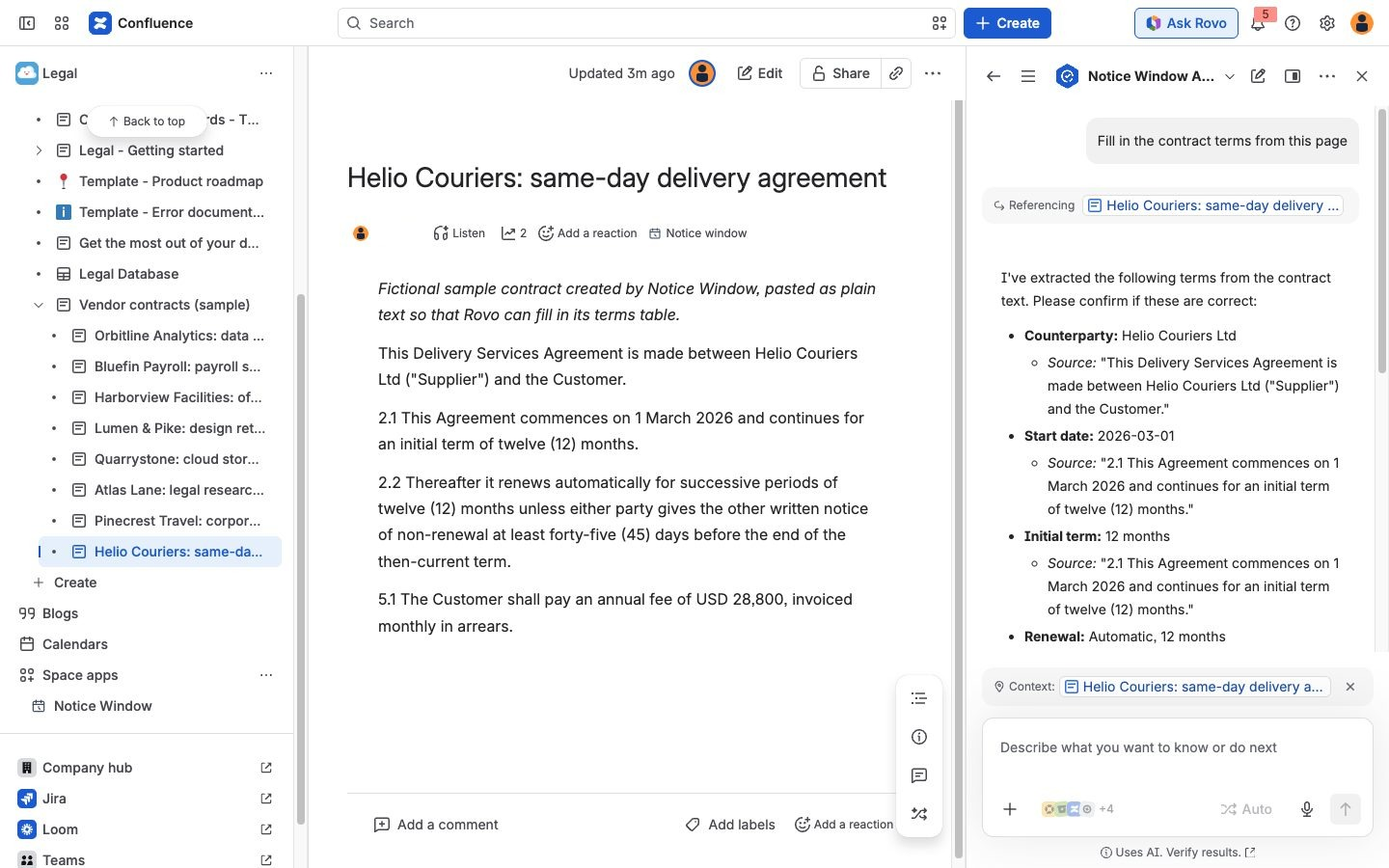
Ask the assistant to fill in the terms: it quotes the sentence behind each value and waits for your confirmation.
-
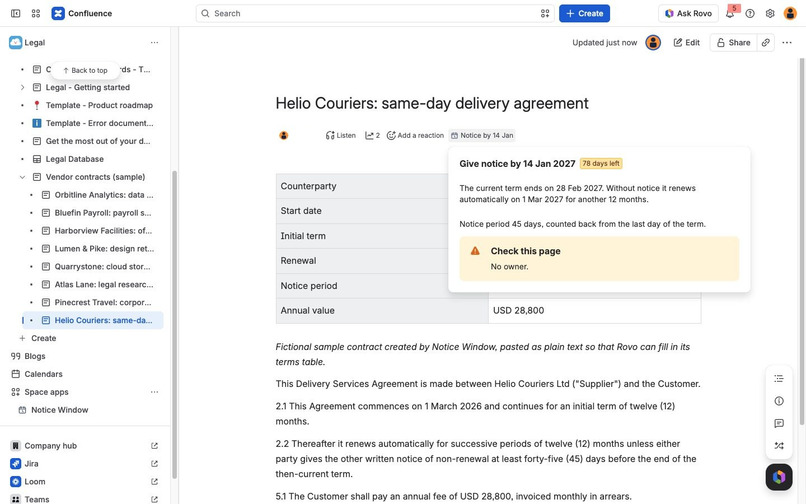
After you confirm, the terms table appears and the byline shows the notice day; the popup flags the missing owner.
Try it
- Install Notice Window on a Confluence Cloud site; add Jira on the same site for the tasks (the link covers both).
- In any space choose Notice Window under the space apps and press Load sample contracts, then open one of the new pages.
- With Rovo on the site, open Helio Couriers: same-day delivery agreement and ask the Notice Window Assistant to fill in the contract terms from this page.
- Code: https://github.com/HyunsikParker/notice-window
Inspiration
Many vendor contracts renew automatically unless someone gives notice before a deadline: software subscriptions, services, leases. The renewal date is easy to find, but the notice day before it decides the outcome, and working that day out means reading the start date, the term, the renewal clause and the notice period together. When a team keeps a summary of each contract in Confluence, with those terms in a table, everything needed to work out the notice day is already on the page.
What it does
- Byline on each contract page: "Notice by 9 Nov", "Renews 22 Jan" when the notice day has passed, or "Contract dates incomplete". Clicking it shows when the term ends, when it renews and the rule behind the date.
- Notice Window space page: every contract in the space with what to do and by when, time left, the renewal or end date and the annual value; a warning that totals the annual value of contracts whose notice day falls in the next 30 days; and a list of pages whose terms are incomplete, with what is missing.
- Jira tasks: one task per contract whose notice day falls in the next 30 days, assigned to the owner mentioned on the page, due on the notice day and linked to the contract page. A label per contract and term means running it again skips tasks that already exist.
- Fill in terms with Rovo: when a contract arrives as plain text, ask the Notice Window Assistant to fill in the terms. It reads the page, quotes the sentence behind each value and asks you to confirm; Rovo shows the values once more, then the app writes the properties table and returns the notice day. Values the text does not state are left out.
- Rovo agent "Notice Window Assistant" with four actions,
list-notice-deadlines,get-contract-dates,get-page-textandset-contract-terms, which the app also exposes as tools on the Atlassian MCP server. An open-sourceSKILL.mdin the repository tells third-party agents how to use them. - Load sample contracts creates seven fictional contract pages dated relative to today, plus one pasted as plain text for Rovo to fill in, so a judge sees notice due, notice passed and missing terms in a minute.
Notice Window applies one stated rule: notice must be given at least the notice period before the last day of the term. It states the rule in the byline popup, on the space page and in each task, and it is not legal advice.
How we built it
Forge with UI Kit: a confluence:spacePage, a confluence:contentBylineItem whose title comes from a dynamicProperties function, resolvers for the UI, and action, rovo:agent and rovo:mcp modules for Rovo. set-contract-terms is an UPDATE action, so Rovo asks the user to review the values before the app writes them. The core is plain JavaScript with no network access: it reads page properties (the Page Properties macro, or a plain table with a Notice period row) from Confluence storage format, parses wording such as "ninety (90) calendar days", rolls automatic renewals forward to the term that contains today and computes the notice day with calendar arithmetic that keeps month ends valid (31 January plus one month is 28 or 29 February). Tasks are created through the Jira REST API with a label per contract and term, so the operation is idempotent. All calls run as the current user (asUser); the app stores nothing and calls no language model. Unit tests cover the date arithmetic, the page parser, every contract state, the sample set and the task plan.
Challenges we ran into
- Contracts word notice in many ways. Rather than guess, the app applies one rule, shows it, and flags what it cannot read, such as notice periods in business days, which depend on a holiday calendar.
- A Jira work type looked up by the name "Task" was missing for an account whose language is Korean, where the type is called "작업". The app now matches the untranslated name and falls back to the base-level type.
- A controlled UI Kit text field lost characters when someone typed quickly; an uncontrolled field fixed it.
- Some projects do not show the due date or labels on their create screen, so the app drops the fields Jira refuses and tries again.
- In our first test the agent could not read the page it was opened on, so the app now hands it the text through a
get-page-textaction.
Accomplishments that we're proud of
- The notice day appears in the byline of the page people already open, without anyone running a report.
- Each date can be traced to the rule and the table rows that produced it, and missing terms are listed instead of filled in.
- Running the task creation twice does not create duplicates.
What we learned
- The date arithmetic took little code. Most of the work went into reading terms the way people write them and into stating clearly what the app does not decide.
dynamicPropertieson a byline item is a light way to put one fact where people look.
What's next for Notice Window
- A reminder before each notice day through a scheduled trigger.
- Business-day notice periods with a holiday calendar per country.
- Reading the terms from a signed PDF attached to the page, with the same review step.
Built With
- confluence
- forge
- javascript
- jira
- mcp
- react
- rovo
- ui-kit

Log in or sign up for Devpost to join the conversation.