-
-
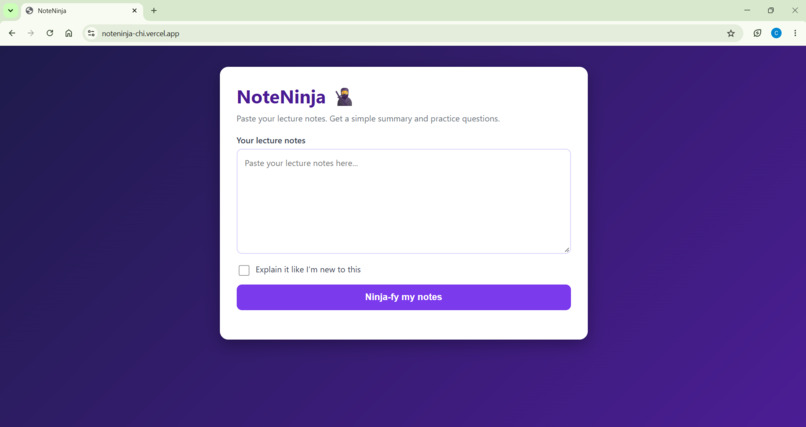
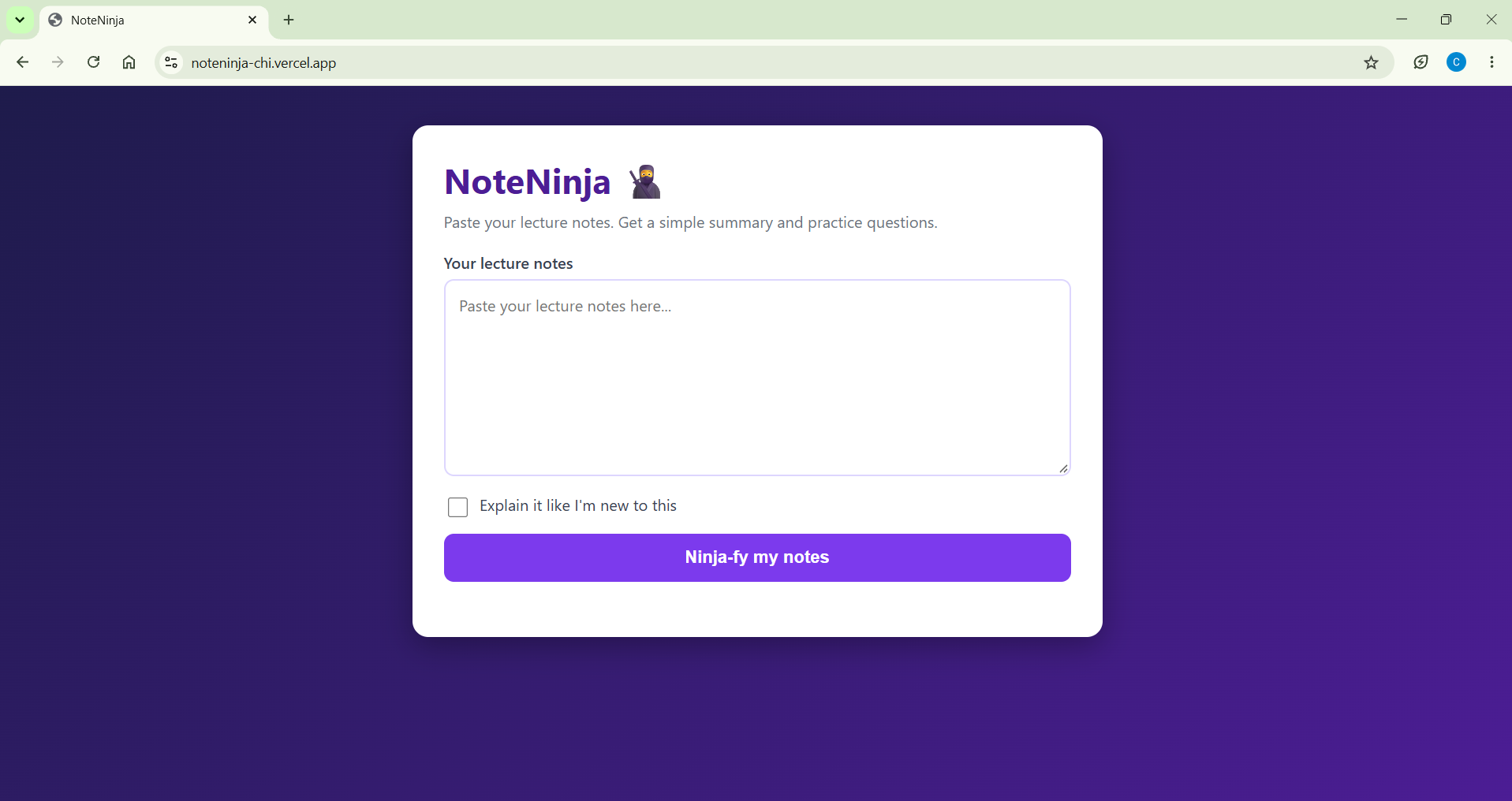
The clean, simple home page: one box, one checkbox and one button, so there's nothing to figure out before you start studying.
-
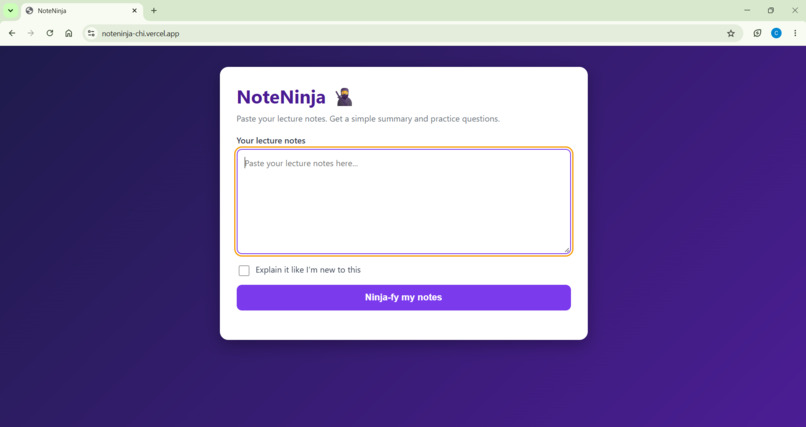
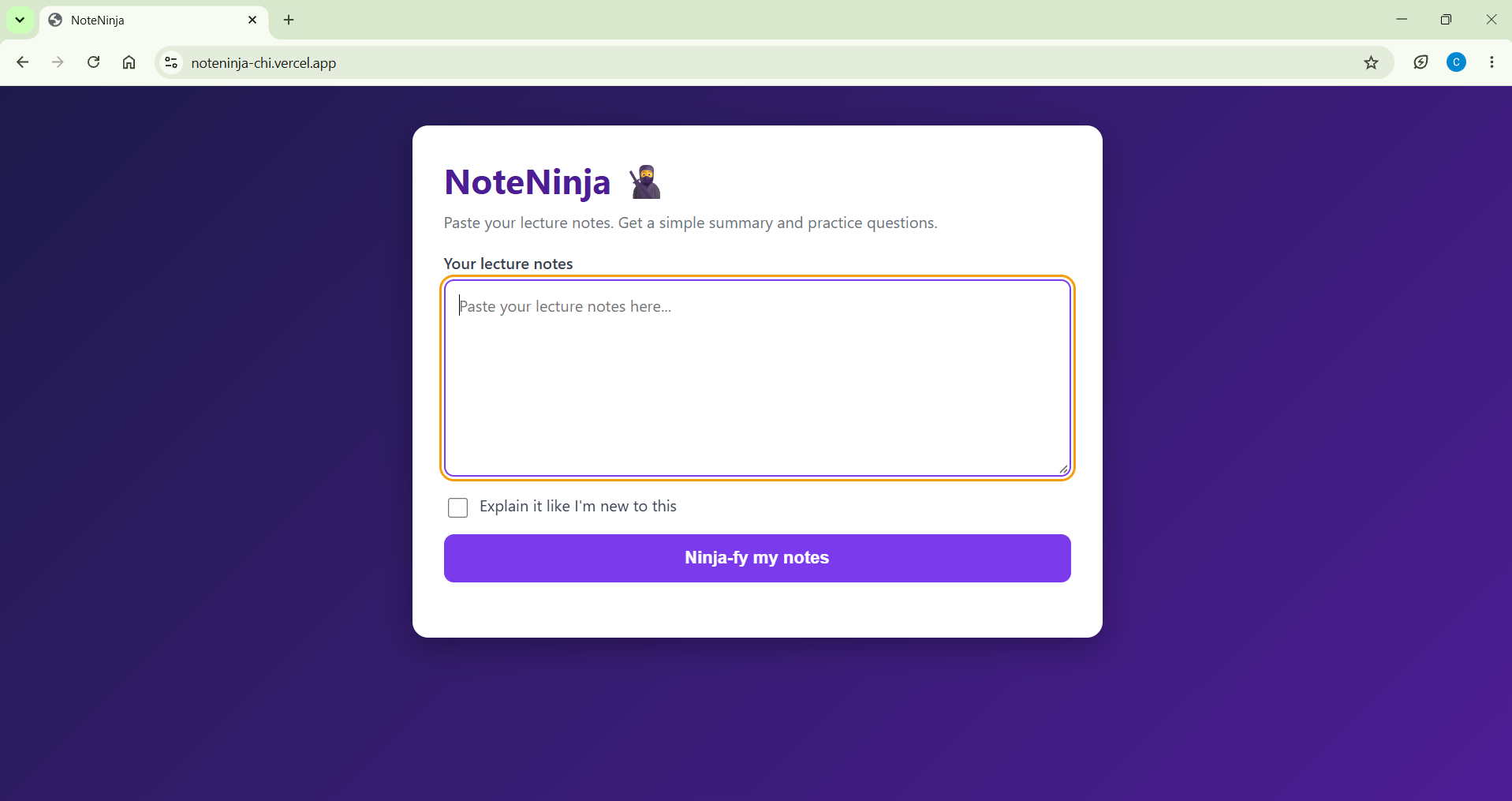
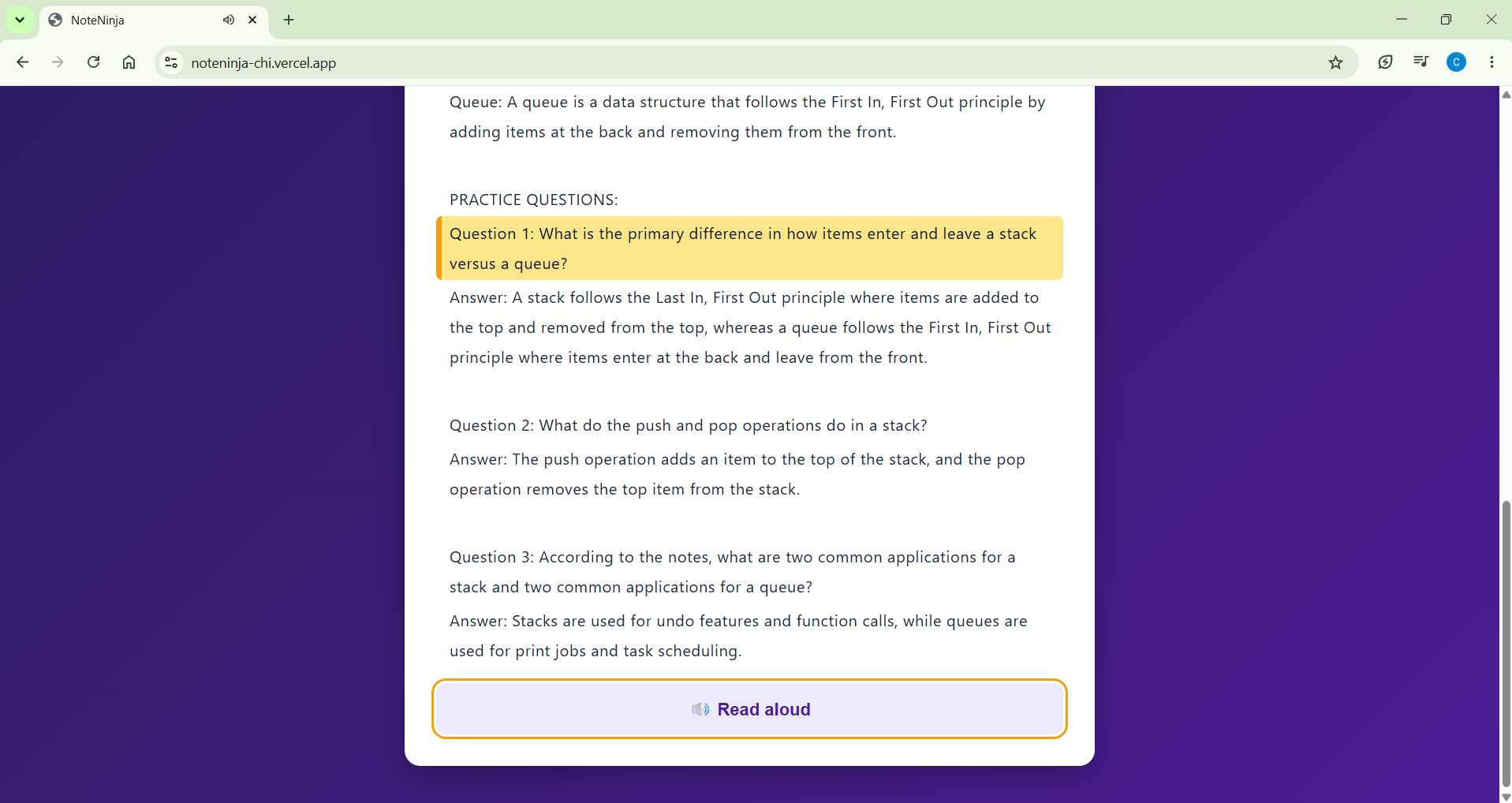
Built for keyboard users: a bright orange outline shows exactly where you are, so the whole app works without a mouse.
-
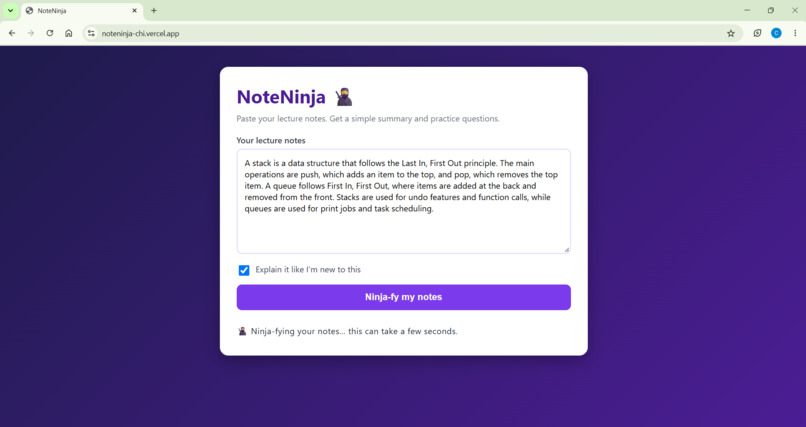
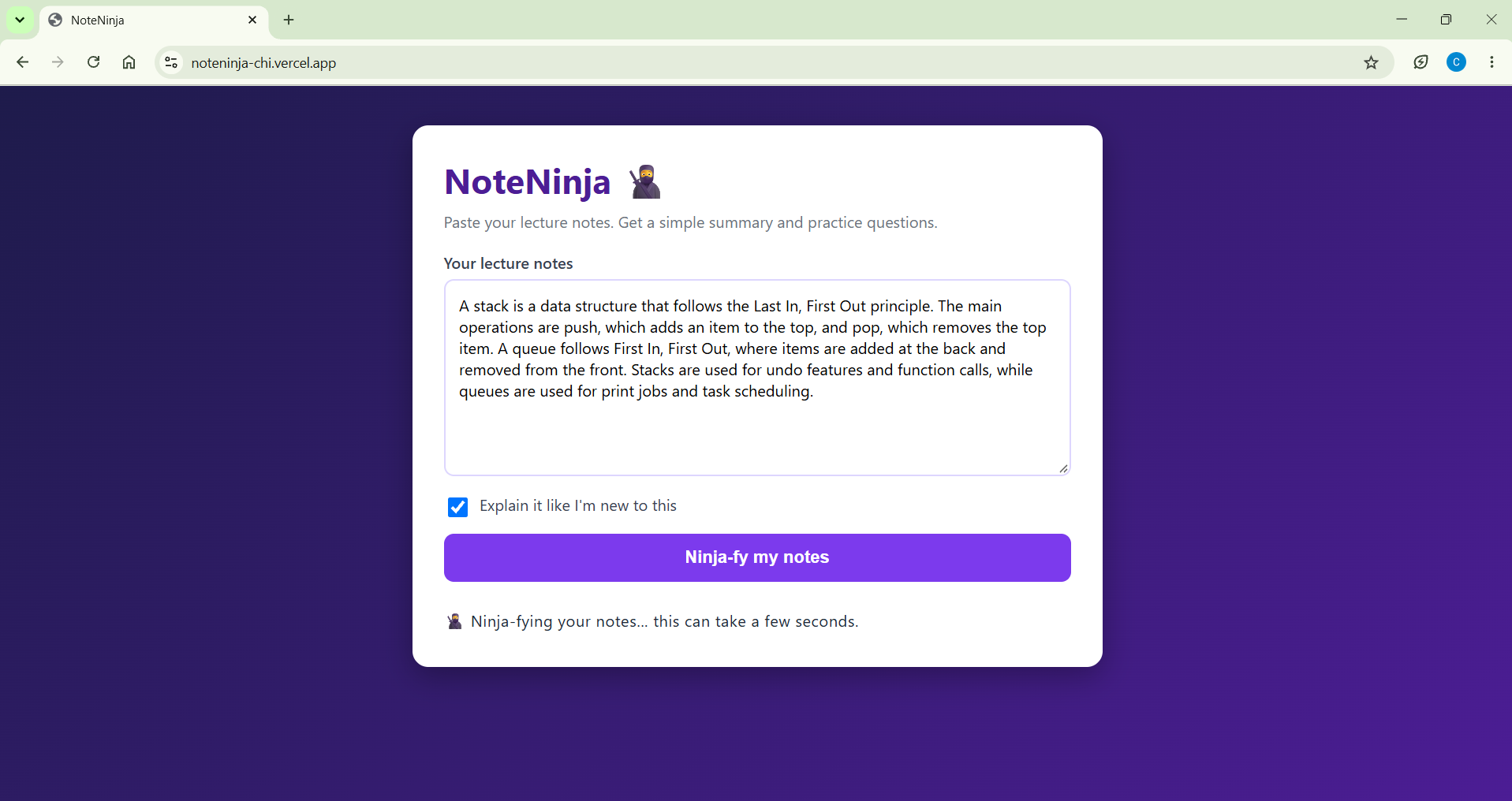
Paste any lecture notes and tick "Explain it like I'm new to this" if you want a simpler explanation, and NoteNinja builds your study pack.
-
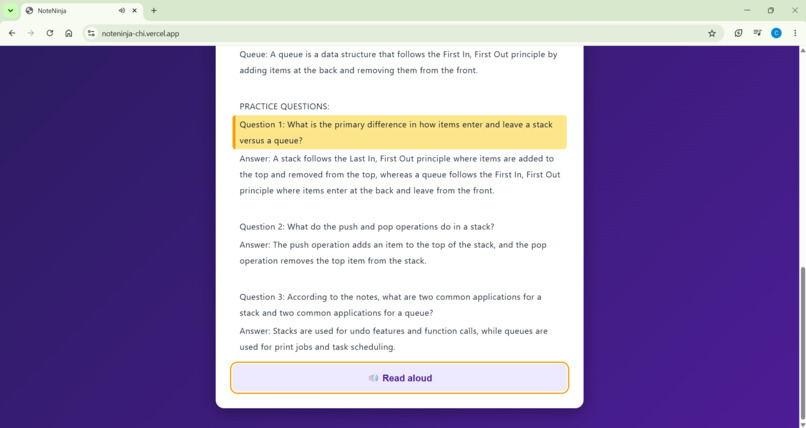
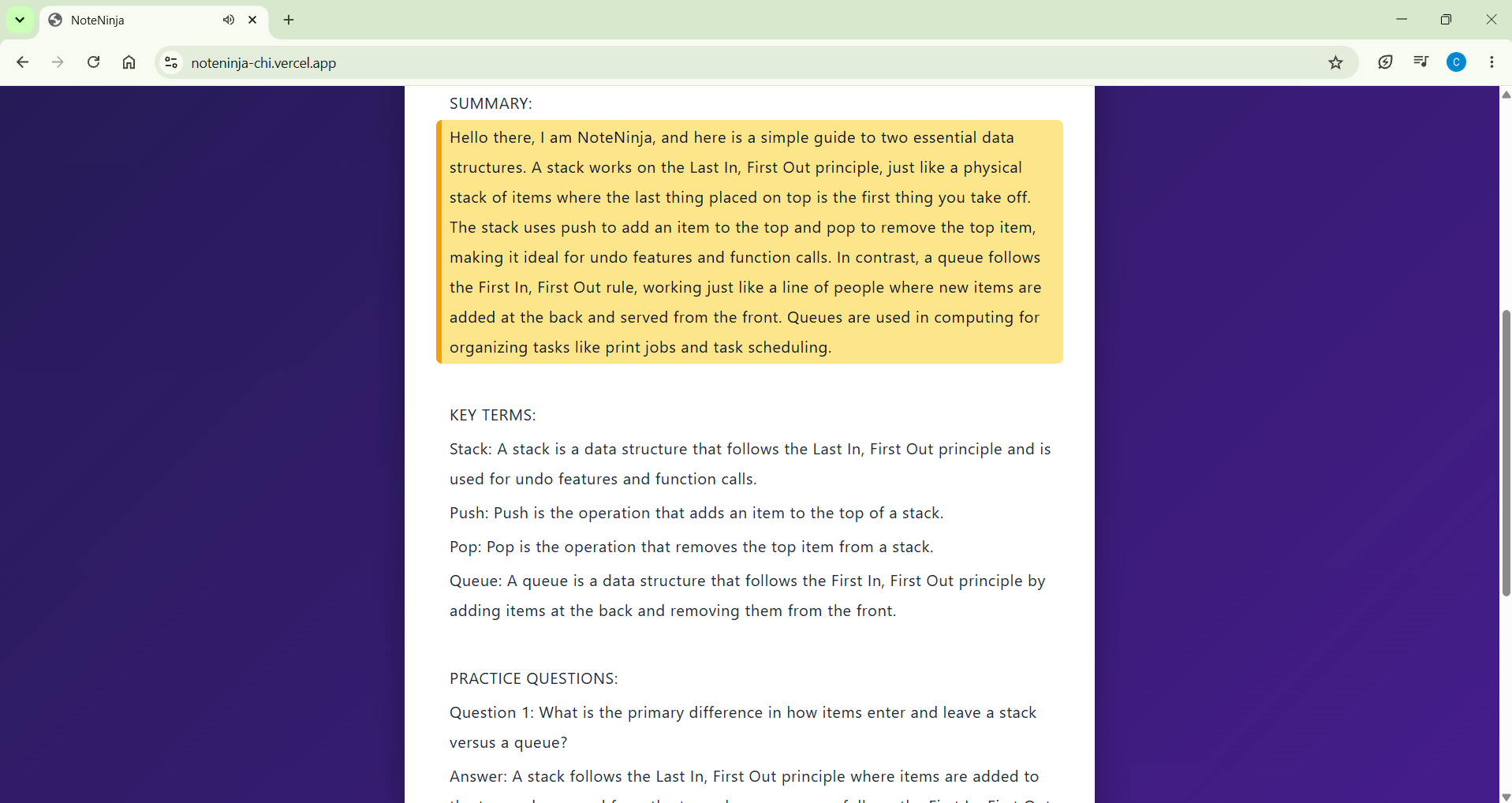
The reading ruler highlights one yellow line at a time as NoteNinja reads aloud, with beginner mode explaining ideas everyday analogies.
-
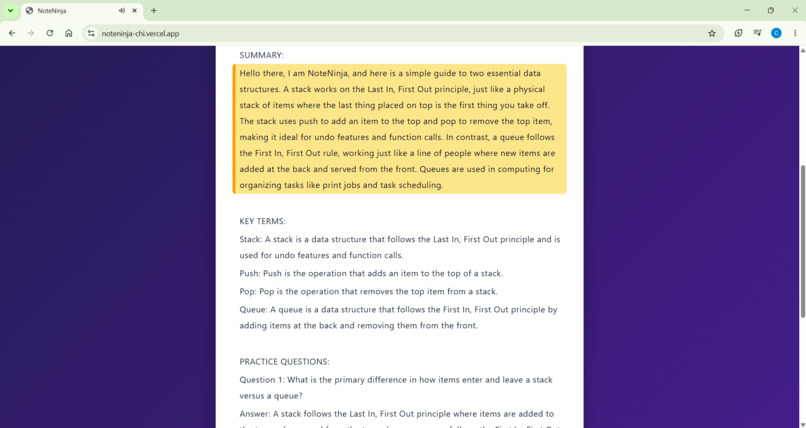
Every result ends with exam-style practice questions and full answers, and the Read Aloud button speaks them while the ruler follows along.
Inspiration
Lecture slides are dense, full of jargon, and hard to revise from. Turning them into something you can actually study takes hours, and it's even harder for students with dyslexia or low vision, who can lose their place in long blocks of text. I wanted a tool that makes revision easier for every student, whatever their ability, learning style or situation.
What it does
NoteNinja turns pasted lecture notes into:
- a short plain-language summary
- key terms, each defined in a full sentence
- exam-style practice questions with full answers
It also has:
- "Explain it like I'm new to this" mode, which rewrites everything with simple language and everyday analogies
- Read aloud, with a yellow reading ruler that follows the voice line by line, so you can hear and see the same line at once
- Accessibility built in: screen reader labels, full keyboard navigation, visible focus outlines, a skip link, and larger click targets
How we built it
Front end: HTML, CSS and JavaScript
AI: the Google Gemini API, called from a small serverless function on Vercel so the API key stays secret and never appears in the page or on GitHub
Read aloud: the browser's built-in Web Speech API, with each line of the answer highlighted as it is spoken
Hosting: Vercel, connected to GitHub so every push redeploys automatically
Challenges we ran into
Front end: HTML, CSS and JavaScript
AI: the Google Gemini API, called from a small serverless function on Vercel so the API key stays secret and never appears in the page or on GitHub
Read aloud: the browser's built-in Web Speech API, with each line of the answer highlighted as it is spoken
Hosting: Vercel, connected to GitHub so every push redeploys automatically
Challenges we ran into
Keeping the API key secret. Putting it in the page would have exposed it, so I learned to use a serverless function and environment variables.
The AI model I started with was retired for new users, and the model sometimes returned "high demand" errors. I fixed this by adding a backup model and automatic retries.
Making the reading ruler stay in sync with the voice, which meant splitting the answer into separate lines and highlighting each one as it starts.
Accomplishments that we're proud of
Building and deploying a working, accessible AI tool from scratch, with a reading ruler and read aloud that make studying easier for everyone, including students with dyslexia or low vision.
What we learned
Building and deploying a working, accessible AI tool from scratch, with a reading ruler and read aloud that make studying easier for everyone, including students with dyslexia or low vision.
What we learned
How to call an AI API safely, how to deploy with Vercel and GitHub, and how small accessibility choices can make a big difference to who can use a tool.
What's next for NoteNinja
Upload PDFs and slides directly
Flashcards and quizzes
A dyslexia-friendly font option and adjustable text size
Support for more languages
Built With
- css3
- gemini-api
- github
- html5
- javascript
- node.js
- vercel

Log in or sign up for Devpost to join the conversation.