-
Slide 1 Notempo
-
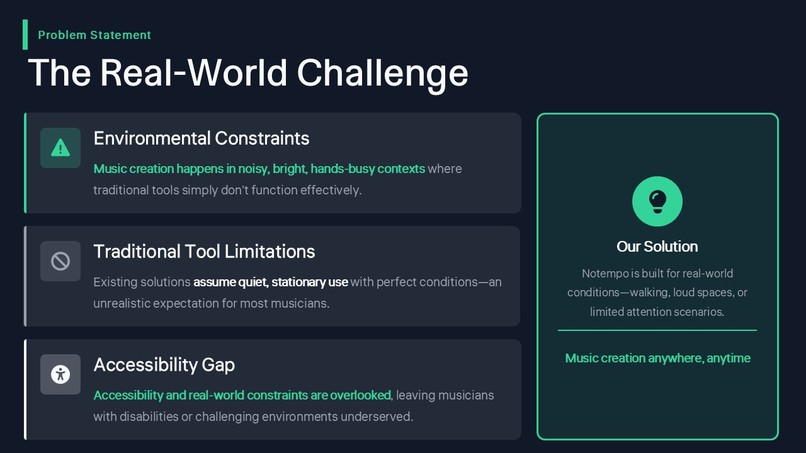
Slide 2 Problem Statement
-
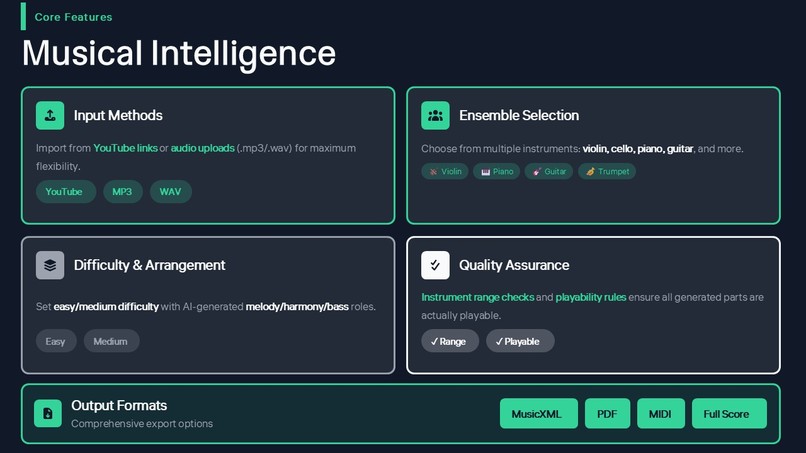
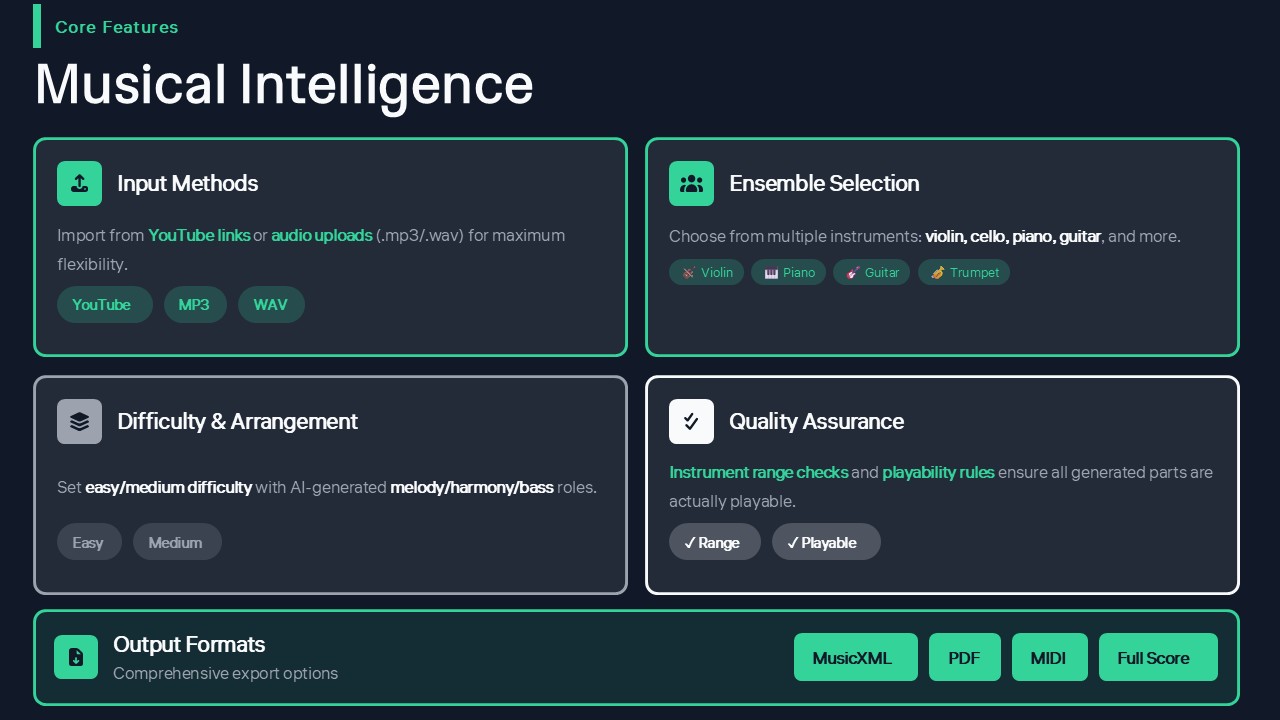
Slide 3 Core Features
-
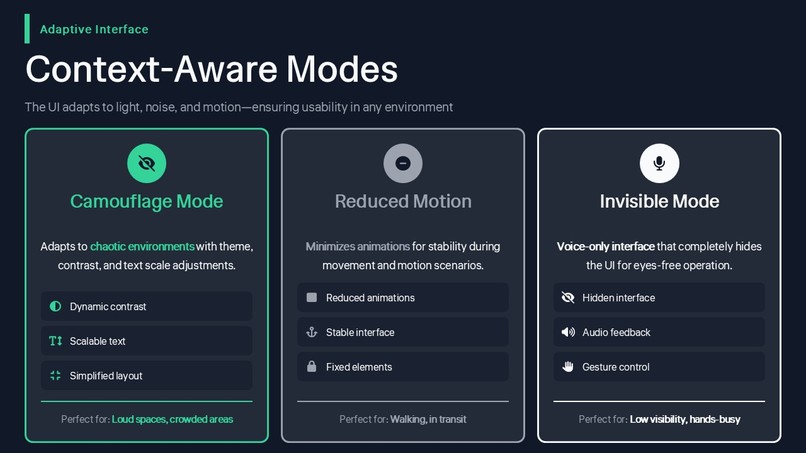
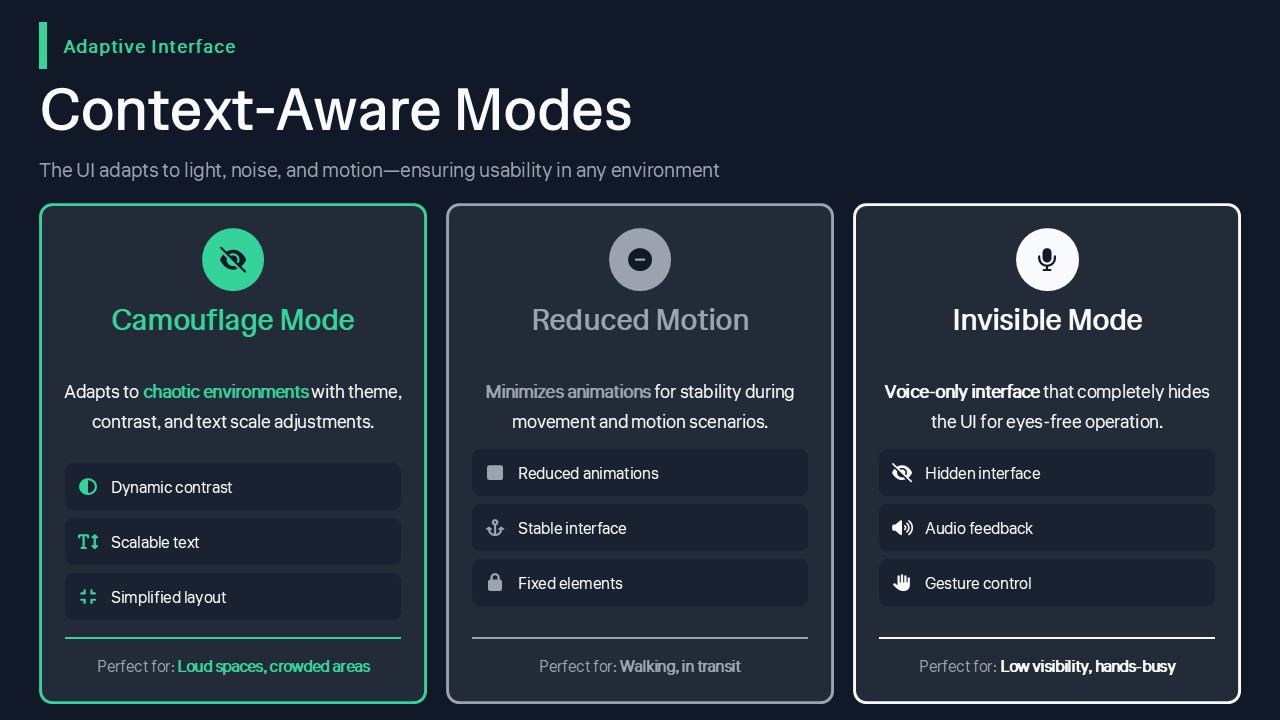
Slide 4 Different Modes
-
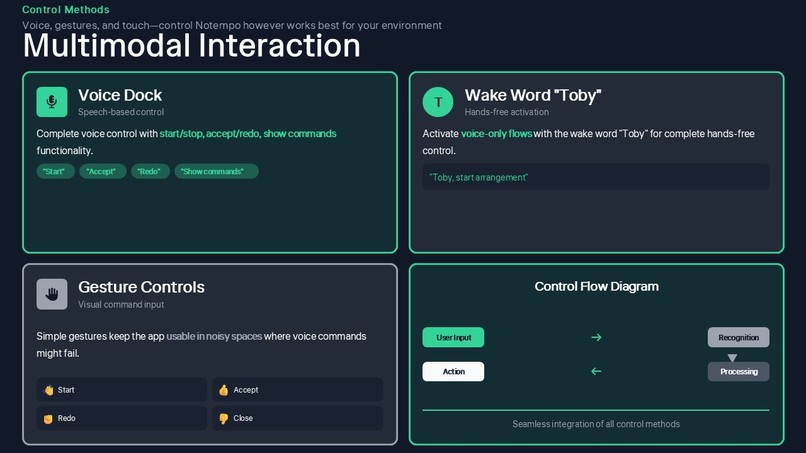
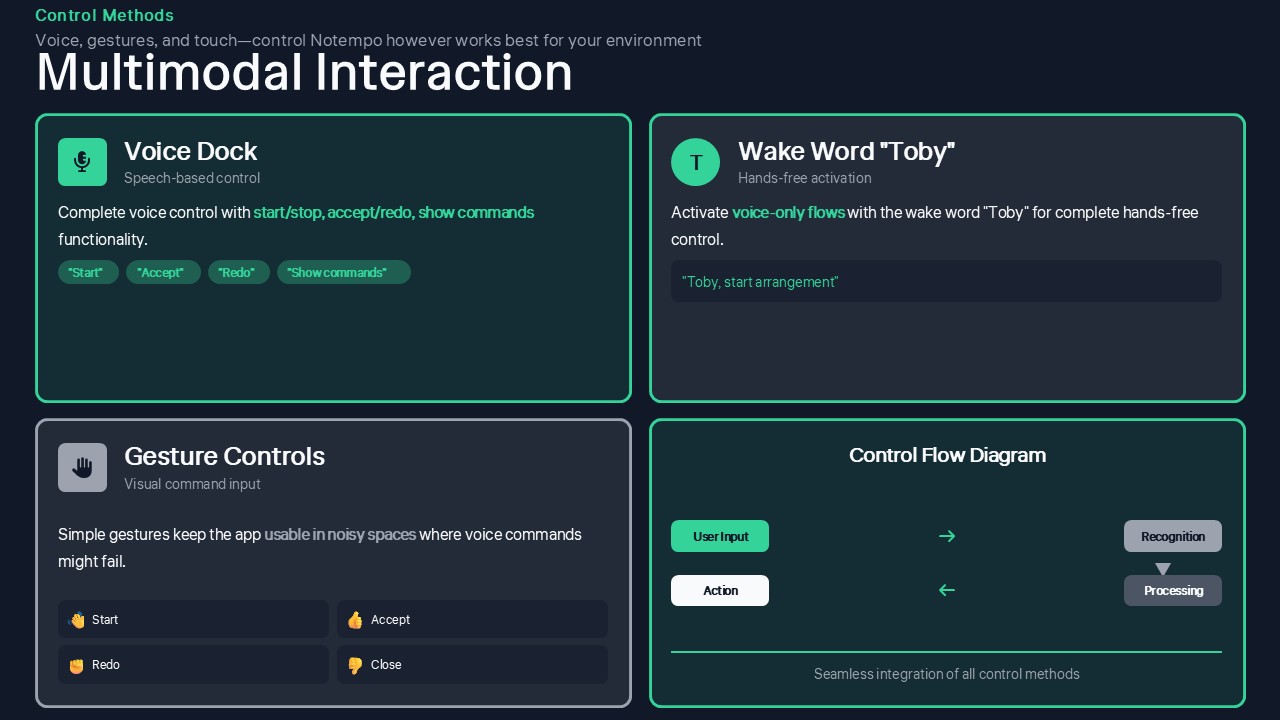
Slide 5 Interaction
-
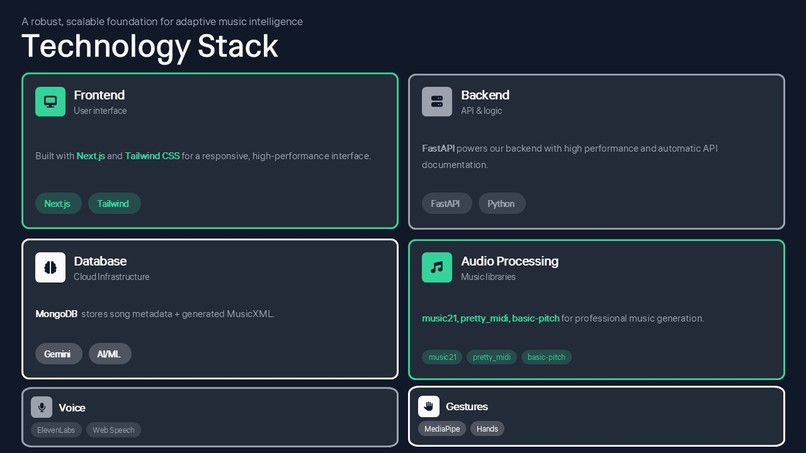
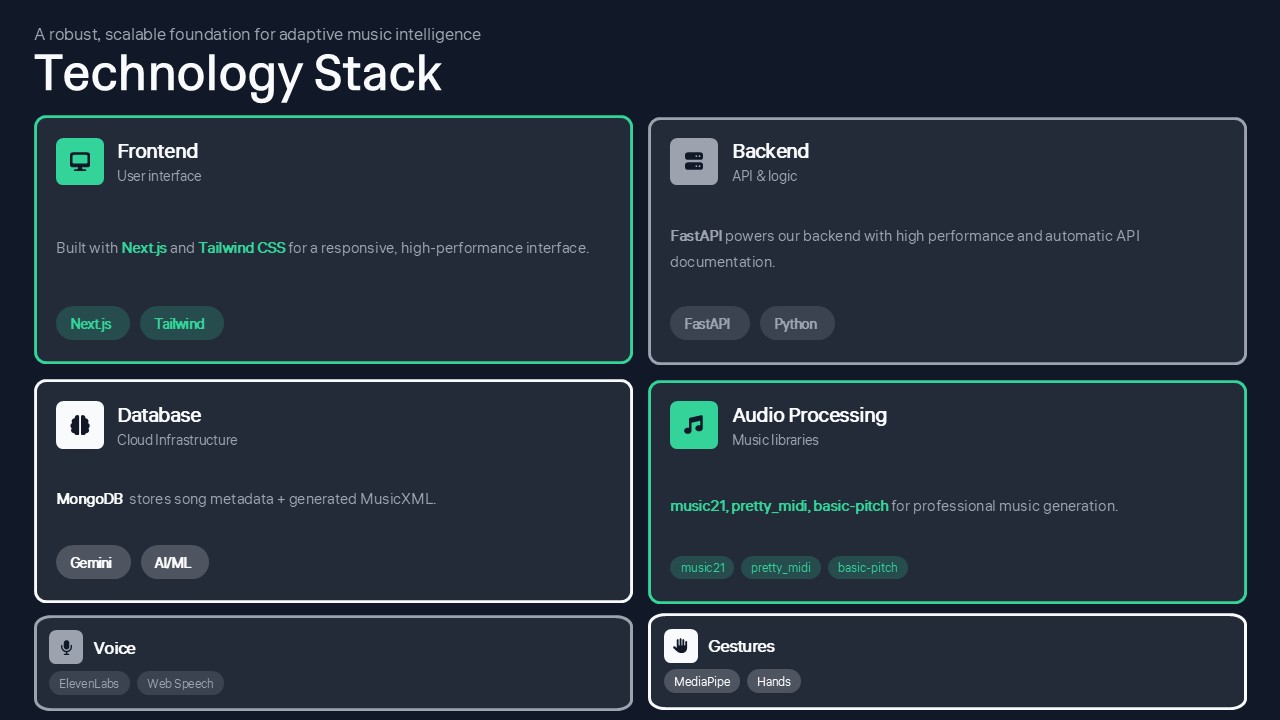
Slide 6 Technology Used
-
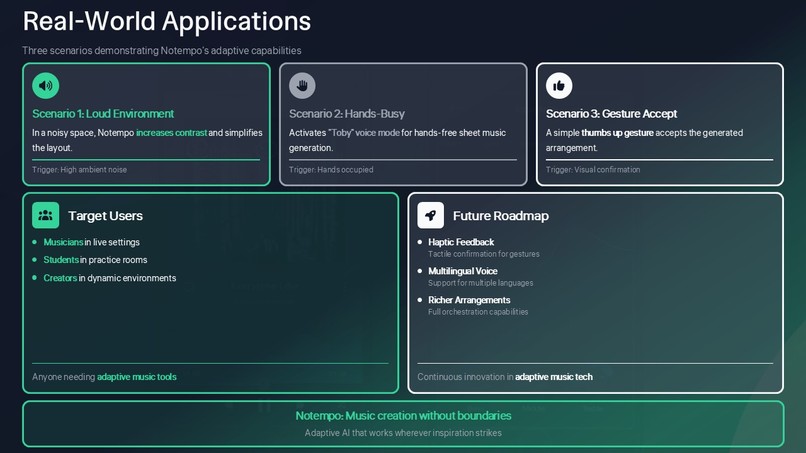
Slide 7 Applications
-
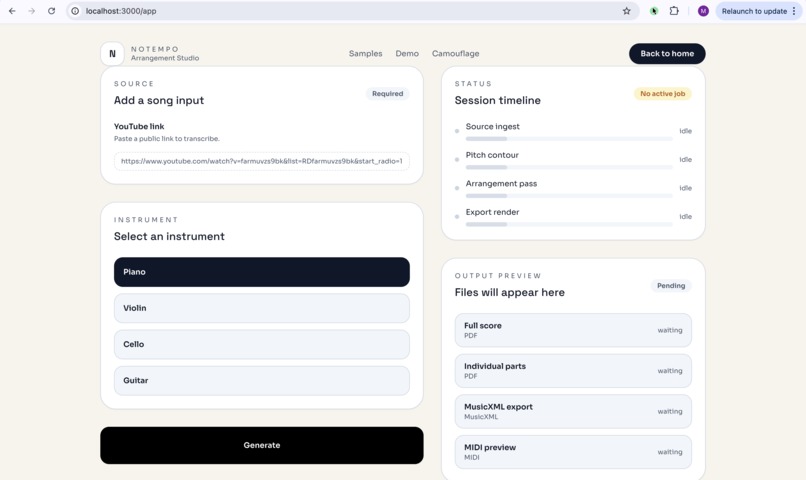
Creation Space
-
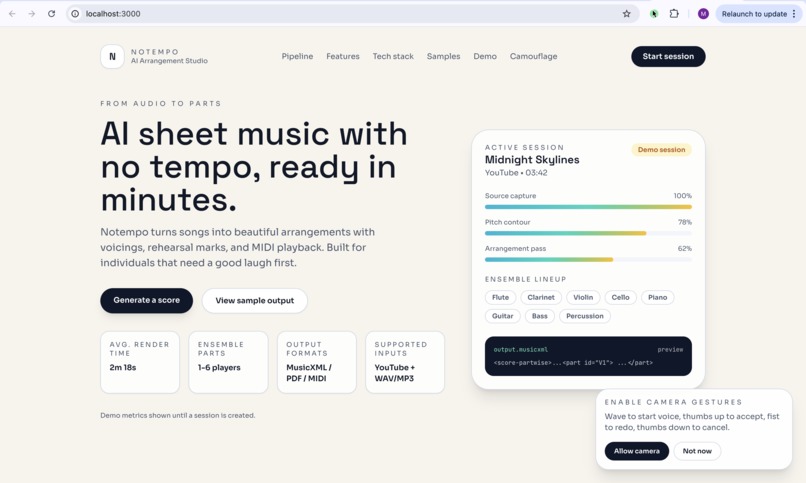
Home Page
-
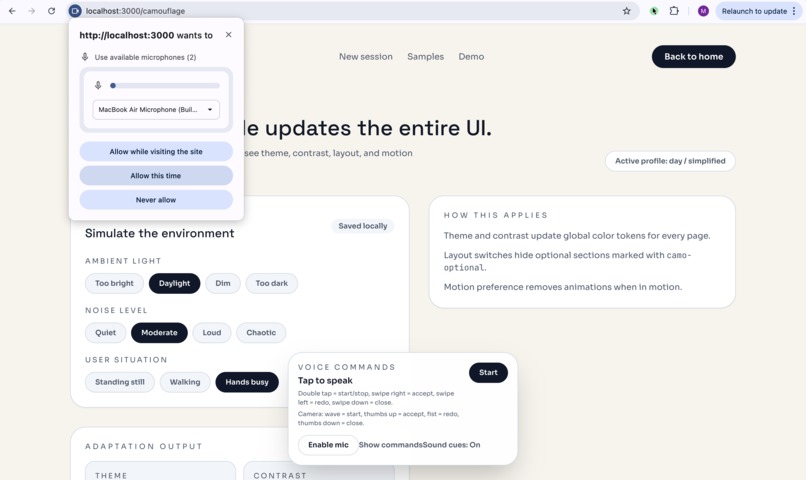
Start Recording!
Inspiration
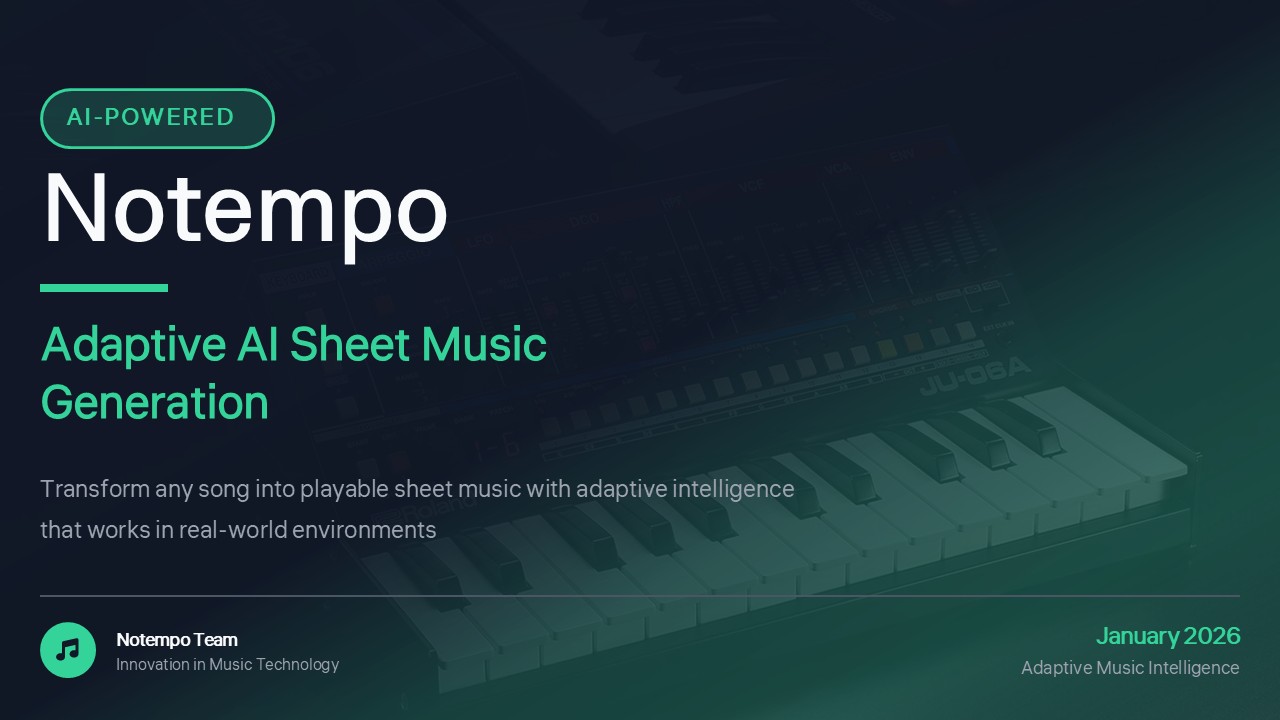
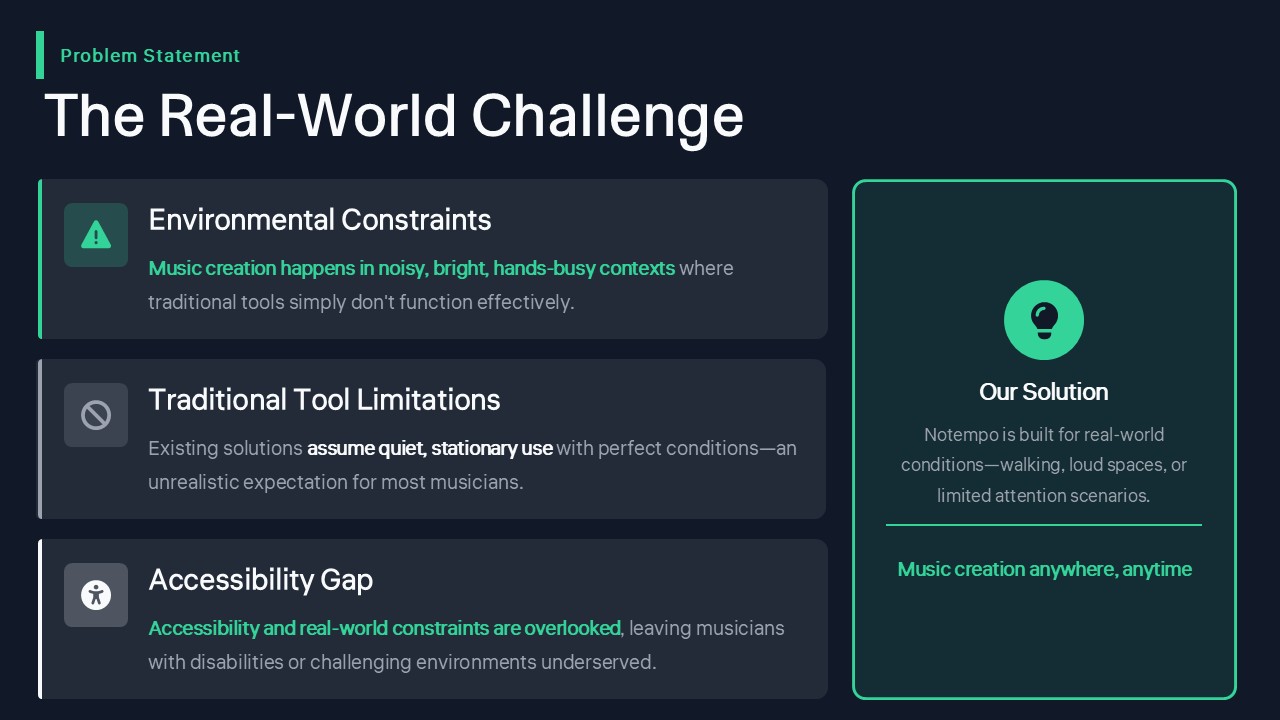
We wanted sheet music generation to work under real life conditions. The core idea was to make a music tool that adapts to your needs, if you want a sheet for a song that doesn't have a transcription yet or if you want a sheet for multiple people to play together without needing an entire orchestra.
What it does
Goal: Turn a song (YouTube or uploaded audio) into playable sheet music for small ensembles (e.g., violin, cello, piano), using AI reasoning (Gemini) and cloud infrastructure (Vultr + MongoDB).
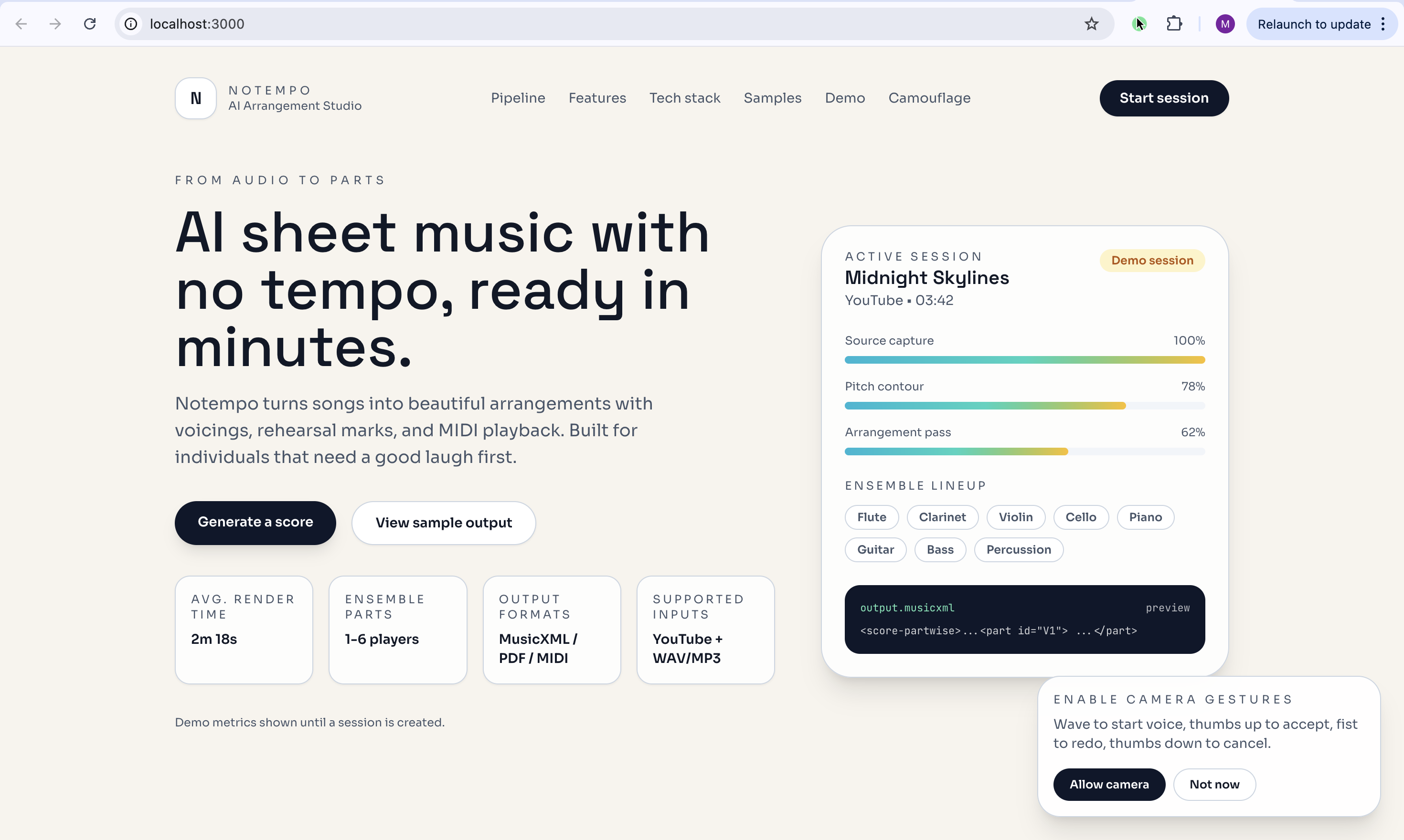
Notempo turns a YouTube link or uploaded audio into playable sheet music for small ensembles, then adapts the entire interface to the user’s context.
Core creation flow
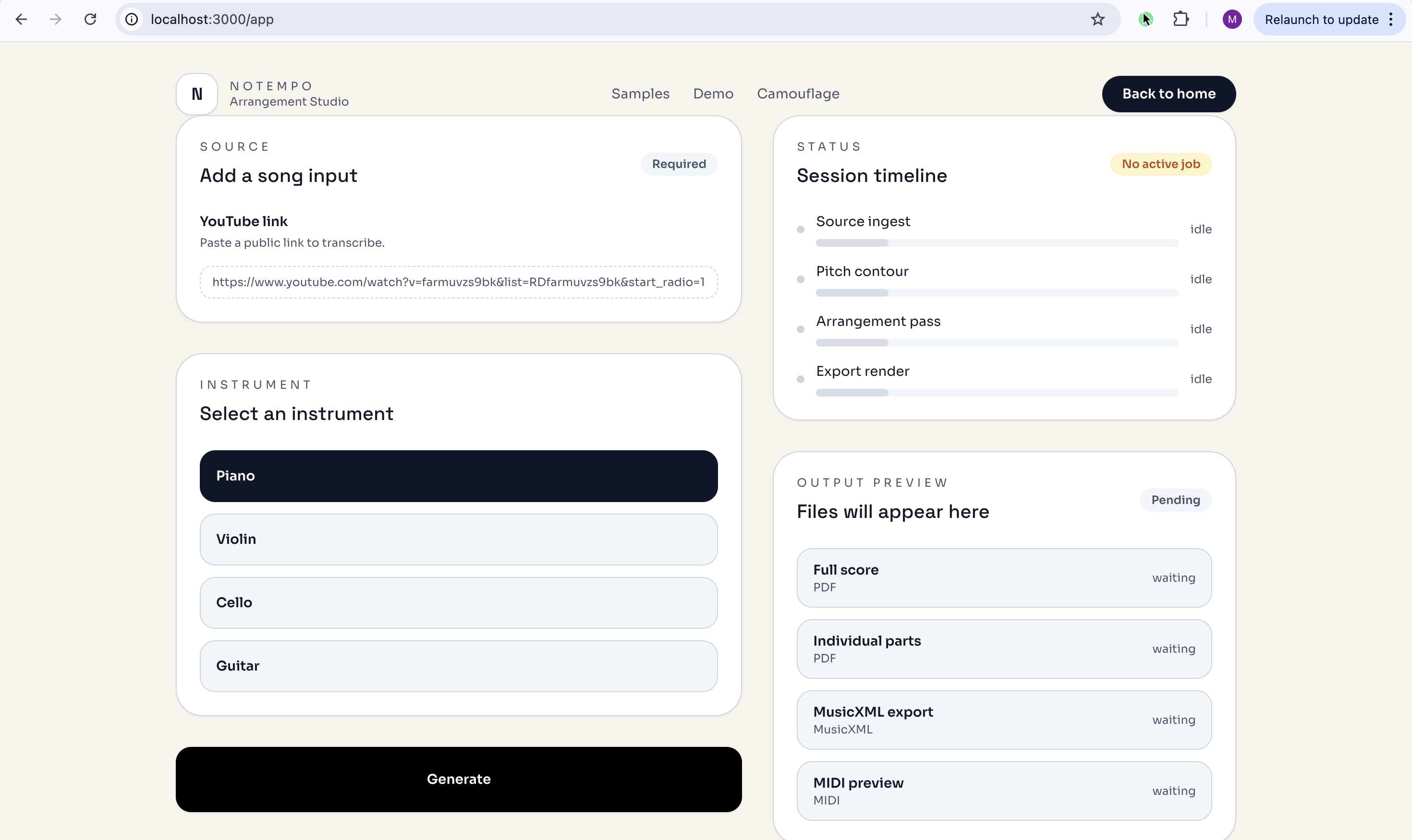
- Start a new score, upload audio, or paste a YouTube link.
- Pick ensemble instruments.
- Generate an arrangement.
- Preview and export outputs (MusicXML/PDF/MIDI).
Modes and interaction layers
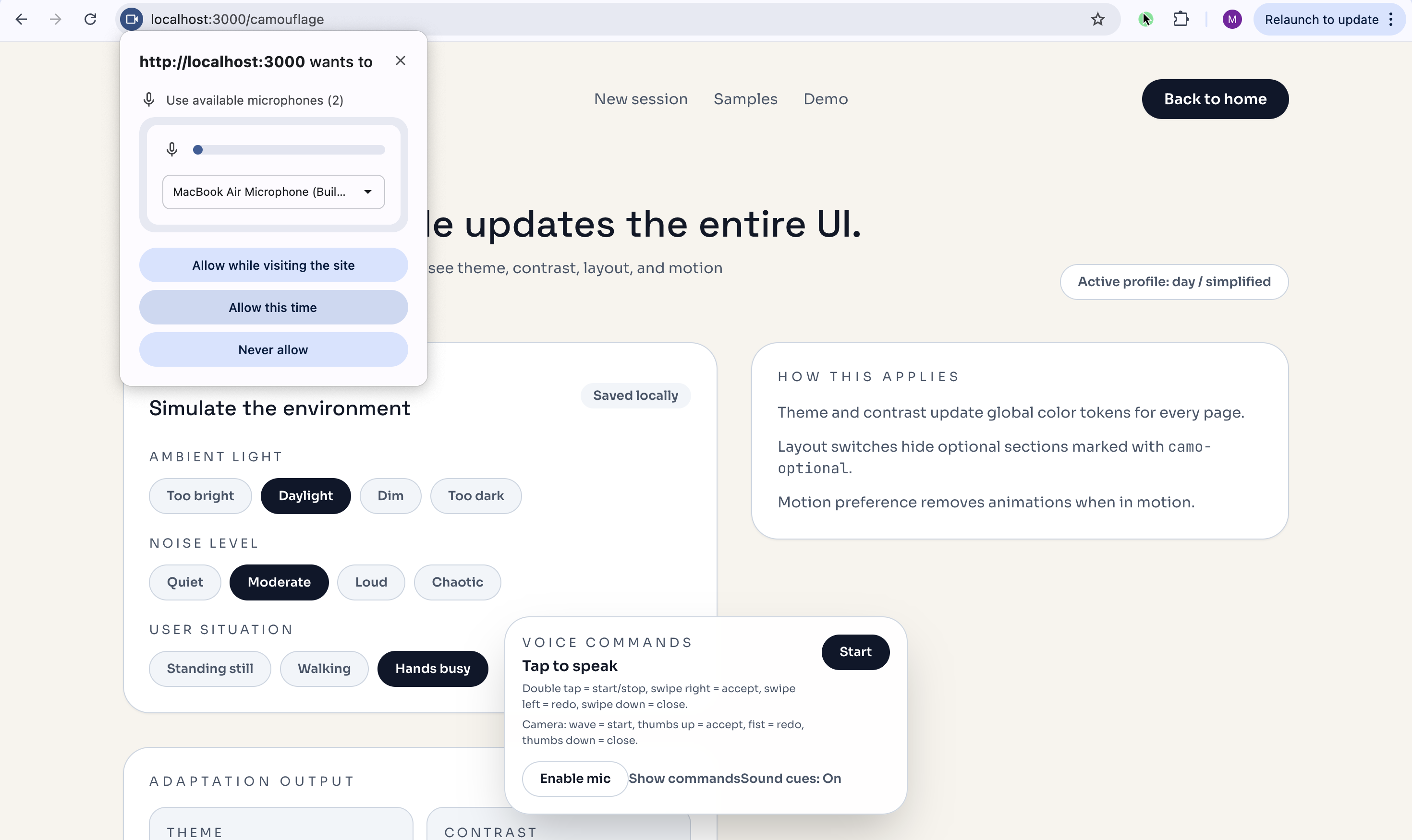
- Camouflage Mode: auto theme/contrast changes for bright/dim/dark, text scaling near critical actions, simplified layout and reduced motion when in motion.
- Invisible Mode: voice‑only flow that hides the UI when Toby is active.
- Voice commands: tap to speak, show command list, accept/redo/close actions.
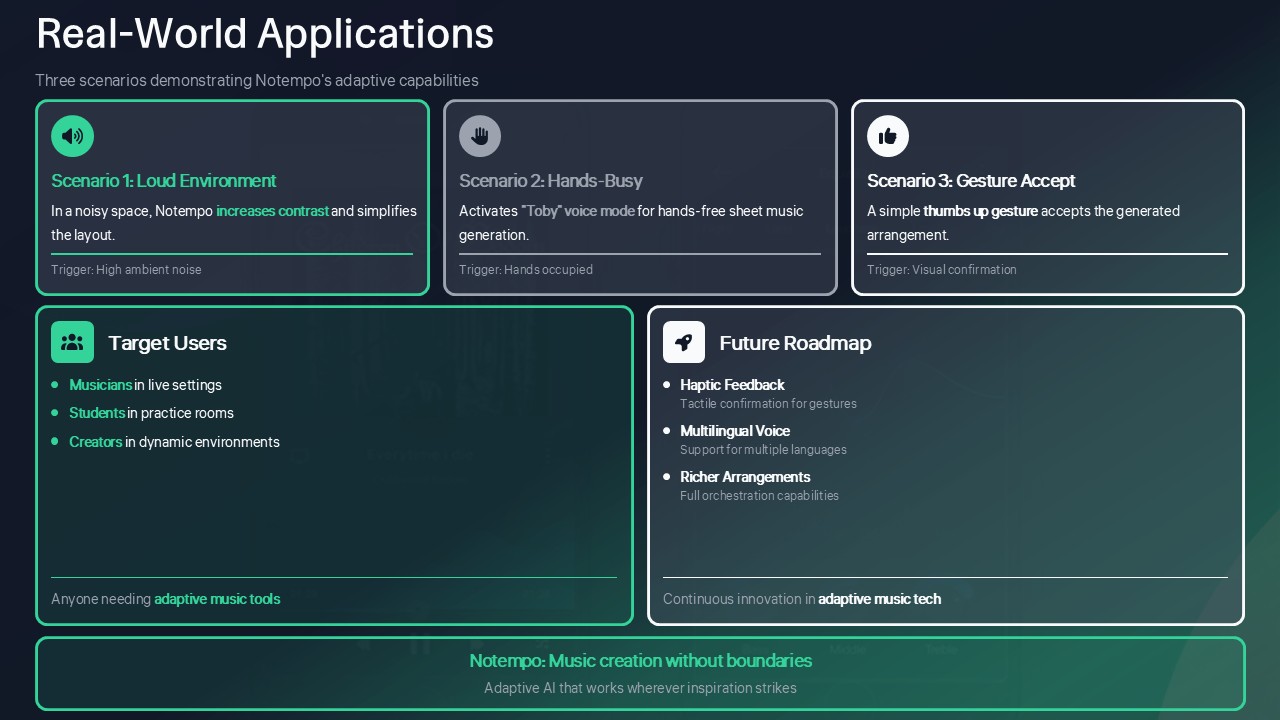
- Camera gestures: wave to start listening, thumbs up to accept, fist to redo, thumbs down to close.
Buttons and controls
- Voice dock: Start/Stop, Enable mic, Accept, Redo, Close, Show/Hide commands.
- Gesture permission: Allow camera, Not now.
- Camouflage controls: ambient light, noise level, user situation.
MVP Features
- Song input: YouTube link OR audio upload (.mp3/.wav) with a simple input UI.
- Ensemble selection: Violin, Piano, Cello, Guitar, etc.; optional difficulty slider (Easy/Medium).
- AI arrangement: Gemini assigns melody/harmony/bass roles and enforces ranges/playability.
- Sheet music output: MusicXML per instrument, PDF per part, combined full‑score PDF.
- Storage: MongoDB stores song metadata + generated MusicXML.
- Deployment: backend on Vultr; frontend static or Node.js server.
- Extra: ElevenLabs narration for sight‑reading notes; simple MIDI playback in the browser.
How we built it
- Frontend: Next.js + Tailwind with global CSS variables to drive live theme/contrast/layout changes.
- Voice: Web Speech API for recognition, routed through a command matcher.
- Gestures: MediaPipe Hands with a simple gesture dictionary.
- Voice companion: Toby runs a confirm‑then‑execute loop with TTS.
- Backend: FastAPI for upload, arrangement pipeline, and ElevenLabs TTS.
- AI + data: Google Gemini for arrangement logic, MongoDB for persistence.
- Cloud: backend deployable on Vultr.
Challenges we ran into
- Coordinating wake‑word listening with gestures without fighting for microphone access.
- Making permission prompts clear without auto‑triggering voice‑only.
- Keeping adaptive UI consistent across every page and component.
Accomplishments that we're proud of
- A fully adaptive UI that changes the entire site, not just a single page.
- A multi‑modal interface that works with voice, gestures, or touch.
- A voice companion that feels intentional and world‑building.
What we learned
- Adaptive UI needs global tokens, not page‑by‑page styling.
- Voice experiences need clear state cues to feel trustworthy.
- The smallest UX moments (permissions, confirmations) shape the whole flow.
What's next for Notempo
- Add haptic/audio feedback for sensitive actions.
- Expand multilingual voice and improve wake‑word detection.
- More arrangement styles and instrument presets.
- Stronger offline fallbacks.
Desjardins Challenge Fit
- Visual adaptation is handled by global theme/contrast/layout changes tied to ambient light, noise, and motion.
- Screenless interaction is enabled through voice commands, gestures, and voice‑only mode.
- The immersive companion is expressed through Toby’s persona and story‑style prompts.
Desjardins Scenario Coverage
- Loud environment: reduced motion + higher contrast, voice + gestures prioritized.
- Dark room: high‑contrast theme with larger text.
- Hands busy: voice‑only mode via wake word.
- Privacy moment: invisible mode hides all text UI.
Accessibility
We apply ARIA labels to key interactive areas, respect reduced‑motion preferences, and provide high‑contrast modes through global theme tokens and toggles.
Privacy
Mic and camera are opt‑in only. Users can deny or revoke access and continue with manual controls. Voice‑only mode is entered via an explicit wake word, and all sensing can be disabled at any time.
Impact
Notempo benefits musicians, students, and creators who work in noisy, low‑visibility, or hands‑busy environments by making creation accessible without perfect conditions.
Mode Benefits
- Camouflage Mode: helps users in bright, dark, or distracting environments by keeping text readable and layouts calmer.
- Reduced‑motion layouts: helps motion‑sensitive users and people in chaotic spaces stay focused.
- High‑contrast theme: helps low‑vision users and anyone dealing with glare.
- Voice commands: helps people with limited mobility or busy hands use the app hands‑free.
- Gesture control: helps users in loud spaces or those who can’t speak or type.
- Invisible Mode: helps privacy‑sensitive users or anyone who can’t look at a screen.
- Toby companion: helps beginners and students by guiding actions with clear, consistent prompts.
ElevenLabs
We use ElevenLabs for high‑quality text‑to‑speech so Toby feels natural and immersive. Every prompt: greeting, confirmation, feedback, and closing is generated through ElevenLabs. If ElevenLabs is unavailable, we fall back to the browser’s speech synthesis to keep the flow working.
Tech stack
- Google Gemini API for musical arrangement reasoning.
- MongoDB for persistent storage.
- FastAPI backend, Next.js frontend, Tailwind CSS.
- Deployment: Vultr for backend hosting.
Built With
- elevenlabs-tts
- fastapi
- javascript
- librosa
- mediapipe
- mongodb
- music21
- next.js
- node.js
- pretty-midi
- python
- react
- tailwind-css
- typescript
- uvicorn-(api-server).-apis/services:-google-gemini-api
- web-speech


Log in or sign up for Devpost to join the conversation.