-
-

App icon
-
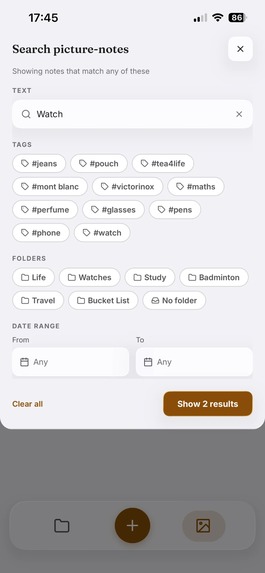
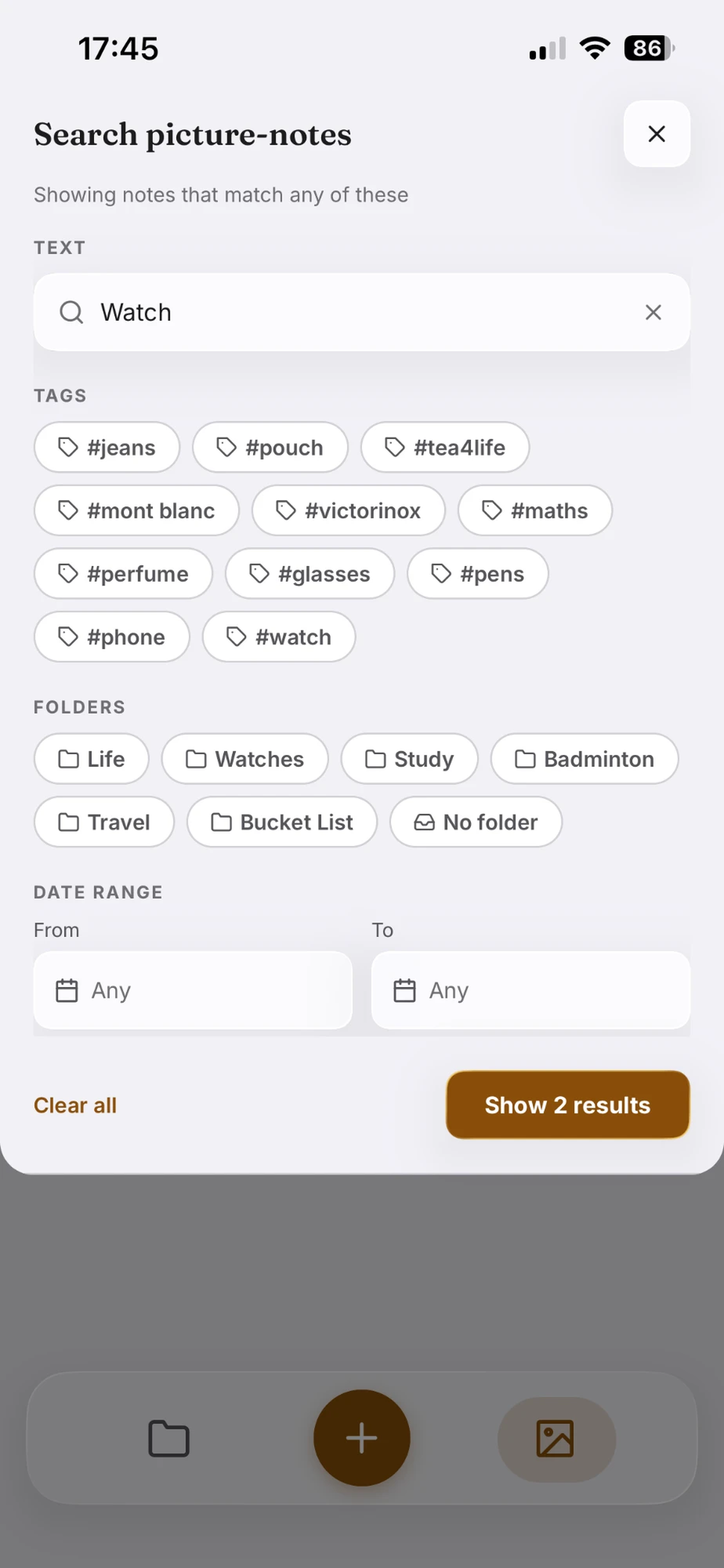
Search modal
-
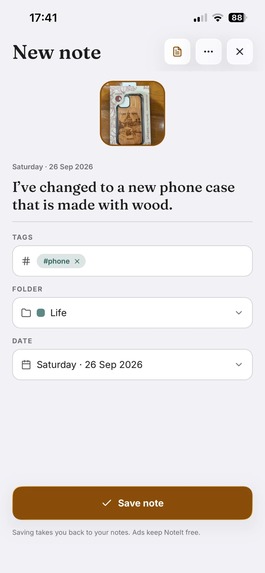
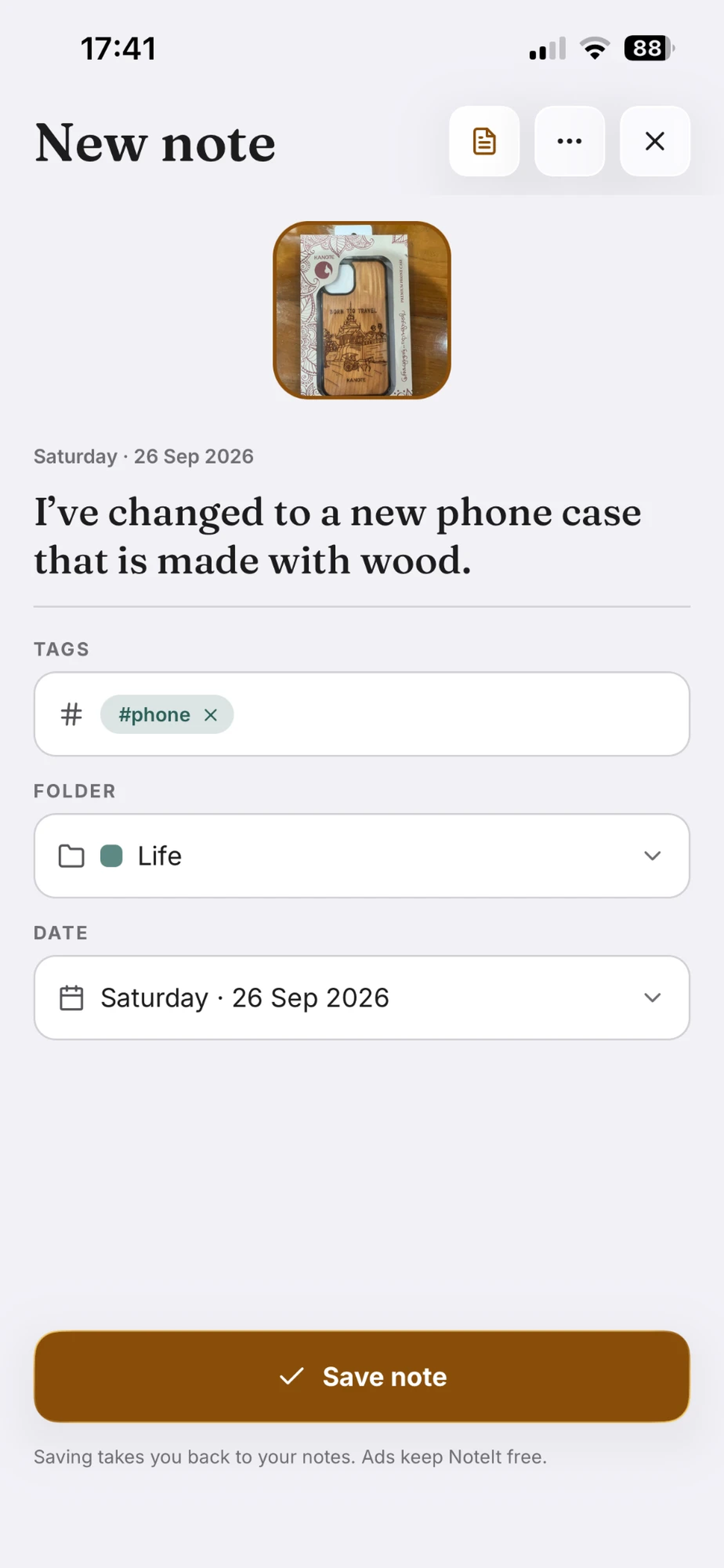
New note View
-
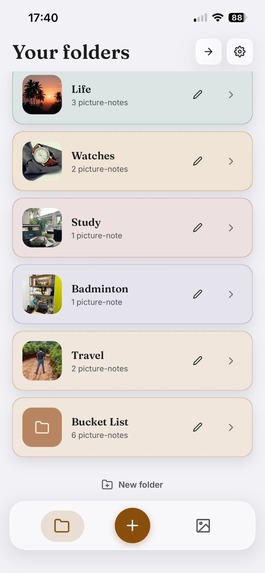
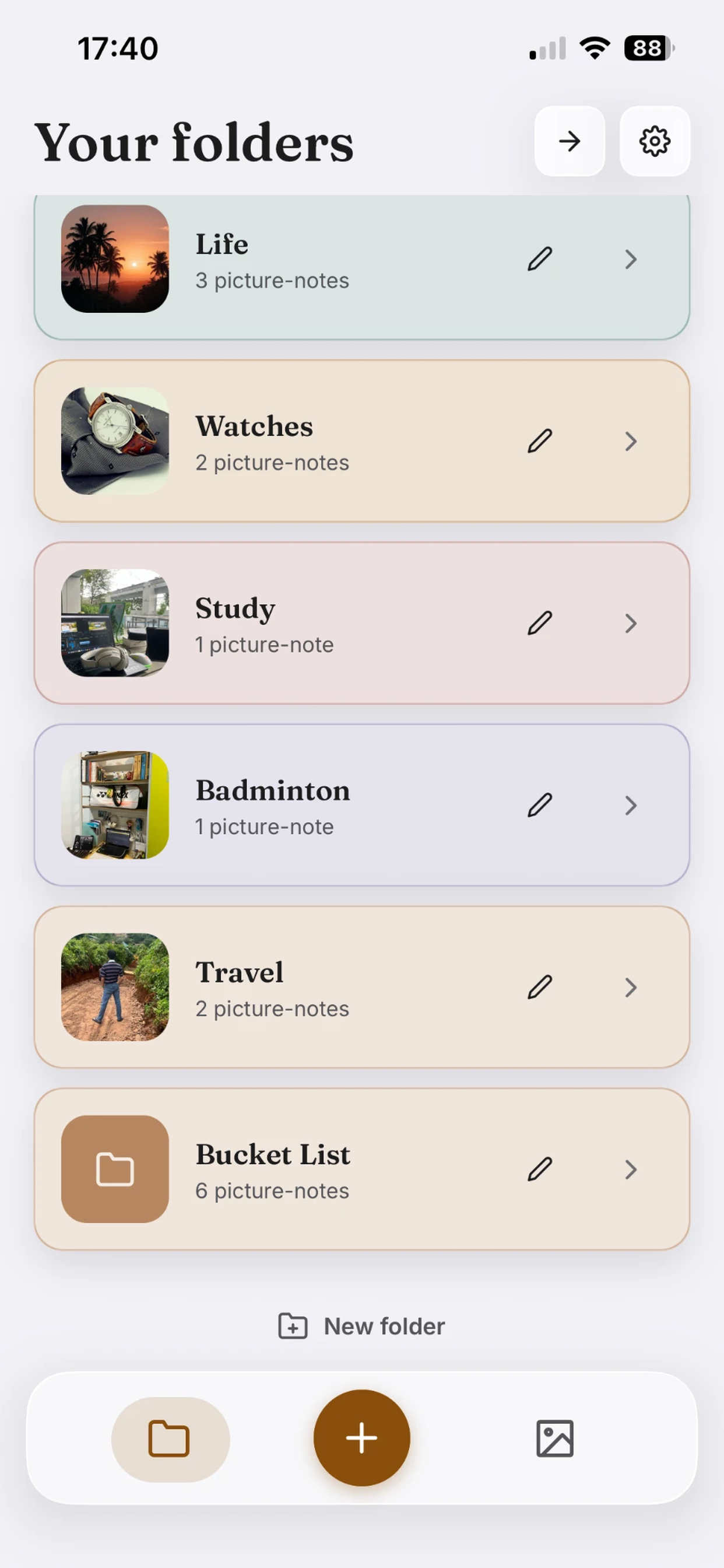
Folders List View
-
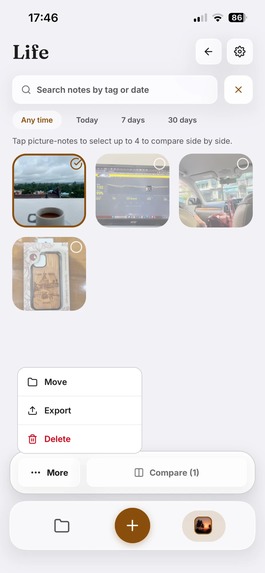
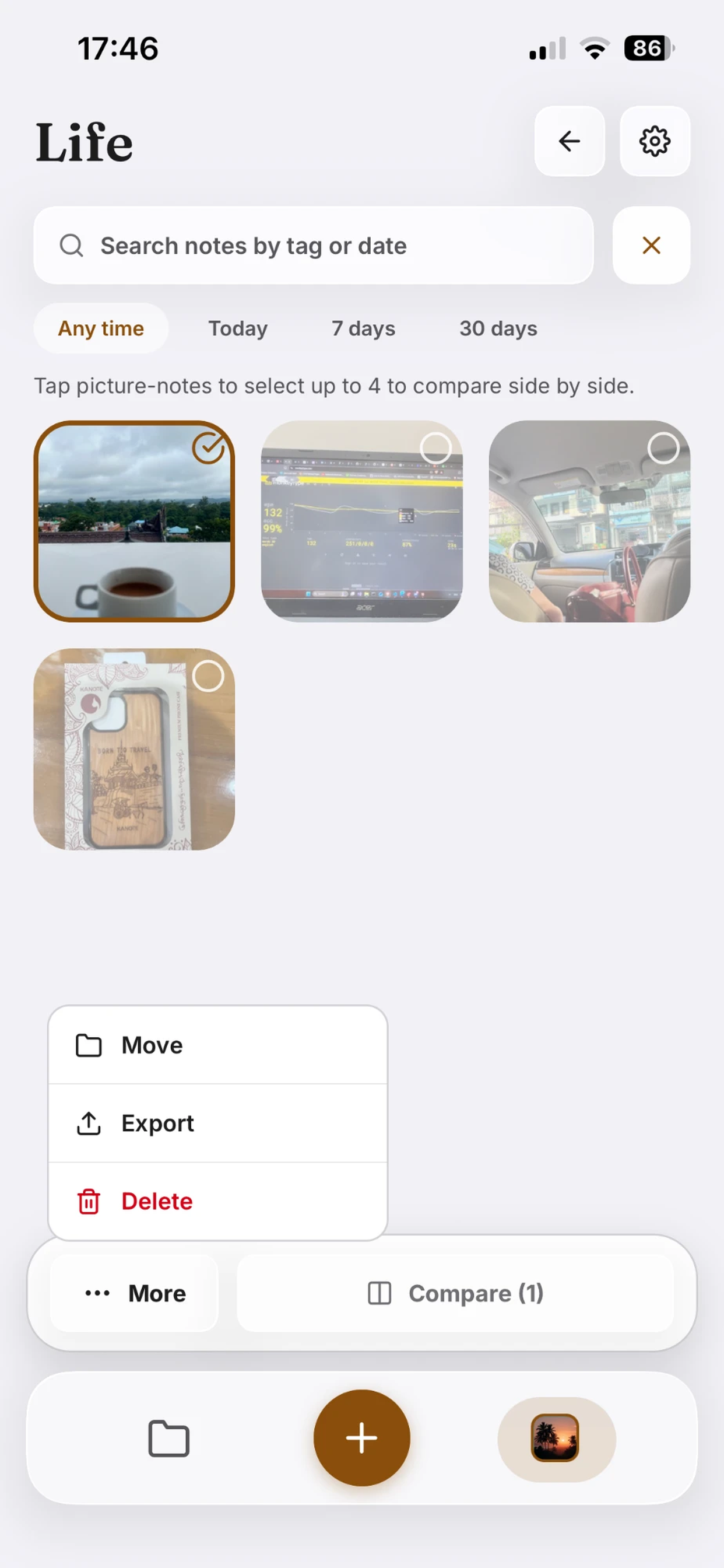
Select mode
-
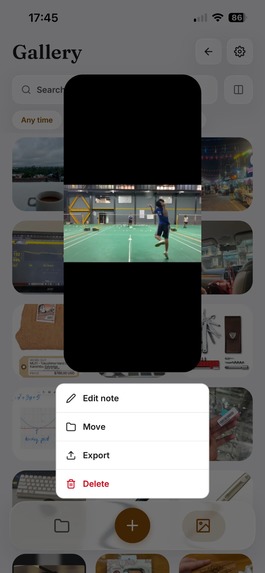
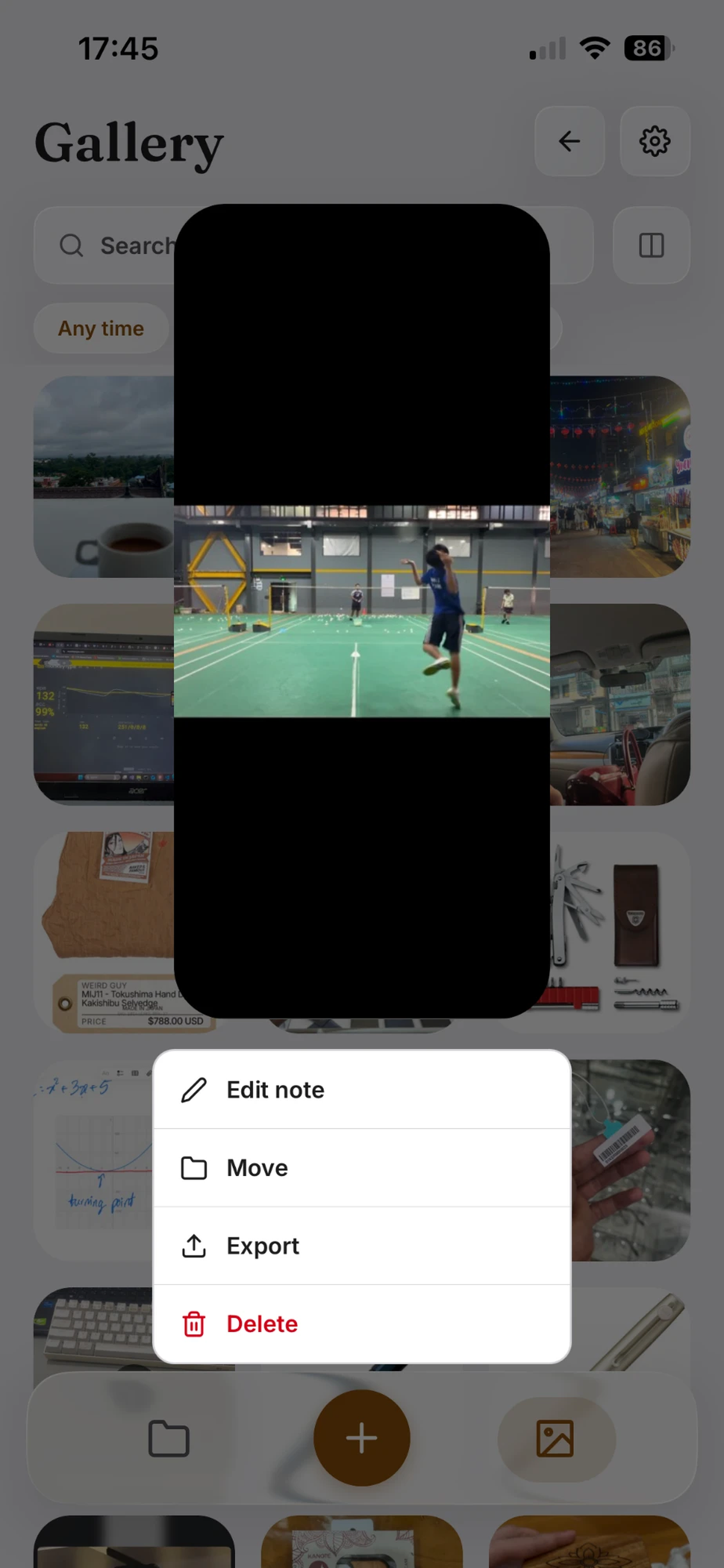
Long pressed on a note tile
-
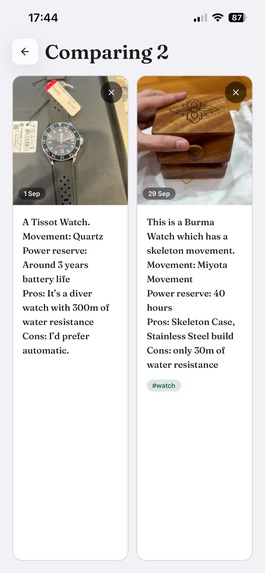
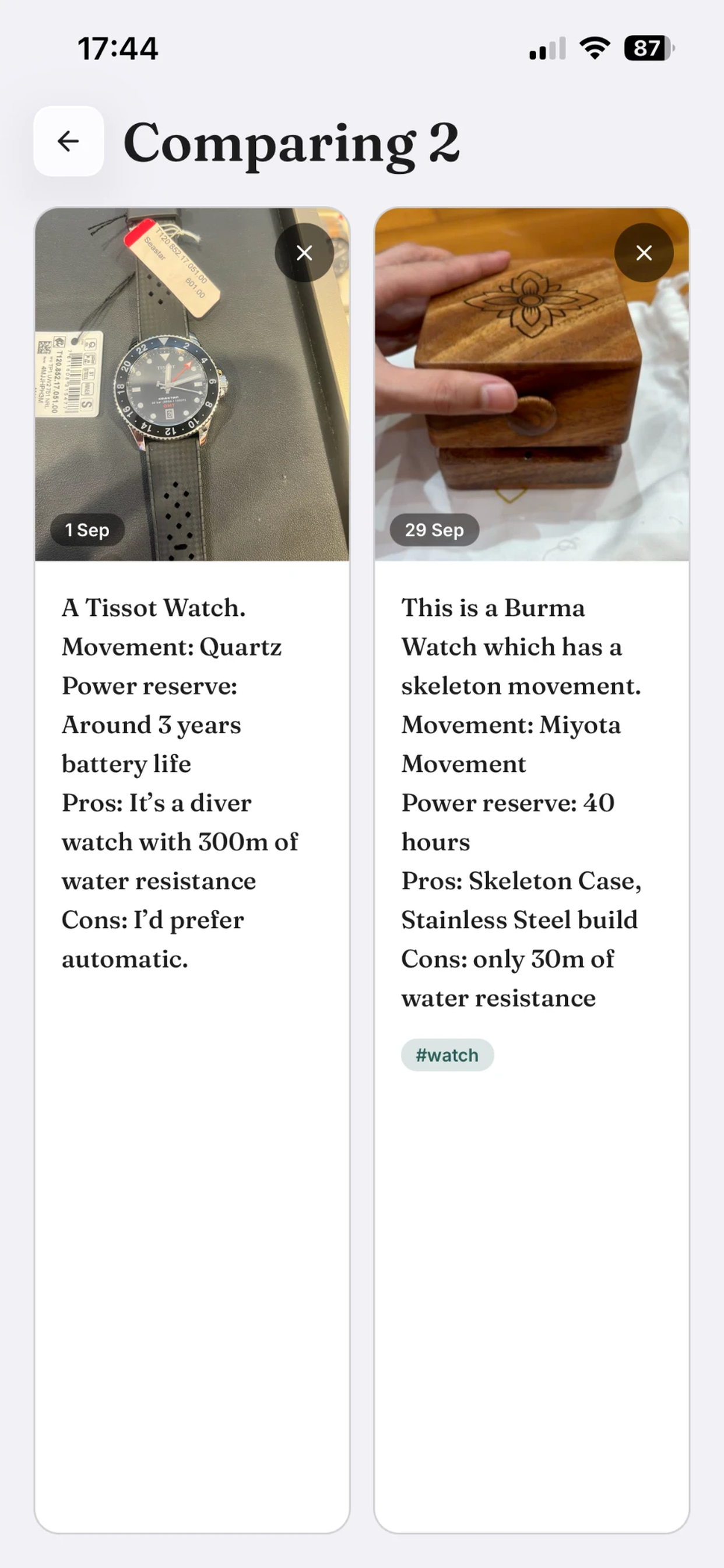
Compare mode
-
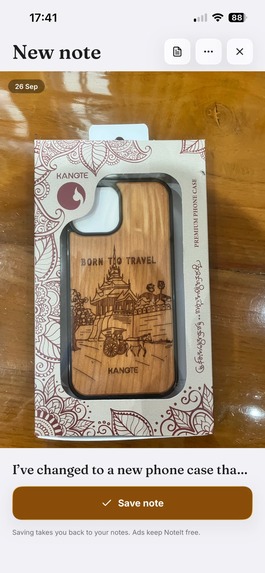
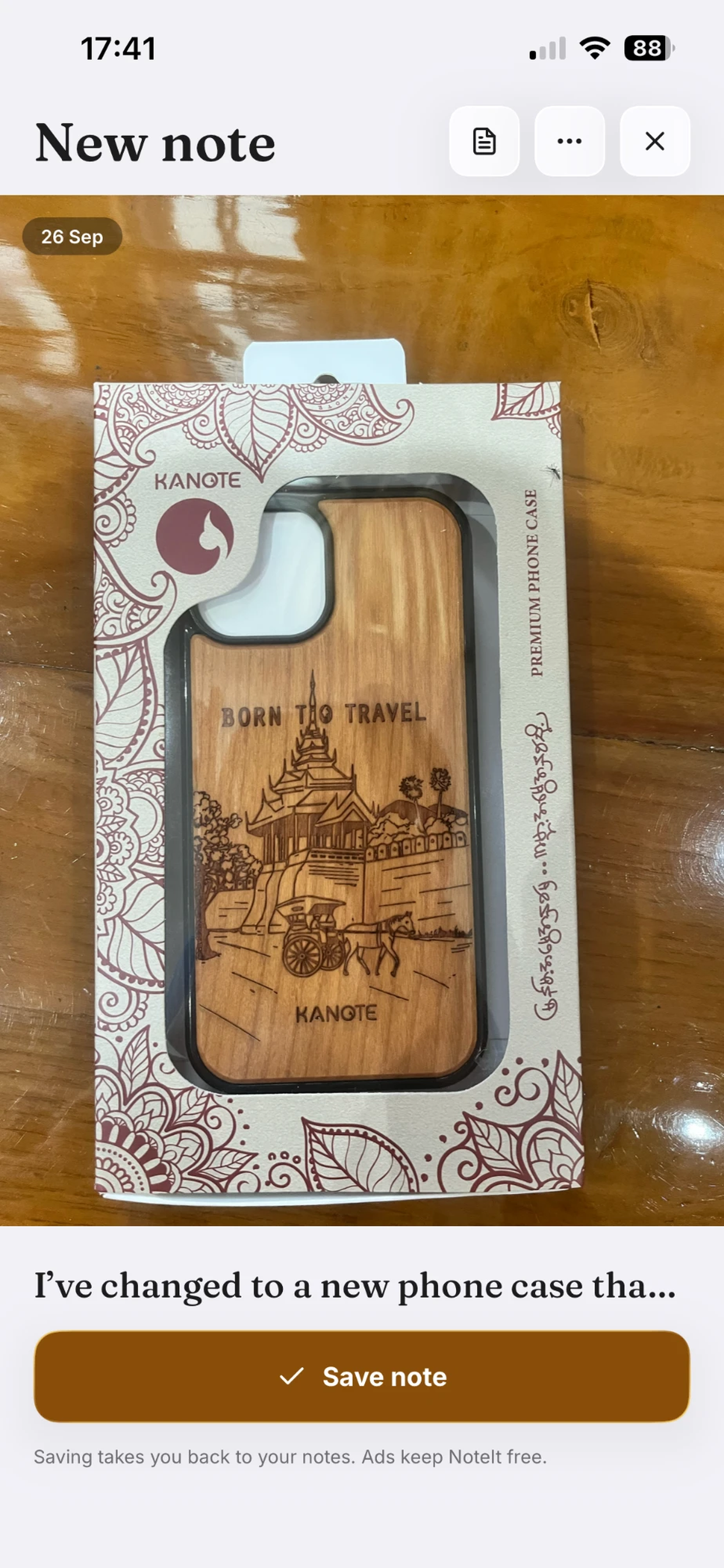
New note View (preview of picture-note)

Inspiration
Have you ever taken so many photos and forgot what they all are about? Well, that happened to me, and as a true programmer, I spent a month to solve a problem that would take 10 seconds of memorising on the spot. My solution was to create an app called NoteIt: Picture Notes that allows you to simply attach a note to the picture or a video you took so that you can later come back to relive what you took.
What it does
NoteIt: Picture Notes was designed with my core idea of REMAS (R for reliability, E for efficiency, M for maintainability, A for affordability, and S for scalability). This ensures that the users are able to get the most productivity out of the app.
Users can create and view a new picture note in 30 seconds:
- Swipe up or tap the + icon to show Add Note screen
- Choose or take the picture from the photo gallery
- Add a note, tags, and a date (the default date sets to the photo's date in its metadata)
- Tap Save note button
- And... voilà you can view your picture note in the Gallery View, and tap it to show the full picture note. You can swipe up to show the full note or tap the picture for a full-screen view, with a double tap being zoom.
As the number of notes scales in the app, the users can organize them into folders. They can create each folder for sports, study, journaling, etc.... The folders can be color-coded with thumbnails so that users can recognize a folder from a glance. The gallery serves as a global folder for every note in the app. The user can simply swipe sideways from the Folders List screen to view it. Searching logic works differently for the local folders view and the global gallery view. In the local folder view, the users are able to search for notes with AND logic. However, in the global gallery view, the users are able to search for notes with OR logic. Nevertheless, the users will be able to filter notes with text, tags, and dates in both views. Another notable feature in the app is the Compare feature. It is particularly designed to help reduce decision paralysis when dealing with multiple choices. The users can select 2-4 notes side by side for decisions like two watches or two pairs of jeans. The app also supports snippets, which can be created in settings. This is very useful when dealing with different choices that can be noted with the same templates. This can also reduce typing times, thus making note-taking more efficient and reliable. All the available snippets and tags are presented underneath the textbox with a horizontal scroll for easier accessibility while avoiding visual crowding. Maintainability of the notes is supported by edit, move, and delete features in the app. The users are able to freely edit or delete their notes with the same coherent UI for adding new notes, which was intentionally designed so that the users feel familiar. The users are also able to move their notes into different folders, so they are able to reorganize notes as it scales. The features also satisfy the Maintainability and Scalability standards of REMAS. These features can be accessed inside ... button in View Note screen. They can also be accessed by long-pressing the picture in the Gallery View Screen (both local folder and global). The biggest feature introduced in v1.2 was the export/import feature. This feature allows you to share your notes and folders with other users with .noteit format into other chat apps. Hence, the exported file can be previewed, allowing the recipient to decide either to save it into the app or to discard it.
The app was designed with Affordability and privacy in mind. Therefore, all the notes stay on the device, with no account. NoteIt: Picture Notes is free and ad-supported, and every AdMob event is reported to RevenueCat Ads by placement.
How we built it
The app was built in React Native with Expo SDK57 and TypeScript for its cross-platform capability. All the gestures and transitions are driven by the Reanimated library, and expo-glass-effect gives native Liquid Glass on iOS 26 with a flat fallback elsewhere. Monetization is made possible by react-native-purchases (RevenueCat) and Google Mobile Ads. During development, I tracked and designed every feature with a pencil and a notebook, which was then transferred to Trello. Git is utilized with GitHub, and shipped through a develop → master flow. I also used Claude Code for code review and to make my development faster.
Challenges we ran into
- A limited build budget: the free EAS plan meant batching changes and making every build count. I was able to overcome this by planning every feature for each version carefully and by making sure there were as few bugs as possible in each build.
- Publishing and ads: Since this is my first time publishing apps to the App Store, navigating the App Store Connect was particularly difficult for me with many forms to read and agree. Furthermore, the ad verification process was also very time-consuming due to its long verification times. I was able to overcome this by developing asynchronously while waiting for the verification process. I also did deep research to help my publishing journey.
Accomplishments that we're proud of
I am proud that the project that originally started as a lazy way to save me 10 seconds of memorization on the spot grew into a feature-rich and powerful app to help other users who are in the same shoes as me. The app has also gone from pencil notes to live on the App Store on 22 Sep, then shipped v1.1 and v1.2 within a week with v1.3 to come in the future.
What we learned
During the process, I fell in love with my mechanical pencil for its usefulness when tracking versions and bugs in the project. I also learned that laziness can sometimes lead to more productive, creative tools. In short, creating this app has taught me how to appreciate simple things in life and how they can inspire me to create meaningful tools.
What's next for NoteIt: Picture Notes
v1.3 intends to support the Google Play store too so that the app can reach more users. Additionally, the app will feature a more powerful markdown feature (bold and italic is currently supported in v1.2) with the ability to attach other file types into the note field.
Built With
- expo.io
- ios
- liquid-glass
- react-native
- revenuecat-ads
- typescript


Log in or sign up for Devpost to join the conversation.