-
-
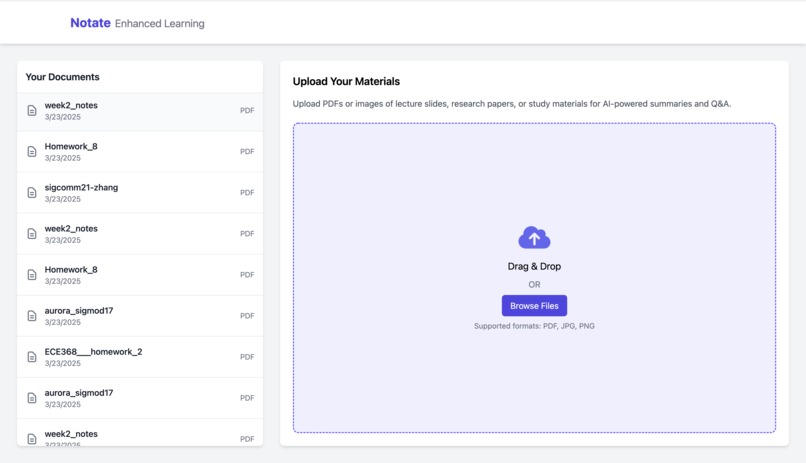
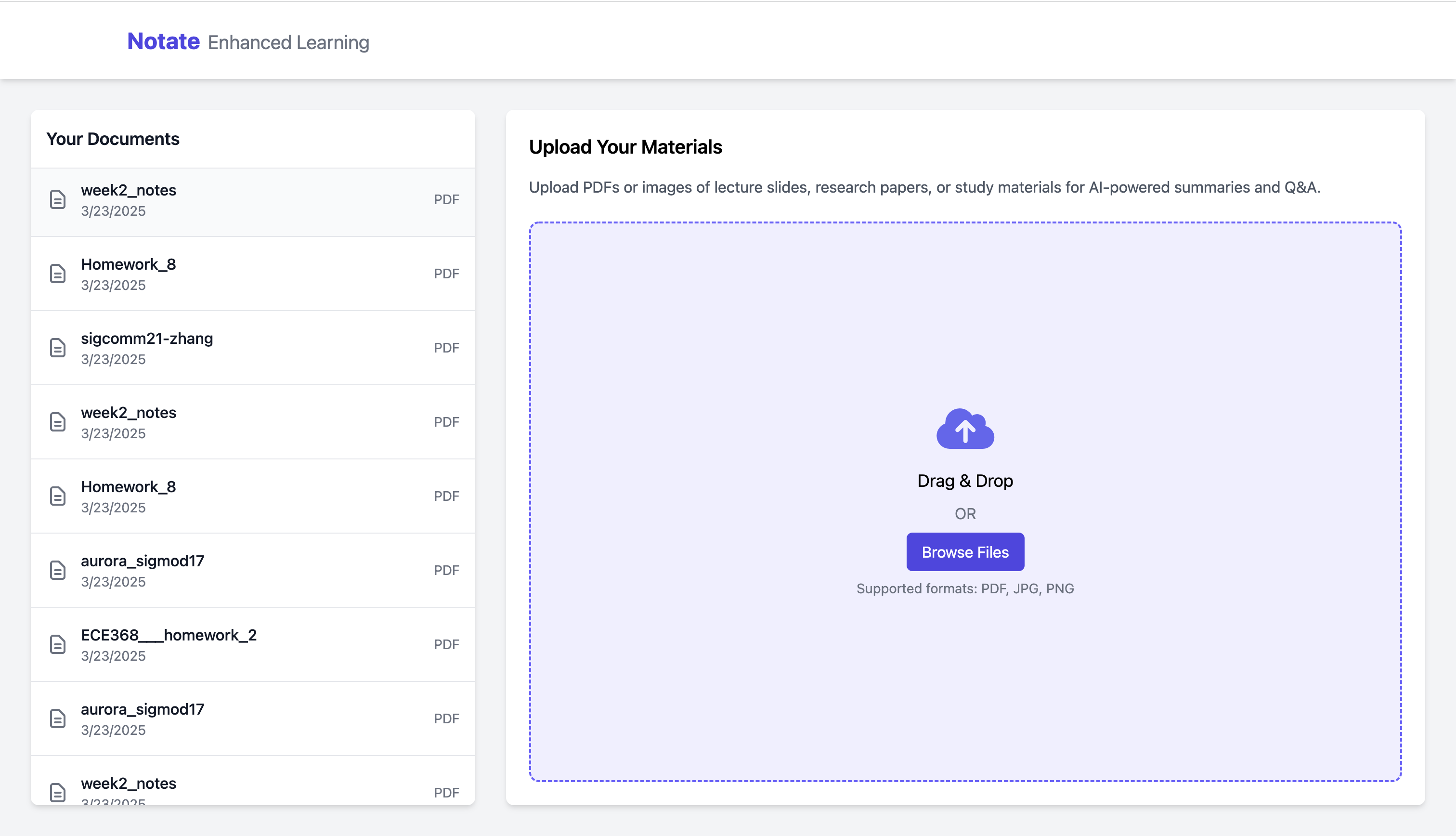
dashboard
-
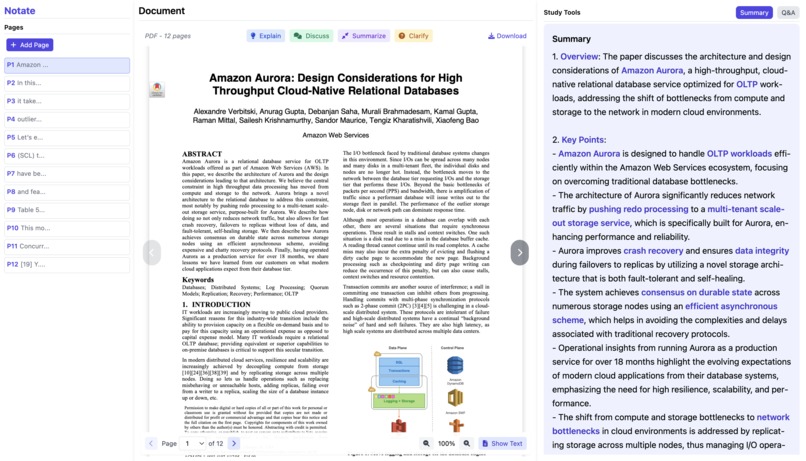
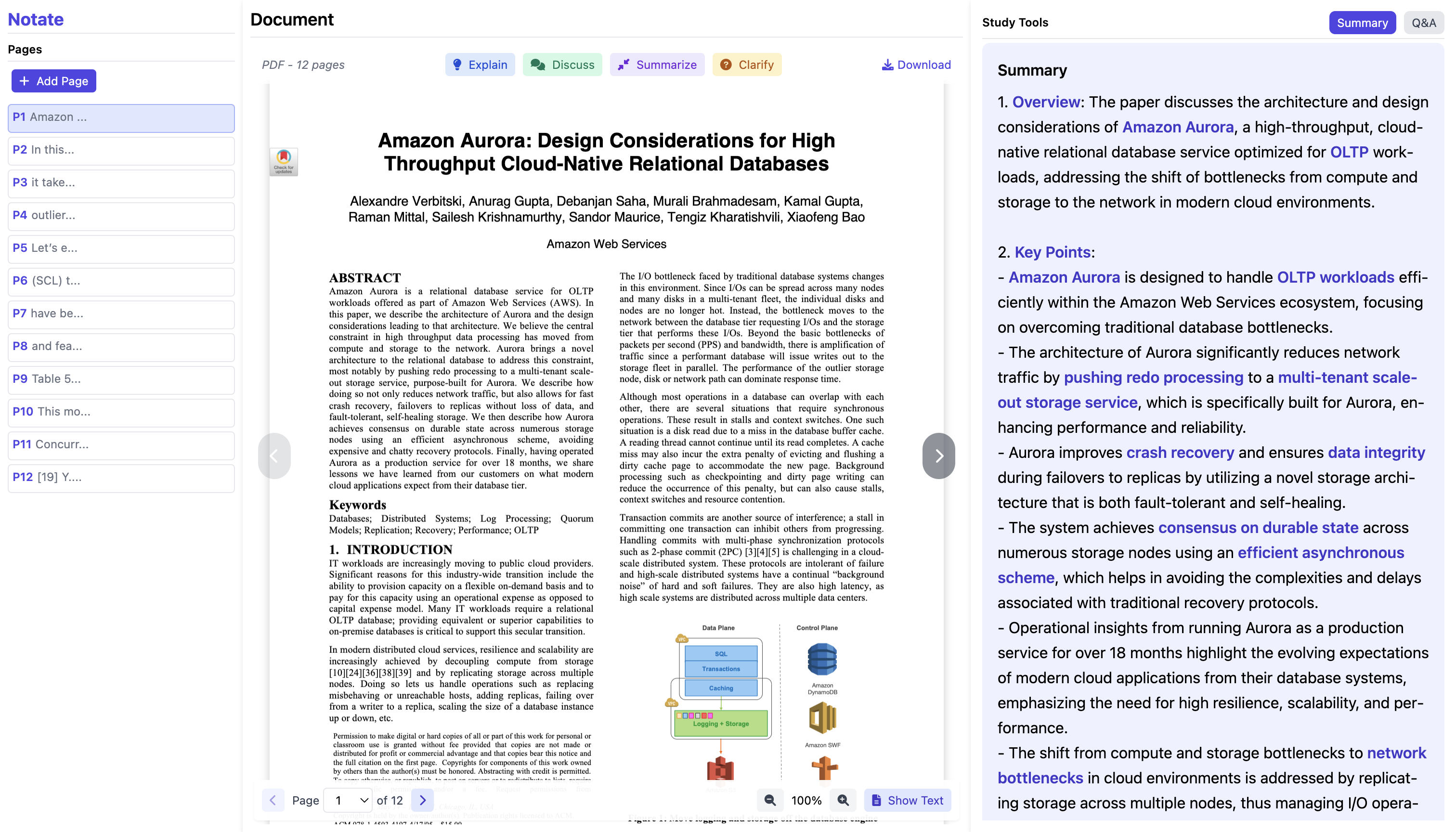
research paper
-
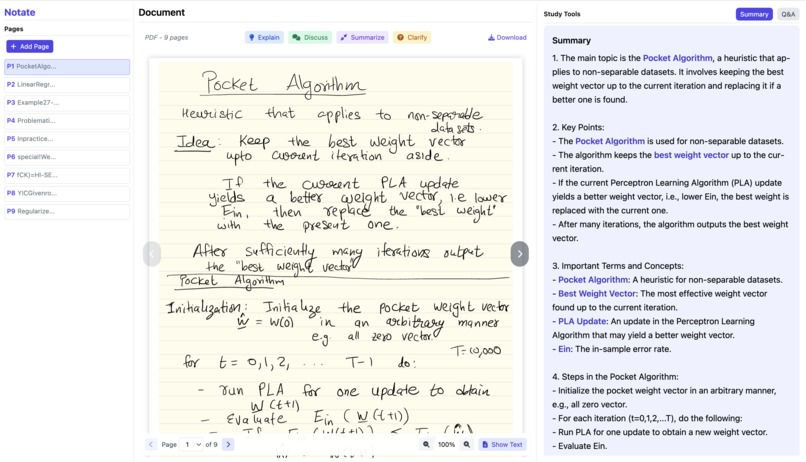
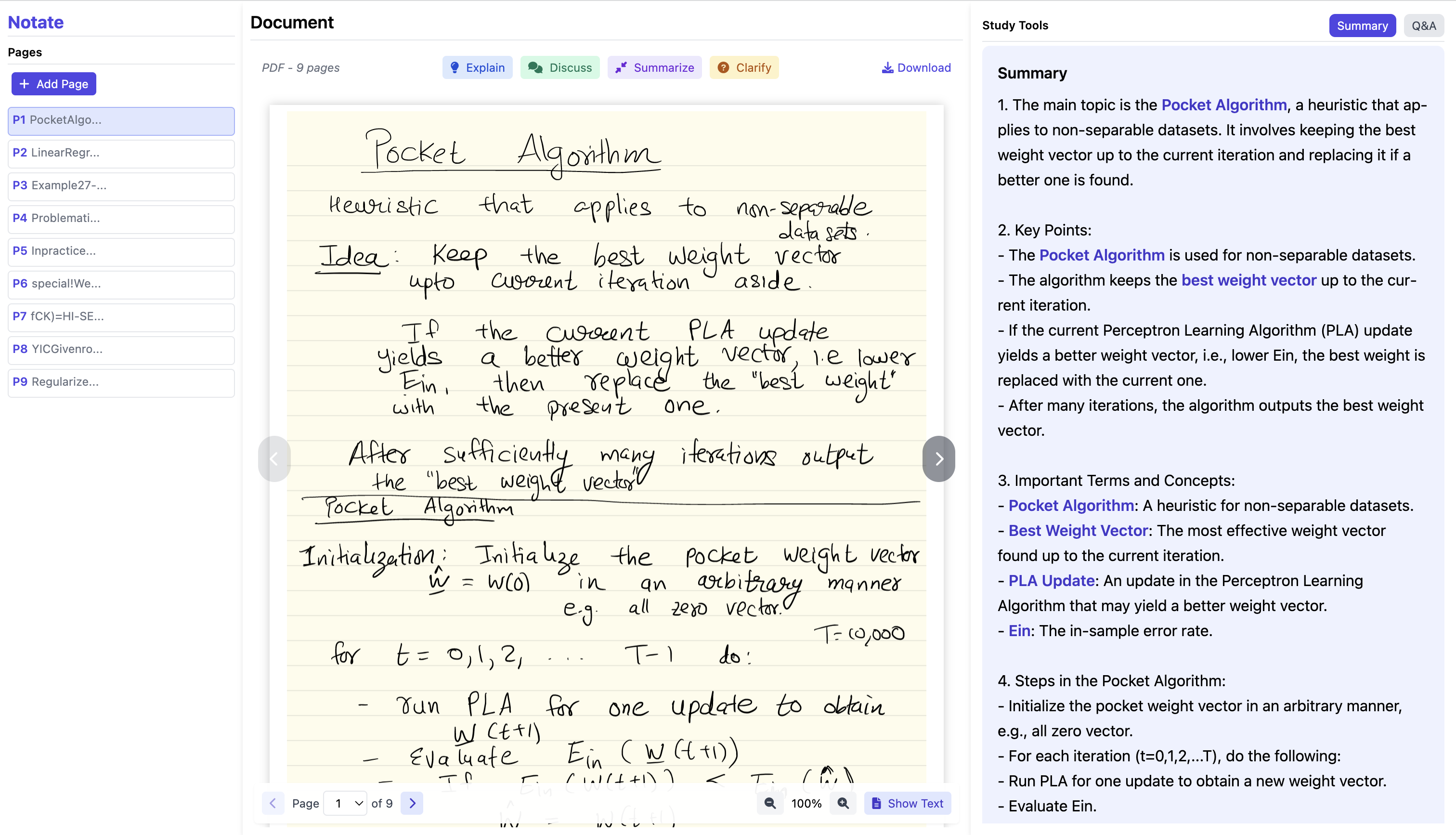
handwriting lecture note
-
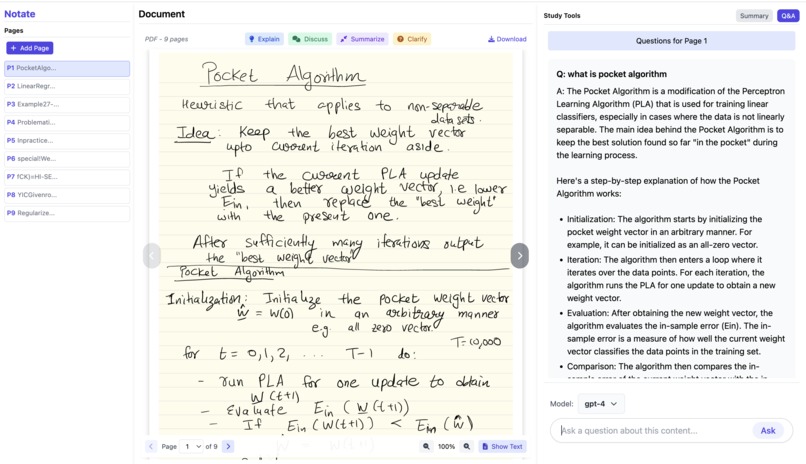
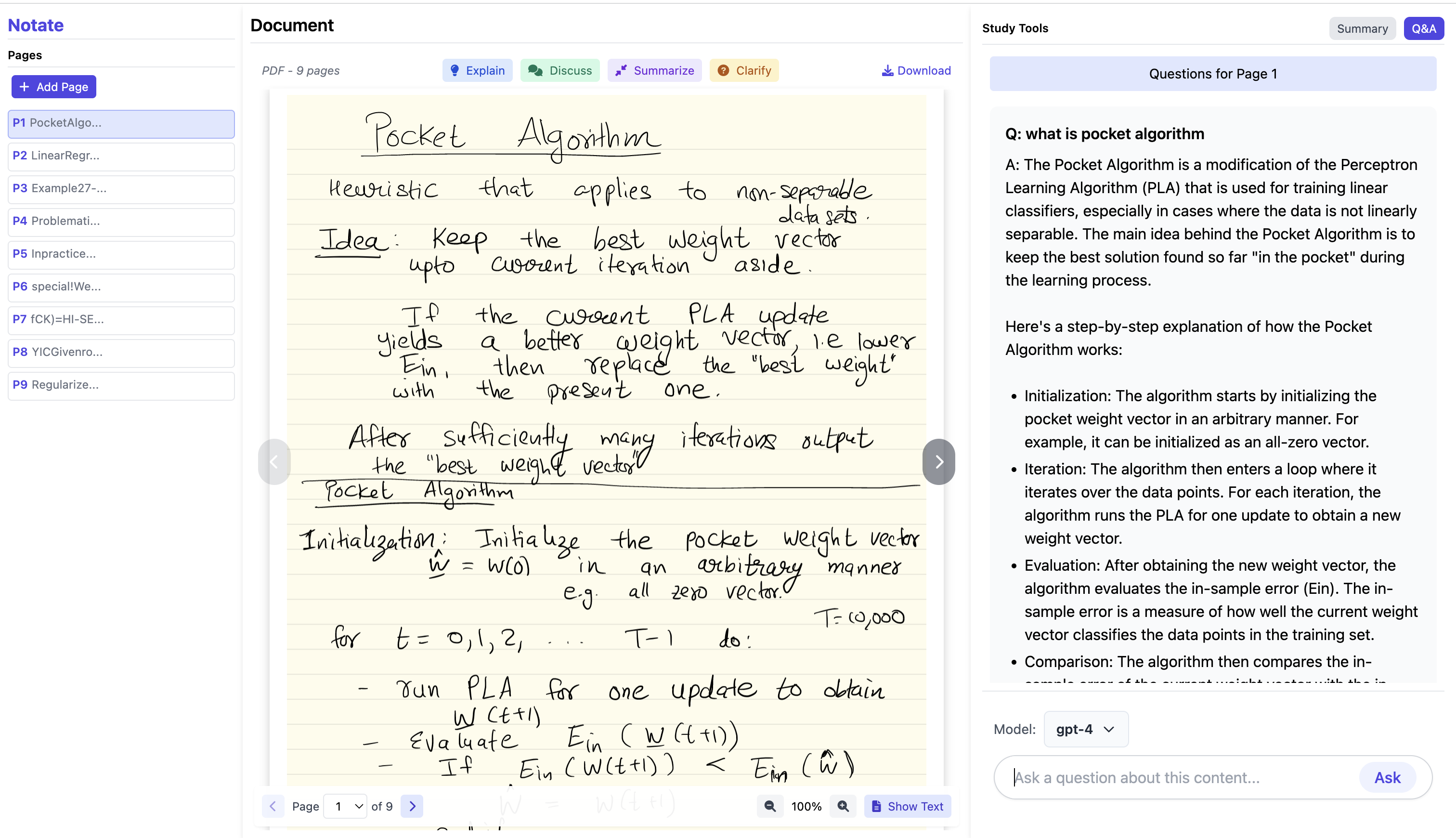
handwriting lecture note QA
Inspiration
We were inspired by the frustrations of using a general AI chatbot to learn from lecture slides or research papers. It’s inconvenient to repeatedly screenshot or copy large chunks of text into GPT, only to lose the generated insights after a conversation. We wanted a solution that stores these valuable explanations in a user-friendly interface—so learners can easily pick up where they left off, revisit important points, and never waste time re-prompting.
What it does
- We explored page-by-page analysis to break long documents into manageable chunks. This made it easier for the AI to provide concise yet in-depth explanations.
- We discovered that highlighting text directly on a PDF and generating immediate clarifications or summaries can drastically improve the learning flow.
- Building a fluid user experience—where the AI’s responses, notes, and Q&A are always visible next to the relevant page—makes studying much more efficient.
How we built it
- Prototype & Iteration: We started with a simple prototype for uploading PDFs and receiving a single summary, then expanded to multiple pages and interactive features based on user feedback.
- Tech Stack:
- A Javascript front end for displaying PDFs, highlights, Q&A, and summaries.
- A Flask Python backend coordinating file uploads, OCR (for images or scanned PDFs), and calls to OpenAI.
- Database to store user documents, page-by-page summaries, and Q&A logs, ensuring users never lose their work.
- Interactive Highlights: We developed a custom feature allowing users to highlight text in the PDF viewer and trigger an AI prompt (explain, clarify, summarize) on just that selection.
- Seamless Navigation: Scrolling automatically changes which page’s summary/Q&A is shown, or the user can click to jump between pages.
Challenges we ran into
- Weird Environment Bugs: Handling dependencies across different OS setups (Mac vs. Windows) and ensuring our Node, Python, and frontend could talk to each other was tricky.
- OpenAI Connectivity: We sometimes hit rate limits or misconfigurations when integrating GPT models, but we overcame those through careful throttling and error handling.
- Highlighting Words in PDFs: PDFs render differently on screen, so capturing exact coordinates and linking them back to AI prompts was a major UX challenge.
- Scrolling & Page Sync: We had to carefully manage state so that when a user scrolls to a new page, the interface seamlessly updates the displayed summary and Q&A.
- Iteration Under Time Pressure: We constantly refined our UI and backend flow as we uncovered new bugs or discovered better ways to help users learn.
Accomplishments that we're proud of
- A Truly Useful Tool: Most importantly, we’ve created something that directly addresses the pain points we identified—helping students and researchers study more efficiently.
- Highlight-to-Ask: We love that you can highlight any word or section in a PDF and instantly prompt the AI for an explanation—no copying or typing required.
- Seamless Page Detection: Our solution detects which page the user is on and automatically switches to show the correct summary and Q&A, simplifying navigation.
- Meaningful AI Outputs: We’re proud of how well we integrated GPT, ensuring bullet-pointed summaries, bold keywords, and user-friendly clarifications.
What we learned
- User-Centered Iteration: We learned the value of starting small and refining based on real usage feedback, especially when it comes to the user interface.
- Complex PDF Handling: Working with PDFs at a granular level can be surprisingly tricky, from text extraction to overlaying highlights.
- Prompt Engineering: Fine-tuning system prompts for GPT-4 and GPT-3.5 taught us how to get consistent, clear, and context-aware outputs.
- Team Collaboration: Dealing with environment inconsistencies (Node, Python, package versions) pushed us to maintain better documentation and a more robust DevOps process.
What's next for Notate
- Course Organization: We plan to let users group multiple files (slides, PDFs, problem sets) into a single class or course for simpler navigation.
- Cross-Page Sections: We’d like to enable creating “sections” that span multiple pages, so related slides are summarized and queried together.
- Test Generation: Generating practice questions or quizzes from previous documents is another way to help students review.
- Smarter Summaries: We’ll keep improving how we chunk and summarize content (e.g., by topic instead of strictly by page) so learners get exactly what they need. We’re excited for the future of Notate and hope it continues to make studying more efficient and engaging.
Built With
- flask
- google-cloud
- javascript
- openai-api
- pytesseract
- python
- tailwind-css


Log in or sign up for Devpost to join the conversation.