-
-
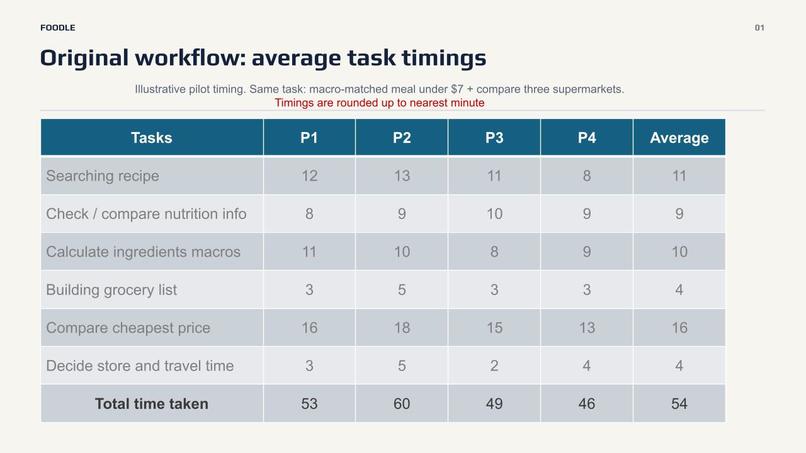
time saved 1
-
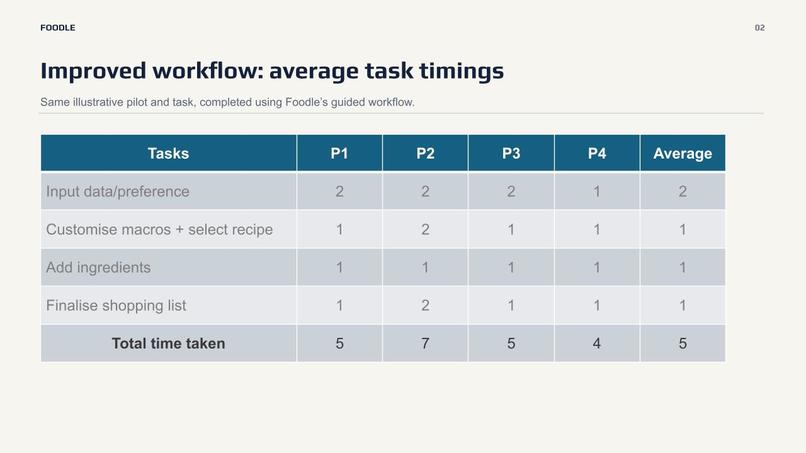
time saved 2
-
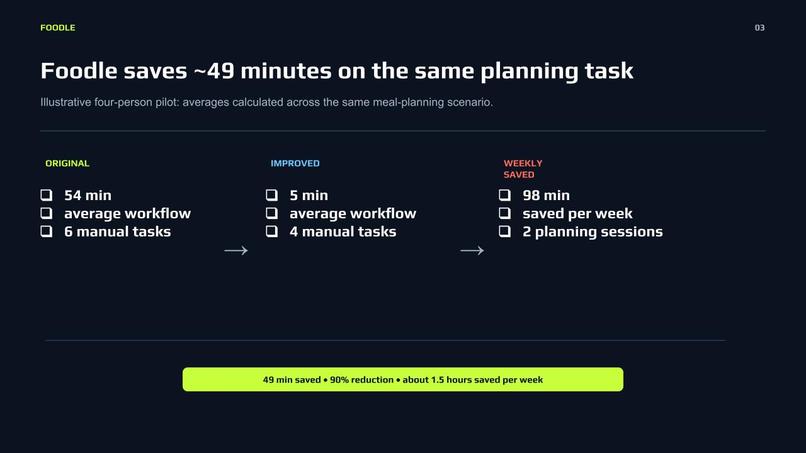
time saved 3
-
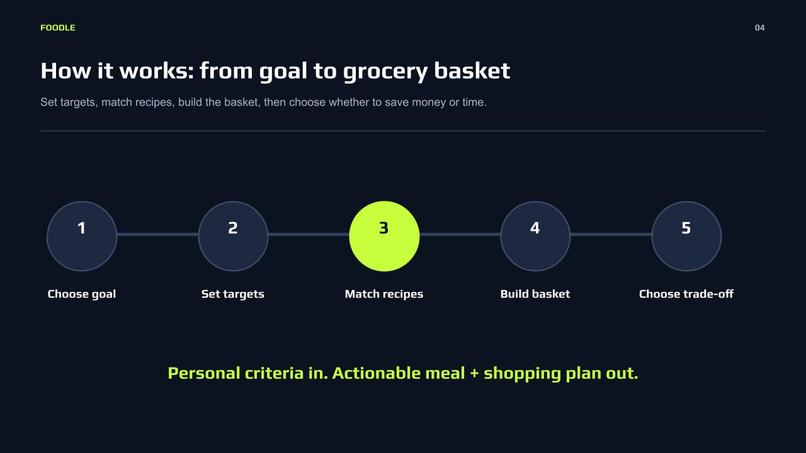
-
Foodle 1
-
-
-
-
-
-
Inspiration
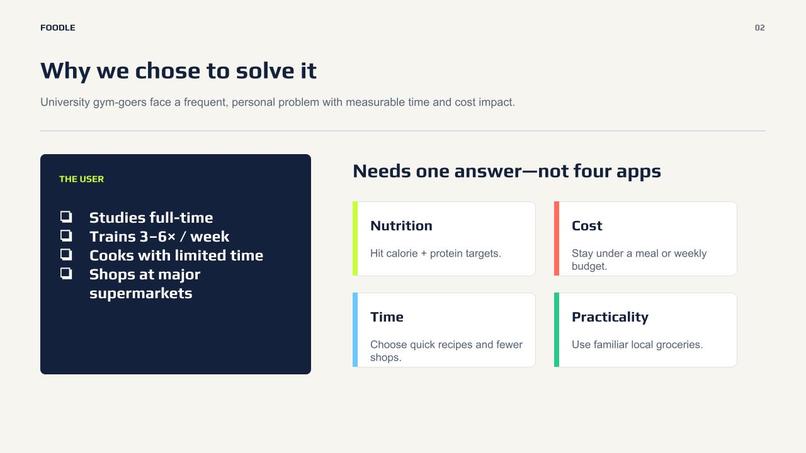
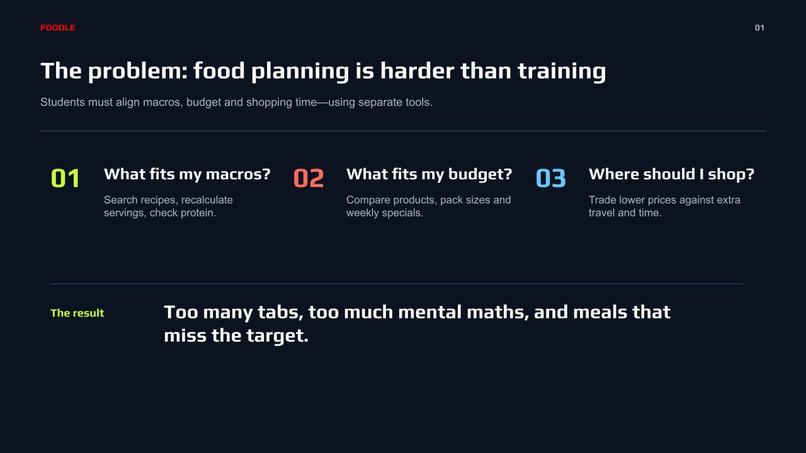
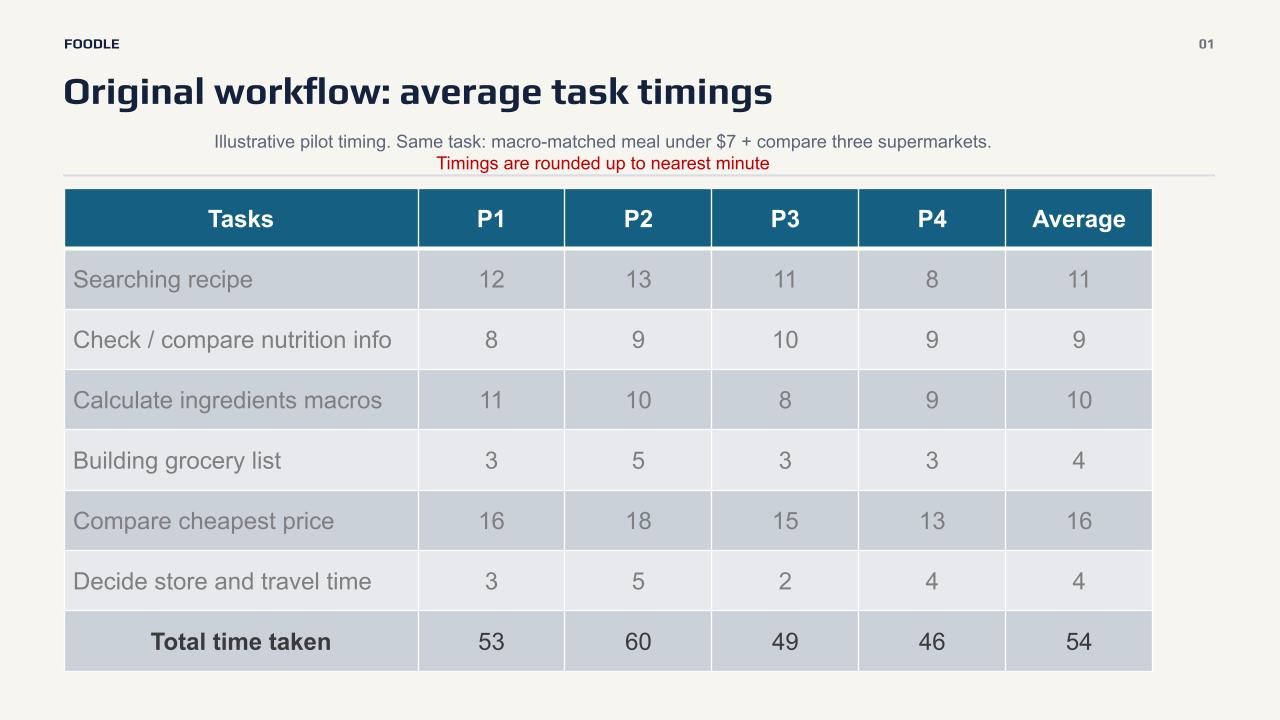
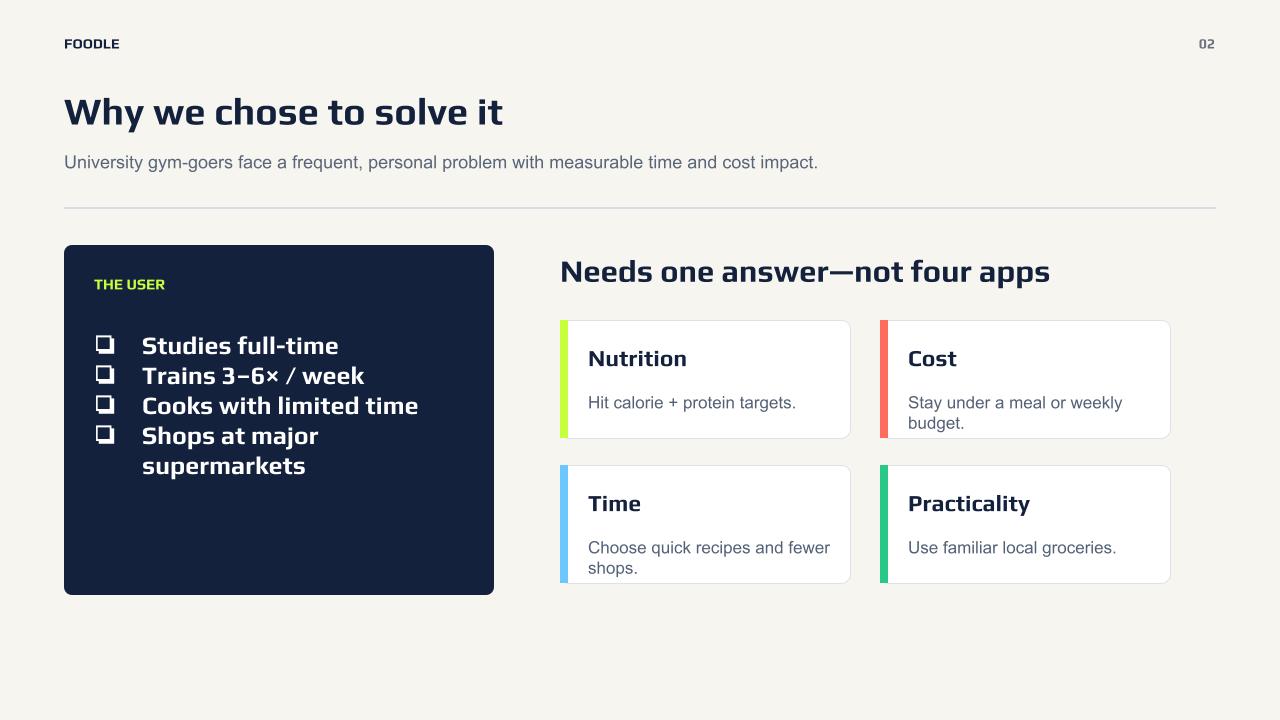
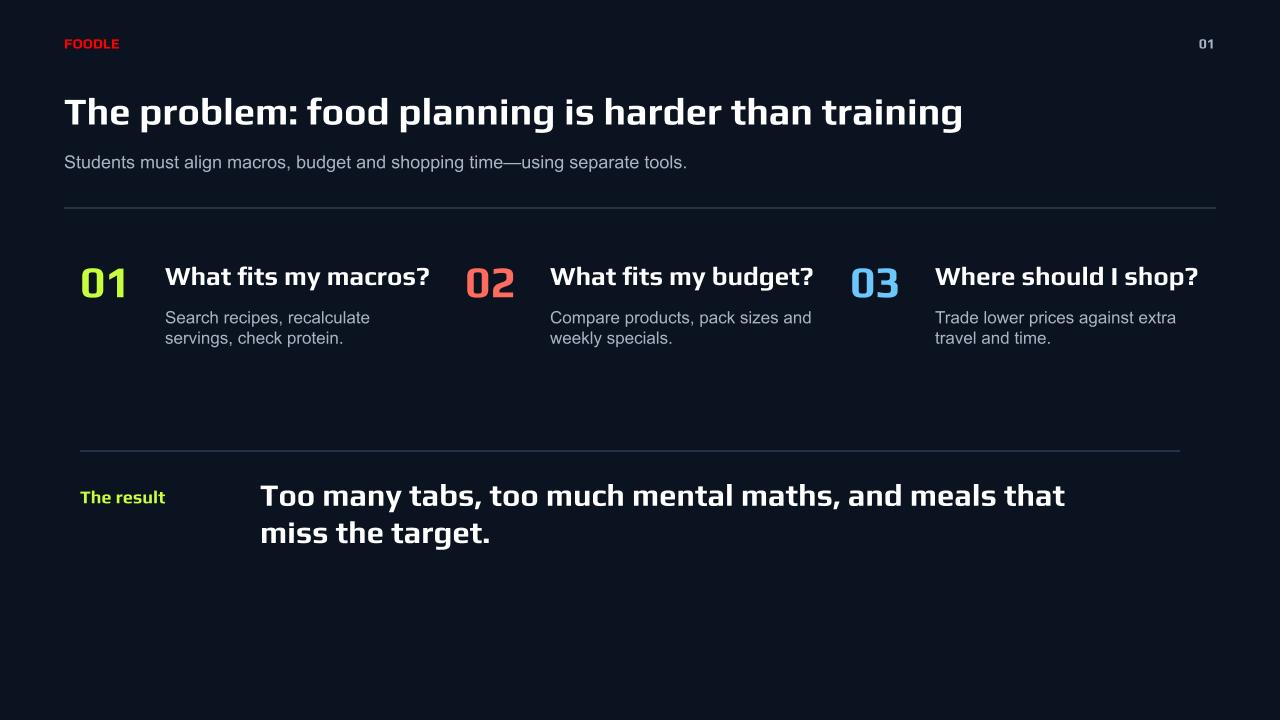
Every gym-goer who meal preps knows this problem intimately: hitting your protein target every single day, on a budget, means comparing prices across four different supermarket apps and doing macro math by hand — every week, forever. Fitness apps like MyFitnessPal track your macros but have no idea what anything costs. Grocery comparison apps tell you what's cheap but don't know what protein even is. Nobody had built the thing that sits at the intersection: the cheapest way to hit your protein number.
We also wanted to build something that didn't fake it. It's easy to demo a grocery app with a spreadsheet of made-up prices and hope nobody asks hard questions. We wanted real nutrition data, real recipes, and an honest account of exactly which parts are live and which parts are estimates — because "we tried and here's exactly where we hit a wall" is a better story than a slide that quietly overclaims.
What it does
Foodle is a meal-prep-for-the-gym app built around one metric almost nobody else surfaces: protein per dollar.
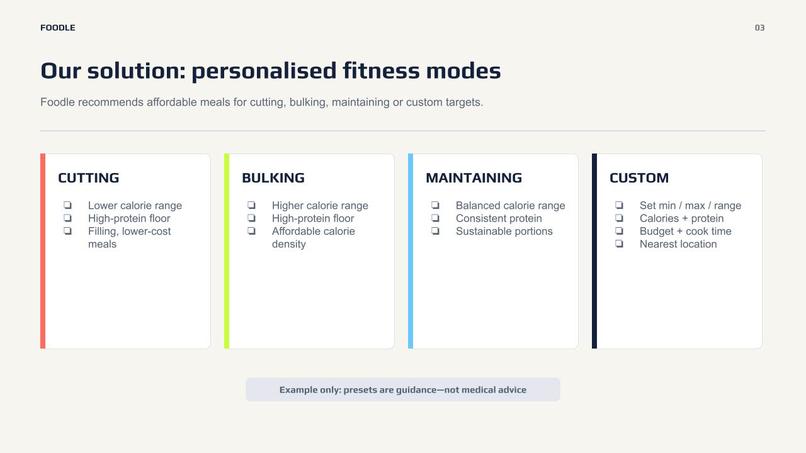
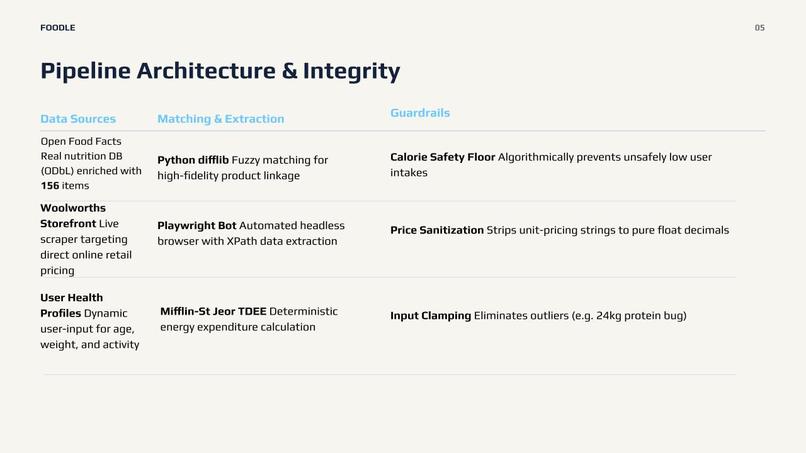
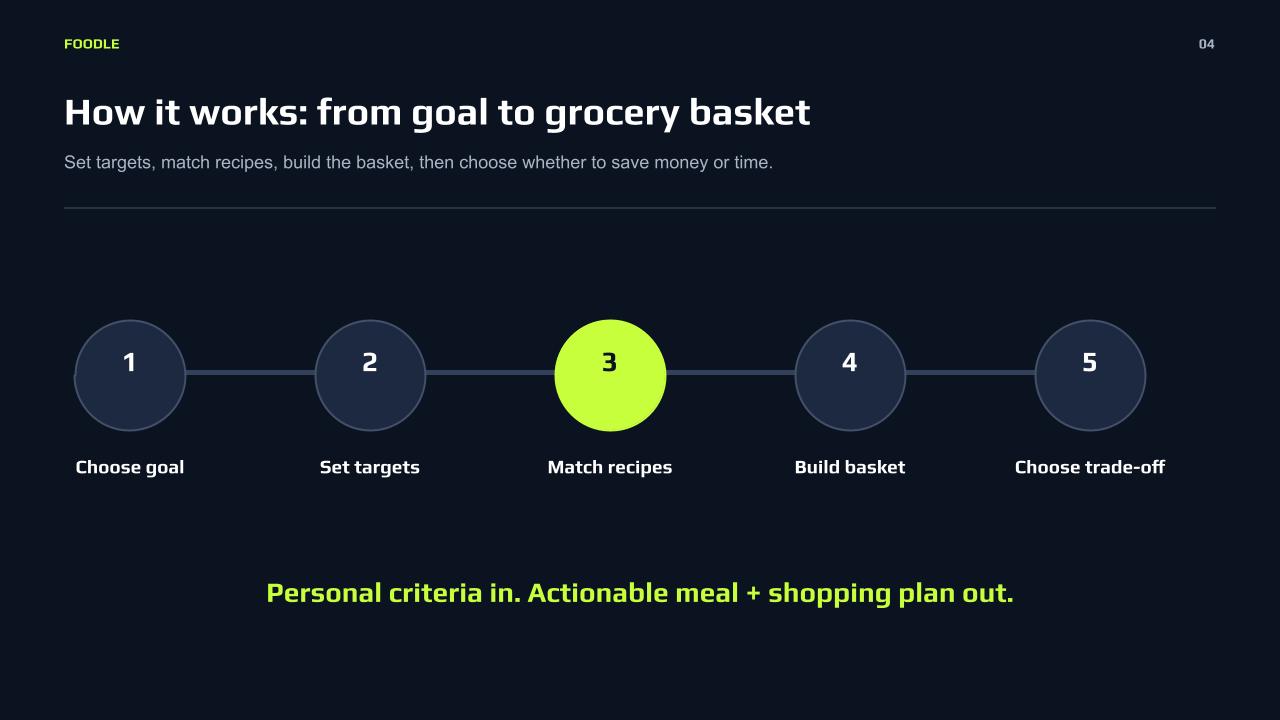
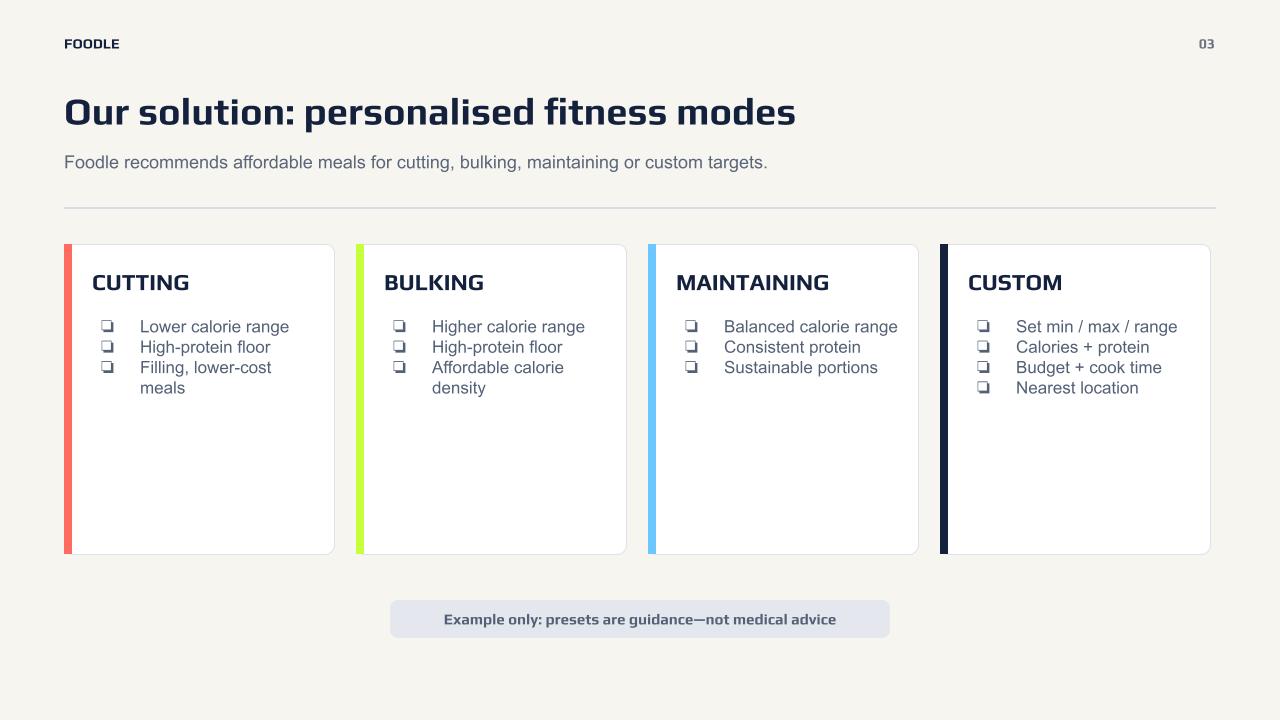
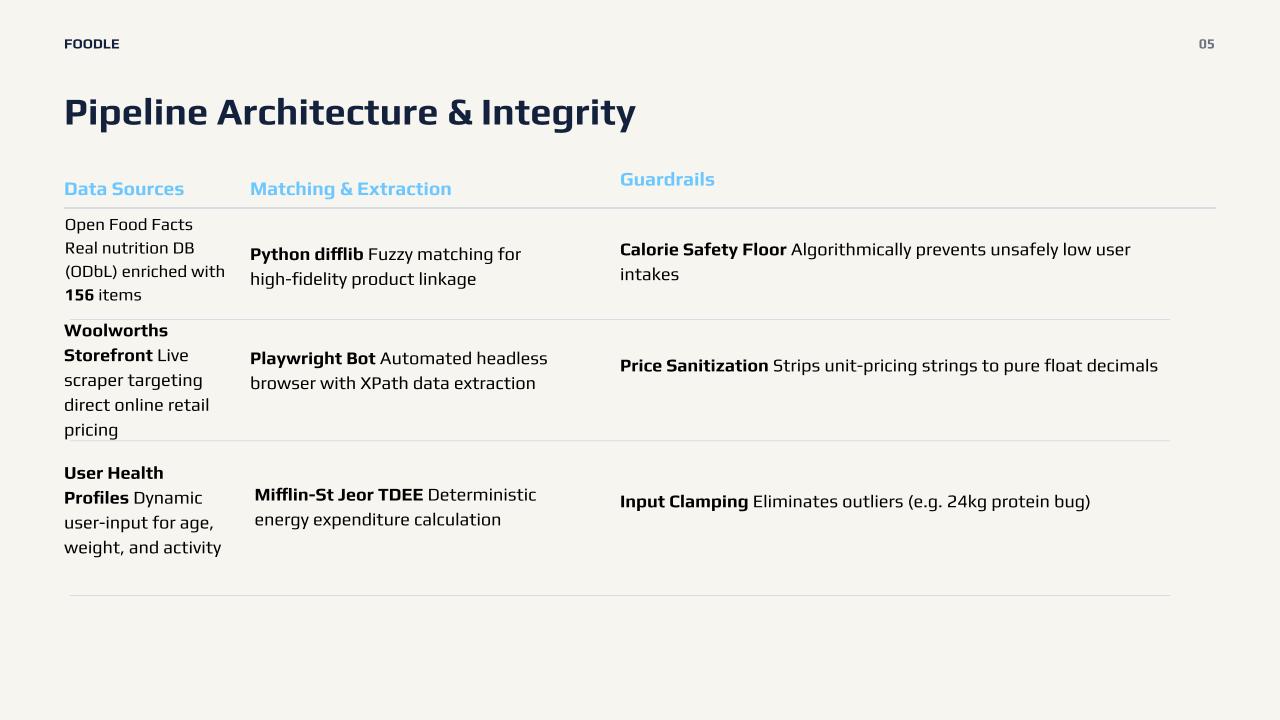
Onboarding runs you through a real BMR/TDEE calculator (Mifflin-St Jeor — the same formula sports nutritionists actually use) based on your stats, activity level, and whether you're cutting, bulking, or maintaining, and sets your daily calorie and protein target accordingly. From there:
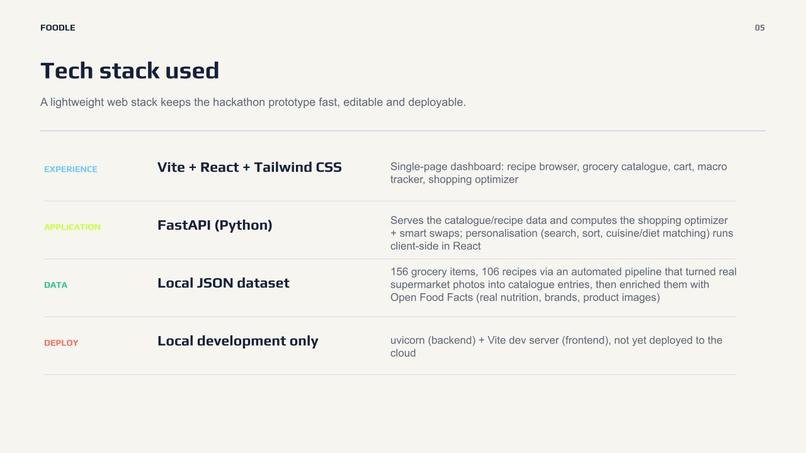
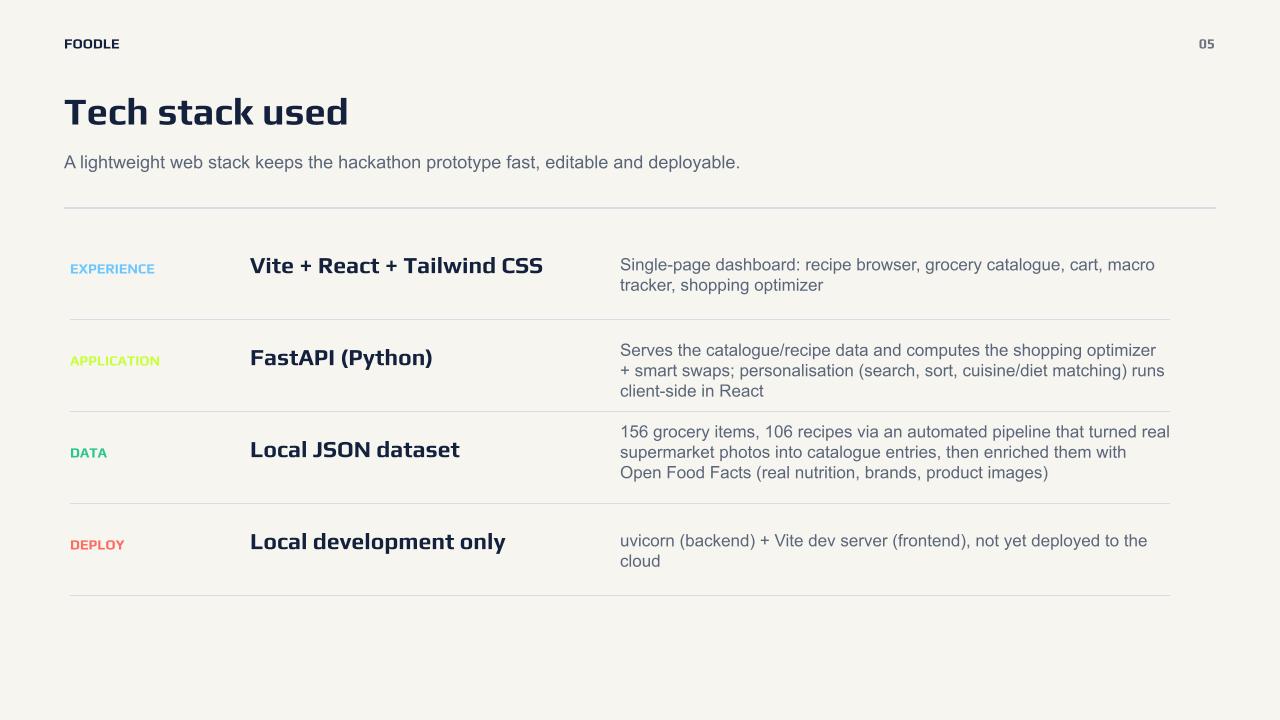
- 106 real recipes, ranked by protein-per-dollar by default (not just price), searchable, filterable by cuisine and dietary preference, with real macros extracted straight from the recipe sites' own published nutrition panels.
- 156 grocery items with real brands, real nutrition, and real product photos — comparing prices across Woolworths, Coles, ALDI, and IGA.
- A shopping optimizer that either splits your basket across stores to minimize cost, or sends you to the single closest store based on real distance from your postcode — not just whichever's cheapest on paper.
- Smart swaps that suggest cheaper ingredient substitutes, but only ones we've actually verified preserve your protein target — we don't show a green checkmark on a swap we haven't checked.
- A weekly grocery budget tracker, a pantry-staples checklist so you don't double-buy things you already own, and a one-click "push to list" export.
How we built it
The stack is deliberately lightweight: FastAPI on the backend serving a flat JSON dataset (no database — a conscious choice for hackathon iteration speed), and React + Vite + Tailwind CSS on the frontend, with all the personalization logic (search, sort, cuisine matching, dietary filtering) running client-side.
The data pipeline is the part we're most proud of. We started with 22 hand-curated grocery items. A teammate had a folder of ~150 real Woolworths product photos, so we built a script that parses a product's brand, name, and size straight out of the filename, assigns a category, generates a starting price grid, and wires the photo in — turning a folder of images into real catalogue entries automatically. Then we ran everything through Open Food Facts (an open, crowd-sourced nutrition database) to pull verified macros, real brand names, and product photos for anything the photo pipeline didn't already cover — taking the catalogue from 38 items to 156.
For recipes, we discovered that most modern recipe blogs (RecipeTin Eats, Budget Bytes) publish structured schema.org JSON-LD on every page — the same data Google uses for recipe rich snippets. We wrote a script that pulls that structured data directly: real ingredients, real serving sizes, real published nutrition, no scraping of rendered HTML required.
Challenges we ran into
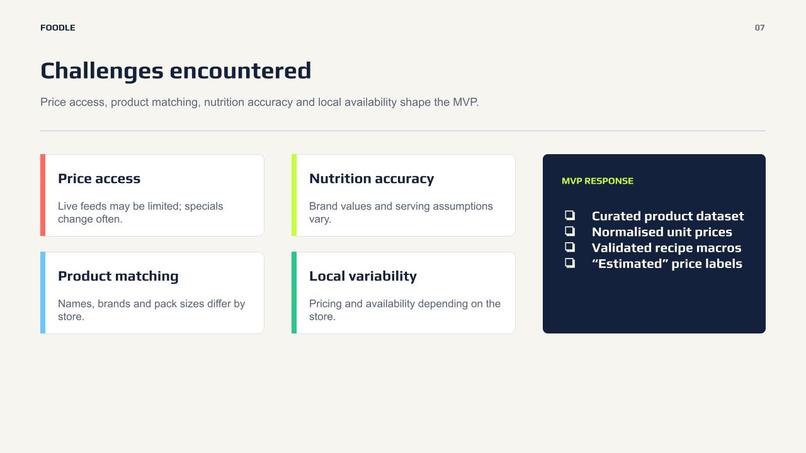
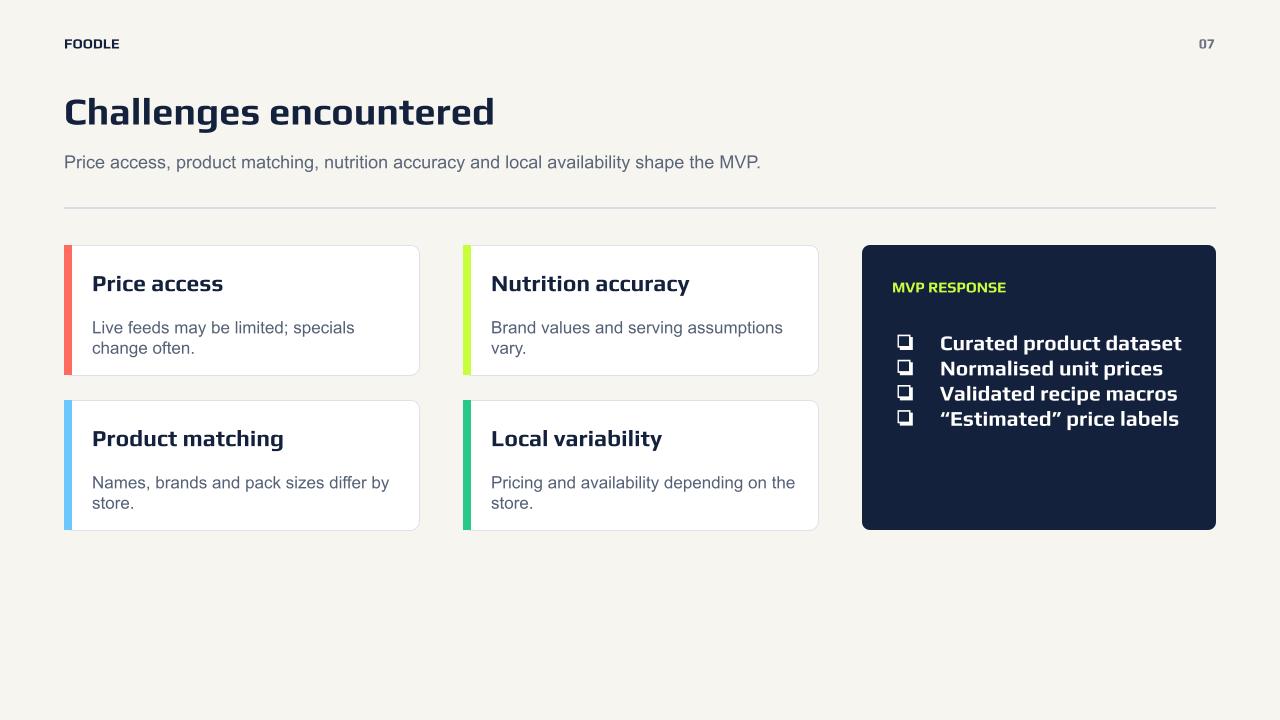
Bot protection blocked the obvious path. Our first instinct was to scrape Woolworths and Coles directly for live prices. Their bot protection (Akamai) 403'd every attempt from day one. Rather than fight that fight, we built a manual dev-tools capture tool instead — you copy a real search response from your own browser session and the tool ingests it. Slower, but it never crosses a line.
Third-party price aggregators looked tempting and weren't the answer. We evaluated two other grocery price-comparison sites as potential data sources. One had no public API and an unclear ToS; the other had an explicit clause prohibiting exactly what scraping their data would involve — their whole business is the aggregated comparison, and their terms said so directly. We turned both down and stuck to sourcing prices from the retailers' own listings instead.
We shipped real bugs, and caught them by testing, not by luck. A cache bug in our nutrition-enrichment script meant the very first Open Food Facts sync matched all 18 items against the same product — every result was wrong. A silent unit-safety gap meant a mistyped body weight during onboarding could produce a calculated protein target of 24,624 grams a day; we added input clamping after finding it. We also audited our own "smart swap" suggestions and found one that claimed to preserve protein while actually cutting it by 90% (whey protein powder swapped for yoghurt) — we removed it rather than ship a feature that lied about what it did.
A tag that didn't exist. Early on, selecting "Vegetarian" during onboarding silently returned zero recipes, because our recipe data only tagged things "vegan" — "vegetarian" wasn't a real tag anywhere. We rebuilt dietary filtering to check actual ingredient categories instead of matching a made-up label, and made a deliberate call: recipes with no verified ingredients get hidden under a dietary restriction rather than risk recommending something that secretly contains meat.
Accomplishments that we're proud of
- Going from 38 to 156 real grocery items through an actual automated pipeline (photo parsing → categorization → Open Food Facts enrichment), not manual data entry.
- 106 recipes with real, extracted nutrition — pulled from the recipe sites' own structured data, not estimated.
- A genuinely working BMR/TDEE calculator with a safety floor, so the app can never recommend an unsafely low calorie target no matter what someone types in.
- Catching and fixing four real bugs during our own testing (the cache-poisoning bug, the protein safety-floor gap, the fake "vegetarian" tag, and the dishonest protein swap) before they reached anyone else.
- Saying no to two data sources that looked convenient but weren't ours to take, and being able to explain exactly why.
What we learned
The unglamorous parts of a grocery app — fuzzy-matching a photo filename to a real product, extracting nutrition from a recipe site's structured data, deciding what to do when a recipe's ingredients haven't been verified yet — turned out to matter more than any single feature. We also learned that "does this actually work" is a much better question to ask of your own code than "does this look like it works," since several of our real bugs only surfaced when we deliberately tried to break our own assumptions with edge-case inputs.
What's next for Foodle
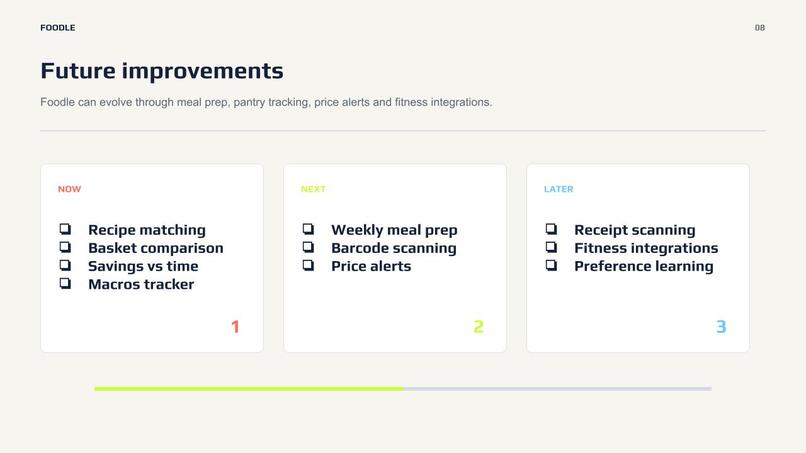
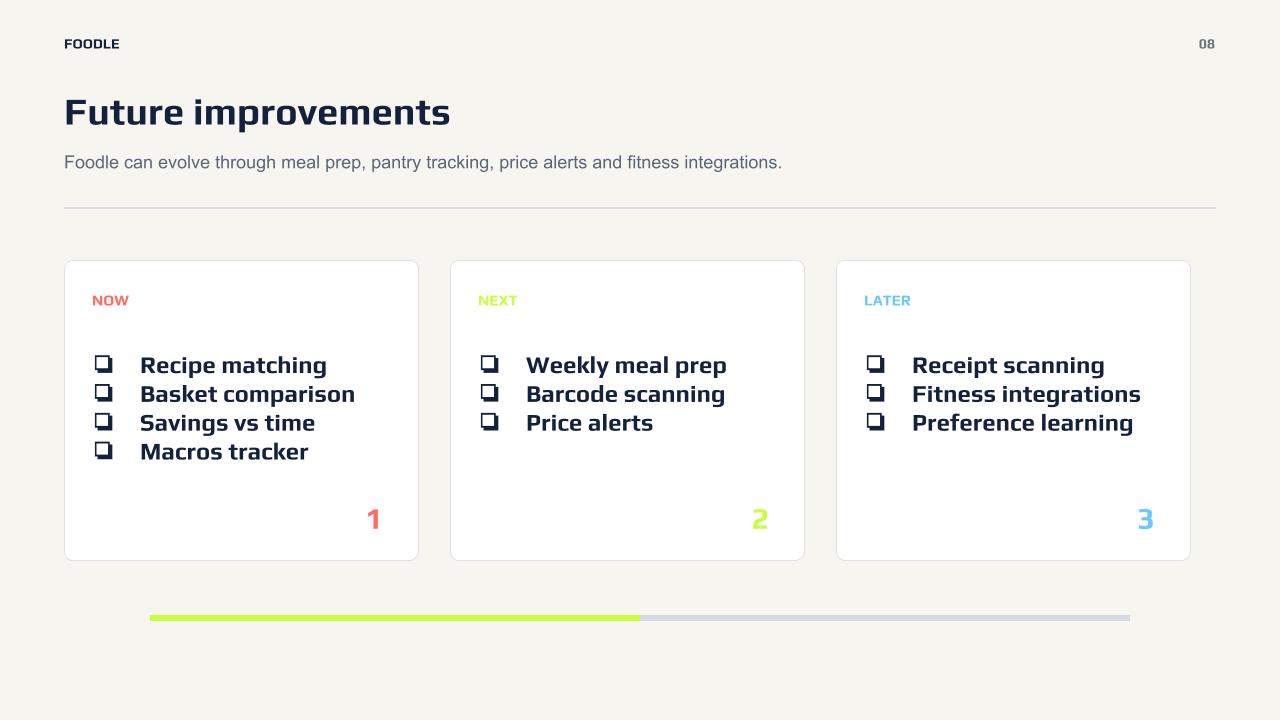
- Wire up live pricing properly: run the manual capture tool across the full catalogue so prices reflect real current specials, not estimates.
- Finish extracting nutrition for the remaining unverified recipes, which will make dietary filtering (vegetarian/vegan) meaningfully less restrictive.
- A DeepSeek-based AI recipe generation layer already exists in the backend but isn't wired into the UI yet — a natural next feature, not a current one.
- Move off the flat JSON file to a real database (Postgres/Supabase) so multiple users can have their own accounts and data.
- Deploy it somewhere real instead of localhost.

Log in or sign up for Devpost to join the conversation.