-
-
NoScript App Logo
-
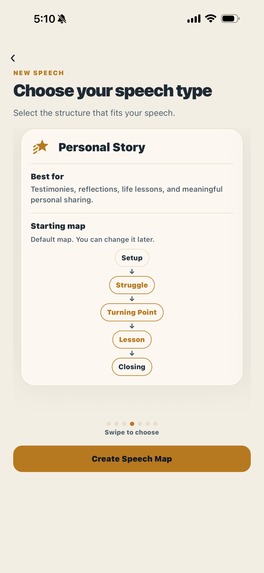
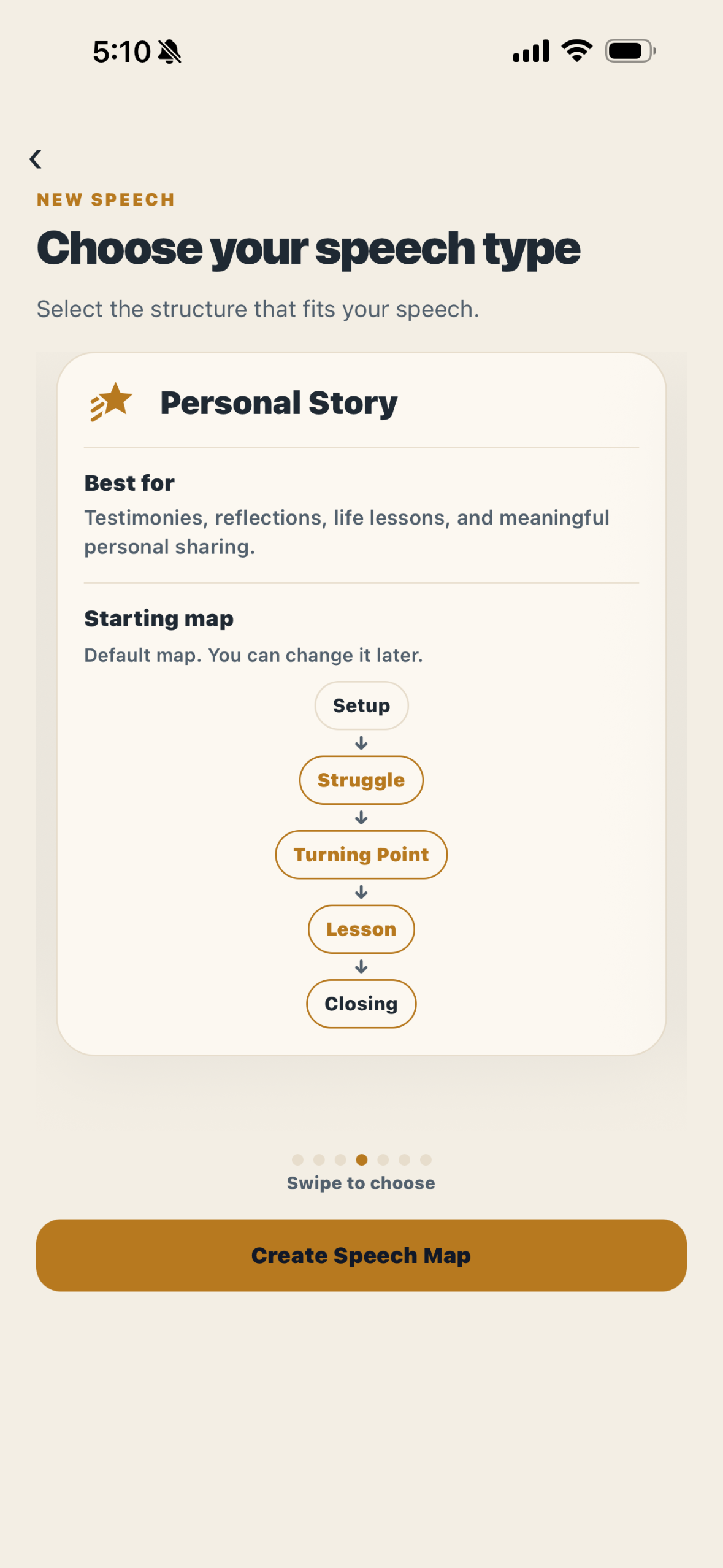
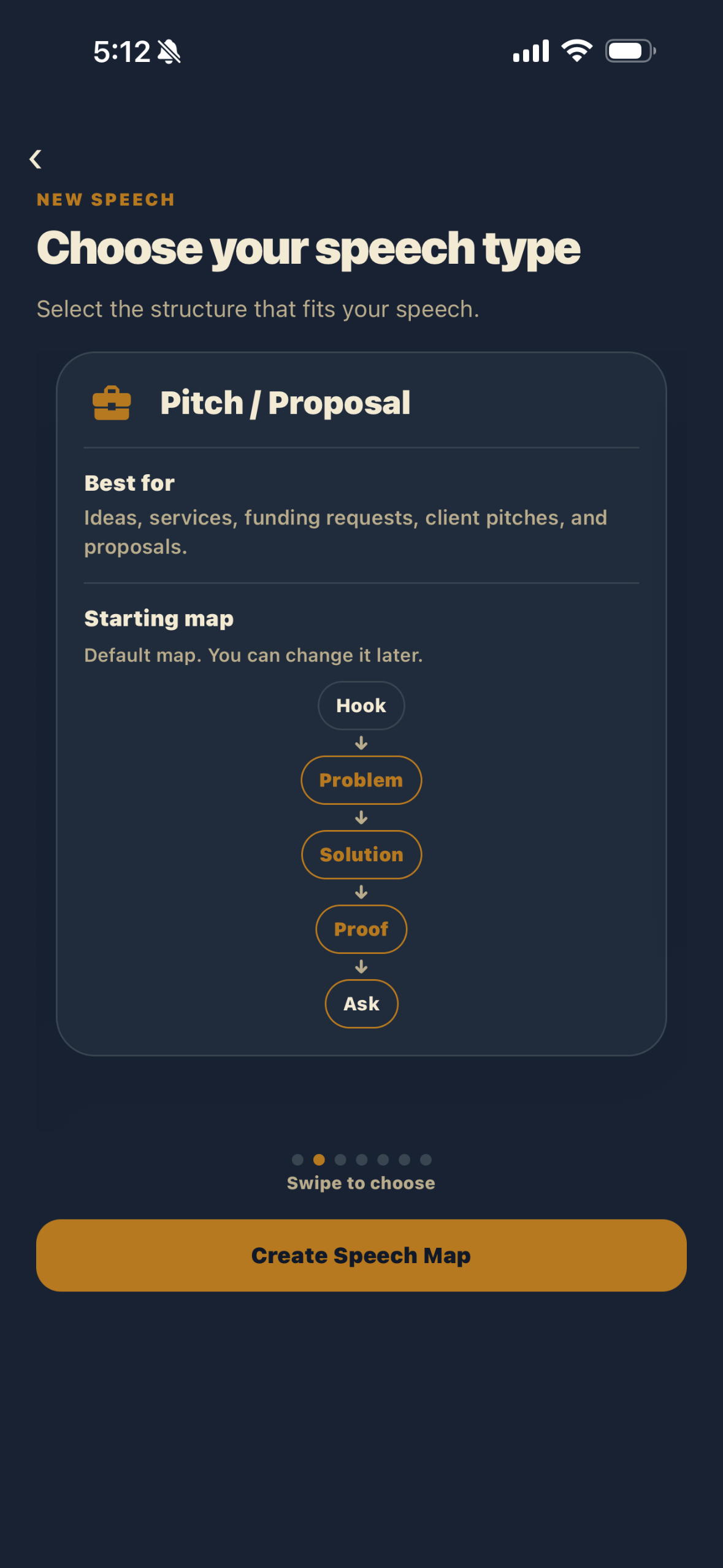
Choose your speech type: Start with the occasion you are preparing for.
-
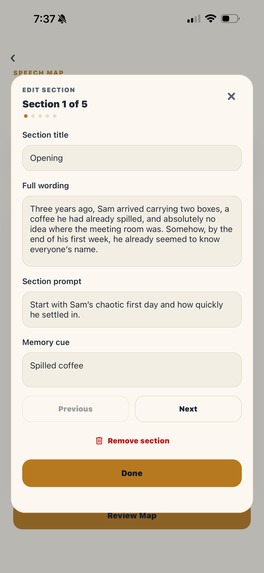
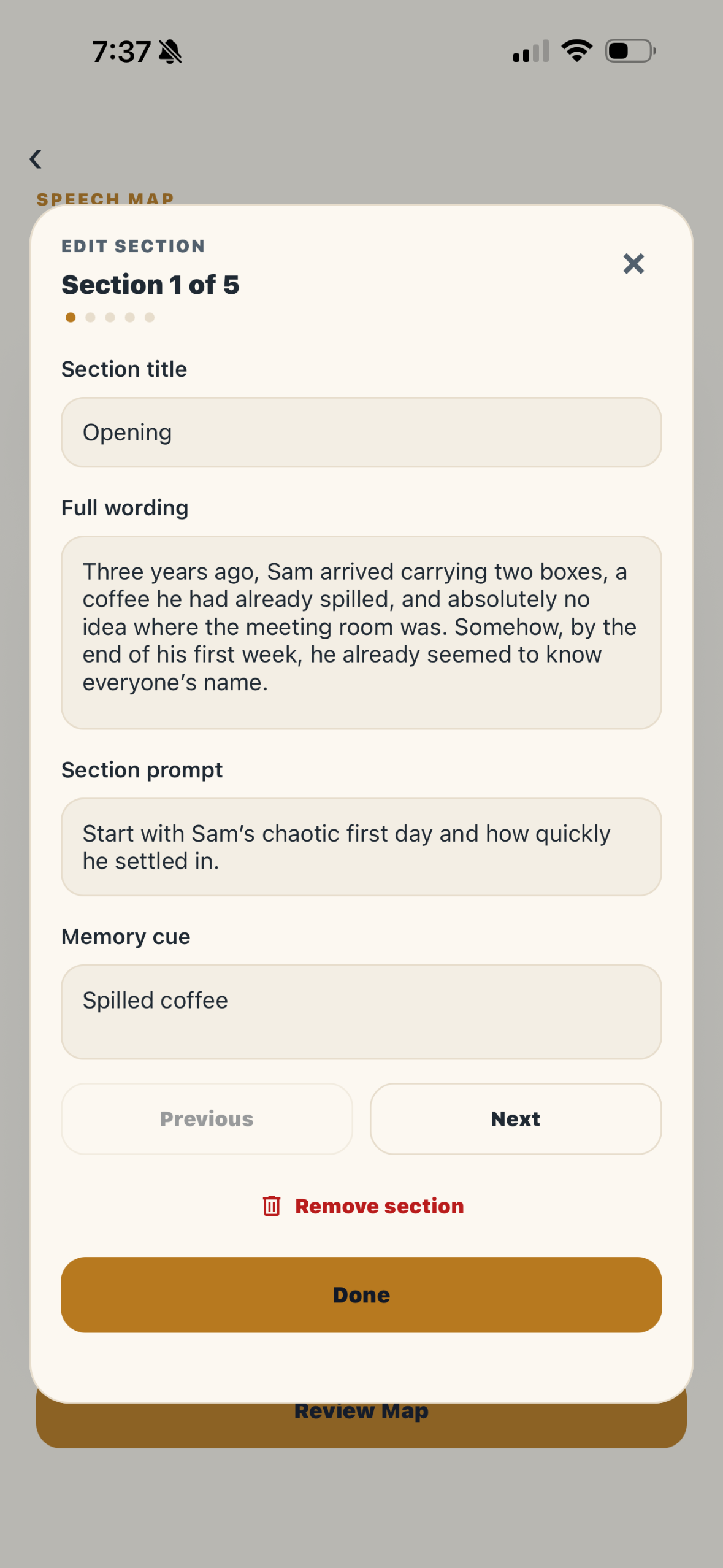
Build your map: Turn wording into prompts and memory cues.
-
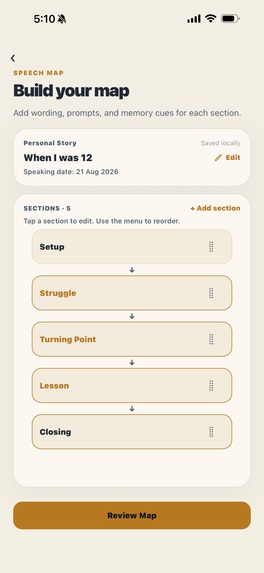
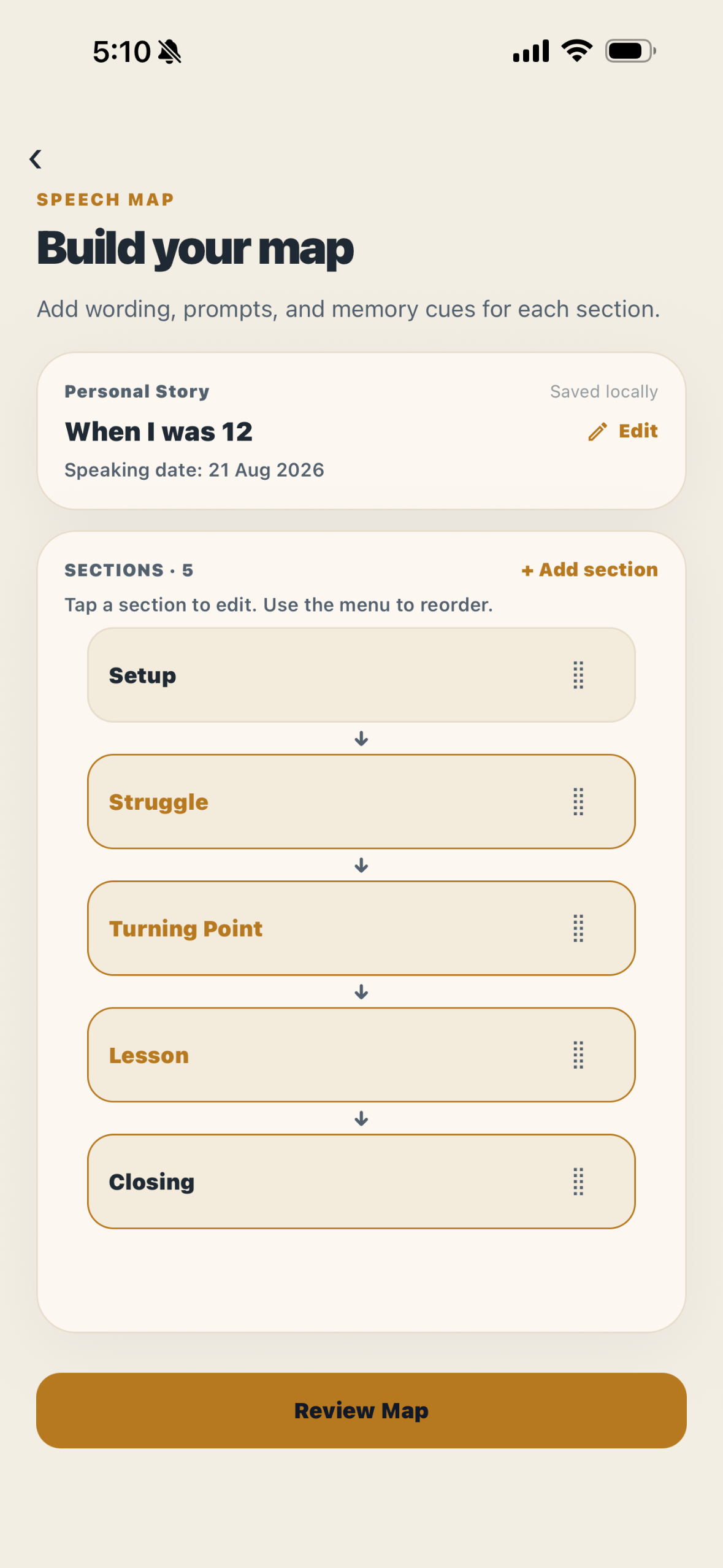
Review your map: Check the structure, prompts, and memory cues before you practice.
-
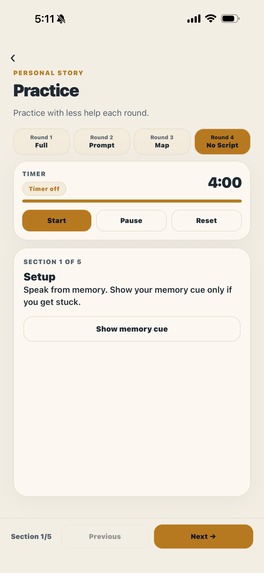
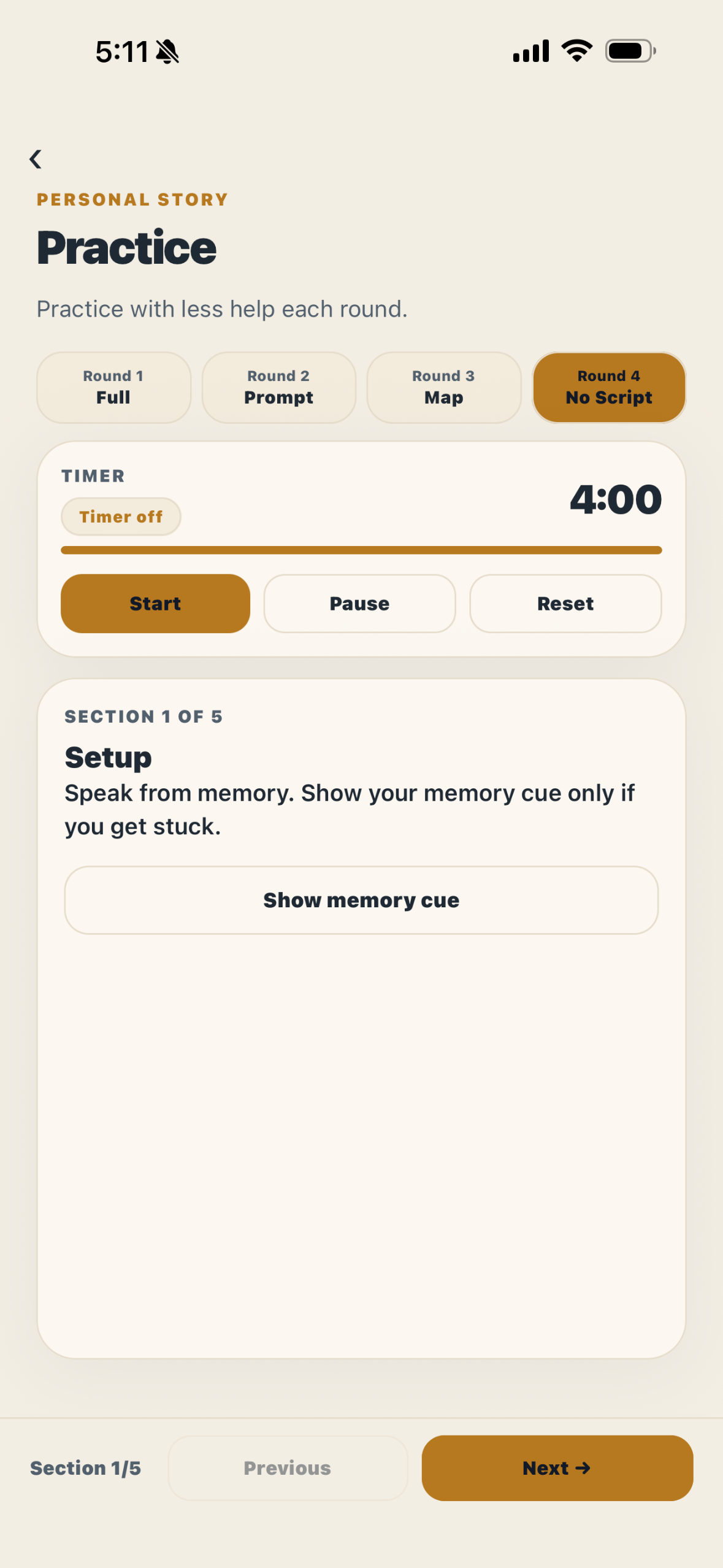
Practice with less support: Move from full script to no script.
-
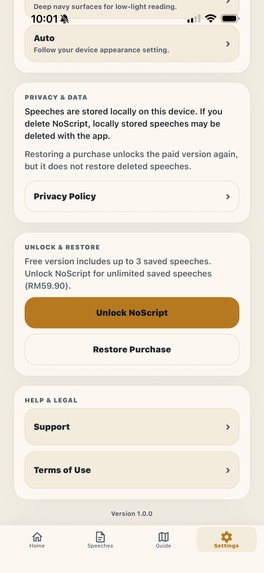
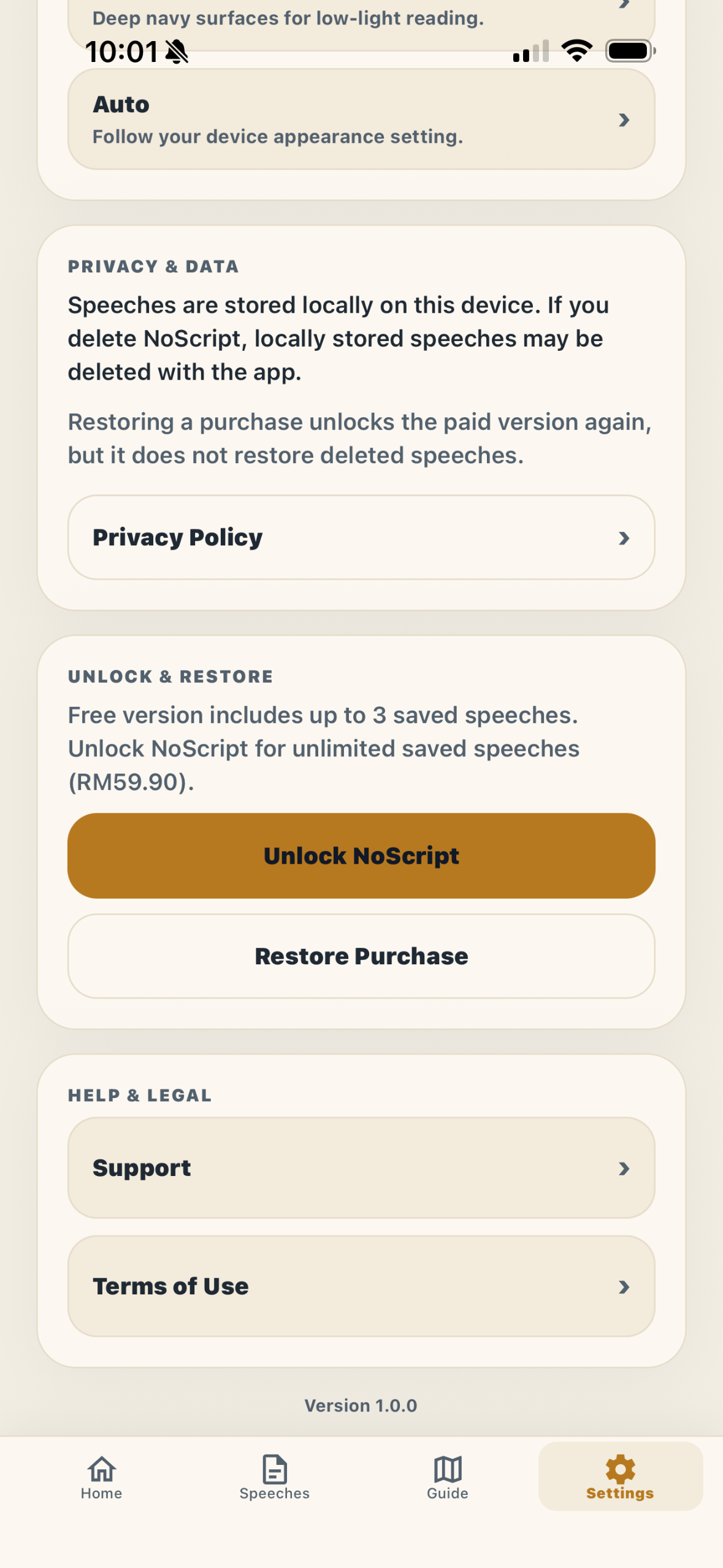
Unlock NoScript: Save unlimited speeches with a one-time Lifetime Unlock.
-
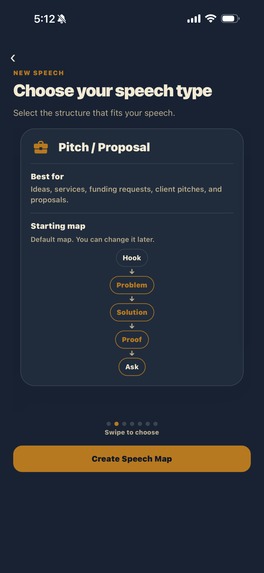
Choose app appearance: Practice in light or dark mode.
Inspiration
Have you ever watched someone give a beautiful speech without really looking up?
I have.
I've watched friends propose, give wedding toasts, make presentations — moments where they genuinely had something meaningful to say.
But I also noticed how easy it was for almost all of their attention to stay on the words in front of them.
And I kept thinking:
The script is helping... but at what point does it start getting in the way?
To be clear, I don't think scripts are bad. I use them too.
Sometimes you need a script just to figure out what you are trying to say in the first place.
The problem is when we never practice beyond it.
You can write a beautiful proposal. You can prepare the perfect wedding toast. But if the whole thing only exists word-for-word on your phone, it becomes very difficult to look up and actually speak to the person in front of you.
Some moments deserve more than reading from a page.
That was the reason I built NoScript.
What it does
NoScript helps you practice the same speech with progressively less support.
You begin with:
Full Script → Section Prompts → Memory Map → No Script
At first, every word is there.
Then the full paragraphs become Section Prompts, so instead of depending on every sentence, you start practising from the structure of the speech.
Next comes the Memory Map — just enough cues to remind you of the ideas you want to cover and where you are going next.
And finally:
No Script.
The goal isn't perfect memorisation.
In fact, that's almost the opposite of the idea.
The goal is to become familiar enough with the structure and meaning of what you want to say that, if the exact wording disappears, you still know where to go next.
Why not just memorise the speech?
Because forgetting one sentence shouldn't mean forgetting the whole speech.
If I memorise something word-for-word and suddenly lose the next line, the problem may not be that I don't know what I want to say.
I might simply not remember the exact sentence I planned to use.
NoScript tries to separate those two things.
Instead of always returning to the wording, the speaker learns to return to the structure.
The exact words can change. You still know where you're going.
The script becomes a map, not a cage.
What makes NoScript different
There are already plenty of tools that help people write a speech, read a speech, or memorise a speech.
NoScript is built around a different question:
How do we help someone progressively stop needing the script?
Most speaking tools give the speaker more assistance.
NoScript deliberately gives them less.
It isn't designed to make someone better at reading a script.
It is designed to make the script progressively less necessary during practice.
How we built it
I built NoScript as an iOS app using React Native, Expo, Expo Router, and RevenueCat.
But the more interesting part of building NoScript wasn't choosing the technology.
It was deciding what the app should take away.
Designing around subtraction
I'm submitting NoScript for the RevenueCat Design Award because the central interaction is deliberately designed around subtraction.
Normally when we think about progress in software, we think about giving the user more — more information, more tools, more assistance.
NoScript does the opposite.
As the same speech moves through:
Full Script → Section Prompts → Memory Map → No Script
the interface deliberately removes support.
The design question wasn't simply:
How do I make a speech easy to read?
It was:
What can I remove without making the speaker feel lost?
That meant each stage needed to have a purpose.
Section Prompts couldn't simply be a shorter Full Script.
The Memory Map couldn't simply be shorter Section Prompts.
Each stage had to preserve enough structure to guide the speaker while removing enough wording to make them rely on themselves a little more.
And by the final stage, there is nothing left on the screen to read.
That progression — rather than any single screen — is the core design idea behind NoScript.
Challenges we ran into
One of the biggest challenges was realising that simply hiding text wasn't enough.
Early on, it was easy to think of NoScript as four separate practice modes.
But if every stage was just a shorter version of the one before it, there wasn't much reason for those stages to exist.
I had to work out what information actually belongs at each level.
What should remain when the full paragraphs disappear?
What should remain when the prompts disappear?
How little support can still be useful without making the speaker feel completely lost?
That led to a much clearer distinction between the stages:
Full Script gives you the wording.
Section Prompts give you the structure.
Memory Map gives you the cues.
No Script asks you to carry it yourself.
Another challenge was resisting the temptation to keep adding features.
A public-speaking app can very easily become an AI writer, teleprompter, speech analyser, recording tool, pronunciation coach, and several other things at once.
But every time I considered adding something, I came back to the same question:
Does this help the user rely less on the script?
If it didn't, it probably didn't belong in NoScript.
Accomplishments that we're proud of
The thing I'm most pleased with is that NoScript stayed focused.
It would have been easy to keep adding more tools until the original idea disappeared underneath them.
Instead, the finished experience keeps returning to one interaction:
Practice the same speech with less and less to rely on.
I'm also proud that this progression is visible in the product itself.
A user can take one speech from the full wording, through its structure and memory cues, all the way to practising without the script.
NoScript also keeps speeches stored locally on the user's device, without requiring an account or turning the practice experience into an online service.
For monetization, the free version allows up to three saved speeches, while a one-time Lifetime Unlock removes that limit through RevenueCat.
No subscription.
What we learned
The biggest thing I learned was that NoScript isn't really about four practice modes.
It's about one speech gradually becoming independent of its script.
That sounds like a small distinction, but it changed the way I thought about the whole product.
I also learned that removing information can require just as much design thought as adding it.
If you remove too little, nothing changes.
If you remove too much, the user feels lost.
The interesting part is finding the point where there is just enough support for the speaker to continue — but not so much that the screen is still doing the speaking for them.
And perhaps most importantly, I kept coming back to the reason I started building NoScript in the first place.
A proposal, a wedding toast, a presentation — these moments are not memorable because every sentence was delivered exactly as written.
They are memorable because someone had something they wanted to say to someone else.
The script should help you get there.
It shouldn't become the place where you stay.
What's next for NoScript: Public Speaking
For now, I want to keep NoScript focused on doing one thing well: helping speakers rely less on a full script.
One direction I want to explore next is impromptu speaking practice, where you are given a topic and have to speak with little or no preparation.
At first, that might sound quite different from practising a prepared speech.
But I think they train an important part of the same skill.
When you forget the exact wording of a prepared speech, you need to be able to recover — to think on your feet, express the same idea differently, and keep moving instead of feeling that you have to restart.
Impromptu practice could give users a separate space to practice exactly that.
The goal wouldn't be to turn NoScript into a collection of public-speaking exercises.
It would still come back to the same question:
How can we help someone speak when the exact words are no longer there to lean on?
For prepared speeches, NoScript answers that by progressively removing the script.
For impromptu practice, there may be no script in the first place.
Both lead back to the same skill: knowing what you want to say, finding the words as you speak, and being able to continue when those words don't come out exactly as planned.
Start with the words. Learn the structure. Keep the meaning. Let the script go.
Built With
- expo-router
- expo.io
- ios
- react-native
- revenuecat
- typescript

Log in or sign up for Devpost to join the conversation.