-
-
Overview
-
Architecture
I built Northstar because web accessibility is still a massive, current problem, and a broader one than most people realize.
Accessibility is treated as an afterthought by most of the web. Until you need it. 1 in 4 US adults has some form of disability (CDC). But the population that benefits from accessible design is much larger: captions are used by people in loud rooms, voice control by anyone with their hands occupied, keyboard navigation by power users and people with temporary injuries. Situational and temporary limitations make accessibility relevant to virtually everyone at some point. It helps the most for the people who need it most.
WebAIM's 2025 Million report found 50,960,288 detectable accessibility errors across the top one million homepages, an average of 51 errors per page, with detectable WCAG failures on 94.8% of homepages. At the same time, the DOJ's April 24, 2024 Title II web accessibility rule applies to 109,893 state and local government websites and 8,805 mobile apps across 91,489 public entities, with compliance dates on April 24, 2026 and April 26, 2027 depending on entity size. DOJ's own final rule analysis estimates $16.9B in implementation costs in the first three years, including examples like $149,643 for a small municipality and $250,822 for a small school district.
That was the problem I wanted to focus on: not just how to make an agent browse the web, but how to help someone finish a task when the website itself is the obstacle.
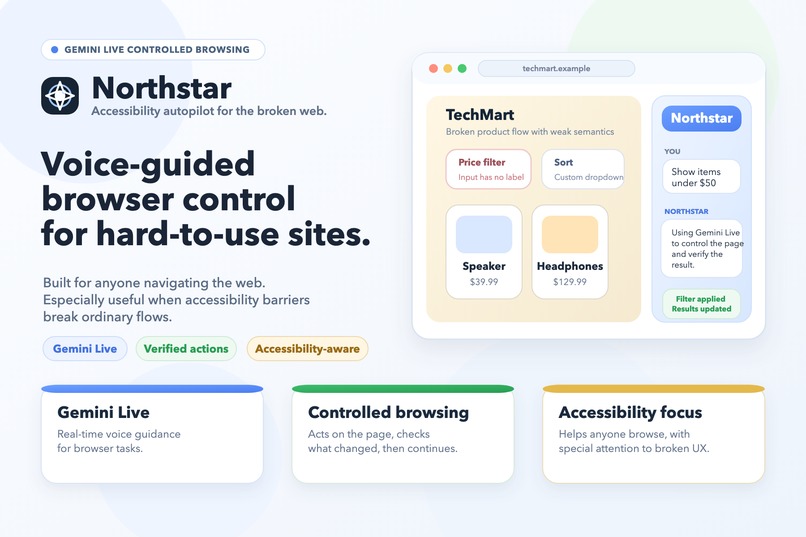
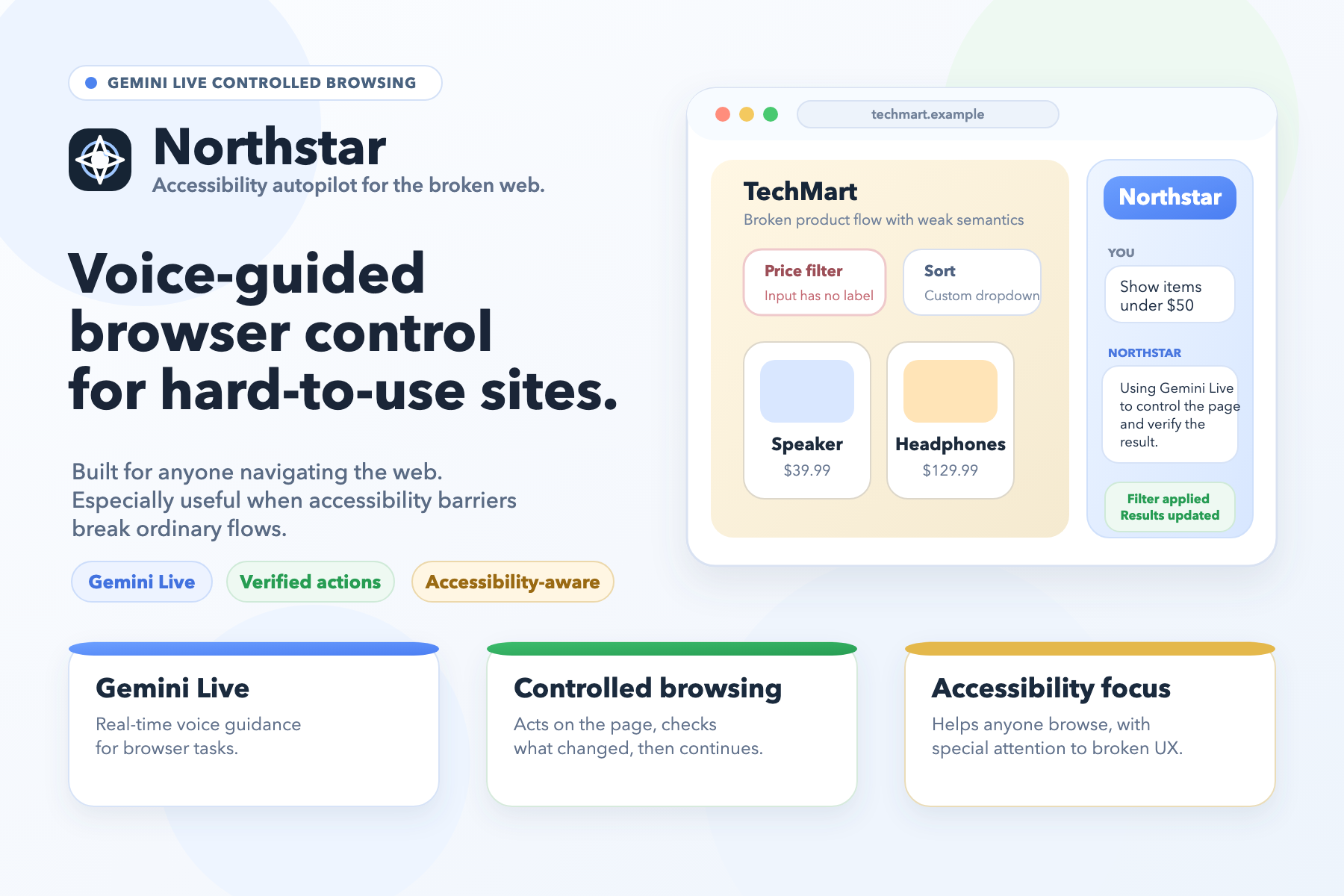
Northstar is a Chrome extension that can look at the current page, explain what is there, point out the barriers it sees, and help the user complete the task anyway. It is voice-first, but it also works with typed commands. Users can choose from 30 voices, toggle interruption handling, and control the model's thinking budget — fast replies for simple pages, deeper reasoning for complex or broken ones.
It starts with semantic page understanding, and when the page markup is broken or misleading, it falls back to screenshot-based multimodal reasoning. That is what lets it keep working on sites where normal automation gets lost.
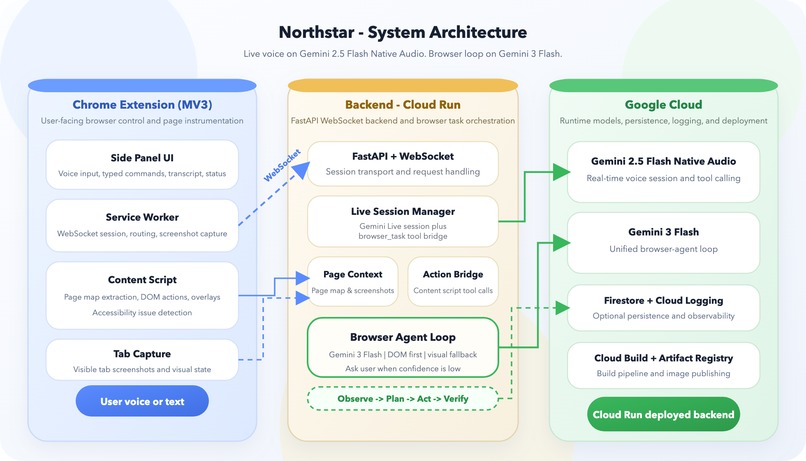
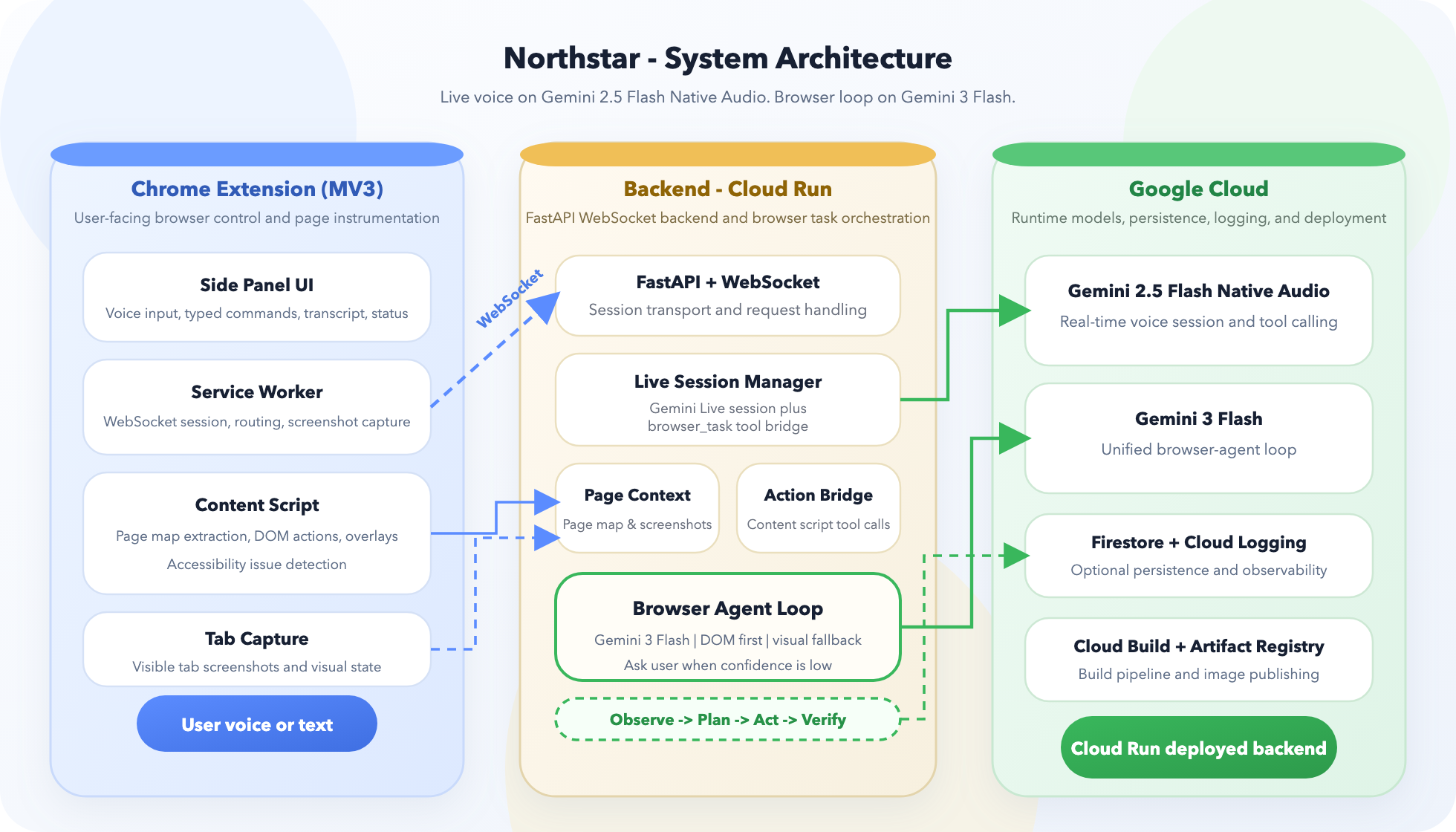
I built Northstar as a Chrome Extension (Manifest V3) backed by a FastAPI + WebSocket service on Google Cloud. The extension extracts a live page map from the current tab. The backend uses Gemini Live for real-time voice interaction and Gemini multimodal reasoning for planning and fallback.
I designed it around a confidence ladder with four explicit levels:
- Semantic action when the page structure is trustworthy — direct DOM selectors, faster and more reliable than any visual approach
- Semantic plus visual disambiguation when the target is ambiguous — uses the page map as a hint before escalating to screenshots
- Full visual grounding when the page is hostile to normal automation — Gemini multimodal reasoning on screenshots as a last resort
- User handoff when confidence is too low to act safely
After every action, Northstar checks whether the page actually changed in the expected way — URL, focus, element counts, scroll position, modal state. If not, it tries to recover instead of pretending it worked. This post-action verification is the core mechanism for avoiding false success claims.
Model selection mattered more than I expected. In my own evaluations, Gemini 3 Flash substantially outperformed Gemini 2.5 Pro Computer Use on the browser task loop — better action planning, fewer hallucinated selectors, and more reliable multi-step completion on broken pages. That result drove the architecture: Gemini 3 Flash for orchestration, Gemini 2.5 Flash Native Audio for the live conversation layer.
The hardest part was not getting a model to click. The hard part was deciding what the system should trust when the DOM, the visible UI, and the user's goal do not line up. Agents that jump straight to screenshot-based Computer Use are fast but brittle — they have no understanding of what the page means, only what it looks like. Starting from the accessibility tree means Northstar understands the semantic structure of the page before it touches anything. That is what lets it navigate broken sites safely.
The deeper insight: accessibility problems and browser-agent problems are the same problem. Missing labels, broken semantics, and weak feedback make sites hard for screen reader users — and the same failures make sites hard for agents. Northstar treats them as one problem.
The backend handles up to 20 orchestration steps per task, with per-step timeouts, heartbeat keepalives, blocker detection, and graceful recovery. 37 unit tests cover the core agent loop, verification engine, page map builder, and session management.
Northstar works great as a cool demo, but even more so it is meant to help someone finish a task on a broken site right now, while making the underlying barriers visible to developers.
Built With
- chrome-extension-(manifest-v3)
- css
- fastapi
- firestore
- gemini-api
- gemini-live-api
- google-cloud-build
- google-cloud-logging
- google-cloud-run
- google-gen-ai-sdk
- html
- javascript
- python
- rive
- websockets

Log in or sign up for Devpost to join the conversation.