-
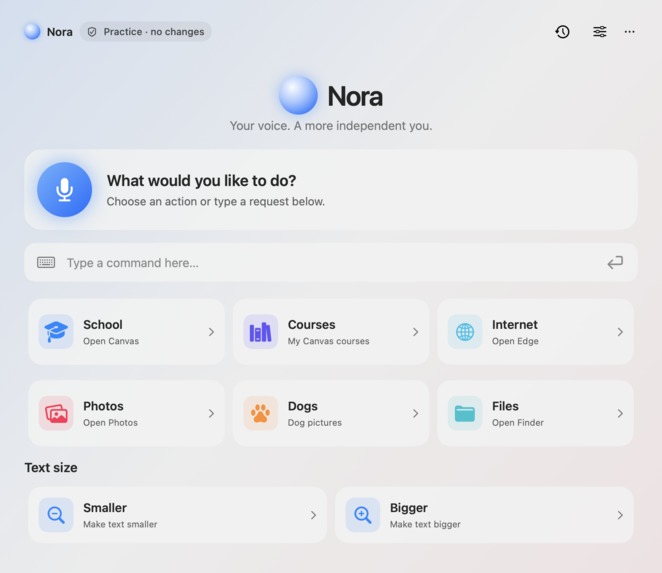
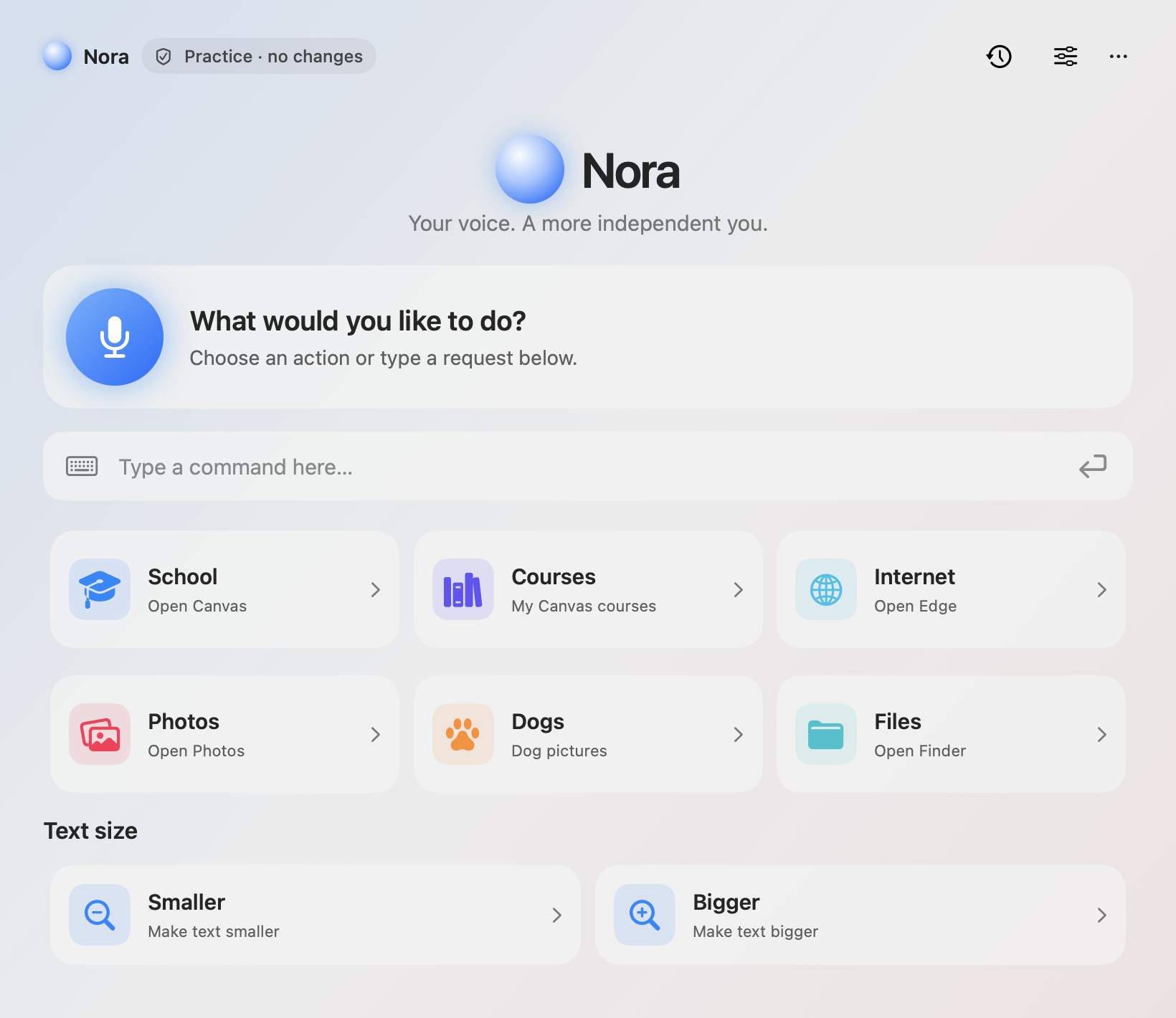
Nora: voice, text, and large action tiles in one native macOS panel. Real interface shown with sample practice-mode data.
-
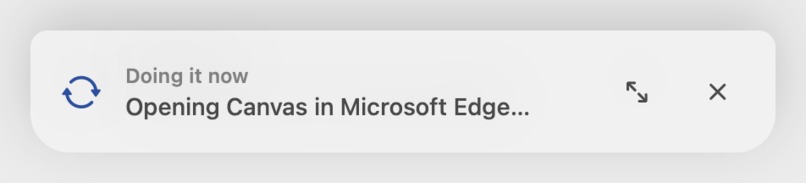
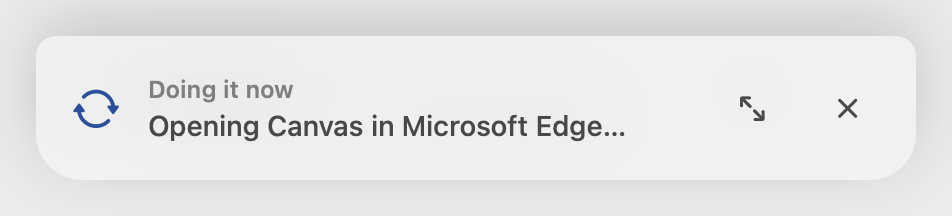
Compact progress keeps the desktop clear while Nora acts: “Opening Canvas in Microsoft Edge…” Sample demo state.
-
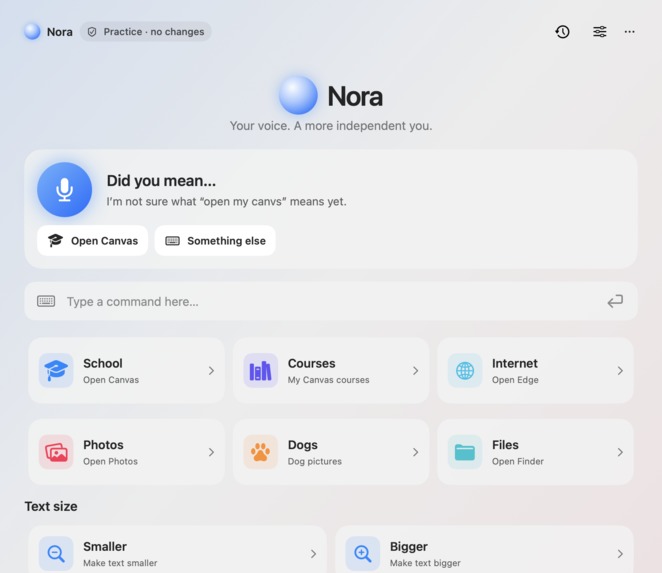
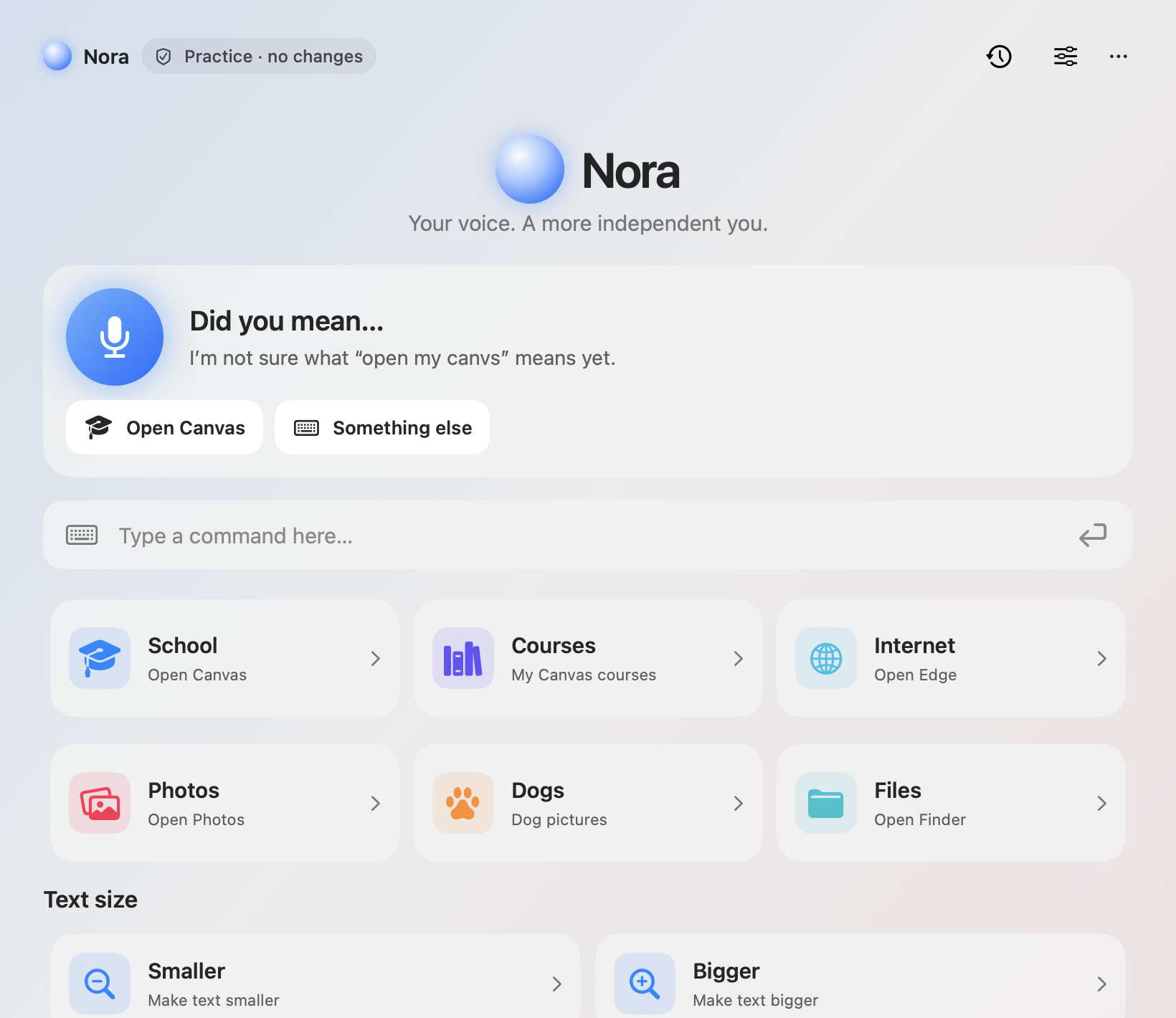
When a request is unclear, Nora offers a correction and an easy retry. Sample “open my canvs” practice-mode request.
-
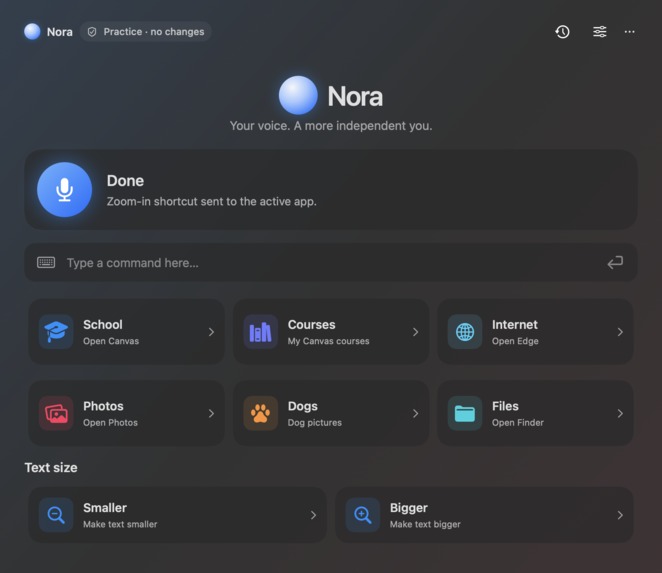
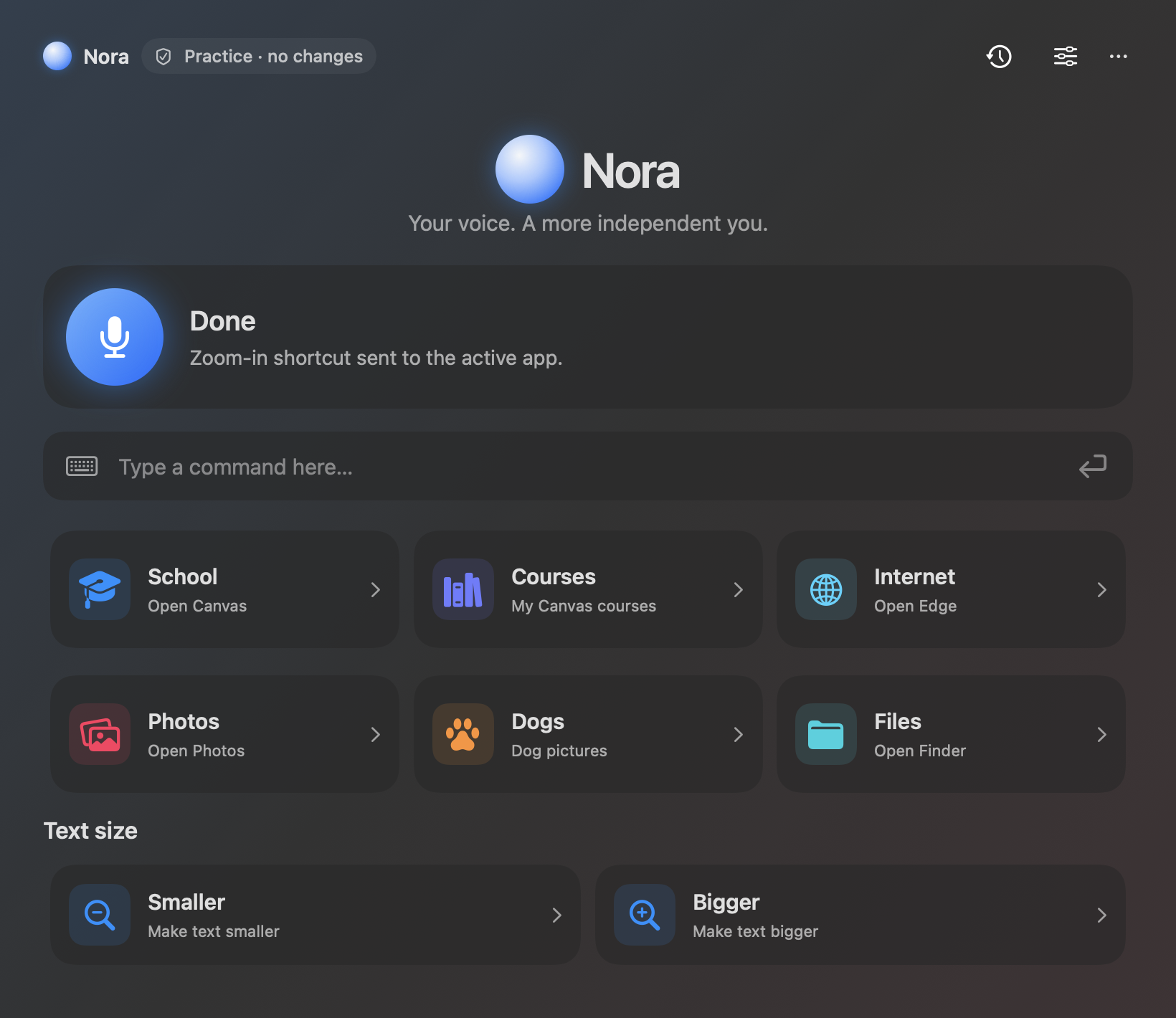
Dark mode with clear completion feedback, labeled controls, and text-size options. Sample practice-mode result.
Inspiration
A computer should not demand precise mouse movements, memorized shortcuts, or a long sequence of clicks for an everyday task. We wanted to make those tasks easier for people who benefit from alternative ways to interact with technology. Nora gives the same request three entry points: speak, type, or choose an AAC-style action tile.
Our starting example was familiar to students: getting to Canvas and finding a class. The broader goal is more independence when using the apps already on your Mac.
What it does
Nora is a native macOS assistant that turns a request into visible computer actions. Double-tap Command to bring up a compact listening notch, say what you need, and Nora starts when you pause. The notch shows transcription on the live Apple speech path and progress such as “Opening Canvas in Microsoft Edge…” while the full panel stays out of the way.
The expanded panel offers large, labeled tiles, typed input, text-size controls, keyboard navigation, switch scanning, and spoken feedback. Built-in tasks include opening Canvas, navigating to Courses, opening apps, finding dog photos, and changing zoom. With the AI services configured, Nora can match a spoken class name to a visible course and work through other requests one step at a time.
For general tasks, Nora reads the active window's accessible controls, chooses an action, and reads the screen again to check progress. Selected sensitive actions pause for confirmation. Approvals are single-use, native targets are checked for changes, and the agent has a step limit.
How we built it
The interface uses SwiftUI and AppKit. A persistent Swift helper talks to macOS Accessibility and keyboard APIs, while a TypeScript agent running on Node.js coordinates actions over a JSON-lines connection.
Exact built-in phrases run locally. Jev interprets other supported requests and matches course names; DeepSeek chooses individual steps for more general tasks. On supported Macs, Apple's SpeechAnalyzer transcribes speech on device. ElevenLabs Scribe v2 provides an optional transcription path, and ElevenLabs Flash provides natural spoken feedback, with a Mac voice fallback.
We used Bun for the agent tests alongside a separate TypeScript check, and Swift Testing for the interface's core logic.
Terraform provisions a localhost-only Docker container with sample pages for typing, clicking, keyboard input, scrolling, and navigation. This gives us a repeatable demo target without personal accounts or files. We applied the configuration, verified the pages in Edge, and confirmed that a second Terraform plan reported no changes. Nora itself continues to run natively on the Mac.
Challenges we ran into
Getting an agent to act reliably meant dealing with macOS permissions, focus moving between windows, and controls changing while a model was deciding. We built snapshot validation into the helper and made the full panel collapse when work starts.
Latency also mattered: a simple request should not wait for an unnecessary model call. We added local routing for exact phrases, live transcription, and fresh-screen checks after actions. We also fixed cancellation so an old speech result cannot submit after the user has moved on.
Accomplishments we're proud of
We connected voice, text, and accessible action tiles to the same working native control path. We verified basic live actions, including opening Finder and checking a Calculator result, and the current build passes 102 agent tests plus typechecking and 45 Swift tests. The gallery shows the real interface using sample practice-mode data, so no personal desktop or account information is exposed.
What we learned
Accessibility shapes the whole interaction: how someone starts a request, understands progress, corrects a mistake, and stays in control. We also learned to distinguish “the click was sent” from “the intended result is visible.”
What's next for Nora
We want to test Nora with people who use different input methods, improve onboarding, broaden app coverage, and keep reducing the time between a request and its result. This is a hackathon prototype: it depends on what apps expose through Accessibility and does not yet handle every workflow. Cloud-assisted tasks send bounded control labels and short visible text snippets to the configured model; detailed local run logging is off by default.
Built With
- bun
- deepseek
- docker
- elevenlabs
- macos
- node.js
- swift
- swiftui
- terraform
- typescript

Log in or sign up for Devpost to join the conversation.