Devpost submission copy
Project name
NoonArch Office Hub — AI Operations for Professional Offices
Tagline
One project intake becomes a priced contract, governed folder, scheduled ClickUp project, reviewed CAD handoff, delivery email, and audit trail.
Category
Work & Productivity
Short description
Professional offices lose time and trust when a new project is copied manually between forms, contracts, folders, task systems, CAD, and email. NoonArch Office Hub turns one intake into a dependency-aware operation. It calculates floor-type pricing and VAT, obtains the official project code from the Contracts system, creates a professional agreement and governed folder, schedules ClickUp work from today, preserves and interprets the land-boundary PDF, coordinates AutoCAD, sends the contract, and records evidence for every step.
Inspiration
The idea came from a very ordinary office problem: receiving a project is easy; starting it correctly is not. The same facts are typed repeatedly, important documents land in inconsistent folders, and a failure in one tool can leave everyone unsure what actually happened.
I wanted the intake itself to become the operational trigger. A new submission should either run immediately under the office’s policies or wait visibly for approval. It should never disappear into a chat, and it should never claim an external action happened without evidence.
What it does
NoonArch Office Hub receives an English ClickUp form, built-in form, or webhook as a possible project. New ClickUp items follow the current automation policies immediately; older backlog items require administrator approval after a configurable age.
The workflow then:
- validates the intake and original Land Boundaries PDF;
- calculates price from land area and separate floor-type rates, then adds VAT in a configurable currency;
- asks the existing Contracts API for the authoritative
R-xxxxxproject code; - generates a concise professional agreement and collects the stamped PDF;
- creates the governed
R-xxxxxfolder and retains the original PDF as00_Intake/Land Boundaries.pdf; - creates an exact-name ClickUp project, starts it today, and fits adjustable tasks into the contract duration;
- extracts exact survey geometry locally when possible or uses a prepared GPT-5.6/AutoCAD handoff when a document needs visual reasoning;
- emails the client contract and an administrator completion/failure summary; and
- preserves artifacts, attempts, approvals, and outcomes in an audit trail.
Each action can be Automatic, Manual, or Disabled. A checkpoint blocks only dependent work. The administrator can pause, continue, stop, approve, reject, or retry a possible project.
How I built it
NoonArch Office Hub is a local-first React and ASP.NET Core application. The backend stores workflow state and evaluates a directed dependency graph. Deterministic adapters integrate three existing office tools: the Contracts API/PDF worker, the ClickUp Control Center, and the NoonArch AutoCAD Agent. Namecheap SMTP handles live delivery.
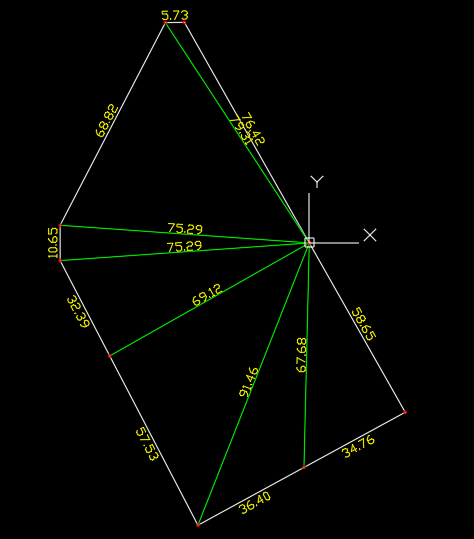
The judge path is self-contained and requires no API credits. It includes a synthetic six-segment land-survey PDF, a professional one-page Word template with 17 content controls, local evidence adapters, and first-run administrator setup.
Codex was my engineering workspace for architecture, implementation, connector adaptation, debugging, automated tests, document generation, and release preparation. GPT-5.6 was used for the difficult reasoning portions and is also the prepared visual-reasoning route for land surveys that deterministic extraction cannot validate. Consequential actions remain in validated server code; the model never receives office-system credentials or decides permissions.
Challenges
The hardest part was making partial progress honest. Real operations are not one long prompt: the contract can wait for approval while another independent branch continues, but a ClickUp project cannot be named until the Contracts API returns the real project code. Modeling those dependencies explicitly made pause, approval, failure, and retry predictable.
CAD was the other hard boundary. Early approaches produced plausible rectangles from land area, but that is not the submitted survey. V4 removes that fallback completely. It uses the PDF’s ordered geometry and measurements, retains the source document, and stops safely when exact validation is unavailable.
Accomplishments
- A complete judge workflow with ten inspectable actions and no external accounts.
- Per-action automatic/manual/disabled policy with branch-aware continuation.
- Correct component pricing, VAT, currency, and immutable snapshots.
- Authoritative Contracts API project numbering and a professional short-form agreement.
- Exact six-vertex CAD evidence that provably ignores the intake land-area value.
- Hashed administrator authentication, encrypted connector secrets, safe paths, idempotent intake, and audit evidence.
- Fourteen automated behaviors passing with zero failures.
What I learned
The useful boundary between AI and automation is not “AI does everything.” GPT-5.6 is valuable where a visual engineering document needs reasoning. Pricing, access, retries, connector calls, and proof of completion benefit from deterministic code. Combining both produces something an office can inspect and trust.
What is next
The next steps are production identity and roles, organization-specific contract review, expanded survey-document support, reviewer sign-off inside the CAD branch, deployment monitoring, and—after the core workflow is proven—WhatsApp delivery and optional Odoo invoicing.
Built with
Codex, GPT-5.6, C#/.NET 8, ASP.NET Core, React 19, Vite, Open XML Word content controls, DXF, AutoCAD 2025, ClickUp, SMTP, Windows local OCR.
Links to paste into Devpost
- Video:
[PUBLIC OR UNLISTED YOUTUBE URL] - Repository:
[REPOSITORY URL] - Codex Session ID from
/feedback:[SESSION ID]
Prepared gallery images
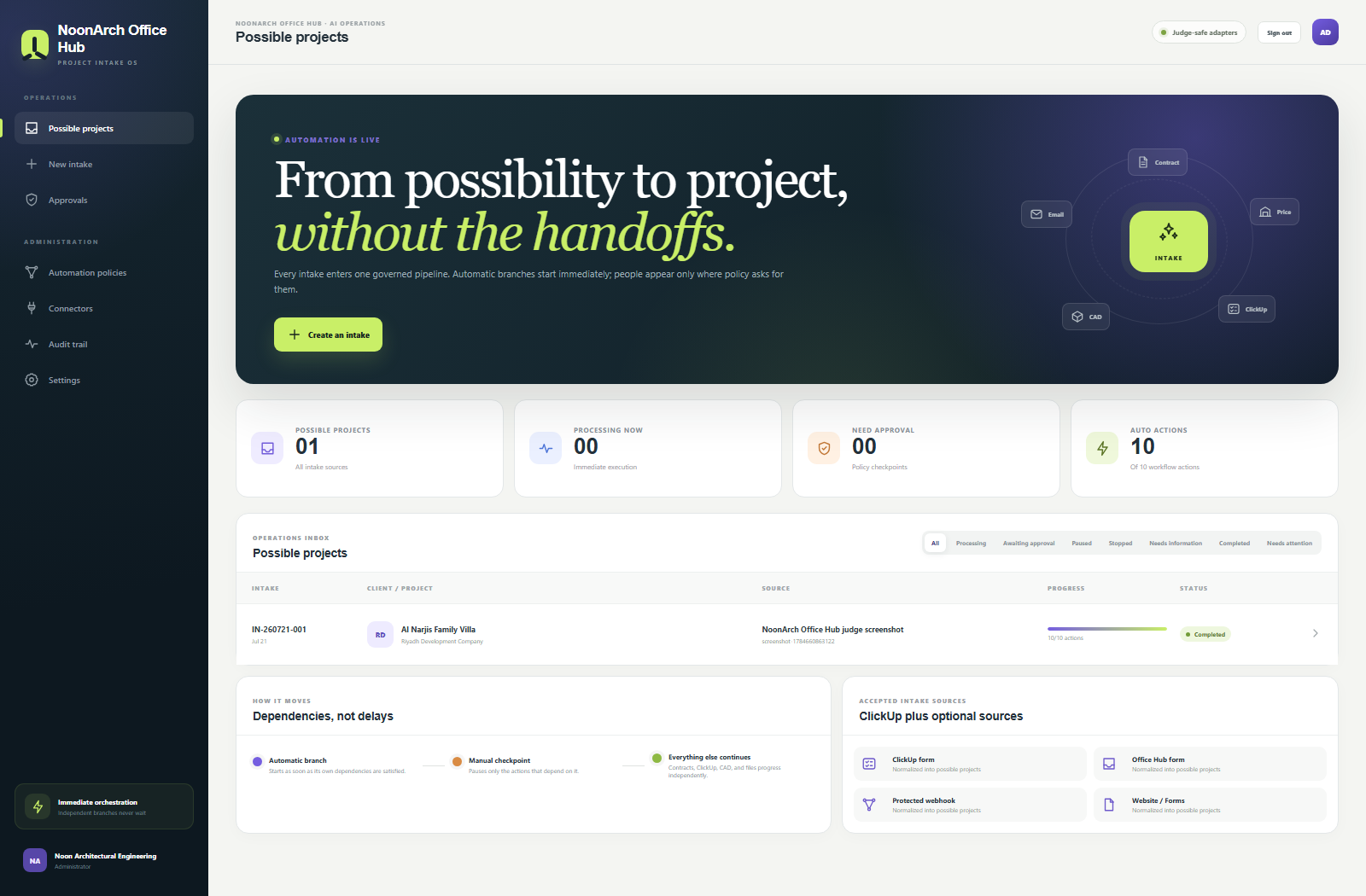
NoonArch-Office-Hub-Dashboard.png— product overview and completed possible project.NoonArch-Office-Hub-Project.png— 10/10 workflow and downloadable evidence.Land-Boundaries-Sample.png— synthetic six-segment survey input.

Log in or sign up for Devpost to join the conversation.