-
-
Nook. Smart & Fun Cooking!
-
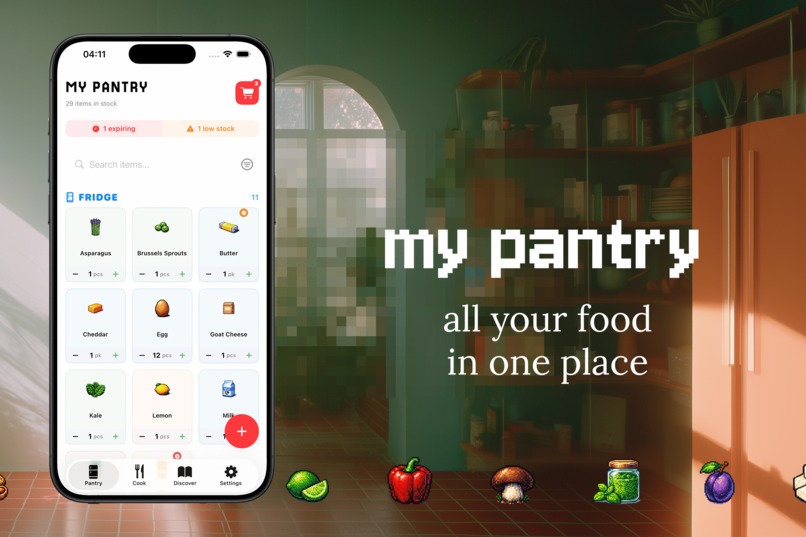
My Pantry View
-
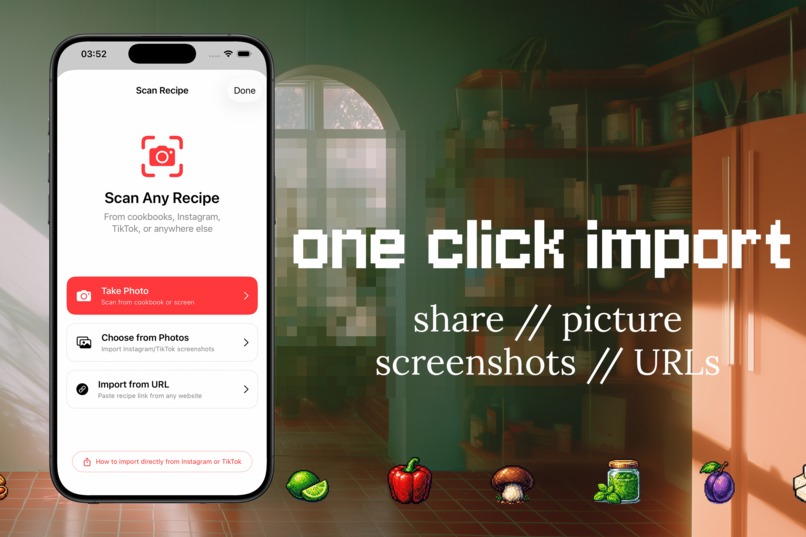
One Click Import
-
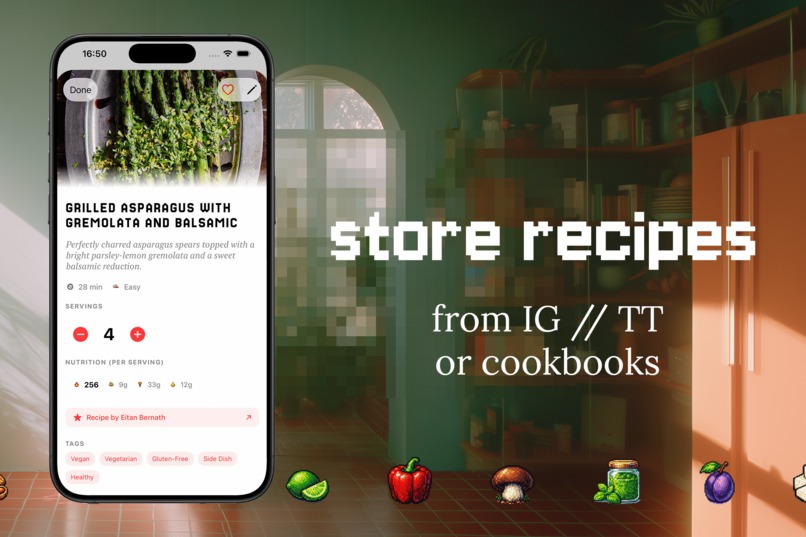
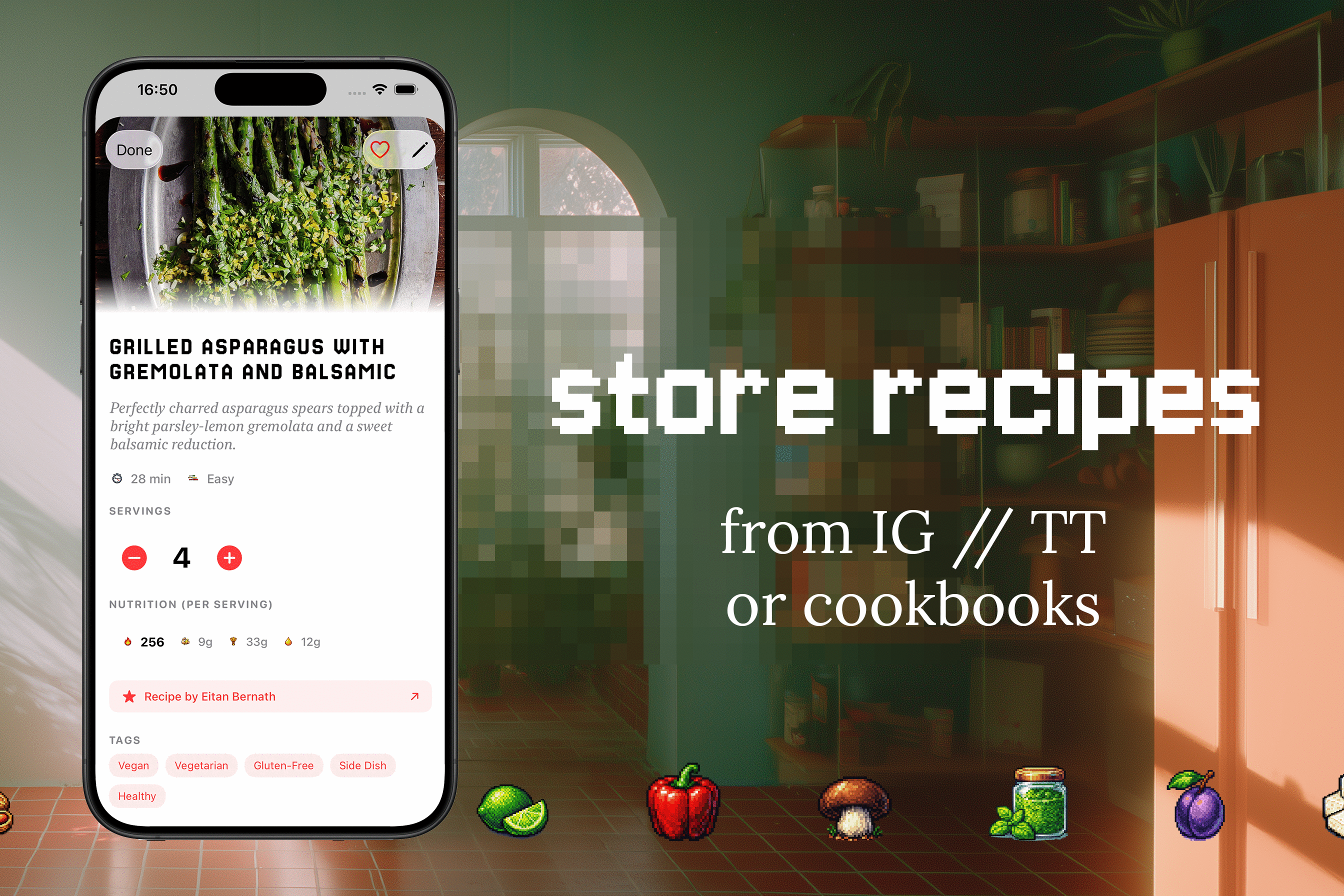
Store Recipes
-
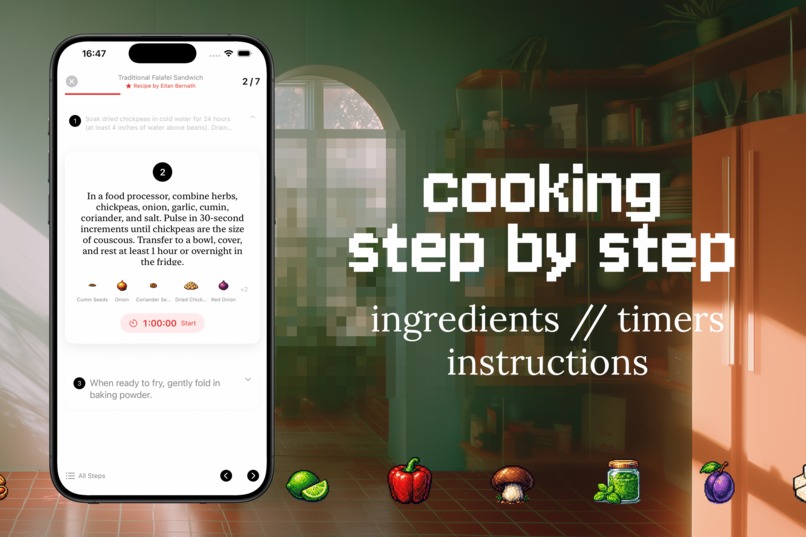
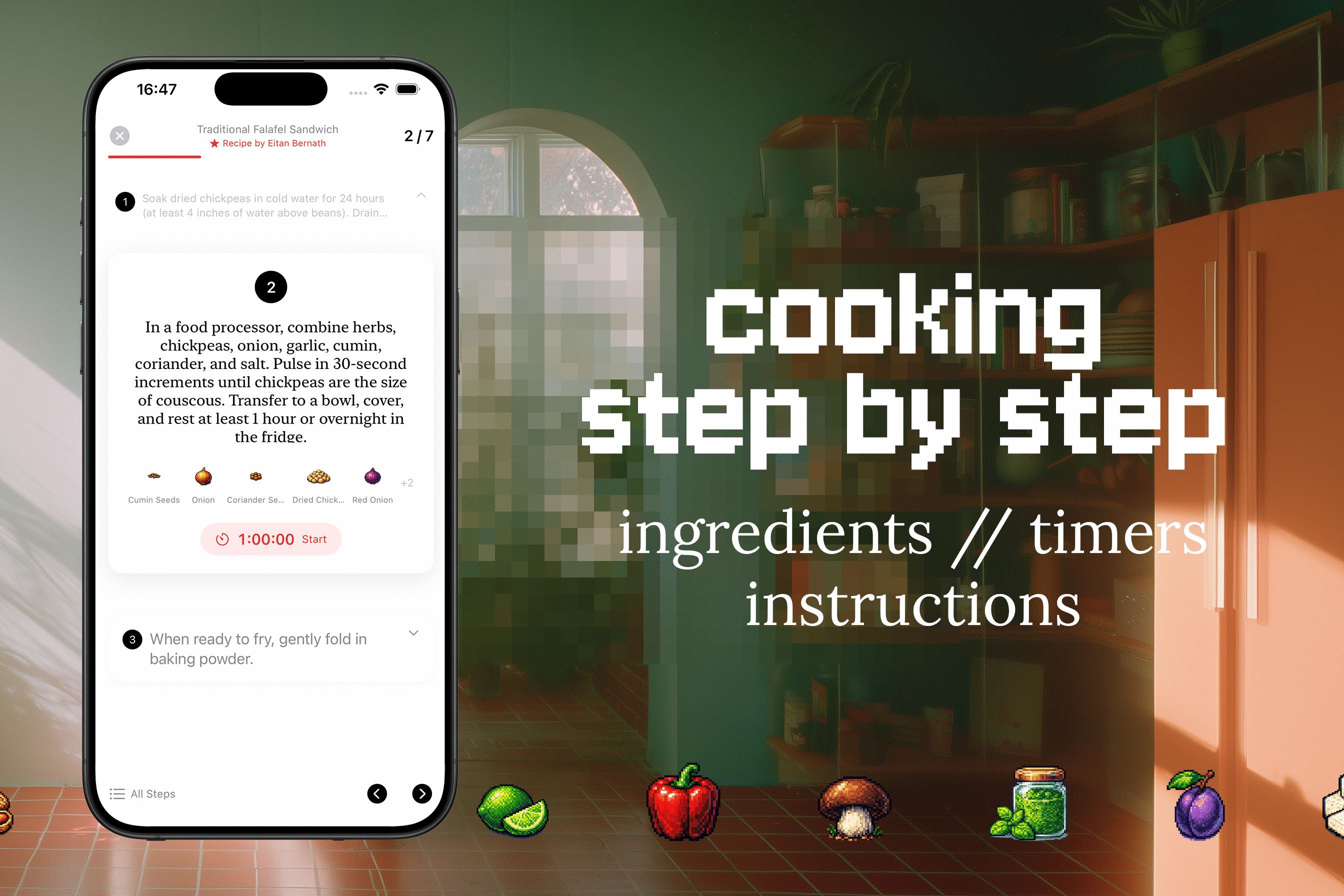
Step by Step Recipes
-
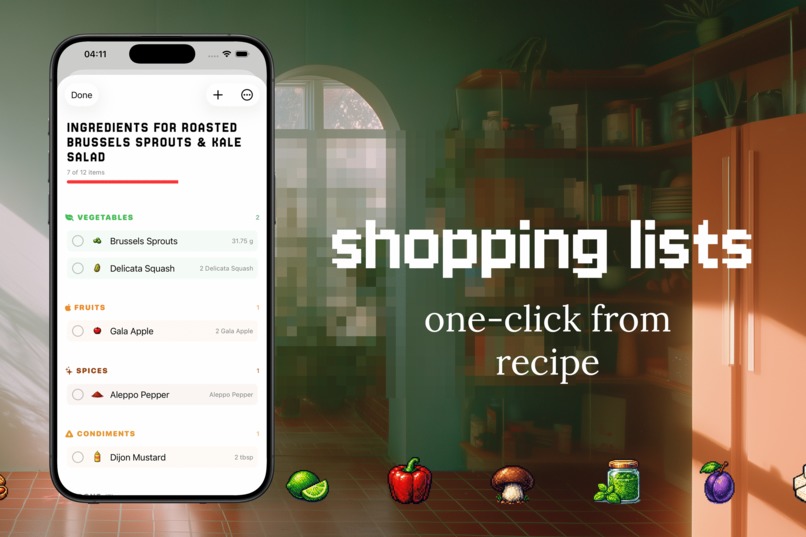
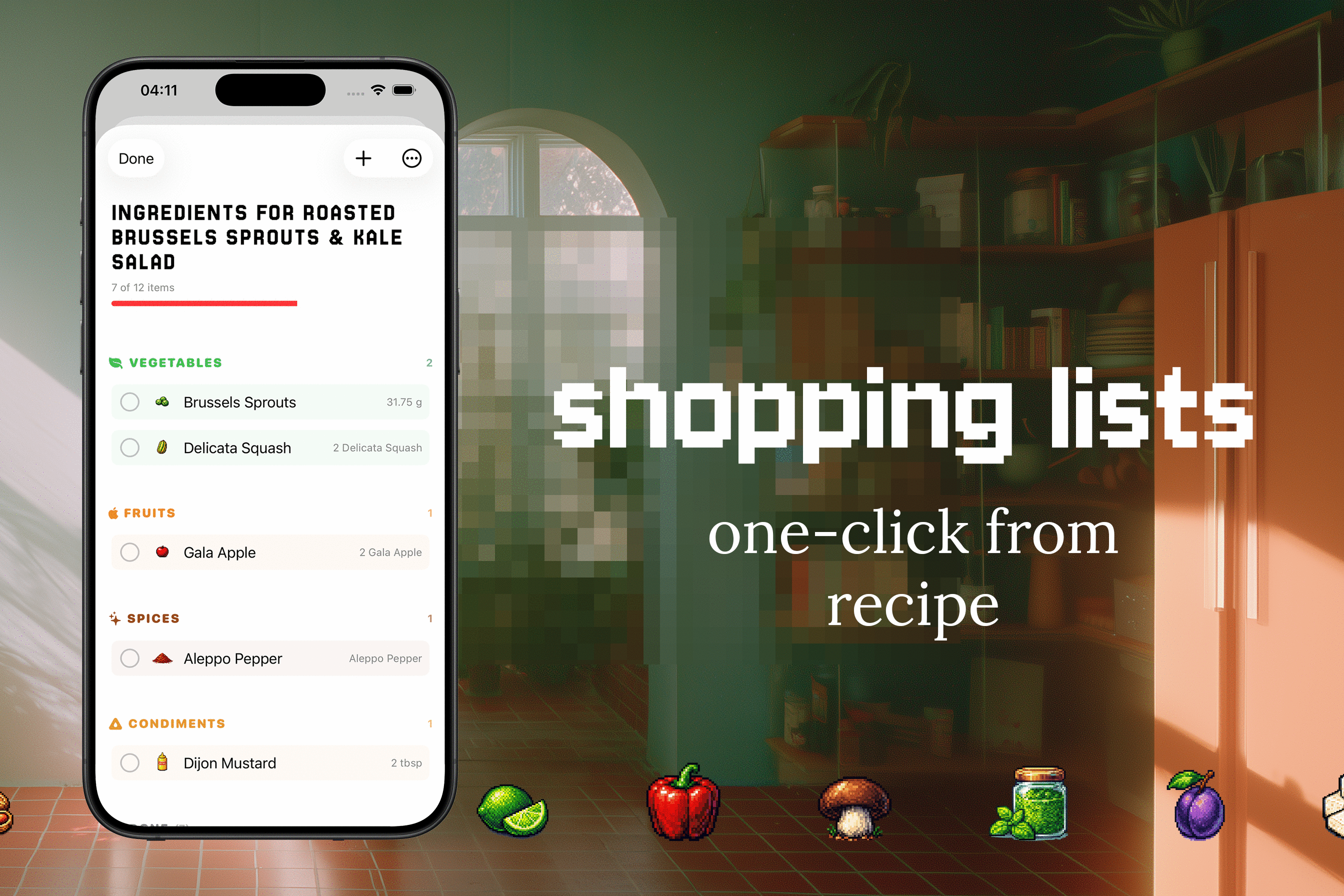
One-Click Shopping Lists
-
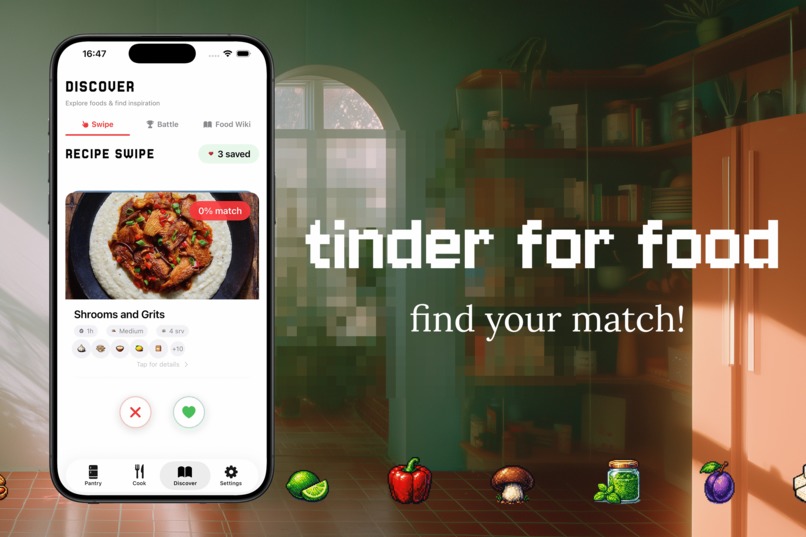
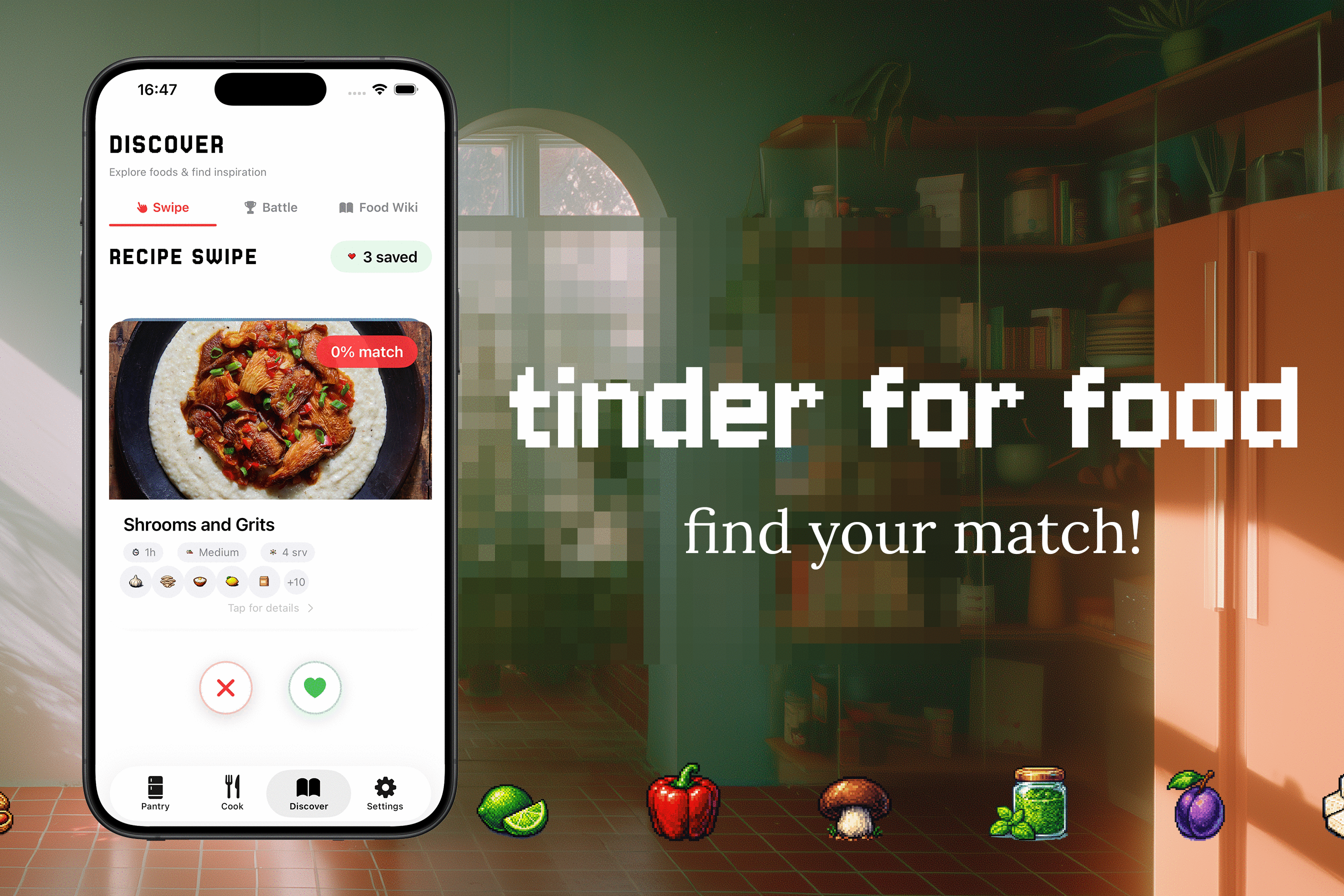
Recipe Swipe
-
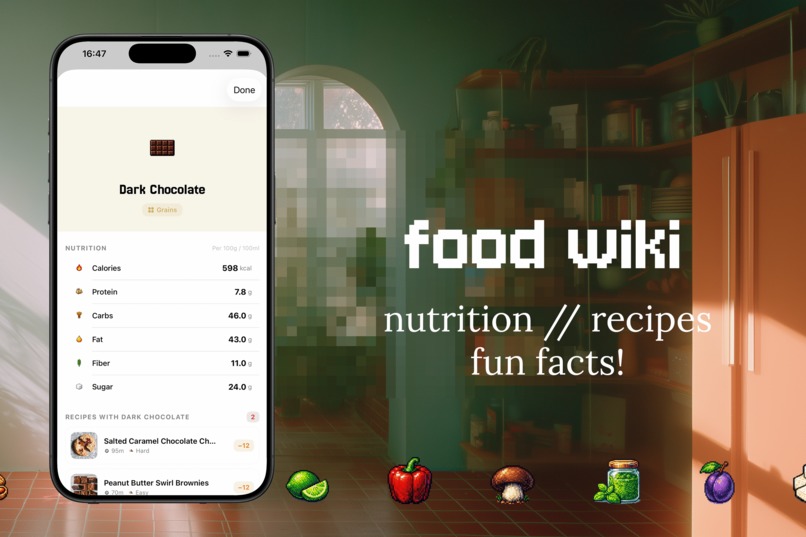
Food Wiki
-
Customisation
Inspiration
Eitan's brief really resonated with me. He talked about the gap between seeing a recipe you want to make and actually getting it into your kitchen - whether that's from a cookbook collection or a video you saw online. That's actually a problem I deal with constantly myself.
I have recipes saved across Instagram, TikTok, browser bookmarks, and screenshots I'll "definitely come back to." (I never do). And none of them know what's in my fridge. So every evening it's the same thing - stare at the fridge, sometimes I'd even scroll through saves trying to find something that matches what I have, figure out I don't even have half of the ingredients and eventually just give up and order food.
Eitan pitched two angles: an app that knows your cookbooks and matches them against your ingredients, and a tool where you share a video and it generates a shopping list so you can actually go make it. Nook ended up being both of those ideas merged into one - scan recipes from anywhere, track what you have, figure out what you can cook, and handle the shopping list when you can't. All that while having a ton of fun!
What it does
Nook is an iOS app that handles the full loop from finding a recipe to cooking it.
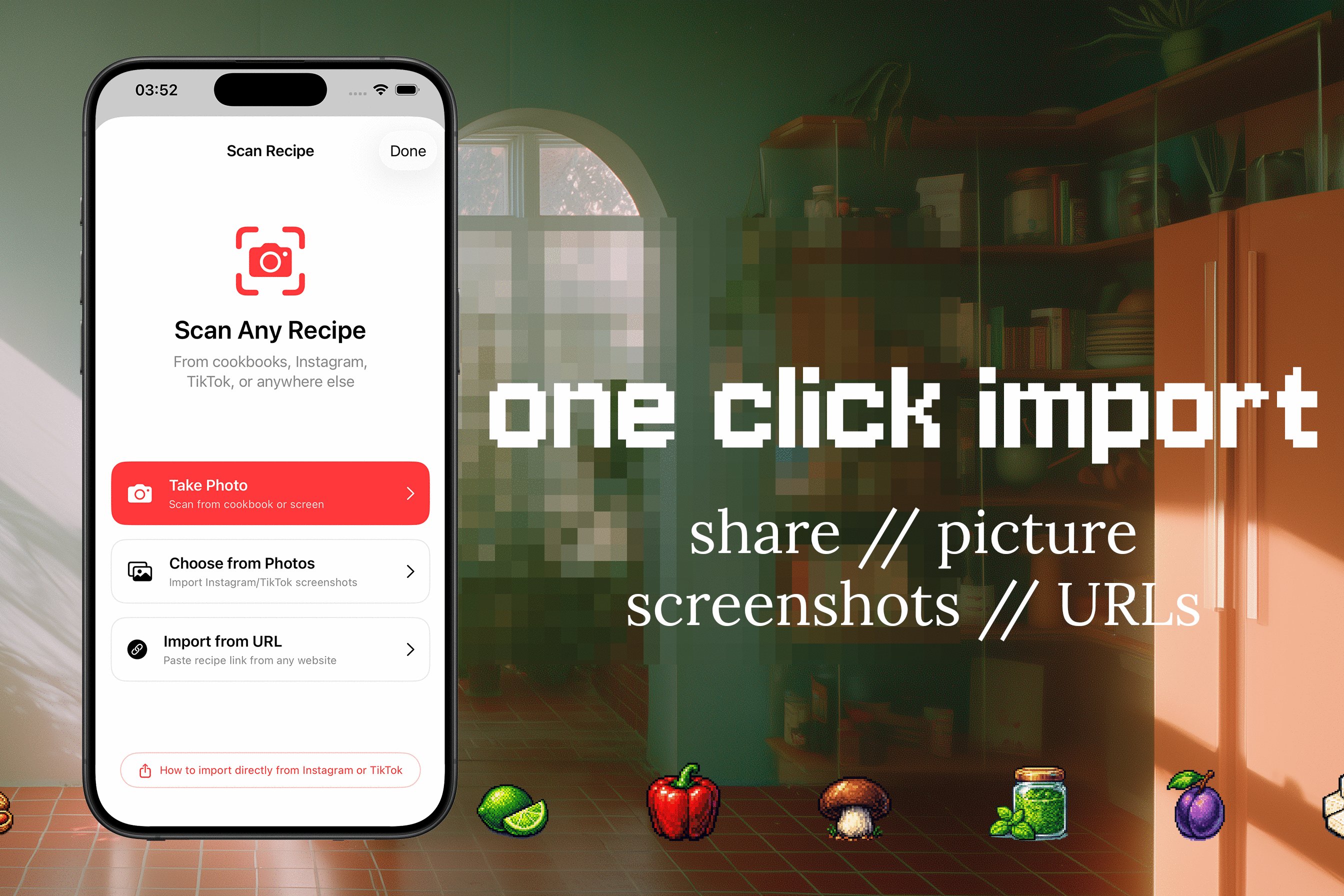
Scan from anywhere Share a recipe from Instagram, TikTok, URL, or just take a photo of one. Nook uses on-device OCR and AI vision to extract ingredients, quantities, instructions, cook times - the whole thing. For videos (IG, TikToks), it also saves a picture of the recipe and a link, so you can immediately go back to the original source for following the video.
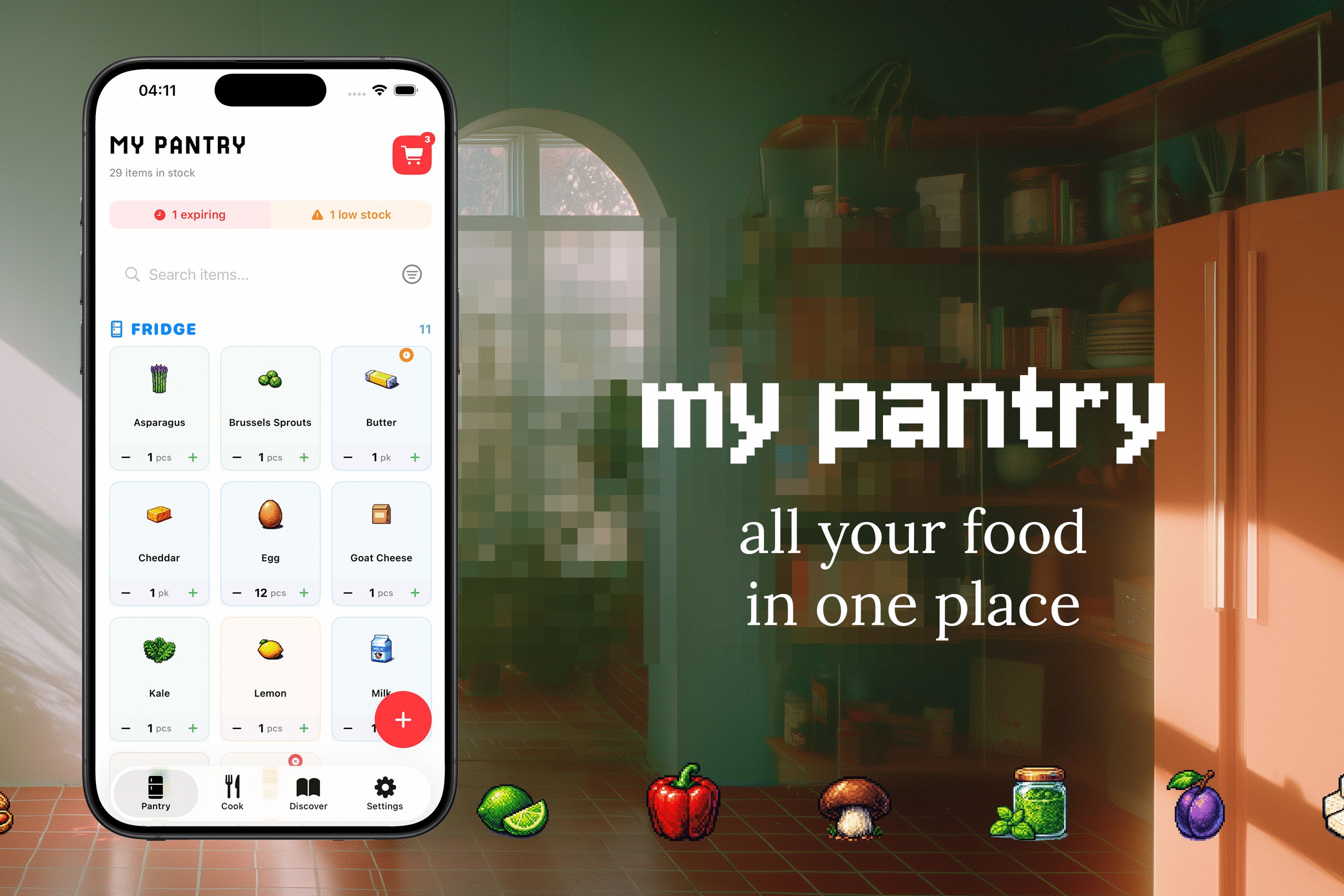
Track your pantry Log what's in your kitchen, organized by location (fridge, freezer, pantry, counter) with expiry dates and restock alerts. There's a database of 800+ foods, each with a custom pixel art icon.
Figure out what to cook Nook matches your recipes against what's actually in your pantry. It shows you what you can make right now, what you're one ingredient short of, and what's missing entirely.
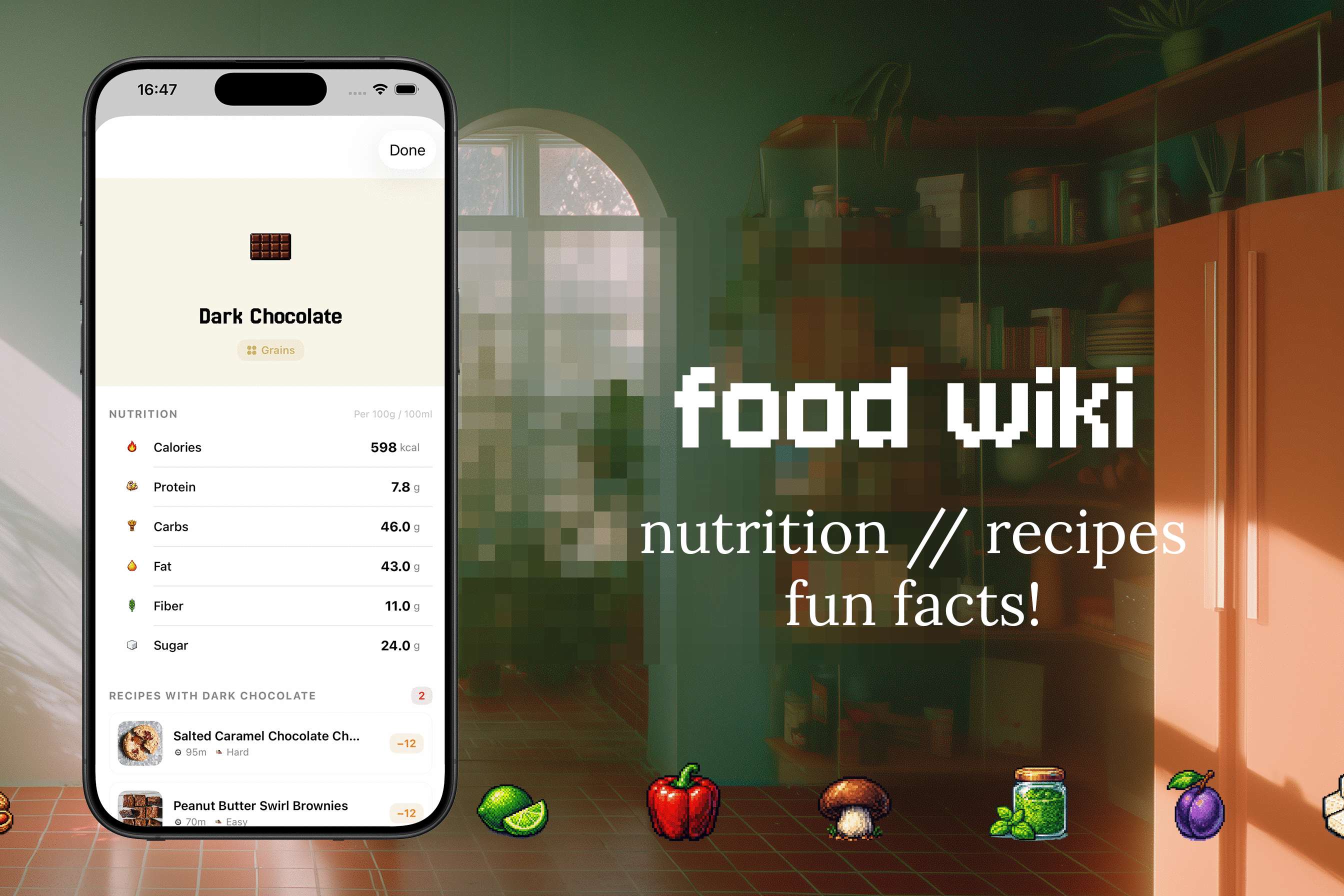
Make deciding fun Recipe Swipe lets you swipe through recipes Tinder-style (right to save, left to skip). Recipe Battle pits two recipes against each other in a bracket until a winner emerges. It makes "what should I cook tonight" a lot less painful. We also have a Food Wiki, where you can get inspired by different ingredients and even learn some fun facts!
Shopping lists that close the loop Add missing ingredients with one tap, mark the list as done when you're back from the store, and everything flows into your pantry with the right quantities.
Subscription model Free tier includes limited recipe scans, Pro unlocks unlimited scans and advanced features like shopping list generation. Managed entirely through RevenueCat with a custom paywall, trial support, and in-app subscription management.
How we built it
Solo build, two weeks, and I'm not an iOS developer by any means - this was my first real SwiftUI project. The whole app is native iOS with no cross-platform frameworks and no backend. The reason I didn't start immediately when the hackathon was announced was that I wasn't sure I'll be able to do it. But with enough determination and a ton of AI assistance - here we are!
Scanning pipeline When you share or photograph a recipe, the app runs OCR on-device first. Then both the image and the extracted text go to Claude's vision API, which parses out structured data: ingredients with quantities and units, instructions, cook times, difficulty, servings, and dietary tags. A normalizer then matches parsed ingredients against the food database using fuzzy matching and alias resolution. This was super challenging, and a lot of back-and-forth with AI to get it right (and I hope we did it fairly well!)
Share Extension This was the UX key to the whole experience. It's a lightweight UIKit extension that accepts content from Instagram, TikTok, URLs Photos, and others.
RevenueCat Handles subscriptions, paywalls, trial periods, and receipt validation.
SwiftData For persistence, fully local-first. The only network calls are to Anthropic API (recipe parsing) and RevenueCat (subscription validation). Everything else runs on-device.
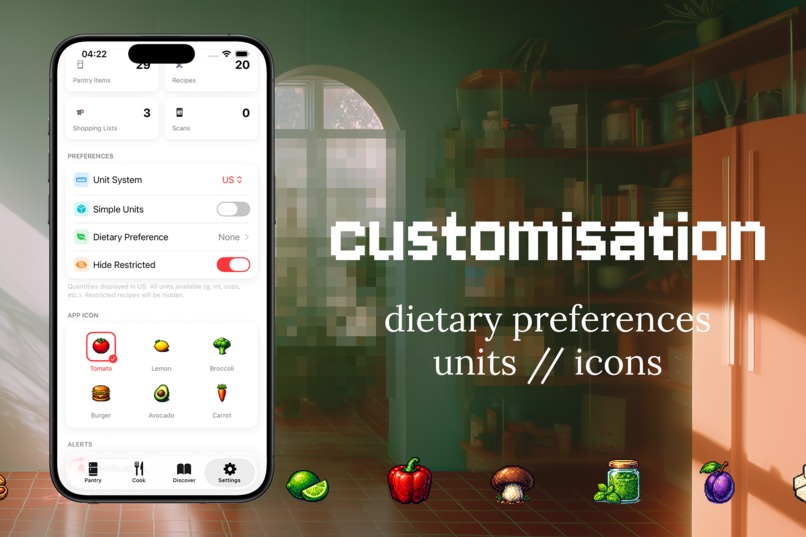
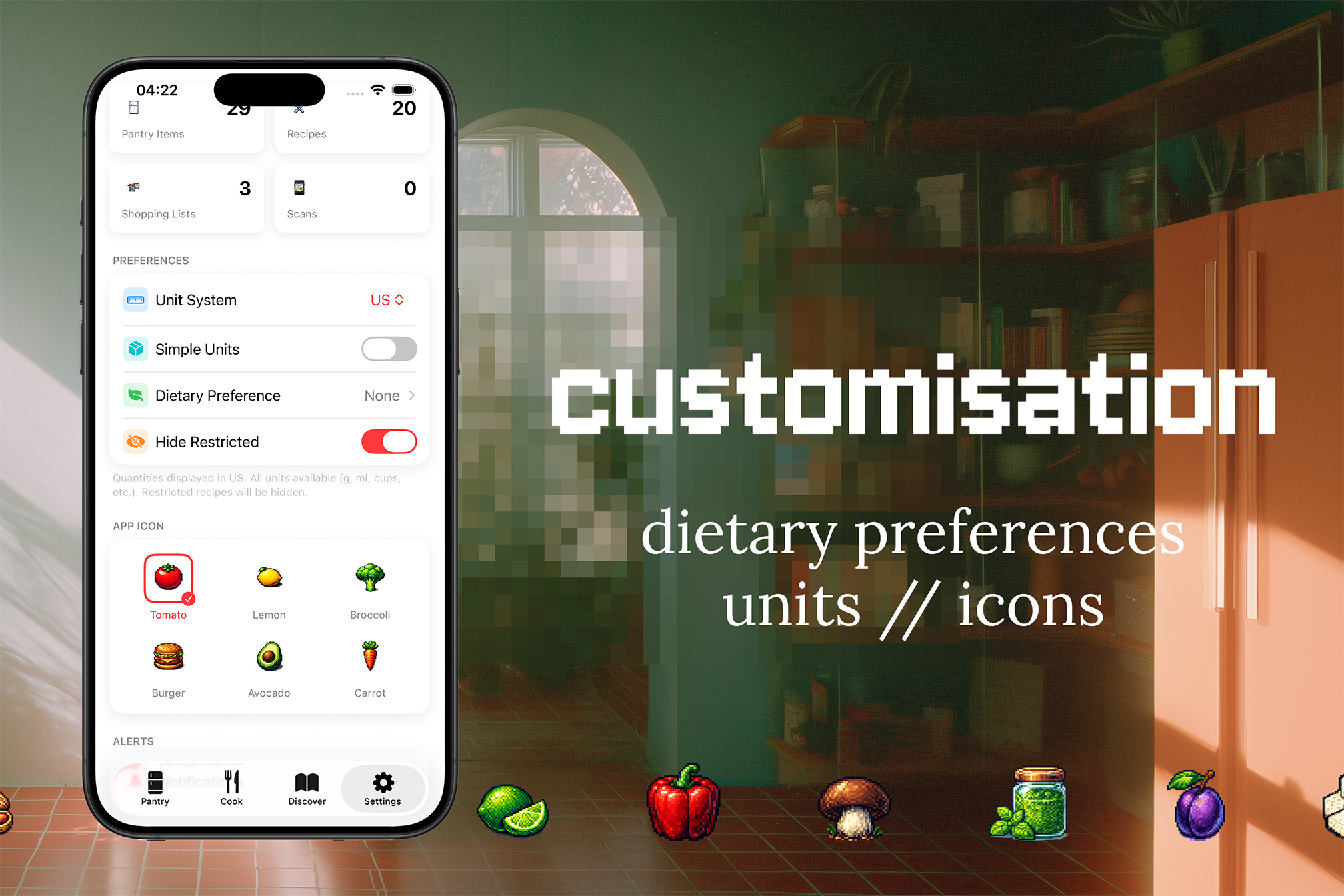
Design system Built a custom one with cream backgrounds, subtle card shadows, the Jersey 25 pixel font for headings, and 800+ pixel art food icons at 256×256. Plus 6 alternate app icons you can pick from in settings. The UI of this app is one of the things I'm the most proud of!
Challenges we ran into
Ingredient and measurement matching This turned out to be way more nuanced than expected. "Pecorino cheese" should match "Pecorino Romano" in your pantry. "Chicken thighs" can resolve to "Chicken", but "coconut milk" is definitely not "Milk". Built a normalizer with fuzzy matching, compound-to-base resolution, and a protection list for distinct compounds that shouldn't be simplified. In any case, it turned out to be more complex than expected :)
App Store Connect review Multiple rounds of back and forth, especially around the paywall and subscription flows. RevenueCat made the technical integration smooth, but getting the UX to satisfy Apple's review guidelines took some persistence.
The pixel art situation Started with "this is gonna look cool" (and it does) but required a lot of assets creation and consistency matching. Zero regrets, but it was definitely challenging, in a fun way (not like the App Store Connect)!
Accomplishments that we're proud of
AI parsing quality. Claude with vision handles messy real-world screenshots really well - overlaid text, non-standard layouts, different languages. The prompt is tuned for vision-first parsing and it hits probably ~99% accuracy on ingredient extraction.
The full loop works. Scan → pantry → match → shop → restock → cook. That was the core of Eitan's brief: getting people from seeing a recipe to actually making it, and the whole pipeline is there.
It has personality. 800+ pixel art icons, a retro-meets-modern design system, Recipe Battle, Recipe Swipe. I really wanted to create something users want to come back to on a regular basis through delightful design and interactions.
You can make it your own If you're vegan, we won't show you meat or dairy in food wiki. You can change the app icon. You can add custom food items and edit your recipes.
Built it while learning. This was my first SwiftUI app. Going from zero to a shipped, production-ready product on the App Store in a couple of weeks taught me more than any course could.
What we learned
End-to-end products are where the real learning happens. Every layer: Share Extension bridging, AI parsing, fuzzy food matching, subscription integration, pixel art pipelines - all of that forced me to understand how things connect on iOS. The edge cases of real products are a completely different game from tutorials.
Food data is deceptively complex. Measurement units, storage locations, expiry patterns, ingredient synonyms, dietary flags - building a database that works for real cooking has way more depth than you'd expect.
RevenueCat simplifies the hard parts of monetization. Subscription logic, receipt validation, eligibility checks, Customer Center - what took the most effort was actually the App Store Connect stuff, not the underlying subscription infrastructure.
What's next for Nook
Ideal long-term vision includes:
Creator profiles Food bloggers, chefs, and cookbook authors create profiles on Nook and publish their recipes directly in the app.
Ebook integration Creators sell their cookbooks as in-app purchases. Buyers get every recipe instantly imported into Nook - already parsed, matched against their pantry, ready to cook. No scanning, no manual entry. The cookbook just works.
Revenue share Creators earn from ebook sales, Nook takes a platform cut. This turns Nook from a utility into a marketplace - creators get distribution and a format that's actually useful (not a PDF), users get cookbooks that integrate with their kitchen.
Built With
- anthropic-api
- apple-vision
- claude
- claude-code
- revenuecat
- swift
- swiftdata
- swiftui


Log in or sign up for Devpost to join the conversation.