-
-
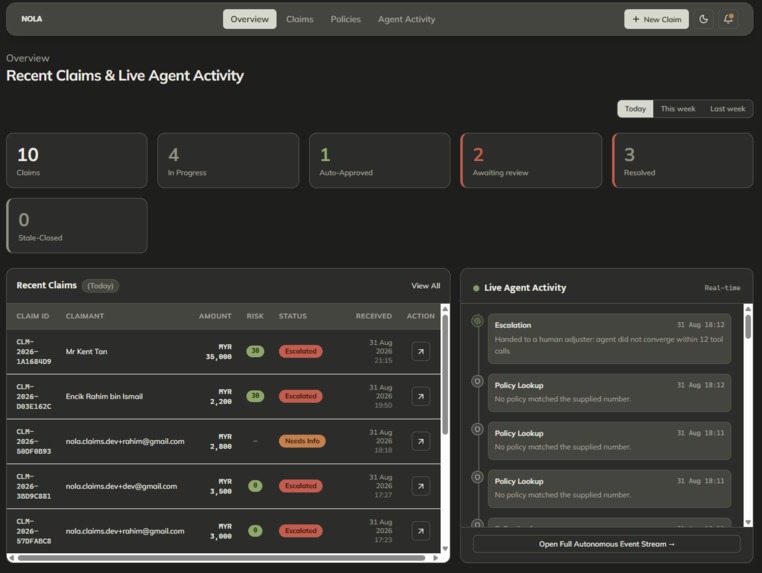
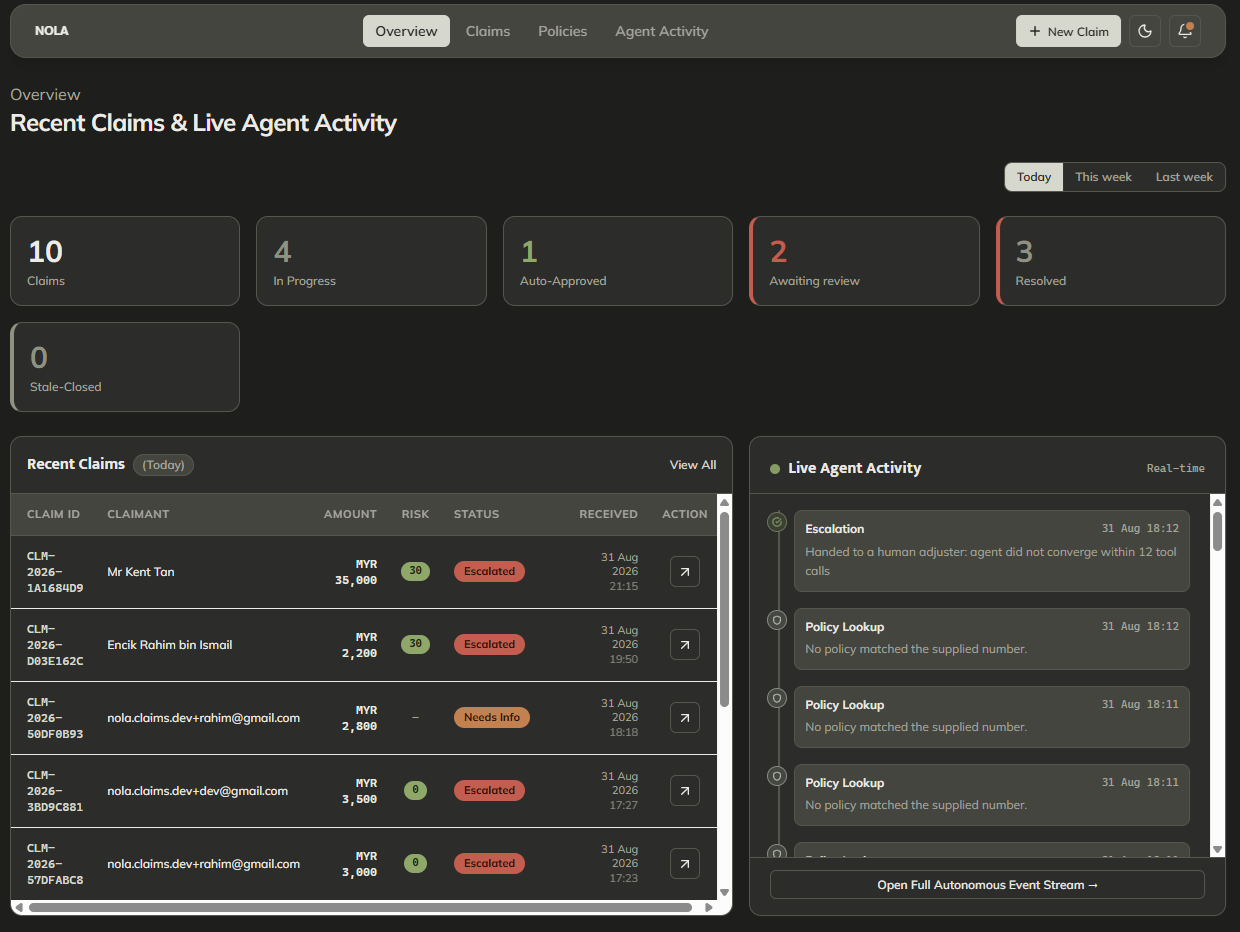
Overview module
-
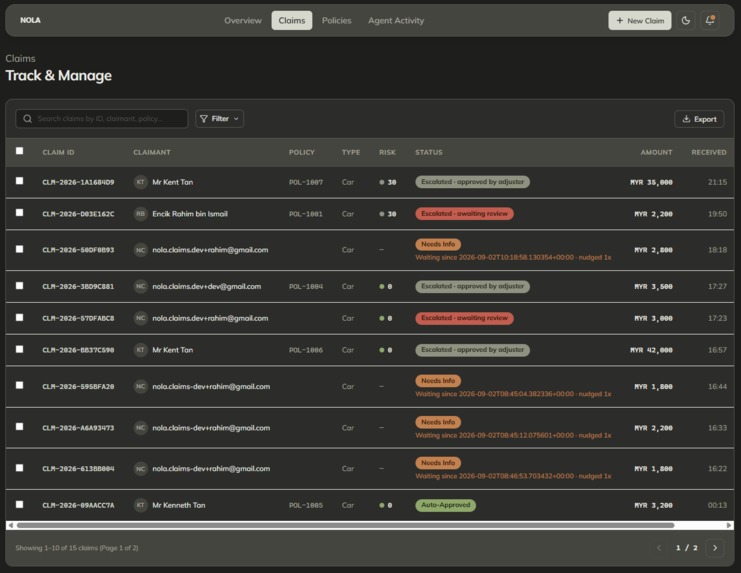
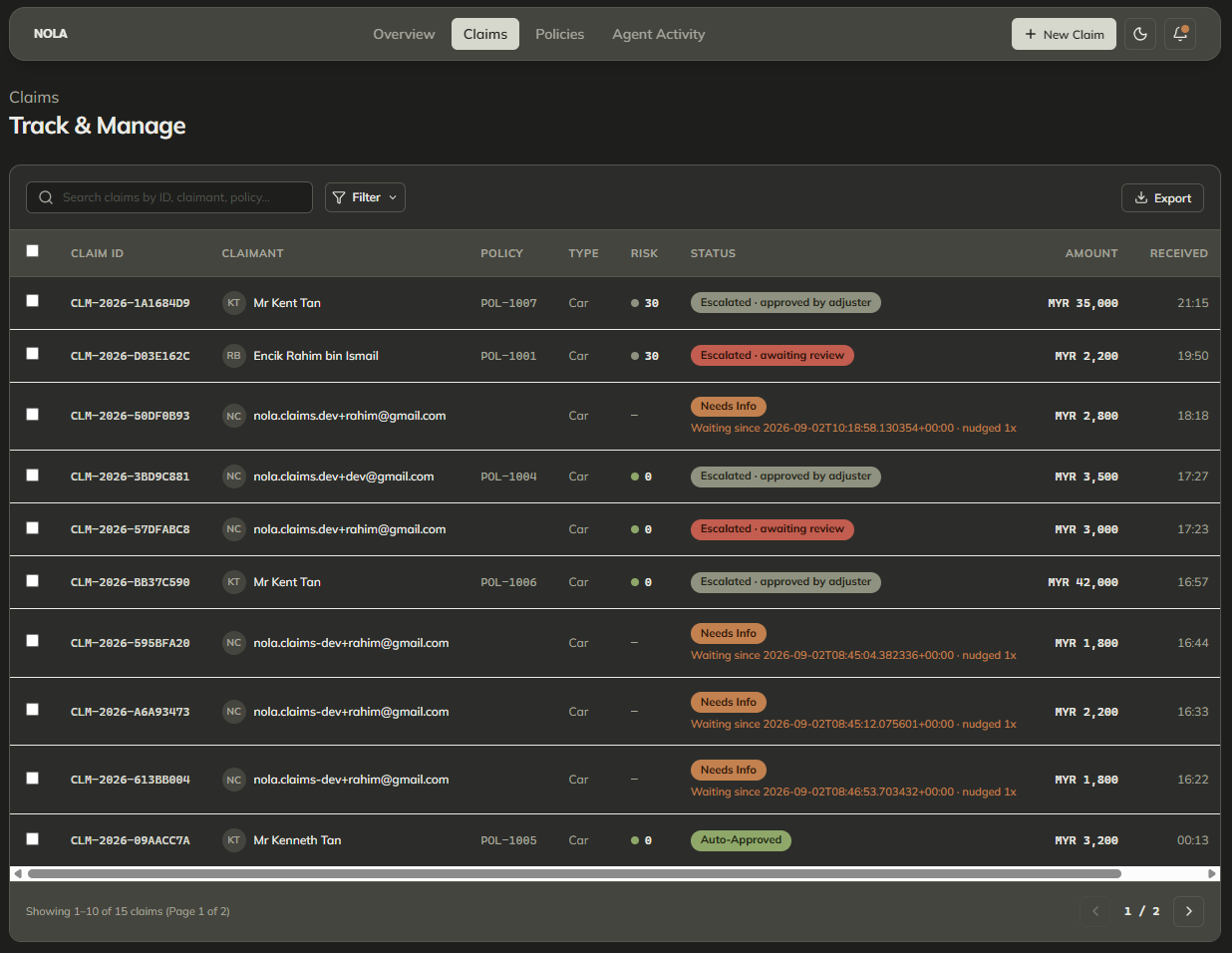
Claim module (listing)
-
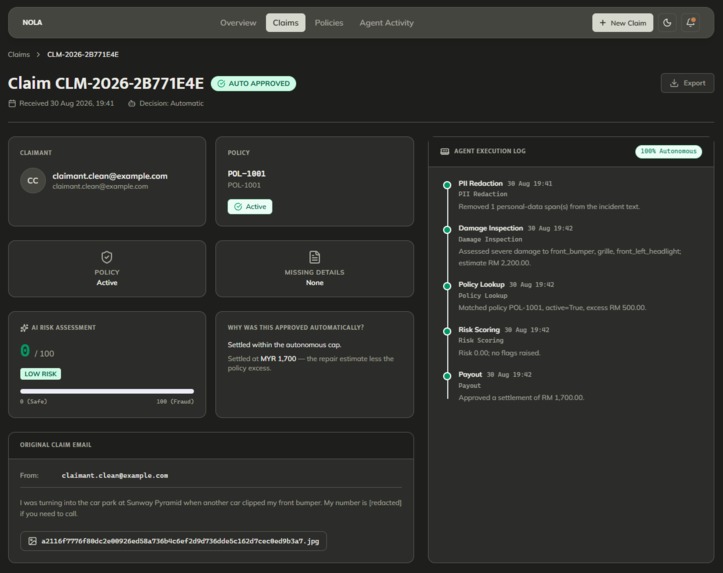
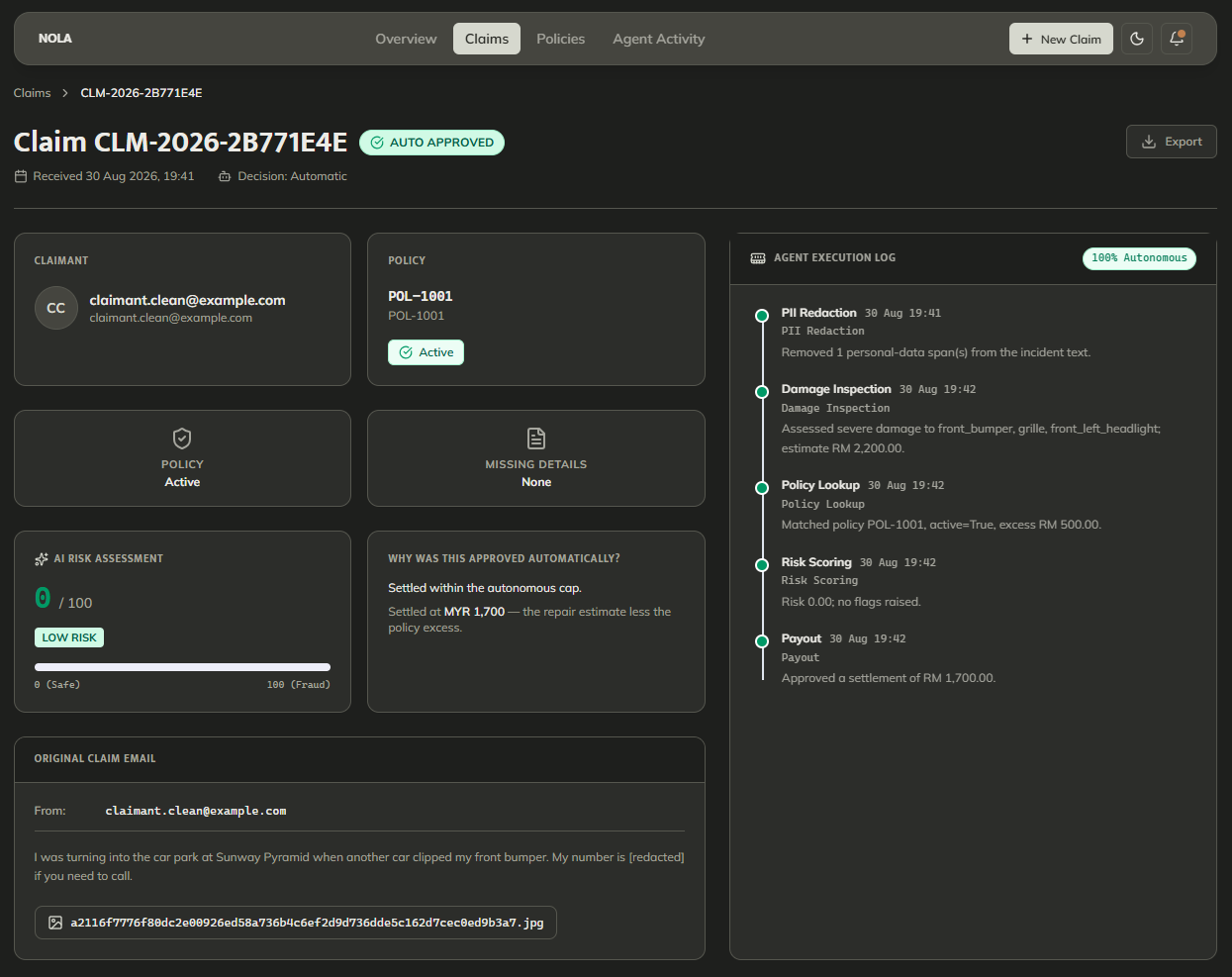
Claim module (selected claim)
-
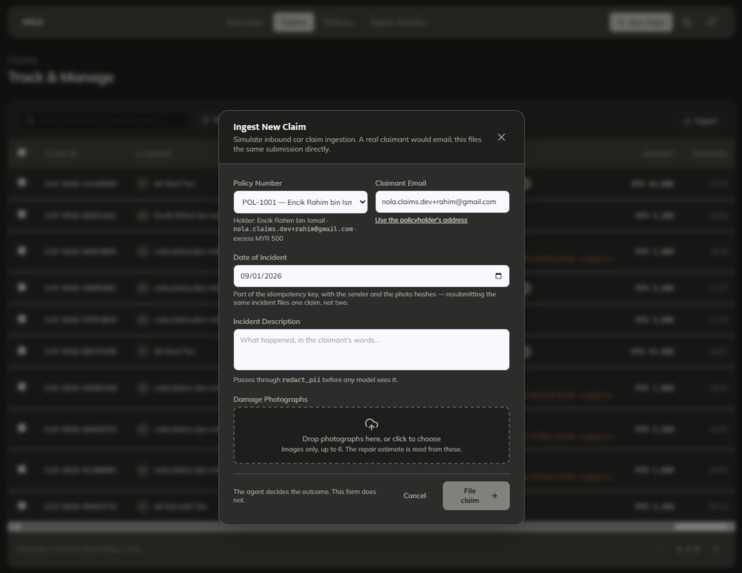
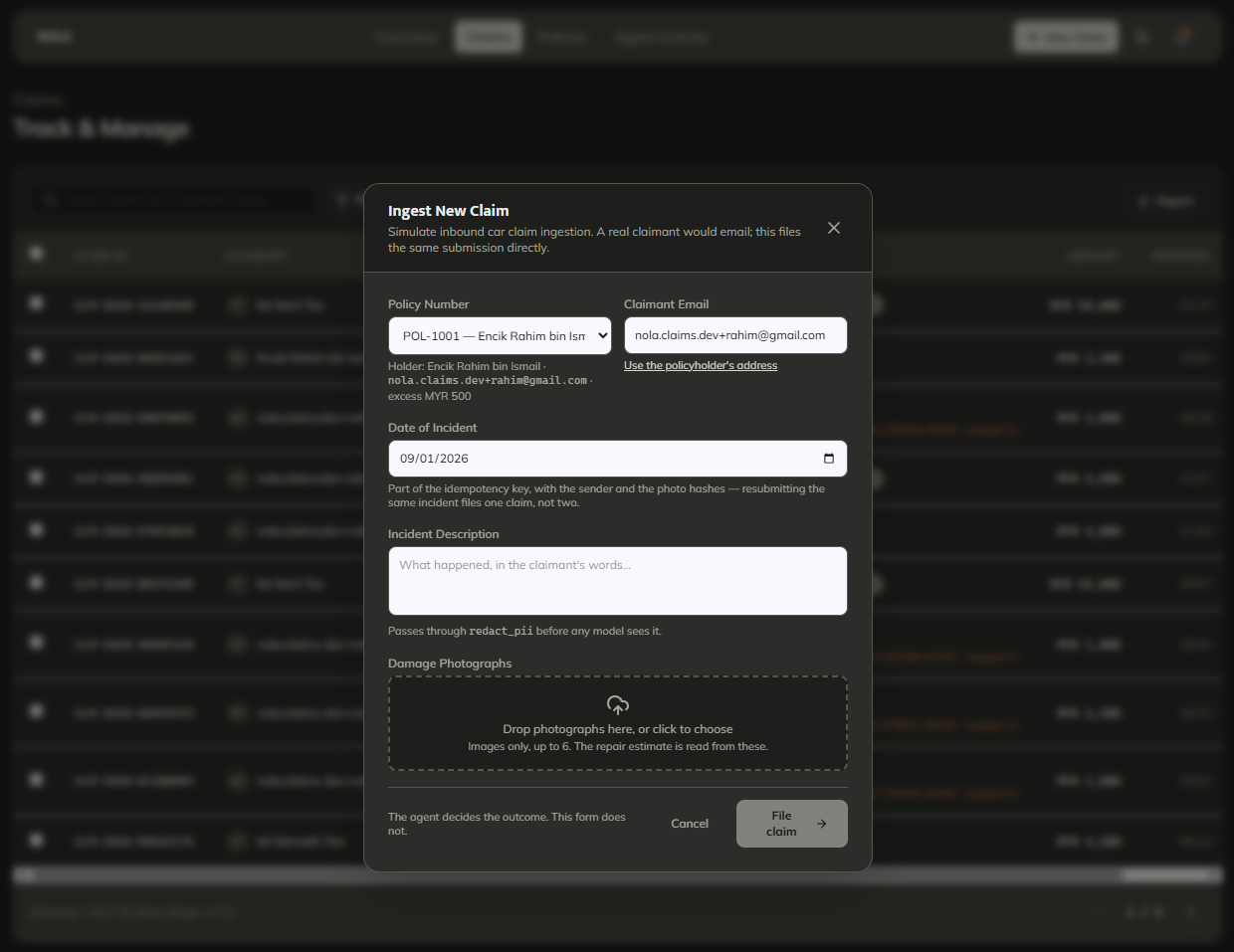
Claim module (new claim)
-
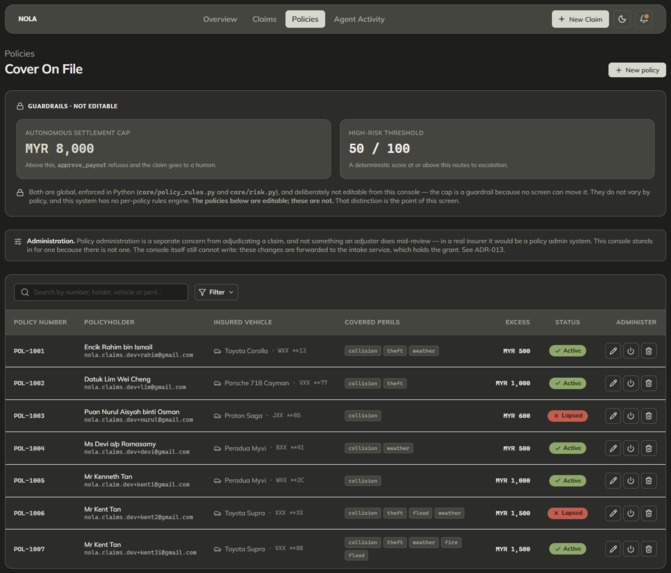
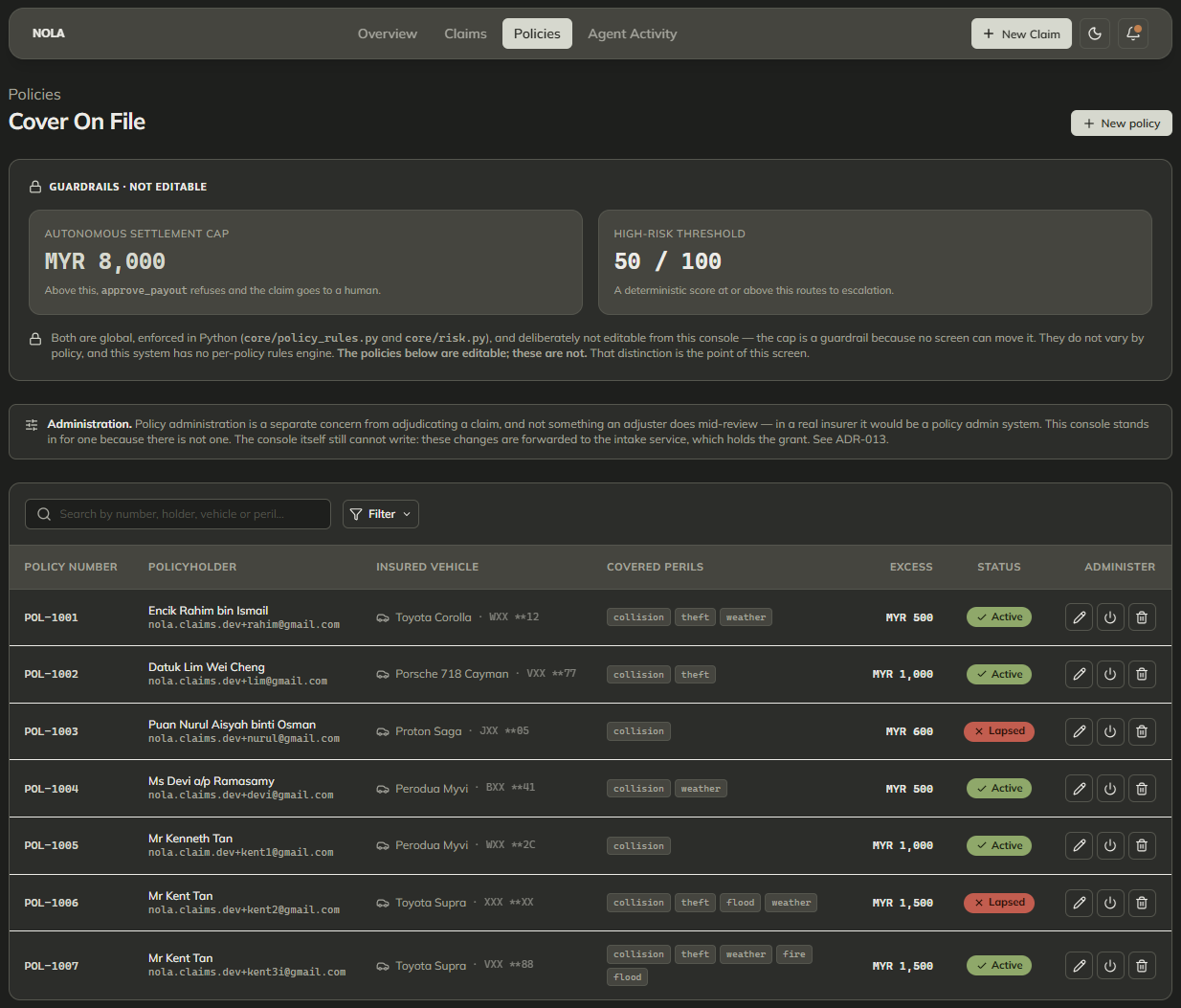
Policies module (listing)
-
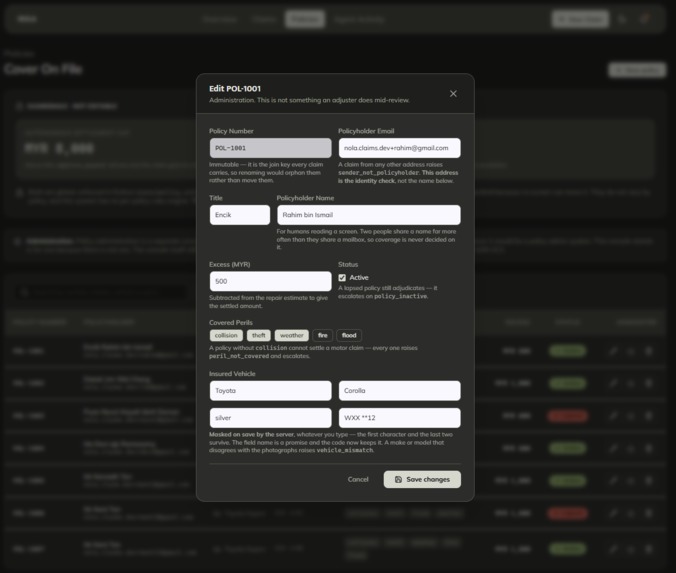
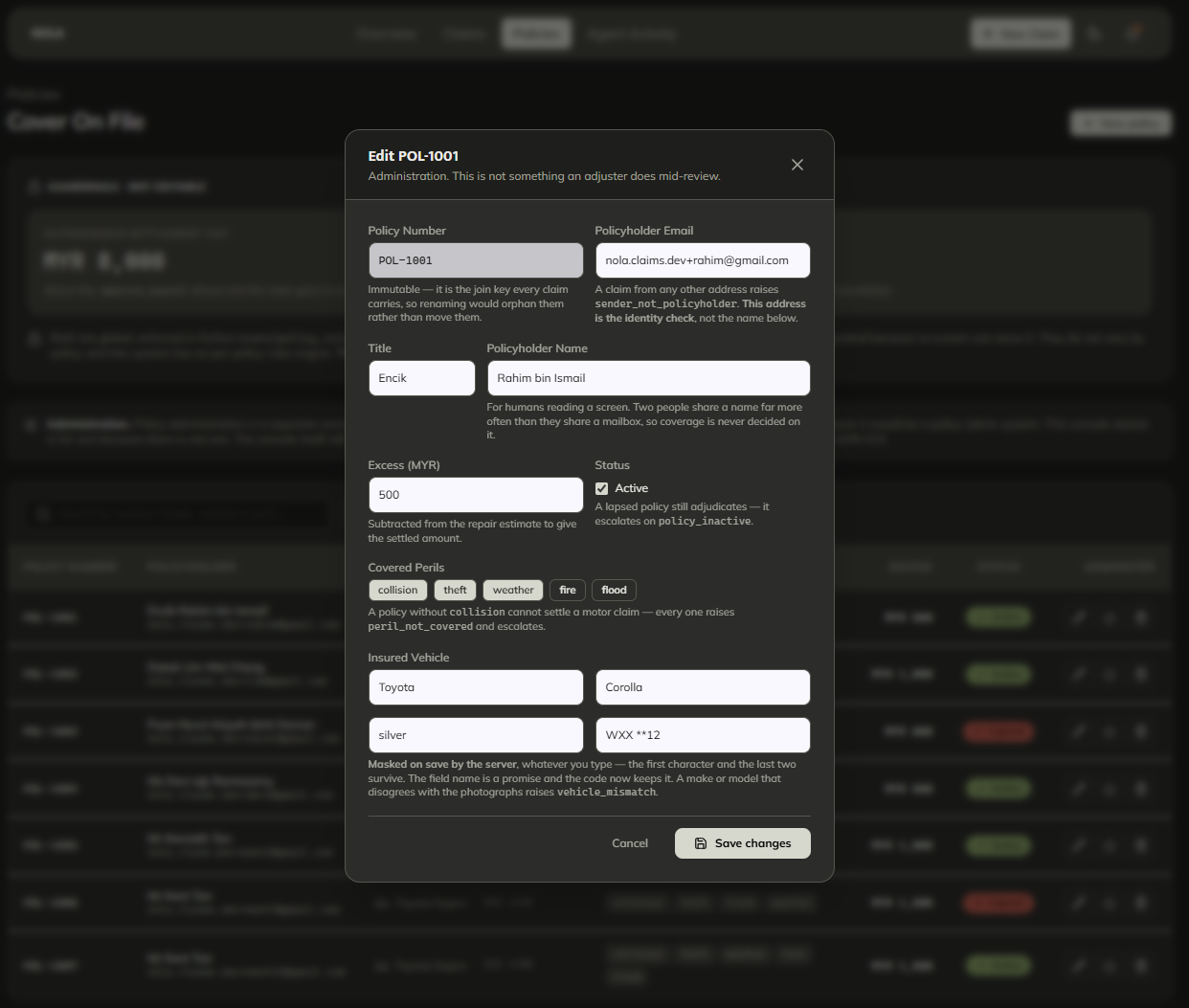
Policies module (edit policy)
-
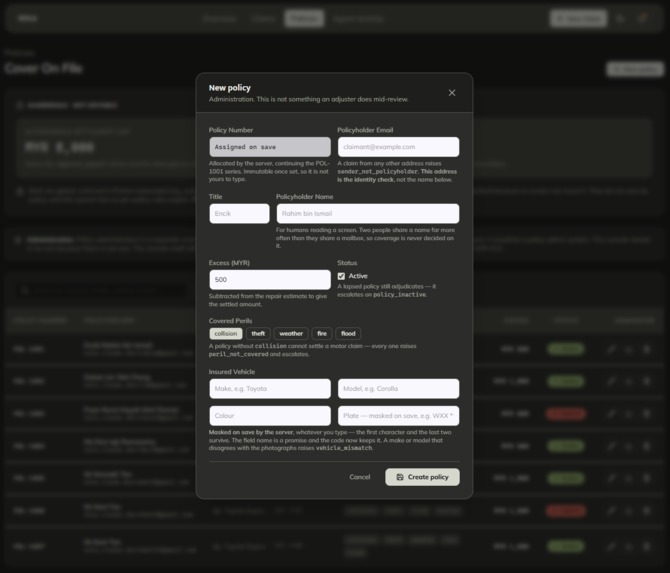
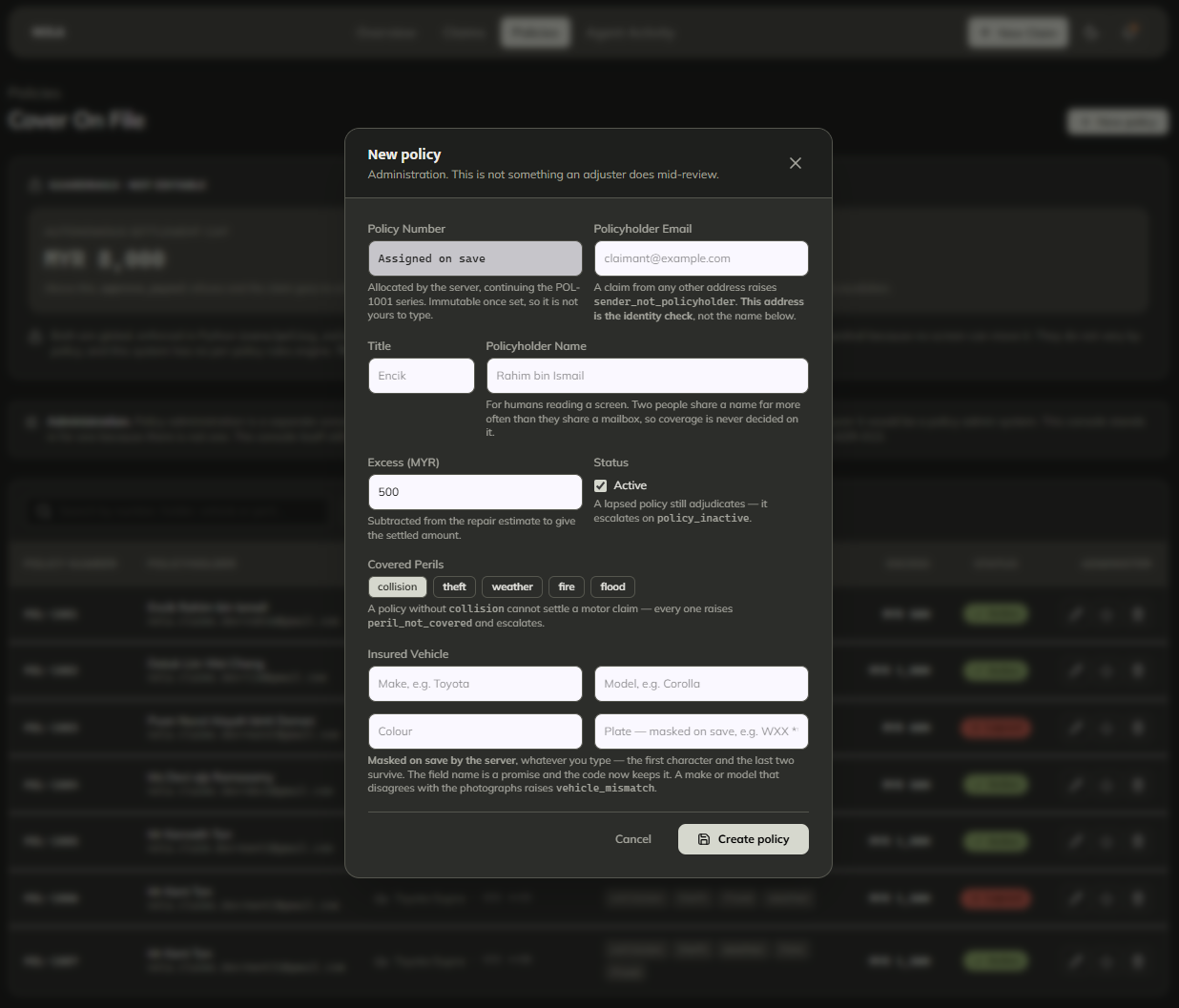
Policies module (new policy)
-
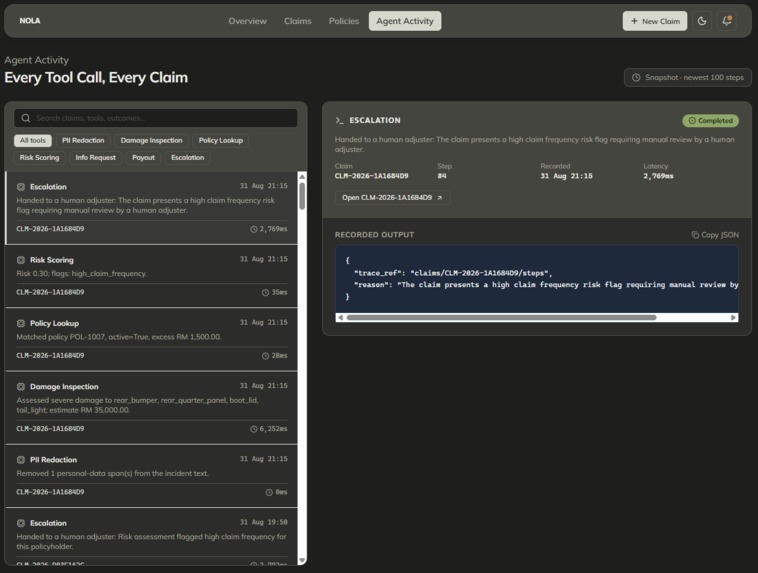
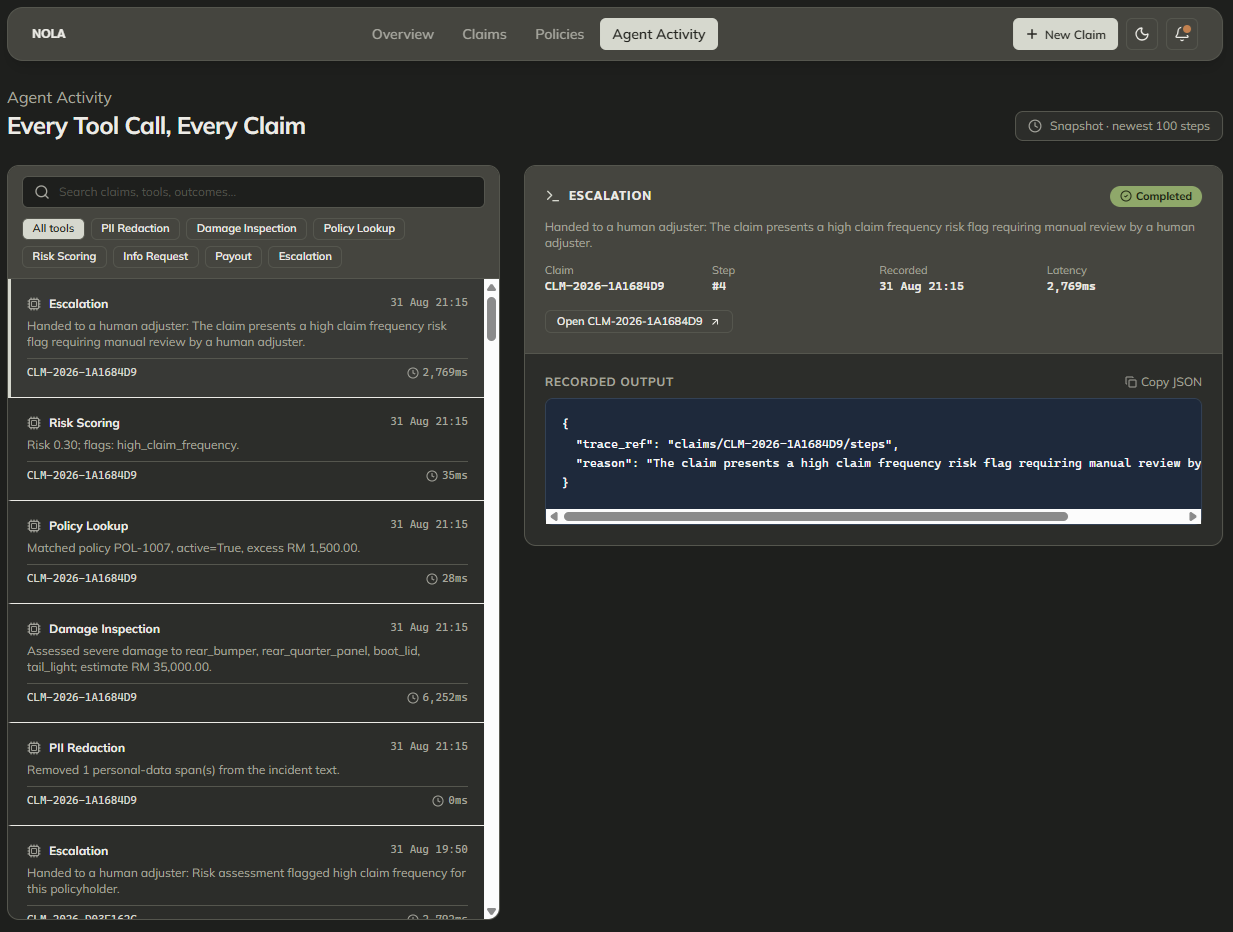
Agent activity module
-
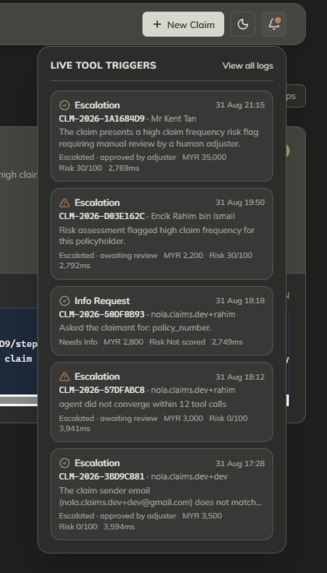
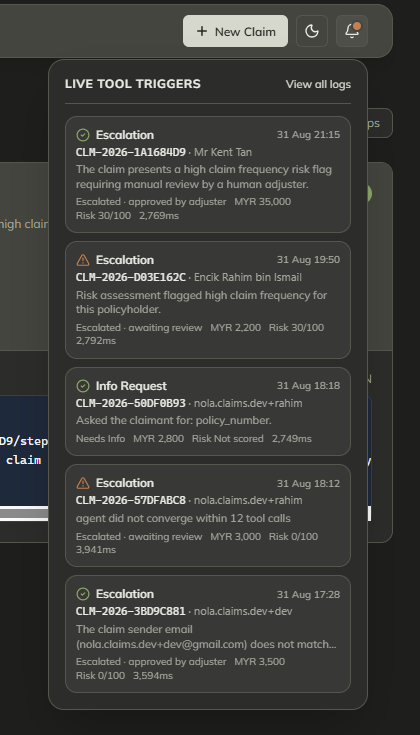
Notifications icon dropdown
Inspiration
NOLA
Inspiration
Insurance claims still get handled the slow way. An adjuster opens a queue and has to dig through the claims just to figure out which ones actually need their attention. We wanted to create an AI agent that solve that issue. So we built NOLA to handle that first pass automatically, and let people focus on the decisions that actually matter.
What It Does
A claim arrives as an email, with photos attached. NOLA strips the personal details out of the text before anything else reads it, works out what the damage is from the photographs, matches the claim to a policy, checks a handful of anomaly conditions, and then either settles it or hands it to a person. Every step it took is recorded, so the adjuster who picks it up can see how it got there.
Some claims arrive incomplete. If the policy number is missing, NOLA emails the claimant to ask, waits, reads the reply, and carries on from where it stopped.
It settles claims itself only when the evidence is clean and the amount is under a fixed cap. Everything else escalates:
The vehicle in the photos doesn't match the one on the policy
The sender isn't the policyholder
The payout is too large
The claimant has filed too often
There is no way for the agent to reject a claim. That decision belongs to a person, and the tool for it doesn't exist.
NOLA displays a dashboard for the adjusters to see how claims are moving. Start by picking a time range, and the numbers update right away. Then, click on a number and it takes the user straight to the claims behind it.
There is one page for claims and one for policies, and both use the same search and filter tool instead of a different one on every screen. There is also an activity log so user can see exactly what the automated part of the system did and why.
How We Built It
We started by figuring out how the adjusters will navigate through the portal, since the website interface is their primary point of interaction with the system. Given the importance of user experience, we focused on ensuring that the navigation and overall interface were intuitive and user-friendly.
Python was chosen as the main backend language because of its ability to run machine learning processes more effectively.
We wanted to build the agent with a set of tools, not a fixed pipeline. It choose what to call next and the loop records each step onto the claim before running the next one, which is what makes a claim resumable days later after an email reply. Damage assessment uses a vision model; the risk scoring is plain Python, so the same claim always scores the same.
Three services on Cloud Run - the claims API, the agent, and the console - with Firestore holding state, Cloud Storage holding photographs, and a scheduler polling the mailbox.
Challenges We Faced
In terms of user experience, we had trouble making cards and the background behind them look different enough from each other, especially in dark mode. It looked fine in theory but flat in practice, so we had to push the contrast further than we expected. Building one filter for everything instead of three separate ones took more work upfront, but it's the reason the dashboard shortcut works.
On the backend, the email side took the longest, and almost none of it was the code we expected:
Gmail authentication vs. delivery: Gmail ignores dots in an address when it delivers mail and honours them when it authenticates, so a single character difference in the sending address failed every login while mail arrived normally.
IMAP folder quirks: A reply sent from the same account never lands in the inbox. The folder that does contain it has a space in its name, which the IMAP library doesn't quote.
Silent search failures: Searching for a header Gmail doesn't index returns nothing at all, with no error - which looks exactly like a claimant who hasn't replied yet.
The other thing that cost us was our own test doubles:
A fake blob store that allowed overwrites hid a real constraint.
A scripted agent that advanced step by step could never reproduce a loop that failed to converge - so it passed while the real one hung.
What We Learned
Keeping things consistent made the whole project easier. It's tempting to let each page do its own thing, but that's usually what makes a product feel messy.
The rule that saved us most: if a field on screen has nothing behind it, delete the section rather than fill it in. We kept finding placeholder values left over from the first draft of the UI - a confidence percentage, a verification badge, an invoice - sitting next to real data and looking just as real. Each one had to go.
And anything the agent needs to reason about has to be written onto the claim, not left in the output of one step. Twice we watched it call the same tool over and over because the answer it needed was somewhere it couldn't see.
What's Next
Notifications landed late and need more work. After that:
- Letting adjusters save their own filters
- Redacting faces and plates in the photographs
- Per-policy limits instead of one cap for everything
Built With
- ai-studio
- cloud-firestore
- cloud-pub/sub
- cloud-scheduler
- cloud-storage
- docker
- fastapi
- gemini
- gmail-api
- google-adk
- google-cloud-run
- opentelemetry
- pydantic
- python
- react
- stitch
- tailwind-css
- typescript
- vertex-ai
- vite

Log in or sign up for Devpost to join the conversation.