-
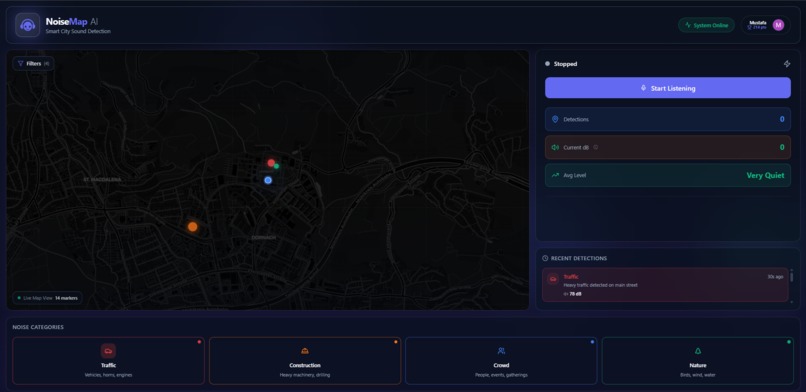
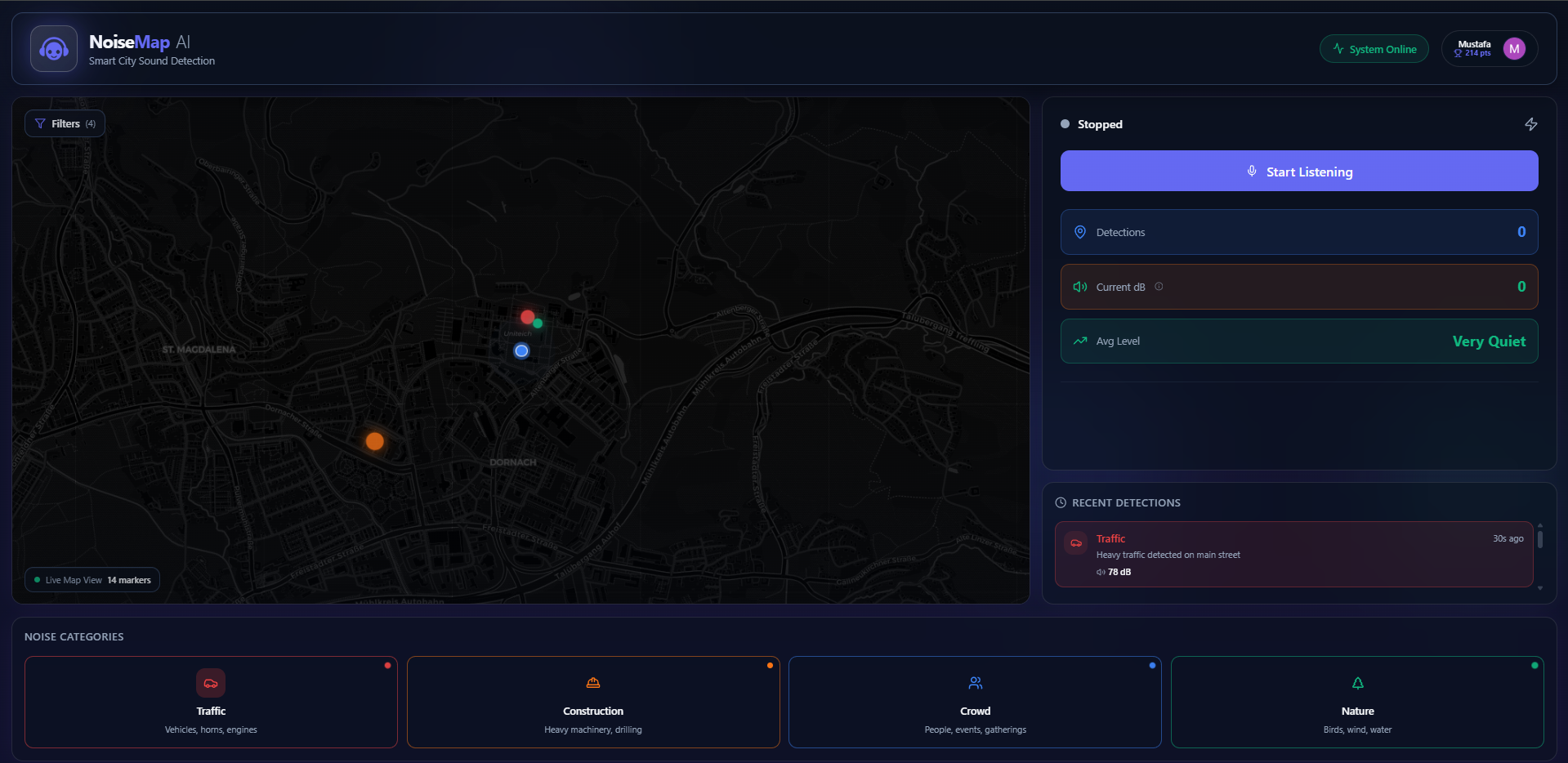
desktop layout
-
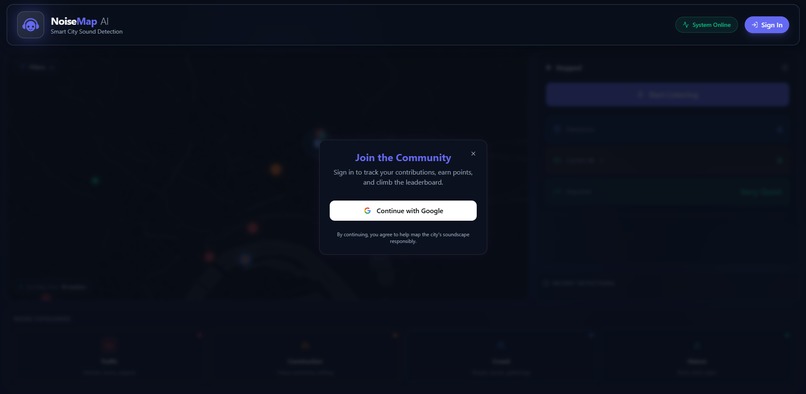
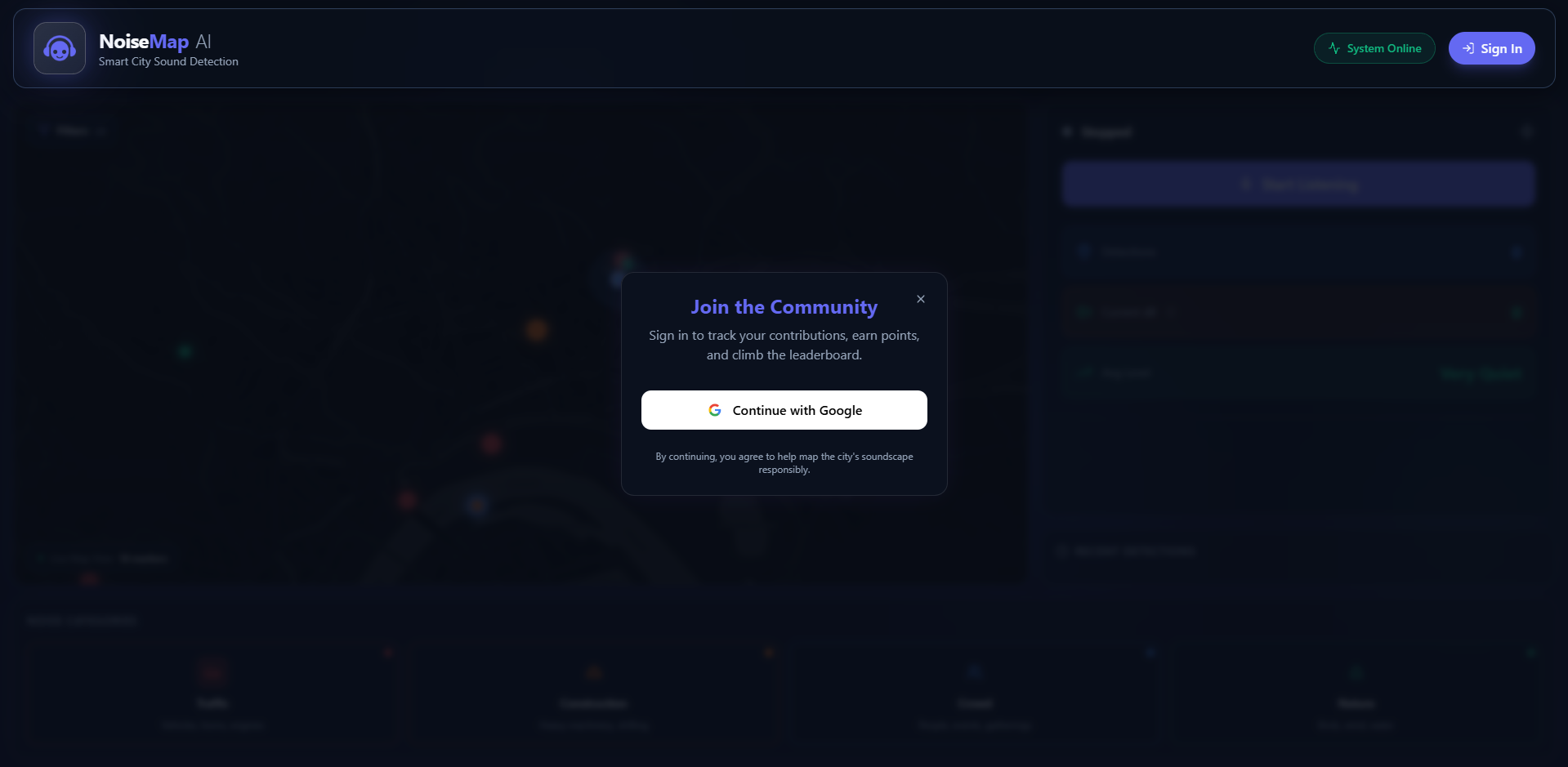
log in modal
-
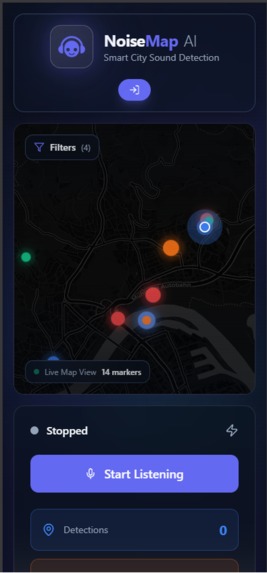
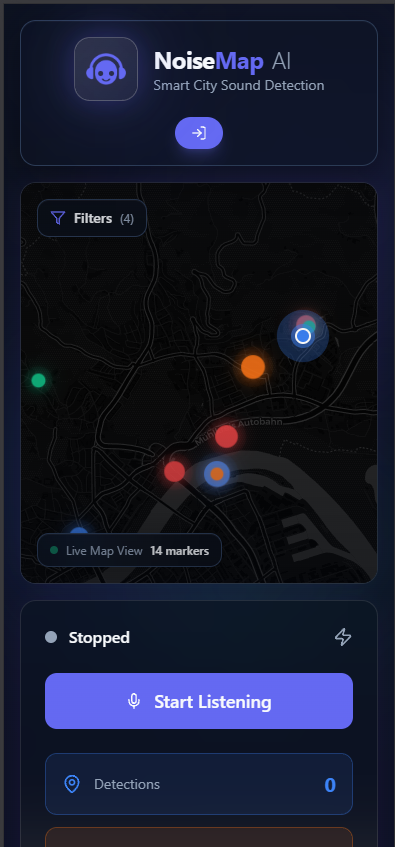
mobile layout
-
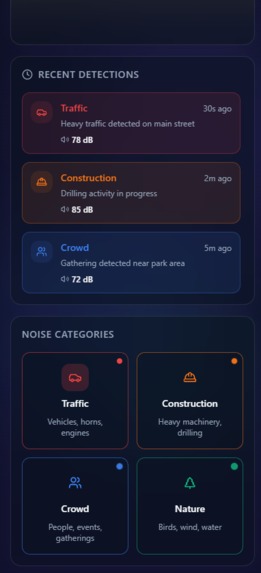
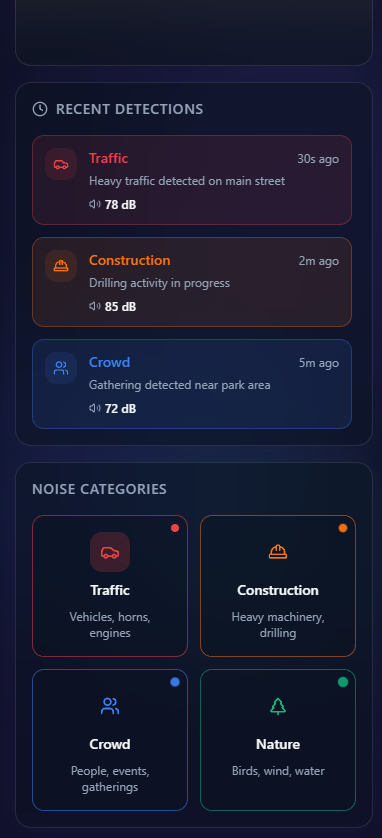
mobile layout 2
Inspiration
Urban noise pollution is a growing concern in modern cities, affecting quality of life, health, and productivity. Traditional noise monitoring relies on expensive fixed sensors, limiting coverage and real-time insights. We were inspired to create a crowdsourced solution that empowers citizens to map their city's soundscape using their smartphones, making noise data accessible and actionable for everyone.
What it does
NoiseMap AI is a Progressive Web App that crowdsources real-time urban noise data through users' smartphones. The app uses client-side AI (TensorFlow.js YAMNet) to classify sounds into four categories: Traffic, Construction, Crowd, and Nature. Each detection is geotagged and visualized on an interactive map, creating a live acoustic map of the city. Users can see noise patterns, get AI-generated insights about noise levels in their area, and contribute to building a comprehensive urban sound database. The app includes gamification features, rewarding users with points for contributing data.
How we built it
Frontend:
- React 19 with TypeScript and Vite for fast development and optimized builds
- Tailwind CSS for modern, responsive UI with glassmorphism design
- Framer Motion for smooth animations and transitions
- Leaflet.js with react-leaflet for interactive map visualization
- Shadcn UI components for consistent design system
AI/ML:
- TensorFlow.js for client-side machine learning
- YAMNet model (loaded from TensorFlow Hub) for real-time audio classification
- Custom mapping algorithm to convert YAMNet's 521 classes into 4 user-friendly categories
- Majority-vote smoothing system to prevent classification flickering
- Decibel level calculation using RMS (Root Mean Square) with logarithmic scaling
Backend:
- Firebase Firestore for real-time database with live subscriptions
- Firebase Authentication with Google Sign-In
- Firebase Hosting for deployment
- Real-time data synchronization using Firestore onSnapshot
AI Reporting:
- Google Gemini API for generating contextual noise summaries
- Cluster analysis to identify noise patterns and duration
- Intelligent recommendations based on noise intensity and type
Audio Processing:
- Web Audio API for microphone access and audio capture
- Audio buffer processing every 5 seconds
- Resampling to 16kHz for YAMNet compatibility
- Cross-platform compatibility (iOS Safari, Android Chrome)
Additional Features:
- Progressive Web App (PWA) capabilities
- Responsive design optimized for mobile and desktop
- Dark theme with light theme support
- Real-time decibel meter with contextual references
- Gamification system with user scoring
- Interactive map filters and markers
- Noise duration tracking and clustering
Challenges we ran into
Client-Side AI Performance: Running TensorFlow.js models in the browser, especially on mobile devices, required careful optimization. We implemented model loading from CDN, efficient audio buffer processing, and majority-vote smoothing to reduce computational overhead.
Mobile Browser Compatibility: iOS Safari has strict requirements for microphone access and AudioContext initialization. We solved this by creating AudioContext synchronously within user gesture handlers and ensuring HTTPS for getUserMedia API.
Real-Time Data Synchronization: Managing Firestore subscriptions and handling missing indexes required implementing fallback queries and defensive error handling.
Geolocation Accuracy: GPS drift caused markers to "walk" on the map. We implemented marker consolidation logic that updates existing markers within 50 meters instead of creating duplicates.
Decibel Calculation: Initial implementation showed incorrect values (always 100 dB). We fixed this by implementing proper logarithmic scaling using RMS values with appropriate reference levels.
Map Rendering on Android: Leaflet maps had rendering issues on Android Chrome. We fixed this by adding explicit height constraints, map invalidation calls, and proper z-index management.
Production Build Issues: React 19 peer dependency conflicts with libraries like next-themes required using npm overrides to force compatible versions.
Accomplishments that we're proud of
Fully Client-Side AI: Successfully running a sophisticated audio classification model entirely in the browser without server-side processing, making the app scalable and cost-effective.
Real-Time Crowdsourcing: Building a system where multiple users can contribute noise data simultaneously, with live updates visible to all users on the map.
Mobile-First Design: Creating a beautiful, responsive UI that works seamlessly on both mobile and desktop, with optimizations for mobile performance.
Comprehensive User Experience: Implementing gamification, user authentication, contextual AI insights, and intuitive visualizations that make noise data accessible to everyone.
Production-Ready Deployment: Successfully deploying to Vercel with proper environment configuration, Firebase integration, and HTTPS support.
Educational Value: Adding decibel reference scales and contextual descriptions that help users understand what noise levels mean in real-world terms.
What we learned
Client-Side ML: Working with TensorFlow.js taught us about model optimization, audio preprocessing, and handling edge cases in browser-based machine learning.
Real-Time Systems: Building with Firestore subscriptions gave us experience with reactive data patterns and handling concurrent updates from multiple clients.
Mobile Web Development: We learned about iOS Safari quirks, AudioContext lifecycle management, and the importance of HTTPS for media APIs.
Performance Optimization: Implementing techniques like marker consolidation, animation optimization, and lazy loading to ensure smooth performance on mobile devices.
User Experience Design: Creating intuitive interfaces for complex data visualization, balancing information density with clarity.
API Integration: Working with multiple APIs (Firebase, Gemini, TensorFlow Hub) and handling errors gracefully with fallbacks.
What's next for NoiseMap AI
Enhanced AI Models: Integrate more specialized audio models for better accuracy and support for additional noise categories.
Historical Analysis: Add time-series analysis to show noise patterns over days, weeks, and months, helping identify trends and problem areas.
Community Features: Implement user profiles, leaderboards, and community challenges to increase engagement.
Notifications: Alert users about high noise levels in their area or when they're in quiet zones.
Data Export: Allow users and city planners to export noise data for analysis and reporting.
Offline Support: Implement service workers for offline data collection and sync when connection is restored.
Advanced Visualizations: Add heatmaps, noise corridors, and 3D visualizations for better spatial understanding.
Integration with City Services: Partner with municipalities to provide actionable data for urban planning and noise regulation.
Machine Learning Improvements: Train custom models on city-specific data for better local accuracy.
Accessibility: Add features for hearing-impaired users and improve overall accessibility compliance.
Built With
- gemini
- leaflet.js
- react
- shadcn
- tailwind
- tensorflow
- yamnet

Log in or sign up for Devpost to join the conversation.