-
-
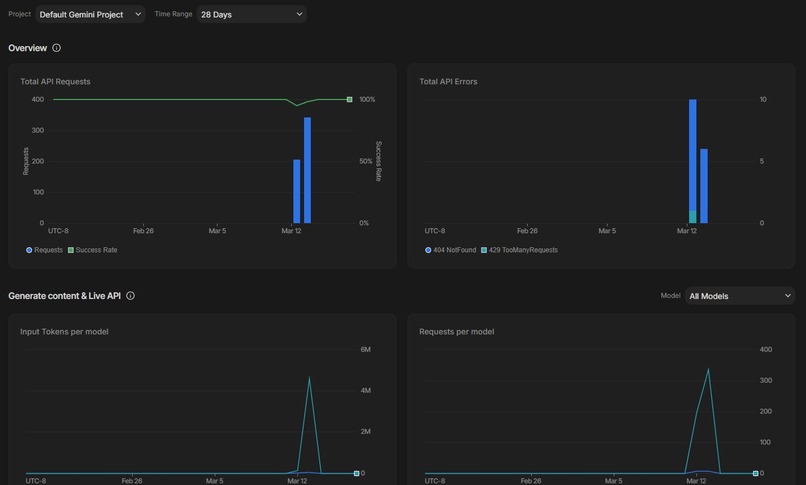
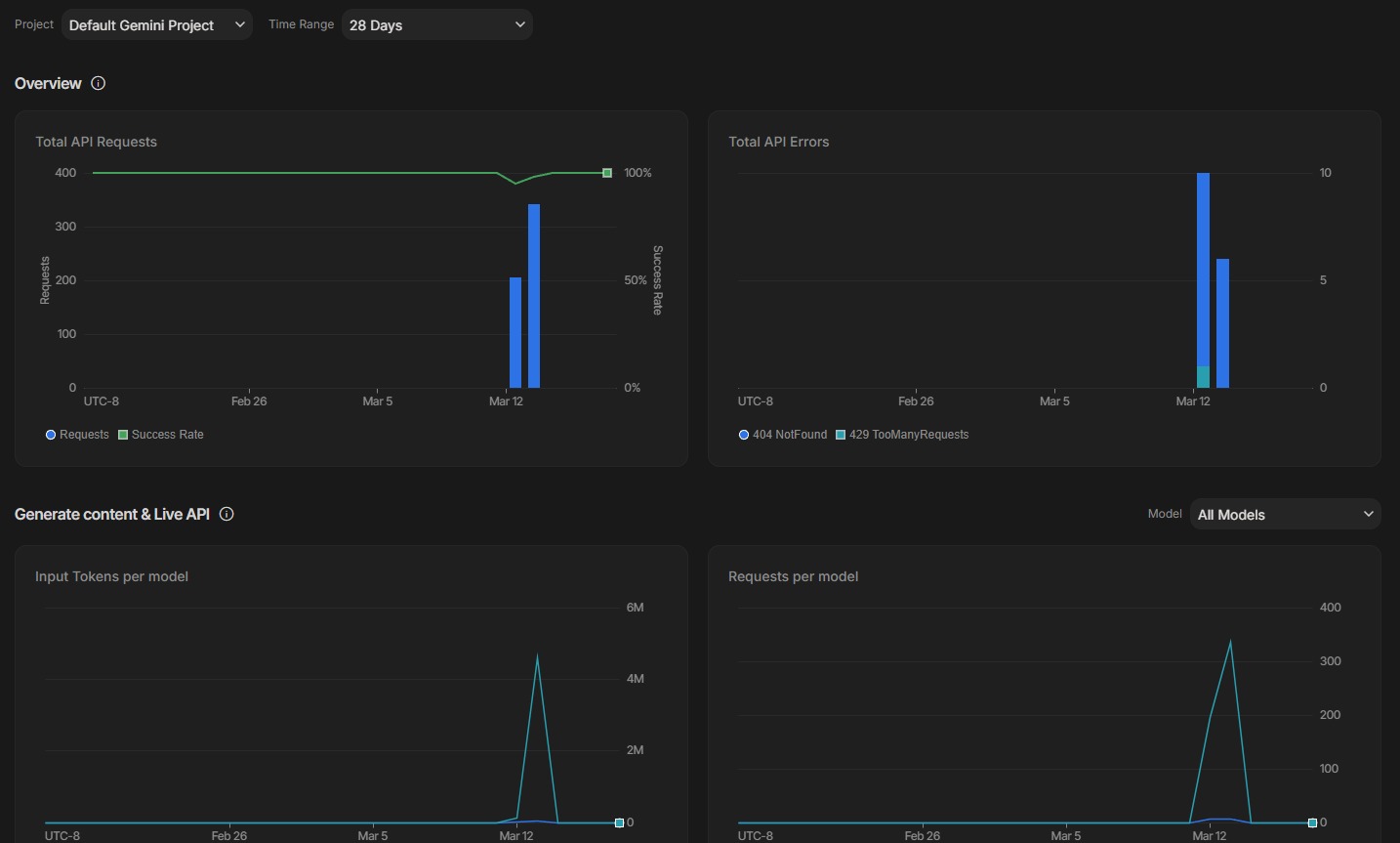
500+ Gemini API calls, 5M+ input tokens, 100% success rate - Friday's backend running live on Google AI Studio.
-
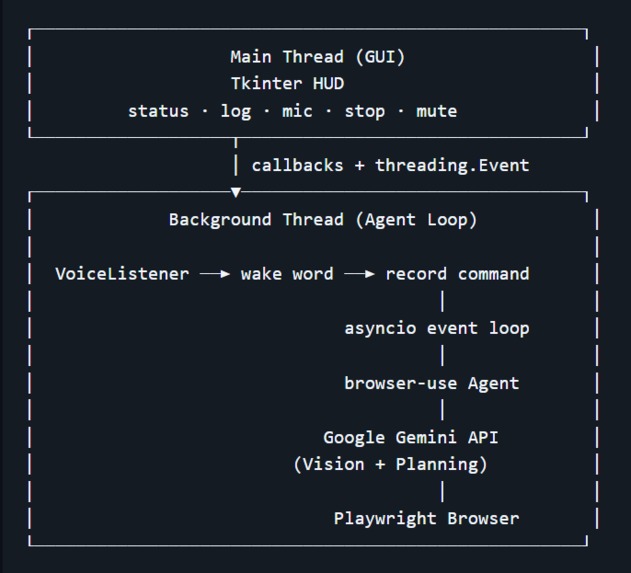
Architecture
-
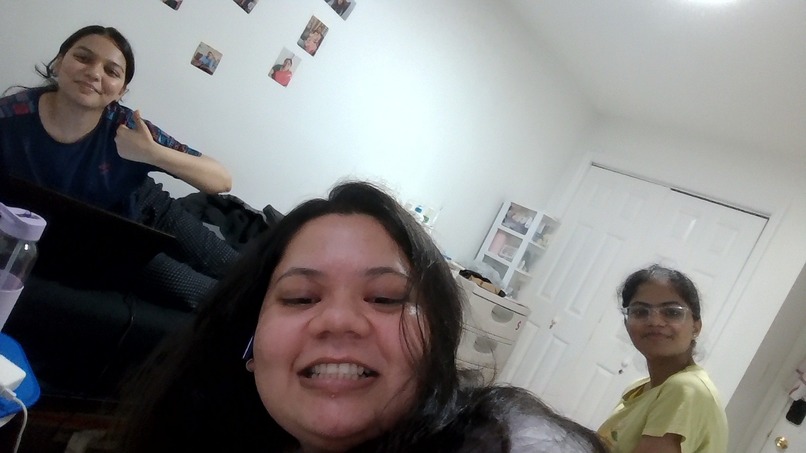
The future google developers - Hey Friday add Google Gemini Challenge Final to our calendar:)
-
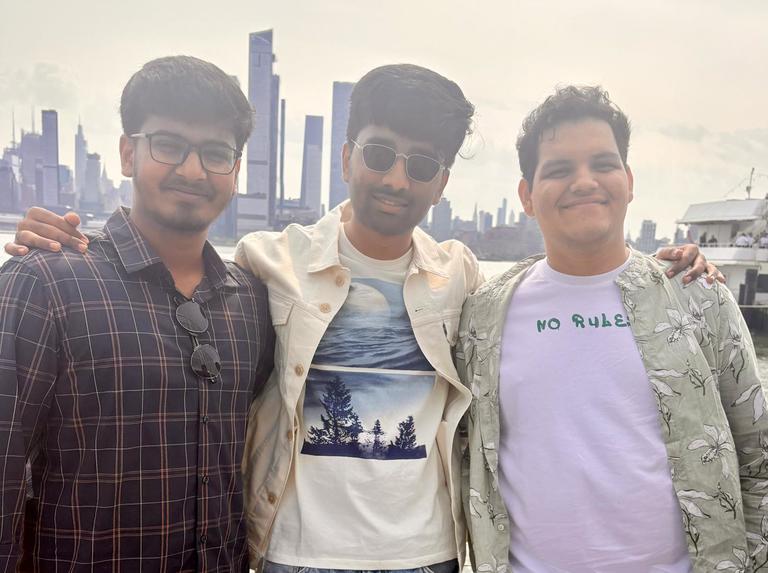
The vibe coders behind Friday
Inspiration
We wanted to build something that felt like a real AI assistant — not a chatbot, but an agent that could act in the world. The idea was simple: what if you could just talk to your computer and have it browse the web for you? No typing, no clicking — just intent.
What it does
Friday is a wake-word-activated voice assistant that controls a real browser using AI. Say "hey Friday" (or press the mic button), give it a task like "find me flights to Tokyo next weekend" or "order my usual from Amazon", and Friday takes over: it navigates, clicks, fills forms, and reports back when it's done.
Key features:
- 🎙️ Wake-word detection — always listening for "hey Friday", hands-free
- 🧠 Gemini-powered browser agent — uses vision + planning to navigate any website
- 🖥️ Floating GUI — a persistent HUD showing the agent's live status and action log
- 🔊 Text-to-speech feedback — Friday speaks its status back to you
- ⏹️ Cancellable tasks — stop mid-flight with a single button press
- 🔇 Mute toggle — silence voice output without stopping the agent
- ⌨️ Browser shortcuts — back, refresh, new tab, home — all from the GUI
How we built it
The core stack:
- wbrowser-use — the browser automation framework that gives the agent eyes (vision) and hands (actions)
- Google Gemini via
langchain-google-genai— the LLM brain that plans and executes steps - Vosk / SpeechRecognition — offline wake-word detection + command recording
- pyttsx3 / gTTS — text-to-speech for spoken feedback
- Tkinter — the floating HUD GUI that shows live agent state and logs
- pyautogui — keyboard shortcut passthrough to the browser window
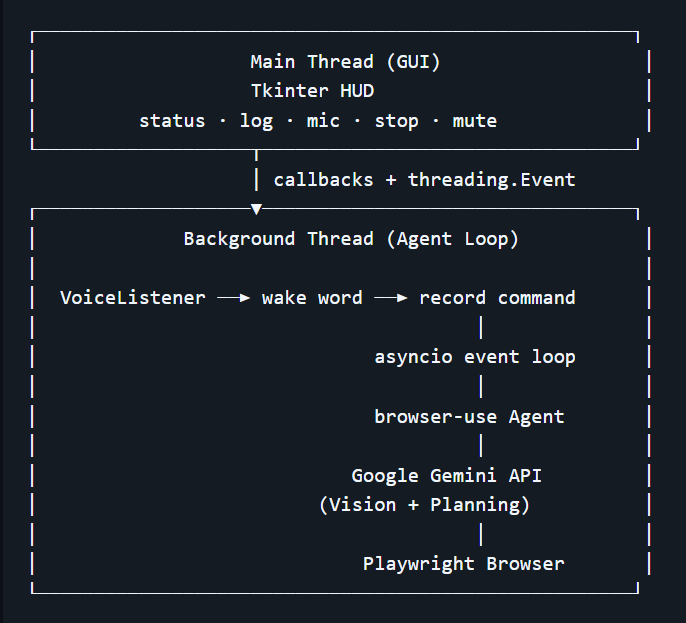
The architecture runs two threads: a Tkinter GUI thread (main) and a background agent loop thread that owns an asyncio event loop. Voice input, wake detection, and all browser-use async tasks live in the agent thread. The GUI communicates via callbacks and a shared threading.Event for manual mic triggers. Tasks are wrapped as asyncio.Task objects so they can be cancelled cleanly mid-execution when the user hits Stop.
Challenges
Threading + asyncio was the biggest challenge. Tkinter is not thread-safe, and browser-use requires asyncio. Bridging the two meant carefully isolating the event loop on the background thread and only touching GUI state through pre-registered callbacks.
Wake-word reliability in noisy environments required an explicit calibration step on startup — sampling ambient noise to set a dynamic energy threshold before listening begins.
Task cancellation needed to be graceful: cancelling an asyncio.Task mid-browser-action could leave the browser in a partial state, so the agent's max_failures and loop_detection_enabled settings help recover cleanly.
pyautogui failsafe had to be explicitly disabled (FAILSAFE = False) because the browser agent moves the cursor to corners of the screen during navigation — which would otherwise abort the process.
What we learned
- How to architect a hybrid sync/async/GUI app without deadlocks
- The power of
browser-use's vision + planning pipeline for real-world web automation - How close we are to truly ambient, always-on AI agents that live alongside your workflow


Log in or sign up for Devpost to join the conversation.