Inspiration
AI is consistently streamlining workflows and making people's jobs easier. Looking around there seems to be an AI for every single type of workflow - but most products are GPT-Wrappers that makes you spend hundreds of hours and millions of tokens trying out in the hopes that it would make your task automatable - often times leading you to spend more time and effort than if you were to actually do the task. This megatrend of AI replacing workflows puts more of us in front of the screens for longer than ever before, and as we get lost in the sauce, we forget about the most important task we have: taking care of ourselves.
But it's HARD to take care of yourself - especially when you are right in the middle of instructing Claude to not make a mistake on your $1B B2B SaaS. It's easy to download an exercise reminder app, but also easy to ignore it when the time comes. Our inspiration for this project came from ourselves - screen-dwellers who often can spend 8+ hours debugging without moving a muscle. We are not alone. As a matter of fact, a short 6 hour campus study where three of us went around and asked over 100 students the simple question of "Do you get up and move every thirty minutes when working on the laptop?" - showed an overwhelming 90% of students being sedentary. This is detrimental because this behavior is increasingly linked to cognitive decline, burnout, and chronic fatigue for people of all ages. All current existing solutions make it easy to escape the reminder for you to get up and actually move around even though it is good for your productivity. So we decided to make something that you can't escape from.
We wanted to take the attention away from the LLMs and shine it on other forms of AI that are also incredible - in this case computer vision running entirely on-device with no API calls, no cost per rep, no cloud dependency.
What it does
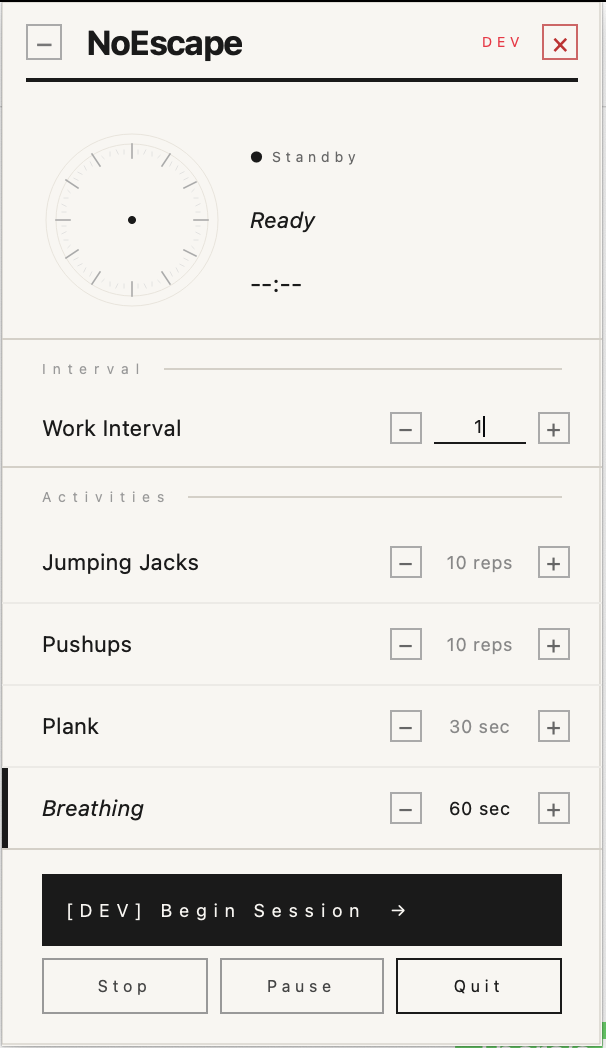
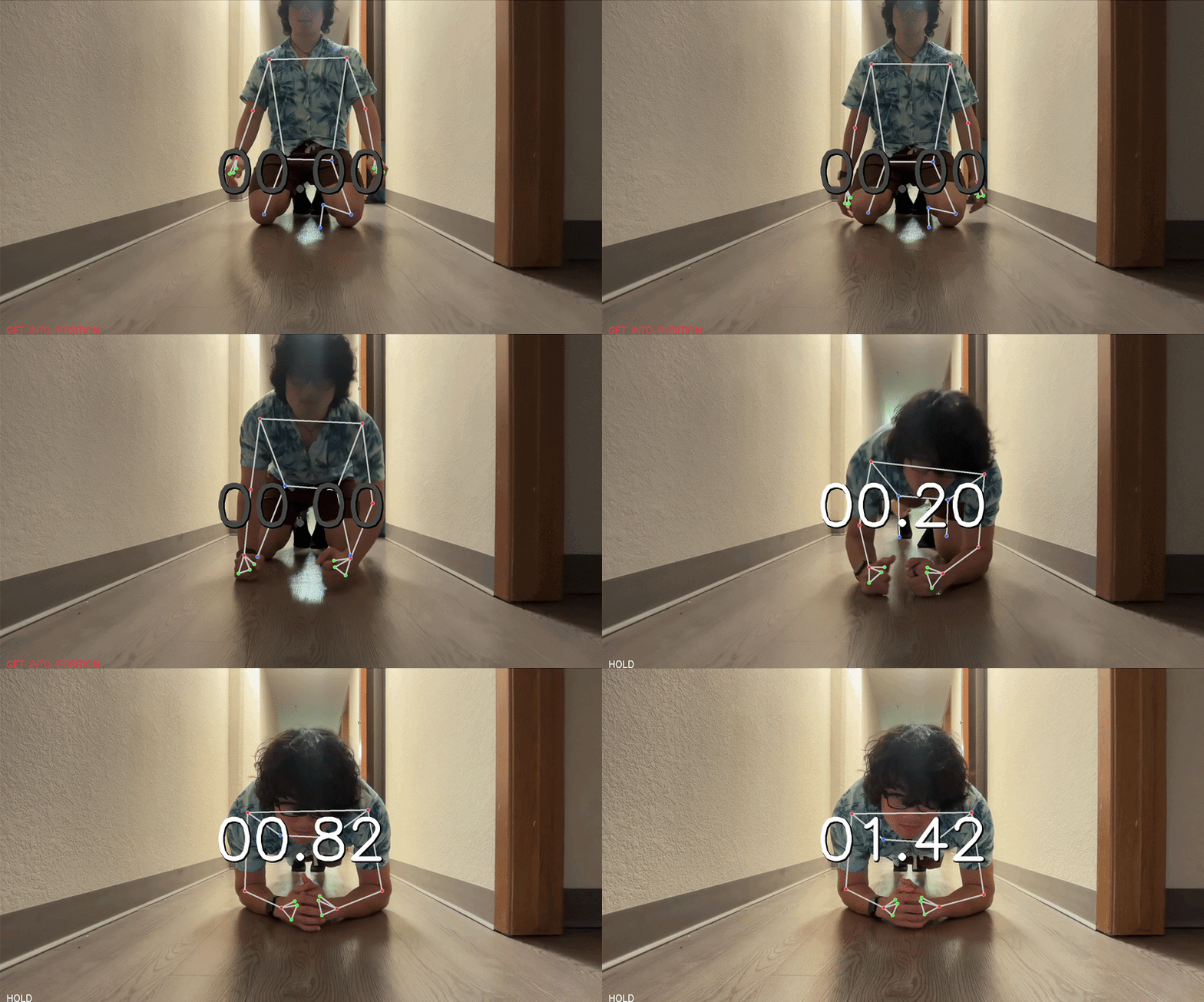
NoEscape lives in your menu bar and says nothing until your timer runs out. Then a growing ESC key takes over every window on your screen. You cannot minimize it. You cannot alt-tab it. Click it and your webcam opens. Do your reps. MediaPipe counts them in real time using pose landmark detection:
$$\text{Rep counted} \iff y_{wrist} < y_{nose} \quad \text{(both arms, jumping jacks)}$$
$$\Delta y = y_{shoulder} - y_{wrist} > \theta \implies \text{pushup detected}$$
$$|y_{shoulder} - y_{hip}| < \epsilon \implies \text{plank position held}$$
When you finish, you are returned to work. The timer restarts. The cycle continues.
How we built it
- PyQt6 for the UI: tray icon, floating session panel, fullscreen activity window
- MediaPipe for real-time pose estimation at 30fps
- PyObjC to talk to macOS at the system level. The overlay runs at
NSScreenSaverWindowLevel = 1000, above every app, every Space, every fullscreen window - OpenCV for webcam capture and frame processing
- All pose detection runs on pure geometry
Challenges we ran into
- MediaPipe 0.10.11 is broken on Apple Silicon. 0.10.9 only.
- PyQt6 and AppKit cannot share the main thread cleanly. The overlay required a pure NSPanel implementation separate from the Qt event loop.
- Retina display scaling caused the ESC key to render at half size. Device pixel ratio compensation required.
- Getting the overlay to appear above fullscreen apps and across all macOS Spaces took more AppKit flags than we expected.
Accomplishments that we're proud of
- The entire pose detection pipeline runs offline
- The overlay is genuinely inescapable on Mac on a system level
- We conducted a real 100+ person campus study in 6 hours and used it to validate the problem
- We shipped a clean, elegant UI
- We manage to get over 60 testers of the product and their ratings
What we learned
We learned that pipelining development doesn't just concern itself with planning out what to build, what software and architecture to use. It is also the task split which we admit we were incredibly naive at. It wasn't until when we split the tasks into UI, backend and tester along with a thick task description for each person that we were able to rollout the product and understand it.
What's next for NoEsc
- Windows support with equivalent system-level overlay via Win32 API
- Calendar integration: block breaks during meetings automatically
- Rep history and streaks
- Custom activities beyond the four defaults
- A menubar widget showing your movement score for the day

Log in or sign up for Devpost to join the conversation.