-
-
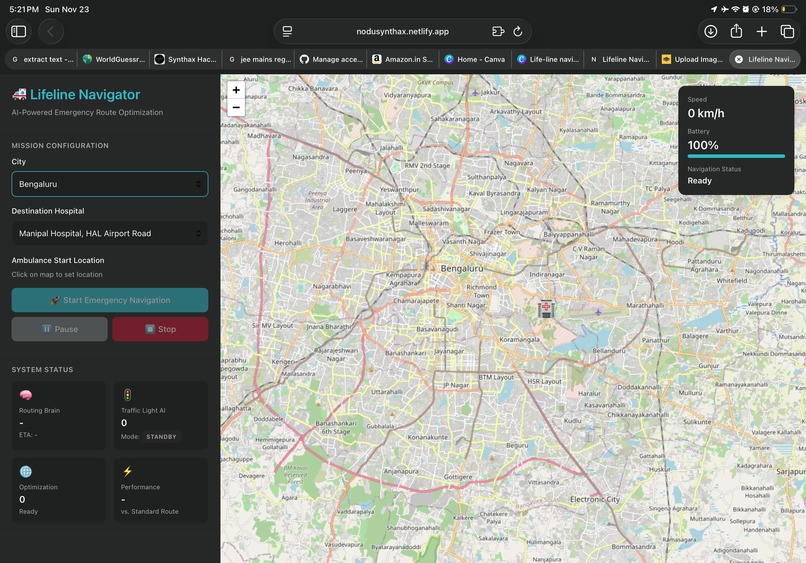
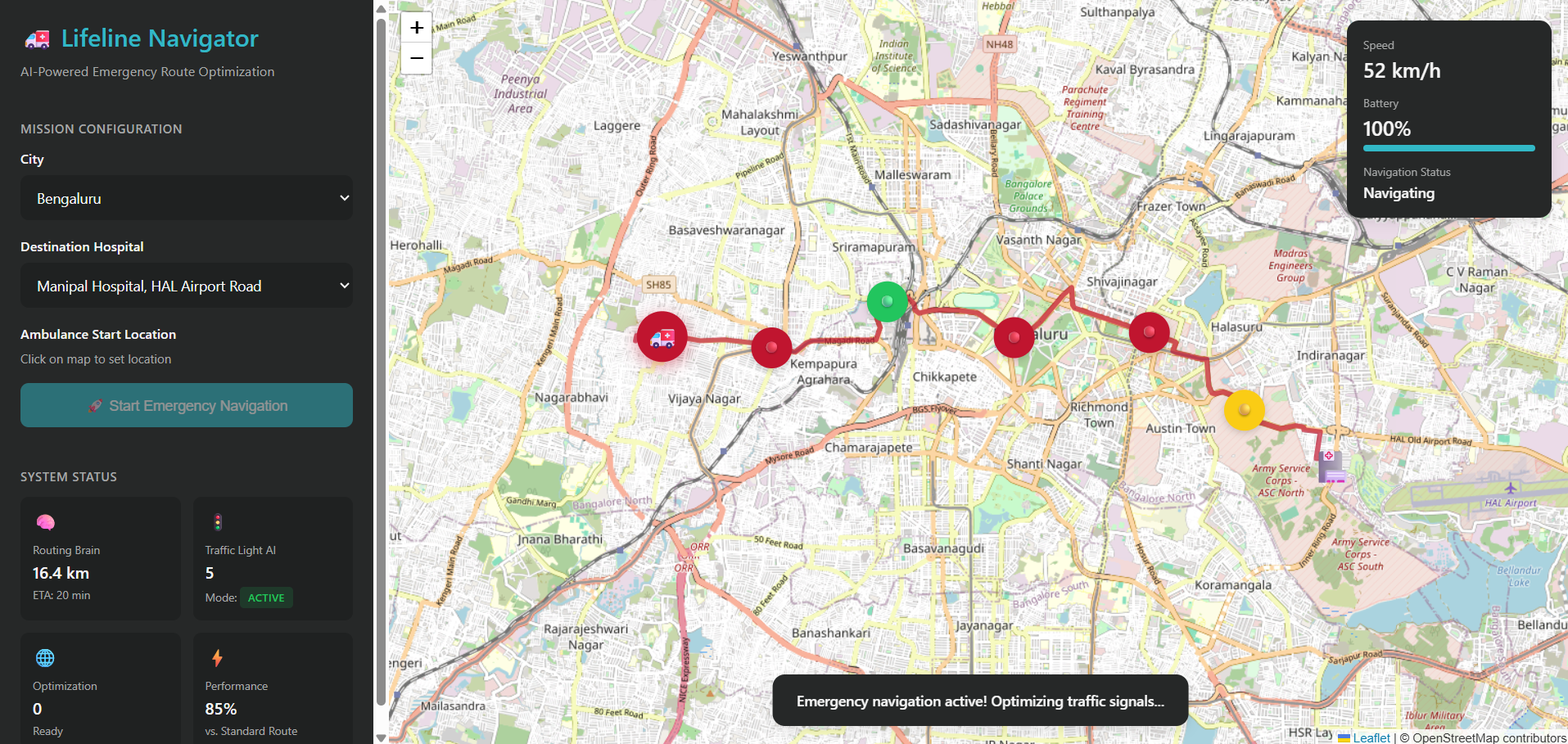
UI of the virtual simulation
-
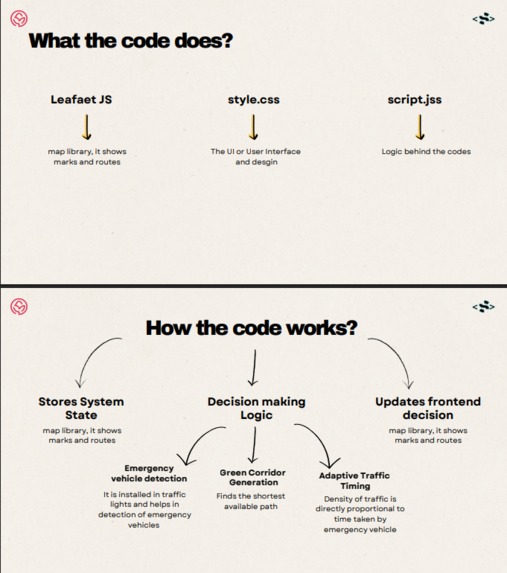
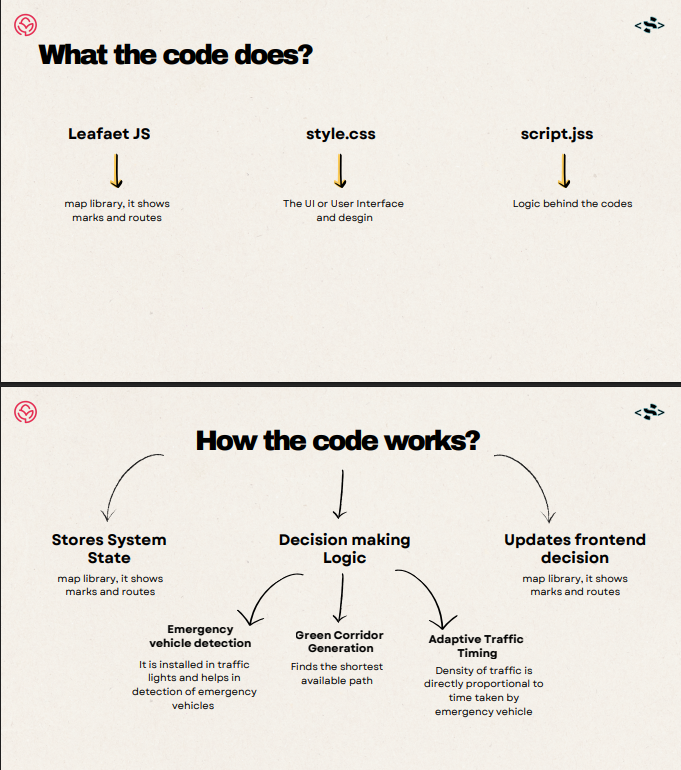
How the code words.
-
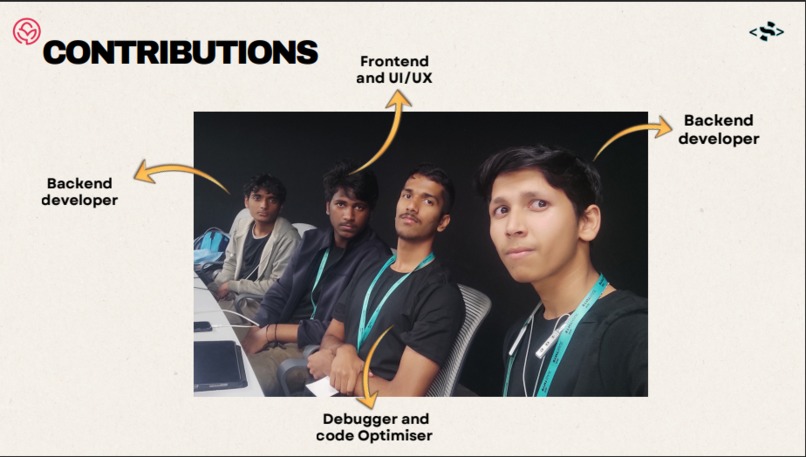
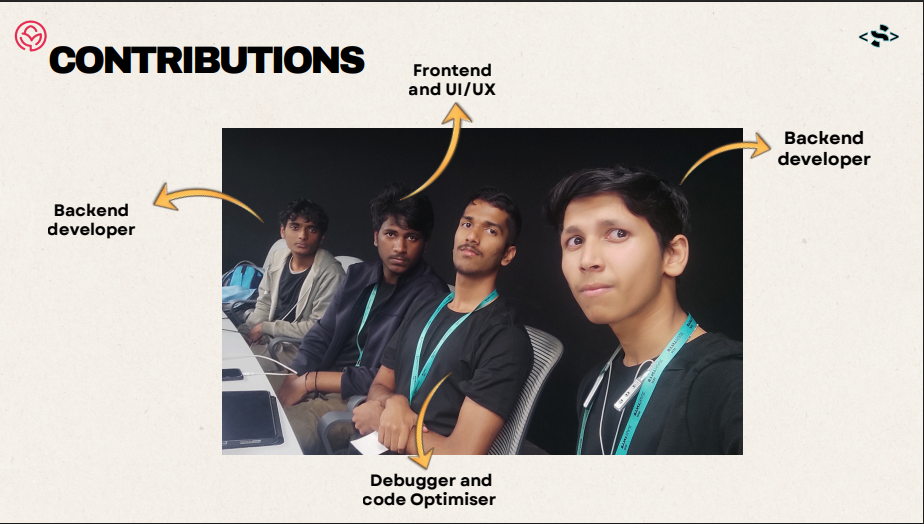
Us the members of the team
-
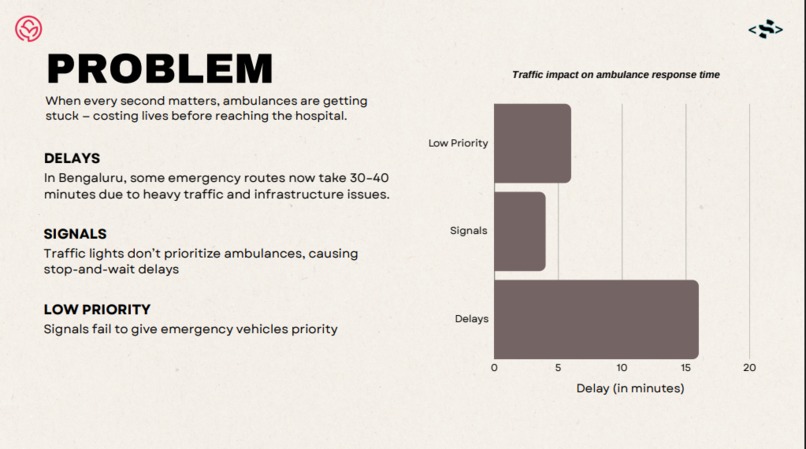
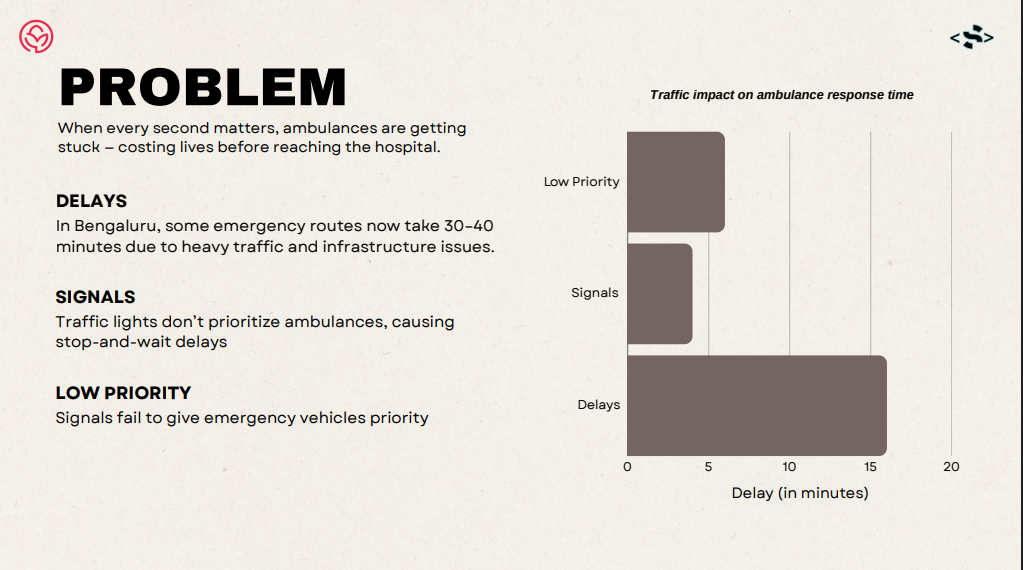
Problems
-
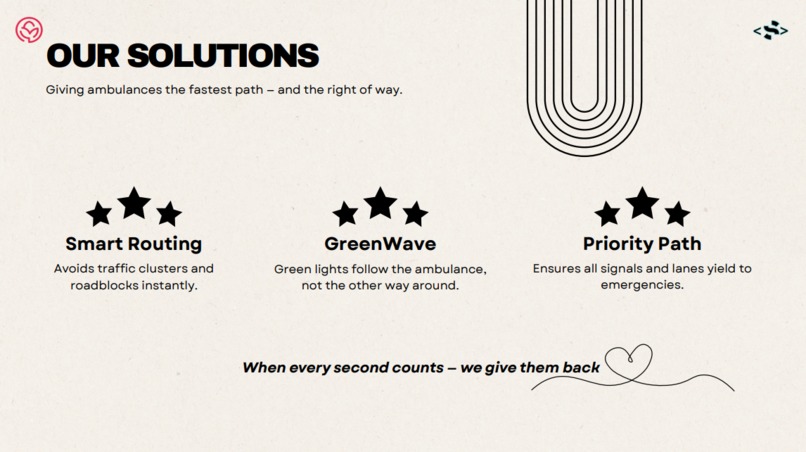
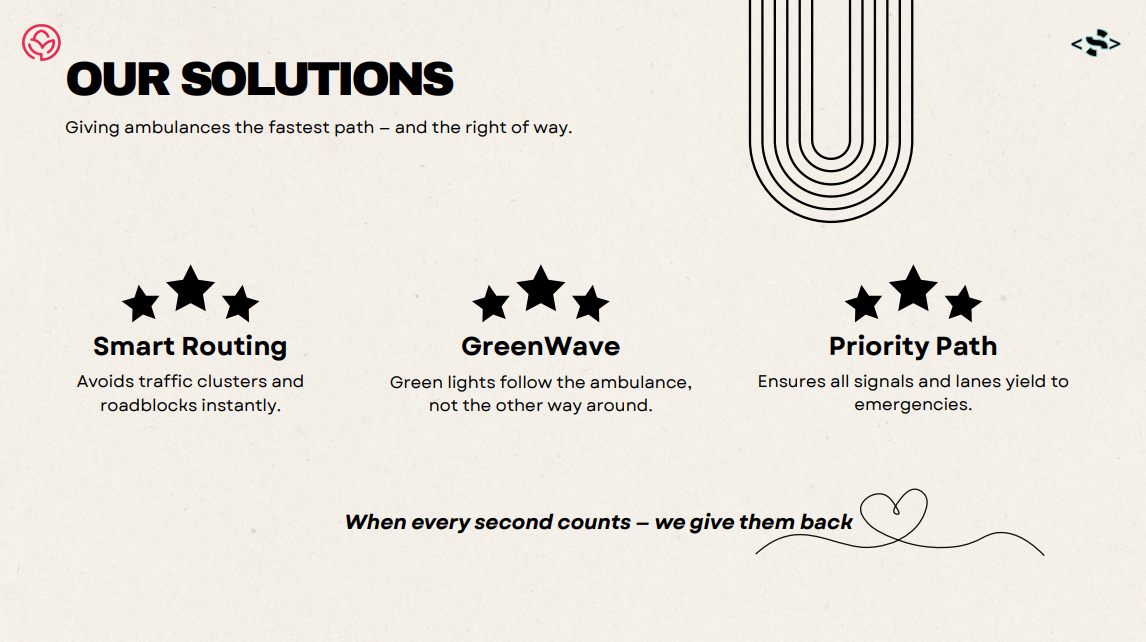
Solutions
-
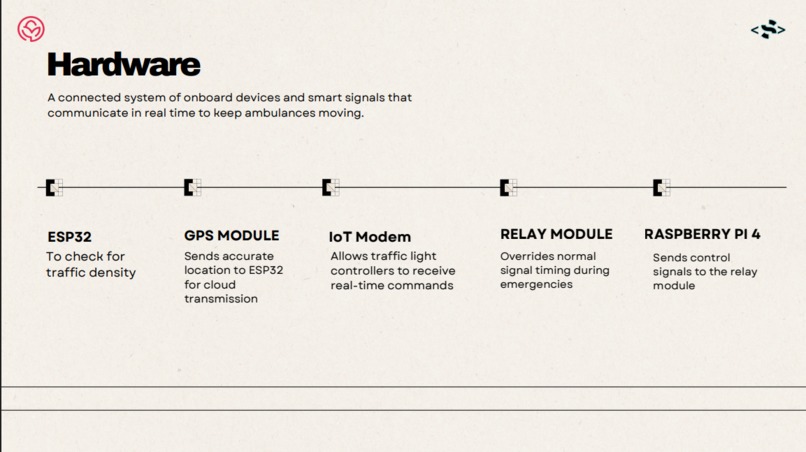
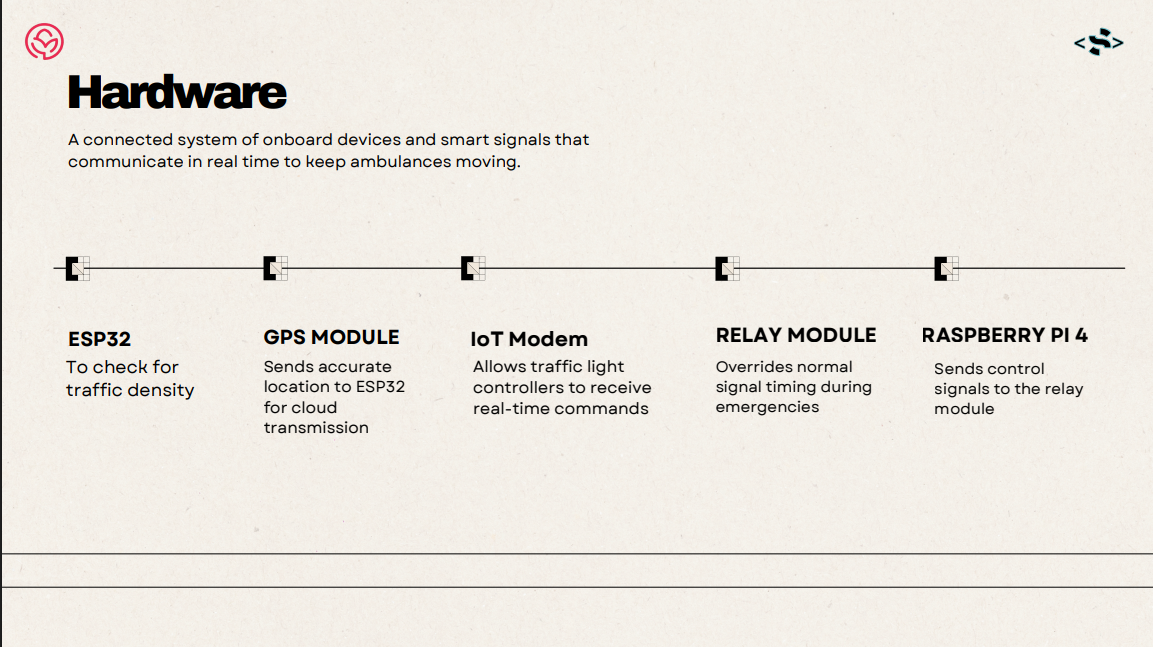
Overview of hardware
-
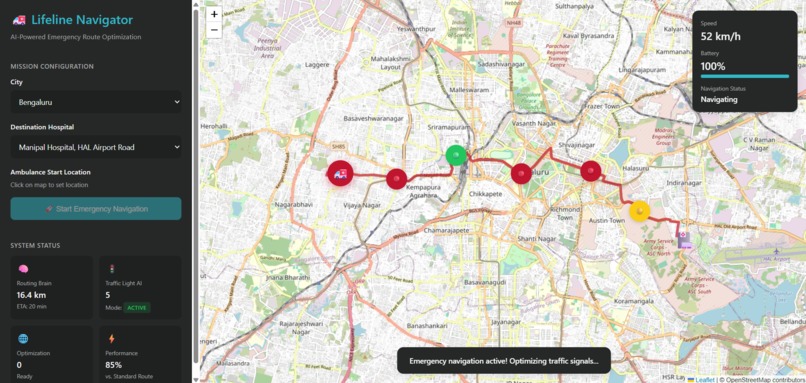
Main UI
-
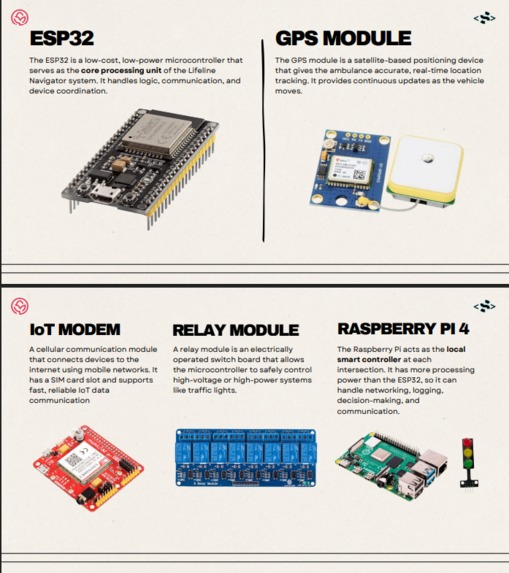
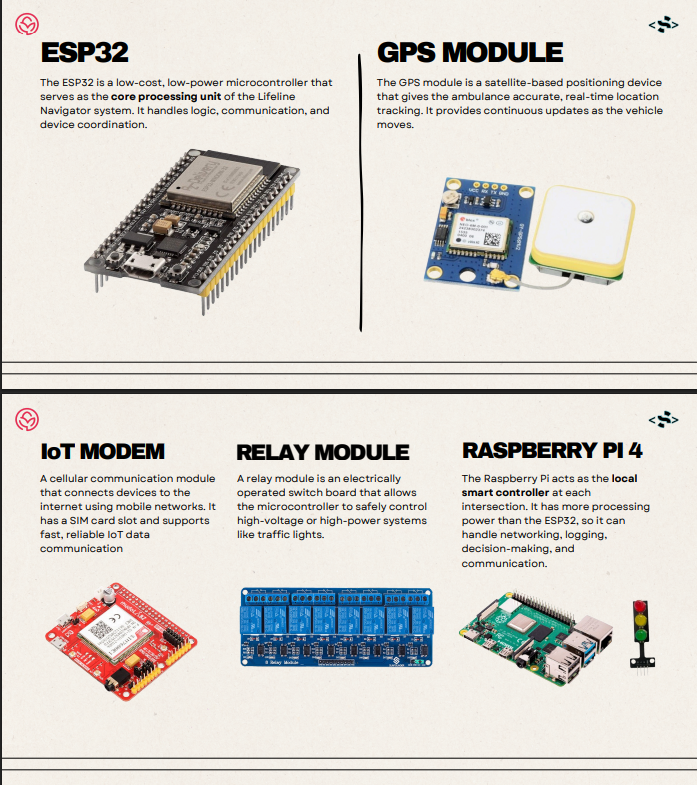
hardware components required for practical implementation
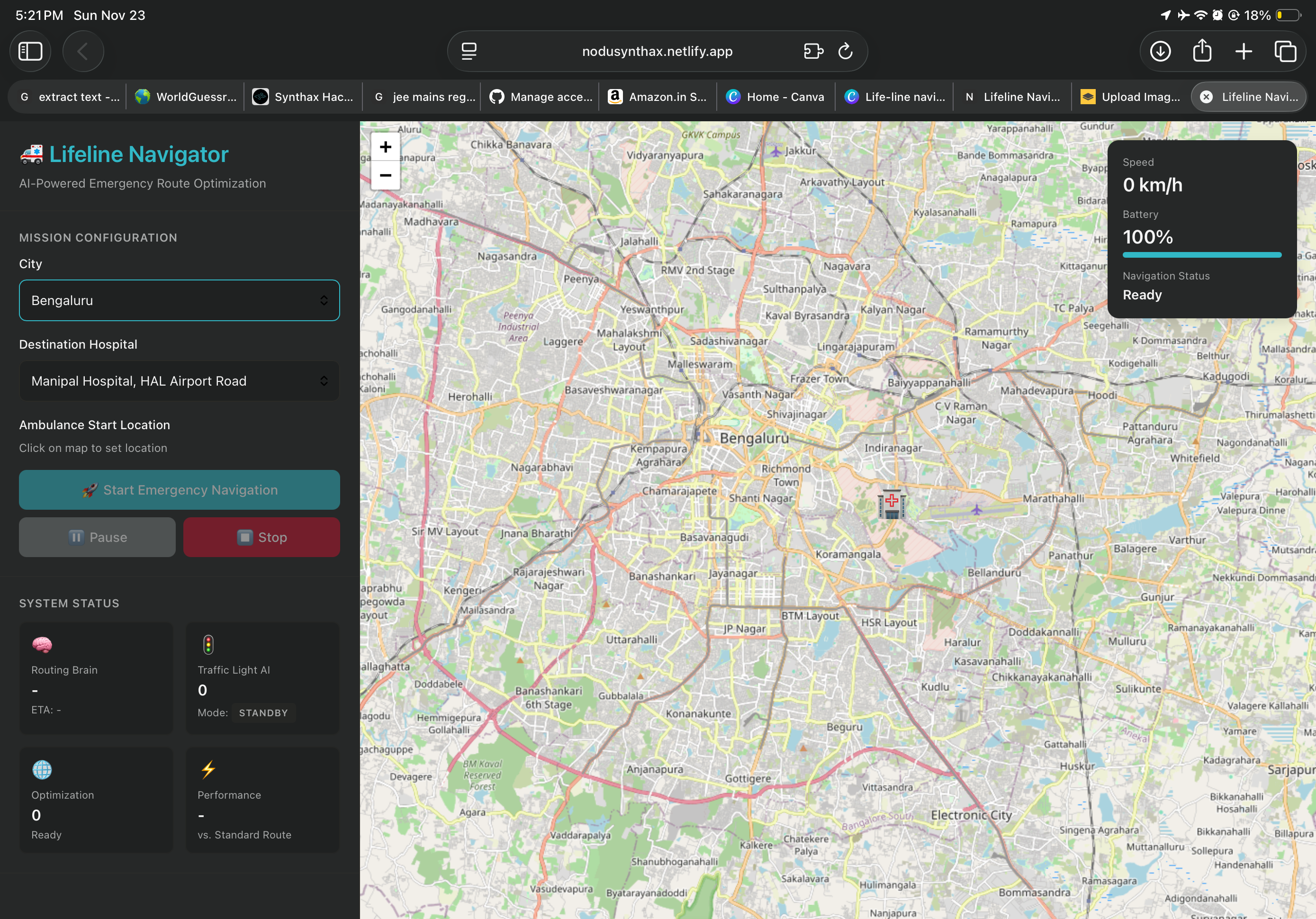
🚑 Lifeline Navigator – Emergency Response Simulation
A Class 12 Student Project with Big Dreams By 🌟 Introduction
We built Lifeline Navigator because every second matters during an emergency. Ambulances get stuck in traffic, signals don’t cooperate, and sometimes help arrives too late. As students, we can’t go outside and fix real traffic systems… But we can build something that shows what the future could look like.
So this project is our small attempt to solve a big problem— using a live map, smart routing, and a model of how emergency priority traffic lights should behave.
🎯 Project Goal
To simulate how an emergency vehicle (like an ambulance) can get a faster, safer, and smoother route with features like intelligent traffic signals, dynamic routing, and location-based navigation.
🗺️ Key Features
Live Routing Simulation Shows real-time movement on a map.
Emergency Priority Logic Signals turn green for ambulances.
Dynamic Route Adjustments If the route is blocked, the simulation finds a better one.
Clean and Simple User Interface Easy for judges and beginners to understand.
🌍 Why This Simulation Feels Like Real Life (Not “Just a Project”)
Real emergencies are unpredictable. Roads change. Traffic grows. Every second counts.
Our simulation captures that same pressure and decision-making:
When the map changes instantly
When the route updates on its own
When signals switch based on emergency needs
When the vehicle movement is shown step-by-step
…it feels almost real — because these are real world traffic problems.
As Class 12 students, we learned what engineers, officials, and urban planners deal with. This isn’t only code on a computer — it’s a small but meaningful attempt to understand and improve how emergency response could work someday.
The logic is real. The routing decisions are real. The challenges are real.
Only the streets are digital.
🤝 Honest Contribution of AI
We want to be transparent.
Yes — we used AI (ChatGPT) during this project. But not for “copying” the entire code. AI helped us in:
Debugging errors
Improving UI structure
Making our documentation more professional
We learned more because of AI — not less. AI didn’t replace our effort; it guided it. The logic, the understanding, and the implementation were done by us.
🧩 Technologies Used
HTML
CSS
JavaScript
Leaflet.js for map and routing
Basic algorithmic logic for simulation
🛠️ How to Run
Download the project files
Keep index.html, style.css, and script.js in the same folder
Open index.html in your browser
Or Just use this link below:
https://nodusynthax.netlify.app/
Enjoy the simulation!
🚀 Future Improvements
Adding live traffic data
Real-time emergency detection
Hardware integration with sensors
Mobile app version
AI-based traffic prediction
❤️ Conclusion
Lifeline Navigator started as a Class 12 school project— but it turned into something much bigger. We learned map systems, routing logic, UI designing, real-world emergency challenges, and how technology can save lives.
This project is not perfect. But it is ours. Built with effort, curiosity, late-night troubleshooting… and a hope to create something meaningful.

Log in or sign up for Devpost to join the conversation.