-
-
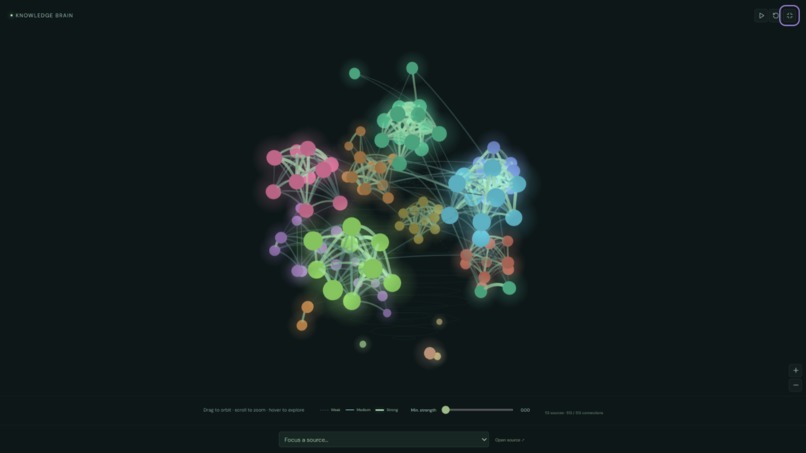
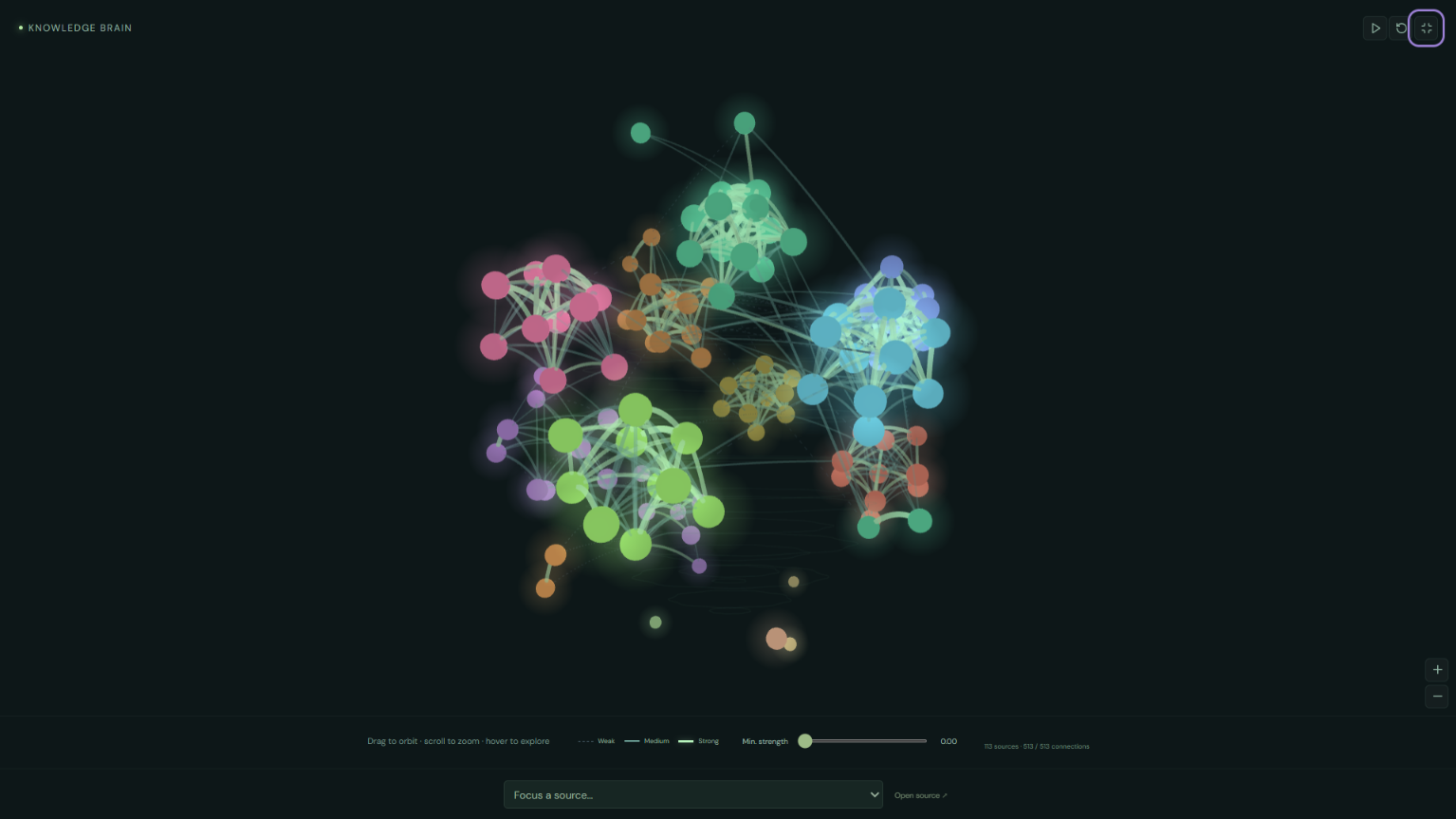
113 notes. 513 connections. One brain that learns how you think.
-
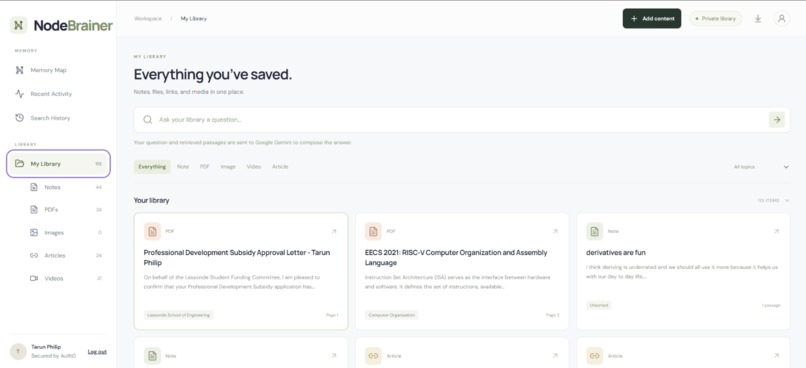
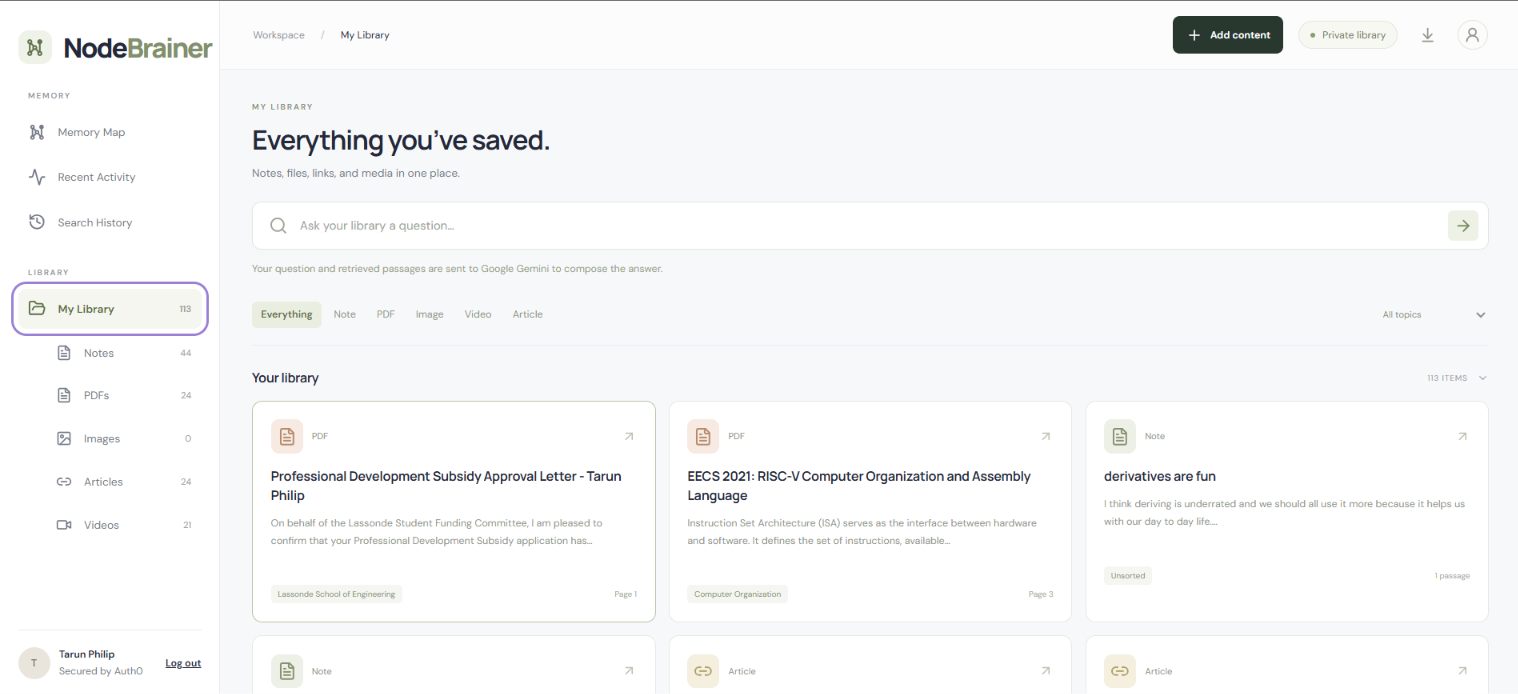
Everything you've saved, in one place, and it answers back.
-

Write it, upload it, or link it. NodeBrainer connects it.

Inspiration
AI tools are powerful but usually they start each interaction without much context about your past work. We wanted to build a second brain that could remember what you've worked on or looked at(files, school work, videos, reels and more) and make that knowledge useful later for when the user needs it.
What it does
Node Brainer is a web app hosted in Vercel and it lets users add notes, files, images, articles, and other content into a connected knowledge system(brain) that they can actively feed and grow. It organizes related information into a visual memory map so users can search for an old topic and quickly recover the files, ideas, and resources connected to it.
How we built it
We built Node Brainer as a Next.js/TypeScript application with a graph-based interface, semantic retrieval, and cloud-backed storage. We also integrated AI for extracting and connecting information across different types of content.
Challenges we ran into
One of the hardest parts was deciding how to structure large amounts of personal information without making search noisy or slow. We also had to balance file storage, semantic connections, database limits, privacy, and keeping the interface understandable.
Accomplishments we’re proud of
We built a working multimedia knowledge workspace with an interactive memory graph and source-based search in a short amount of time. We’re especially proud that the graph is not just visual—it is designed to help users understand how their information connects.
What we learned
We learned that a useful “second brain” needs more than semantic search; context like relationships, activity, importance, and time also matters. We also learned a lot about combining AI, databases, graph structures, and frontend design into one product.
What’s next for Node Brainer
The next step is turning NodeBrainer into a desktop application that can run in the background and build memory automatically from how you use your computer. Instead of manually feeding the brain, it would continuously organize approved files and activity, then use that context for search, calendar connections, reminders, priorities, and future AI agents.


Log in or sign up for Devpost to join the conversation.