-
-
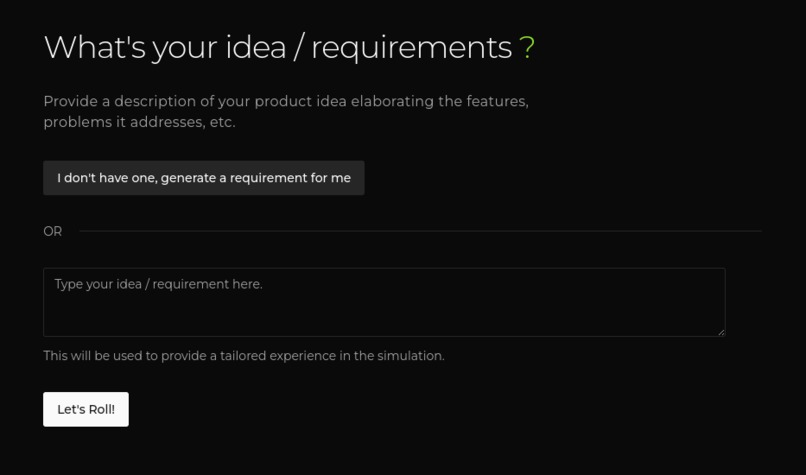
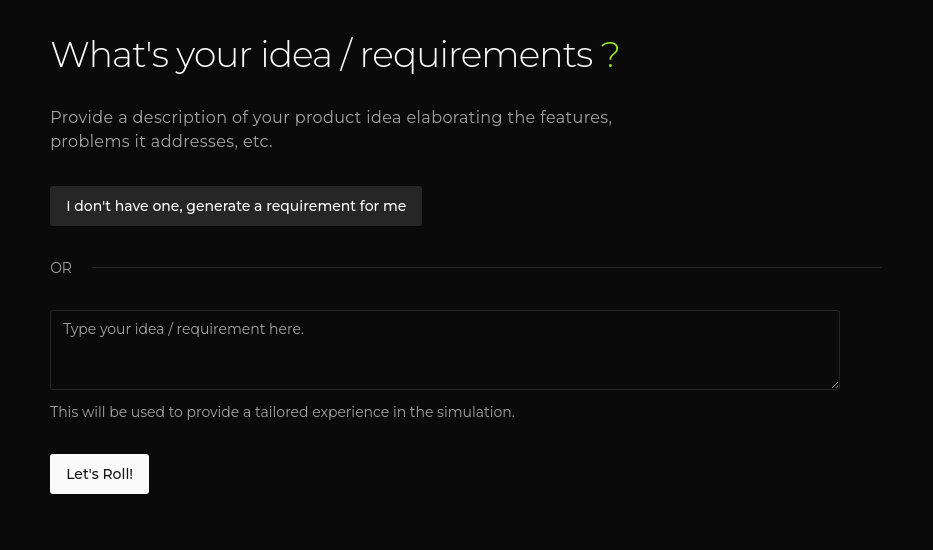
App Description Input
-
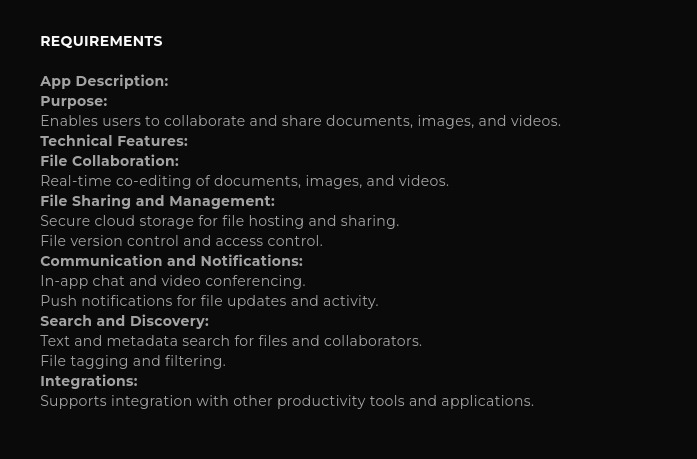
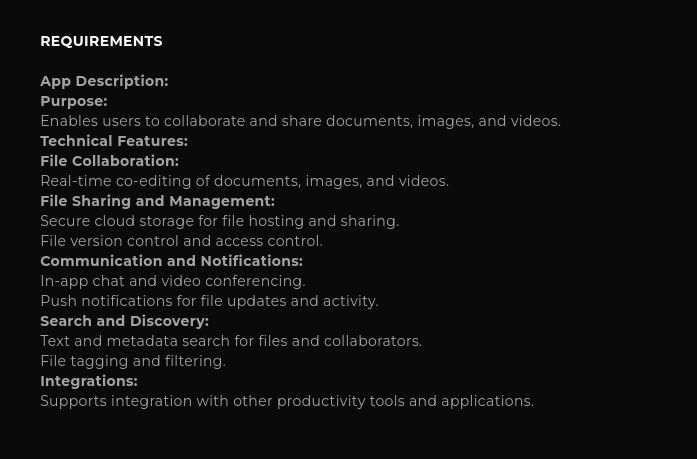
Requirements/App Description Section
-
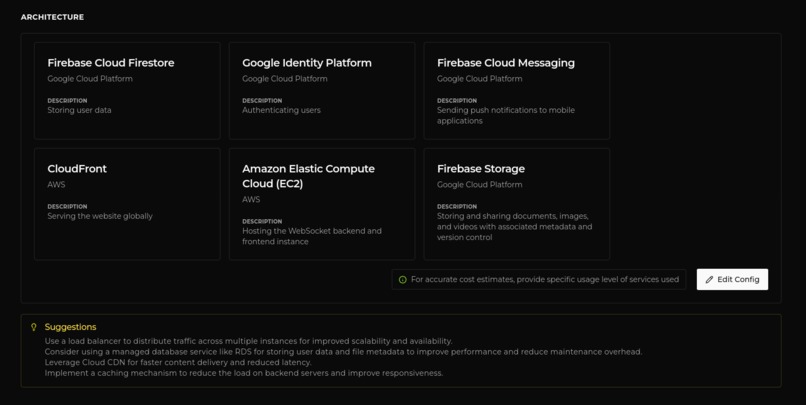
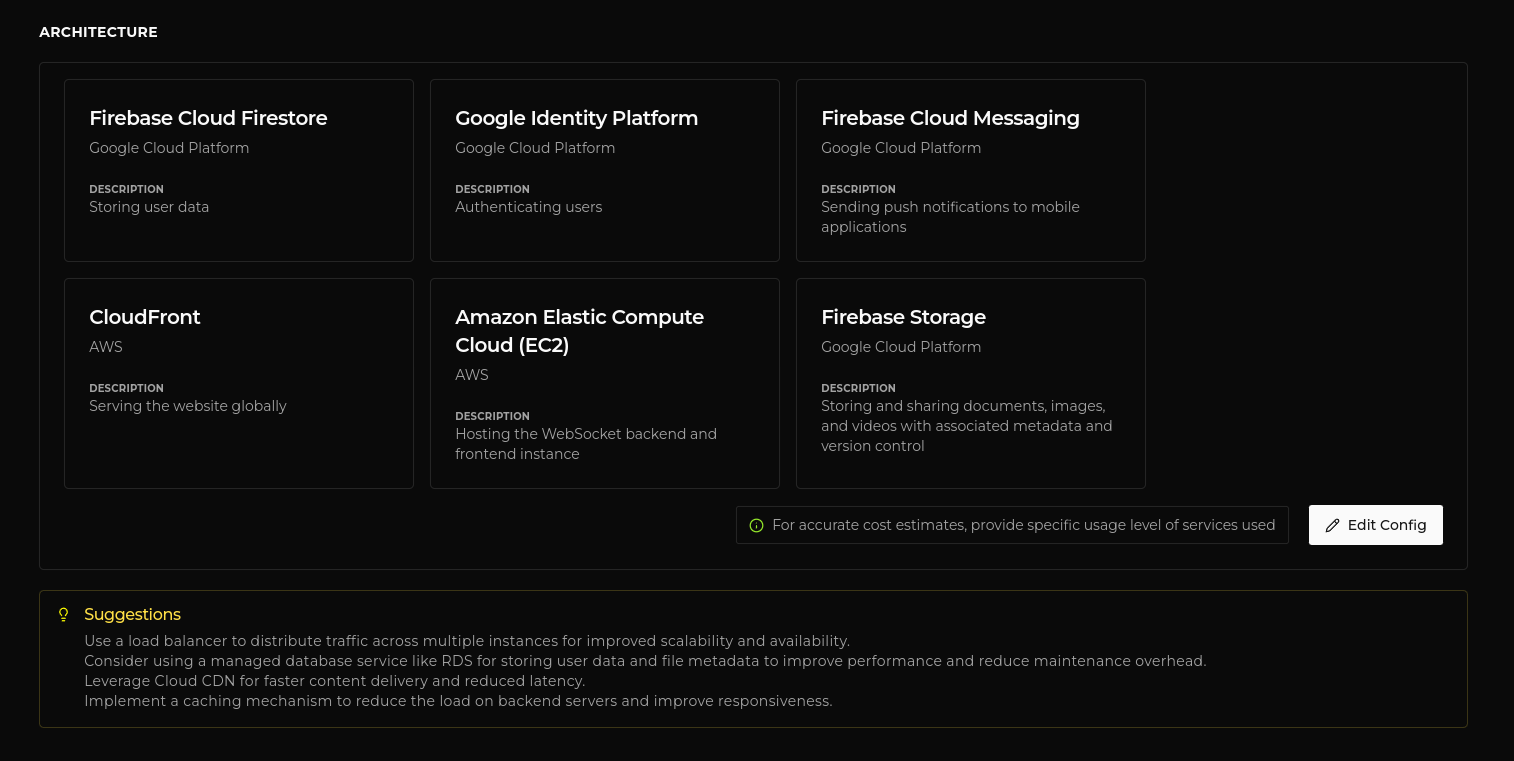
Architecture Section
-
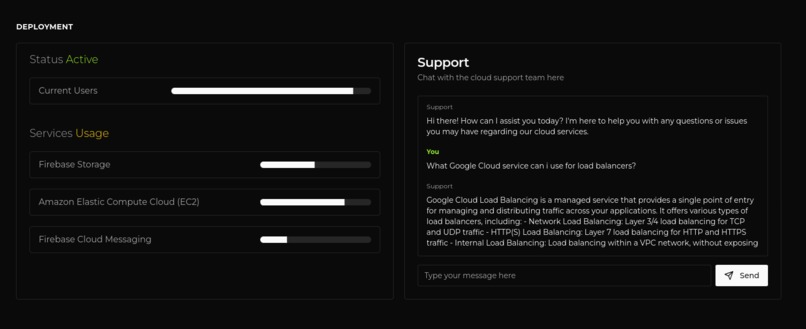
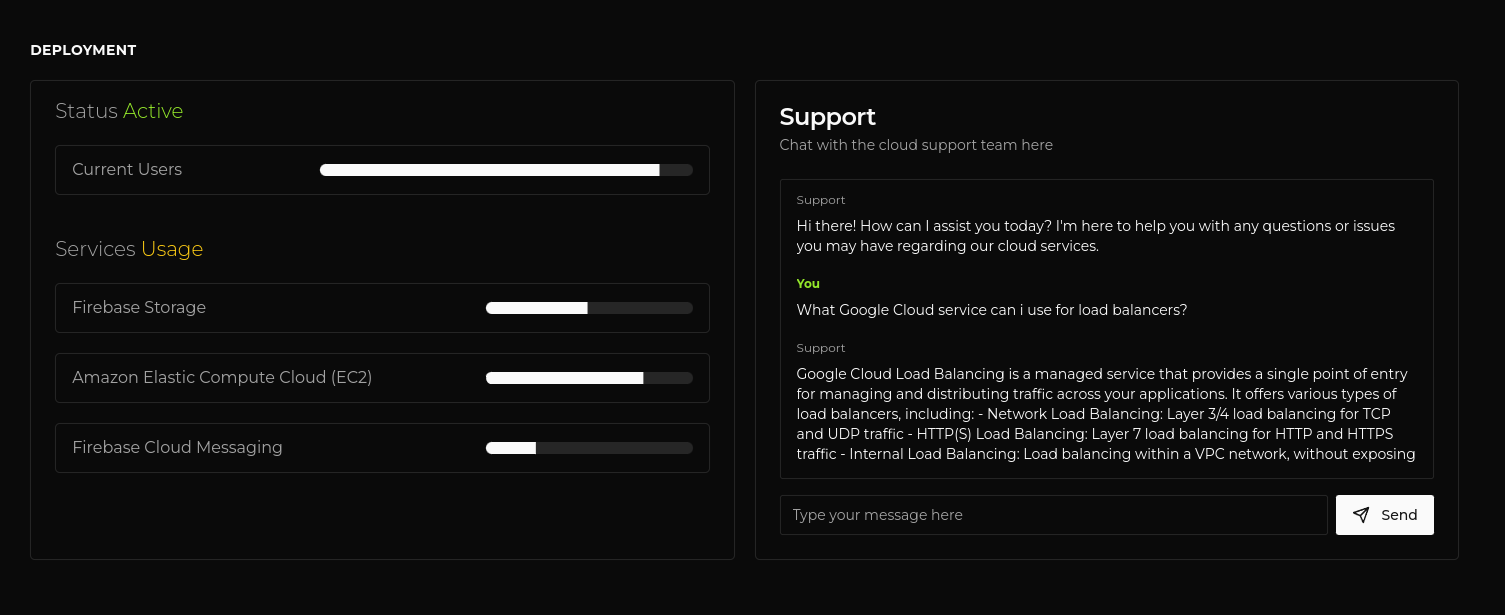
Deployment Dashboard
-
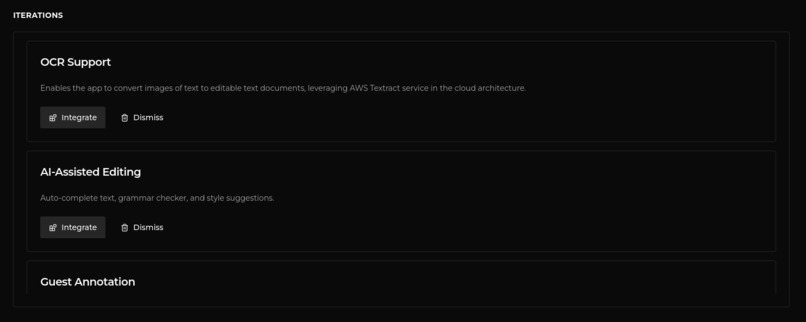
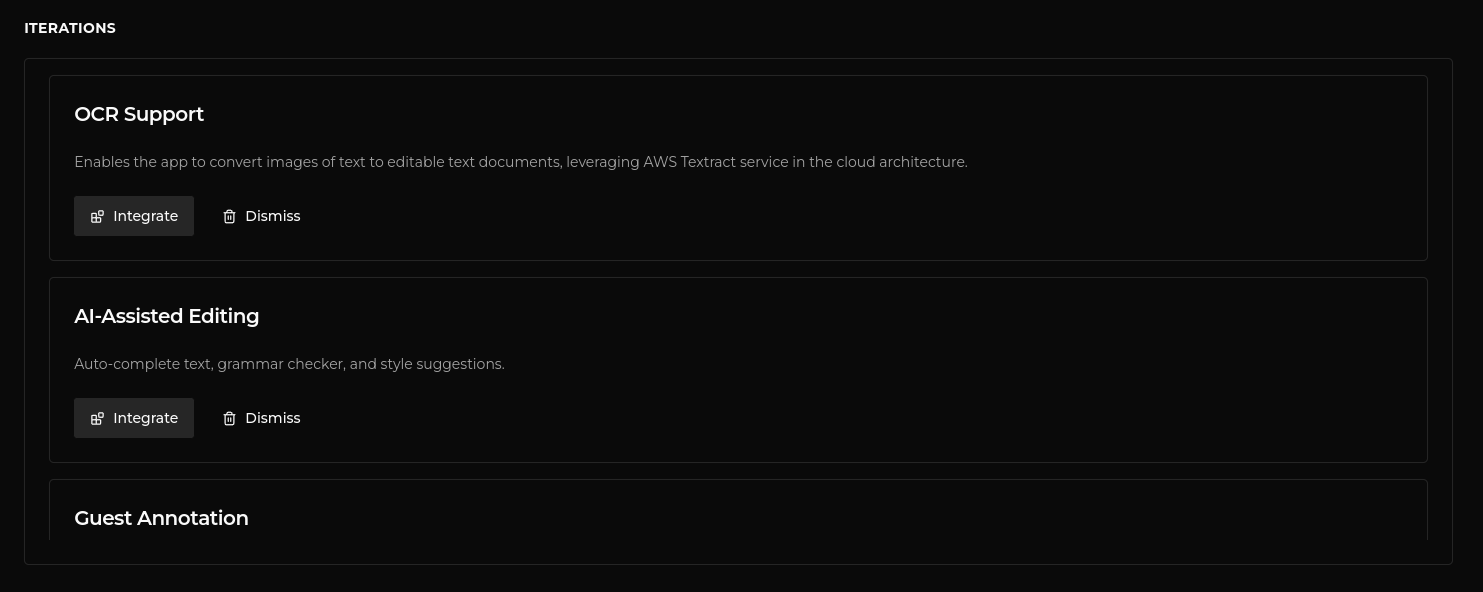
Iterations/Features Section
-
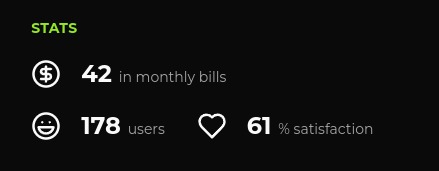
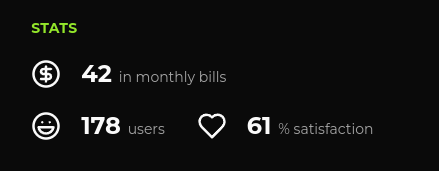
Stats with Cost Estimation (score tracker)
Inspiration
PROBLEM
Learning the cloud can be daunting for people, especially with so many services designed for a plethora of use-cases may take too much of your time to learn them and actually put them to use. So we pick a cloud platform and a service which can get our work done just to find out later that there existed a service better suited to our needs which could have improved our operational labor and saved us the unexpected high costs. The only way to test what we think we want was to actually use the cloud service first hand and find out ourselves.
Obviously, the cloud platform providers do offer us free tiers to test but all under a time/usage limits. After exhausting these limits, where do I test without the burden of managing real resources when testing in the cloud itself?
This made me think, what if there was something/someone that could guide me when choosing my architectural choices when deploying on the cloud? A cloud architect. Well someone who is always free to help me when I'm fiddling around and have my stupid questions answered instantly? A.I.
What it does
SOLUTION
NoBurnCloud simulates the idea of having your app deployed on the cloud with lifelike users and problems. By providing you with cost estimates of your architecture, you get a better control over the costs and avoid burning your wallet. It would help you get a general idea of how the environment would be in a real world scenario, where you could get product updates to expand your architecture or would be bombarded with real world cloud failures and how it would affect your product's performance (business-wise). All packed into a single app, powered by Gemini AI.
It helps you prepare your architecture better by simulating events that will force you to use the best practices for scalability, high-availability, resiliency and security so that your architecture withstands any, well most, vulnerabilities.
We start by putting in our app/product description, that is to be deployed, and this description is used to further tailor the experience. There's also an option to generate an idea (for tinkering or sharpening your cloud skills). The next course of action is the details of the architecture you planned (you can always mix and match services from various cloud providers). No worries if you haven't planned it, there is an inbuilt cloud support assistant waiting to assist you on planning it. Once you enter the architectural details, NoBurnCloud will then process and simulate a deployment of it and your product will start receiving users. You will also see a tracker for your monthly billing costs and a user satisfaction percentage to show your user base's behavior with the number of users. All done? Nope, this is where the simulation starts. You will now start receiving product updates tailored to your product, and on every update/feature integration your user base celebrates by inviting more people to your app! But be careful, you may face outages / exhaustion / security issues which may tamper your user experience and force the user base to leave the app. It's your job to fix these and integrate measures to avoid them in the future.
How I built it
NoBurnCloud is a prototype built upon the idea of a simulation. So to bring this idea to life, I needed something which could control the client from the server and opted to use websockets (inspired from games). A simulation would be too boring, so I decided to have score trackers; just not the usual ones. This would also mark my first time having implemented a game, from scratch?
One of the most important technologies that would be the backbone of the entire app, powering every component is, well, the A.I model. Thanks to the super-easy-to-integrate Google's Gemini model's API, getting up the engine working felt like piece of cake, especially with the great documentation they provide. In fact, I used the A.I studio to tinker with my prompts and make them accurate before I integrated them.
The stack I chose had to be something I had worked with before, Node.js + Express server with websocket support from Socket.io and no authentication / database. What, no DB? Yep, the idea I had in my mind didn't really require storage for it's MVP. I chose Next.js as the frontend with Shadcn/UI, but then as I went on making the app (using a ton of client side features and has only 4 pages); I did realize I could've just used React with Vite and would have more saved time, especially when using Jotai for state management. Using Docker (with Docker Compose) for orchestrating the build deployment of the entire app (local testing).
The frontend is deployed on Vercel (takes care of CI/CD) and the backend server is deployed on an AWS EC2 t2.micro instance with an Nginx reverse proxy setup. Tried using Render for hosting the backend but the free plan used to shut down the instance anytime (not good for my websocket connections).
Challenges I ran into
I came upon numerous challenges but these are the main highlights of the challenges that made a significant impact from the development to the deployment of the app. Time was one of the greatest factors in shaping these decisions.
- Using REST API with Websockets
- Organizing the socket connection and components from frontend (Next.js and its hydration errors) to interact with the server was taking too much time. I didn't know how I could use the same socket connection intialized in one useEffect of a component in another component's submit button to emit an event. Being in a sprint, I decided to stick with what I knew and fallback to Express' REST API. Later, while building a feature I realized I need to face it. Till then I was already using Jotai and tried to integrate with it. It worked like a charm! This happened so far down the line, that unfortunately instead of converting all HTTP routes to WS events, had to embrace the monolith that the socket server and the REST API server had become.
- Removing Turborepo
- I was surprised, using Turborepo for the first time felt so easy. It kept my frontend and backend integrated with common modules, env, etc. and I was easily able to test and run my code locally with a single command without Docker (wow). But, just as I started my deployment chapter; I found out. Apparently, the developer cloud platforms (Vercel, Netlify) tend to easily support deploying frontends but my Websocket server (because of the platforms' serverless architectures) had to seek it's home somewhere else. A place that I could not find, until Render came along. Being somewhat manual, I still wasn't able to deploy it that easily because of the project structure and build specific errors. Time. After spending 2-3 days on this issue, I decided to take a hard decision; drop it and go with a simple folder structure. Voila! The app was deployed easily, in the next few minutes. Now for local deployment (testing purposes), I integrated Docker Compose which now spins both the build versions of backend and frontend instantly.
- Configuring SSL on an EC2 instance with Nginx
- Dropped Render after trying multiple test runs with it (thought my code was acting up) and spending 2 days on this again, I opted to go with good ol' VMs. No time to waste, straight to one of the cloud platforms. Spun up an EC2 instance, configured the frontend and an error pops up. The frontend was not able to connect to a non-secure backend. Thought it would be a quick task, but the errors just won't stop coming! First of all EC2 won't allow me to deploy my backend on PORT 80 (HTTP) so I need to use Nginx and create a reverse proxy from the Elastic IP (later assigned to my subdomain) so that the HTTP requests on 80 would be passed on to my app running on a custom port. Sometime later after failing with multiple blogs/guides, I found a couple of videos which helped me complete it. Turns out the actual task of setting up the TLS/SSL certificate (after setting up the code on the instance, subdomain, NGINX's reverse proxy) was just like a breeze.
The Prompt Injection Vulnerability
Aside from the challenges I encountered, there is something quite interesting I found out. For some preface, I was testing the Iteration/Feature integration section which (the A.I) checks if the architecture config you have in place, is eligible for integration for the selected feature. However, I decided to not give what it expects but try something else. In SQL/other injections, it is possible to input some code which would then allow us to manipulate and generate results irrespective of the expected input. Just like that, I replaced my architecture config with a malicious prompt, pleading the A.I model to approve the eligibility and sure it did. Unlike the known code injections; by cleansing the input we can mitigate them, I'm still unsure on how well just prompting the right way would fix this issue.
Accomplishments that I'm proud of
Glad to have completed the project through ups and downs. This was the first time I had built a websocket implementation (kind of) of a game with Socket.io and that too with an A.I integration (Gemini) deployed on the AWS cloud.
With various components (score trackers, suggestions area, cloud deployment notifications, product enhancements) keeping context of each other and interacting with the user in different ways rather than the standard way of A.I chat we are used to. The power of A.I is much more than just being confined to a chat system. It is able to power entire backbone of a software with ease, provided that we have tuned it to our specific needs.
I wanted to do a lot more experiments and integrate a whole lot of features. But its not candyland everyday, nor do I possess all of the time in the world (atleast for this hackathon). Taking all the factors in mind (ideation, development, getting stuck) there were some hard decisions I had to make during the journey. Nevertheless, without compromising my vision, NoBurnCloud turned out to be the way I expected it to be.
What I learned
Deploying the backend server was an adventure of its own. Having got the opportunity to learn about NGINX and reverse proxying up my way to setup an TLS/SSL certificate to my subdomain connected to the EC2 instance were indeed, great learning lessons. Thus, evident that we learn faster by doing something practically.
Seeing how the entire project turn out at the end, really felt great as I got to experience building a real architecture of games firsthand. Despite the hardships, I'm glad there was no such feature that I planned which went sideways to get cancelled. With A.I always available to my rescue, I was able to churn out features and enhancement while integrating Gemini (thanks to the amazing docs) at great speeds. As always, using A.I as an ingredient to power up a solution towards a problem is quite powerful.
And using a UI library does not harm (used to think coding my own components was faster).
What's next for NoBurnCloud
With changes like improving the interface, opting for refining the AI models from Gemini to create more accurate results (especially the monthly billing cost tracker and suggestions to the architecture); would drastically make the experience more appealing. Then map out a deployment plan to migrate the project to the Google Cloud Platform as it would provide a more centralized place for easier management.
Would plan some tweaks to make NoBurnCloud act more like a co-pilot for the people who use cloud, and make room for both the ends of the spectrum (from beginners learning cloud to pros). This would help bring together a new generation of builders and businesses who are well-informed and comfortable utilizing the cloud's full potential.
Built With
- ai
- cloud
- docker
- express.js
- gcp
- gemini-ai
- generative-ai
- google-cloud
- react
- websockets

Log in or sign up for Devpost to join the conversation.