-
-
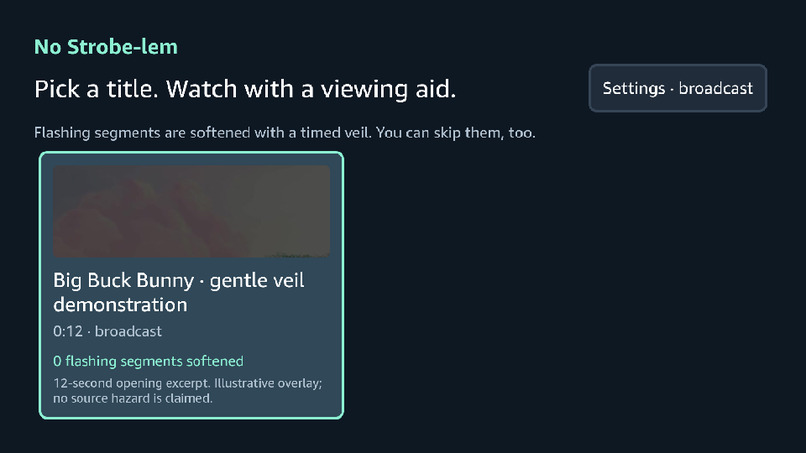
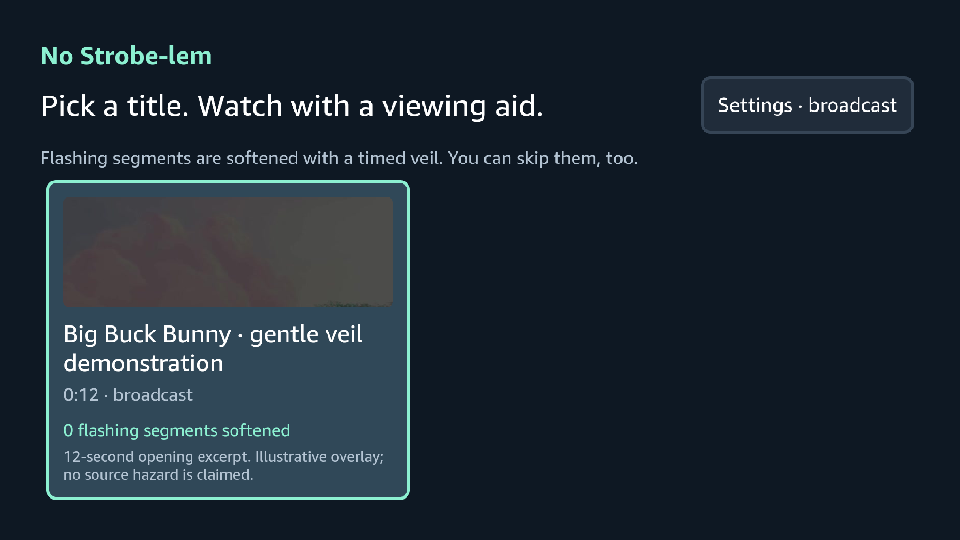
catalog
-
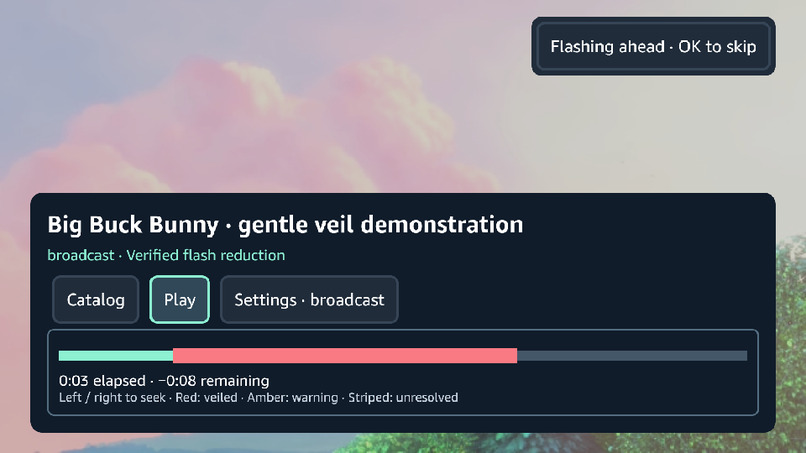
protected_playback
-
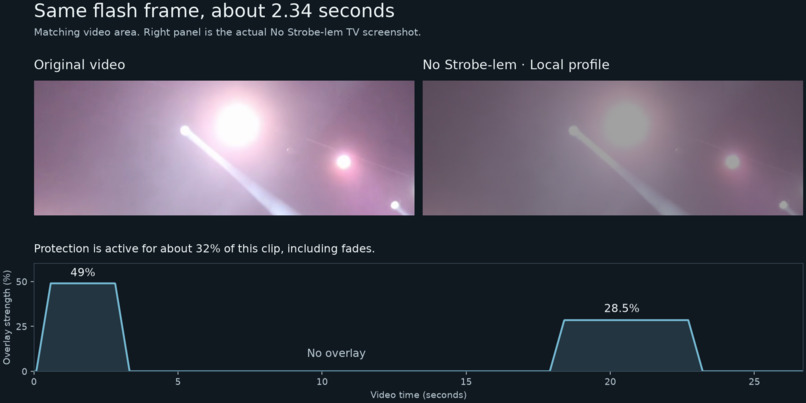
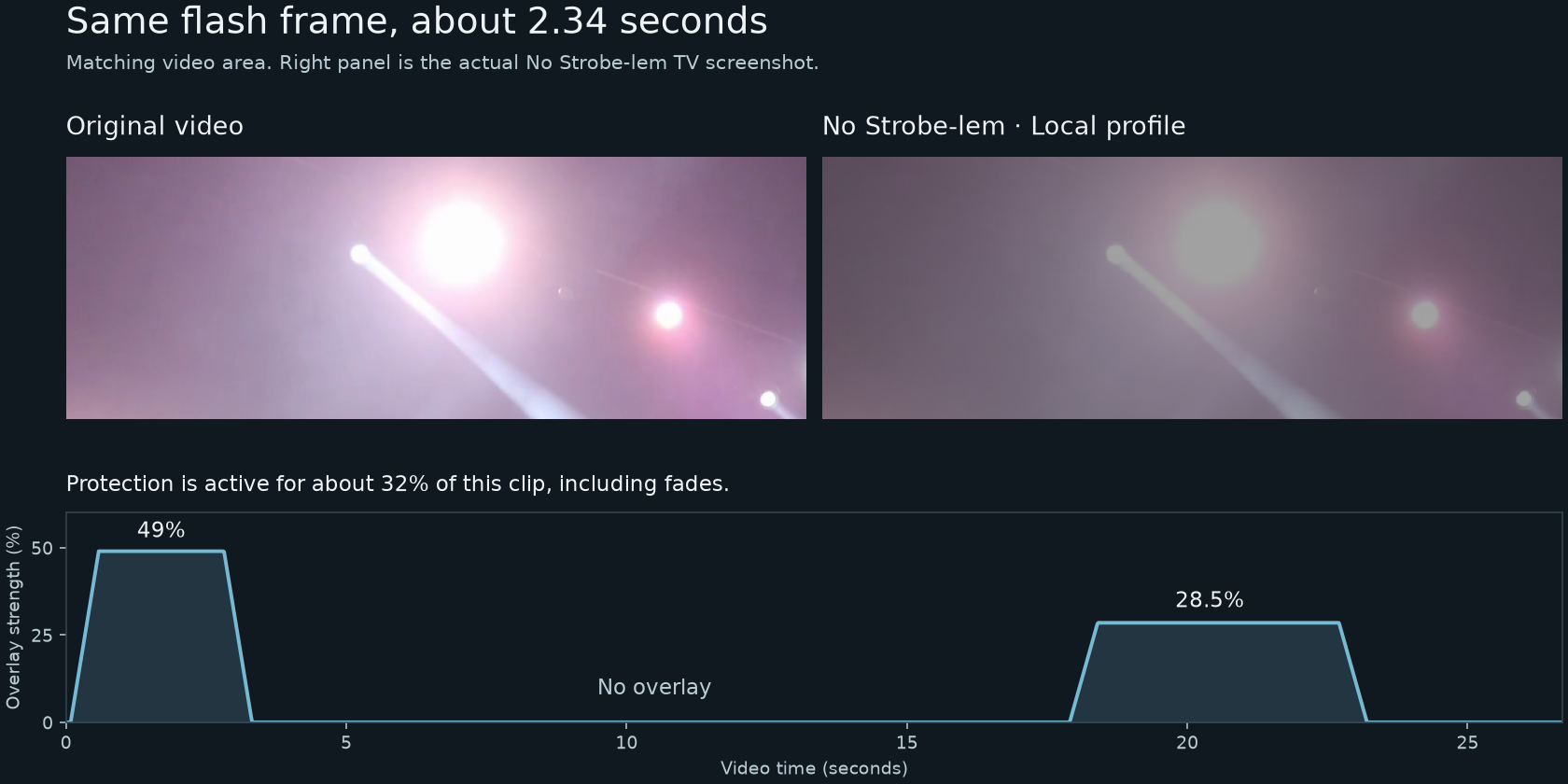
original_vs_actual
-
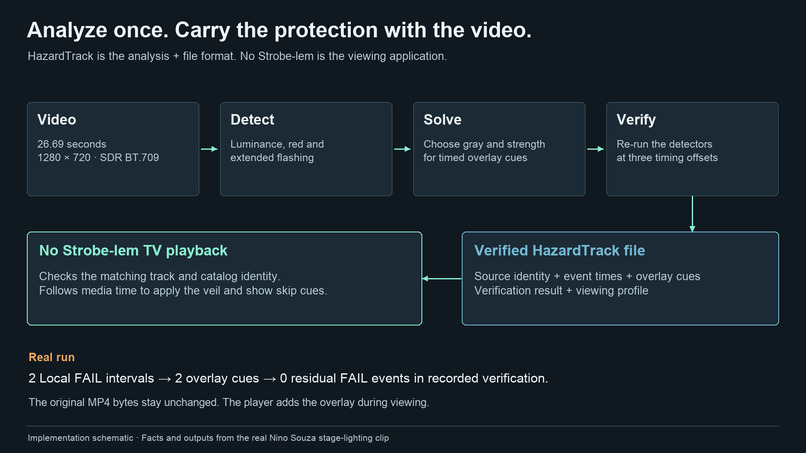
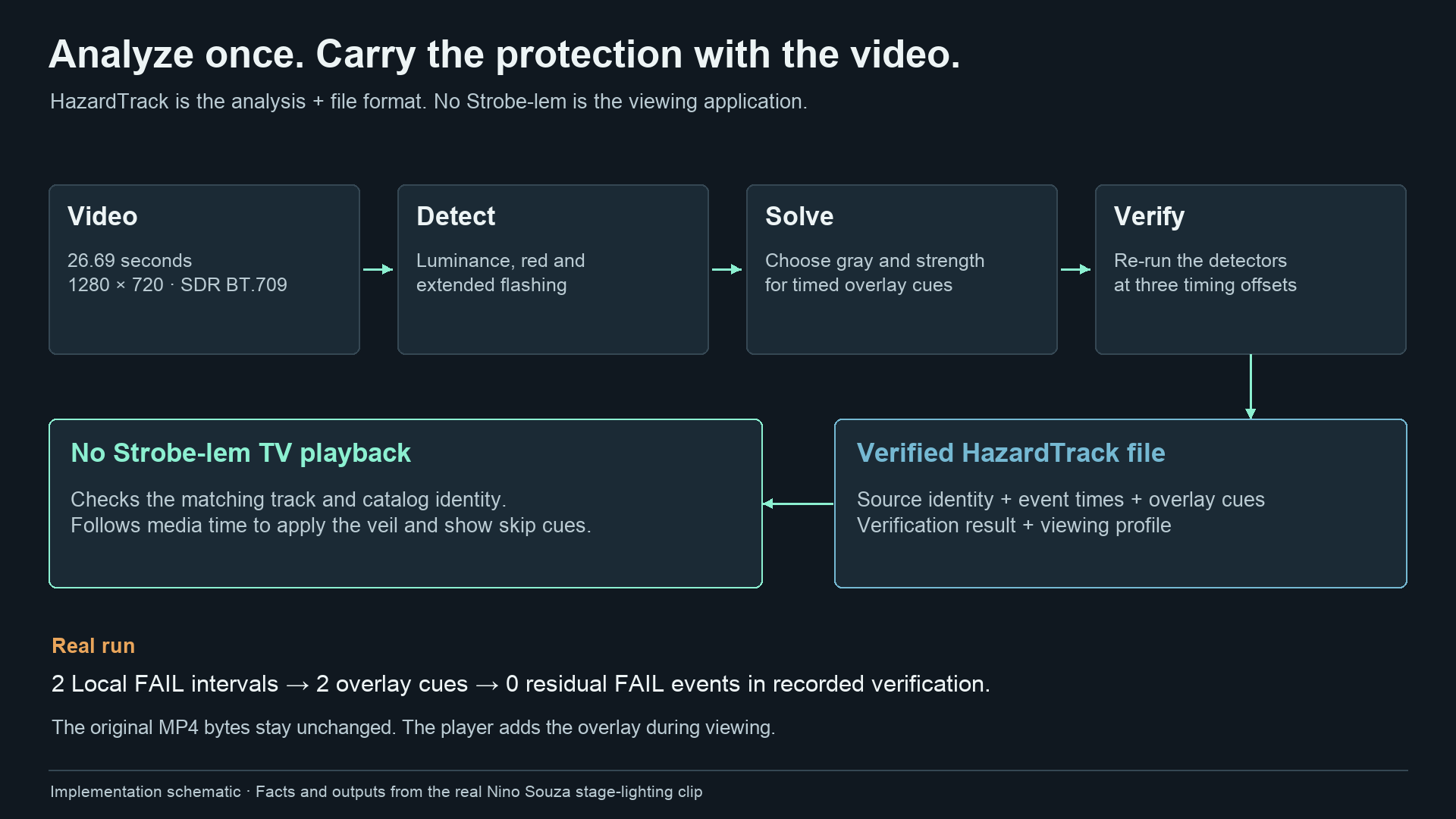
analysis_to_playback
-
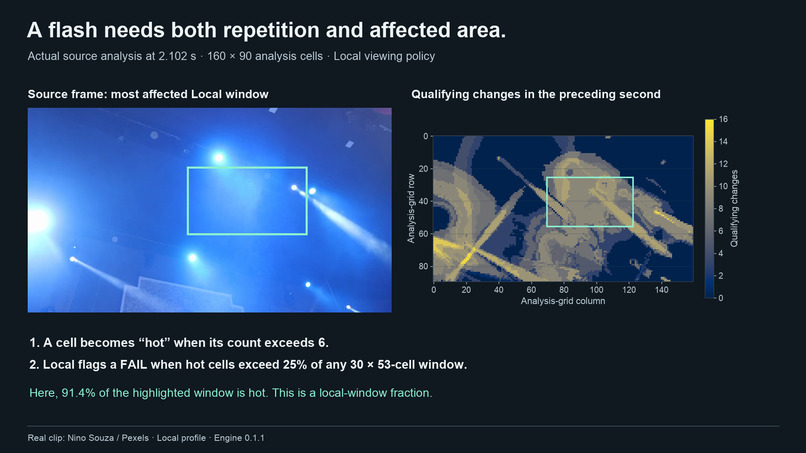
how_flashes_are_detected
-
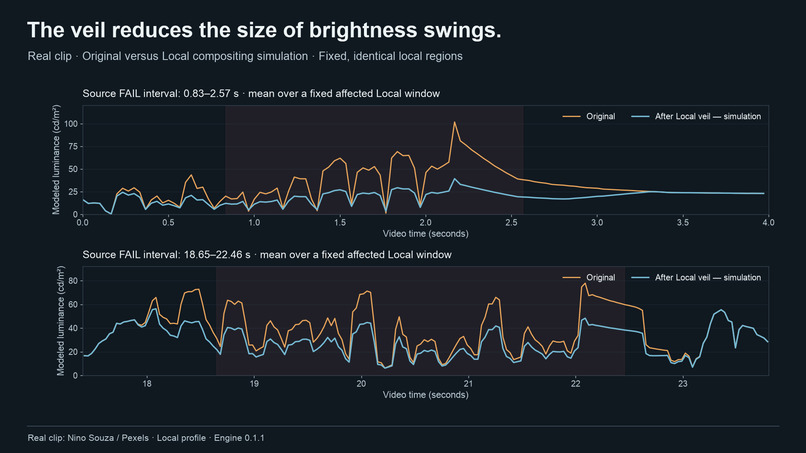
brightness_before_and_after
-
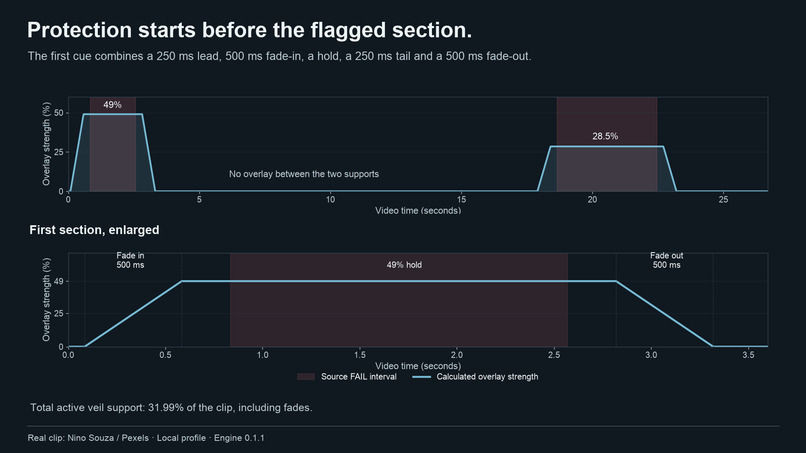
overlay_timing_and_fades
-
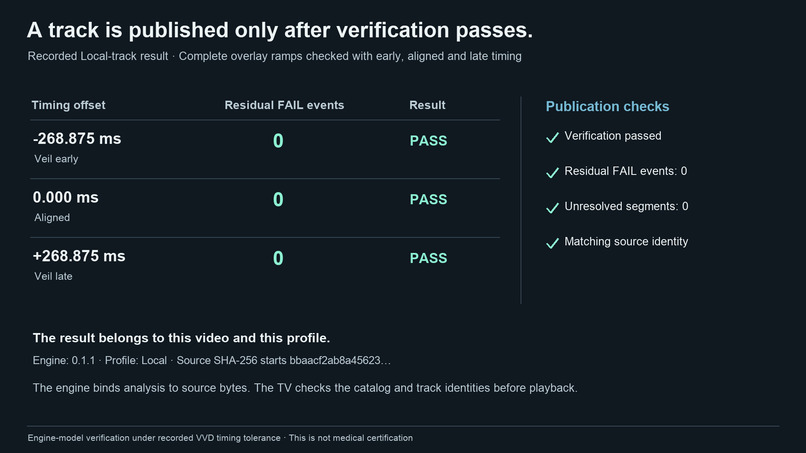
verification_at_three_offsets
-
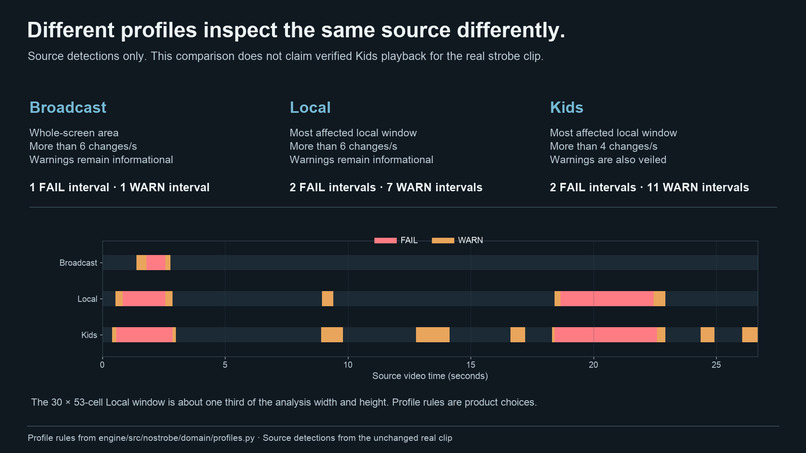
broadcast_local_kids_logic
-
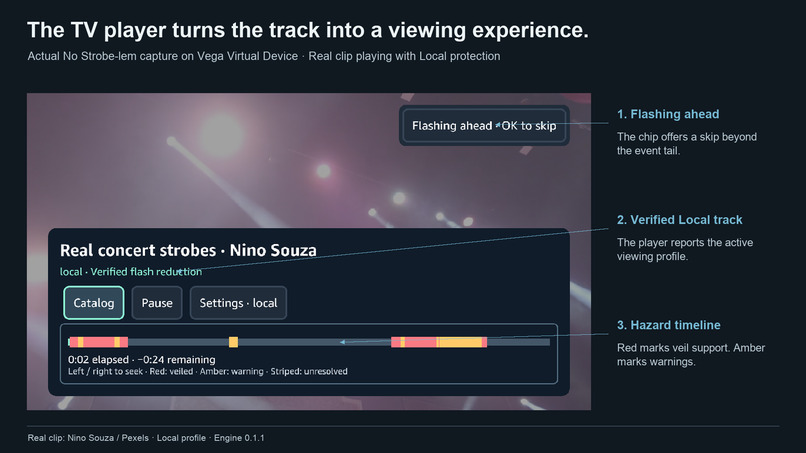
tv_player_and_hazard_controls
-
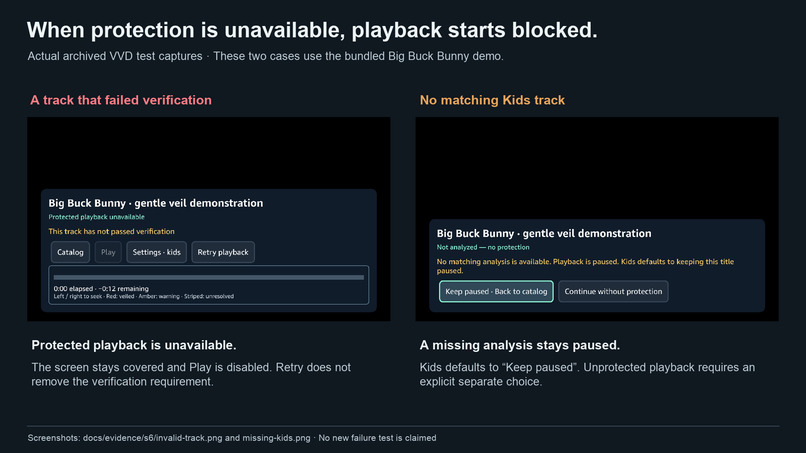
invalid_and_missing_protection_layer
-
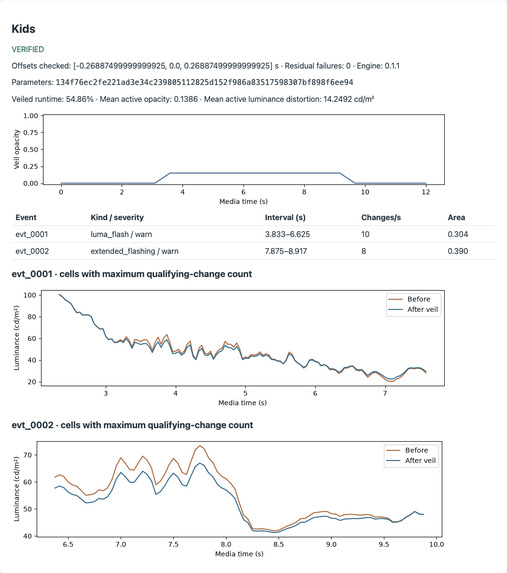
local_analysis_report
Inspiration
Epilepsy affects around 50 million people worldwide, and 3 to 5% of them have seizures triggered by flashing light or patterns (Carreira et al., 2015). For these viewers, a movie night can turn risky without warning. A lightning storm, a camera flash burst, a police light chase or a fast glitch effect can appear in almost any show.
Broadcasters already have rules for this. ITU-R BT.1702 and Ofcom define exactly how fast, how bright and how large flashes can be before they become a hazard. But those rules mostly live inside broadcast quality control. When a viewer streams a video at home, nothing in the player knows where the dangerous moments are. Often the only protection is a warning card at the start, or nothing at all.
We kept coming back to one idea: deaf viewers got captions. A small text file that travels next to the video changed TV forever. Why is there no equivalent for photosensitive viewers? That question became No Strobe-lem: captions for your eyes.
What it does
No Strobe-lem analyzes a video once, offline, against the published broadcast flashing rules. Wherever it finds a hazardous sequence, it works out the gentlest possible gray “veil” that brings the flashing back within ITU-R BT.1702 limits. It saves that plan as a small timed file called a HazardTrack, which travels next to the video like a caption file.
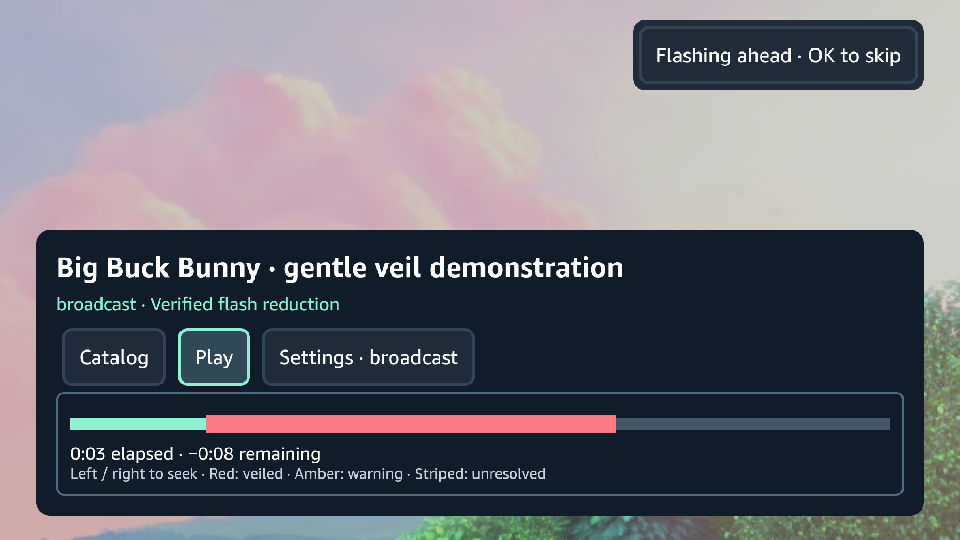
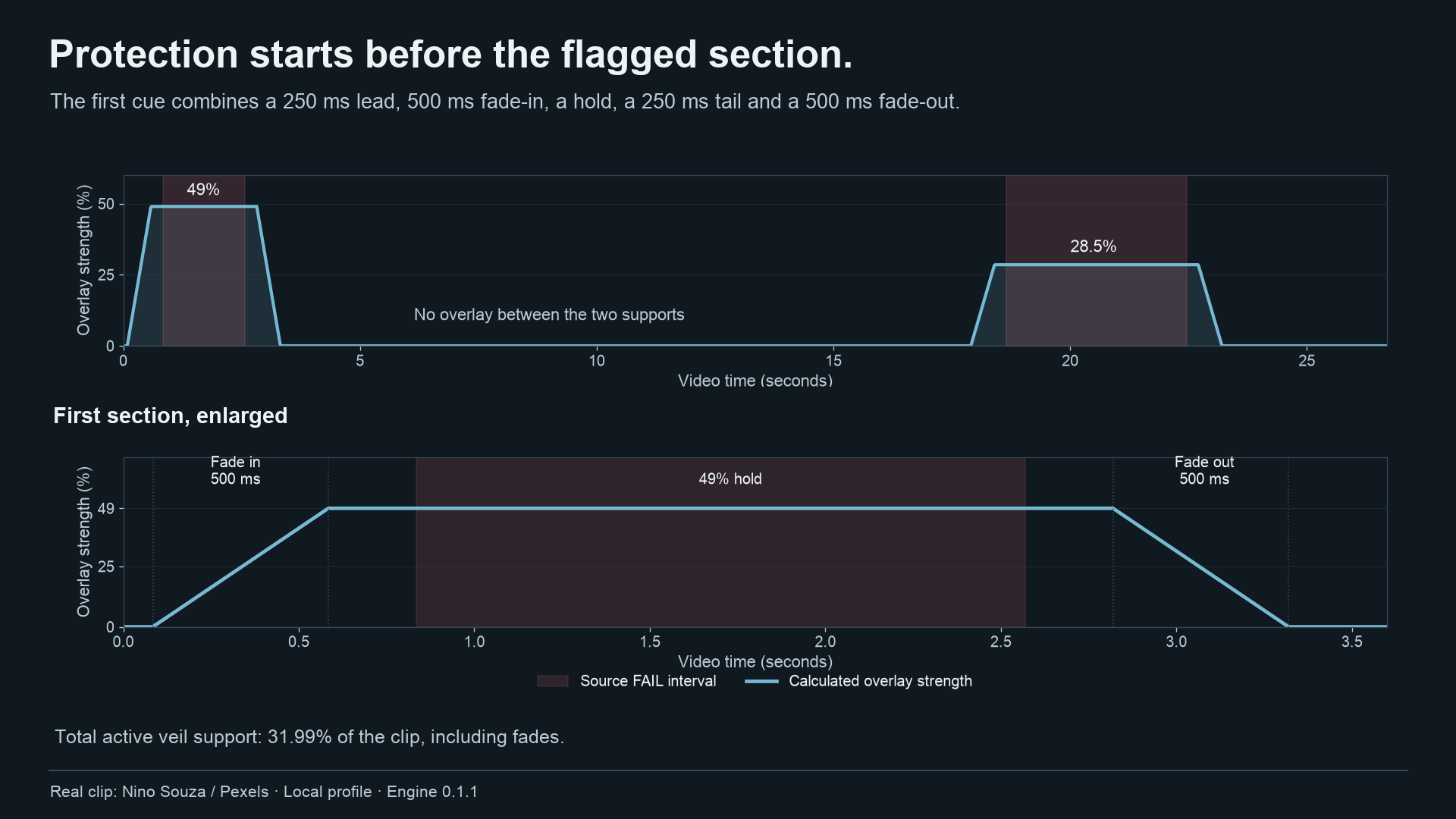
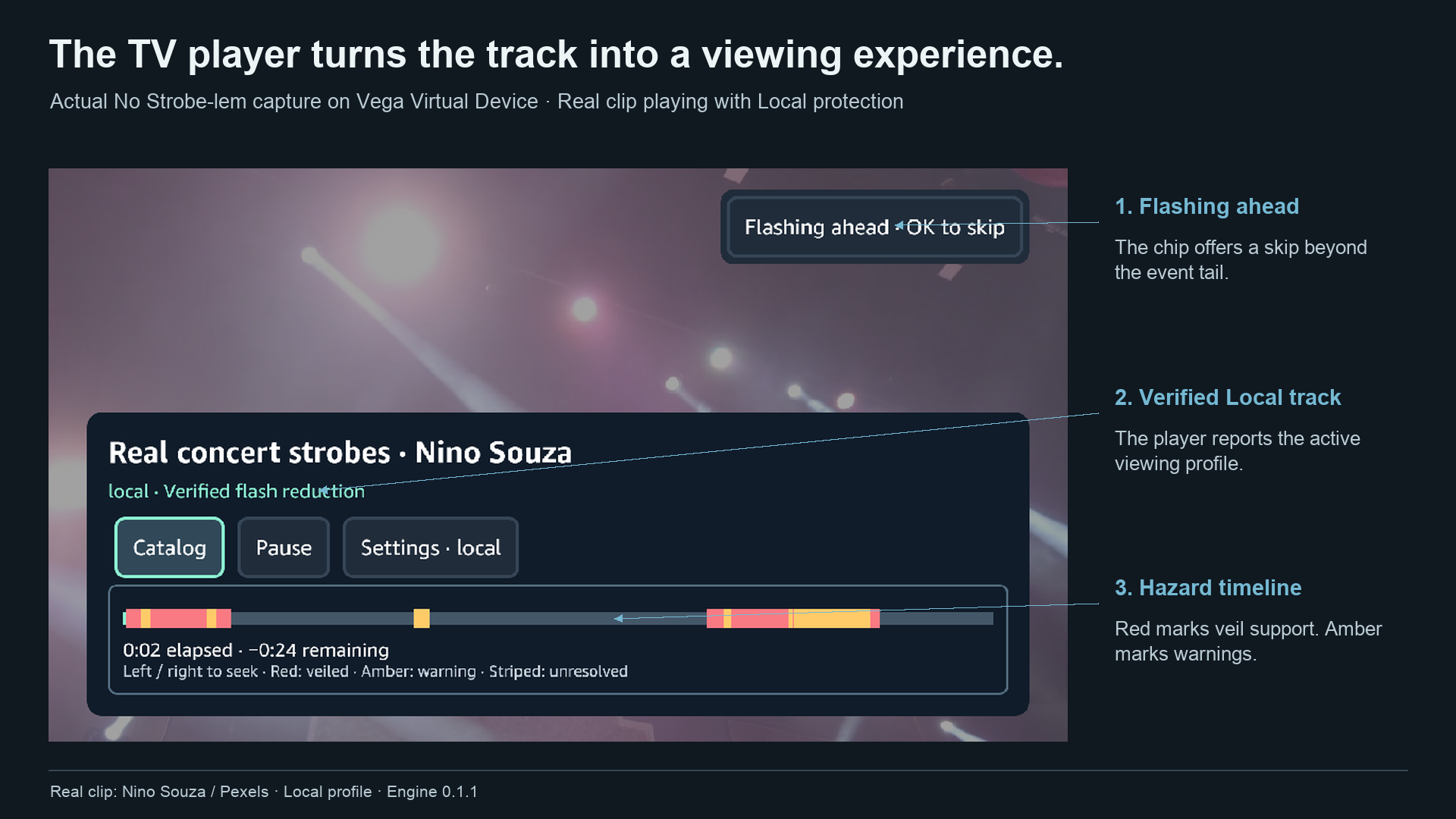
On Fire TV, our Vega OS app reads the HazardTrack and smoothly fades the veil in just before each hazardous moment and out just after. The rest of the video stays completely untouched.
What the viewer gets:
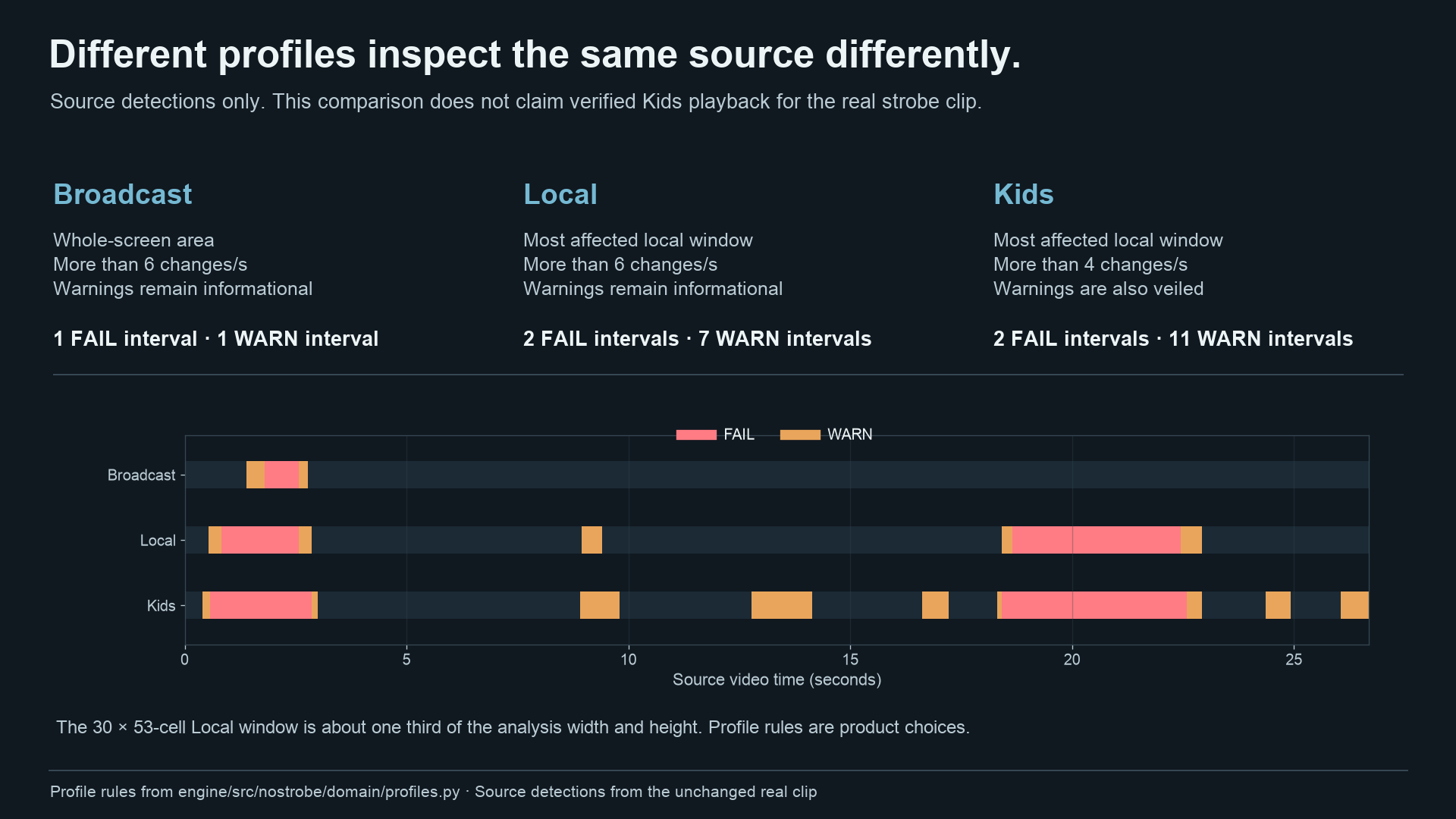
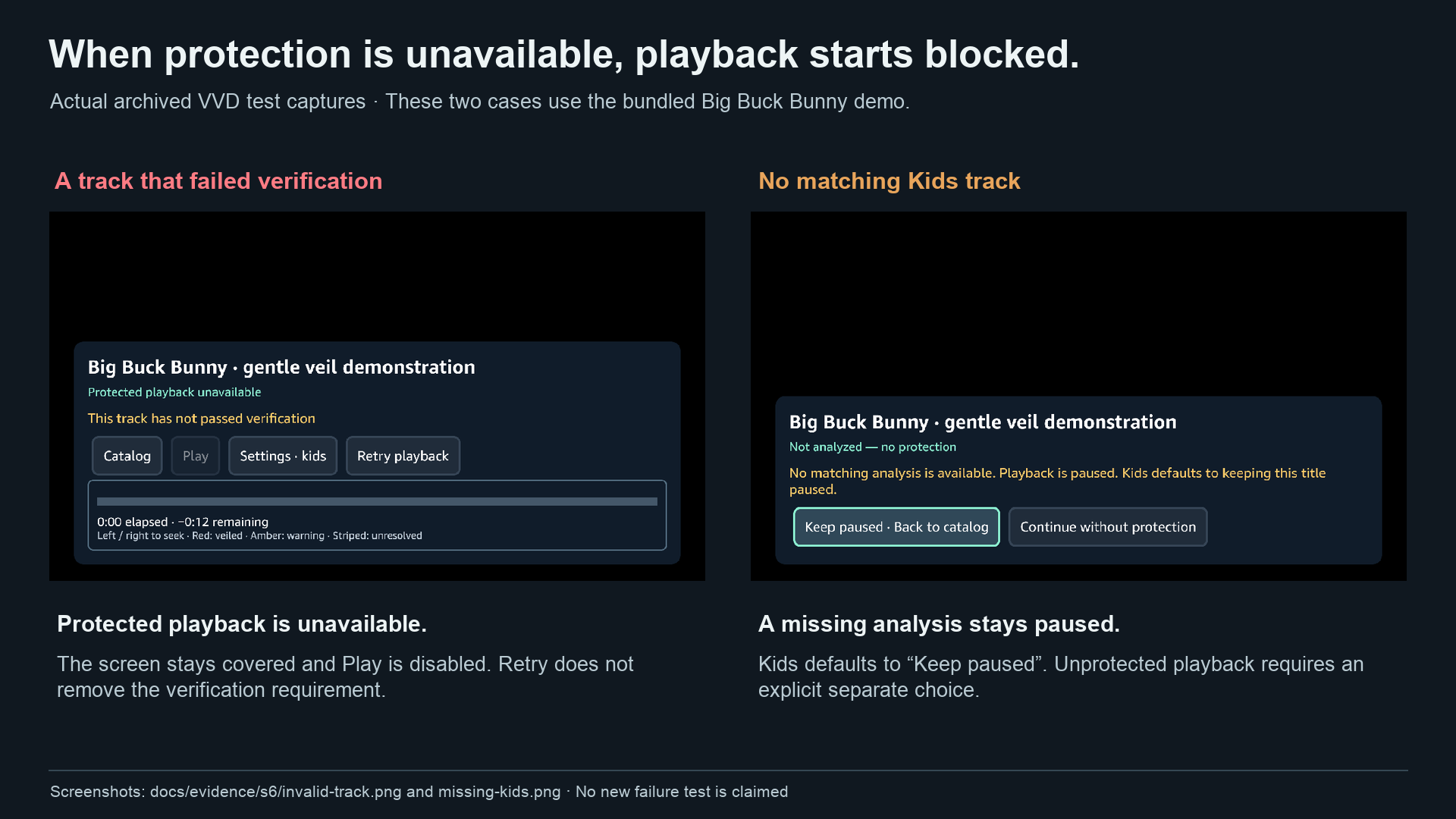
Invisible when safe. Content that follows the rules plays normally, with no veil at all. A “Flashing ahead, OK to skip” chip a few seconds before a hazard, so one button press jumps past it. A hazard map on the scrubber, so viewers can see where the veiled parts are before they reach them. Three viewing profiles. Broadcast follows the rule as written. Local also catches a hazard in a smaller part of the screen. Kids is stricter and also softens near misses. Choosing a Kids household turns Kids on automatically. Safety by default. Nothing plays unprotected. While a title loads, the screen stays dark until the verified track and veil are ready. If a track is missing, broken, or doesn’t match the exact video, the app refuses protected playback instead of guessing. Everything works with the D-pad alone.
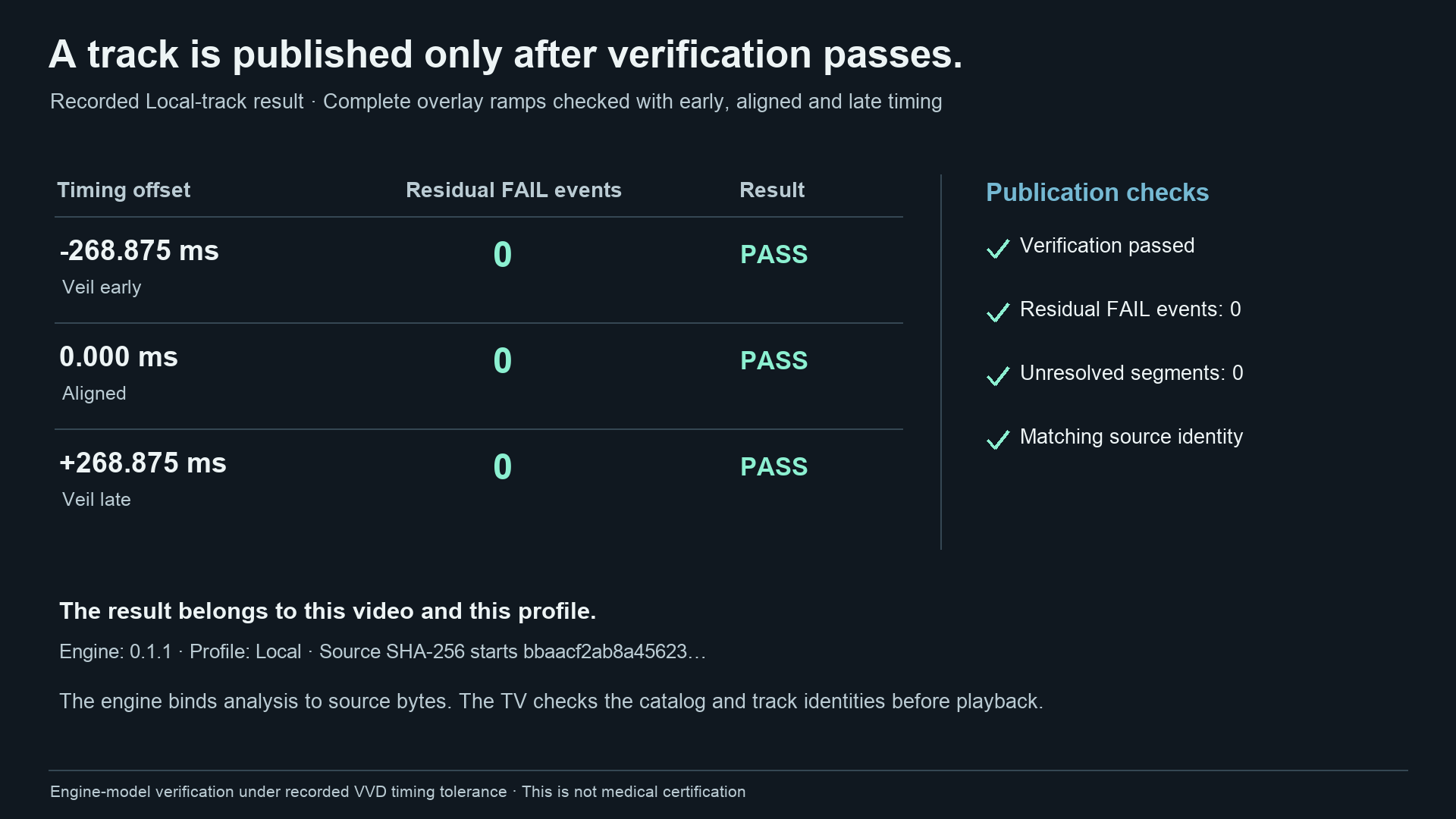
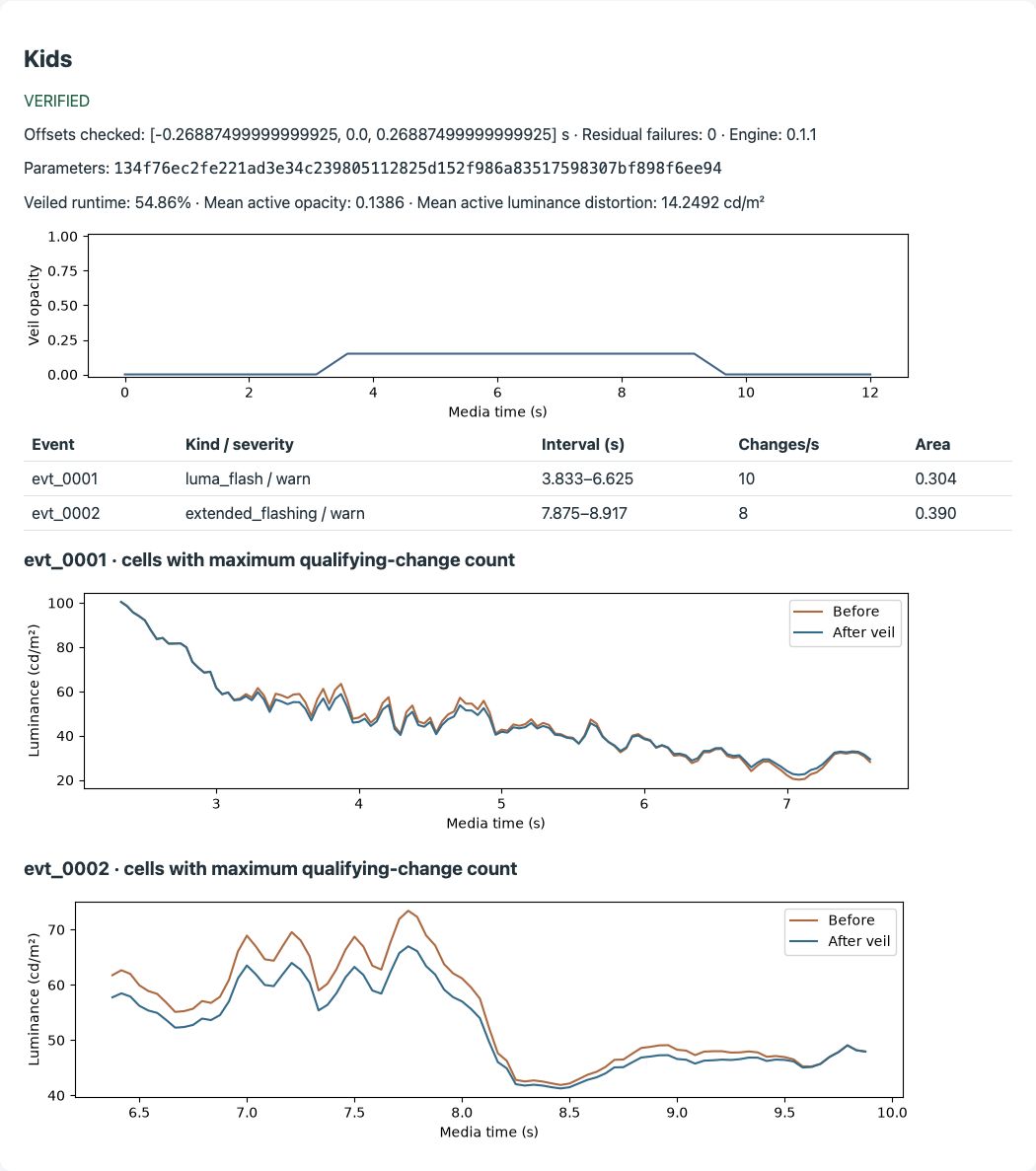
The most important part is that we never trust the veil blindly. Before any HazardTrack is published, the engine applies the veil to the video in simulation, then runs the full hazard detector again on that result. It does this three times: with the veil on time, early, and late by the timing error we measured on the device. If any version still breaks the rules, the track is not published.
How we built it
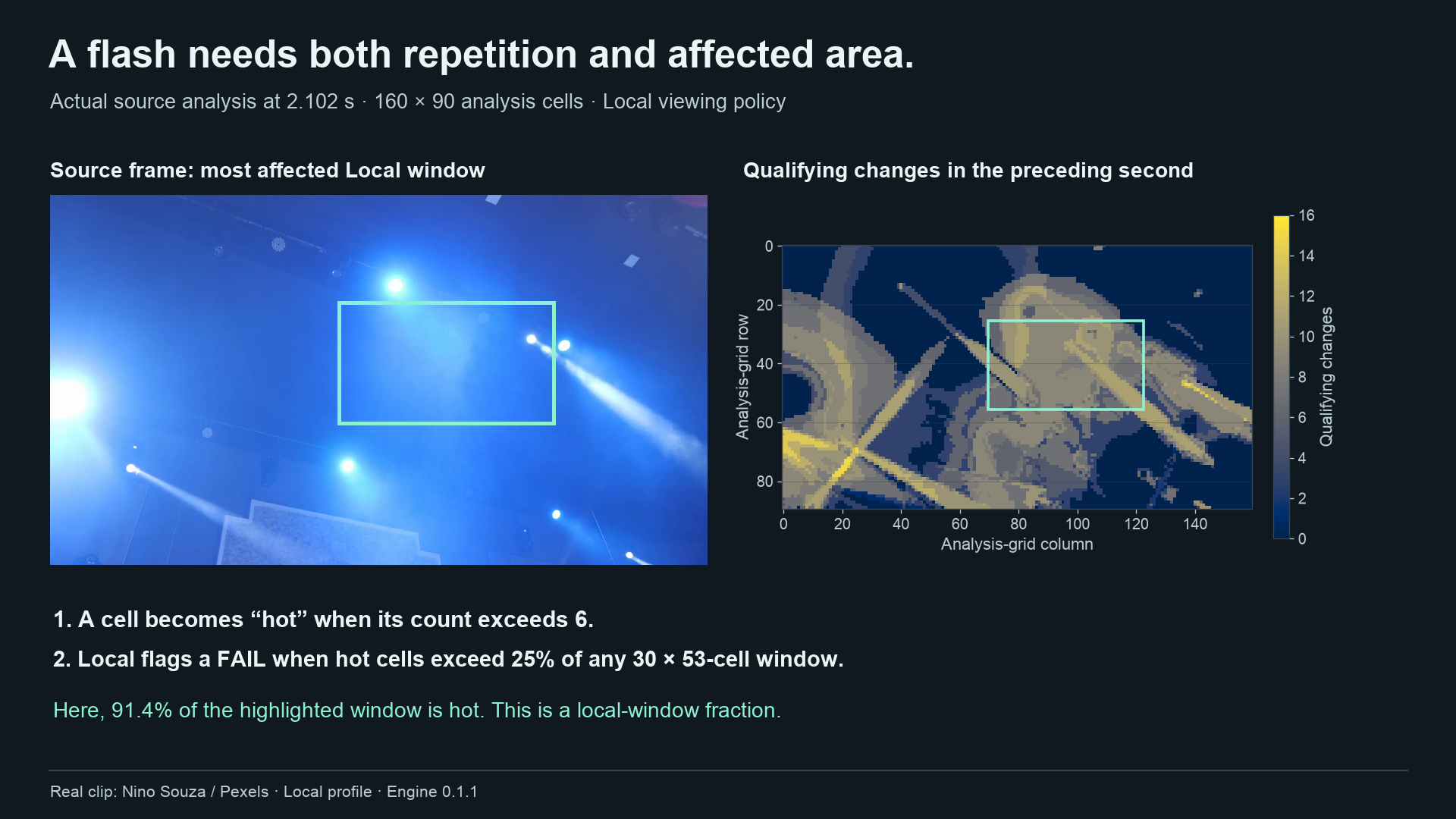
The engine (Python). It decodes every frame with ffmpeg and converts pixel values into real screen brightness using the curve published in ITU-R BT.1702. It then counts opposing brightness changes and saturated red transitions across a grid of screen areas, per second, exactly as the rules describe. A solver searches gray levels and veil strengths for the weakest veil that passes. A verifier re-checks the full veiled output, including the fade in and fade out. All results are deterministic and reproducible, and no AI model sits in the product path.
The Fire TV app (React Native for Vega). It plays video through Amazon’s W3C Media player (VideoPlayer and KeplerVideoSurfaceView). A gray overlay sits above the video surface. A custom media clock corrects for drift between player updates, so the veil lands on the right frame and not just the right second.
HazardTrack (open format and library). The detector, solver, verifier, file format, JSON Schema, conformance tests and a 60 line HTML5 reader live in a separate Apache 2.0 repository. A HazardTrack file can be JSON or WebVTT, so any HTML5 player can read it as a metadata track. The Fire TV app is one reader; the browser demo is another.
The AWS pipeline. An upload to S3 triggers a Lambda container with ffmpeg and our engine inside. It analyzes all three profiles, and only if every profile verifies does it publish the video, tracks, report and catalog. We built and tested this pipeline and its container locally, including on a real flashing clip. We have not yet run it in a live AWS account.
Measuring the real device. We recorded the Vega Virtual Device at over 60 frames per second to measure how far the veil could drift from the video. The worst case was about 179 ms at the 95th percentile and 223 ms at most. From that we set the verifier to test every veil at plus and minus 269 ms. We also measured how the device actually blends the gray overlay, and fed that model back into the engine.
Challenges we ran into
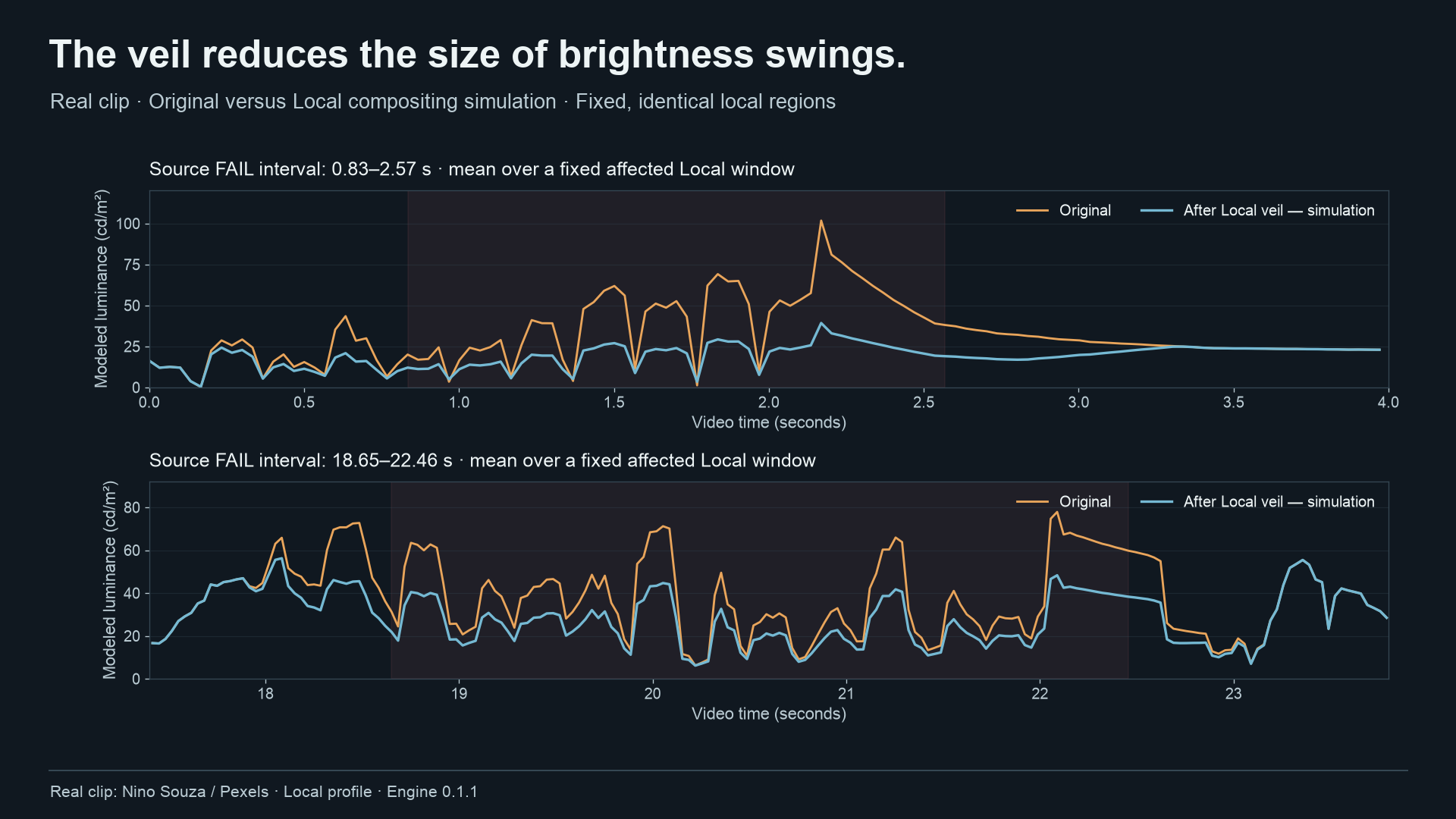
Reading the standard carefully changed our code. A rule we first implemented for all video, a relative contrast test above 160 cd/m², turned out to apply only to HDR content in BT.1702 3. We corrected it, kept the original mistake on record, and added tests right at the 159, 160 and 170 boundaries. The device did not blend colors the way we assumed. Our first compositing model was off by about 12.5 brightness codes on real device captures. A fit that looked perfect in RGB was hiding the error. After measuring all combinations of veil strength and gray level, we brought it under 1 code. Normal screen recording returned black frames. We had to use the emulator’s authenticated screenshot interface to capture real rendered pixels for timing measurements. Speed. Our first detector ran about 5 times faster than real time. After profiling every frame of a full film, we reached over 20 times real time on a single laptop core, with every result identical to the slower version. Small player details matter for safety. We found that after a seek, the veil must stay fully on until the new position is ready. We also found that the native player kept saying “playing” after a video ended, which left a stale warning on screen. Both are now fixed and covered by tests. Settings that did not survive a restart. One storage API silently lost the Kids setting after the app restarted. We only found it by actually killing and relaunching the app, and switched to the supported storage module. Accomplishments that we’re proud of 0 missed hazards and 0 false alarms across 325 evaluation clips in all three profiles. The clips include boundary pairs for every rule, 200 seeded shape variations at 24 to 60 fps, and hazards added onto Blender open movie footage. 975 out of 975 veil plans re-verified under the measured device timing error, with no unresolved segments. On a full screen flashing test clip, the biggest brightness jump fell from 61 to 19.7 cd/m² (the limit is 20), and rule-breaking changes fell from 13 to 0. On red and blue police lights, saturated red fell from 100% of the screen to 0%. Allowed content was left completely alone. The veil is as gentle as possible. It is just strong enough to pass the rules, so viewers lose as little of the picture as possible. A real open standard. HazardTrack is a separate Apache 2.0 project. Its published release, installed fresh, produces byte-identical results to our product. Honest engineering. Every number comes from a reproducible run. One command, scripts/verify-all.sh, re-runs every automated check and prints PASS or FAIL.
What we learned
Detection alone is not protection. Many tools can find flashing. The hard part is changing playback and then proving the change worked, under real timing errors. The standard text wins over assumptions. Reading the actual ITU and WCAG wording, section by section, caught mistakes that tests built on our own assumptions never would. Measure the device, don’t guess. Timing, color blending and storage all behaved differently on the real Vega device than on paper. Accessibility should be invisible when it is not needed. The best version of this feature is one you never notice until it quietly helps. What’s next for No Strobe-lem Run the AWS pipeline in a live account, so publishers can upload a video and get verified tracks automatically. Test on physical Fire TV hardware, and calibrate each new player the same way we calibrated the Vega simulator. Cover more hazards and content: regular patterns like stripes and checkerboards, and HDR video. Work with publishers and player makers to ship HazardTrack files next to their videos, the way caption files are shipped today. Live content, using a short look-ahead buffer.
No Strobe-lem is a viewing aid that reduces flashing according to published broadcast guidelines. It is not a medical device and cannot guarantee that content is safe for every person with photosensitive epilepsy.
Built With
- amazon-web-services
- aws-lambda
- aws-sam
- ffmpeg
- fire-tv
- python
- react-native
- typescript
- vega-os
- webvtt

Log in or sign up for Devpost to join the conversation.