-
-
-
-
-
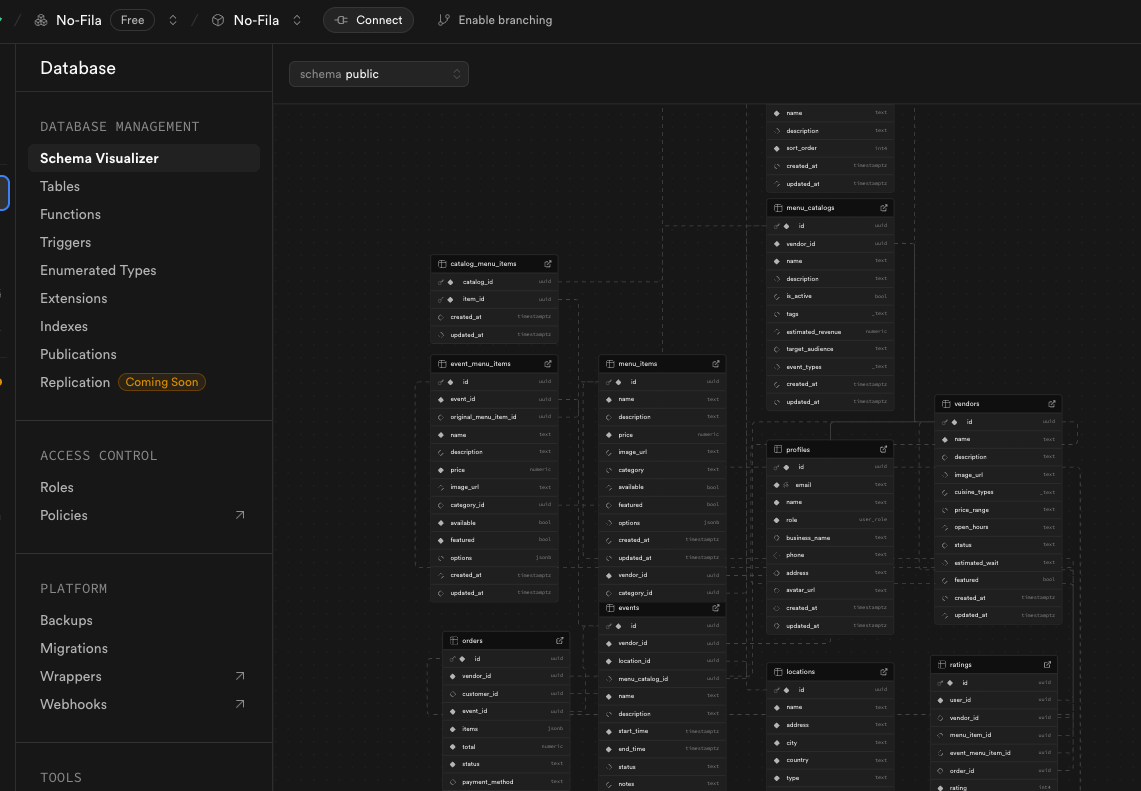
Supabase
-
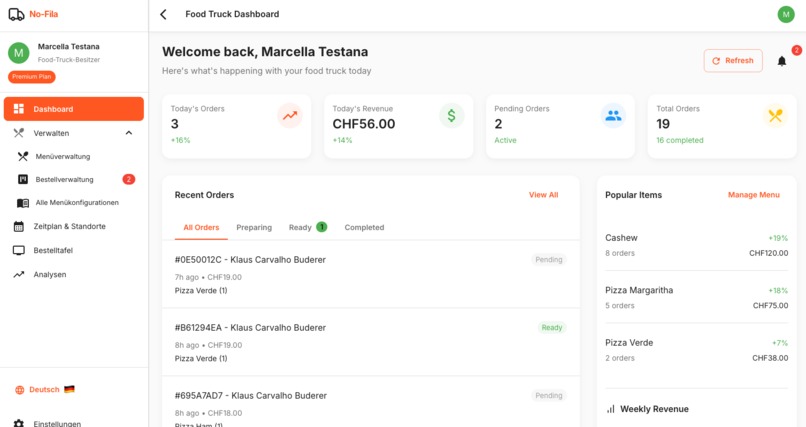
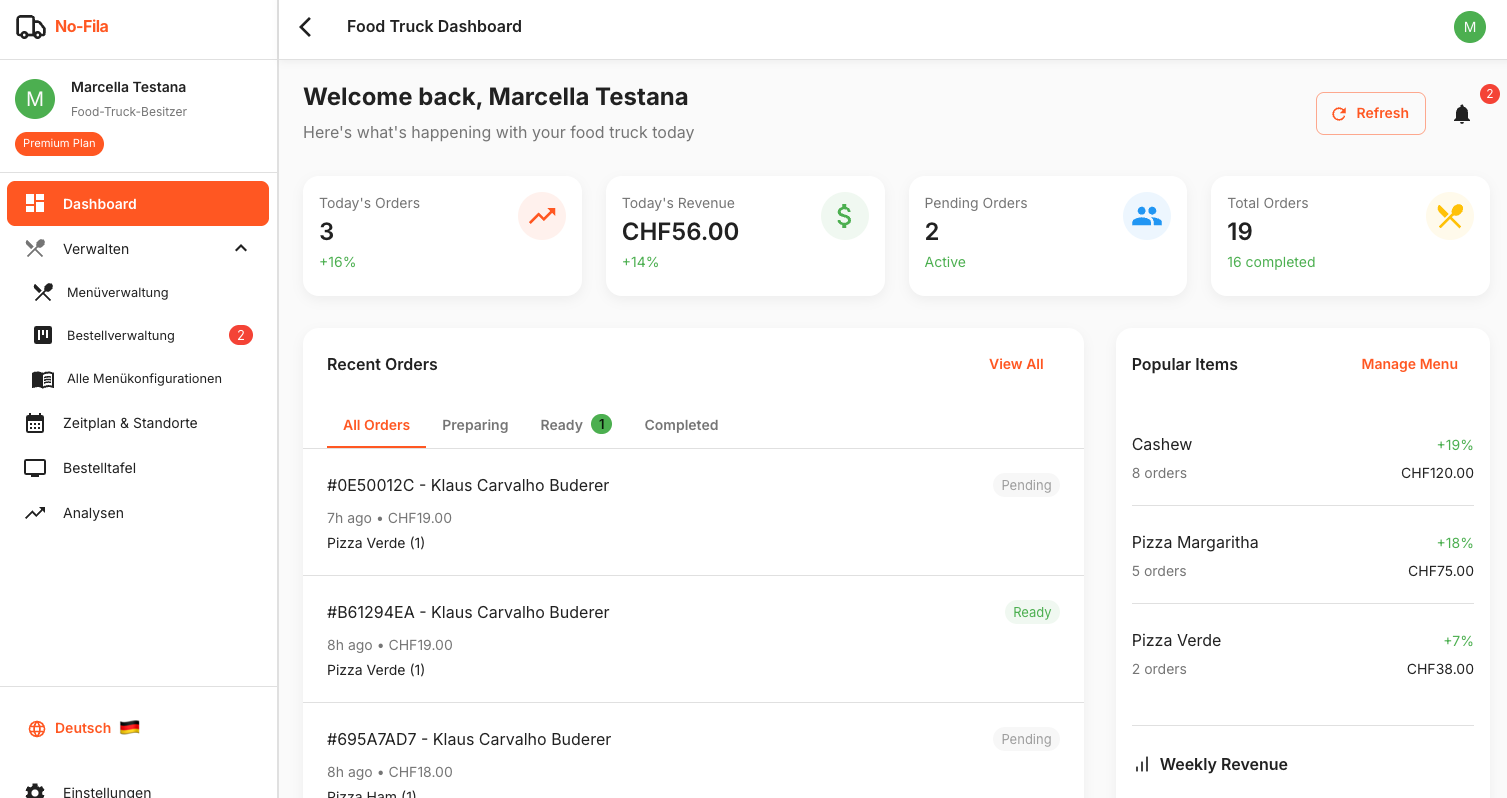
Food Trucks Dashboard
-
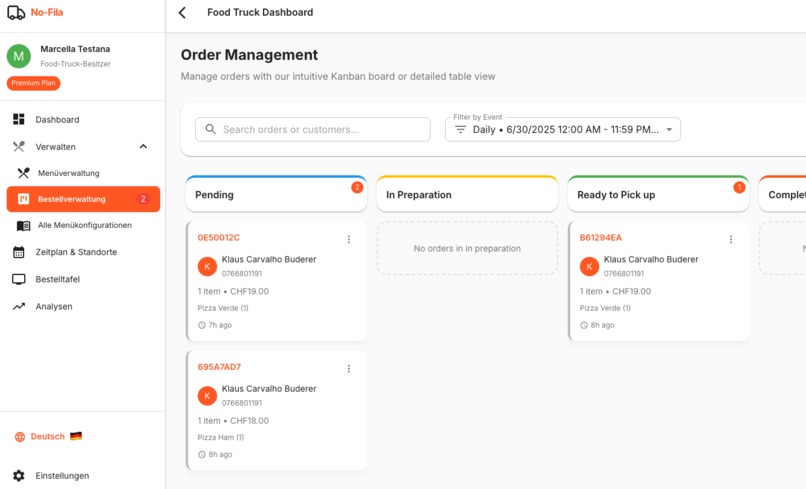
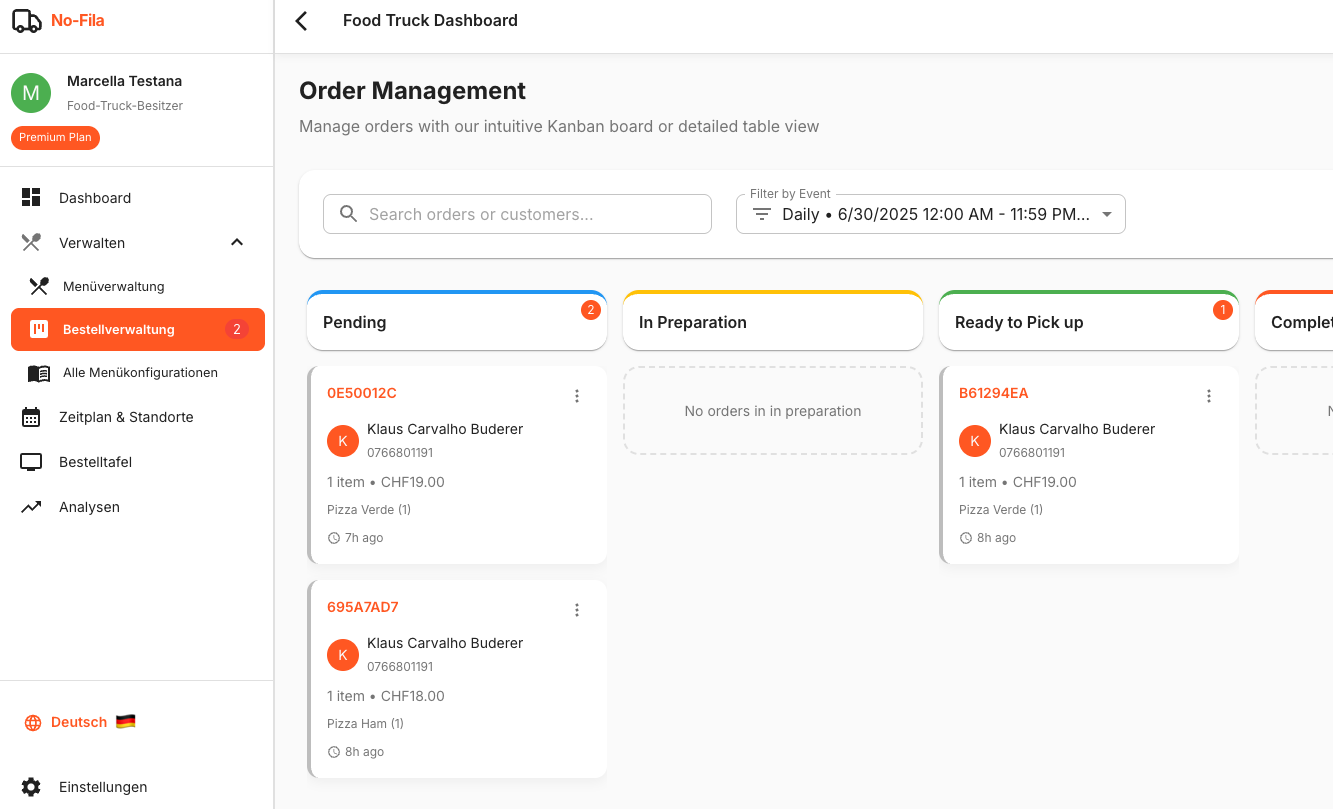
Food Trucks Order Management
-
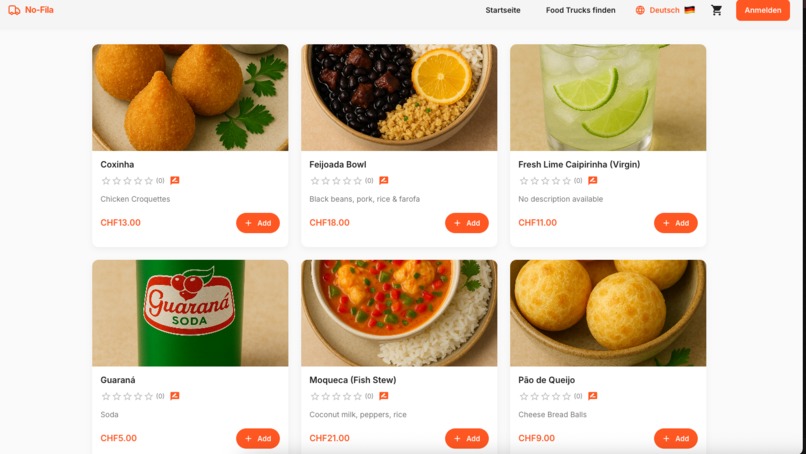
Customers Menu Page

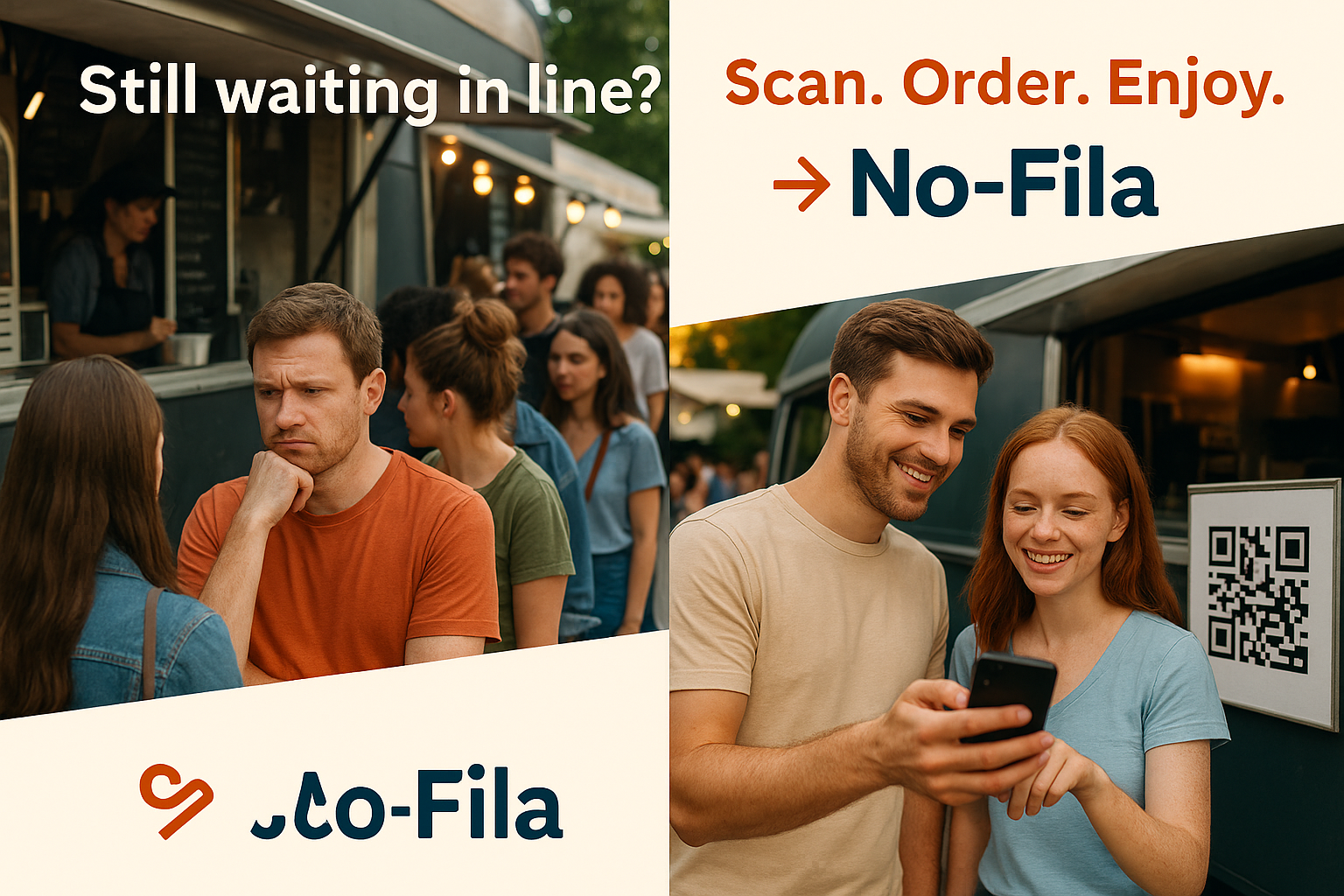

🚚 No-Fila: Skip the Line, Savor the Bite
✨ Inspiration
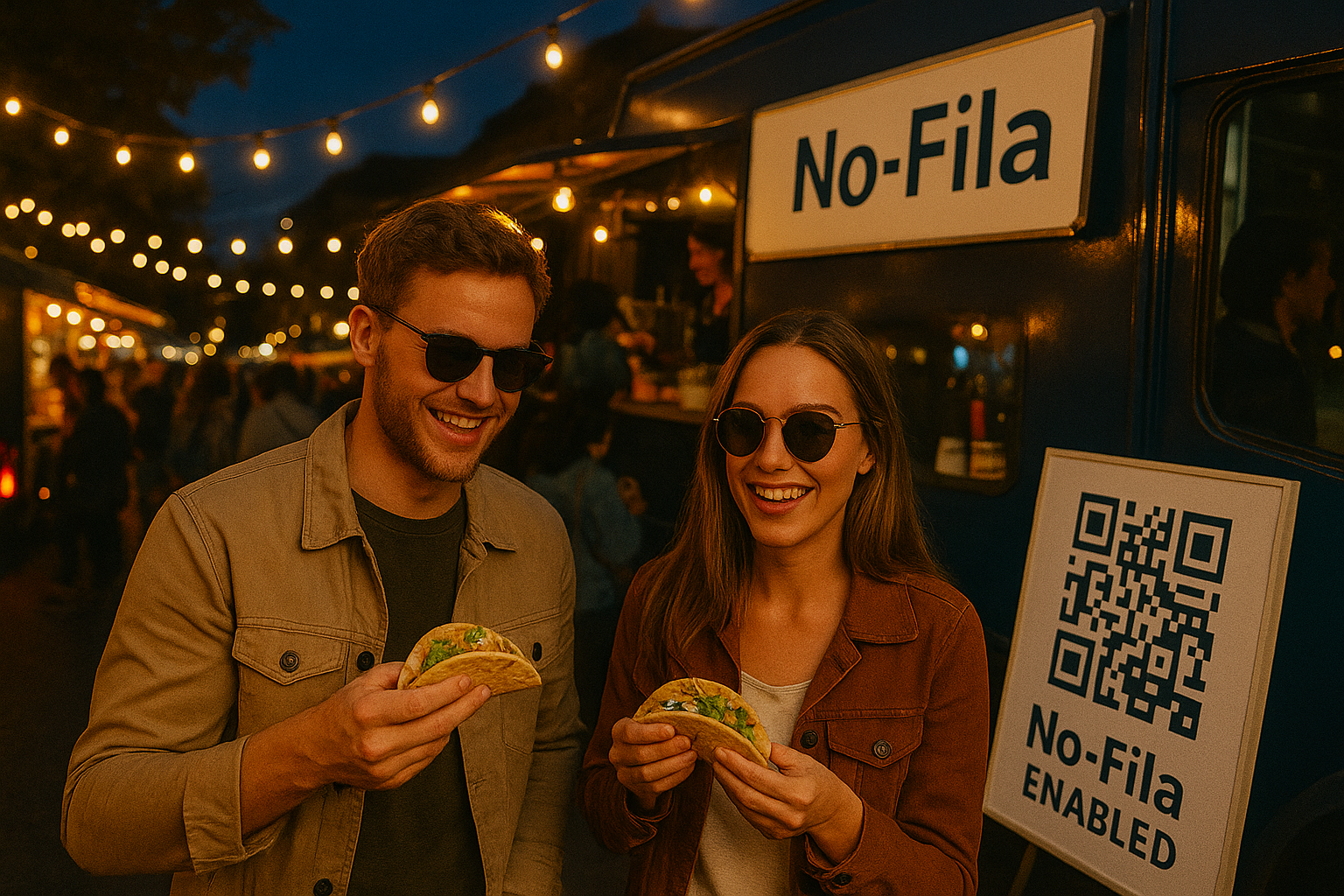
The idea for No-Fila was born during a street food festival. As attendees, we noticed that some of the best food trucks had the longest queues and hungry people walked away simply because they didn’t want to wait. Meanwhile, smaller or equally good trucks with no lines went unnoticed.
We thought: What if there was a better way to order one that reduces waiting time, increases vendor visibility, and enhances the overall experience?
That’s how No-Fila was born: a mobile-first marketplace for food trucks and small restaurants that eliminates waiting lines through QR-code ordering.
🍔 What It Does
No-Fila is a web-based platform that:
- Allows eaters to scan a QR code at a food truck, browse the menu, and place an order directly from their phone.
- Notifies customers when their food is ready, so they can pick it up without standing in line.
- Lets vendors manage their menus, schedules, events, and order workflow through a dashboard.
- Facilitates payment with a future-ready structure for direct-to-vendor transfers with commission-based fees.
- Supports favorites, ratings, analytics, and location-specific performance tracking.
🛠️ How We Built It
- Coding Environment: We used [Bolt.new] of course 😉
⚙️ Tech Stack & Tools
- Frontend: Built with React + TypeScript, styled with Material UI for a clean, mobile-first design.
- State Management: Managed with Context API and TanStack Query (React Query) for caching and data synchronization.
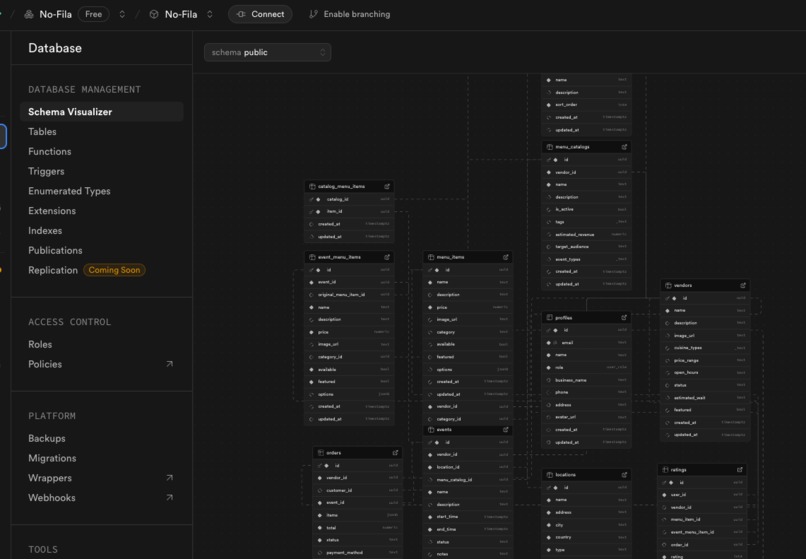
- Backend: Powered by Supabase, which handled:
- Authentication (including email and role-based logic)
- Database (PostgreSQL + Row-Level Security)
- File Storage (for images like menu items and avatars)
- Realtime updates (for order status and dashboard metrics)
- Payments: Stripe integration with a Stripe Connect-ready architecture. While currently disabled for the demo, the system is designed to support vendor payouts and platform fees.
- Notifications: Built with a Twilio-ready structure to support future rollout of SMS alerts when an order is ready.
- Deployment: The app is deployed on Netlify, and the domain is managed via IONOS, giving us a smooth CI/CD flow.
🔁 Key Features in Development
- Role-based Layouts: Vendors ("feeders") and customers ("eaters") get distinct experiences, with their own UI components and routes.
- QR Code Flow: Designed around real-world use cases, users scan, browse, order, and wait for a notification, all from their phone.
- Mobile-first Design: Prioritized touch UX, small screen readability, and offline-resilience.
⚠️ Challenges We Ran Into
- Session persistence: We struggled with Supabase sessions not persisting on page reloads. We fixed this by manually initializing and listening to auth state changes.
- Profile consistency: Ensuring that user metadata was reliably created and available post-registration was tricky due to Supabase trigger delays.
- Dual user roles: Designing a flexible but secure system that supports both "eater" and "feeder" flows in a single app required careful architectural planning.
- Responsiveness: Creating separate layouts for vendors and eaters while maintaining mobile-friendliness took several iterations.
- Bolt.new token limitations: As the project grew in size and complexity, Bolt.new* began consuming a high number of tokens.
🏆 Accomplishments That We’re Proud Of
- A fully working MVP in a short timeframe complete with auth, role-based dashboards, ordering, and menu management.
- A smooth user experience from QR code scan to order pickup.
- A scalable, modular codebase prepared for production.
- Bridging two very different user types (vendors and customers) in one cohesive app.
📚 What We Learned
- Deepened our understanding of Supabase’s capabilities and limitations.
- Gained practical experience in role-based layouts and auth handling in React.
- Learned how small UX details like “pulse animations on cart” or automatic profile syncing can elevate the experience.
- Understood the importance of clear fallback logic when dealing with async profile fetching and auth state changes.
- Learned how to optimize AI prompt usage in Bolt.new:
- By writing more concise prompts,
- Targeting specific files for edits,
- Locking files that didn’t need frequent changes.
These techniques helped significantly reduce token consumption as the project grew more complex.
🔮 What’s Next for No-Fila
- Startup launch: We plan to take No-Fila beyond the hackathon turning it into a real-world startup. The MVP built during this hackathon will serve as our foundation.
- Continued development with Bolt.new: We will keep using Bolt.new to refine and expand the app, adding new features and improving performance as we move toward production.
- Stripe Connect activation for live marketplace payments.
- Live order dashboard for feeders to see and manage incoming orders in real-time.
- Festival partnership mode to onboard multiple food trucks under one event.
- Analytics dashboard to help vendors optimize their menu and location strategy.
🧪 How to Test It
You can try out No-Fila by logging in as a sample user. The app supports two roles: "eater" (customer) and "feeder" (food truck owner). Here’s an example login you can use:
🔐 Feeder (Food Truck Owner)
- Email: [email protected]
- Password: Wsop2012
Once logged in as a feeder, you'll be taken to the vendor dashboard, where you can:
- Manage your menu
- View incoming orders
- Access analytics
Note: For demo purposes, payment via Stripe is disabled, but the ordering workflow is fully functional.
Built With
- ionos
- materialui
- netlify
- react
- supabase
- tanstack/usequery
- twilio
- typescript


Log in or sign up for Devpost to join the conversation.