-
-
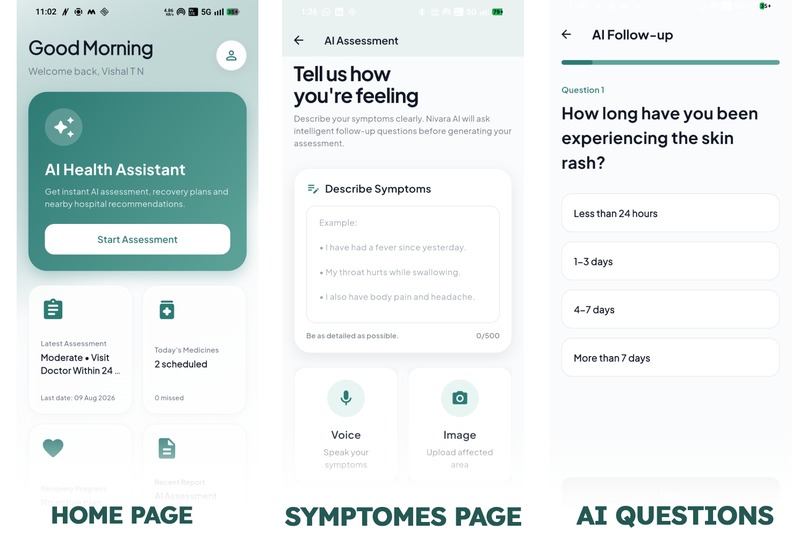
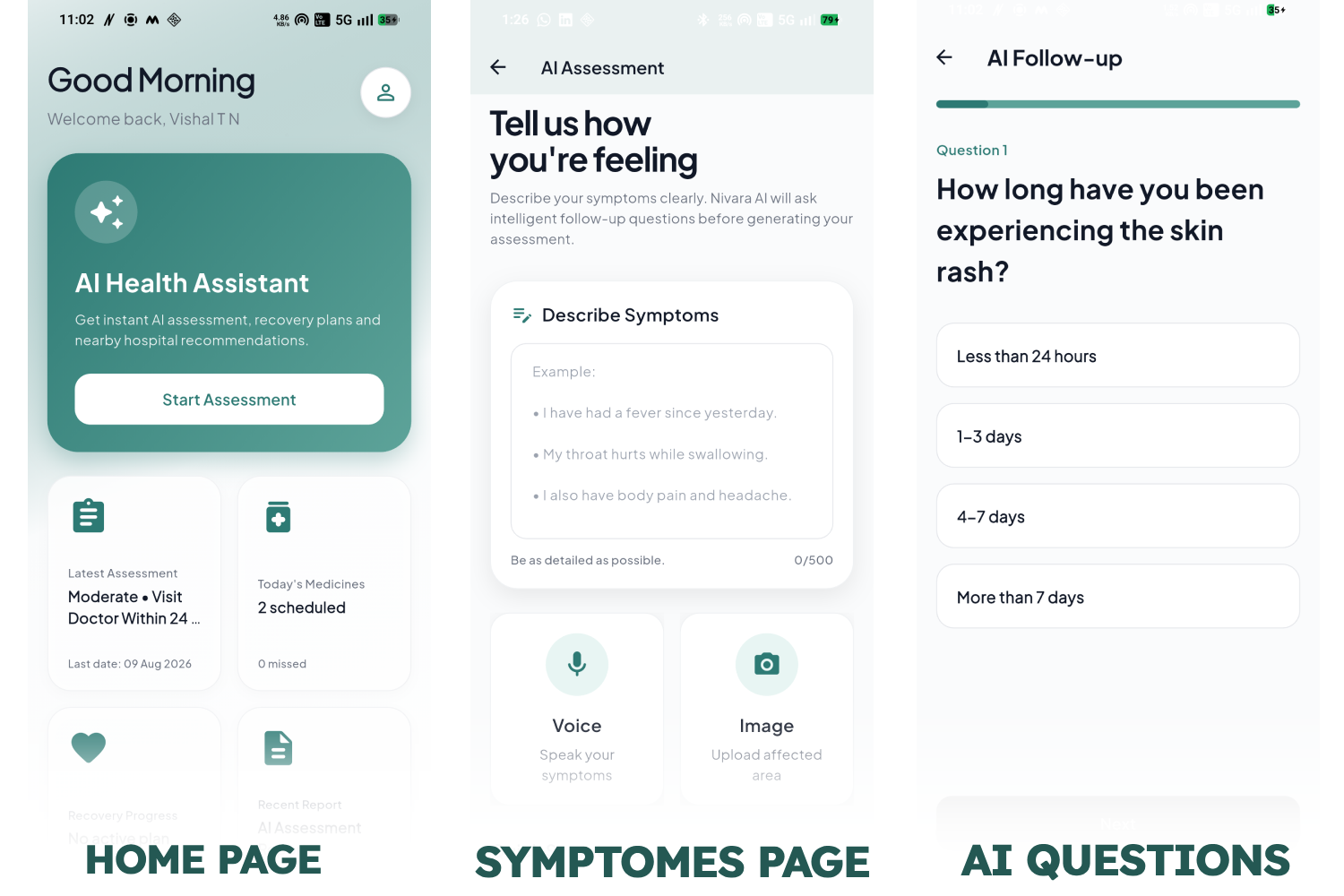
Home page , symptoms page, and AI follow up question slides
-
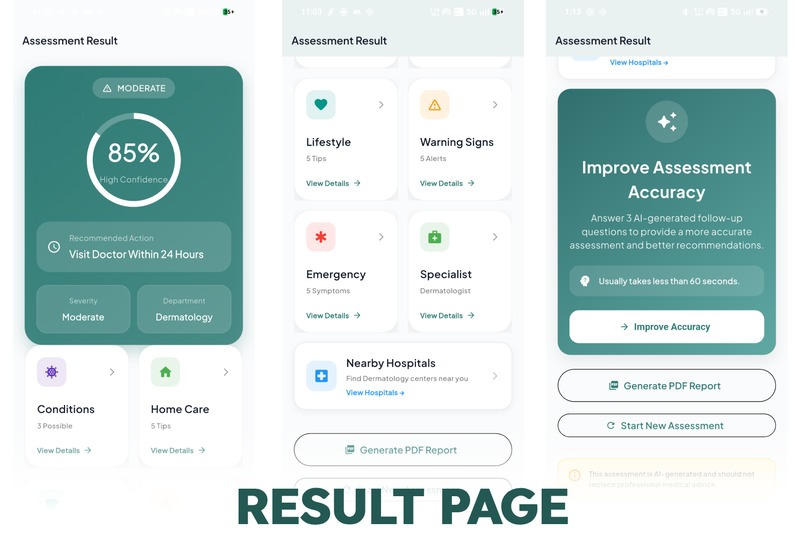
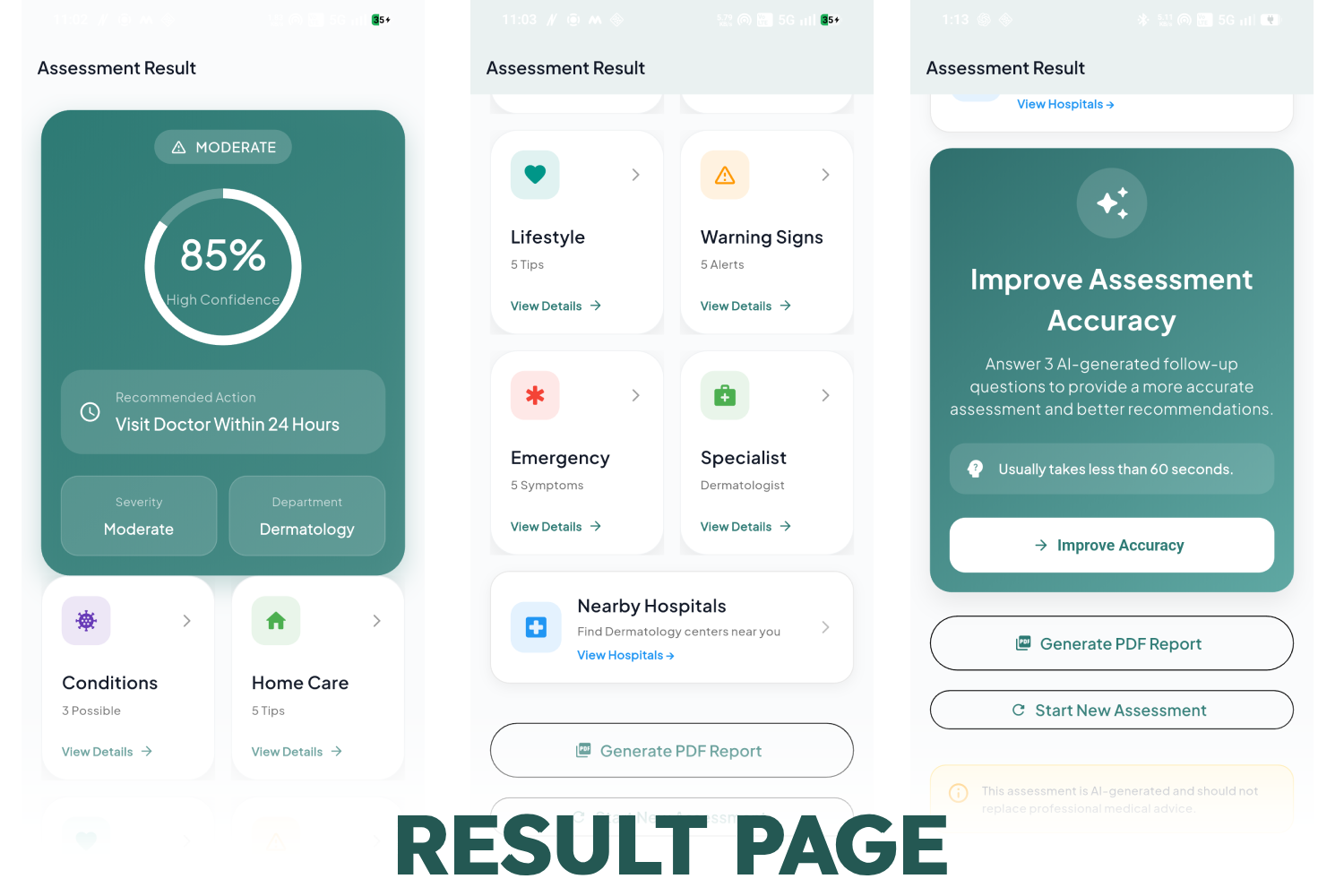
Result Page with Confidence level, severity, department, other cards and Improve assessment card (depends on symptoms)
-
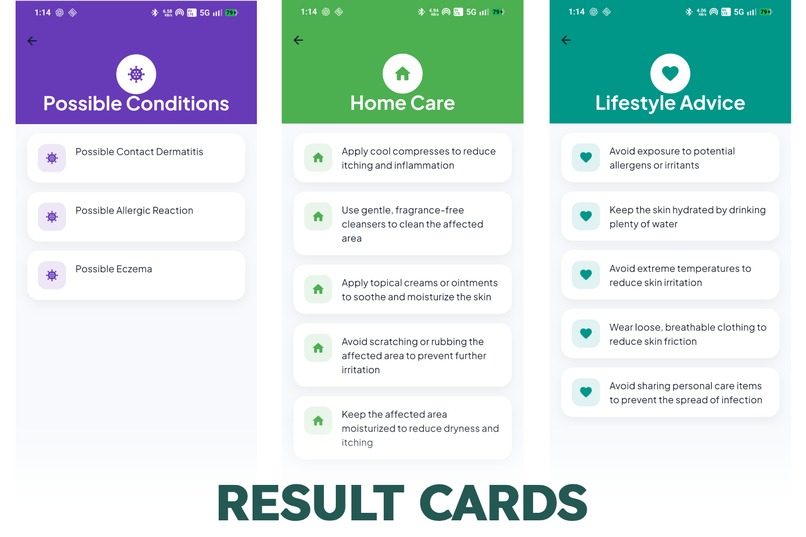
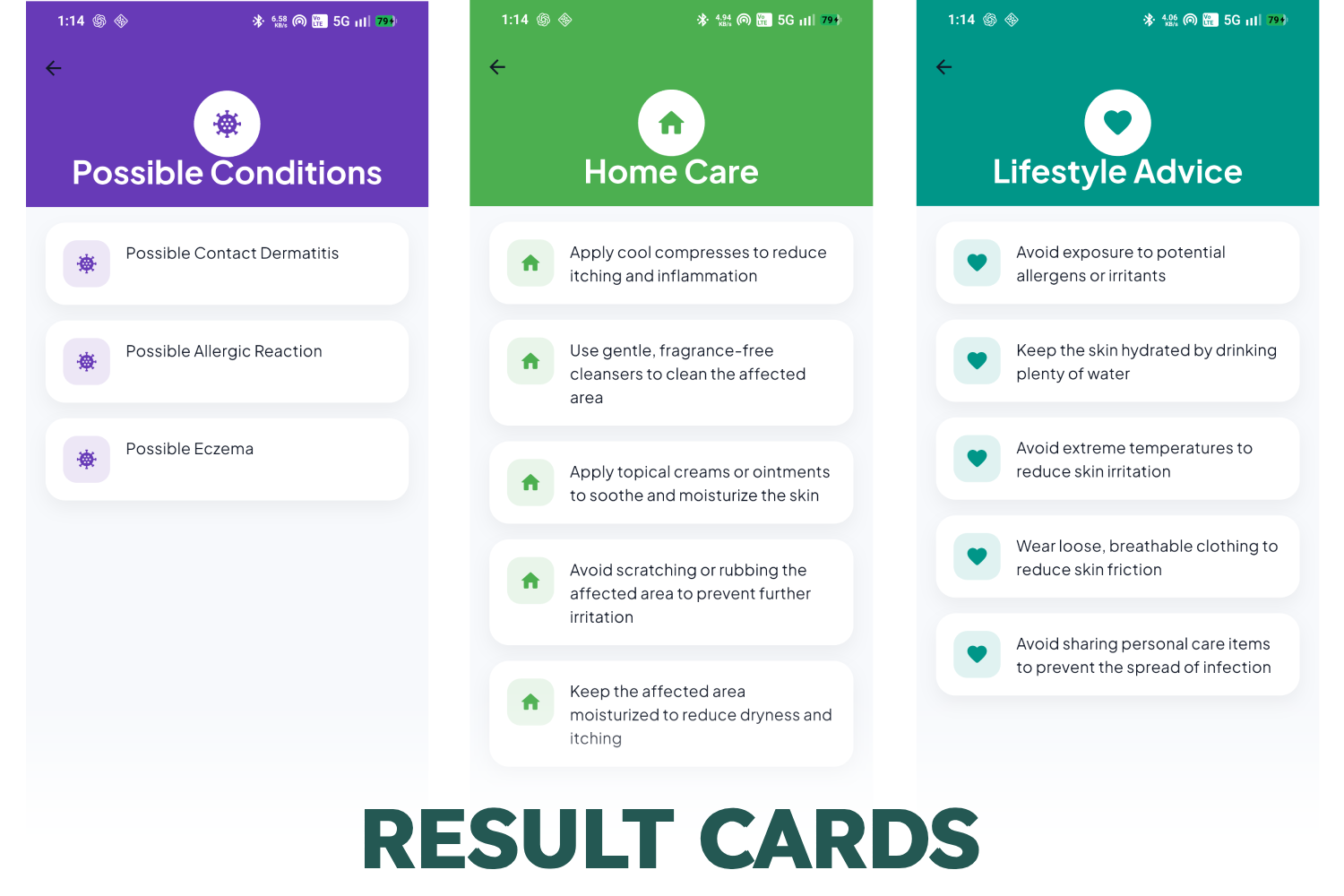
Individual cards close up(Possible conditions, Home care, Lifestyle).
-
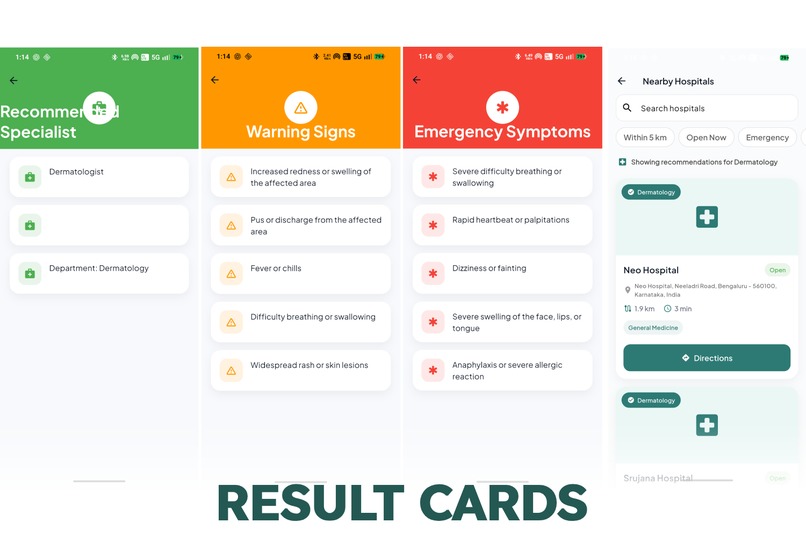
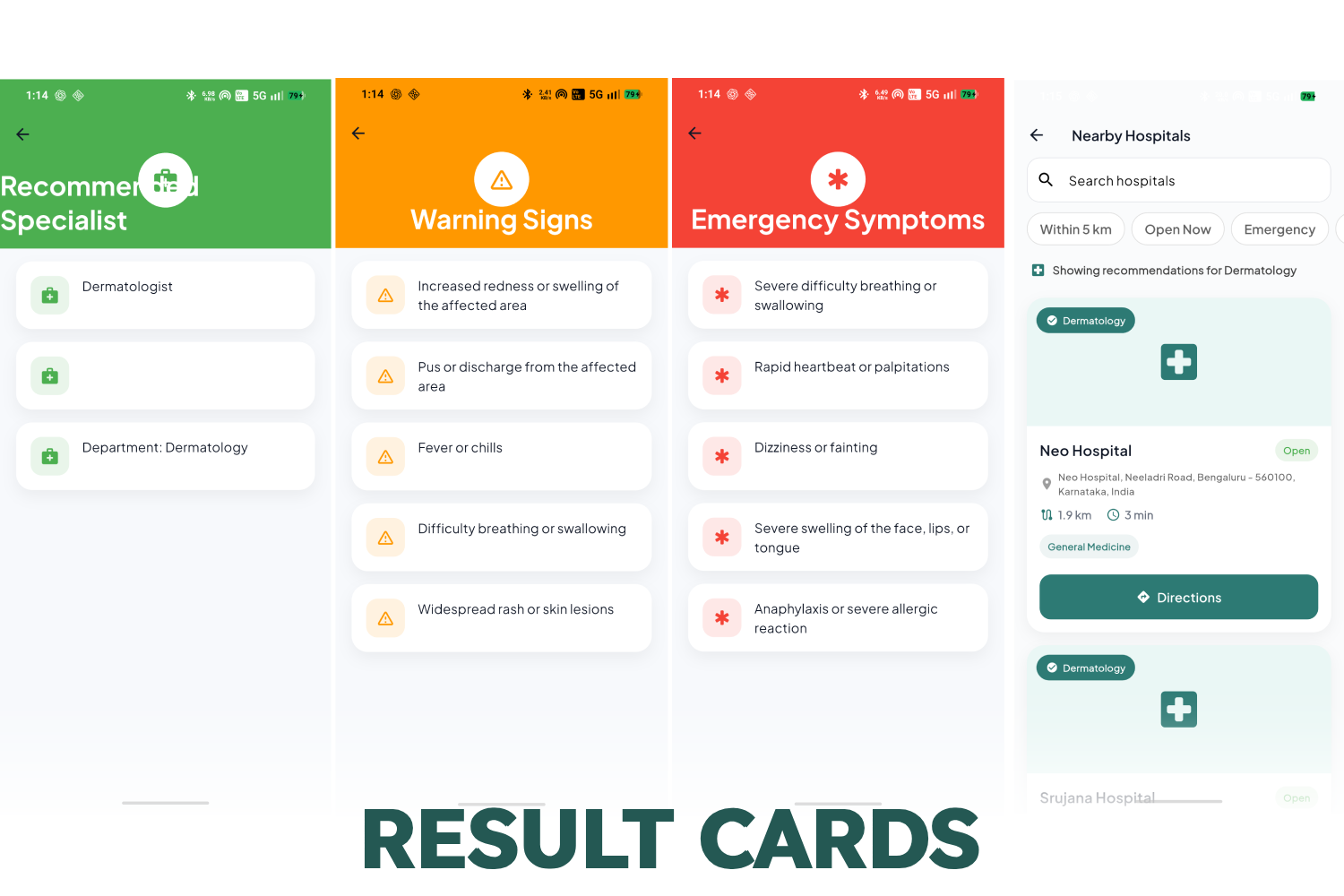
remaining cards (Recommended specialists, Warning Signs, Emergency Signs, Appropriate Hospital for suggested specialist).
-
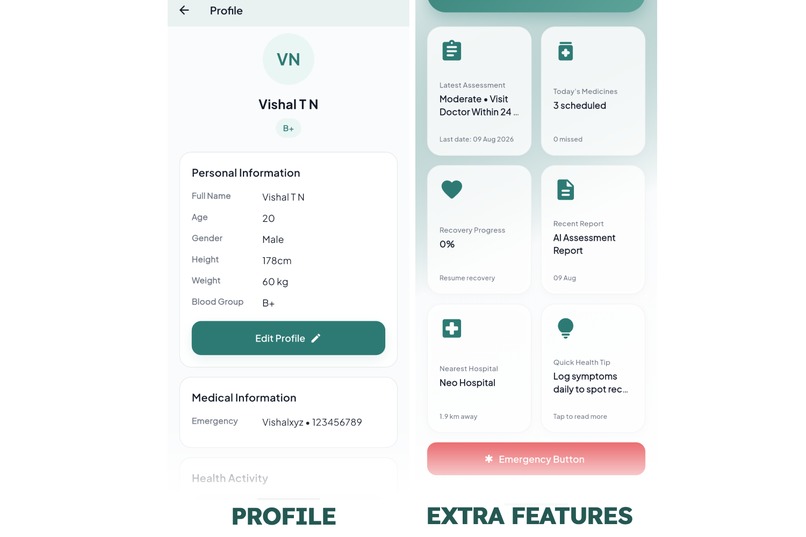
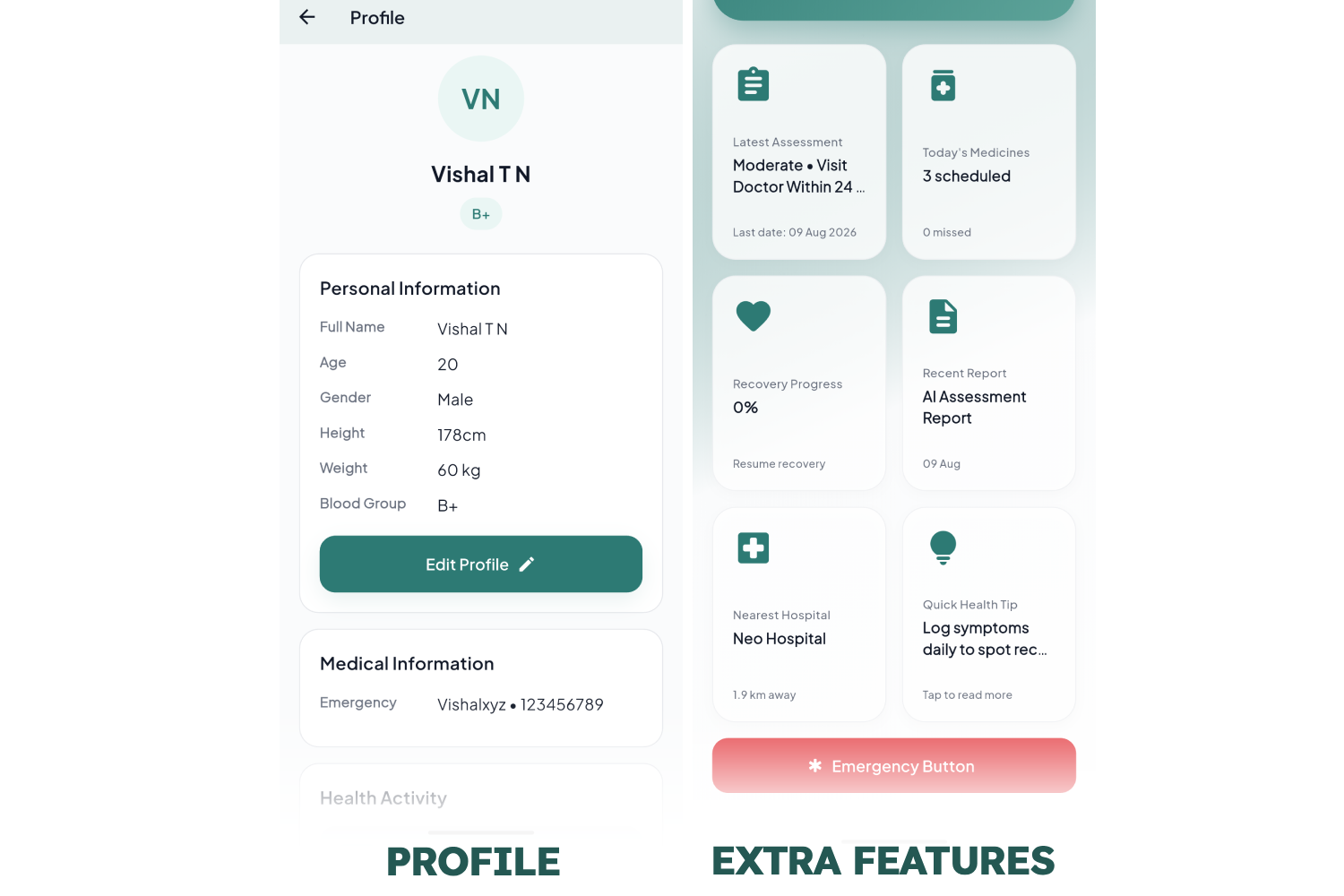
Profile and Additional Features and Emergency Button.
-
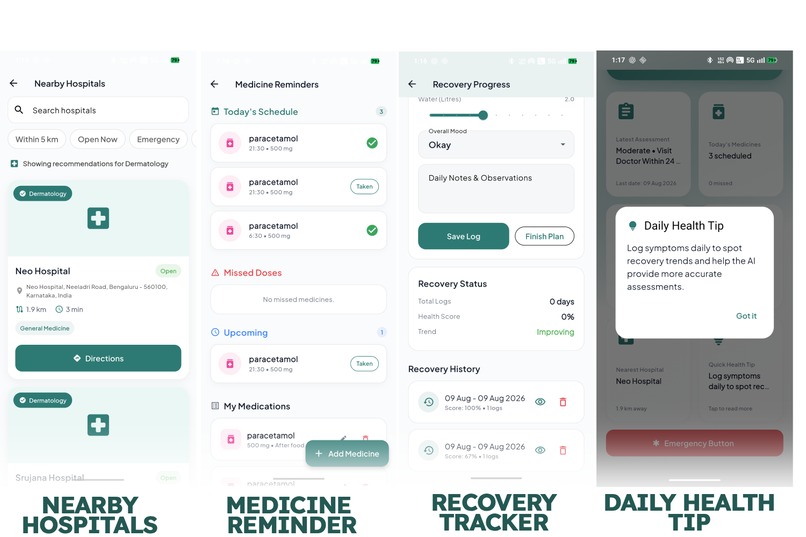
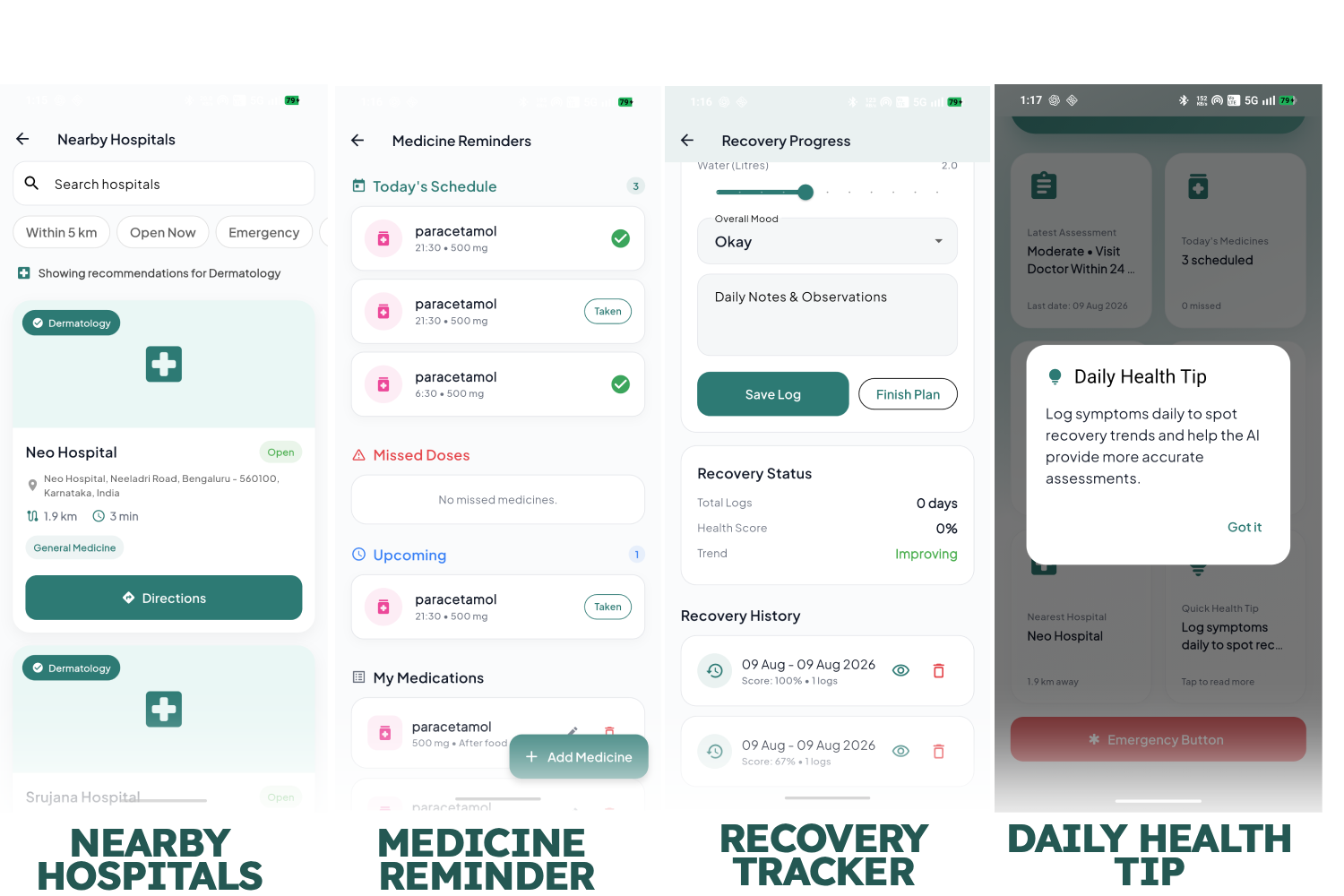
Additional Feature Close up: Nearby hospitals, Medicine Reminders, Recovery Tracker, Daily health tip, Reports History
Inspiration
When people experience symptoms, one of the first things many of us do is search the internet. The problem is that symptom searches often return a huge amount of information without answering the most important question:
“What should I do next?”
I wanted to build something that could make that process more structured and easier to understand.
That idea led me to build Nivara — an AI-powered health assessment assistant designed to help users understand their symptoms, assess their level of urgency, and identify appropriate next steps.
What Nivara Does
Nivara starts with the symptoms provided by the user and uses an AI-powered follow-up interview to ask relevant questions rather than relying only on the initial input.
Based on the user's symptoms and answers, Nivara generates a structured assessment containing:
- Possible conditions
- Confidence level
- Severity
- Urgency
- Recommended medical department
- Suggested specialist
- Home-care guidance
- Lifestyle advice
- Recommended tests when appropriate
- Warning signs
- Emergency symptoms
- Nearby Hospital recommendation for the suggested specialist
Nivara does not attempt to diagnose the user. Instead, it is designed to provide an initial understanding of the situation and help the user make a more informed decision about seeking care.
The application can also recommend nearby hospitals based on the assessment, with information such as distance, availability, relevant departments, and filtering options.
Users can also generate a structured report from their assessment for future reference or discussion with a healthcare professional.
How I Built It
I built Nivara as a Flutter application using Dart.
The application uses:
- Flutter for the cross-platform user interface
- Riverpod for state management
- AI-powered assessment for symptom analysis and dynamic follow-up questions
- Location services for nearby hospital recommendations
- Structured assessment models to keep AI responses consistent throughout the application
- PDF report generation for preserving assessment results
I organized the application into separate layers for presentation, controllers, services, repositories, and domain models. This made it easier to develop individual features without tightly coupling everything together.
Challenges I Faced
One of the biggest challenges was making AI-generated health assessments structured and consistent.
A conversational AI can produce useful information but in unpredictable formats. I needed the response to contain specific sections such as possible conditions, home care, lifestyle advice, warning signs, emergency symptoms, recommended departments, and tests so that the Flutter application could reliably display them.
Another challenge was making the follow-up interview feel dynamic rather than like a static questionnaire. The questions need to be relevant to the symptoms the user provides while keeping the interaction simple enough for a normal user.
I also faced challenges integrating location-based hospital recommendations, implementing hospital filters, managing application state correctly, and keeping the UI responsive while AI and location-related operations were running.
Flutter dependency compatibility was another challenge. Different packages sometimes required conflicting versions, which meant I had to troubleshoot package versions and make sure the different parts of the application worked together reliably.
What I Learned
Building Nivara taught me that creating an AI-powered application is much more than connecting an API to a chatbot.
I learned how important it is to:
- Design structured outputs for AI systems
- Handle unpredictable AI responses safely
- Build state-driven Flutter applications
- Separate business logic from UI
- Work with location-based services
- Design user flows around real-world problems
- Think about safety when building applications involving health information
- Debug dependency and integration problems in a real project
- How to work with AI
Most importantly, I learned that AI works best when it is integrated into a well-designed workflow rather than being treated as the entire product.
What's Next
Nivara is still evolving. Future improvements could include more personalized health tracking, improved assessment reliability, better integration with healthcare professionals, expanded hospital information, and additional communication channels for reaching users when an assessment requires attention.
My goal is not to replace medical professionals.
My goal is to help people go from:
“I have these symptoms. What do I do?”
to a clearer understanding of their next step.
Symptoms speak. Nivara listens.
Built With
- android
- dart
- flutter
- geoapi
- github
- google-maps
- groq
- llama
- pdf-generator
- rest-api
- riverpod

Log in or sign up for Devpost to join the conversation.