About the project
NirmanSetu is a government infrastructure monitoring and transparency platform that I built with the context of Nepal in mind.
In Nepal, many public infrastructure projects are carried out by government bodies, municipalities, and contractors. Keeping track of the progress of these projects can be difficult when many projects are running in different locations. It can also take time to find out which projects are progressing normally and which ones are delayed.
I wanted to build a system where project information could be viewed in one place instead of depending mainly on manual reports and checking projects individually.
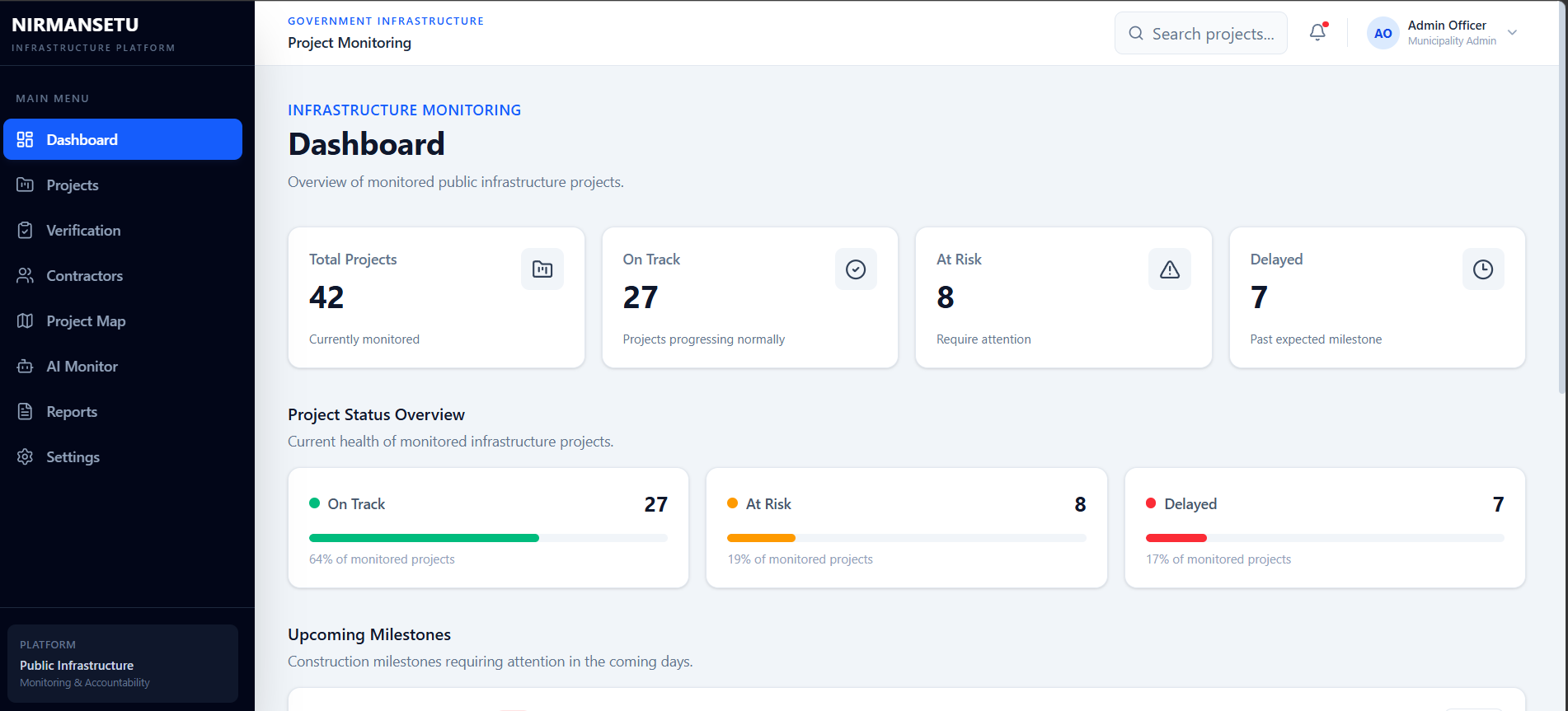
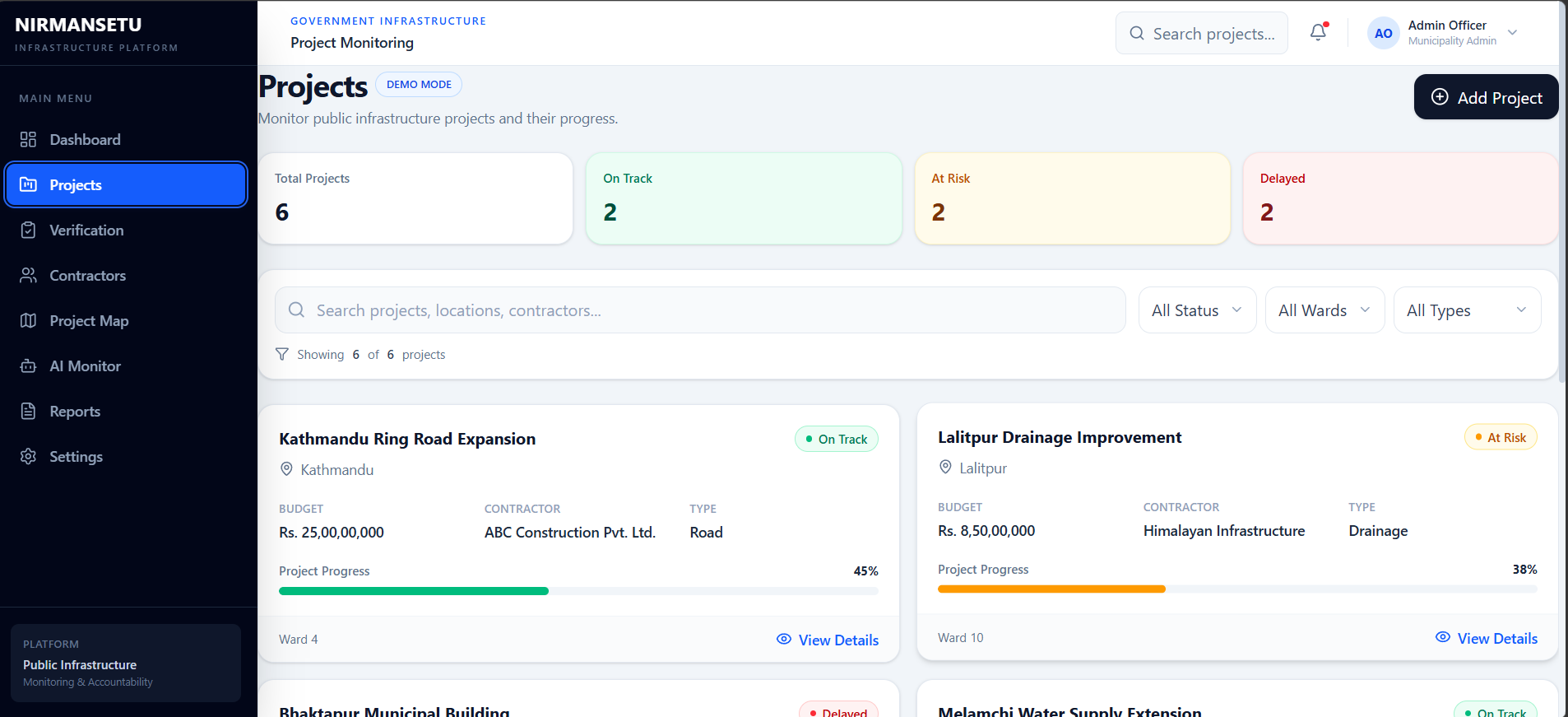
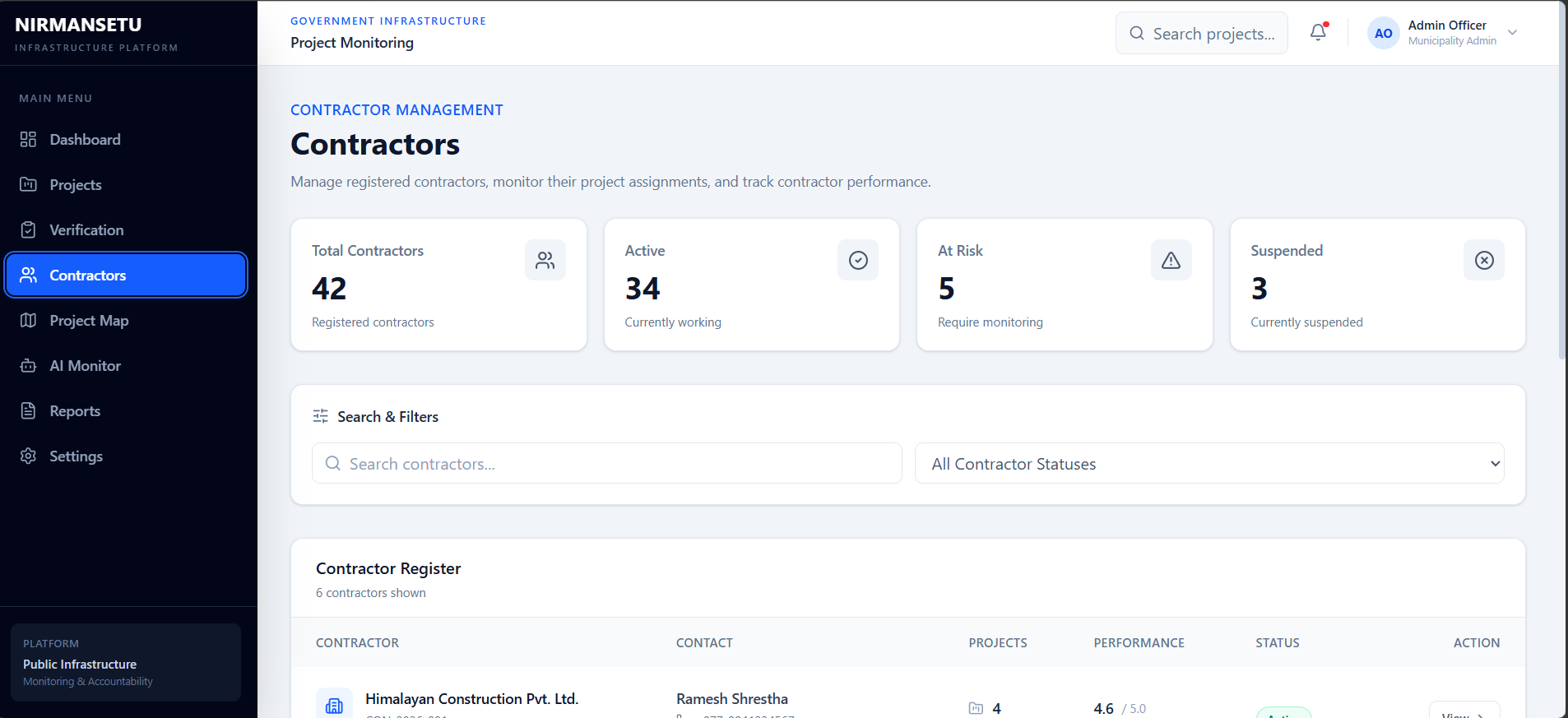
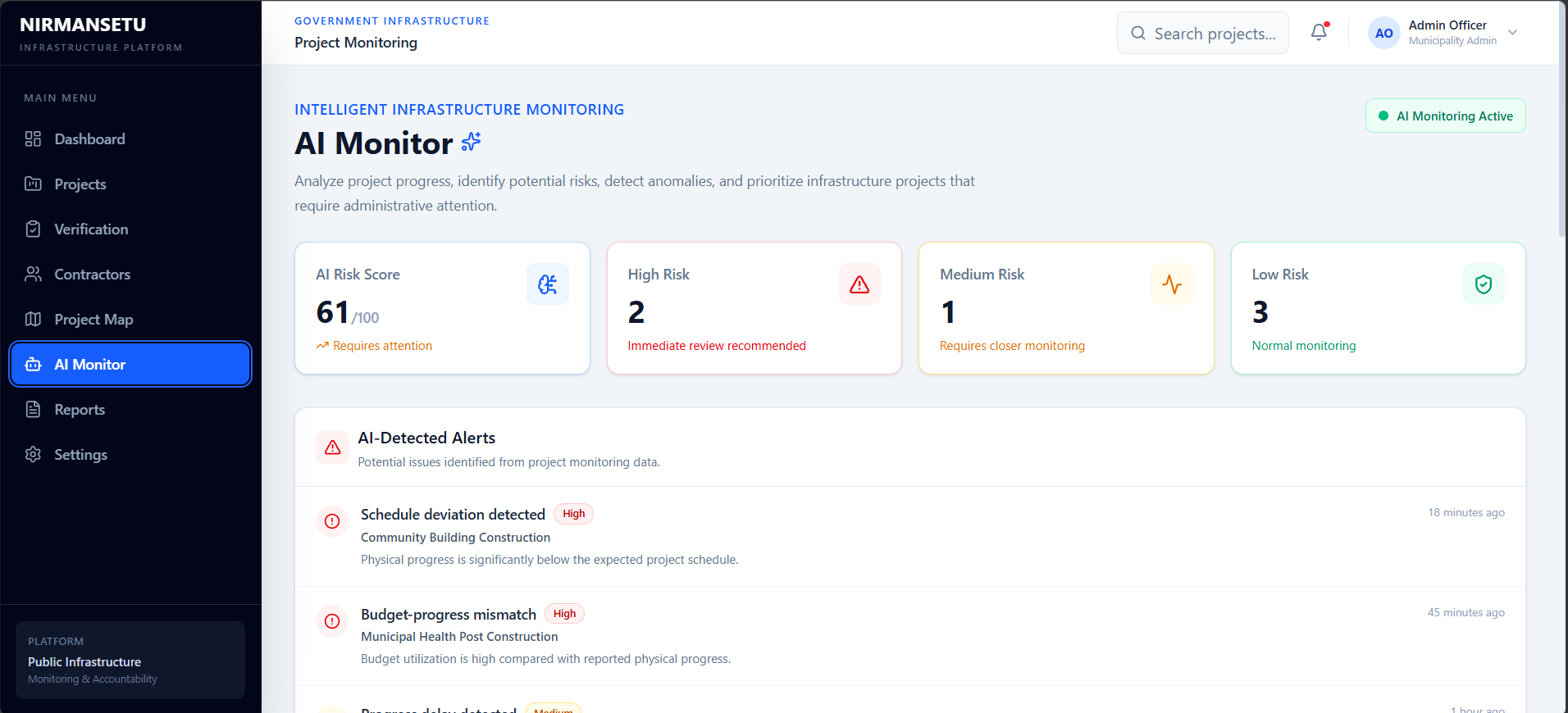
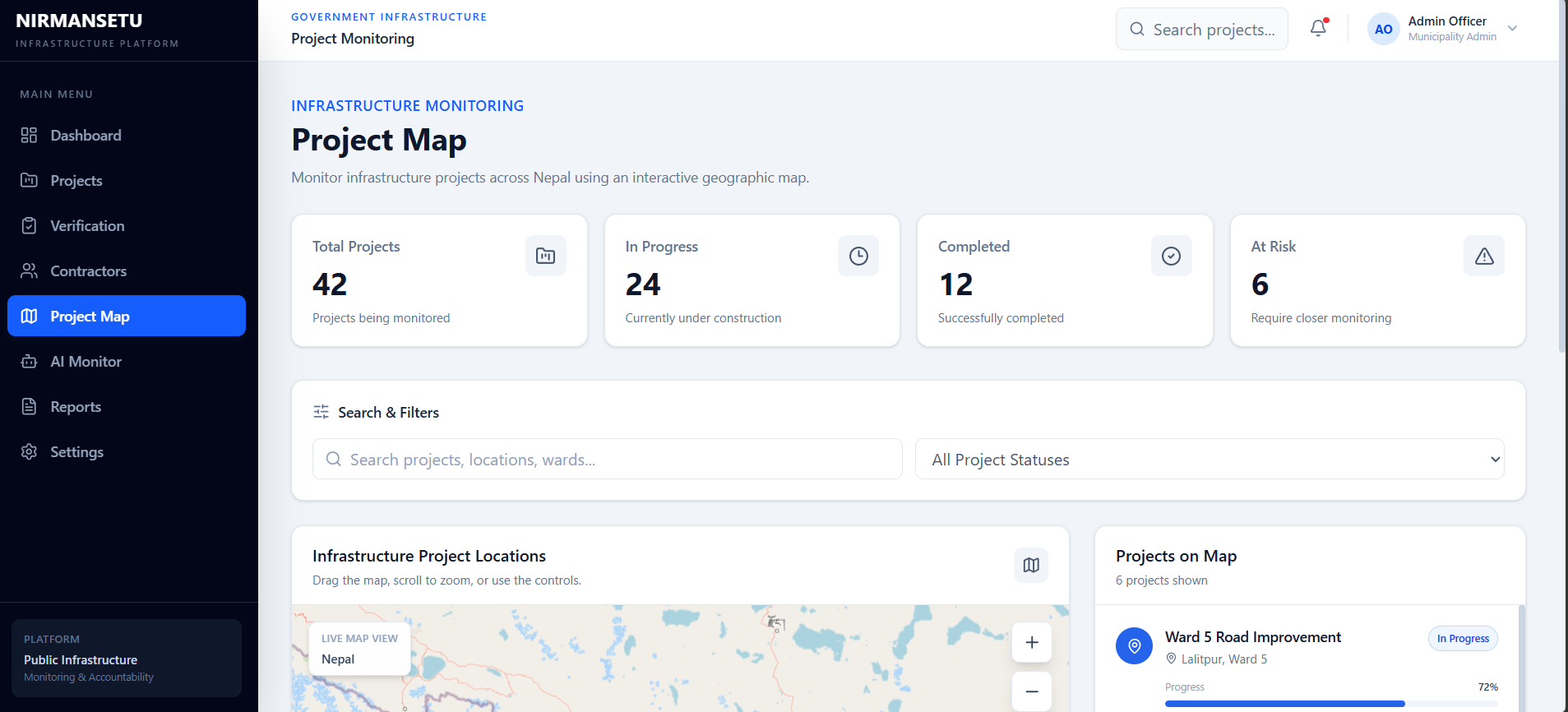
NirmanSetu provides a dashboard for monitoring infrastructure projects and their current status. It includes project progress, location, contractor information, completion dates, verification information, reports, and project risk information. Projects are grouped into On Track, At Risk, and Delayed so that projects requiring attention can be identified more easily.
Why I Built NirmanSetu
The main idea behind NirmanSetu came from a problem I have seen around government and public infrastructure work in Nepal.
Whether it is a road, health post, school, municipal building, or a larger government project, it is not always easy for people to know what is actually happening with a project. At the local and municipal level, and even with larger government projects, information can be scattered across different offices, reports, and processes. This makes it harder to understand whether a project is progressing as planned, why it is delayed, or how public money is being used.
Seeing this lack of transparency and accountability is what motivated me to build NirmanSetu.
I wanted to create a digital system where government infrastructure projects could be monitored in one place, with information such as project progress, location, contractor, deadlines, verification, and risk status.
The goal is not to claim that software alone can solve corruption. Instead, I wanted to build a system that makes project information easier to access and makes it harder for important information to remain hidden or difficult to track.
Why WebMCP
WebMCP added another important part to this idea. Normally, a person using NirmanSetu would open the project list, search or filter projects, and then check individual project details. I wanted to see what would happen if an AI agent could directly use some of these project functions.
For example, instead of manually looking through the project list, a user can ask:
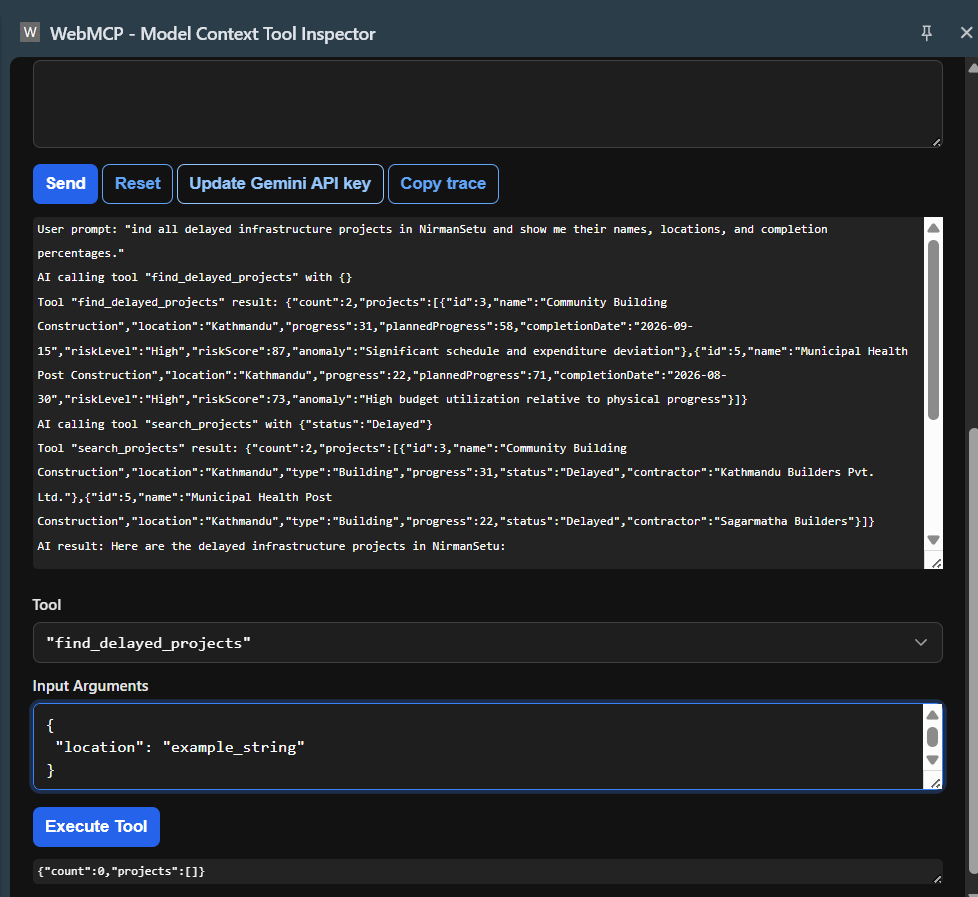
Find all delayed infrastructure projects in NirmanSetu and show me their names, locations, and completion percentages.
The AI agent can identify the appropriate WebMCP tool, call it, receive the project information, and present the result in a natural-language response.
This is different from simply putting a chatbot on the website. The agent can actually interact with functions provided by the application.
WebMCP Implementation
I implemented four read-only WebMCP tools:
search_projectsget_project_detailsfind_delayed_projectsget_project_risk
The tools are registered using the browser's document.modelContext API. They return structured project data that an AI agent can use.
For the hackathon demo, I used a controlled project dataset so that the demonstration is stable and easy to test. The project is structured so these tools can later be connected to a real backend and actual project data.
How I Built It
The frontend was built with React and Vite. I used Tailwind CSS for the interface, along with React Router, Leaflet, and Lucide React. The application is deployed using Vercel.
I first worked on the normal infrastructure monitoring interface and then added the WebMCP integration. After registering the tools, I tested them in Chrome and used the WebMCP Tool Inspector to check the available tools and their responses.
One of the main things I had to figure out was how to expose useful project functions to an AI agent rather than just exposing information on a webpage. I also tested the complete flow from a natural-language request to the tool call and finally to the response generated by the AI agent.
What I Learned
This project helped me understand how a normal web application can be made easier for AI agents to use.
Before working on this project, I mainly thought about a website from the perspective of a person clicking buttons and navigating pages. WebMCP made me think about another user of the application: an AI agent that needs clear tools and structured information.
I also learned more about registering browser tools, defining their inputs and outputs, testing tool calls, and making the interaction reliable for a live demonstration.
Challenges
One challenge was deciding which parts of the application would actually be useful for an AI agent. I did not want to expose every UI action as a tool, so I focused on project search, project details, delayed projects, and risk information.
Another challenge was testing the complete interaction between the browser, WebMCP tools, and the AI agent. I had to make sure the tools were registered correctly and returned information in a format that the agent could understand.
Future Plans
The current version is a hackathon prototype. For a real deployment in Nepal, I would connect NirmanSetu to actual government or municipal project data instead of the current demo dataset.
I would also like to add GPS and timestamp-based evidence for construction progress, better verification of submitted photos and documents, financial and milestone tracking, notifications for delayed projects, and AI-based analysis that can help identify projects that may require closer monitoring.
Built With
- css
- javascript
- leaflet.js
- react
- router
- tailwind
- vite
- webmcp

Log in or sign up for Devpost to join the conversation.