-
-
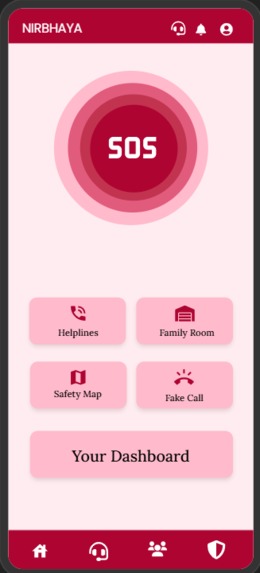
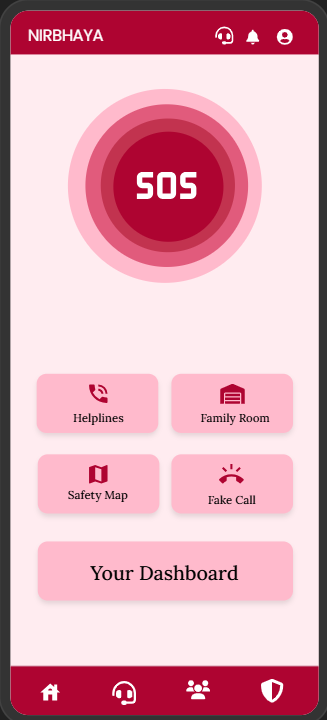
dashboard
-
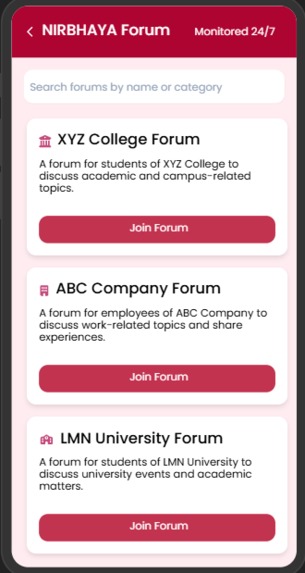
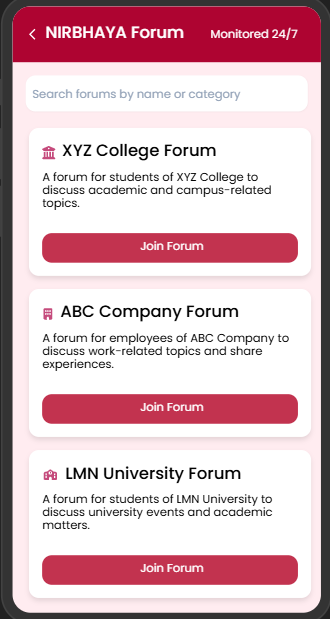
campus forums
-
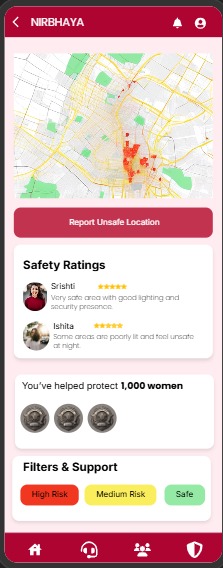
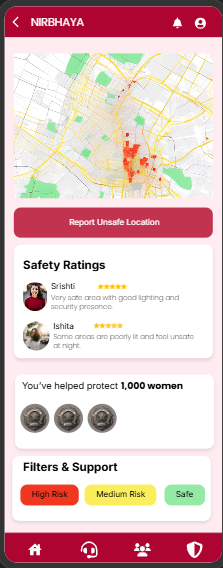
safety map
-
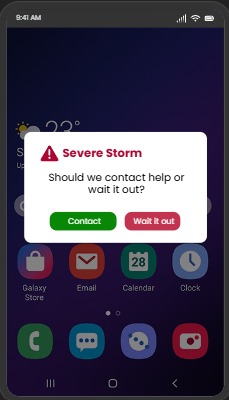
fake emergency call
-
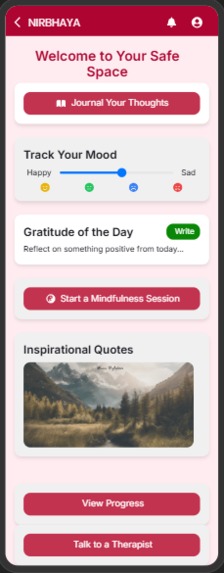
personal journal
Inspiration
Every second, women around the world face the threat of violence, harassment, and assault. The lack of adequate safety measures has led to an increasing number of crimes against women. Without immediate access to help, victims of assault or other threats can suffer physical and emotional trauma. Furthermore, a lack of reliable reporting mechanisms and response systems has led to mistrust in authorities, making it challenging for women to feel protected. That’s where Nirbhaya comes in, our app is more than just a technology, it’s a lifeline, a guardian ,a community, all rolled in one. Nirbhaya meaning fearless, is a mobile app designed to revolutionize women's safety. Our vision is to create a world where women can feel safe and confident in their daily lives, whether at home, at work, or out in public. We aim to empower women with the tools they need to protect themselves and access immediate help during times of danger.
What it does
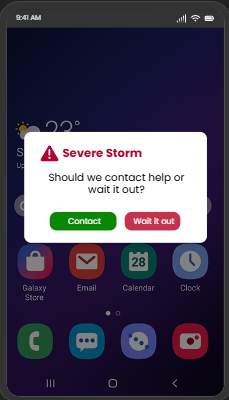
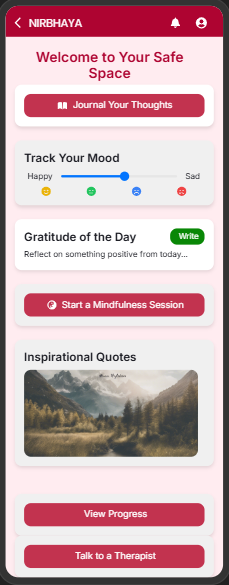
Nirbhaya is an AI-powered safety app combining threat detection, satellite connectivity, and community engagement. It features a multi-tiered alert system, real-time location sharing, and automatic video capture. For discreet use, it includes a camouflage interface, tic-tac-toe password, and weather app SOS notifications. AI works in 30+ languages, detecting distress even offline, while satellite messaging ensures connectivity in remote areas. Encrypted video storage captures evidence, and a crowdsourced safety map highlights unsafe zones. Global travelers benefit from international emergency services and cultural tips. With a virtual safety companion, smart features, and integration with smart city infrastructure, Nirbhaya creates a global network of safe spaces, offering personalized safety tips and a marketplace for safety products. Automatic Threat Detection: • AI and voice analysis to detect signs of distress, even when the app is offline. • AI-powered gender recognition models integrated with video feeds from high-resolution cameras for accurate threat identification. Family Safety Assistance: • Automatic video recording at high threat levels. • Encrypted cloud storage ensures captured evidence is safely stored for future use. Community Safety Forum: • Users can submit safety reports with location ratings, photos, videos, or audio evidence. • Anonymity options for submitting posts ensure privacy and protection for the user. • Monthly aggregated crime reports highlight unsafe areas, enabling the government to strategically deploy women constables and enhance security. Fake Calls, SMS & Disguised Notifications: • Users can receive fake calls and messages with pre-set scripts to help escape uncomfortable or dangerous situations. Instant Alerts and SOS Triggers: • Notifies emergency contacts and nearby police with live location sharing when threat levels rise. • SOS can be activated by tapping the volume button multiple times for quick emergency response. Interactive Onboarding & Help Guides: • An interactive tutorial during the first app launch guides users through key features. • Quick-help guides, tooltips, and a FAQs section provide easy access to help. • Pre-set scenarios, such as "How to activate the SOS button," ensure users are prepared for emergencies. Opt-In Tracking and User Control: • Users can opt-in for tracking and control the level of monitoring based on personal preferences. • Customizable settings allow users to adjust how their location and data are shared, ensuring privacy and control.
Challenges we ran into
First challenge was simplifying complex features so they still make sense in a prototype. I had to carefully think about how each feature would actually work in real life.
I also struggled with organizing so many features into a clear user flow without making the app confusing. Balancing safety, privacy, and usability was not easy.
Accomplishments that we're proud of
I am proud that I was able to turn a serious real-world problem into a structured solution idea. Even as beginner, I designed a complete end-to-end user flow from onboarding to emergency response. I also successfully combined many important safety ideas like SOS alerts, fake UI for safety, community reporting, and family tracking into one single concept. Another achievement is that I focused on accessibility features like pattern-based heatmaps for color-blind users and offline voice detection, thinking about inclusivity as well.
What's next for NIRBHAYA
Wearable Device Integration
In future, Nirbhaya will integrate with wearable devices, providing discreet ways to trigger SOS alerts when phones are out of reach
Emergency Call Boxes
Emergency call boxes installed in key areas of Delhi will activate an emergency siren, record CCTV footage, and alert patrol officers in that area. The app will provide users with the locations of these call boxes, ensuring quick access to help during critical situations.
Inclusive Danger Zone Map
Instead of relying solely on color coding, the map will use distinct patterns and textures to represent threat areas. This ensures that all users can easily identify and understand safety levels on the map, enhancing navigation and personal safety regardless of visual limitations.
Gesture Detection
Using CCTV for body gesture detection such as aggressive actions or distress signals. Involves analysing live video feeds with AI models that recognize specific movements or poses. If such gestures are detected, the system can trigger alerts or notify emergency contacts, enabling a quick response to unsafe situations in public spaces.
Built With
- uizard

Log in or sign up for Devpost to join the conversation.