-
-
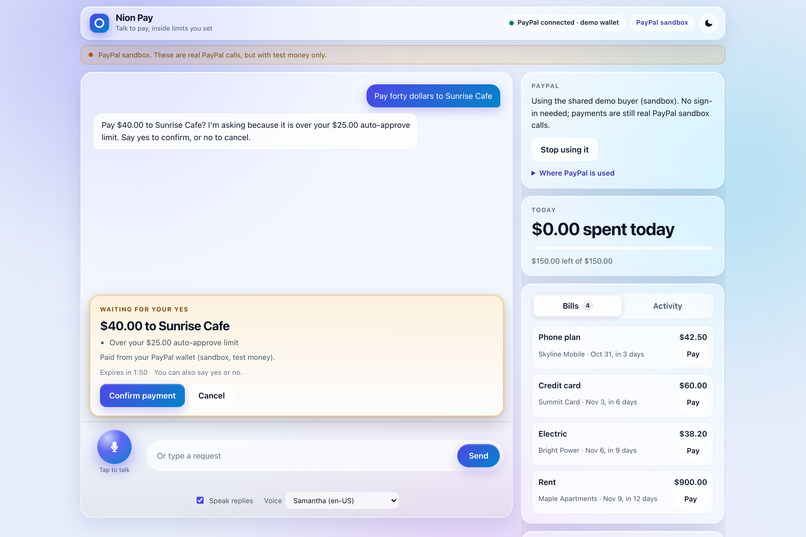
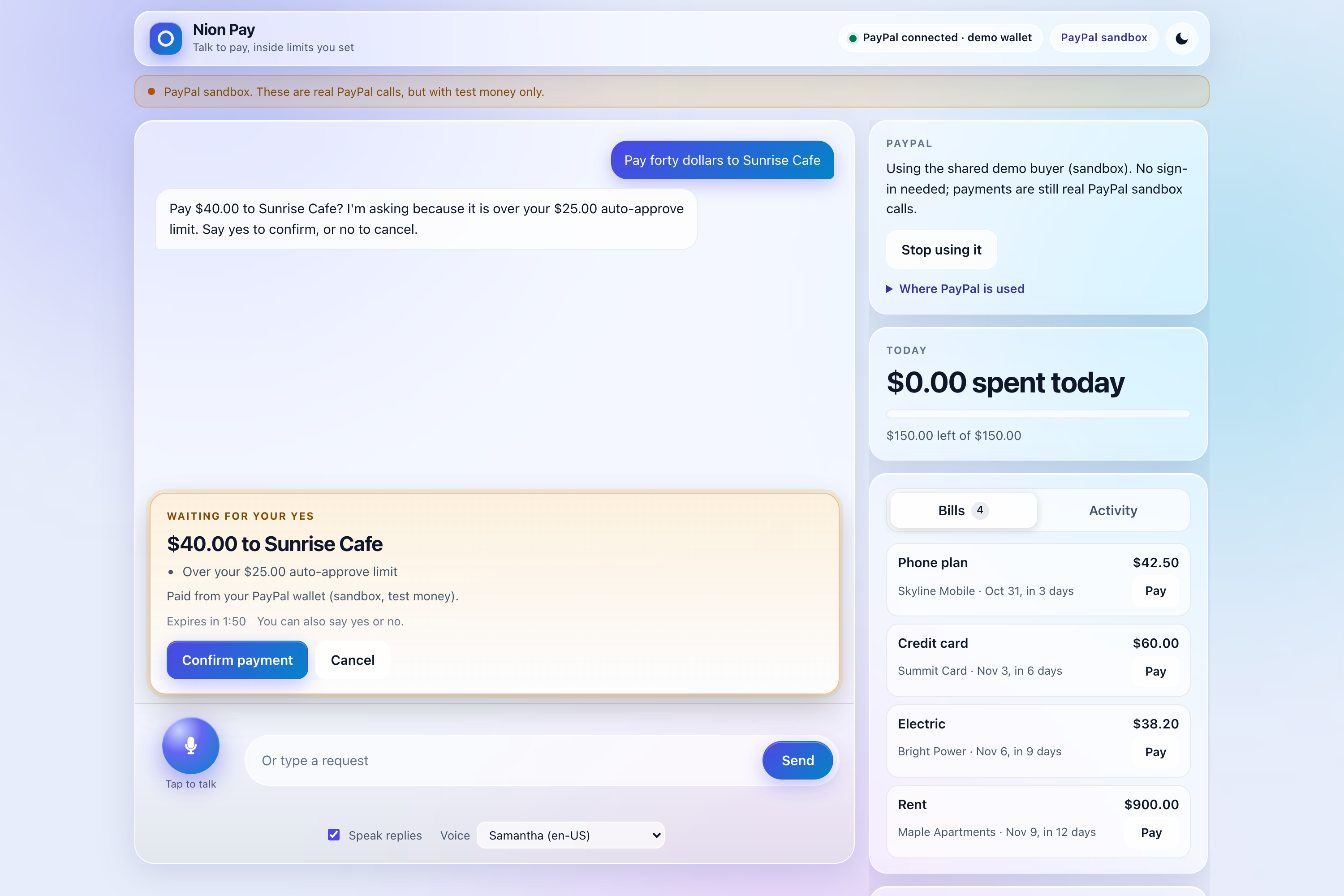
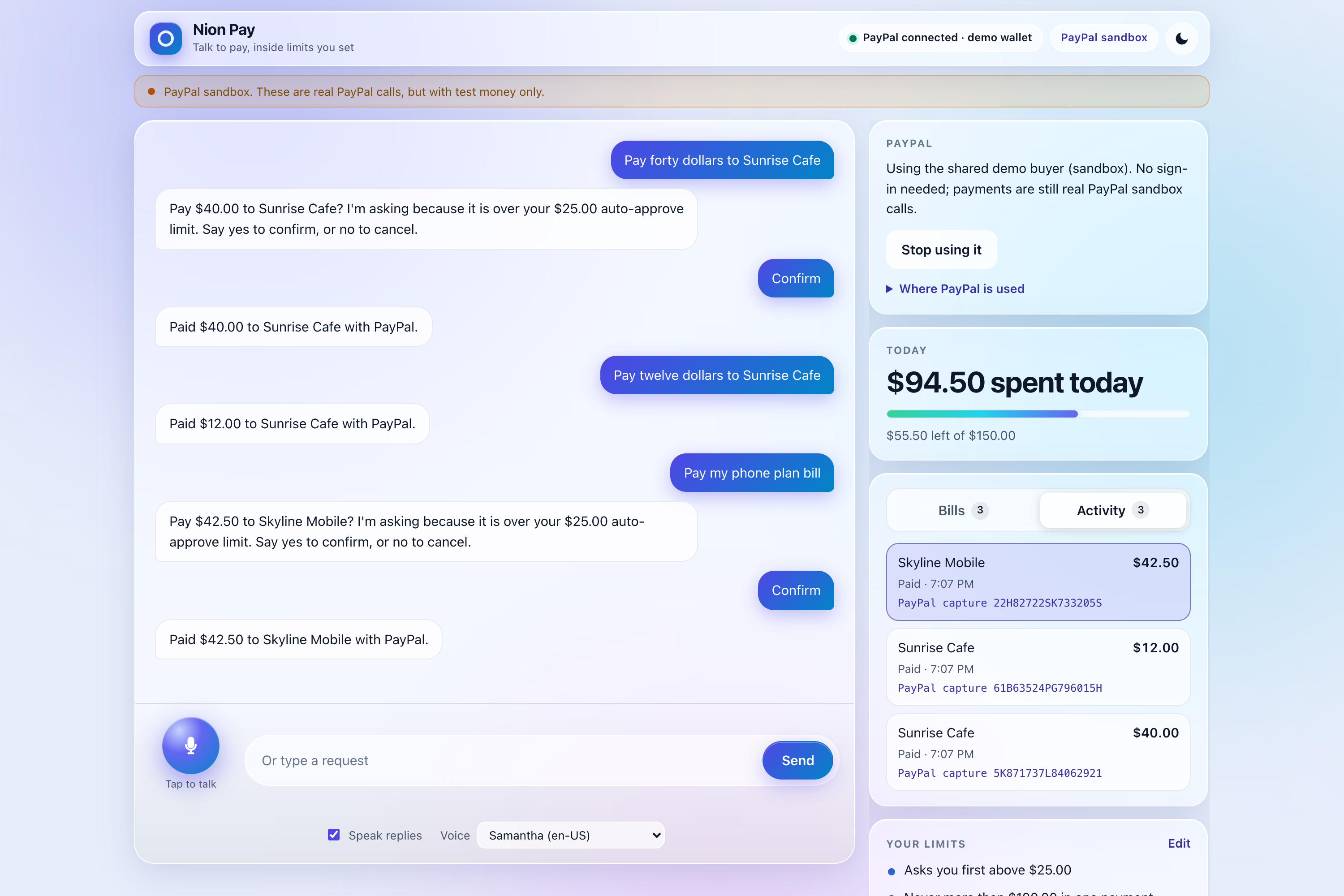
Confirmation Card
-
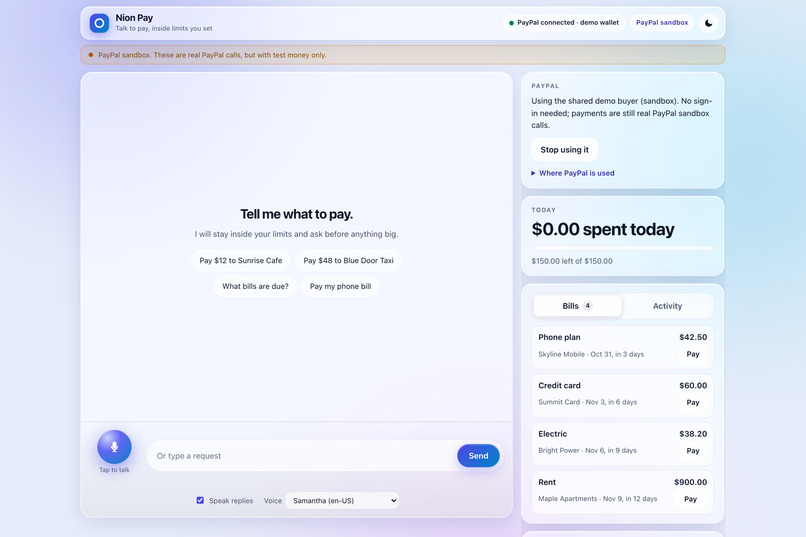
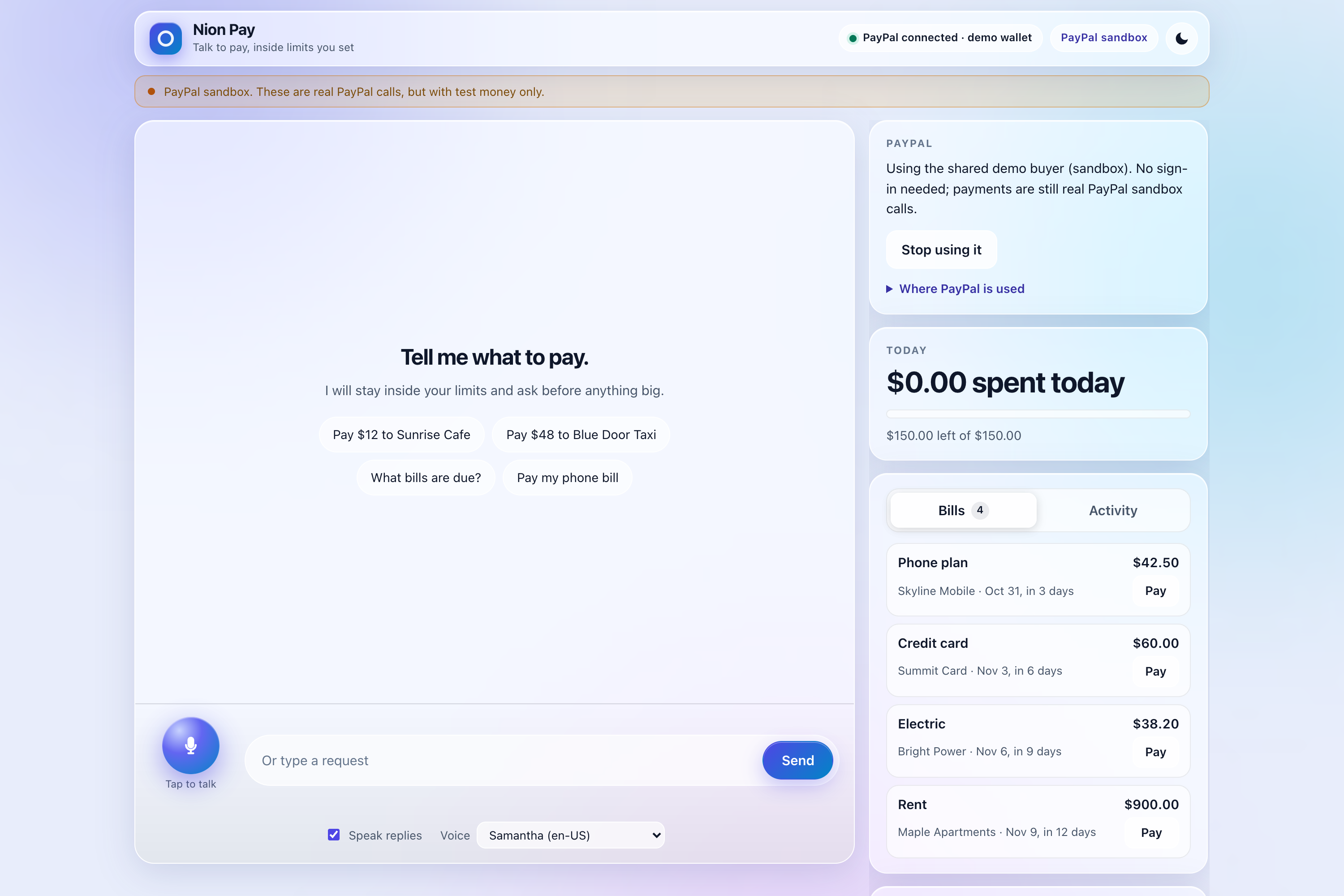
Home
-
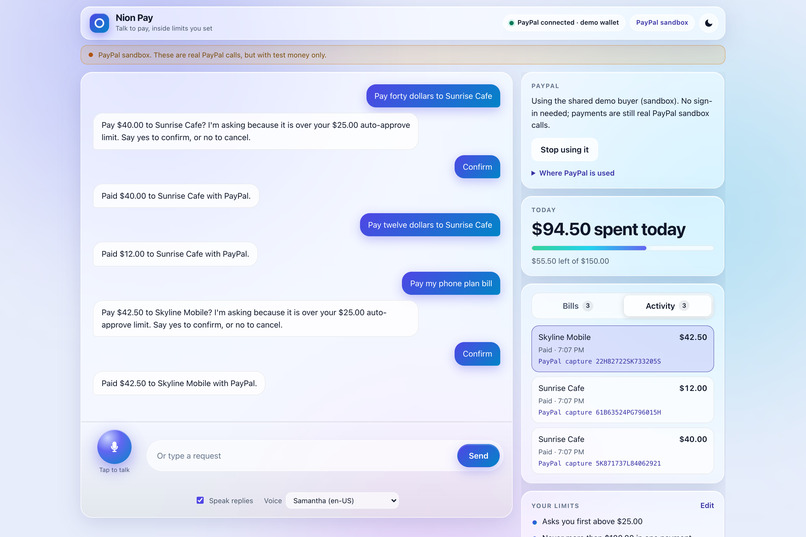
Activity Capture IDs
-
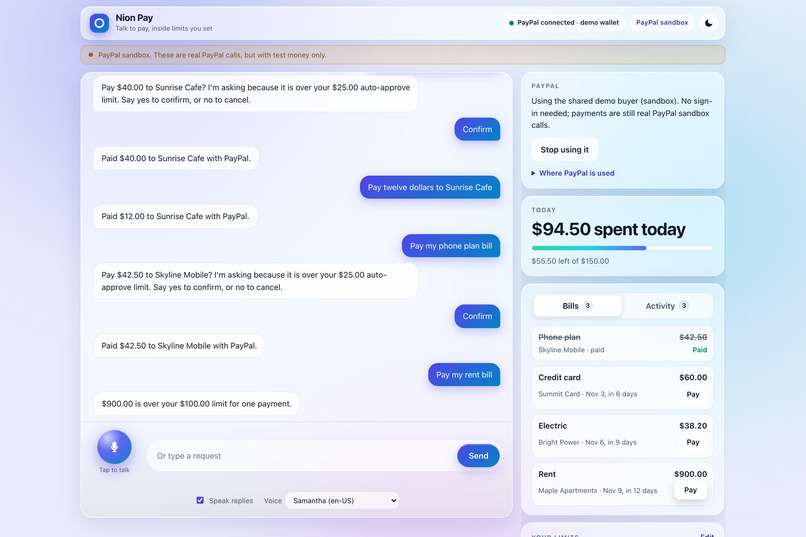
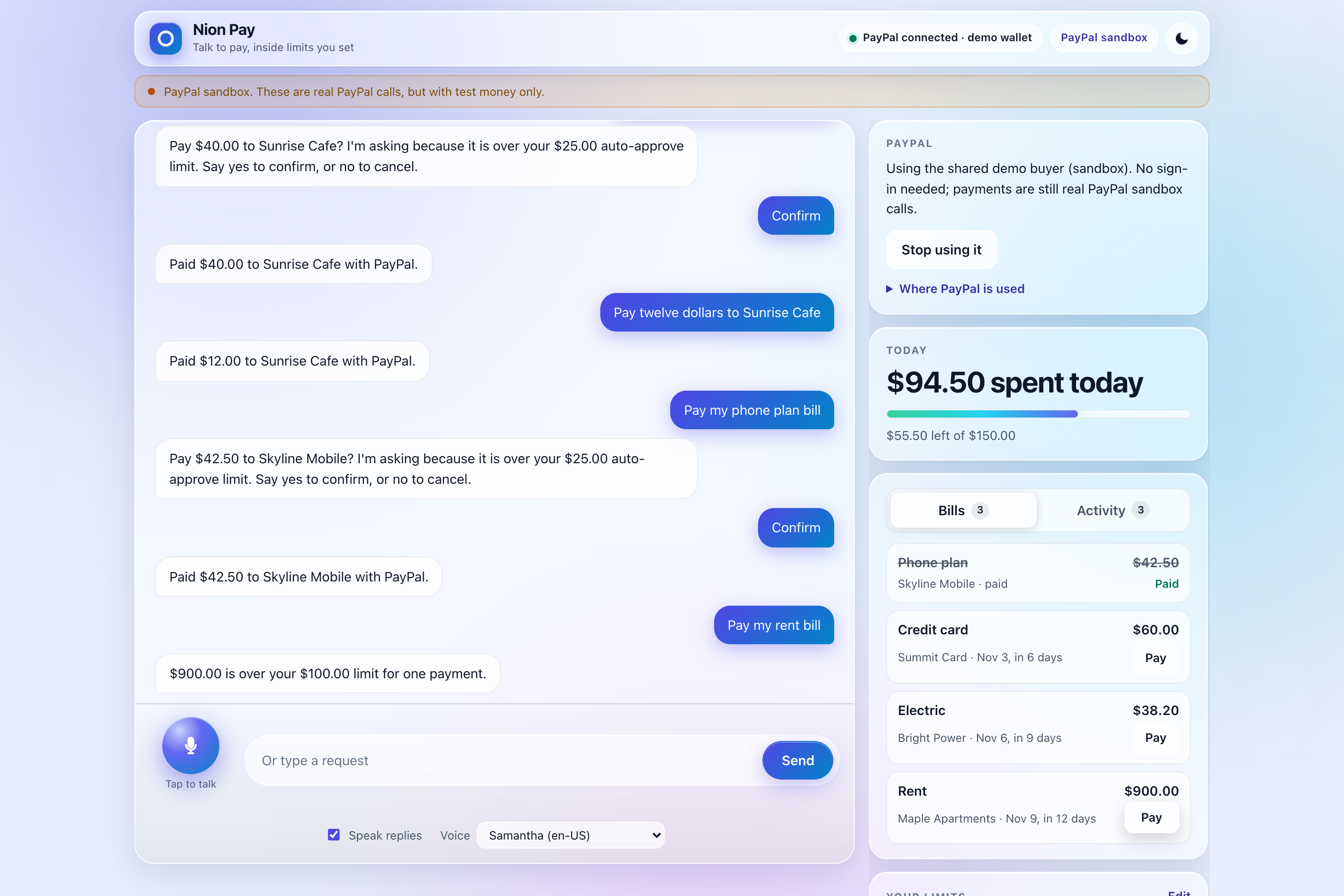
Rent Refused
-
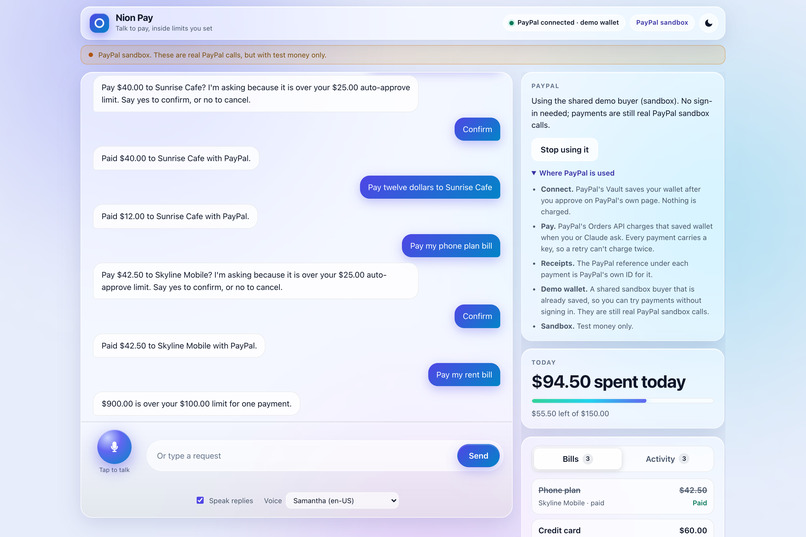
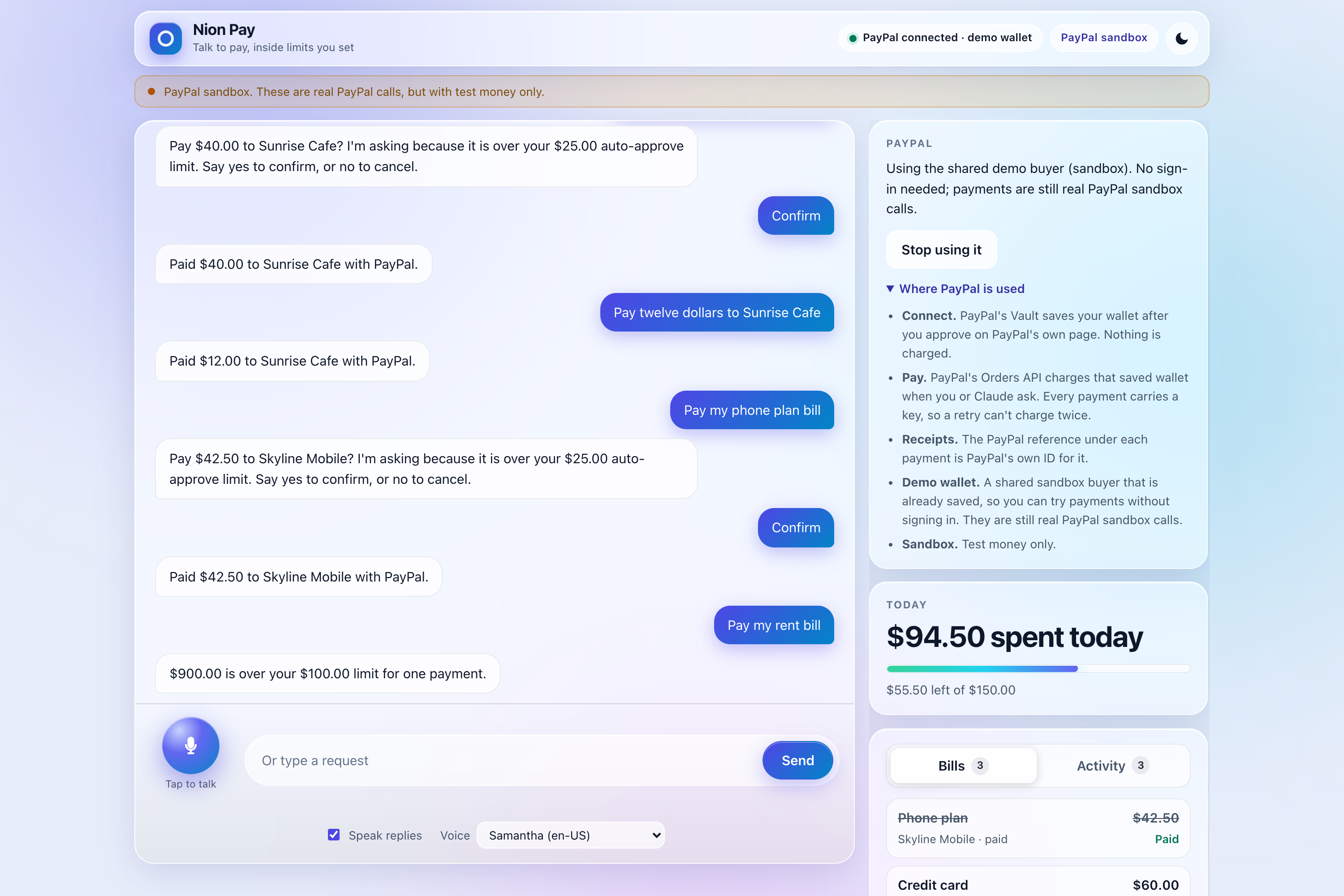
Where PayPal is Used
-
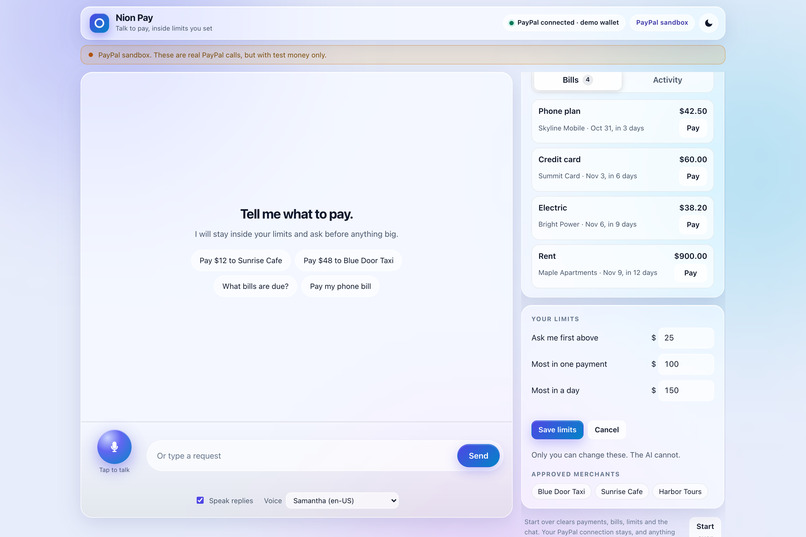
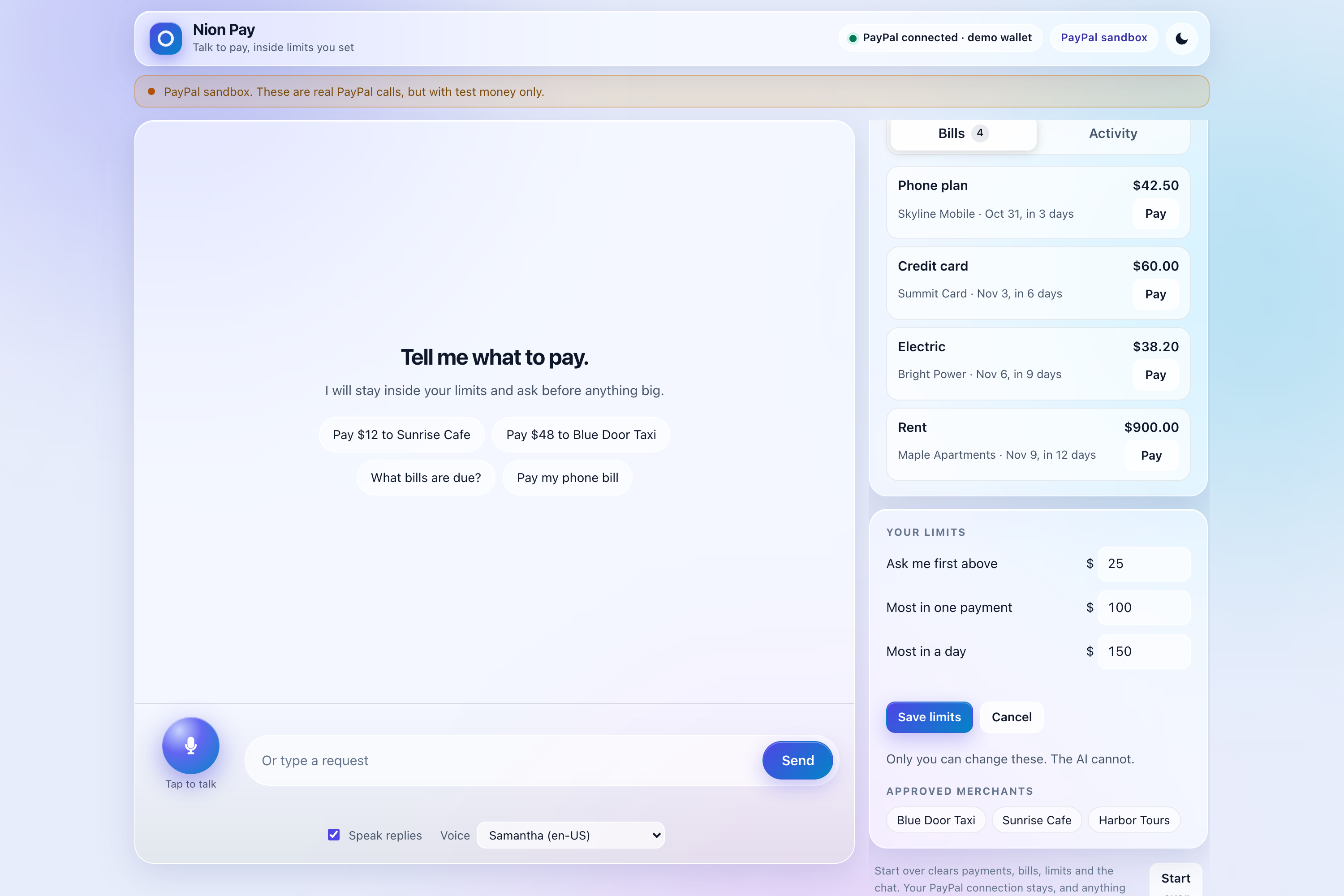
Limits Form
Inspiration
Paying for small things is awkward when your hands or eyes are busy: a taxi at the curb, a coffee while carrying bags, a queue building behind you. Bills are scattered across apps. A voice assistant could handle all of it.
The catch is trust. Nobody wants an AI that can overspend, mishear a name, or be talked into something. So the question behind Nion Pay isn't "can an AI pay for things?" but "how do you let it without handing it your wallet?"
Who it's for
I picture someone paying while their hands are full, like the person at the curb with bags who just wants to say "pay the driver twelve dollars" and move on. I also picture someone who wants their scattered bills in one place and a plain "what's due?" to hear them read out. This is a prototype and I haven't tested it with users, so this is the problem I set out to solve, not a claim about adoption.
What it does
Nion Pay is a voice assistant for agentic commerce: an AI agent that pays your merchants and bills from your PayPal wallet, within limits you set and the AI can't change.
- Connect once. Approve saving a PayPal wallet on PayPal's own page (nothing is charged), or click Use the demo wallet and skip the sign-in.
- Say or type a request. "Pay twelve dollars to Sunrise Cafe" pays at once.
- Bigger amounts wait for you. Above $25, a confirmation card appears. Only your own "yes" or the Confirm button releases the payment.
- Bills. "What bills are due?" reads them out. "Pay my phone bill" pays the right amount to the right company.
- Receipts. The Activity tab shows every completed payment with PayPal's own capture ID.
- Your limits. You edit them on the page. The AI can't.
How Nion Pay uses PayPal
PayPal is the payment layer, and each part of the payment lifecycle uses it directly:
- Saved wallet (Vault v3). The app creates a setup token, you approve it on PayPal's own page, and it becomes a payment token that PayPal stores. Nothing is charged at that point.
- Charging the saved wallet (Orders v2). When you ask for a payment, the app charges the saved wallet with you not present. Every request carries a unique idempotency key, so a retry after a dropped connection can't charge twice.
- Receipts. Each completed payment is recorded with PayPal's own capture ID, shown in the Activity tab.
- Uncertain results. A PayPal timeout doesn't say whether money moved. In that case the app marks the payment "unconfirmed," keeps the amount counted against your limit, and never releases or repeats it.
All of this runs against PayPal's sandbox.
Try it in a minute
- Open the live app in Chrome (voice needs Chrome; typing works anywhere): https://nion-pay.onrender.com/
- Click Use the demo wallet. No sign-in needed.
- Say or type: "Pay twelve dollars to Sunrise Cafe." It pays at once.
- Try a larger amount: "Pay forty dollars to Sunrise Cafe." A confirmation card appears. Say "yes" or click Confirm.
- Say: "What bills are due?" then "Pay my phone bill." The phone bill is $42.50, so a confirmation card appears. Confirm it.
- Open the Activity tab to see each completed payment and its PayPal capture ID.
- Tap Pay next to Rent ($900) and watch the gate refuse it. Then edit your limits: set Most in one payment to $950 and Most in a day to $1,200, and save. Tap Pay next to Rent again and confirm.
Everything runs in PayPal's sandbox, so it's test money only.
How I built it
The core idea is the model asks, the code decides. Claude is an assistant that can request a payment. Between that request and the money sits the spending gate, plain code that checks every request against your limits. Three guarantees follow:
- Claude can't approve anything. It has no confirm tool. Your "yes" is matched strictly ("yes but make it five" isn't a yes) and never passes through the AI.
- Claude can't change your limits. Only the page can, behind fixed ceilings of $1,000 per payment and $2,000 per day.
- Claude can't change a bill's amount. The bill says what is owed and to whom.
The rest of the stack:
- Claude Sonnet 5.5 runs the agent with six tools: pay, pay a bill, list bills, wallet, merchants, and cancel. When it's unsure, it asks ("Did you mean Blue Door Taxi?").
- Voice uses the browser's built-in speech recognition and voices, and waits for a real pause before sending so you aren't cut off mid-sentence.
- Reservations count a payment against your daily limit the moment it's cleared, so two quick requests can't slip past it.
Safeguards
- Ask first above $25 by default.
- Default limits of $100 per payment and $150 per day, adjustable up to $1,000 and $2,000.
- Confirmations expire after 2 minutes and work once.
- A repeat of the same amount to the same merchant within 60 seconds asks first.
- For the public demo, each visitor gets their own limits and wallet, and AI use is capped per visitor and per day.
How I used Render
Nion Pay runs as a single always-on web service on Render, defined by a Blueprint file. It has a health check, is set up to auto-deploy on every commit, and keeps its secrets in the Render dashboard rather than in the code. One always-on server suits an app that keeps each visitor's wallet, limits, and spending reservations in memory.
Challenges I ran into
- The AI doubting payments it hadn't made itself. After I sped up replies, the AI started doubting payments the system had written for it, with no tool result behind them, and sometimes tried to repeat them. Giving it the real payment ledger as ground truth fixed it. In the meantime, the duplicate-payment guard caught the repeats.
- A timer that only failed in Chrome. It worked in tests but silently failed in the browser, so the mic heard you and never answered. I added a test that makes the test environment as strict as a browser.
- Speech recognition mishearing me. It turned "Blue Door Taxi" into "Blue Cross Taxi" and "pay $12" into "p12." Rather than guess, the AI now asks for clarification before anything reaches the gate.
Accomplishments that I'm proud of
- A design that treats the AI as an untrusted requester: it can ask for a payment but can never approve its own spending.
- 400 automated tests, including ones that check the model can't be talked into confirming a payment, can't change your limits, and can't pay a bill for a different amount.
- A complete product, not a demo of one feature: voice, confirmation cards, bills, limits, and receipts.
- Fast and cheap: most replies take 1 to 3 seconds, at about half a cent of AI cost per message in my tests.
What I learned
- Safety belongs in code, not in the prompt. Asking a model to "be careful" isn't a control. Taking away its ability to approve is.
- Uncertainty is a state, not an error. When you can't tell whether money moved, the safe move is to neither release nor repeat it.
- Tests need testing. Breaking the rules on purpose showed which tests actually protect you.
- Browsers are stricter than test environments, so the tests have to be too.
What's next for Nion Pay
To be upfront about where it stands: Nion Pay is sandbox only. The four bills and three merchants are sample data, all payments settle to one sandbox merchant account, and the demo wallet is one shared sandbox buyer. Voice needs Chrome. Refunds exist in the code but not in the app.
Next steps:
- Add merchant-side refunds to the app.
- Connect real bills and merchants in place of the sample data.
- Explore sending money to friends, which would need PayPal APIs this prototype doesn't use.
- Support voice in more browsers.
New work and open source
I built Nion Pay from scratch during the submission period. The first commit was on Oct 27, and the project has over 20 commits since. It grew out of an earlier idea of mine, but no code was reused. It's open source under the MIT license: https://github.com/SanjeeV-15/Nion-Paypal
Built With
- claude
- express.js
- node.js
- paypal
- paypal-orders-v2
- paypal-vault-v3
- render
- typescript
- vitest
- web-speech-api
- zod

Log in or sign up for Devpost to join the conversation.