✨ Inspiration ✨
Being Indians coming from farming families, we always wanted to help farmers with deep tech, but the opportunity between what is needed and what can be used is far from reality. In the last few weeks of chatGPT, we felt, we can use it to assist farmers with the information they need and at the right time, this hackathon gave us a platform and chance to collaborate and make it a reality.
⚒ What it does ⚒
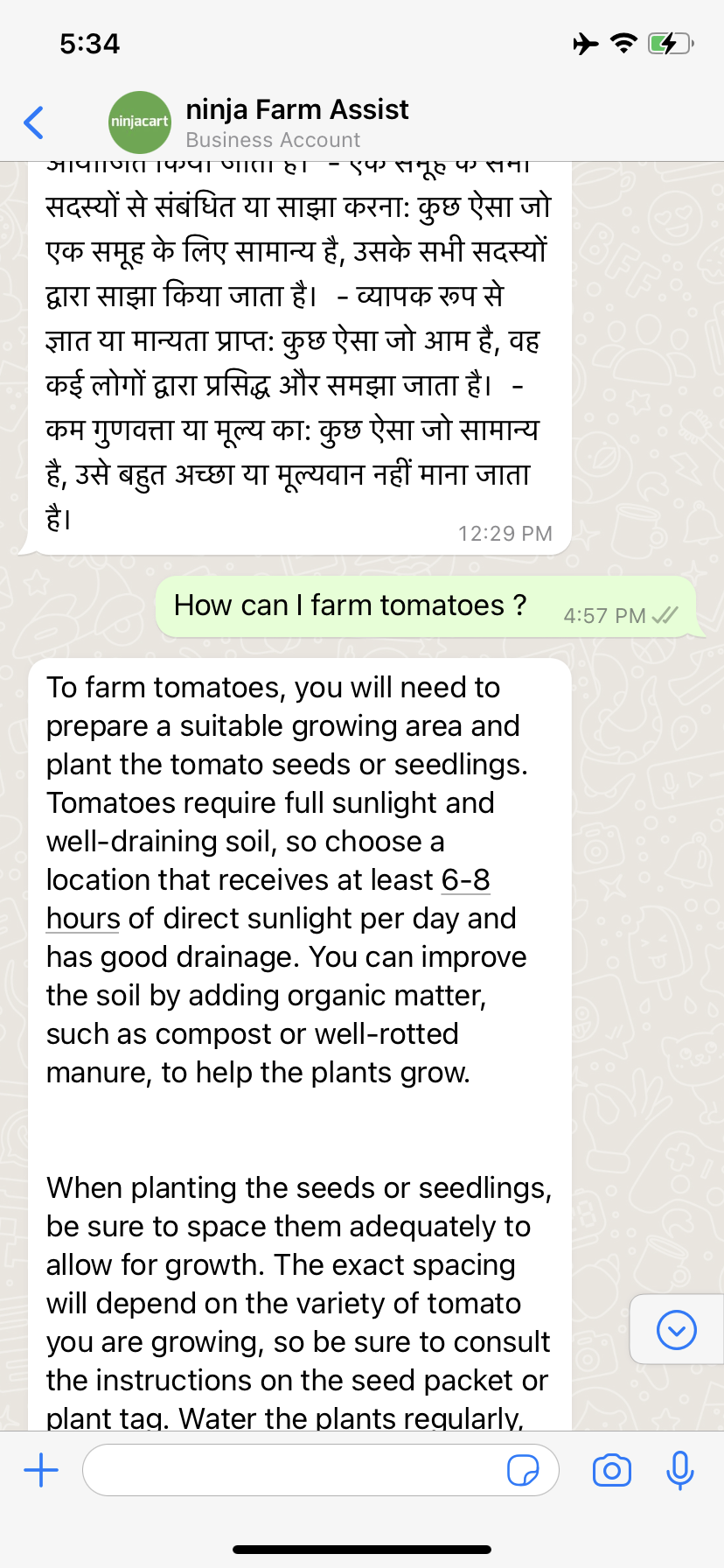
ninja Farm assist is a Whatsapp bot which answers farmers' queries about farming, agriculture, and anything related to agritech, which farmers need. It can assist in vernacular languages. Farmer can record an audio message in his language and the bot responds in the same language, understanding the reading capabilities of the farm ecosystem, we have enabled responding in audio format in their own language. To take a step ahead, these audio files are overlayed on pictorial video content to show things interactively and clearly. All this at near real-time response time which is powered by AI
👷♂️ How we built it 👷♀️
Our entire pipeline is divided into three pieces.
WhatsApp gateway
We have integrated the WhatsApp Business platform to make this pipeline work. In the WhatsApp Business platform, we register a webhook and then subscribe to the events that were interested to handle. We subscribed to the "message" i.e., WhatsApp will send event JSON to our endpoint whenever someone is trying to send a message to our bot (and vice versa). As soon as the user sends a message to our bot number, we get the JSON (based on the type of message it is i.e., text, video, image, reply etc) We scrape the required info from the JSON i.e., message, user_phone_number, timestamp etc. Then we store it in Redis and send an acknowledgement of 200 status to WhatsApp
We have another docker running that continuously checks for the entry in Redis and handles in the following manner: If the user sent a text, we hit a request to the AI text module. We take the response and hit a post request to WhatsApp API with the required token and payload in order to send the response back to the user. If the user sends audio, then WhatsApp sends a media ID of the file. After hitting some API requests to WhatsApp, we get our media file in bytes. After decoding, we pass it to the AI audio module that performs the STT, machine translations, sending requests to ChatGPT and finally returns the ChatGPT response to us. We then use TTS to create audio from the text and then send the ChatGPT response along with the audio file (mp3) back to the user (via hitting the required API with respective values and payload).
AI Module
Data Flow:
Pipeline 1:
Query(English) ---> ChatGPT ---> Response(English)
Step 1: Endpoint takes in input Query in English.
Step 2: Query(English) goes to ChatGPT API.
Step 3: Endpoint returns Response in English.
Pipeline 2:
Query(Vernacular) ---> Translated Query(English) ---> ChatGPT ---> Response(English) -->Translated Response(Vernacular)
Step 1: Endpoint takes in input Query in vernacular.
Step 2: Query(Vernacular) is translated into English using Google Translator API.
Step 3: Translated Query(English) goes to ChatGPT API and returns Response(English).
Step 4: Response(English) from ChatGPT is translated into vernacular using Google Translator API.
Step 5: Endpoint returns Response in vernacular.
Pipeline 3:
Query(Vernacular, Audio) ---> Whisper ---> Transcribed Query(Vernacular) ---> Translated Query(English) ---> ChatGPT ---> Response(English) -->Translated Response(Vernacular) ---> Audio Conversion(Vernacular)
Step 1: Endpoint takes in input Query(audio) in vernacular.
Step 2: Query(audio) goes to Whisper API to return Query in vernacular.
Step 3: Query(Vernacular) is translated into English using Google Translator API.
Step 4: Translated Query(English) goes to ChatGPT API and returns Response(English).
Step 5: Response(English) from ChatGPT is translated into vernacular using Google Translator.
Step 6: Response(Vernacular) is converted into audio.
Step 7: Endpoint returns Response(audio) and Response(text)in vernacular.
Visual Module
Here, the idea is we will take the output of chatGPT and extract entities which can be used as prompts for DALL-E, once we have images through the diffusion model, we will make a video out of static images with overlayed audio of chatGPT's text.
💪 Challenges we ran into 💪
If we don't send the acknowledgement to WhatsApp, WhatsApp sends the same message again and again after some intervals. As our AI module takes time sometimes, this creates multiple requests on the same question, as a result, the user will be flooded with multiple responses when the server starts responding. So, we used another service to communicate with the AI module.
Not every format is supported by WhatsApp for audio. When the user records the audio, it's in Ogg format. While sending audio back to the user, the format needs to be checked. As we realised we can send mp3 format without any issue (when compared with wav, Ogg format i.e., from WhatsApp we get a 200 status code with the message id but can't see any audio delivered to the user coz of the audio format)
Choosing between whether we let Whisper translate the text in English for us or use an external translator. To know the language of audio we need to let Whisper give output in vernacular or else the language detected is always English language.
Posting a File as a request to an endpoint and receiving it on the FAST API app.
OpenAI doesn't provide any python API for ChatGPT.
Tried many Google Translate Python APIs, but none worked. Finally chose google_trans_new and made code changes to the repository to make it work.
There was a huge latency issue when running Whisper API with a ‘large’ model variant. So we had to settle for the ‘medium’ variant which comes with an accuracy cost but decreases latency significantly.
🥇 Accomplishments that we're proud of 🥇
Covering the vernacular aspect to assist farmers in every way possible is what we feel is a big accomplishment that makes this project wholesome in itself
🚸 What we learned 🚸
More than technical learnings, we have learnt a lot about the farmer's persona by keeping ourselves in his shoes to build a simpler version of the bot.
What's next for Ninja-FarmAssist
At this point in time,
- The bot is slow because of latencies at different modules of the pipeline, we want to improve the latency aspect on each module, which means, we have to start building a few of these things in the distilled way.
- The vernacular language support currently is very limited, for the bot to reach the masses, we have to enable support for more and more Indian languages.
- We want to support image-level features, where a farmer can send a picture of the crop to clarify any doubts he has about the lifecycle of the crop.
- we have to support more real-time updates like weather, vegetable demand in the local market and various current updates around agri-ecosystem
Built With
- chatgpt
- docker
- fastapi
- google-translate
- ngrok
- openai
- python
- redis
- whisper


Log in or sign up for Devpost to join the conversation.