-
-
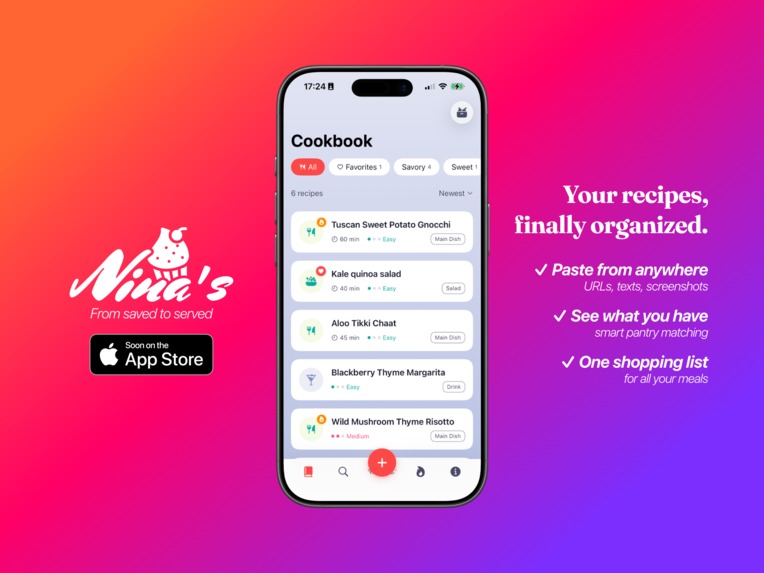
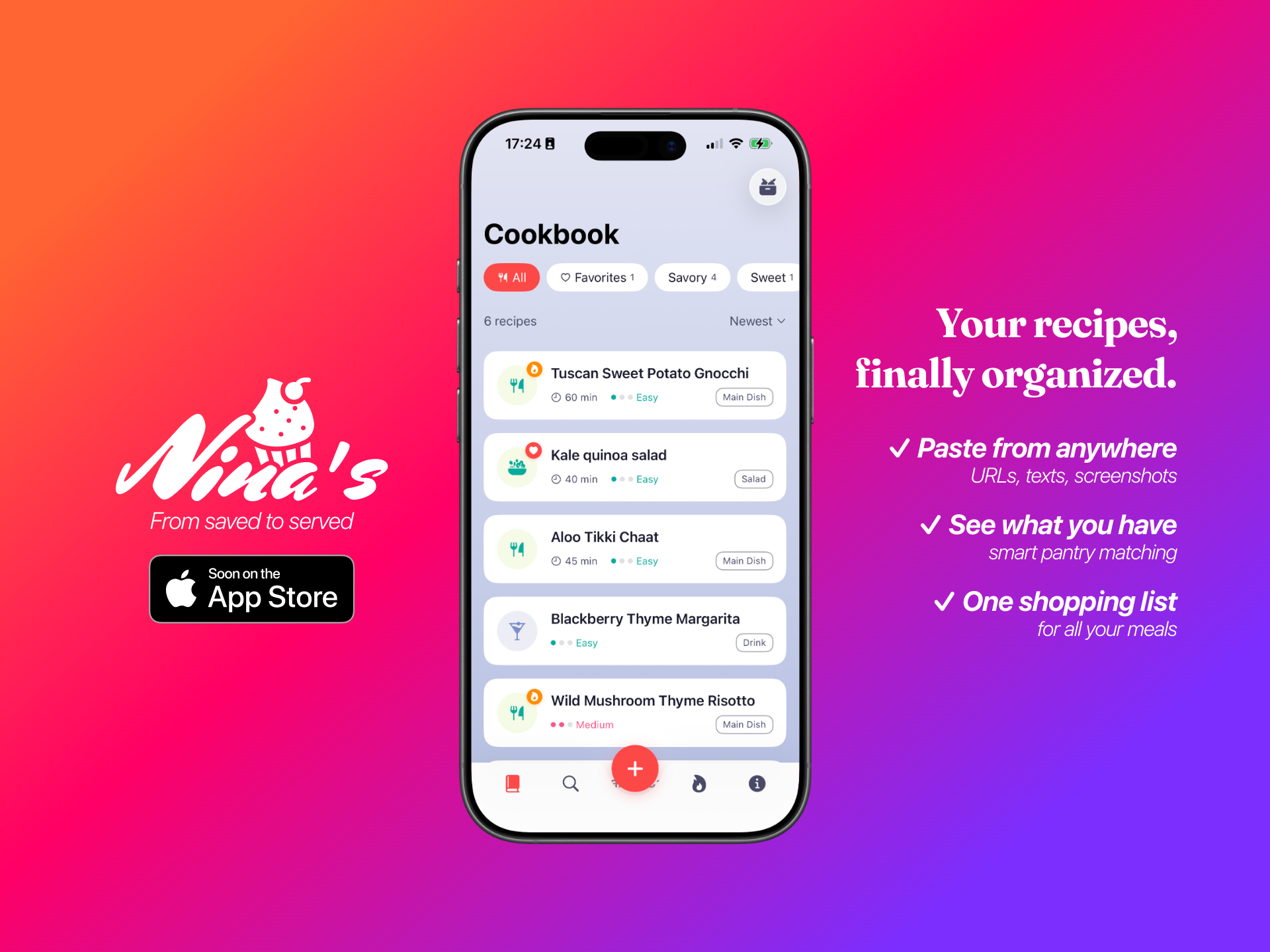
Your recipes, finally organized. Paste from anywhere. See what you have. One shopping list for all your meals.
-
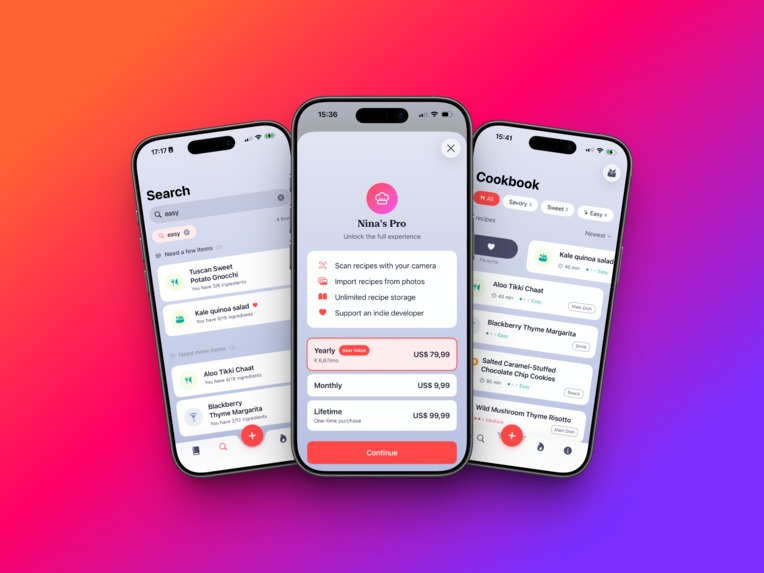
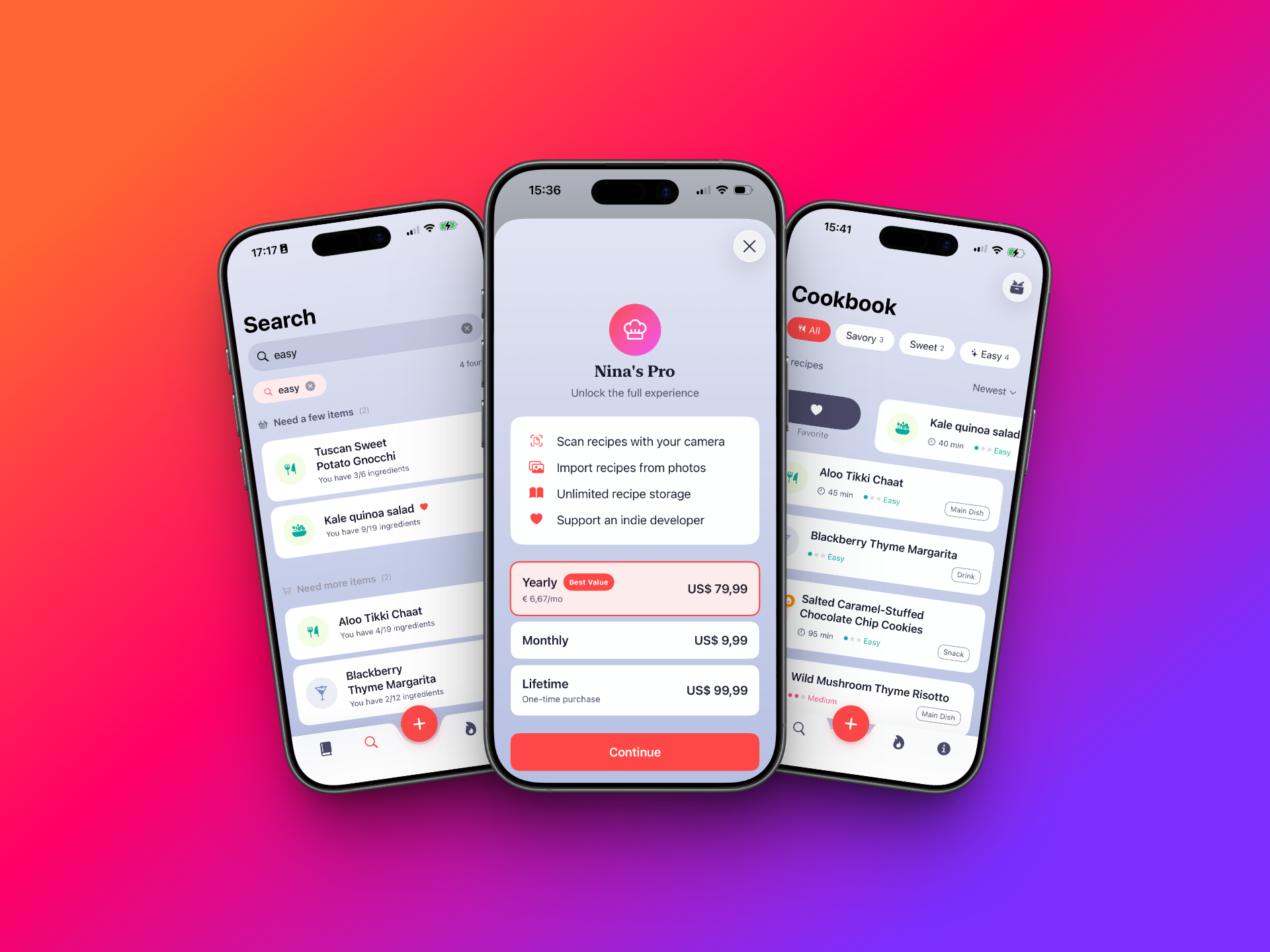
Search by ingredients with pantry matching, unlock Pro features, and browse your clean recipe collection.
-
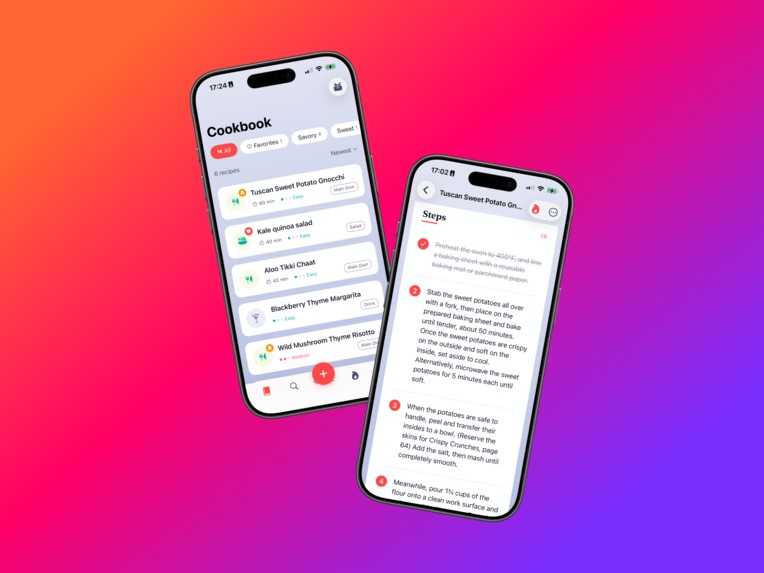
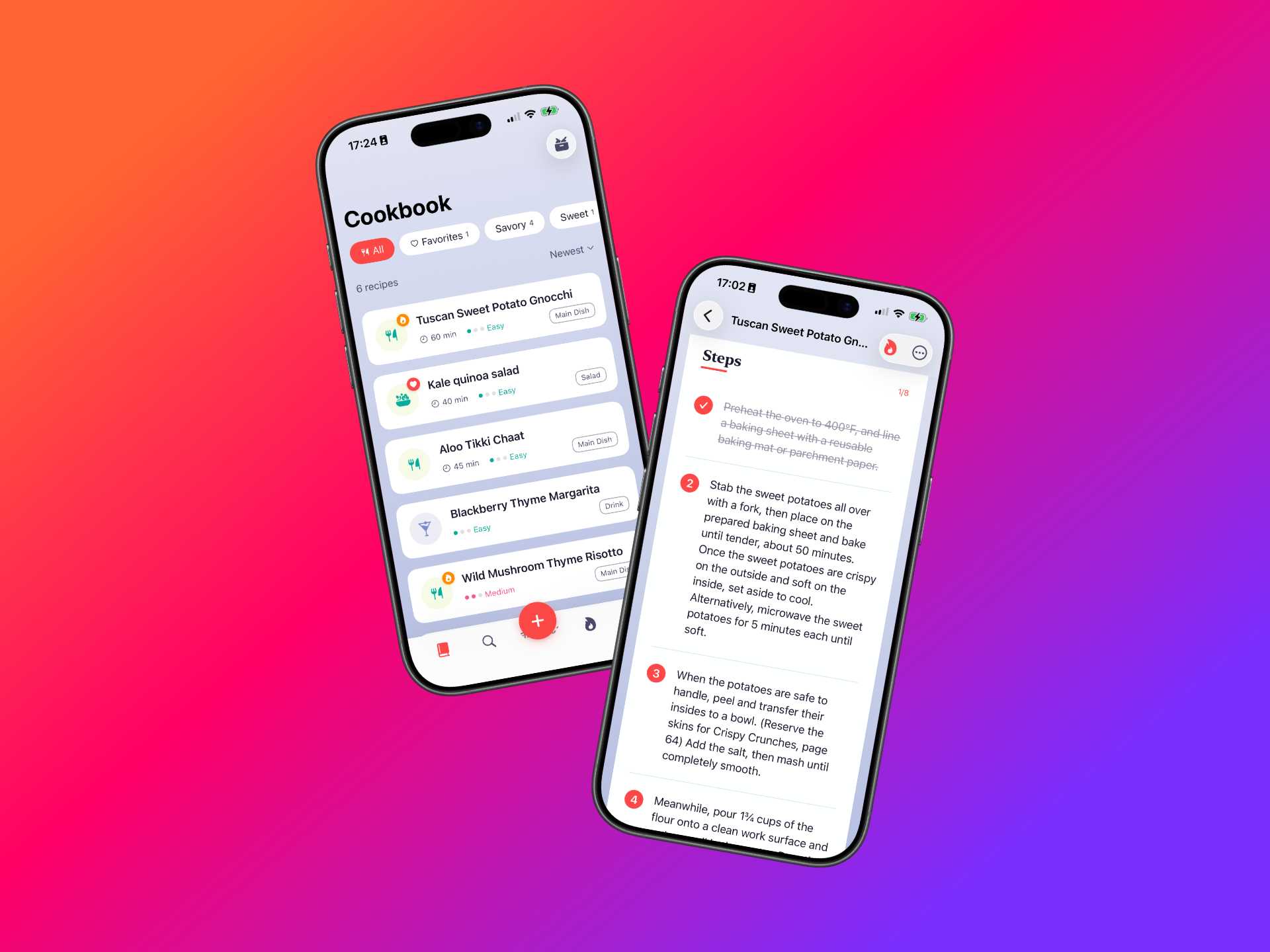
Your recipe collection at a glance. Check off steps as you go on cooking.
-
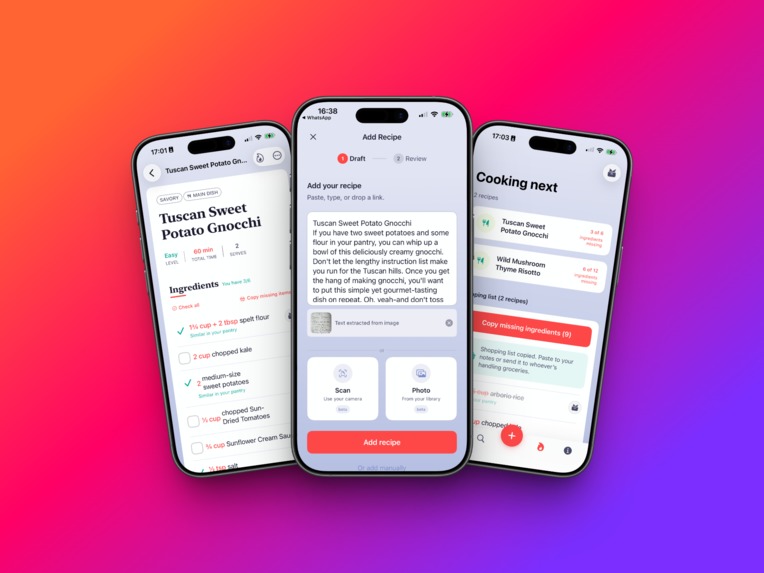
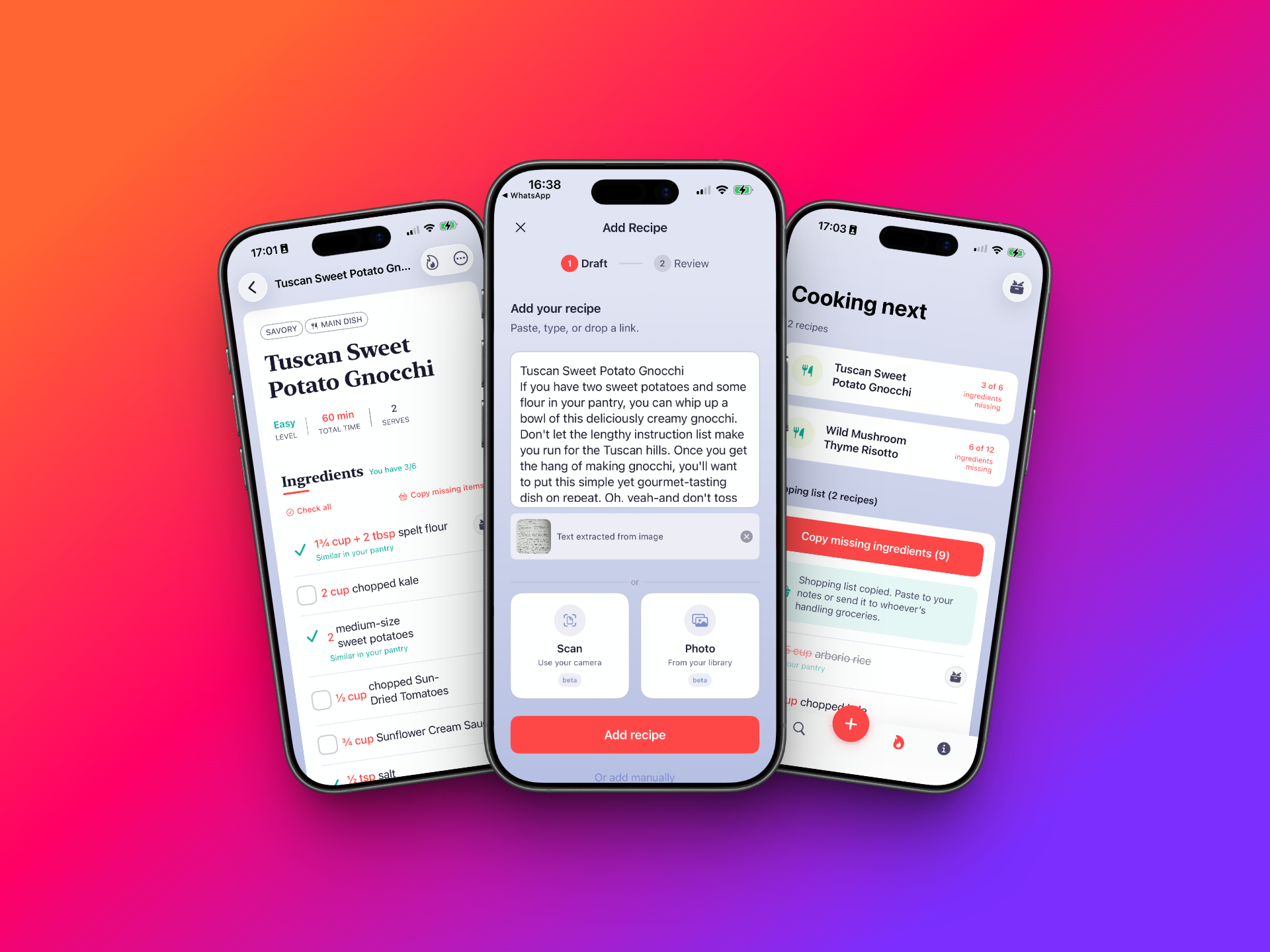
Add recipes from anywhere, copy and pasting, URL importing, scanning or Photo library. Get one combined shopping list for multiple meals.
Inspiration
My friend Nina kept losing recipes. Screenshots buried in her camera roll. Texts from her mom she'd scroll forever to find. Unformatted recipes pasted into Notes from random sources.
I looked at the recipe apps out there, and they all had similar problems, first off: tedious data entry. Title field. Ingredient field (one by one). Steps field (one by one). Cook time. Servings. By the time you're done, you've lost the will to cook.
The "smart" ones pull recipes from URLs, but they're full of ads and don't let you adjust anything - unless you pay.
There's also a timing problem: you discover recipes when you're relaxed, scrolling social media, texting with friends, watching a YouTuber cook amazing meals... but when you're hungry and ready to cook, you either don't remember what you saw, or you don't want to dig through and rewatch things until you find a nice match.
I thought: what if you could just paste a recipe like Nina does in Notes, but get proper formatting, an easy way to see what you already have at home, and a search that takes you from "too hungry to browse" to "matched perfectly"?
What it does
Nina's is built for how people actually save recipes: screenshots, texts from mom, links from food blogs, cookbook marked pages. Paste or scan any recipe and Nina's extracts the ingredients, steps, and details automatically. You review, tweak if needed, and save.
Every recipe becomes clean, consistent, and beautiful. No ads. No clutter. Just the recipe, formatted the same way every time.
Key Features
Pantry matching: Nina's knows what's in your kitchen. Open any recipe and instantly see what you have and what's missing.
Cooking Next: Queue up recipes in "Cooking next." Nina's generates a combined grocery list, deduplicates ingredients across recipes, and crosses off what's already in your pantry.
URL import: Paste a link from any recipe blog, and Nina's extracts everything automatically too.
Scan or Photo: Take a photo of a cookbook page or add a screenshot from social media and Nina's reads the text and parses it into a proper recipe (Pro feature - still in Beta).
Zero to first recipe in under a minute. No sign-up, no account creation. Download, setup your basic pantry items, paste a recipe, done. There's also a welcome gift recipe, so no boring, empty first-time experience.
How it was built
I'm a UX designer and frontend web developer. I built this entire app myself using Claude Code, with Nina (the real friend person :-) as my main user tester.
I created mockups in Figma and a design system as I went, and described what I wanted in plain English so Claude could write the Swift code. We iterated with my design eye as the guide, and AI handled most of the syntax.
Tech Stack
- SwiftUI + SwiftData (iOS 17+)
- Local-first architecture (no account required)
- Custom recipe parser for text extraction
- JSON-LD parser for URL imports
- Vision framework for OCR
- RevenueCat for subscriptions
- TelemetryDeck for privacy-friendly analytics
Challenges
Parsing is hard. Recipes come in wildly different formats. Some have "Ingredients:" headers, some don't. Some use "2 cups flour", others "flour: 250g". The parser handles most cases, but edge cases are endless.
Defining a hard MVP. When you're building fast and excited, every feature feels essential. I tried to be aggressive in cutting and kept reminding myself of the core: paste → parse → save → cook.
Pantry without forms. The whole point of Nina's is "no tedious data entry." So the pantry couldn't be a long form either. I designed quick-add flows with smart suggestions and cuisine-based packs. This will probably need iterations as we see how real users use it.
Ingredient syncing across recipes, pantry, shopping list... When you check off "butter" in an ingredients list, what should happen? Should it stay checked everywhere? Should the amounts from the Pantry decrease? When should it reset? I built a smart override system that respects pantry items while letting users manually track what they've bought; however, we don't touch pantry items - these are staples, and for now, we are not tracking amounts. The assumption is you always have these items. It resets once they remove a recipe from their "Cooking now" list. This will probably evolve as users start using it.
First time in the Apple ecosystem. Beyond writing Swift, I had to learn the entire App Store Connect workflow: provisioning profiles, TestFlight builds, review processes, and the waiting game of build approvals. Each submission taught me something new about Apple's pipeline, and the hackathon's timing pressure made it feel extra real.
Accomplishments
- Built a native iOS app as a designer with zero prior Swift experience
- One text box that replaces 15+ form fields
- URL import that pulls from any recipe blog automatically
- Simple yet smart pantry matching that shows what's missing from any recipe
- Cooking queue with a combined, deduplicated grocery list
- RevenueCat integration with Pro tier (scan/OCR, unlimited recipes)
- Live on TestFlight with real test users
- Landing page at getninas.app
Learnings
- AI changes who can build software. "I'm not a coder" is no longer a barrier.
- Constraints are freeing. One text box forced me to make the parser smart, not the user. It should be about how the app fits into people's lives, not the other way around.
- The best feature is the one you remove. Ship the core, validate, then expand. I added and removed features several times.
- Ship means ship. As a designer, I usually hand things off and watch other roles handle deployment, marketing, and the launch magic. Here, I was a team of one. I thought about giving up a few times, build errors, security concerns, App Store Connect, deadlines, and a demo video I taught myself to edit for the first time. I had to embrace roles I never imagined and learn skills I never thought possible. The perfectionist in me had to give way to humility and just move on.
What's next for Nina's
- Unit conversion: Switch between metric and imperial
- Video importing: Import recipes from TikTok, Reels, and YouTube by transcribing video content.
- iCloud syncing: Still account-free for privacy, but allows users to access their recipes from multiple devices, as on an iPad, it might be easier to cook, and on an iPhone, it might be easier to take on shopping. (pro)
- Recipe scaling: Double or halve recipes with automatic ingredient math
- Share recipes: Share a recipe with a friend directly from Nina's
- AI-powered parsing: More accurate extraction using LLMs for messy or unconventional formats, especially for PRO features.
- Recipe photos: Main photo and step-by-step images - intentionally left out of MVP because what matters here is not recipes that look good by professionals but users finding recipes that match what they can cook and go cook it without friction.
- Public profiles: Still evaluating if this is relevant (I'm not keen on creating yet another social media), but it might be relevant for creators that want others to see all of their recipes in one place.
- Apple Watch companion: check off items on your wrist while shopping. (pro)
- Localisation: Support for more languages, especially Portuguese, so my mom can use it :-)
Built for a friend who kept losing recipes. Now it's yours too.
Built With
- claude
- figma
- revenuecat
- swiftdata
- swiftui
- telemetrydeck
- vision

Log in or sign up for Devpost to join the conversation.