-
-
Nimbus is your AI-powered Co-Pilot, helping you prioritize tasks, build habits, and achieve your goals while improving your well-being.
Inspiration
The inspiration behind Nimbus stems from my personal journey as an engineer turned HR professional. In my role, I’ve witnessed firsthand the challenges employees face in fast-paced work environments—constant multitasking, overwhelming task loads, and the struggle to maintain focus and well-being. Despite the availability of productivity frameworks, I found that consistently implementing them in daily routines was a significant hurdle.
This gap between theory and practice inspired me to create Nimbus, an AI-powered habit coach that not only helps individuals manage their tasks but also prioritizes their well-being. Nimbus is designed to cut through the clutter, build sustainable habits, and empower users to achieve peak productivity without compromising their mental and emotional health.
What it does
Nimbus is an AI-powered habit coach designed to help individuals cut through the chaos of their workday, build healthy habits, and achieve peak productivity while prioritizing their well-being. It addresses the challenges of working in fast-paced environments, where constant multitasking, task overload, and lack of focus often lead to burnout.
Here’s how Nimbus works:
Personalized Scheduling:Nimbus integrates data from multiple platforms and learns the user’s habits and patterns to determine the most effective productivity framework for them. It then generates a tailored, AI-powered daily schedule that adapts to their unique needs.
Task Management:Users get a clear overview of their tasks for the day, including pending tasks. Each task is broken down into actionable subtasks using AI, making it easier to focus and complete work efficiently.
Well-being Dashboard: Nimbus continuously monitors the user’s well-being through multiple interventions. It provides insights into their emotional state, progress throughout the day, and streaks from past days, offering motivation and nudges to course-correct when needed.
Focus Mode: Once a user starts a task, Nimbus activates a focus mode backed by the Pomodoro technique. After 25 minutes of focused work, it encourages healthy breaks to maintain energy and mental clarity.
Habit Formation:Nimbus helps users build sustainable habits by providing visual reinforcement, validation, and motivation upon task completion. It also integrates personal errands and work-life balance into the schedule, ensuring users can manage both professional and personal responsibilities seamlessly.
AI-Powered Assistance:A built-in chatbot provides real-time clarity and support, leveraging a rich knowledge graph of tasks, dependencies, and collaboration across platforms and stakeholders.
By combining productivity tools with well-being checks, Nimbus helps users tap into their flow state, stay motivated, and achieve their goals without sacrificing their mental and emotional health.
How we built it
Nimbus was built with a robust tech stack and a focus on seamless integration, personalization, and scalability. Here’s an overview of the architecture and development process:
Tech Stack Frontend: React Web App for an intuitive and responsive user interface. Backend: Python with Flask for handling server-side logic and API integrations. LLM (Large Language Model): AWS Bedrock with Claude Sonnet 3.5 V2 for advanced natural language processing and task generation. LLM Tools: Langchain and Converse API for building conversational AI capabilities and integrating LLM functionalities. Database:Opensearch (Vector DB) for efficient storage and retrieval of task-related data. AWS Knowledge Base for building a rich knowledge graph of user tasks, dependencies, and collaboration patterns.
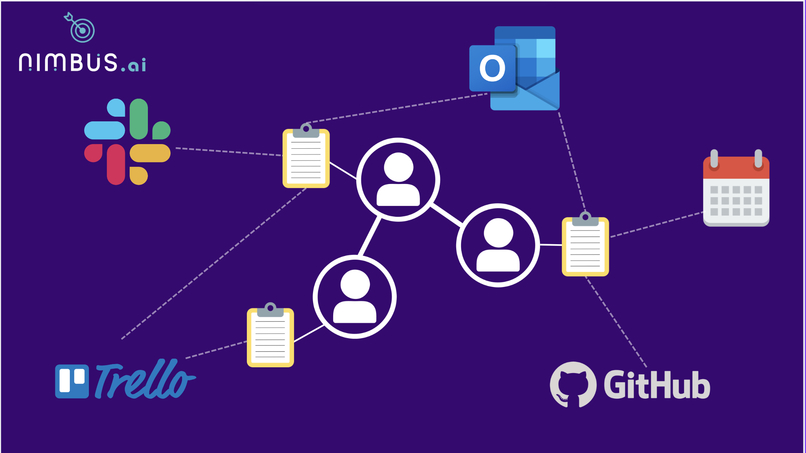
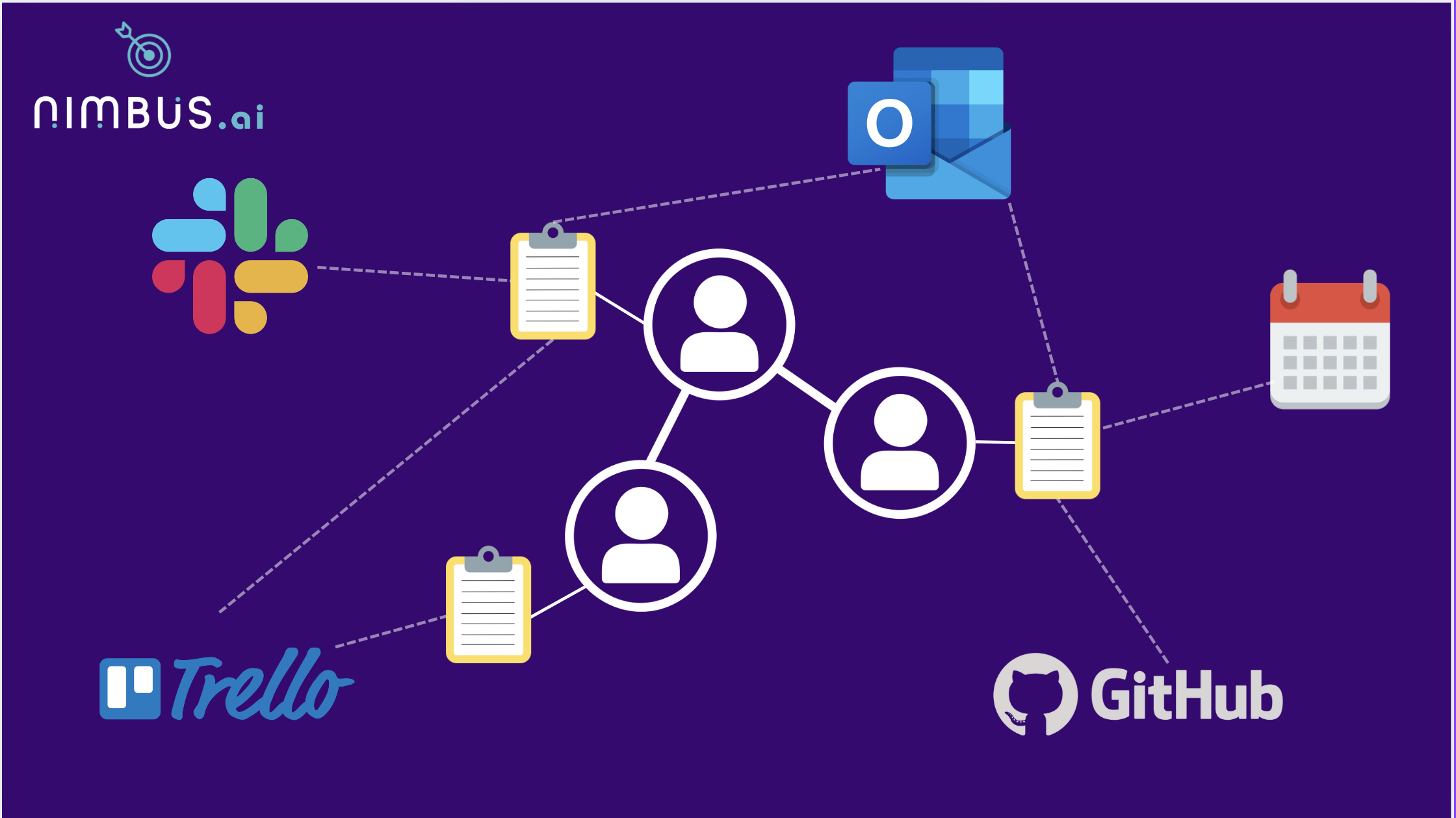
Key Features and Development Process Data Integration: Built integrations with Slack, Email, Calendar (Outlook), Trello, and GitHub to pull historical data and convert it into actionable tasks. This data was used to create a rich knowledge graph, capturing user tasks, timestamps, and collaboration patterns.
AI-Powered Task Generation: Leveraged AWS Bedrock and Claude Sonnet 3.5 V2 to generate manageable subtasks and identify the most suitable productivity framework for each user. Used the knowledge graph to personalize task recommendations and schedules based on user behavior and preferences.
Dynamic Scheduling: Implemented GenAI-based rescheduling to adapt to user progress, pending tasks, and real-time changes. Integrated reinforcement mechanisms, such as short appreciations and motivational nudges, to keep users engaged and on track.
AI Chat Assistance: Developed an AI-powered chatbot using Langchain and Converse API to provide real-time support and clarity on tasks. The chatbot leverages the knowledge graph to answer task-specific questions, drawing insights from both the current user’s data and organizational-wide patterns.
Well-being and Habit Tracking: Built a well-being dashboard to monitor user progress, emotional state, and streaks, providing insights and nudges to maintain balance and productivity. Incorporated habit formation tools with visual reinforcement and validation to help users build sustainable routines.
Challenges we ran into
Data Integration: Combining data from Slack, Email, Calendar, Trello, and GitHub required handling diverse APIs and formats. We solved this by using Zappeir based Zaps for creating a low code based integration
Knowledge Graph Construction:Building a rich knowledge graph with AWS Knowledge Base and Opensearch was resource-intensive. We used Claude Sonnet 3.5 V2 to infer relationships from unstructured data, and then for the hack built a csv file for the past data and then used AWS knowledge base to create the knowledge graph
Real-time Personalization: Scaling AI-powered personalization while maintaining performance was tricky. We still havent been able to solve this and the latency with invoking the LLM models on Bedrock needs to be improved
AI Chat Accuracy: Ensuring the AI chatbot provided accurate, context-aware responses required fine-tuning the knowledge graph and Converse API integrations.
Accomplishments that we're proud of
Knowledge Graph Success: Our knowledge graph powered by AWS Knowledge Base and Opensearch delivered highly accurate and context-aware responses through the AI chatbot, enabling users to get real-time clarity on tasks and dependencies.
**Dynamic Rescheduling: **The GenAI-powered rescheduling system adapted seamlessly to user progress and pending tasks, ensuring optimal productivity while maintaining flexibility.
Personalized Recommendations: We successfully tested Nimbus with two vastly different users. By analyzing their past data and identifying the most suitable productivity framework, we generated highly customized schedules and recommendations tailored to their unique workflows.
What we learned
Personalization is Powerful: Leveraging AI and knowledge graphs to deliver deeply personalized recommendations showed us how impactful tailored solutions can be for user productivity and well-being.
What's next for nimbus
Integration with Major Platforms: Nimbus aims to become a personal coach module for platforms like Microsoft Office 365 and GSuite, leveraging their existing suite of tools to enhance user productivity and well-being seamlessly.
Expanding Market Reach: With the global productivity tools market valued at $60 billion in 2023 and growing at a CAGR of 12%-15%, Nimbus is poised to tap into this rapidly expanding market by offering a unique blend of productivity and well-being features.
Enhanced AI Capabilities: We plan to further refine our AI models and knowledge graph to deliver even more accurate, context-aware recommendations and real-time adaptability.
Scaling for Enterprises: Nimbus will expand its capabilities to serve enterprise clients, helping organizations improve employee productivity and reduce burnout at scale.
New Features and Integrations: Adding support for more platforms, advanced analytics, and deeper well-being insights to make Nimbus an indispensable tool for users worldwide.

Log in or sign up for Devpost to join the conversation.