-
-
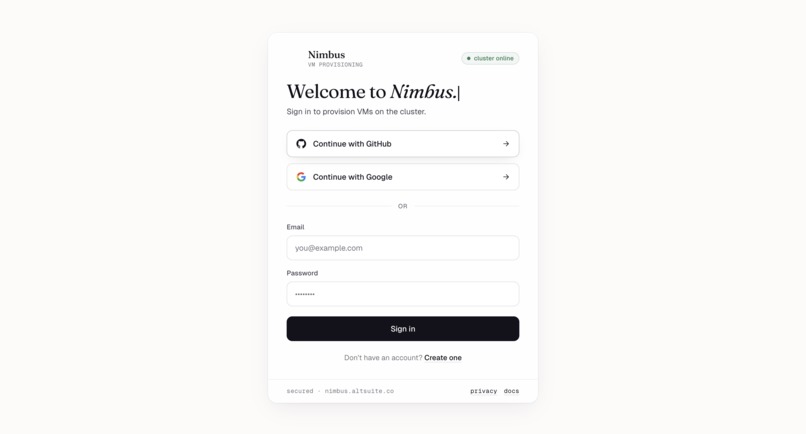
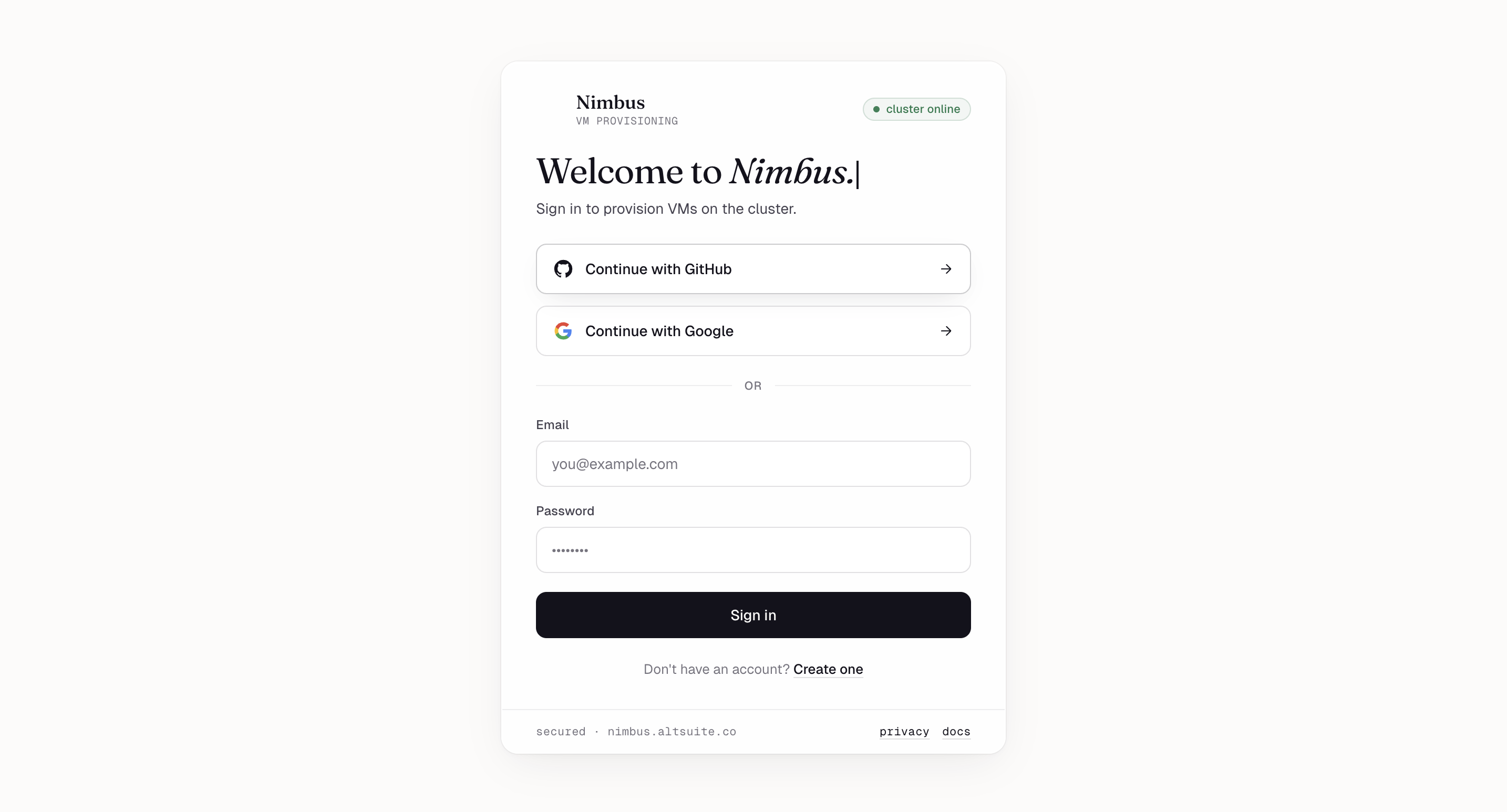
Sign in — GitHub, Google, or email/password. Live "cluster online" badge confirms Proxmox is reachable.
-
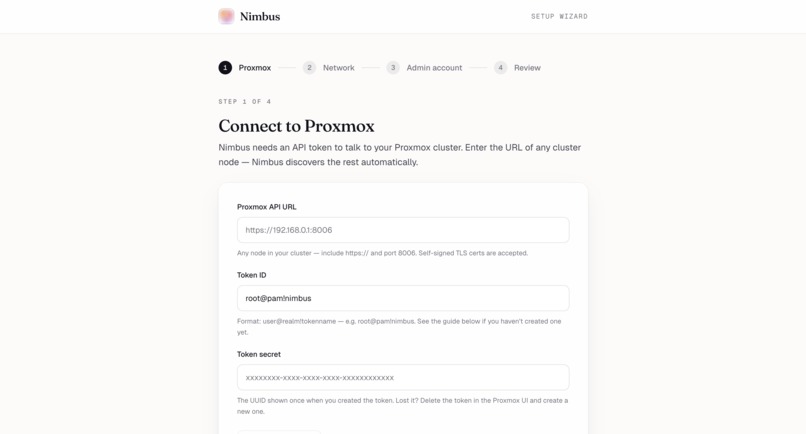
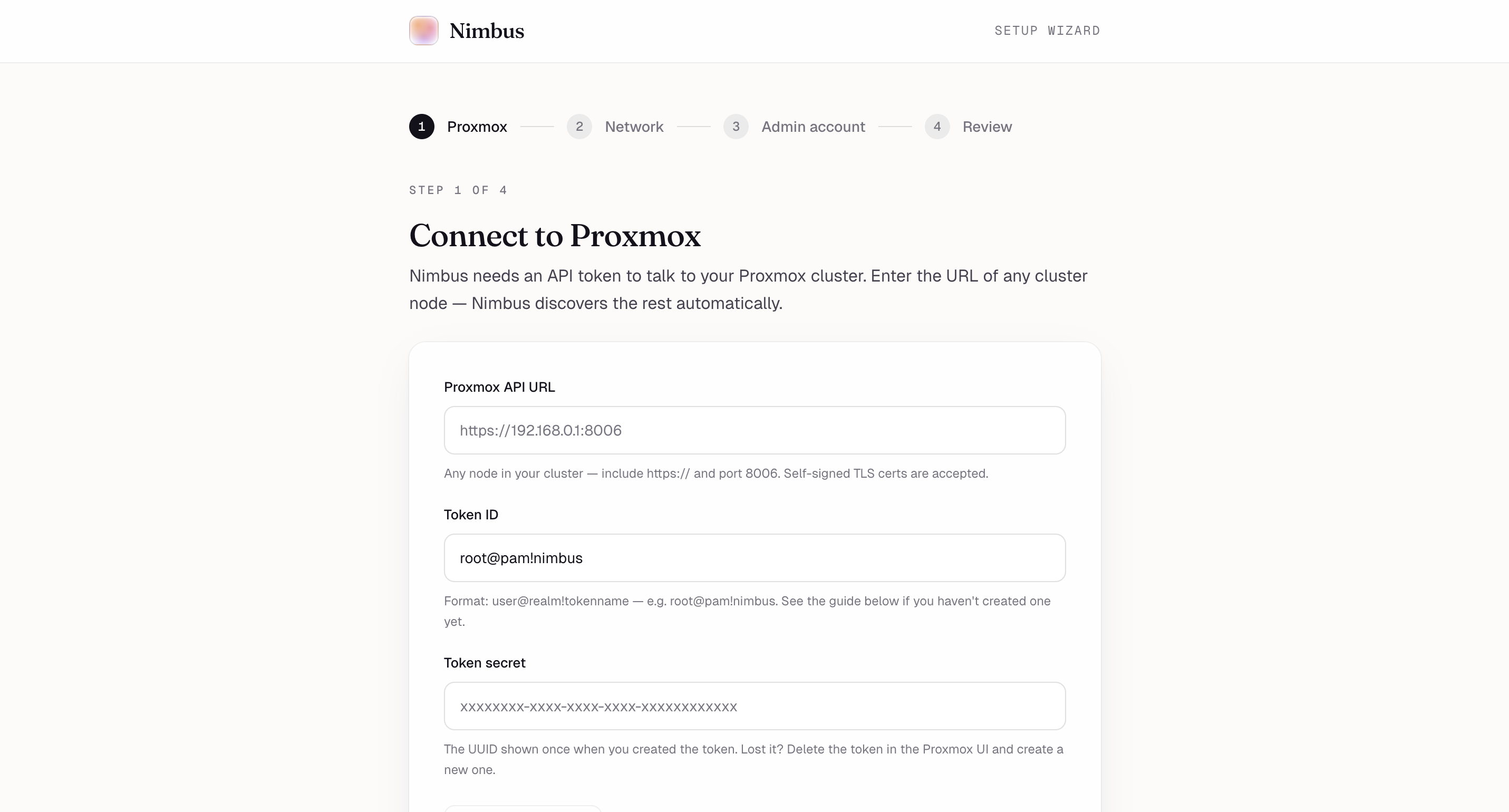
Setup wizard, step 1 — Connect Nimbus to your Proxmox cluster with an API token. Self-signed TLS works out of the box.
-
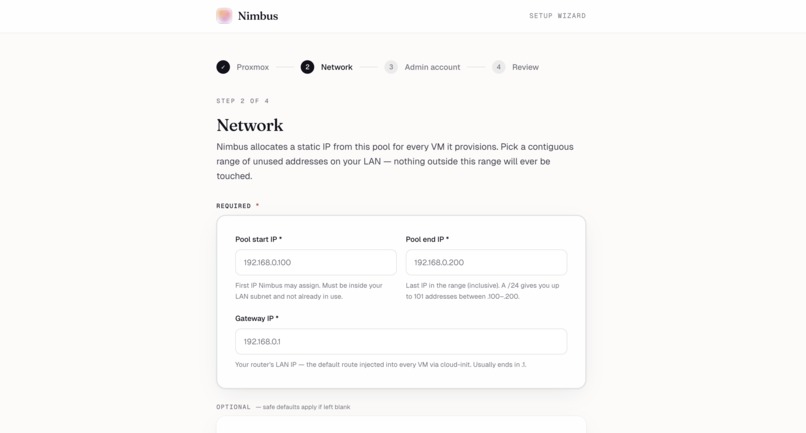
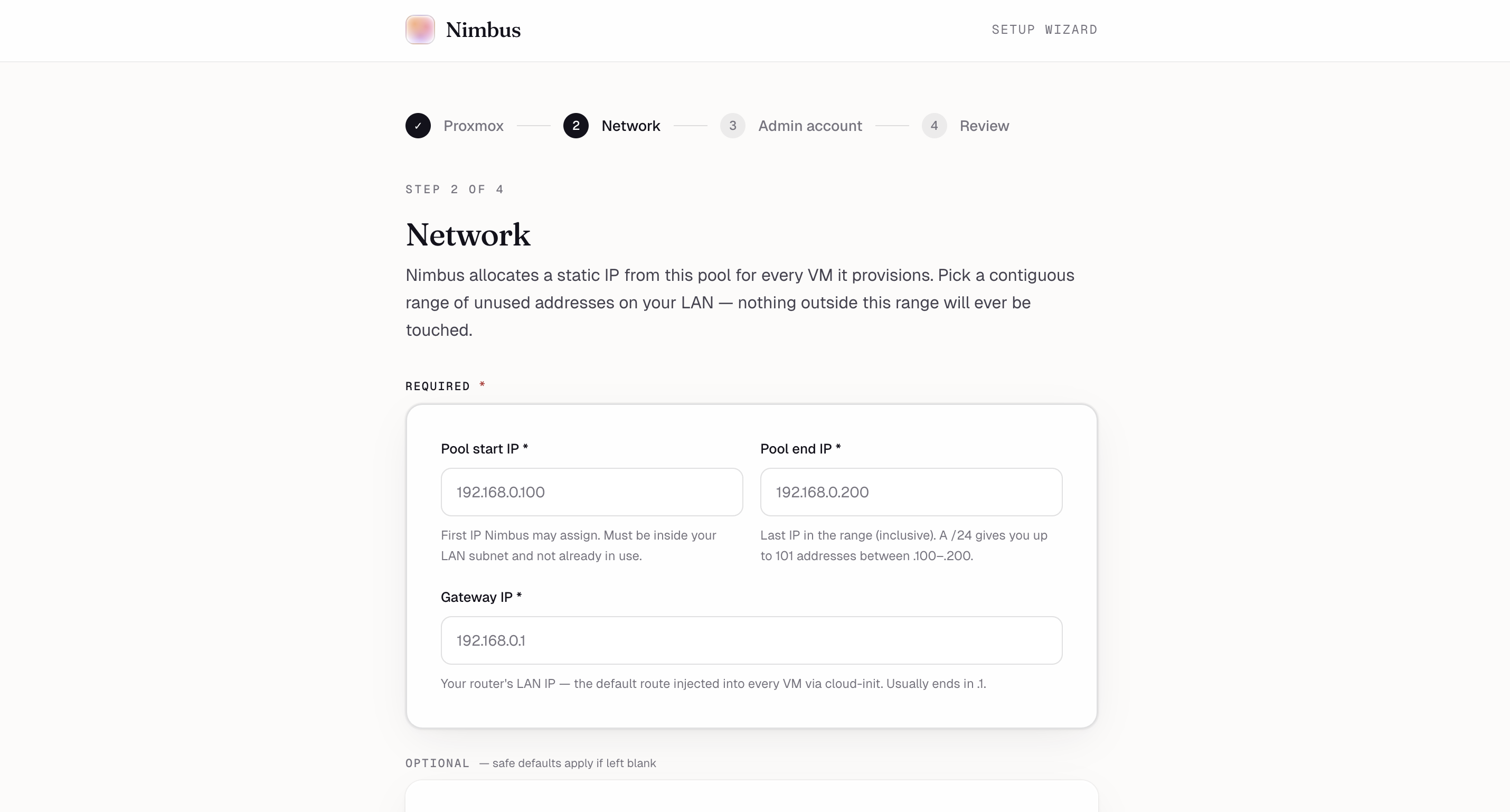
Setup wizard, step 2 — Pick a contiguous IP range on your LAN. Nimbus only ever touches addresses inside this pool.
-
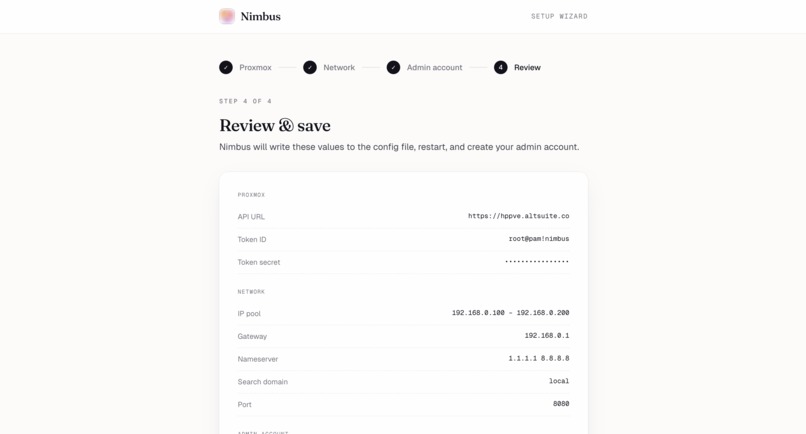
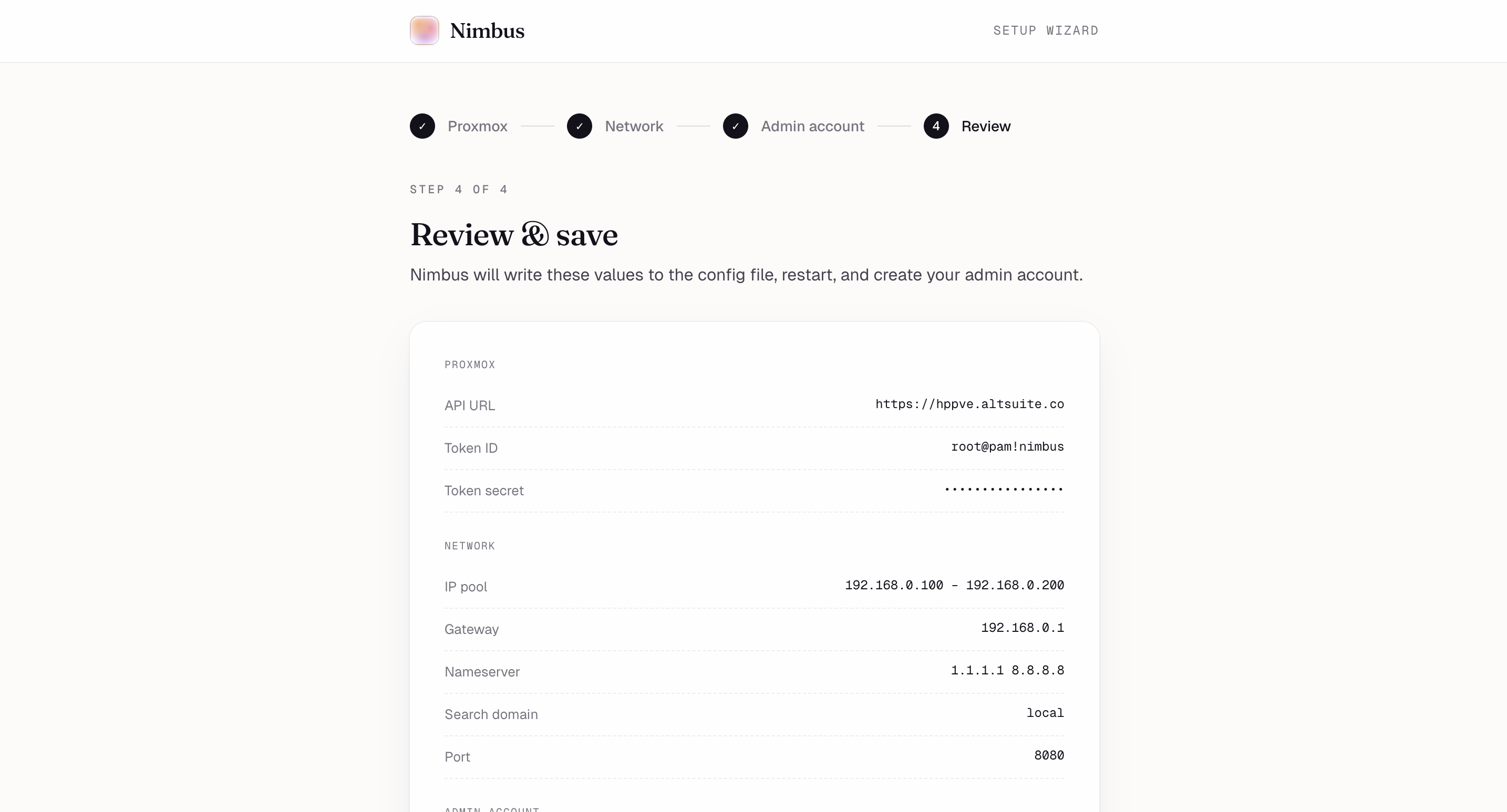
Setup wizard, step 4 — Review every config value before Nimbus writes it and creates your admin account.
-
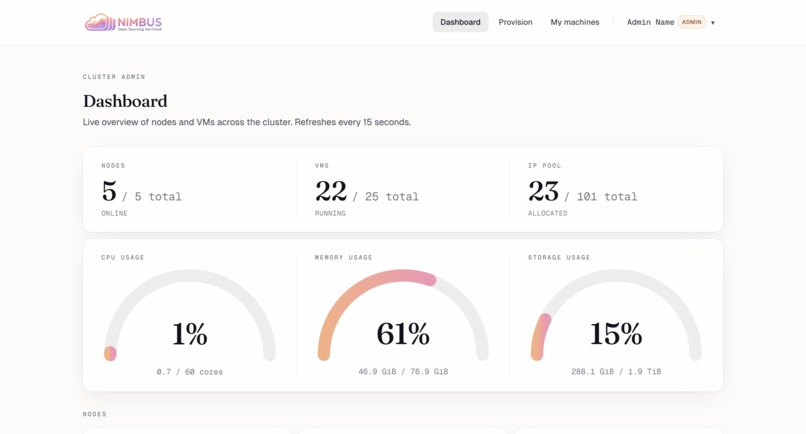
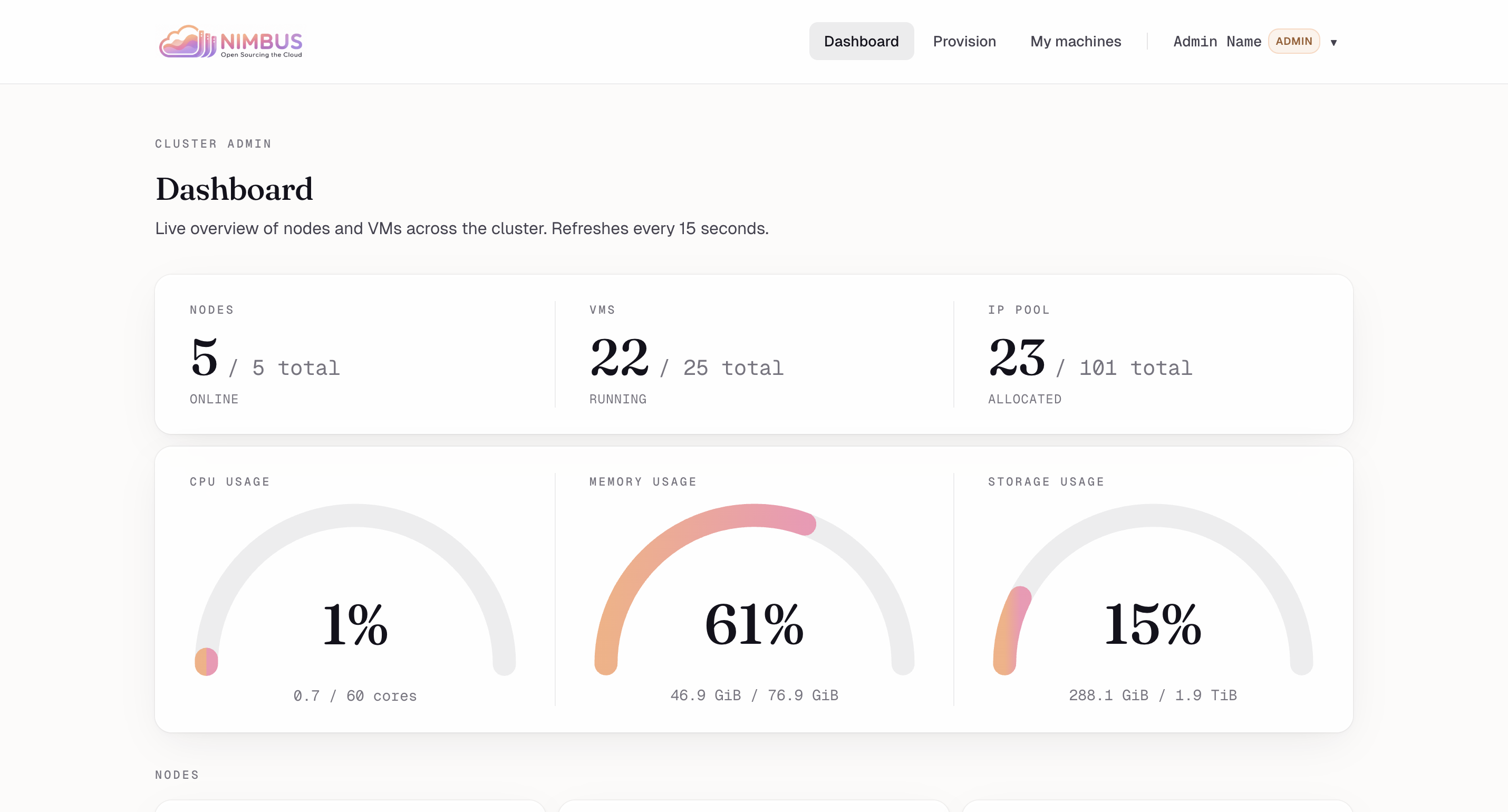
Cluster dashboard — Live overview: nodes online, VMs running, IP pool utilization, CPU/memory/storage gauges.
-
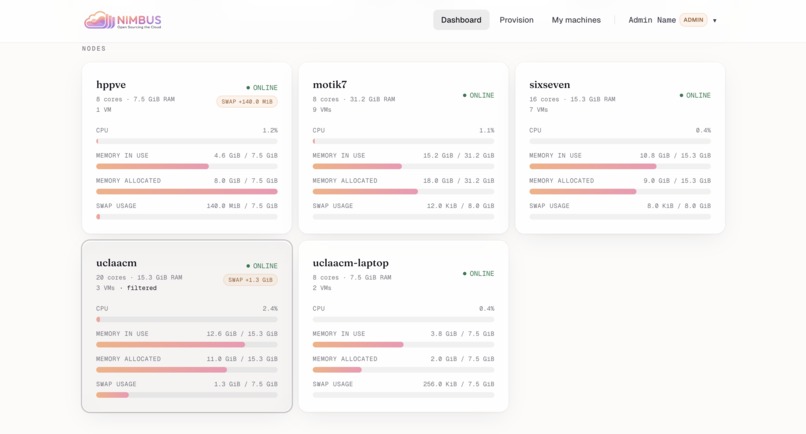
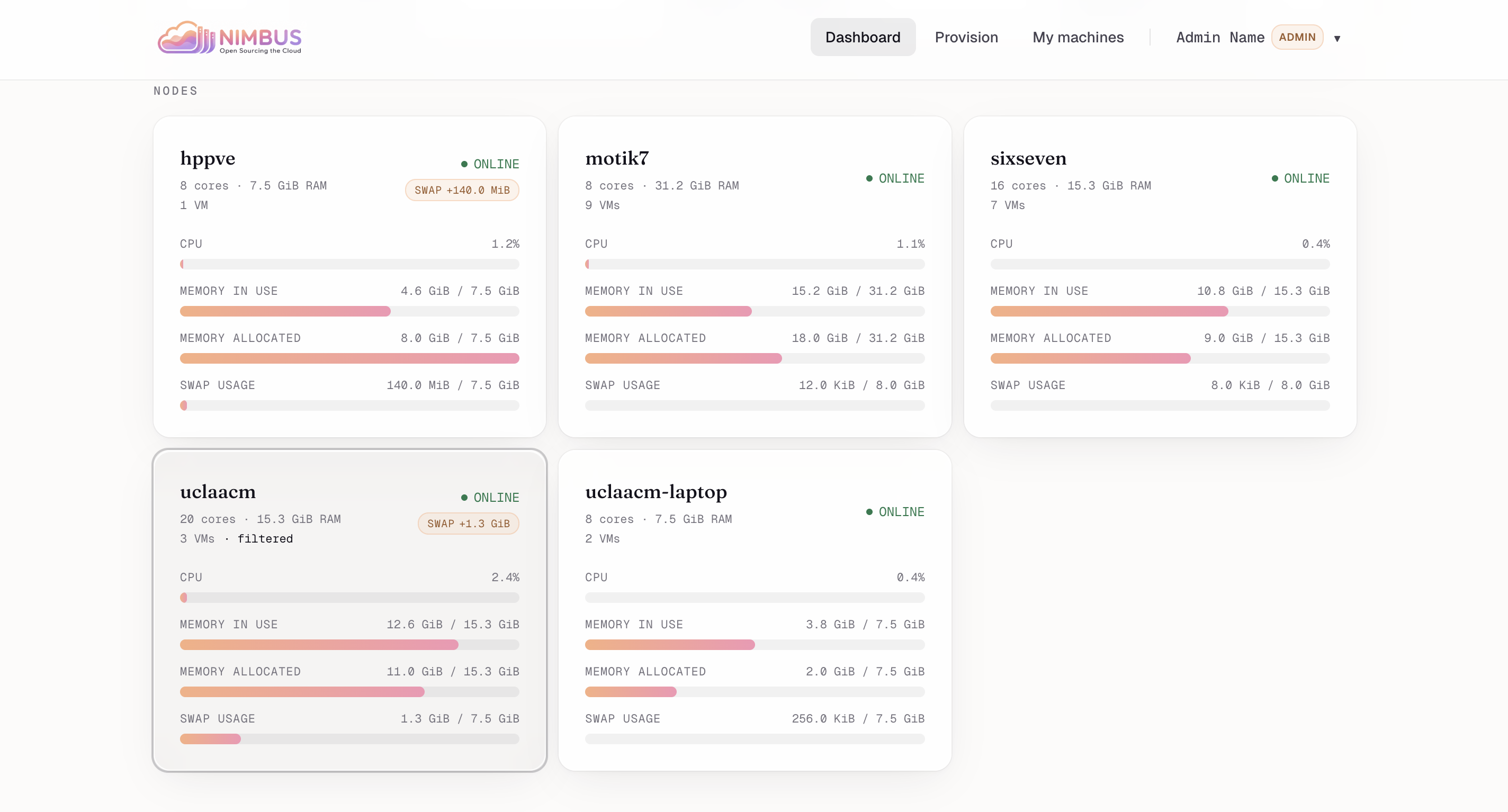
Per-node breakdown — Cores, RAM, swap, and live load for every Proxmox node in the cluster.
-
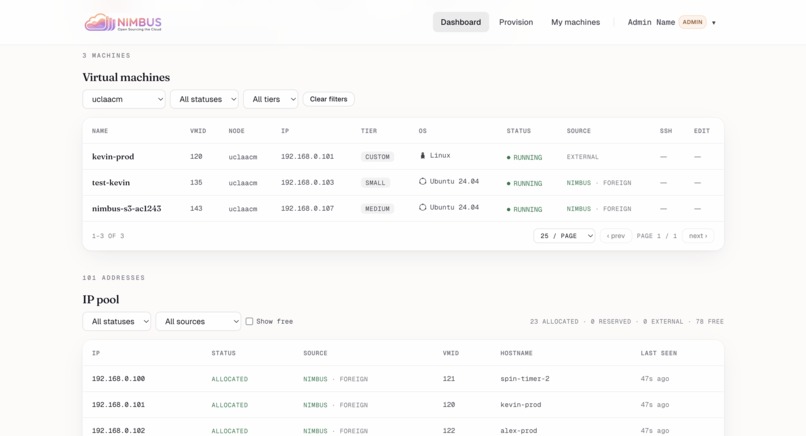
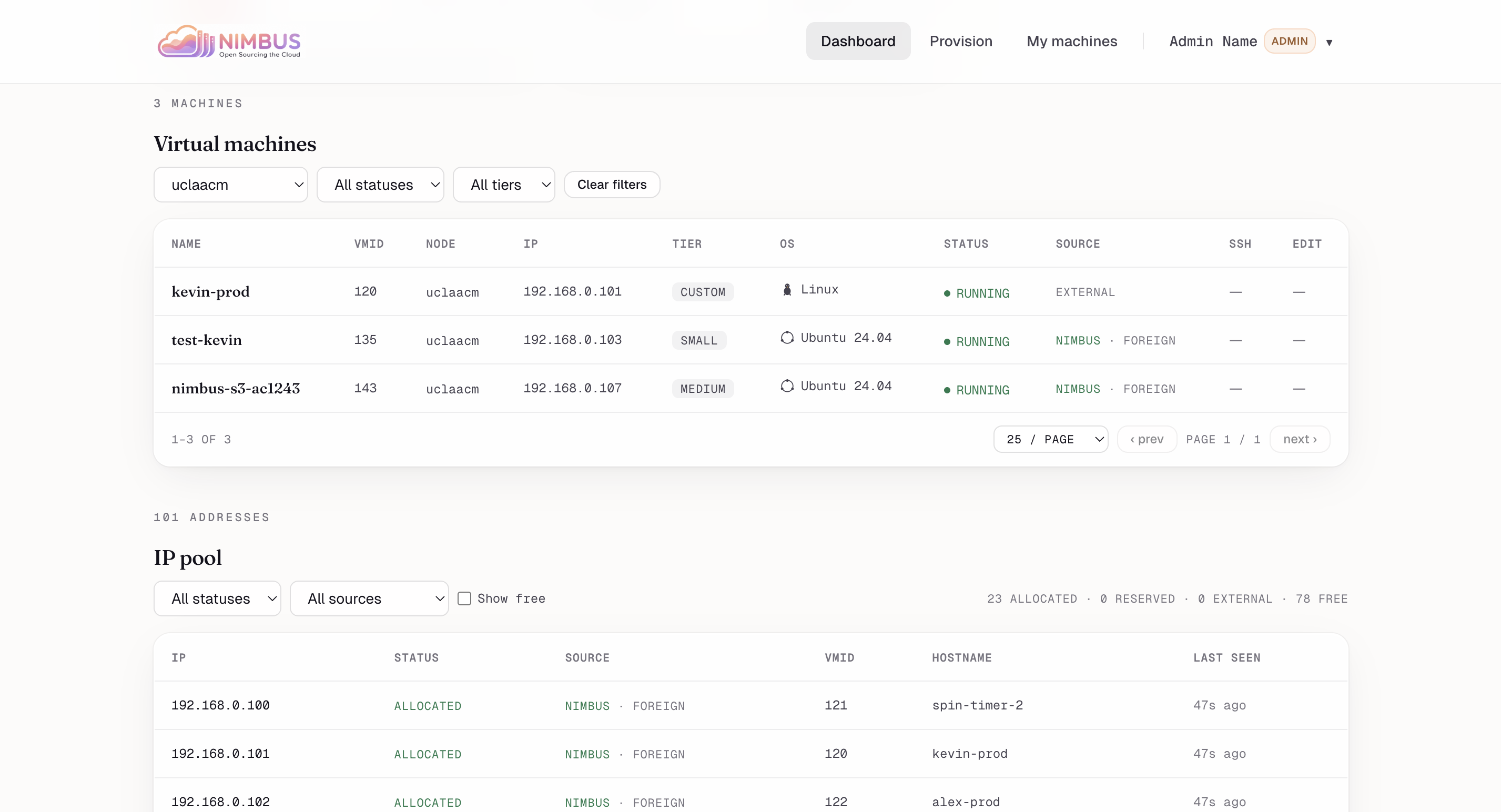
VMs & IP pool — Filterable list of every machine plus the full IP pool reconciled against Proxmox as source of truth.
-
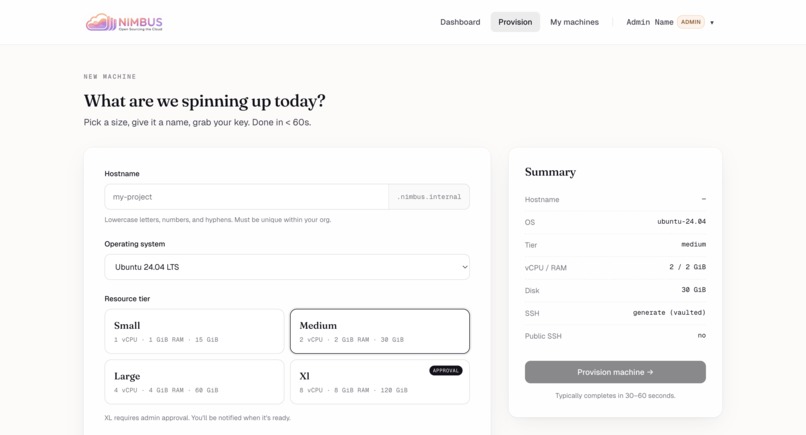
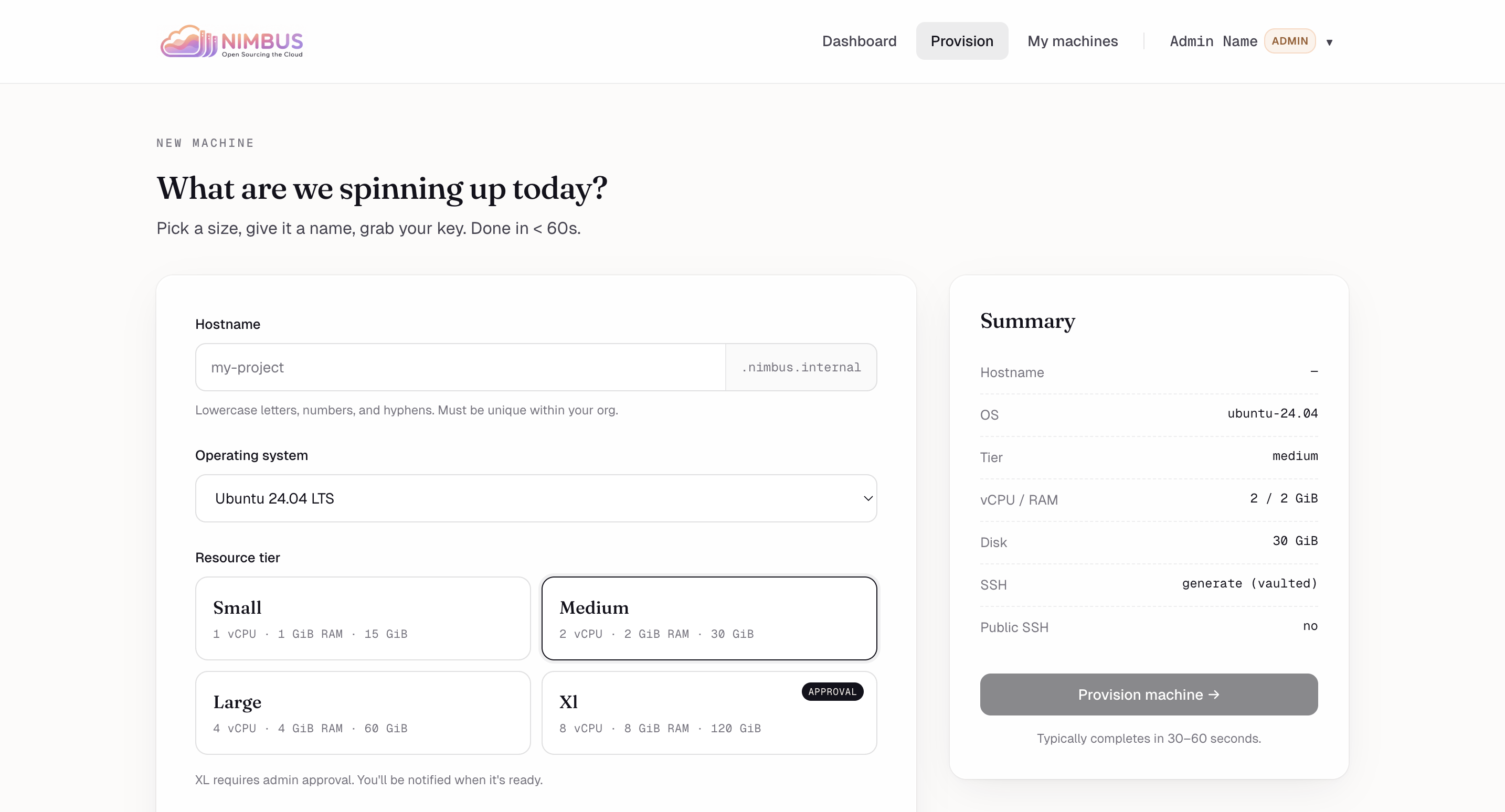
New machine — Hostname, OS, resource tier. XL needs admin approval; everything else is two clicks.
-
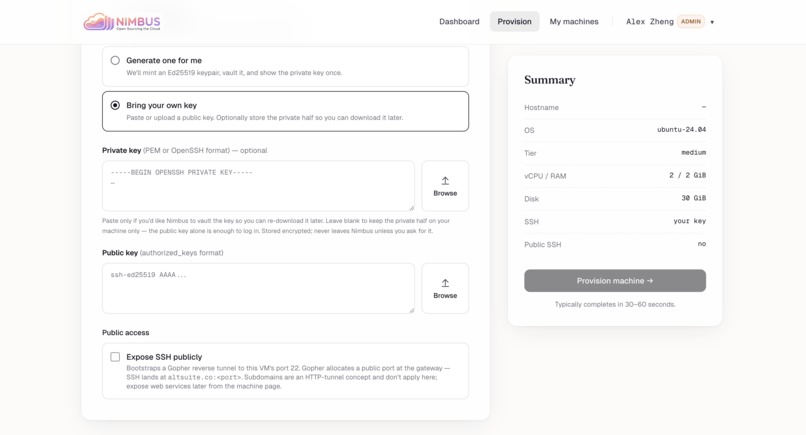
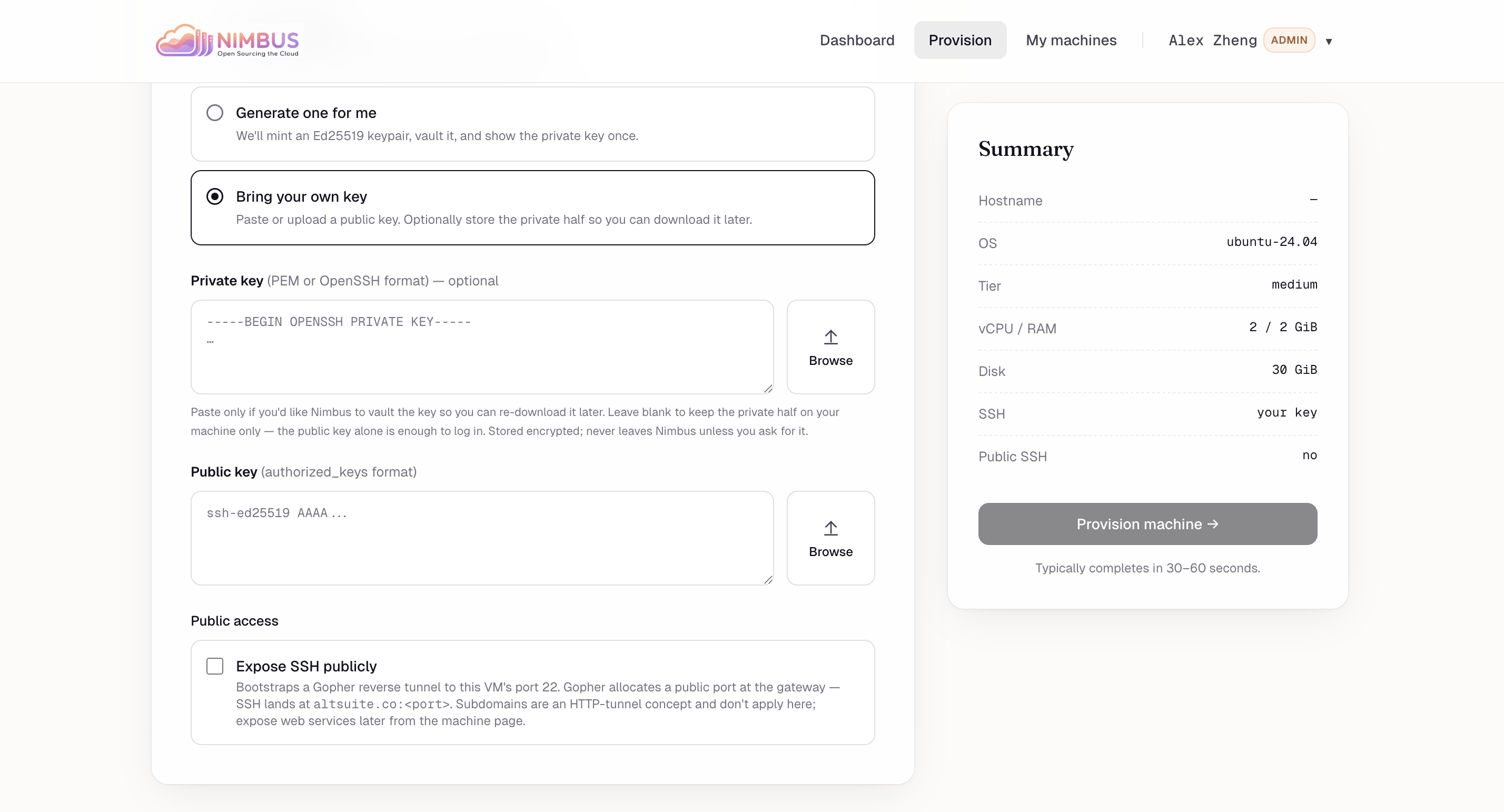
SSH & public access — Pick a stored key or BYO. One toggle exposes SSH publicly via the Gopher reverse tunnel.
-
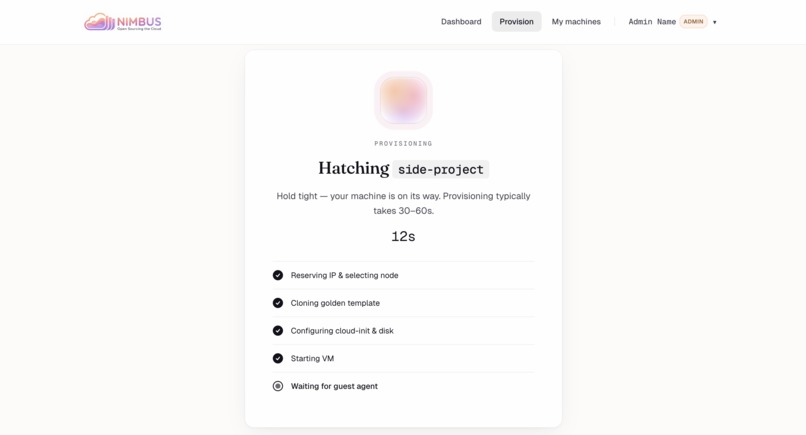
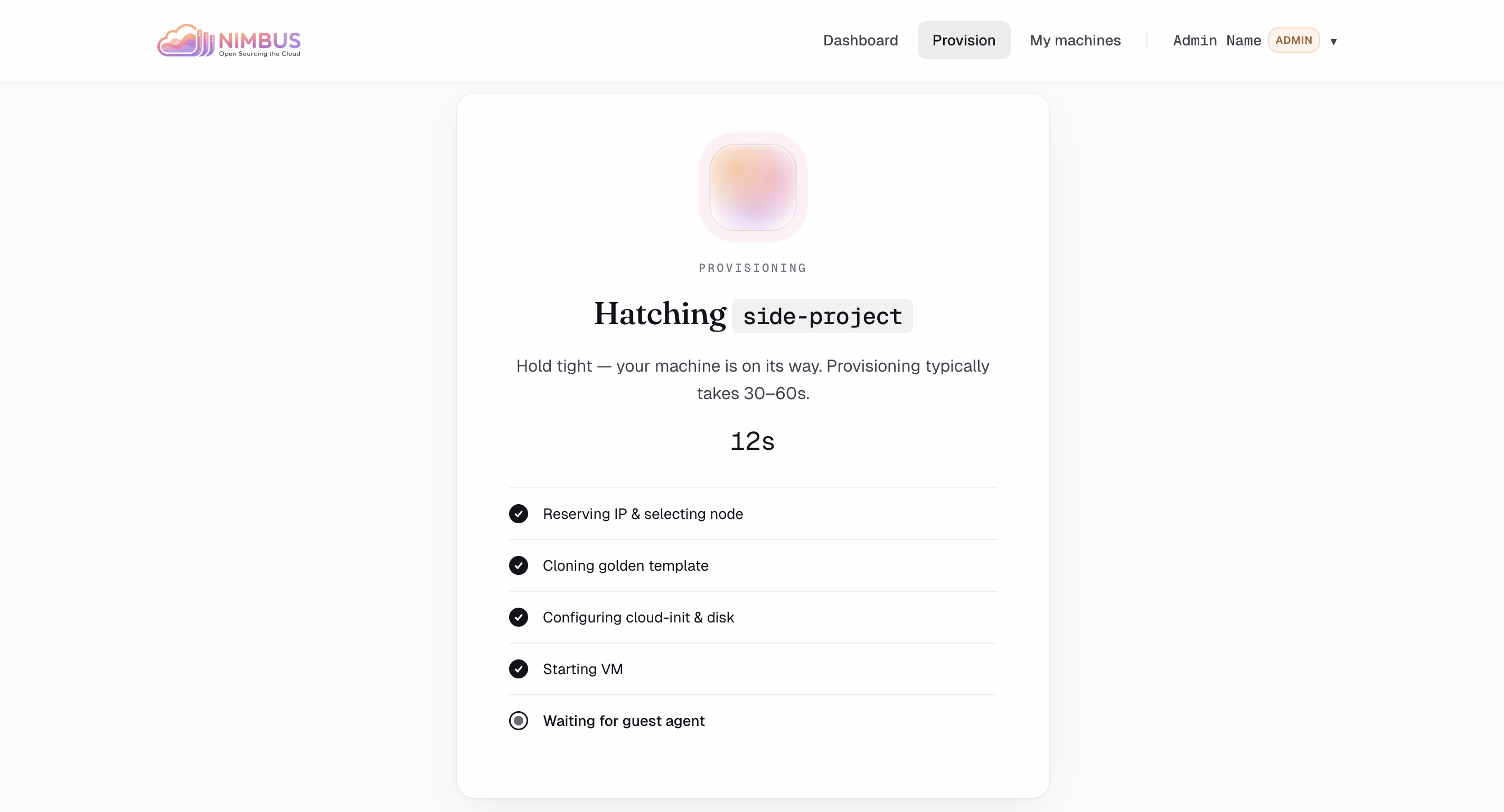
Hatching — Live progress through the 9-step orchestration: reserve IP, clone, cloud-init, boot, wait for guest agent.
-
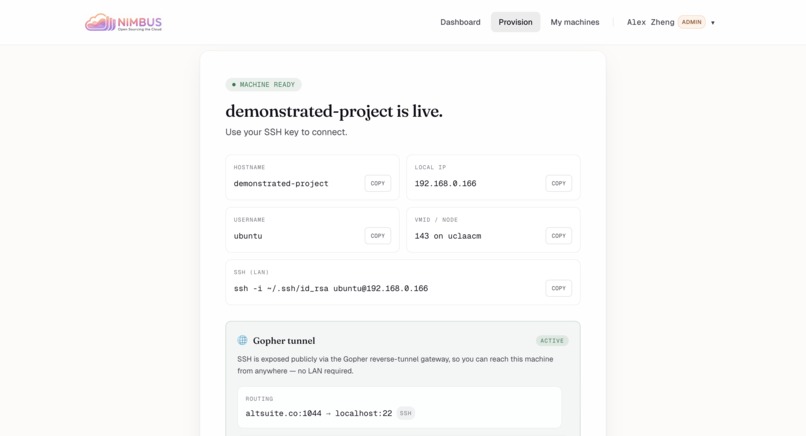
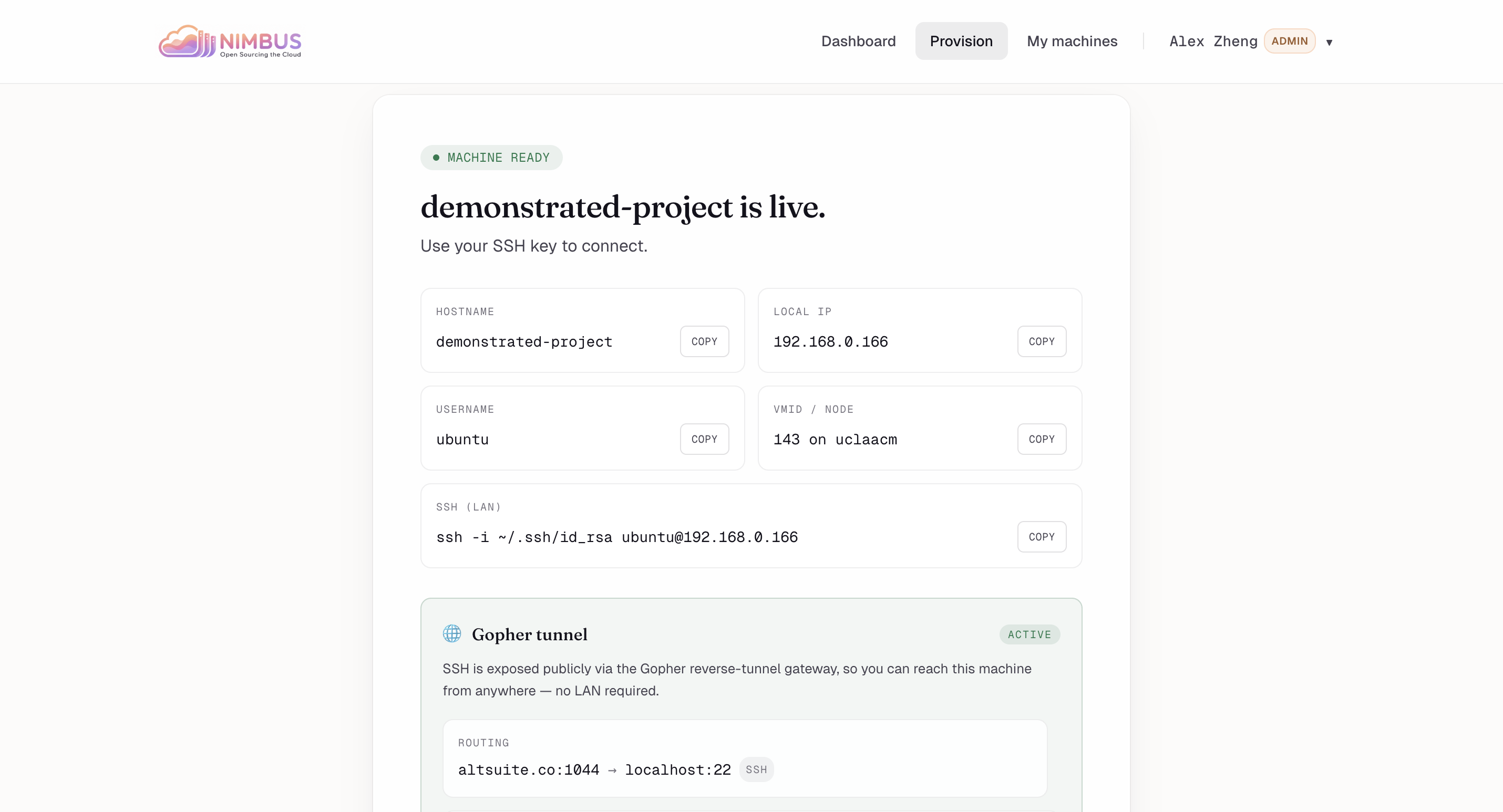
Live in 30s — Hostname, IP, SSH command, and the public Gopher tunnel address all populated and ready to copy.
-
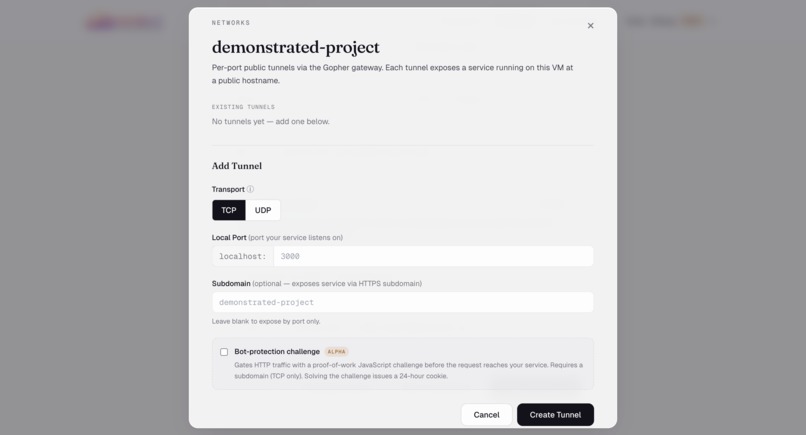
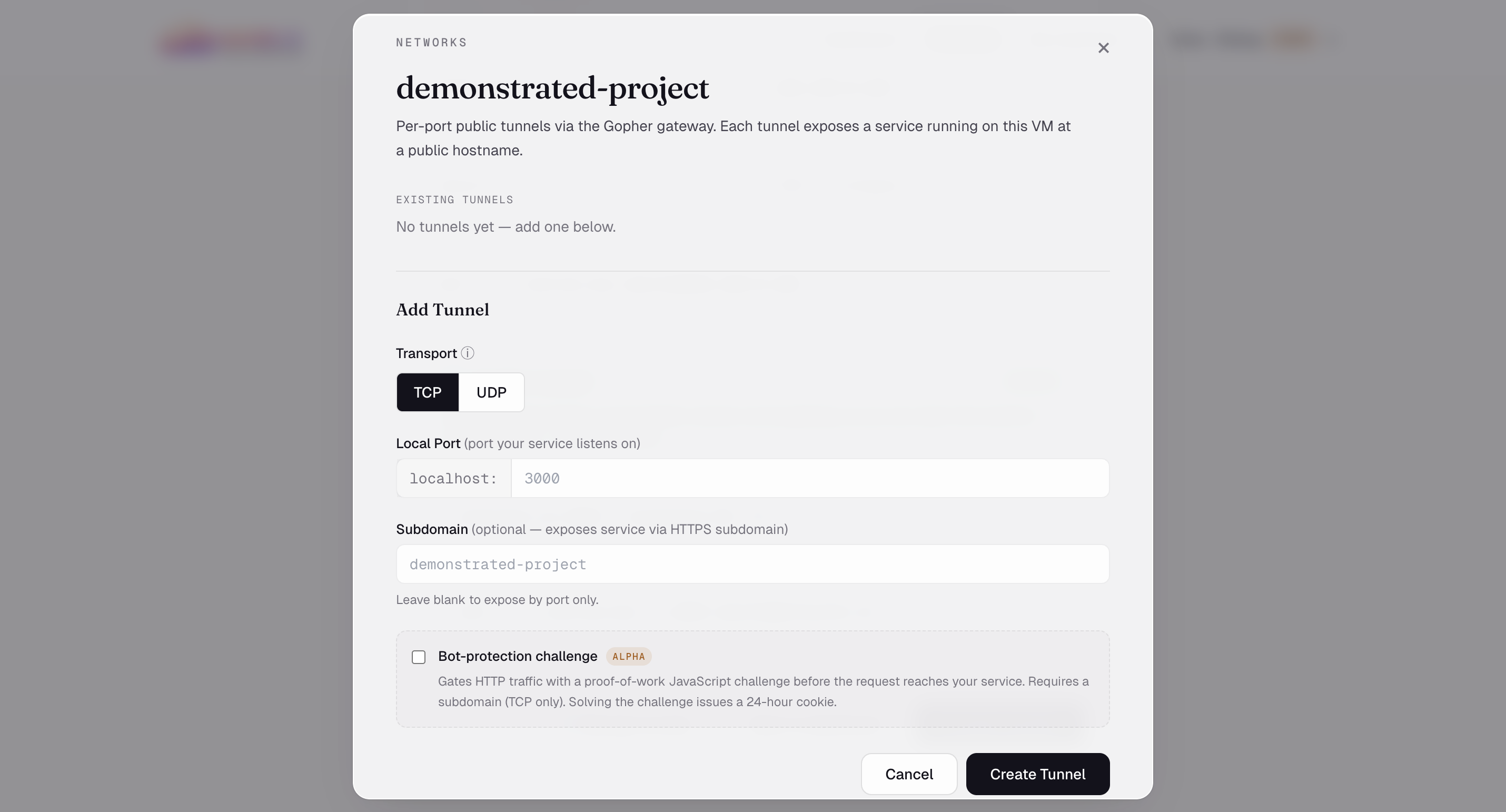
Networks — Add per-port public tunnels via Gopher. TCP or UDP, optional HTTPS subdomain.
-
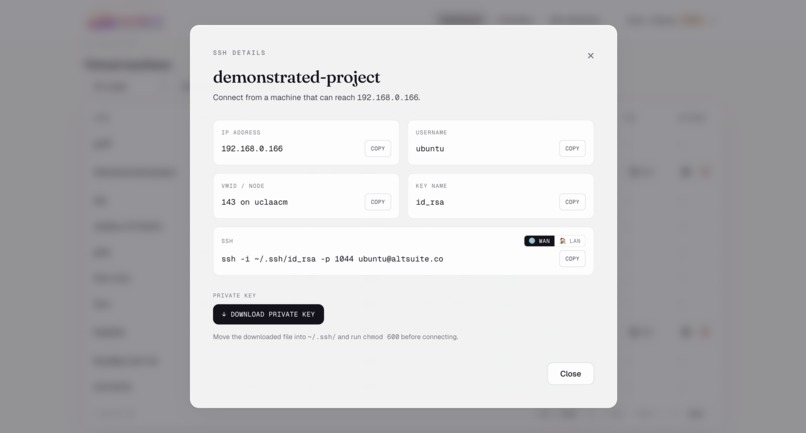
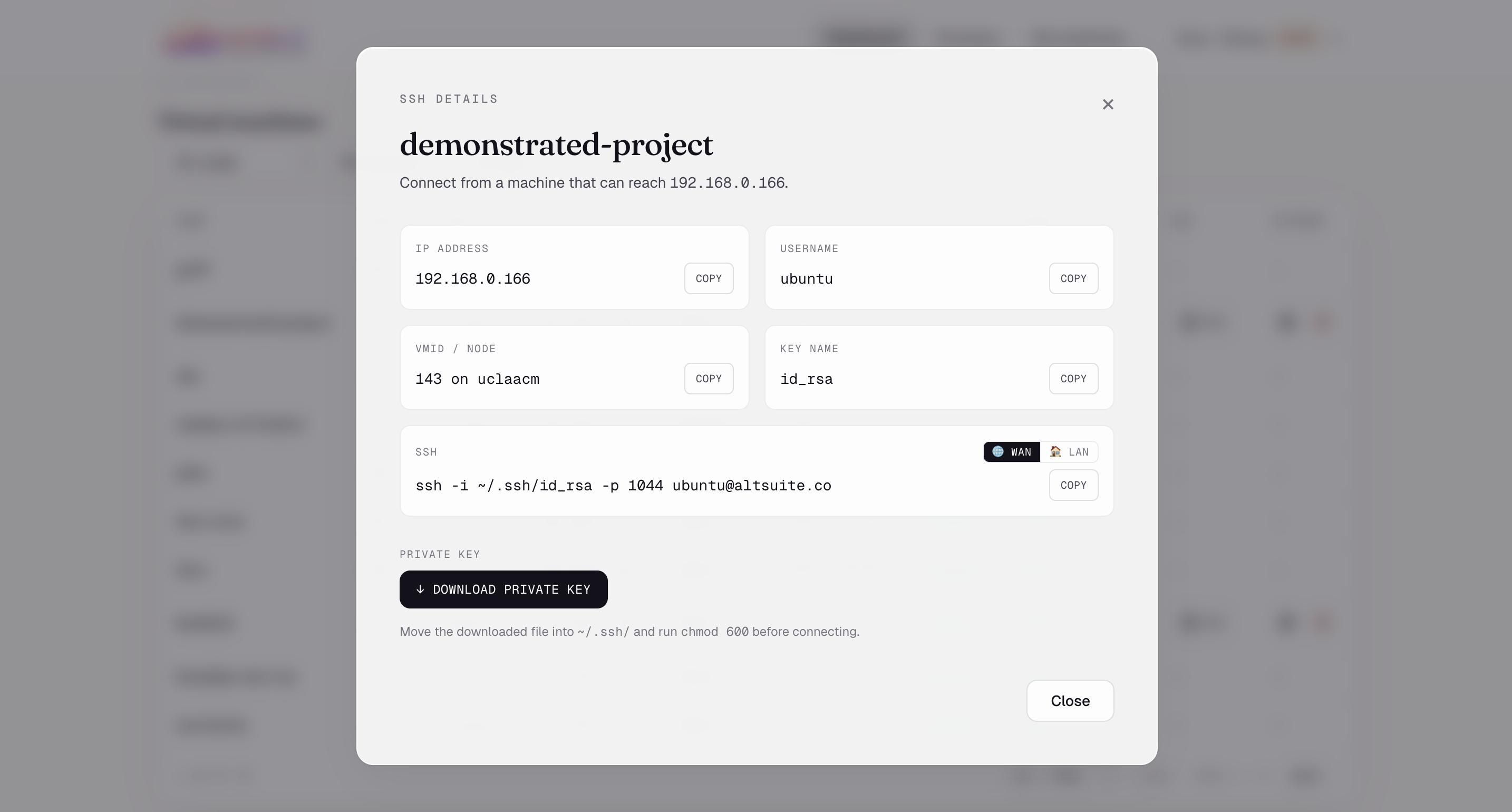
SSH details — Toggle between LAN and WAN connection strings. Download the private key Nimbus vaulted at provision.
-
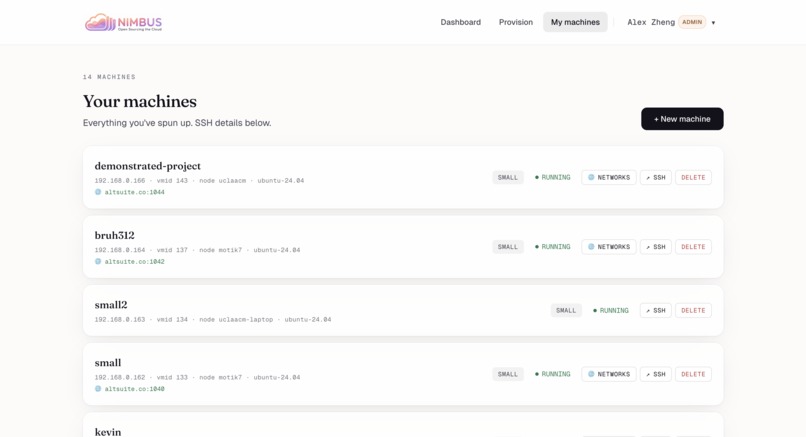
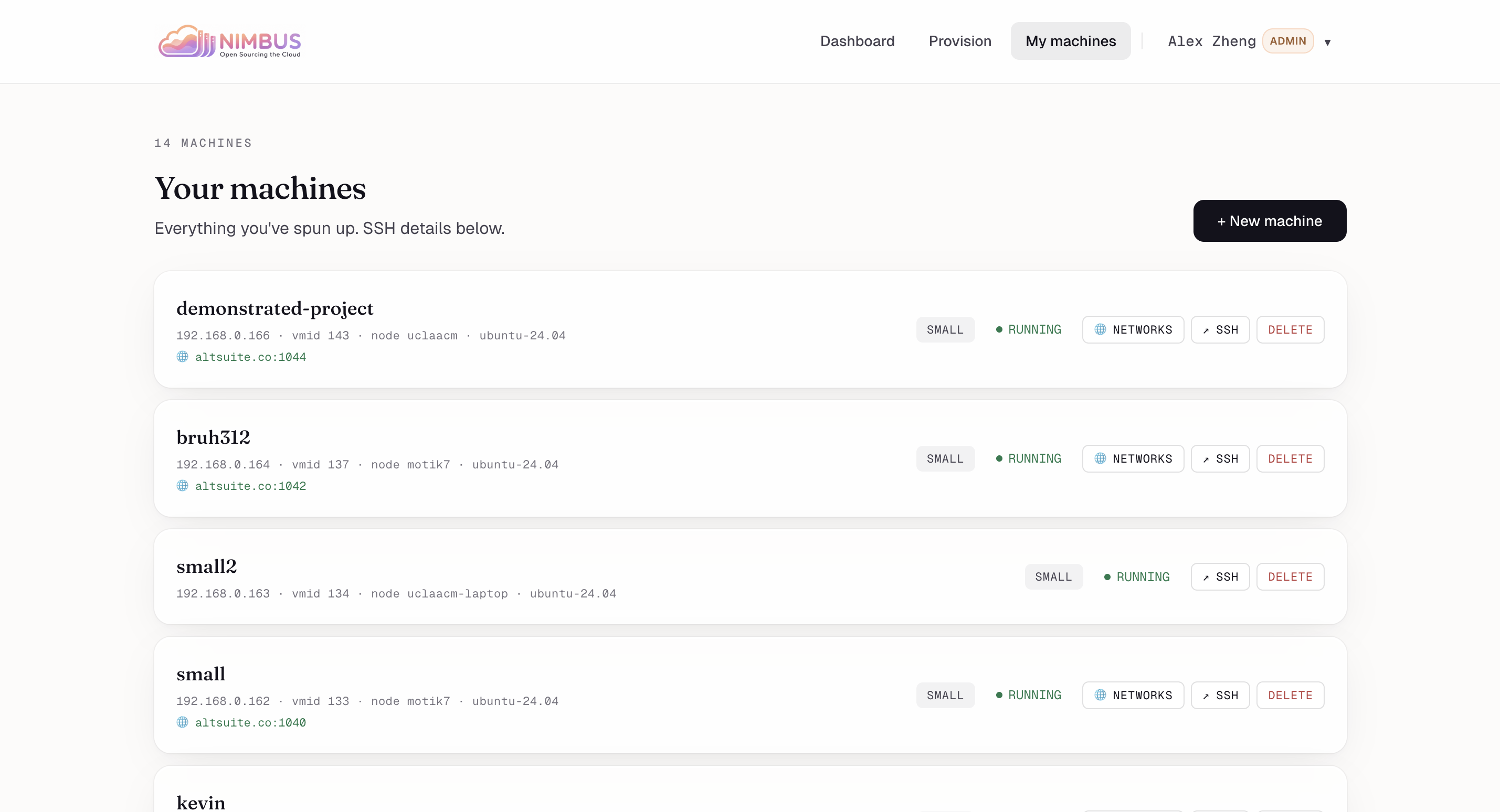
My machines — Every VM you've spun up, with status, public hostname, and one-click SSH/networks/delete.
-
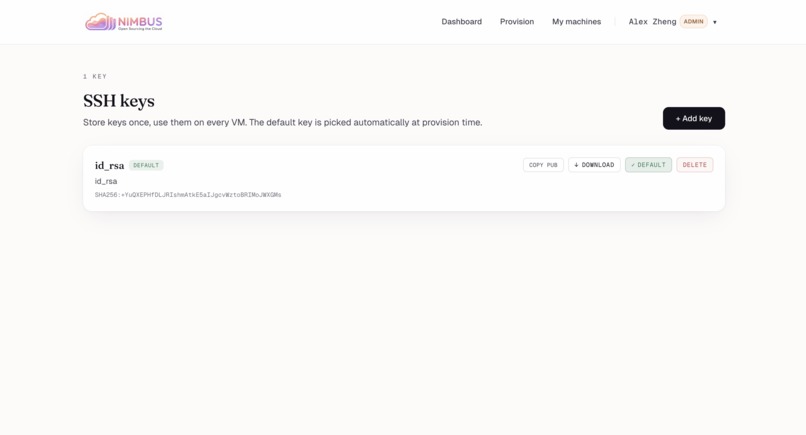
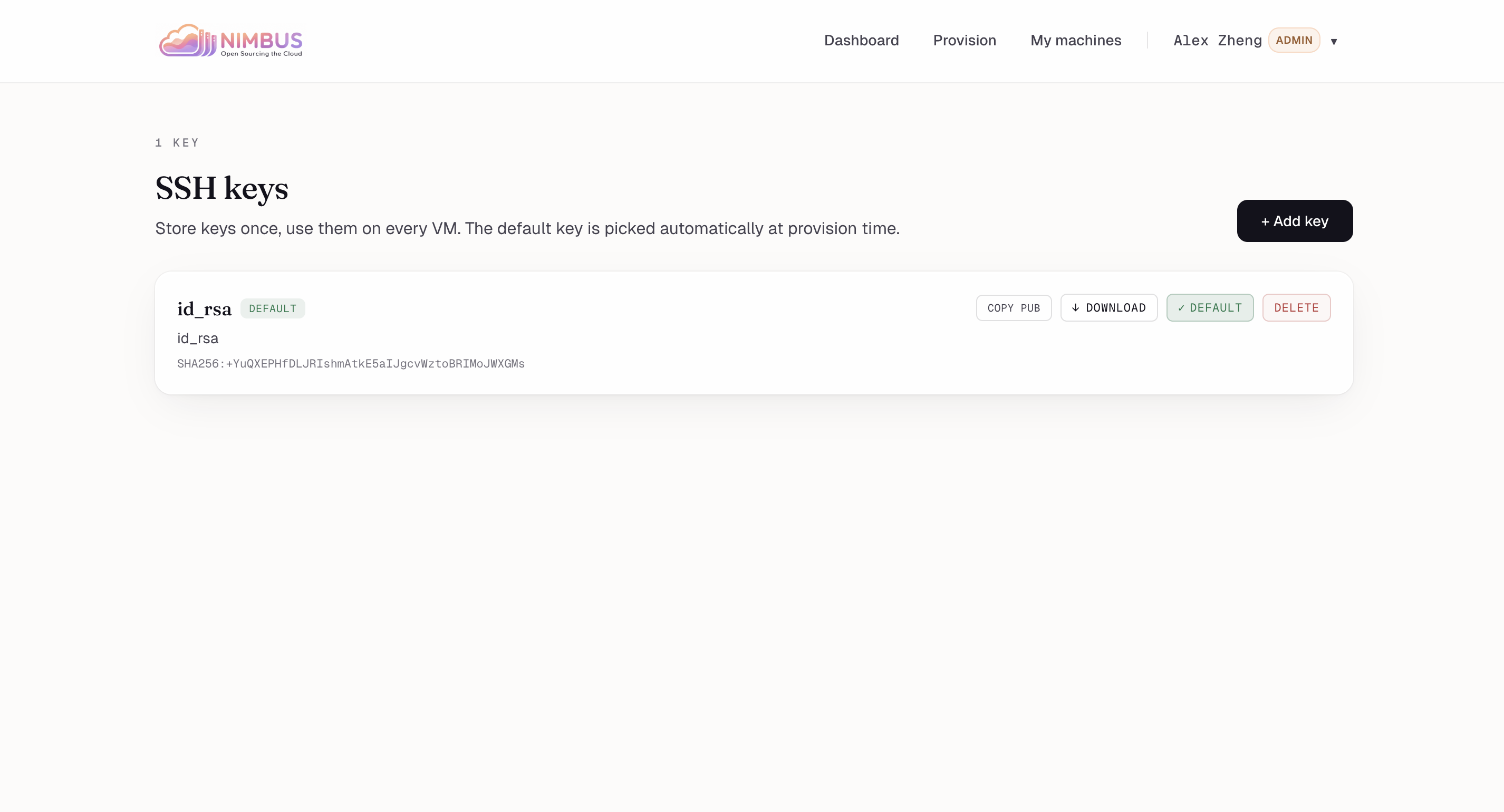
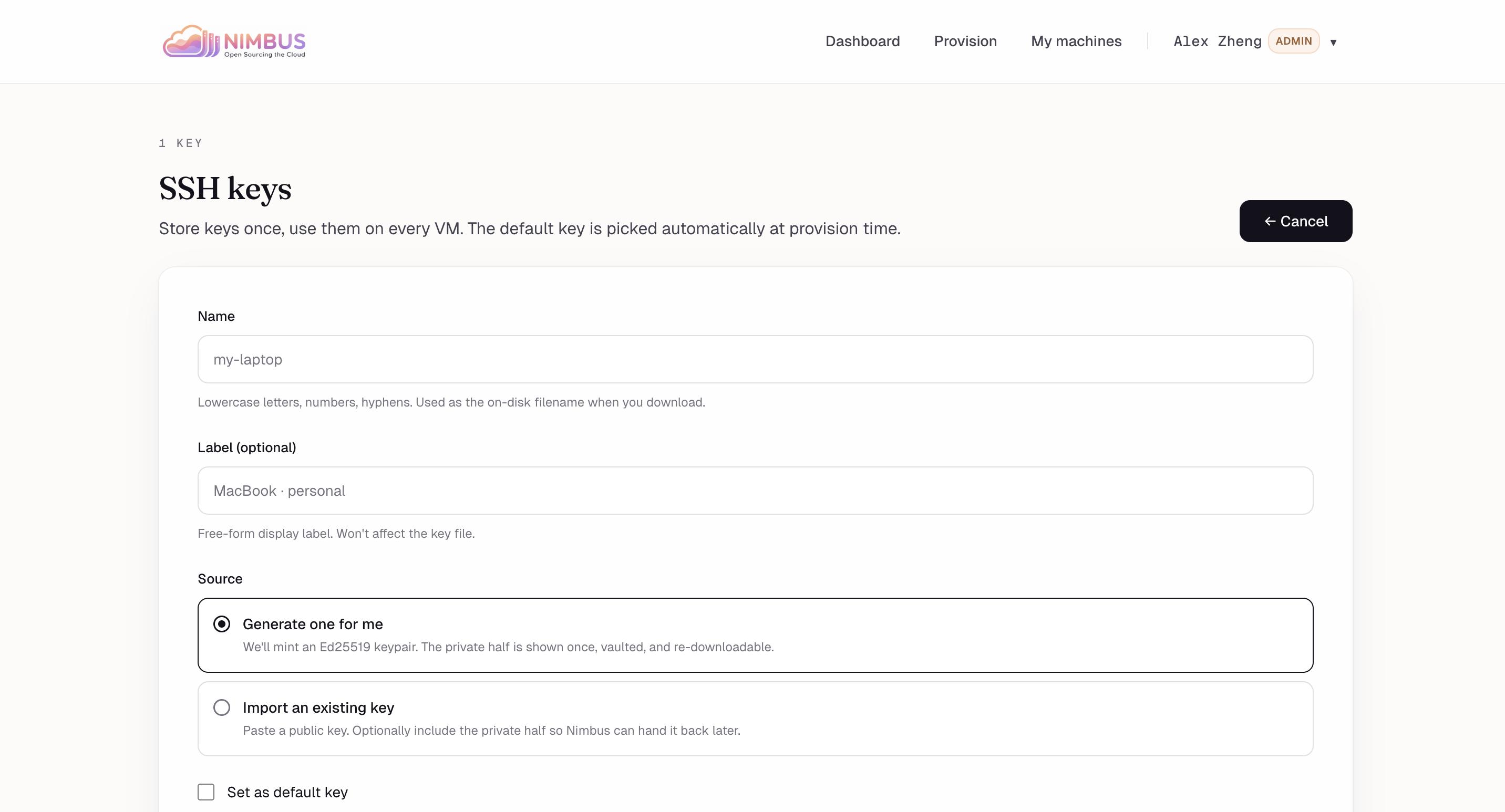
SSH keys — Store keys once, reuse on every VM. Default key auto-attaches at provision time.
-
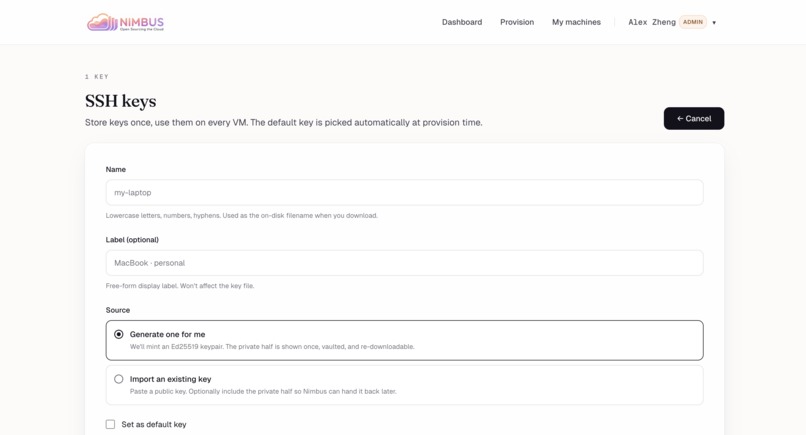
Add key — Generate an Ed25519 pair server-side, or import an existing public/private key.
-
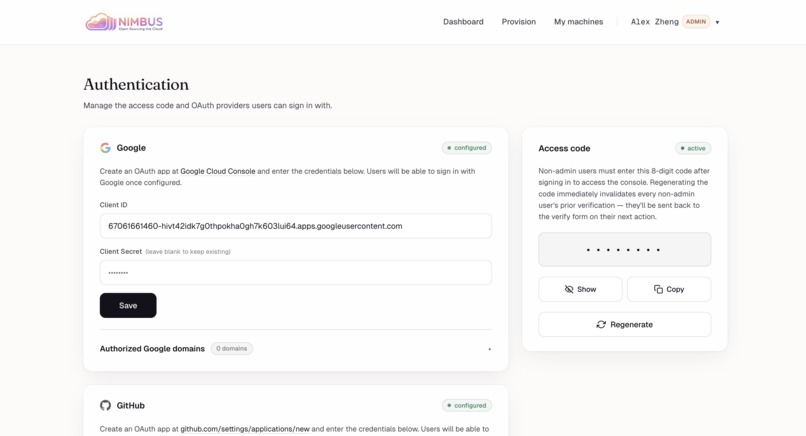
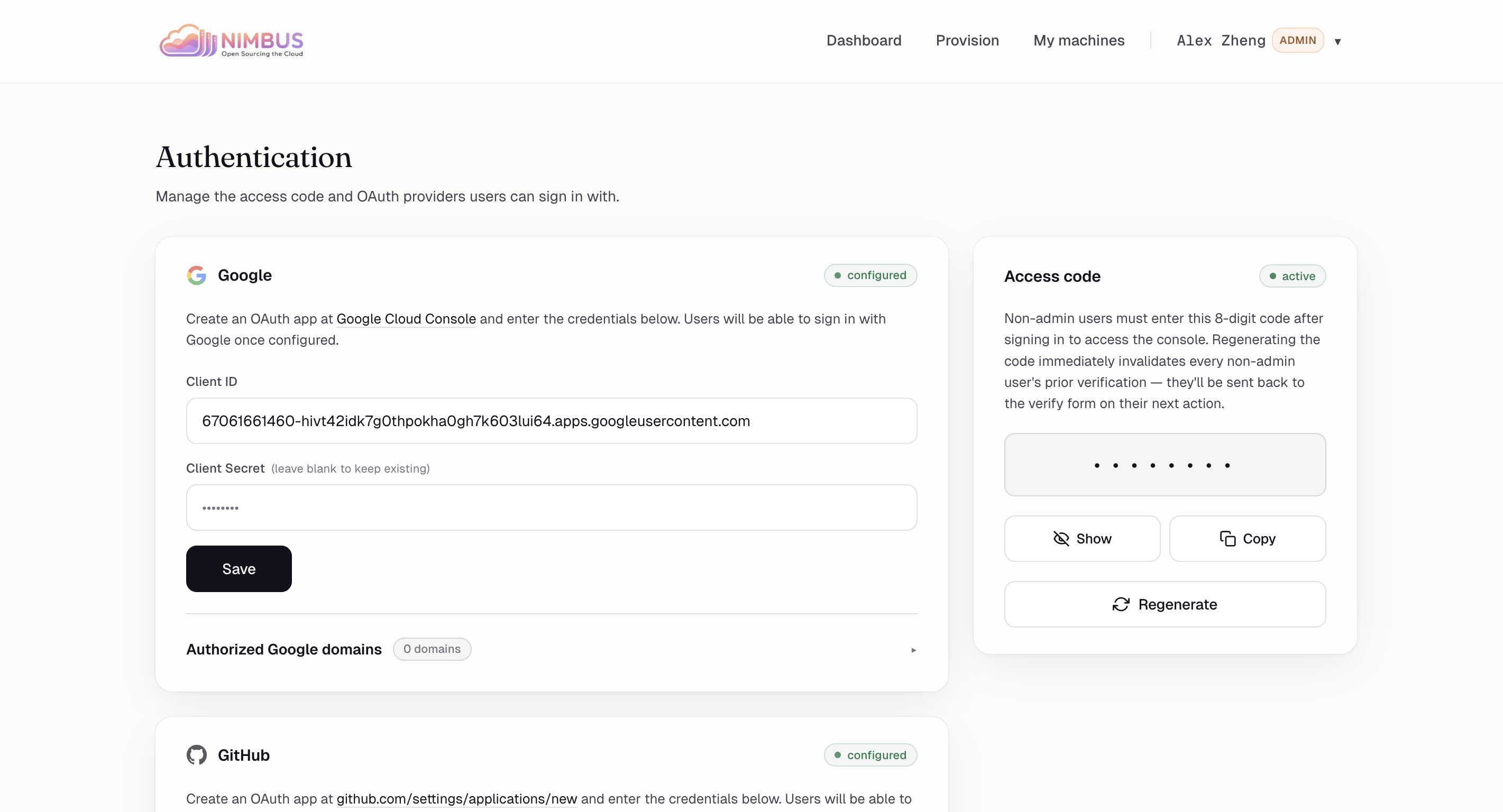
Authentication settings — Configure Google/GitHub OAuth and a shared access code that gates non-admin sign-ins.
-
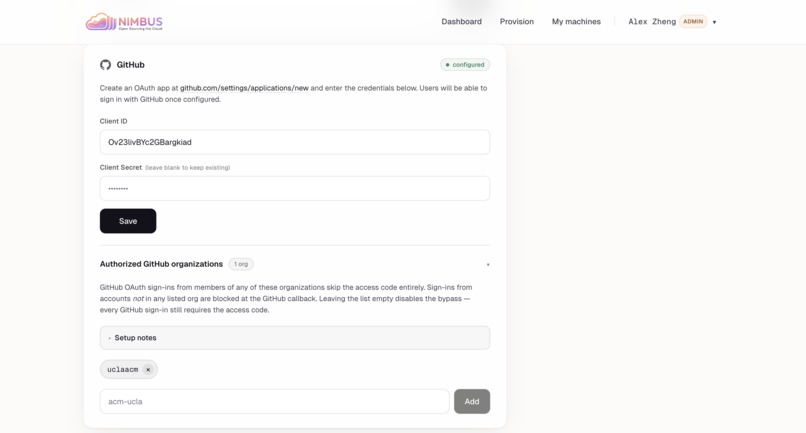
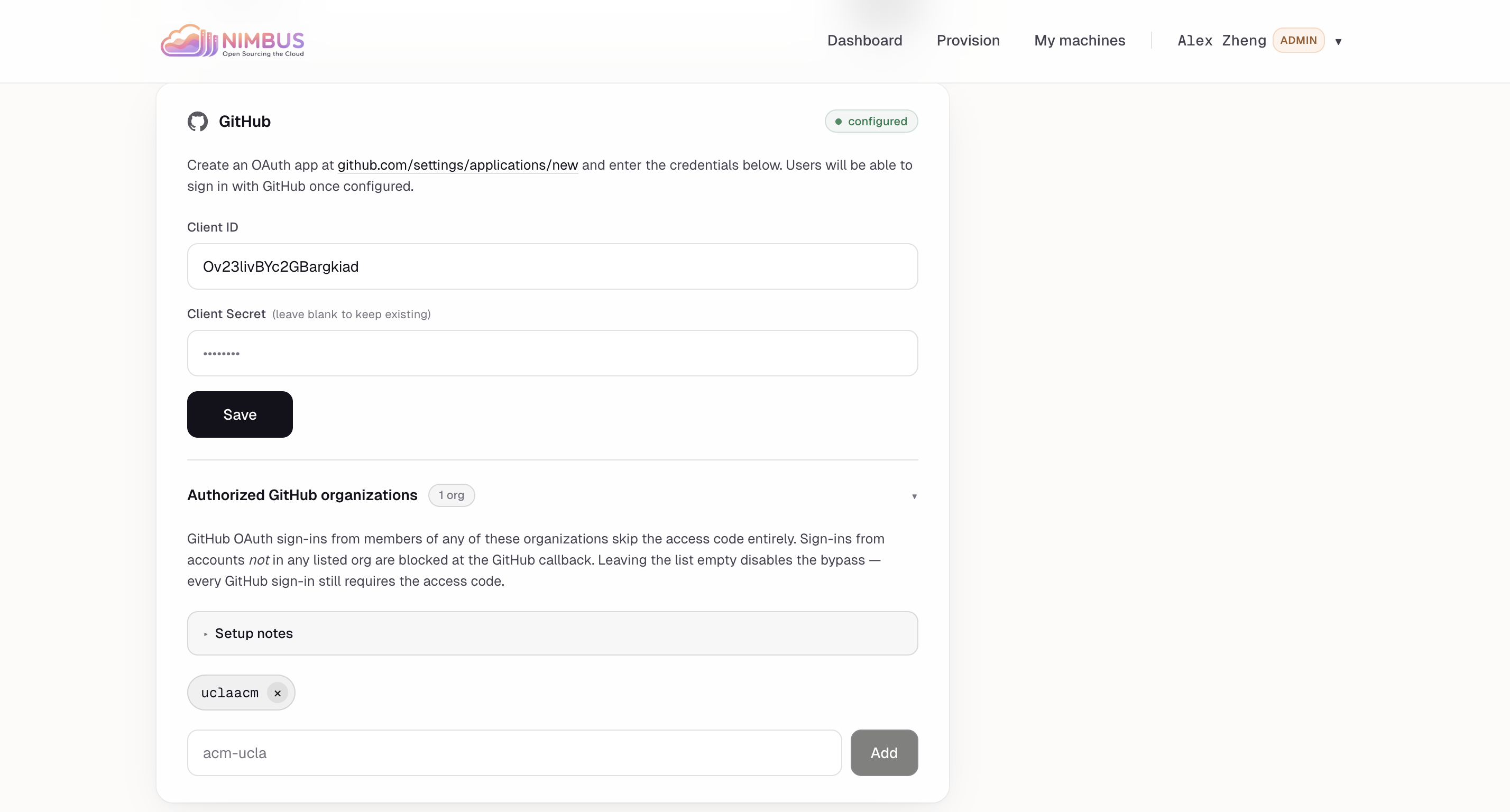
GitHub org allow-list — Members of authorized GitHub orgs skip the access code; everyone else is rejected at callback.
-
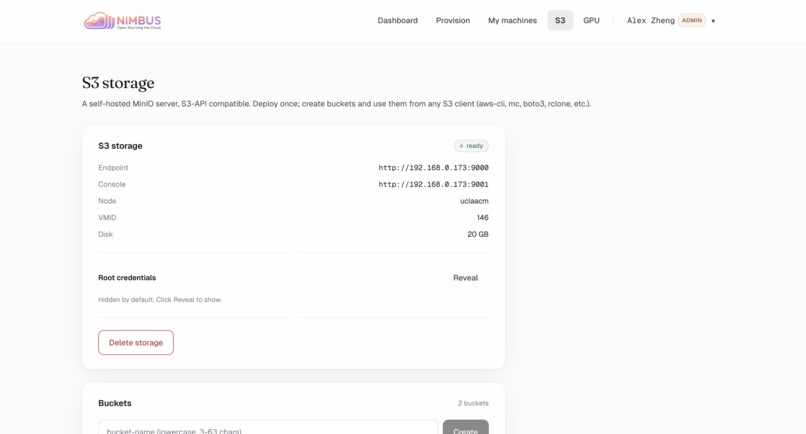
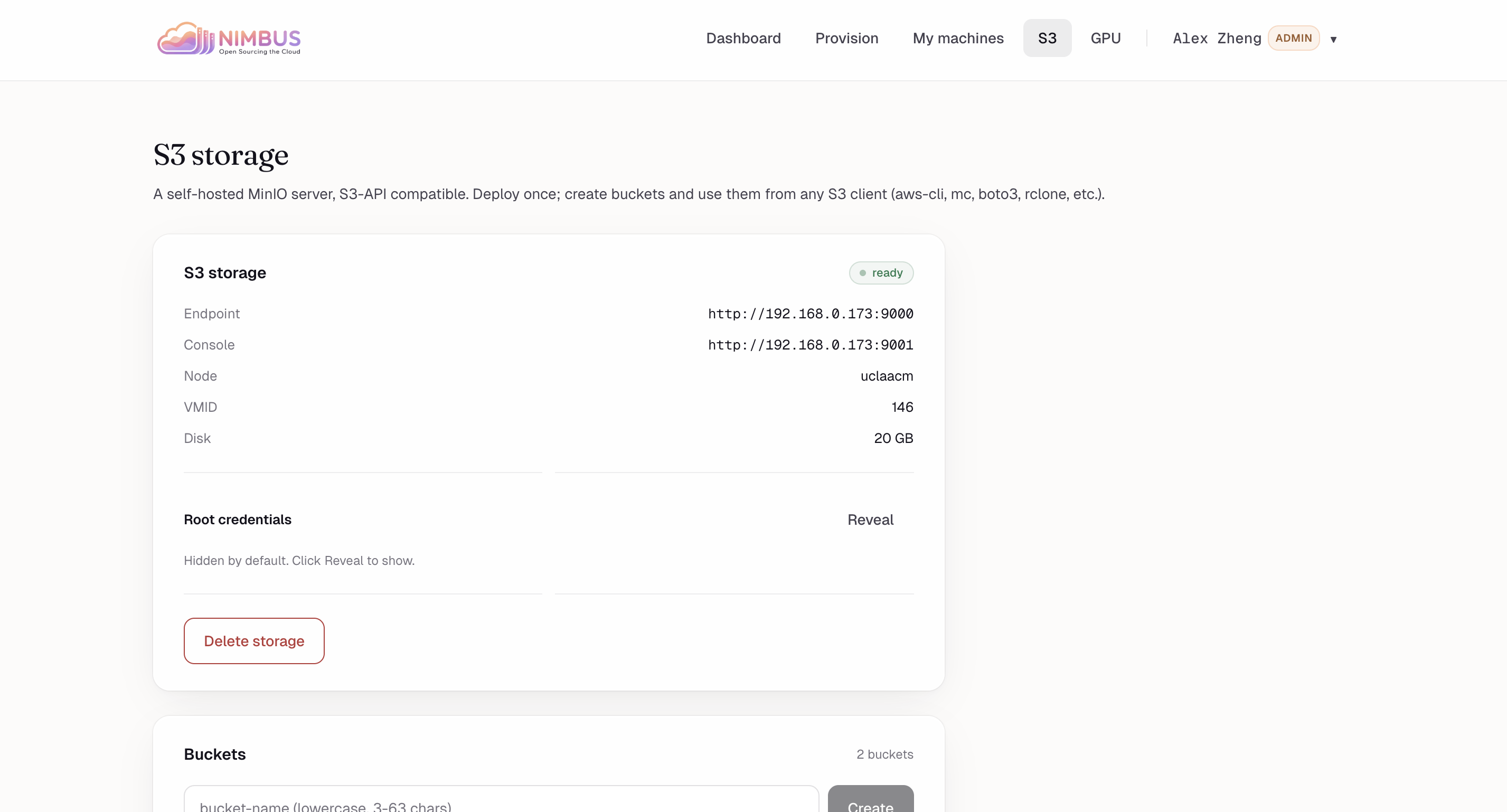
S3 storage: Self-hosted MinIO server on uclaacm node (VMID 146, 20GB). Endpoint :9000, console :9001. Credentials hidden. 2 buckets exist.
-
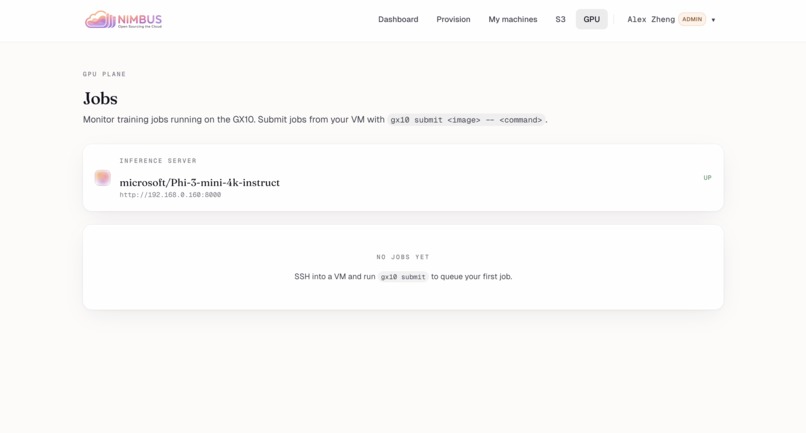
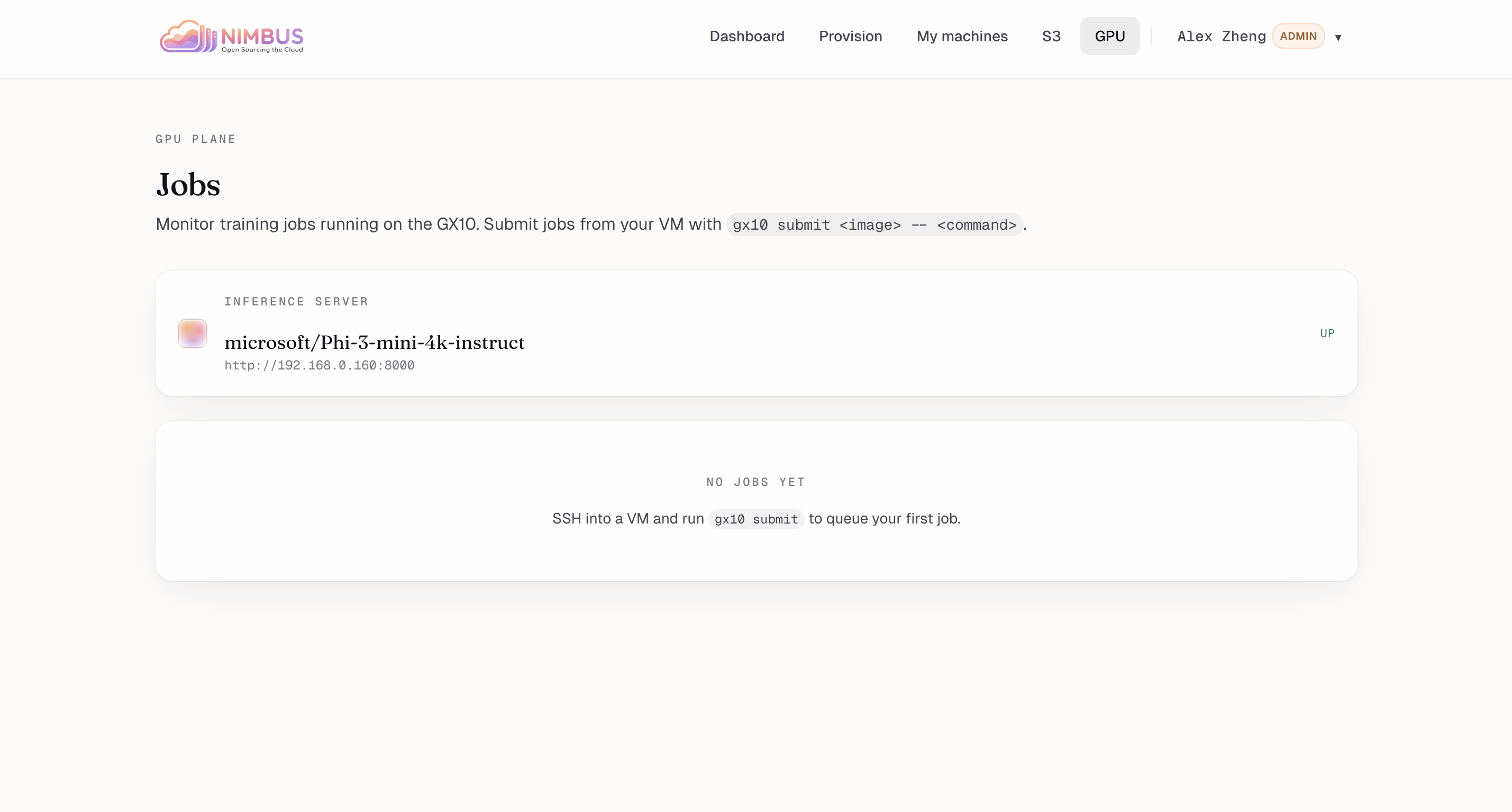
GPU Jobs: Monitor GX10 training jobs. Inference server microsoft/Phi-3-mini-4k-instruct UP at 192.168.0.160:8000. No jobs queued yet.
-
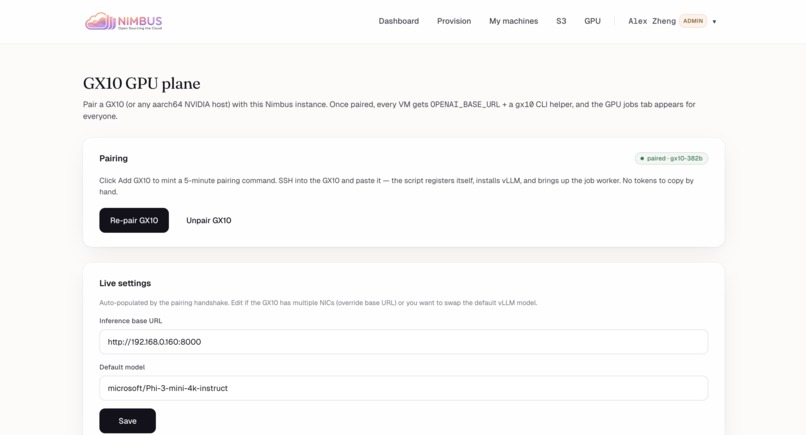
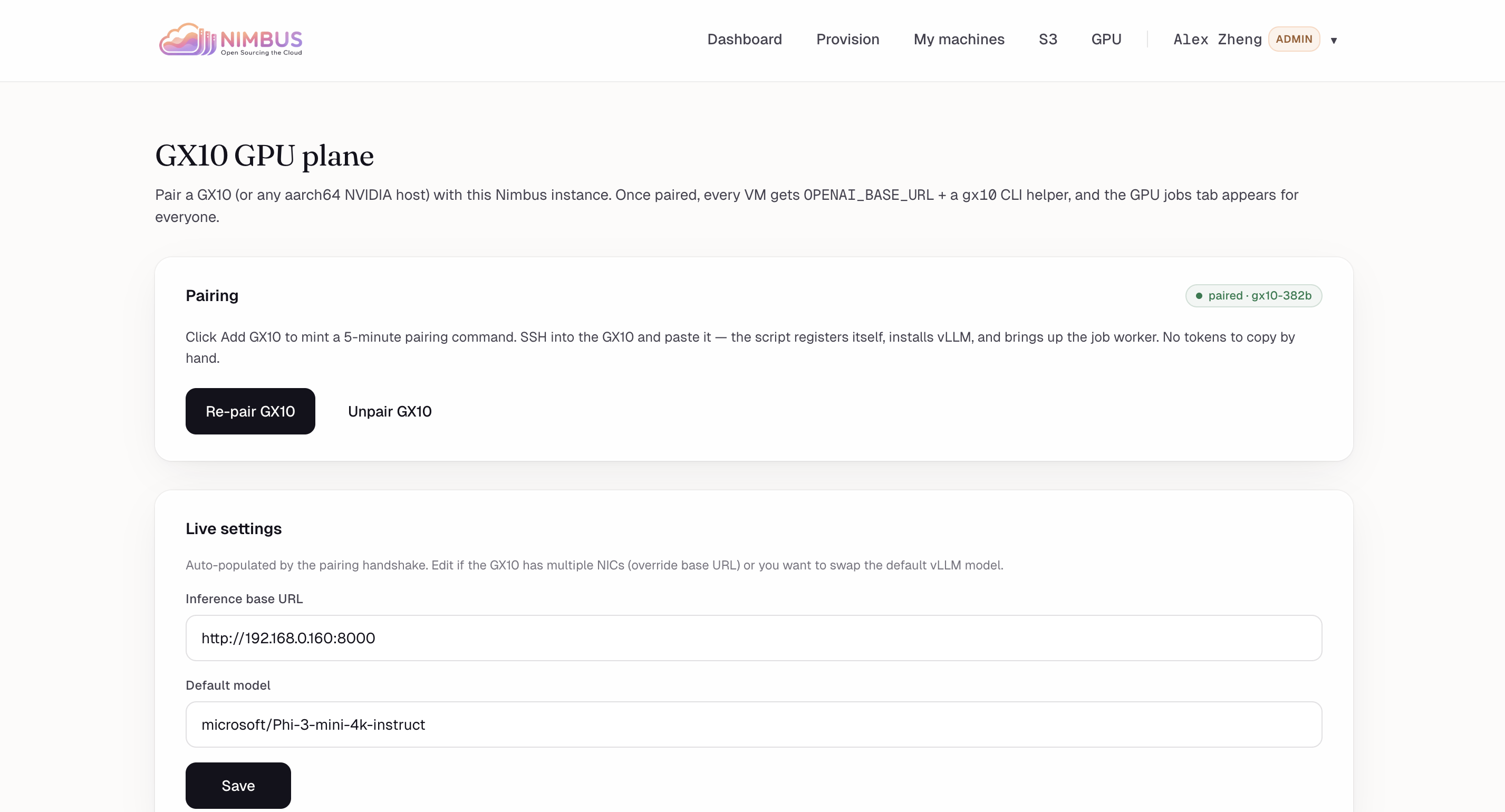
GX10 GPU plane: Pair aarch64 NVIDIA host for OPENAI_BASE_URL + gx10 CLI. Status: paired. Re-pair/Unpair controls + live URL/model settings.
Inspiration
ACM@UCLA was spending $3,600 a year on AWS for infrastructure that could run on $300 of hardware sitting in our office. A 12x premium to rent what we could own. And we weren't alone — every club, every startup, every side project is feeding money into AWS, Vercel, and DigitalOcean for compute that should cost almost nothing.
But cost was only half of it. The other half was friction. Spinning up a VM at ACM meant SSH-ing into a Proxmox node, manually cloning a template, editing cloud-init by hand, hunting down a free IP, and praying the network config took. Twenty minutes of tribal knowledge for something AWS does in a click. Most of our members never bothered — they'd just spin up an EC2 instance on a personal card and expense it later. The hardware was sitting there, paid for, idle, because the path to using it was too painful.
And then there's the data. Every project we hand to AWS is one more piece of our work living on someone else's servers, under someone else's terms, subject to whatever pricing or policy change ships next quarter. For a student org sitting on perfectly capable hardware, none of that needs to be true.
We built Nimbus because we were done renting. The hardware exists. The software should make it as easy to use as the cloud — and then there's no reason to pay the cloud anymore.
What it does
Nimbus is an open-source VM provisioning platform that gives you the EC2 experience on hardware you own. Two clicks. Thirty seconds. A running Linux VM with a static IP and SSH credentials — no AWS account, no API key, no data leaving the room.
The moment you provision, Nimbus integrates with Gopher — our existing open-source reverse-tunnel gateway — to expose your VM at a stable HTTPS subdomain instantly. Unlike Cloudflare Tunnels or ngrok, traffic never leaves hardware you own. Your VM is reachable at your-project.uclaacm.com before you've opened your SSH client. Caddy handles TLS automatically.
Need object storage? Nimbus provisions a MinIO bucket alongside your VM — standard S3 API, fully local, no egress fees.
Running AI in the cloud is all the rage right now. We do it locally. Nimbus provisions Docker containers directly on the NVIDIA GX10, a petaFLOP-class AI supercomputer, with the same two clicks. Load model weights from MinIO, run inference on the GX10, write results back. Air-gapped if you want it.
How we built it
Nimbus is a single Go binary with the React SPA embedded at compile time. One process, one SQLite file, zero external dependencies. The AWS console, but you can scp it to a server.
It runs on any Proxmox cluster — for the hackathon we brought our own: 5 repurposed laptops, a router, and a GX10. Provisioning is a 9-step orchestration over the Proxmox REST API: validate, reserve IP, score nodes, clone, inject SSH and network via cloud-init, resize, boot, poll qemu-guest-agent, persist. 30–60 seconds end to end.
VMs optionally register with Gopher, our prior reverse-tunnel project. The VM dials out over rathole; Caddy terminates TLS with Let's Encrypt and proxies the public hostname through the tunnel.
The GX10 chip isn't partitionable, so VMs don't get direct GPU access. Instead it runs an always-on inference server (OpenAI-compatible) and a job worker for containers with --gpus all. From the VM's perspective the GPU is just a service.
Challenges we ran into
The Proxmox API has the documentation of a 2008 PHP forum thread. It expects application/x-www-form-urlencoded, not JSON. SSH keys must be URL-encoded with %20 because + is treated as literal. The clone endpoint silently falls back to the source node unless you also pass target=.
Cloud-init silently fails when the template lacks a cloudinit drive. API returns 200, applies nothing. We now probe the template and fail loudly instead of letting users discover they can't SSH in.
Two concurrent provisions can grab the same IP. We rebuilt the pool as a cache with a reconciler that treats Proxmox as the source of truth.
The GX10 destroyed our first GPU plan. We assumed PCIe passthrough. Then we learned the chip is unified Grace+Blackwell silicon and doesn't partition. Rethought the whole GPU plane mid-hackathon.
Accomplishments that we're proud of
We open-sourced AWS in 36 hours — multi-node cluster, automatic node selection, cloud-init, public tunnel networking with automatic TLS, S3-compatible object storage, and GPU compute — built from scratch on five laptops carried in that morning.
ACM@UCLA was spending $3,600 a year on AWS. With Nimbus, that drops to the cost of the hardware. One time.
What we learned
Hyperscalers don't actually share GPUs. EC2 hands out whole cards; "sharing" happens at the API layer. The only real shared-GPU pattern is what SageMaker and Bedrock do — put a service in front of the GPU. Once we accepted that, the GX10 design got simple.
Single-writer SQLite is enough. MaxOpenConns=1 with proper transactions handles every concurrent provision the cluster can produce. Our deployment is cp nimbus /opt/nimbus.
The hard part of self-hosted isn't compute — it's the network. Spinning up a VM on bare metal is the easy half. Reaching it from the internet without router config is what kills most self-hosted projects.
What's next for Nimbus
VM expiry and renewal, web SSH in the portal, DNS integration, multi-cluster federation, and a one-command installer that works on any Proxmox cluster in under five minutes.
The cloud had a good run. We're done renting.


Log in or sign up for Devpost to join the conversation.