-
-
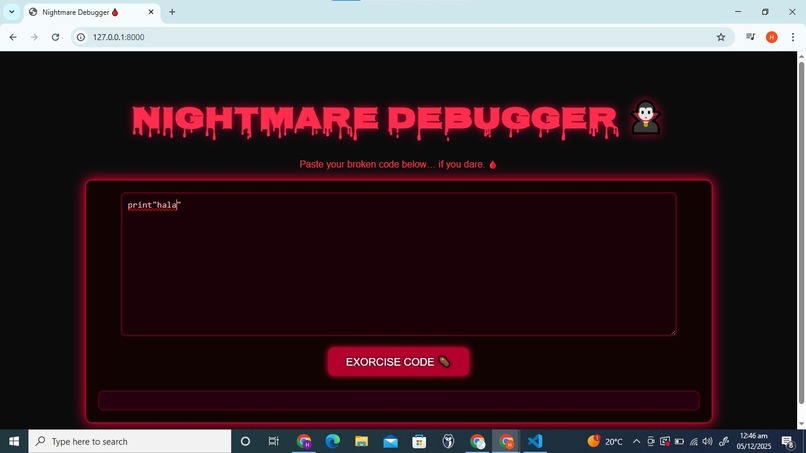
frontend
-
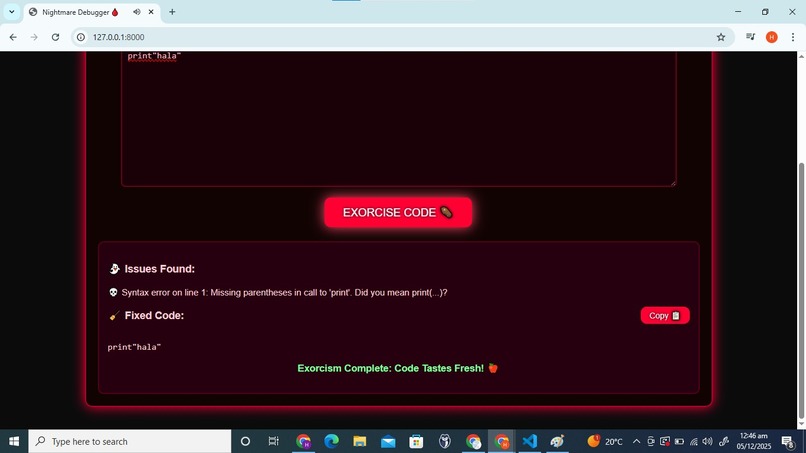
frontend
-
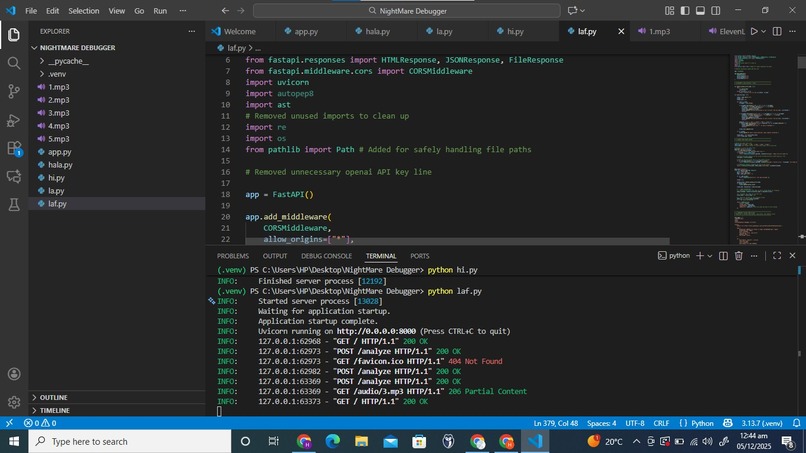
backend
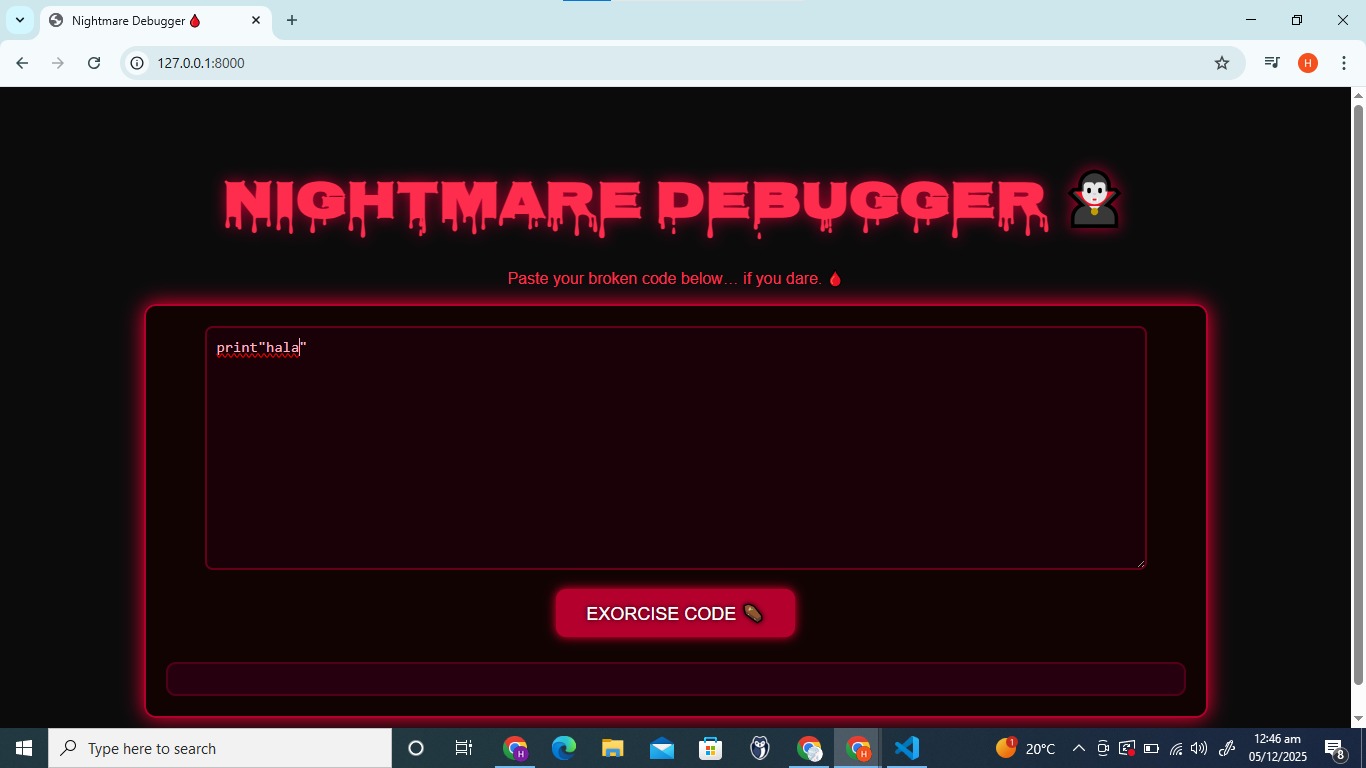
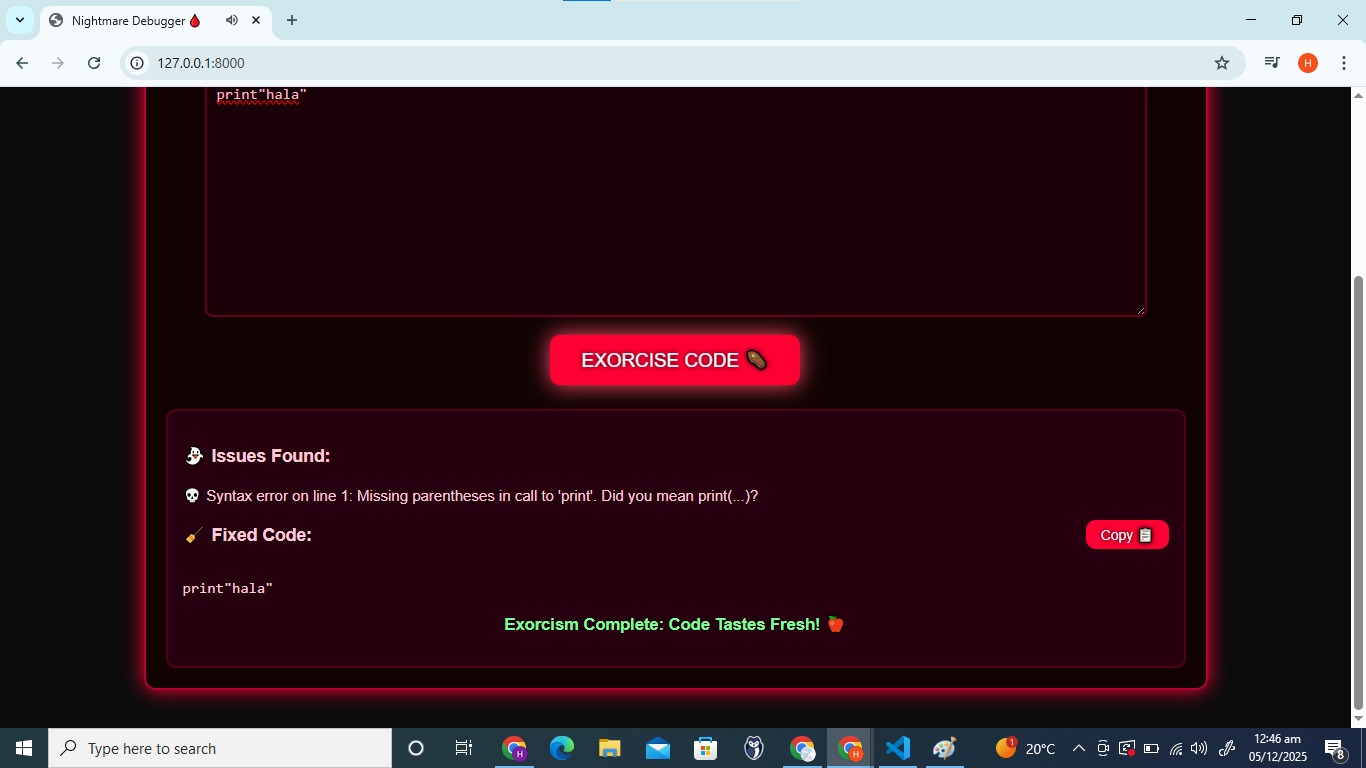
Inspiration: Debugging can feel like walking through a haunted house full of glitches, cursed loops, and code that refuses to die. Developers struggle with dead code, outdated dependencies, infinite loops, and hidden bugs — so I wanted to build a tool that finds them instantly and turns debugging into an adventure. Nightmare Debugger was inspired by the idea of bringing code “back from the dead,” using Halloween vibes to make tech learning fun and spooky for beginners.
What it does: Nightmare Debugger scans your code like a paranormal investigator: Detects dead code (ghost functions with skull icons) Highlights outdated or broken dependencies (zombie packages) Catches cursed loops and infinite-loop traps Shows security warnings and hidden risks Lets users press “Exorcise” to auto-fix issues Generates patches, shows the diff, and updates the code when approved It’s a Halloween-themed debugging experience that blends real analysis with spooky storytelling.
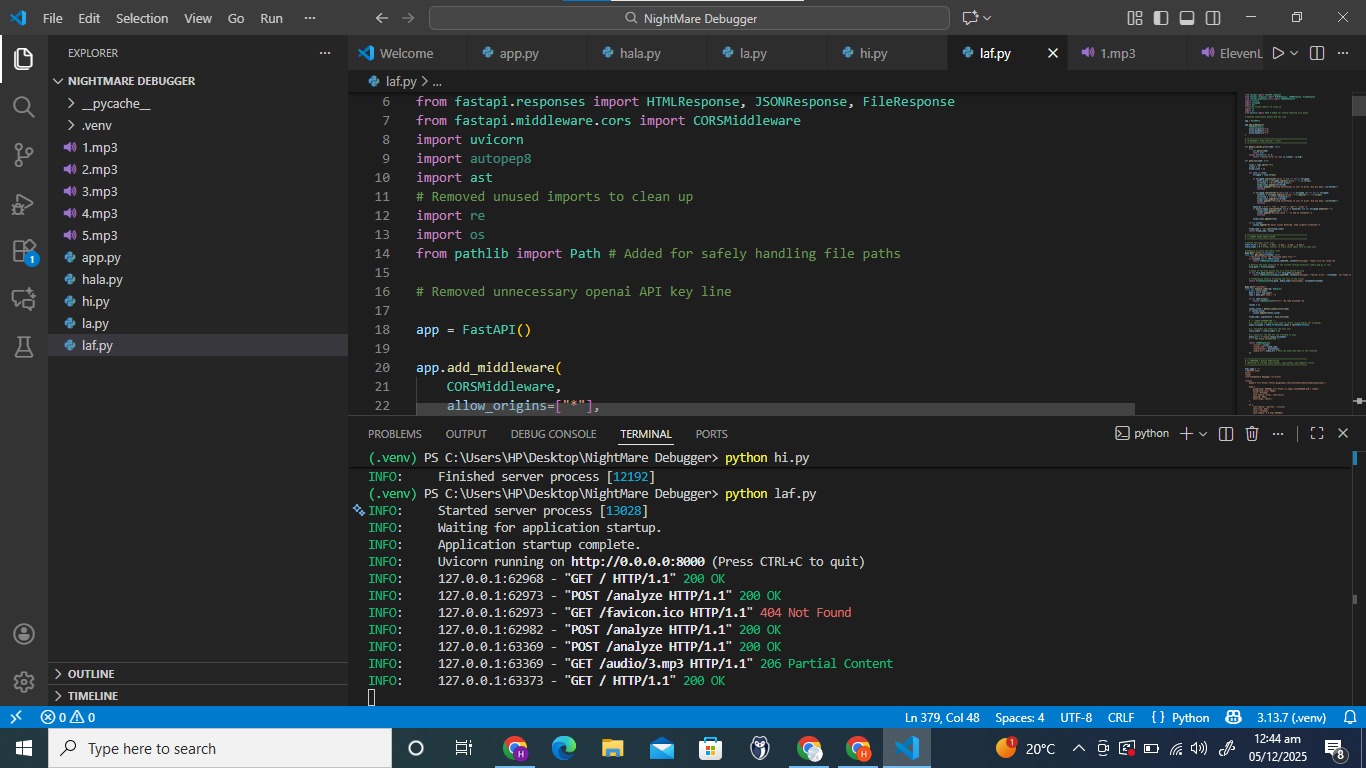
How I built it: I built Nightmare Debugger with a mix of AI tools, Kiro’s capabilities, and spooky engineering magic: Scanner modules built using Vibe Coding, allowing each scanner (dead code, zombie dependencies, cursed loops) to run independently Specs to understand code structure, flow, and logic paths before generating patches Hooks that automate background scanning so bugs get detected even while the user is typing Steering documents that control output style, patch quality, explanations, and spooky storytelling Kiro acts as the core intelligence of the app — generating patches, explaining bugs, creating diffs, and powering the “Exorcise” auto-fix feature A Halloween-themed interface that displays ghost functions, zombie dependencies, skull icons, cursed loops, and haunted warnings Each part of the system works together with Kiro at the center, hunting bugs and helping developers resurrect their broken code.
Challenges I ran into: Designing visual spooky elements (skulls, ghosts, zombies) that still make the UI readable Ensuring the scanner correctly detects dead code across different coding styles Balancing real debugging accuracy with fun Halloween storytelling Building a clean, safe, auto-fix system that doesn’t break user code Making everything fast enough to scan and resurrect code within seconds
Accomplishments that I'm proud of: Detecting multiple categories of issues in one unified scan Creating smooth auto-fix + patch diff flow for beginners Making debugging fun instead of scary Building scanner modules and background hooks at age 10 Turning a spooky idea into a polished hackathon-ready tool
What I learned: Throughout the project, I learned: How to structure automated scanners for different bug types How hooks and background processes improve debugging speed How to use prompts, specs, and steering to improve AI-generated patches How UI elements (icons, colors, animations) affect user understanding How creativity and storytelling make technical tools more engaging
What's next for Nightmare Debugger: Nightmare Debugger is just the beginning — next steps include: Adding multi-language scanning (JavaScript, CSS, and more) Expanding the auto-resurrect engine for deeper patching Adding animated ghosts and zombies to the UI Real-time background “haunting detection” A story mode where each bug becomes part of a Halloween quest Nightmare Debugger — making haunted code history. 🎃👻💻
Built With
- ast
- autopep8
- css
- fastapi
- html5
- javascript
- kiro
- mp3
- os
- pathlib
- re
- syntexerror
- uvicorn

Log in or sign up for Devpost to join the conversation.