-
-
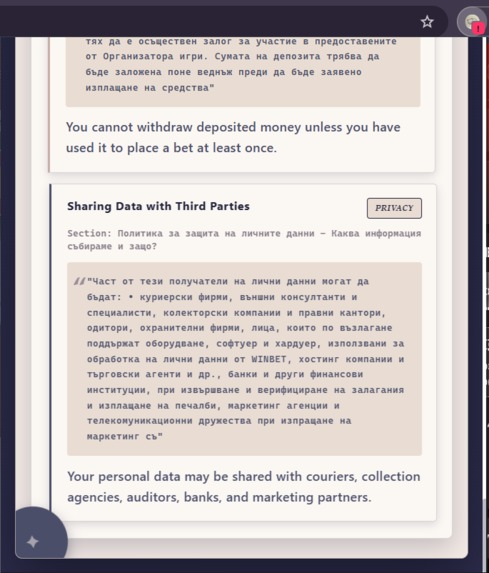
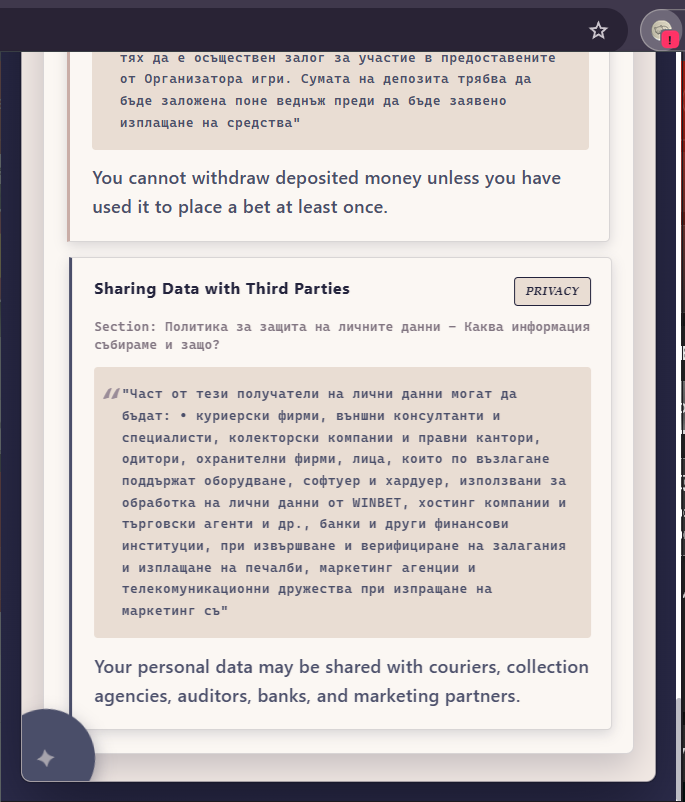
Plain Language Summaries with Direct Quotes
-
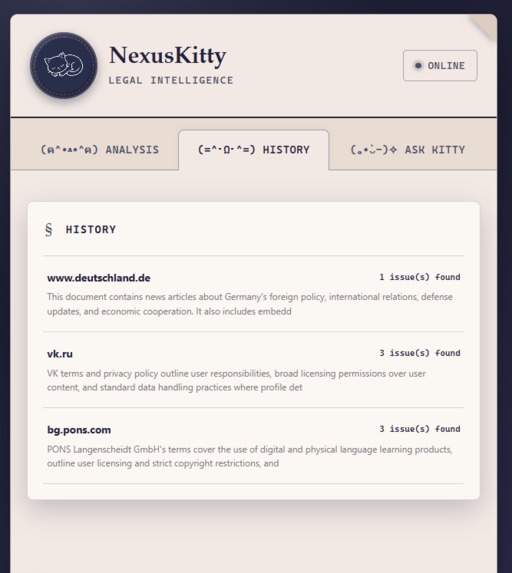
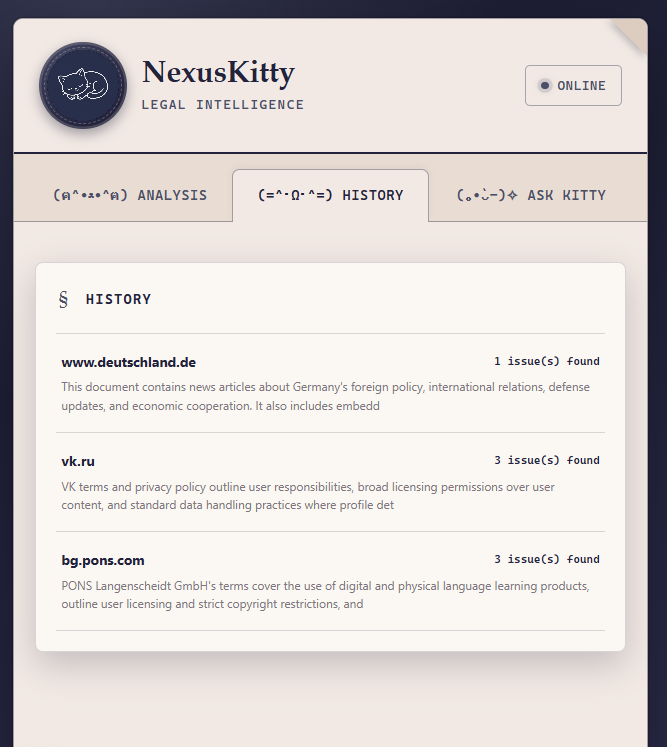
Analysis History
-
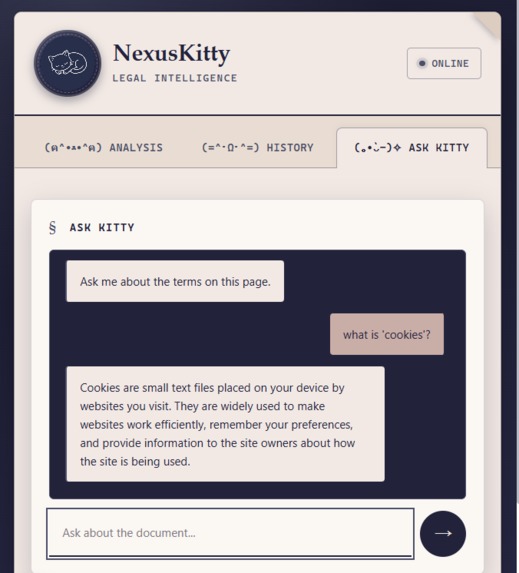
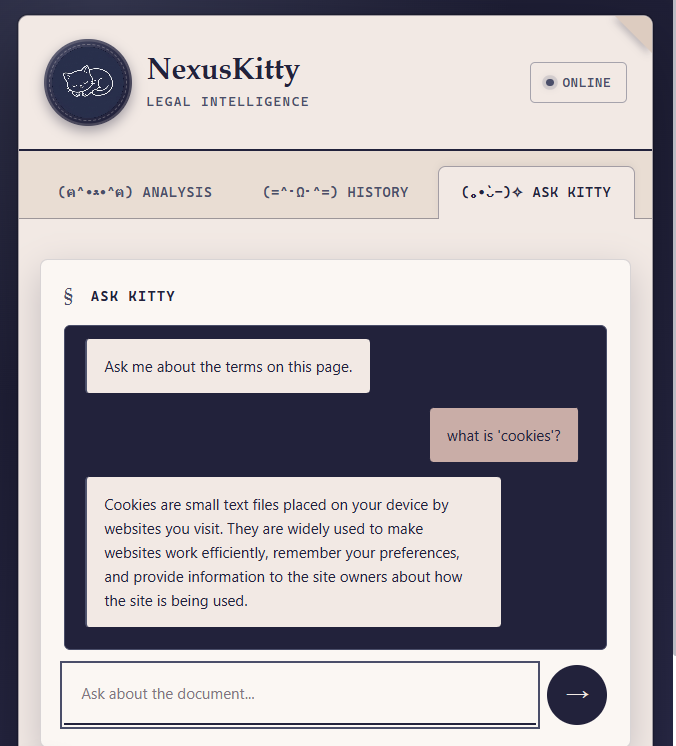
Ask Kitty – Interactive Legal AI Assistant
-
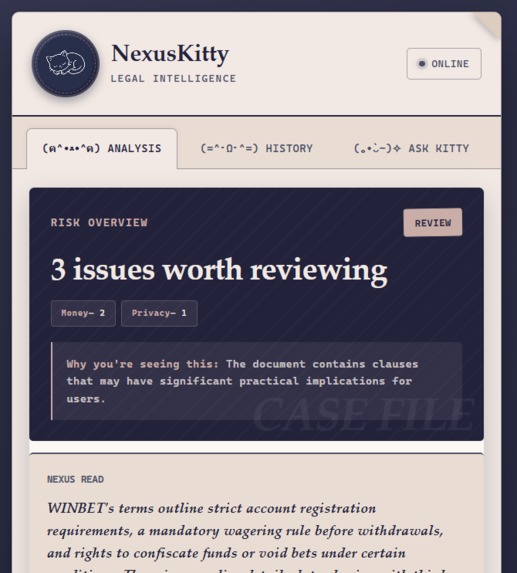
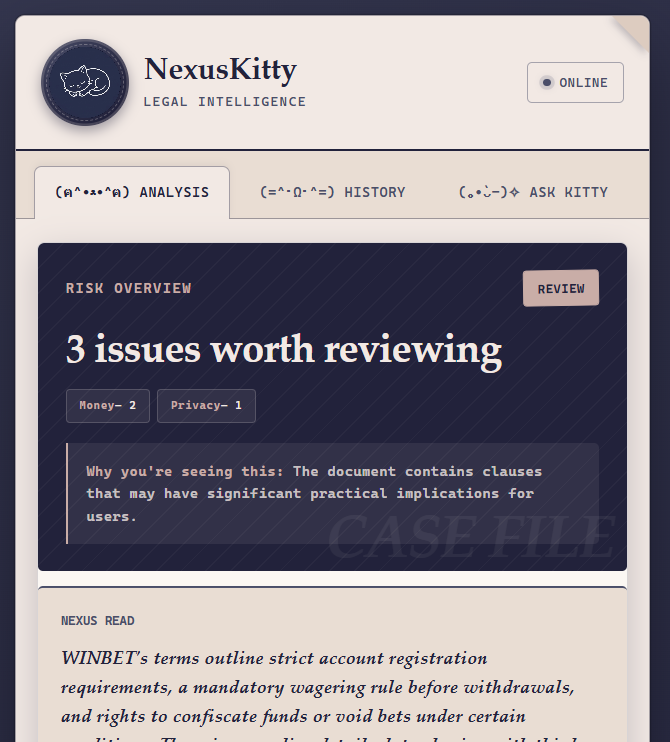
Risk Analysis & Safety Metrics
Inspiration
We've all clicked "Accept All Cookies" or checked "I agree to the Terms of Service" without reading a single line. Legal texts are intentionally long, dry, and full of legalese.
I wanted to build something that actually solves this without being boring — a lightweight Chrome extension called NexusKitty. The goal was simple: turn heavy legal fine print into plain, readable insights, but with one critical rule — every claim must be backed by an exact, verifiable quote from the original page so you never have to blindly trust an AI summary.
What it does
NexusKitty automatically inspects terms, privacy policies, and cookie banners on the site you're visiting:
- Smart Policy Finder: It checks site maps (
sitemap.xml) androbots.txtusing a path-scoring logic to find actual legal pages while ignoring product or store links. - Handles Heavy JS Sites (Worker Tab): For modern single-page apps (SPAs), it quietly opens a tiny offscreen tab to trigger lazy-loaded text, expand accordion menus, and bypass consent popups so no fine print gets missed.
- Verbatim Verification: Powered by Groq (with a Gemini fallback), it highlights potential risks and pairs every summary with the exact original text.
- Policy History & Ask Kitty: Saves previous checks to Supabase so you can track silent updates over time, plus a quick side-chat to ask specific questions about any page.
How it was built
The core stack is decoupled to keep the Chrome extension fast and responsive:
- Frontend: Chrome Extension (Manifest V3) styled with a cozy cream/navy palette, monospace typography, and kaomoji details
(ฅ^•ﻌ•^ฅ). - Backend: FastAPI microservice deployed in a Render sandbox.
- Database: Supabase (PostgreSQL) running two core tables —
analysesanddocument_history. - Processing Pipeline: Integrated Google Translate for non-English sources, splitting text into semantic chunks before passing them to the Groq/Gemini pipeline.
AI Disclosure: Groq and Gemini are used at runtime as the core analysis engines — this is central to the product, not a build tool.
Real Challenges & Lessons
- Scraping SPAs without breaking UX: Getting the offscreen Worker Tab to reliably scroll through infinite-load policies and click cookie consent banners without messing up the user's active session was by far the trickiest part.
- Filtering False Positives: Differentiating between an actual privacy policy and a random product page meant tweaking the URL scoring algorithm multiple times.
- Zero Hallucinations: In legal contexts, AI hallucinations are unacceptable. Enforcing strict structured outputs to ensure every flagged risk maps 1:1 to an actual quote took a lot of prompt engineering and schema tuning.
Try it locally
Since this is a Manifest V3 extension not yet on the Chrome Web Store, you can run it in about a minute:
- Clone the repo:
git clone [https://github.com/jacquelinegg/NexusKitty] - Open
chrome://extensionsin Chrome - Enable Developer mode (top-right toggle)
- Click Load unpacked and select the extension folder
- Visit any site with a privacy policy or ToS and click the NexusKitty icon
Next Steps
- Silent Update Alerts: Automatic browser notifications when a saved site changes its terms behind the scenes.
- Cross-Browser Support: Bringing NexusKitty to Firefox and Safari.
Built With
- ai
- api
- chrome
- claude
- copilot
- css3
- extension
- fastapi
- gemini
- github
- groq
- html5
- javascript
- manifest
- postgresql
- python
- render
- rest
- scraping
- supabase
- web


Log in or sign up for Devpost to join the conversation.