Inspiration
Traditional productivity tools are designed around flat screens, windows, and endless switching between applications. I wanted to explore a different possibility: what if our digital workspace could become an environment we could actually enter and interact with?
That idea inspired NEXUS VR: Beyond the Screen. I imagined a workspace that combines the comfort of a modern home office with the possibilities of virtual reality, creating a more immersive way to organize tasks, capture ideas, and stay focused.
What it does
NEXUS VR transforms a virtual environment into an interactive productivity workspace.
The experience features:
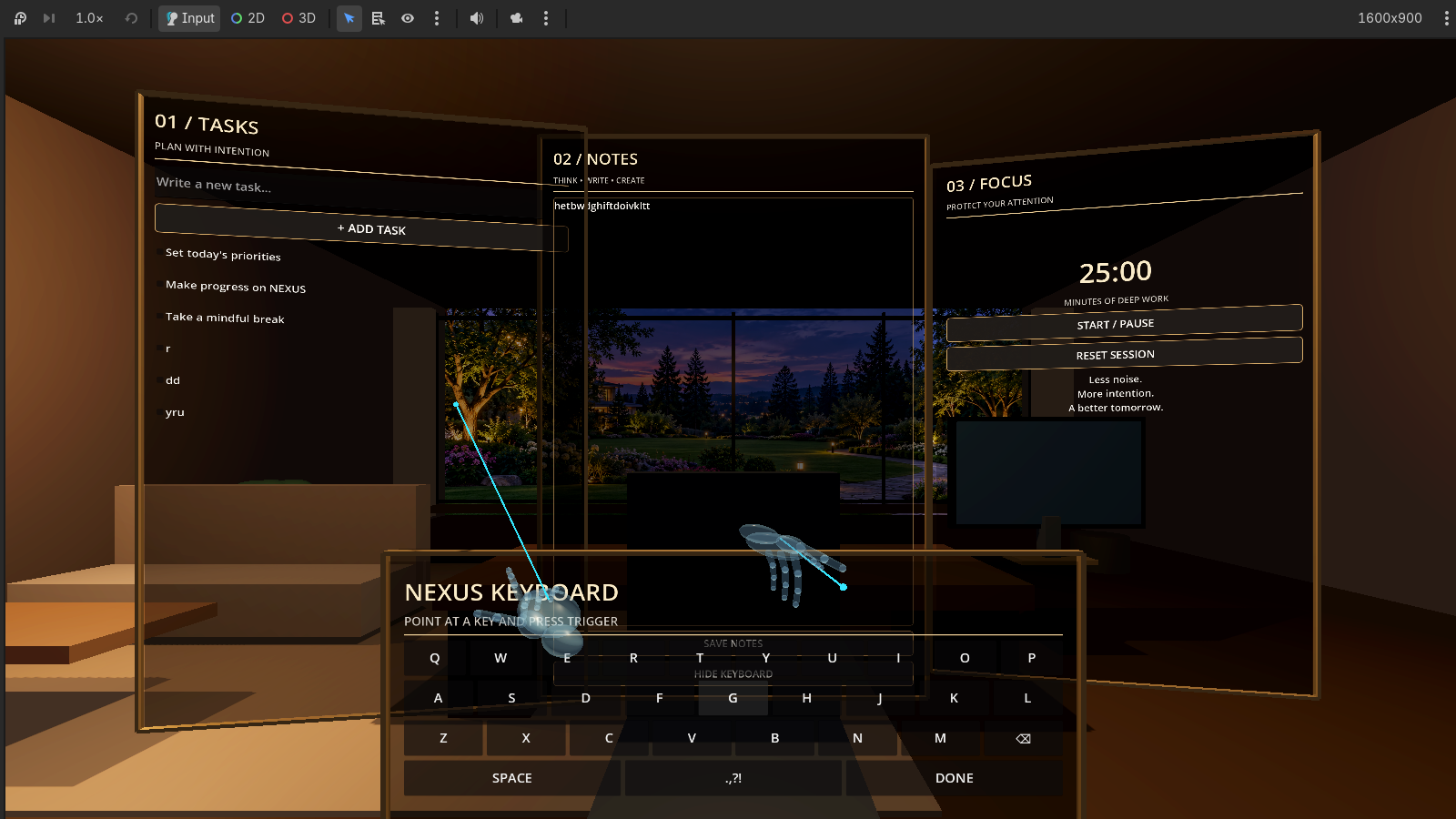
- Tasks: A floating interface for organizing responsibilities and managing tasks.
- Notes: A dedicated space for capturing ideas and writing information.
- Focus: A built-in productivity timer for structured work sessions.
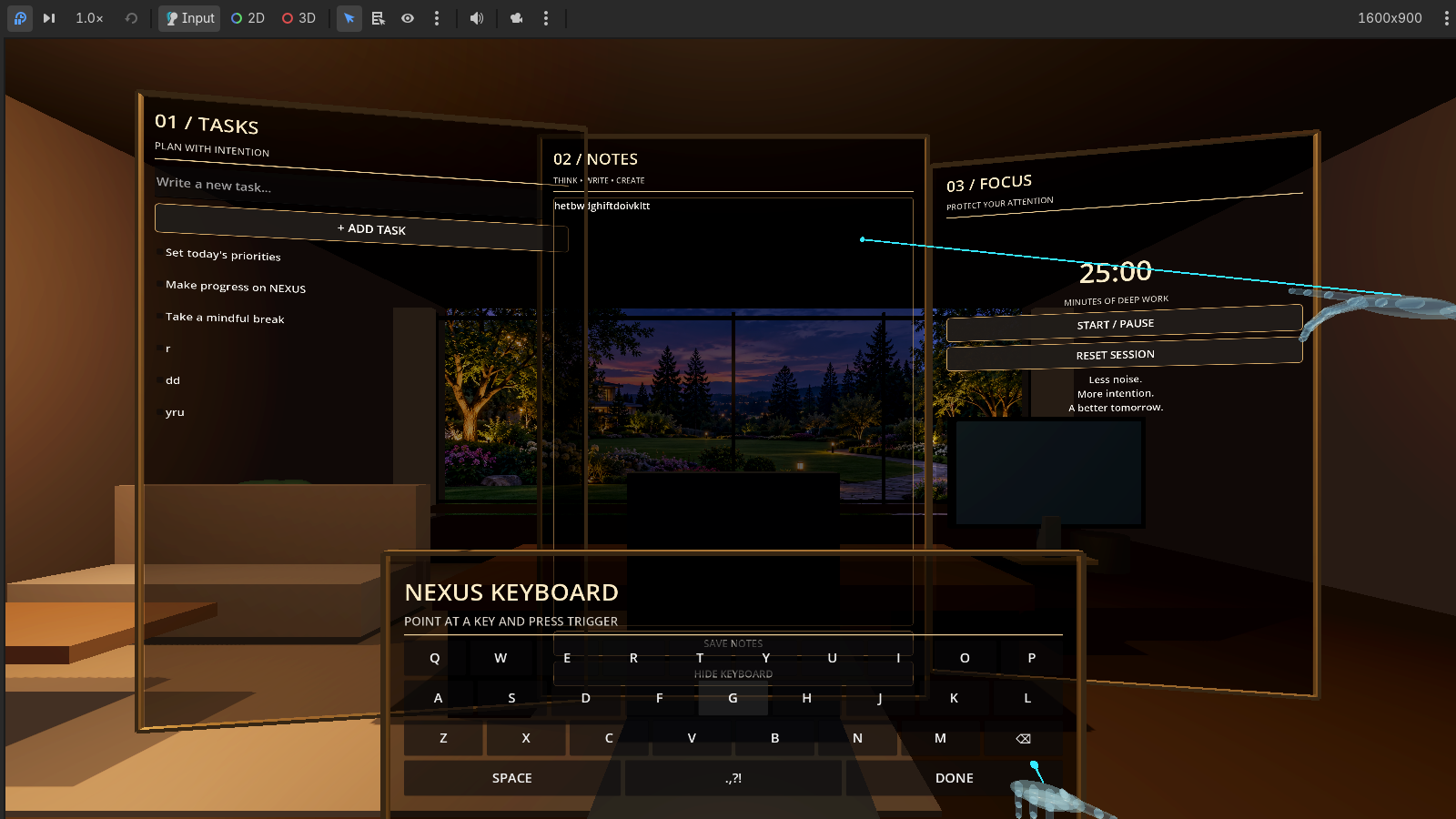
- Virtual Hands: Interactive hands that allow users to engage with floating interfaces.
- Laser Interaction: Laser pointers for selecting and interacting with workspace elements.
- Floating Keyboard: A virtual keyboard designed to support text input.
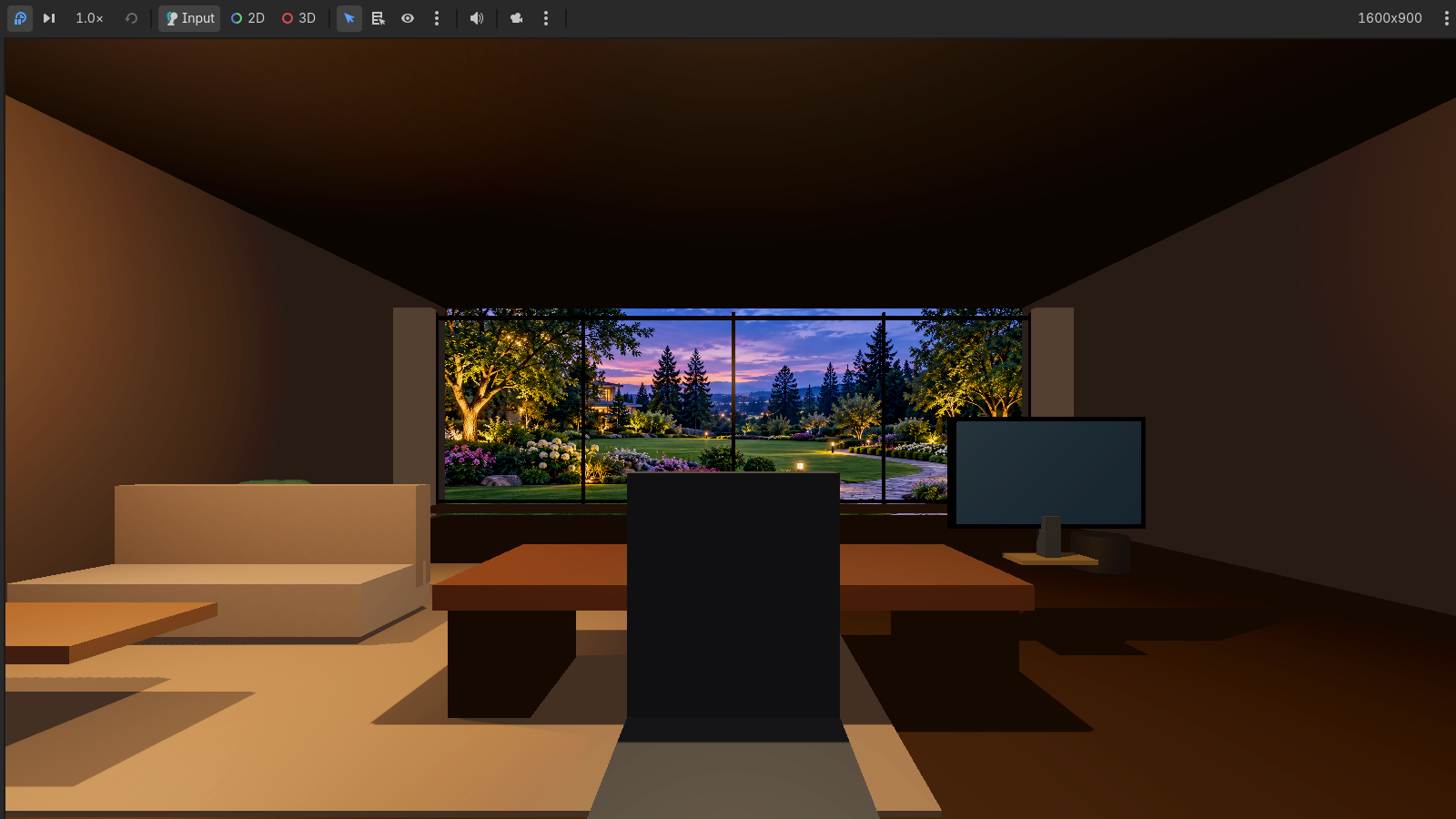
The workspace is presented inside a three-dimensional environment designed to feel more like an immersive personal office than a conventional software dashboard.
How we built it
We built NEXUS VR using Godot and GDScript, developing a three-dimensional environment and an interactive productivity interface.
The project brings together several components:
- A detailed virtual room with a modern interior.
- Floating productivity panels for Tasks, Notes, and Focus.
- Virtual hand controllers with finger articulation.
- Laser pointers and interaction systems for selecting interface elements.
- A floating keyboard for text input.
- Desktop-based XR emulation to develop and test interactions.
Our focus was to bring the environment and productivity tools together into one coherent experience rather than create separate demonstrations of unrelated features.
Challenges we ran into
One of our biggest challenges was making interactions feel natural in a three-dimensional environment.
Traditional interfaces are designed for mouse clicks and flat screens, but VR introduces different challenges involving spatial positioning, hand movement, pointer direction, and accurate selection.
We also faced challenges integrating multiple interactive components while maintaining a consistent visual experience.
Getting the virtual hands, laser pointers, floating interfaces, and keyboard to work together required repeated development, debugging, and refinement.
Accomplishments that we're proud of
We are proud of turning an initial idea into an interactive VR productivity prototype.
Some of our most meaningful accomplishments include:
- Creating a complete three-dimensional office environment.
- Developing interactive floating productivity panels.
- Implementing virtual hands and laser-based interaction.
- Bringing task management, note-taking, and focus tools into one environment.
- Building a floating keyboard interaction concept.
- Establishing a visual identity that combines luxury interior design with futuristic VR elements.
Most importantly, we transformed the idea of a virtual office from a simple visual environment into a space with practical productivity interactions.
What we learned
Building NEXUS VR taught us that designing for virtual reality requires a different way of thinking about interfaces.
We learned that an interface should not simply look impressive; it must also be intuitive, accessible, and responsive to user interaction.
We also gained experience with three-dimensional scene development, GDScript, virtual controller interactions, spatial UI design, debugging, and integrating multiple systems into one application.
The biggest lesson was that creating an immersive experience requires balancing visual design with functionality.
What's next for NEXUS VR: Beyond the Screen
NEXUS VR is the beginning of a larger vision for immersive productivity.
Our next goals include:
- Improving natural hand tracking and gesture recognition.
- Expanding compatibility with VR headsets and OpenXR.
- Improving movement and navigation throughout the virtual environment.
- Adding customizable workspaces and movable productivity panels.
- Expanding note-taking and task-management capabilities.
- Introducing additional productivity tools and collaboration features.
- Improving accessibility and interaction responsiveness.
Our long-term vision is to create a flexible virtual workspace where people can organize their digital lives, interact naturally with information, and experience productivity beyond the limitations of traditional screens.
NEXUS VR — Your workspace, beyond the screen.
Built With
- 3d
- gdscript
- godot
- interactive-ui
- openxr
- productivity
- virtual-reality
- vr-development
- xr

