-
-
logo
-
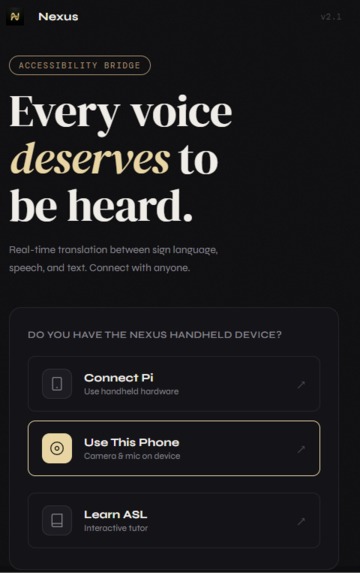
front page
Inspiration
Communication is a fundamental human right, yet millions are sidelined by gaps between speech, sign, and text. Most accessibility tools focus on a single disability, creating "silos" like Deaf-only or Blind-only apps. We were inspired to build Nexus to break these silos. We wanted to create a Universal Bridge where a blind person can talk to a deaf person, or a mute person can communicate with a hearing individual, all within one seamless interface.
What it does
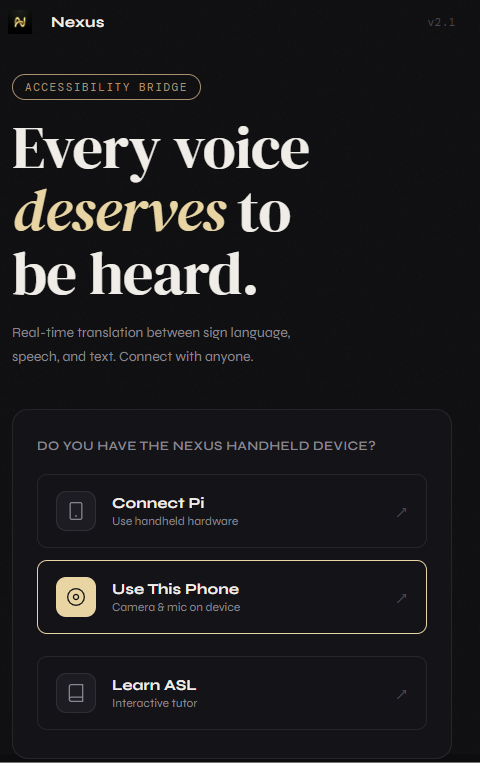
Nexus is an AI-powered multi-modal translation bridge.
- For the Deaf: It recognizes real-time ASL hand gestures using MediaPipe ML and translates them into spoken audio or polished text.
- For the Blind: It features a fully voice-guided setup assistant and a "Tap Anywhere" interface, using TTS to read incoming translations aloud.
- For the Mute: It provides a sleek, high-speed typing interface with instant high-quality voice synthesis.
- For Learners: It includes an AI ASL Tutor that uses the Groq Llama 3.1 model to generate creative, real-world conversational challenges to help users practice their signs.
How we built it
- Machine Learning: We integrated MediaPipe’s Gesture Recognizer for high-fidelity hand tracking in the browser.
- Large Language Models: We used the Groq API (Llama 3.1-8b-instant) to act as a "Grammar Polisher," taking raw sign-to-text outputs and adding punctuation, capitalization, and context.
- Hardware Optimization: We specifically optimized the ML loops for the Raspberry Pi, implementing an intelligent thermal throttler to ensure stable performance on low-power hardware.
- Architecture: Built as a modular multi-page application using vanilla JS/HTML/CSS for maximum speed, with a Node.js build pipeline for secure secret management.
Challenges we ran into
- Browser Security: Handling camera permissions and API keys on local
file://protocols presented major CORS challenges, which we solved by creating a custom Node.js build script and a Vercel-specific deployment pipeline. - ML Performance: Running real-time computer vision while simultaneously handling LLM requests and voice synthesis required careful asynchronous management to prevent UI lag.
- Inclusive Design: Designing an interface that is equally intuitive for someone who cannot see and someone who cannot hear required us to rethink every button and gesture.
Accomplishments that we're proud of
- Successfully implementing a blind-accessible setup flow that uses long-press triggers and voice-recognition menus.
- Creating a Dynamic Tutor that generates unique, non-repetitive learning scenarios on the fly.
- Achieving a premium, "Editorial" design aesthetic that moves away from the "clinical" look of most accessibility apps.
What we learned
We learned that accessibility isn't about adding "modes." It's about designing a single, flexible experience that adapts to the user's needs. We also gained deep experience in optimizing web-based ML models for edge hardware like the Raspberry Pi.
What's next for Nexus
Our immediate priority is evolving from "Capture" mode to continuous real-time translation. While we currently use a capture button to ensure accuracy, we plan to implement a sliding-window recognition algorithm that can translate sign language and speech fluently without any user interaction. We also plan to integrate Arduino-based haptic feedback wearables for deaf-blind users and expand the tutor mode to include 3D hand-model overlays for more complex signs.

Log in or sign up for Devpost to join the conversation.