-
-
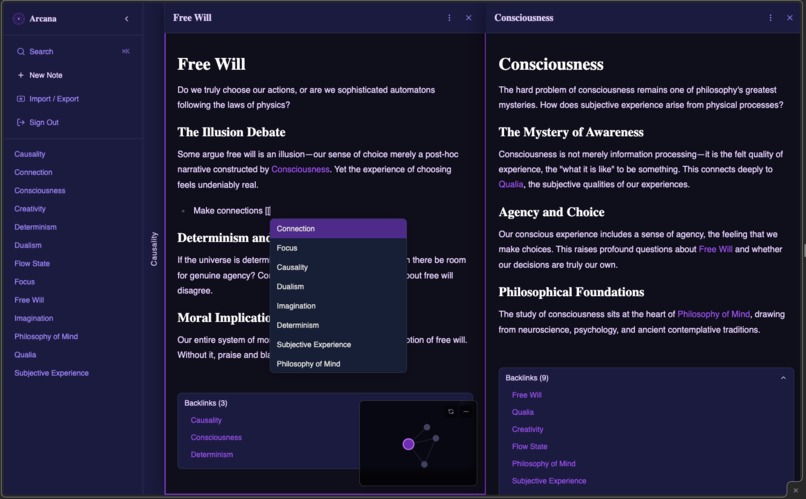
Create a flexible personal knowledge base with graphical and depth-first knowledge exploration
-
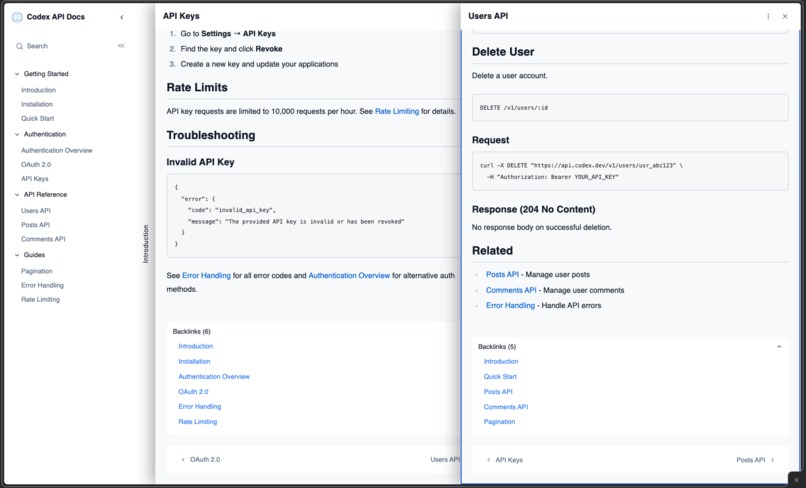
Create a linear company knowledge base with linear and depth-first exploration
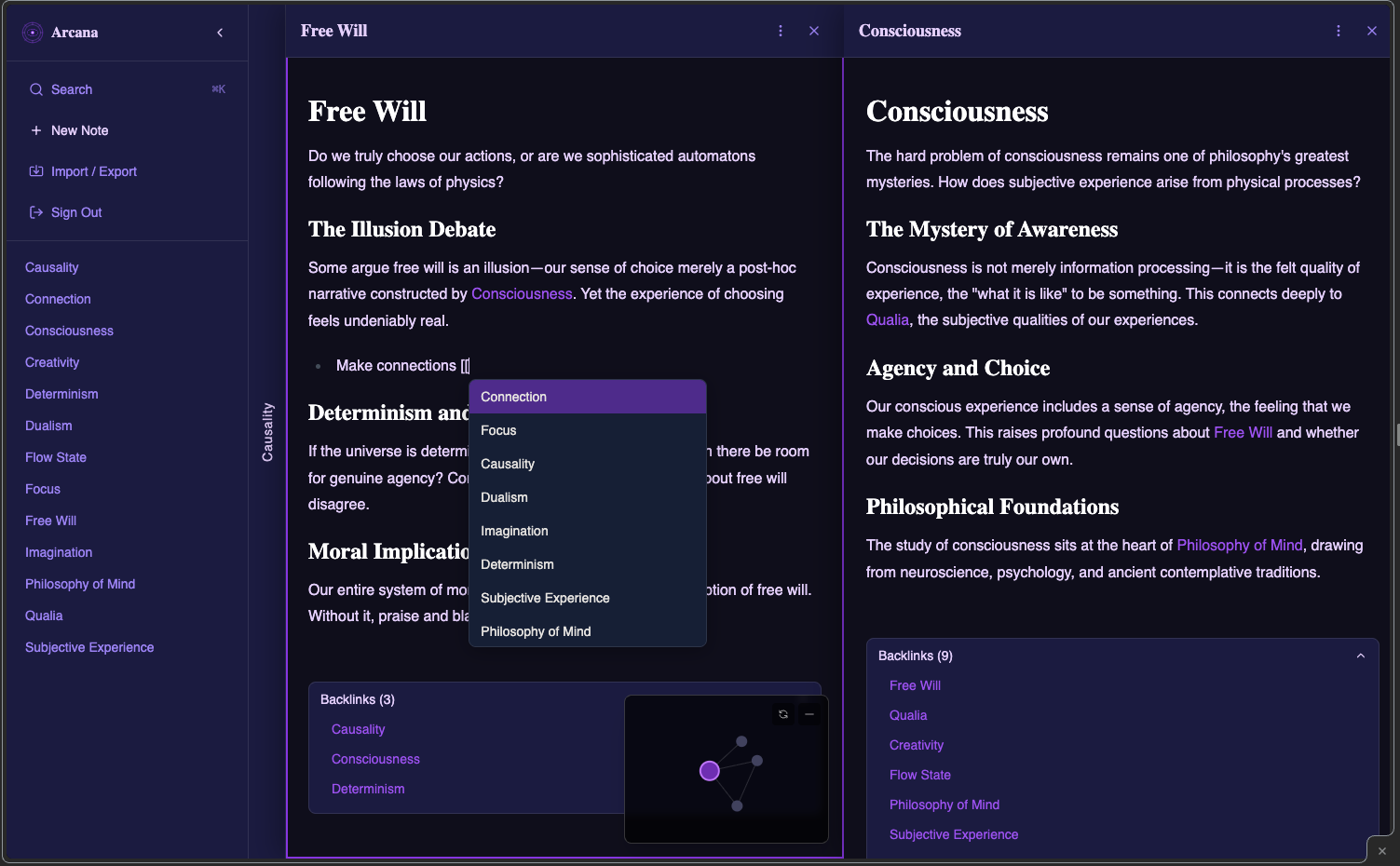
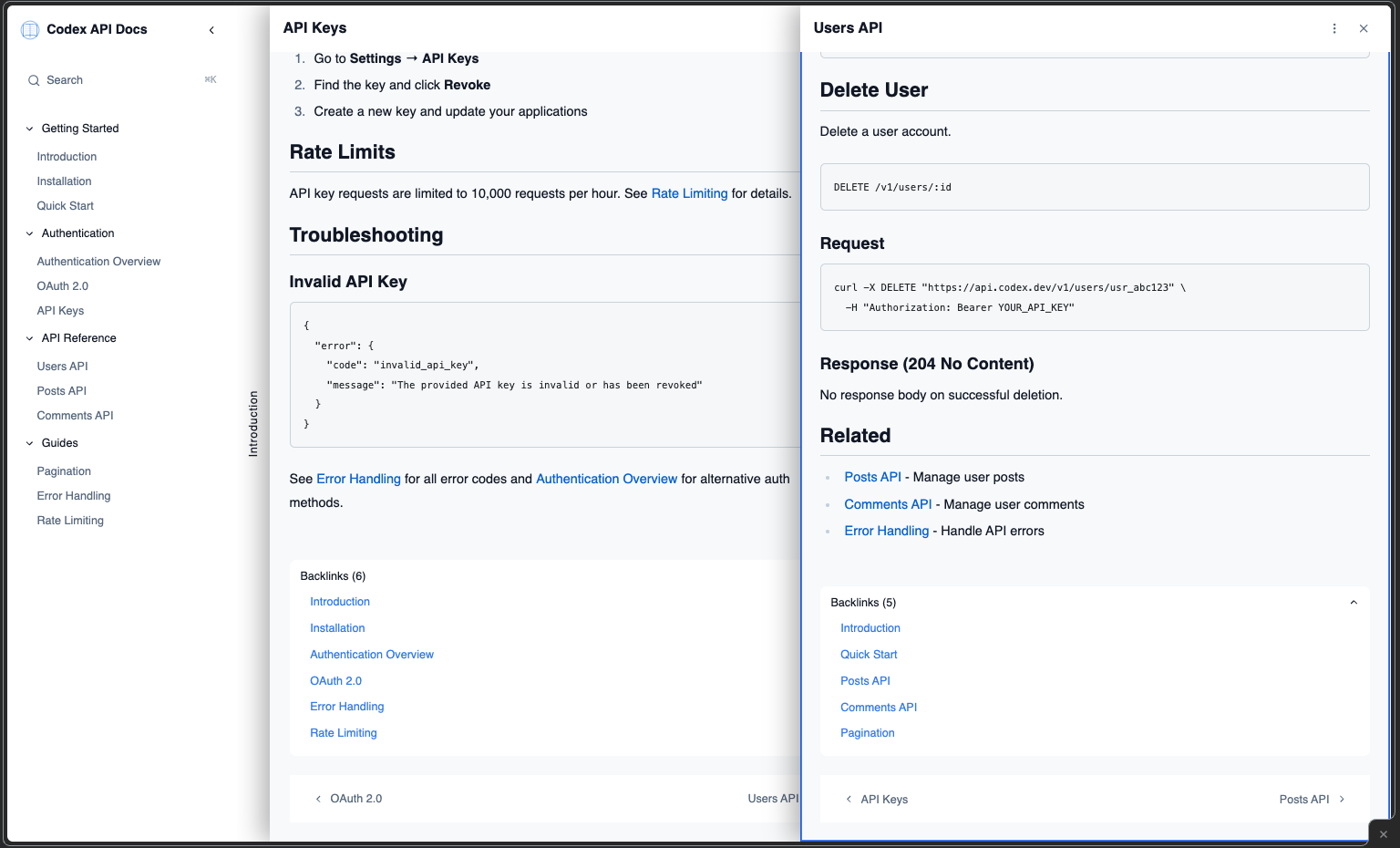
NEXUS — Three Ways to Explore Knowledge
Try it: Arcana: https://grimoire-arcana.vercel.app/ Codex: https://grimoire-codex.vercel.app/
Category: Skeleton Crew
What is NEXUS?
NEXUS is a skeleton template for building knowledge bases that humans can explore naturally and AI agents can query programmatically. One codebase powers vastly different applications through simple YAML configuration.
The Problem
Knowledge is connected, but our tools force disconnected exploration:
- Obsidian: Great linking, but single-pane — you lose context clicking links
- GitBook: Linear docs, but no concept linking or exploration
- Andy Matuschak's Notes: Beautiful stacking panes, but not open source or AI-integrated
The Solution
NEXUS combines three navigation modes in one template:
| Mode | How It Works | Best For |
|---|---|---|
| Horizontal | Click [[link]] → new pane opens right, previous stays visible | Exploring connections |
| Linear | Prev/Next buttons through ordered sequence | Documentation |
| Graphical | Interactive node graph showing relationships | Big picture view |
Skeleton Crew: Two Apps, One Codebase
We demonstrate versatility with two distinct applications:
🔮 Arcana — Personal Knowledge Vault
- Dark mystical theme
- Graph visualization enabled
- Password-protected
- Exploration-focused navigation
📖 Codex — API Documentation
- Light professional theme
- Linear navigation with sections
- Public access
- MCP server for AI querying
Same skeleton. Different config. Completely different experiences.
AI-Native Features
Built-in MCP Server
Every NEXUS deployment can expose an MCP endpoint:
{
  "mcpServers": { "my-docs": { "url": "https://your-app.vercel.app/api/mcp" } }
}
AI assistants can list pages, read content, search, and answer questions using your knowledge base.
AI-Powered Search
Natural language queries return synthesized answers with sources — not just search results.
Inspiration
Inspired by Andy Matuschak's working notes — the insight that learning happens by layering related concepts while preserving context. We wanted to make this pattern:
- Open source
- AI-integrated
- Configurable for different use cases
- Deployable in minutes
How Kiro Was Used
Kiro was essential to building NEXUS. We used every major feature:
Spec-Driven Development
Created 16 specs covering navigation, authentication, search, MCP server, theming, and more. Each spec followed requirements → design → tasks phases with EARS patterns and correctness properties.
Agent Hooks (3 configured)
- Code Quality Check: Auto-fixes TypeScript errors and missing imports on save
- Component Docs Generator: Adds JSDoc documentation to React components
- Secrets Scanner: Prevents accidental credential exposure
Steering Documents (3 files)
tech.md: Tech stack (Next.js 14, Supabase, React Query, TipTap)structure.md: Project conventions and architecture patternsproduct.md: Product context for feature alignment
MCP Integrations
- Context7: Up-to-date Next.js, React Query, Supabase docs
- TailwindCSS MCP: Accurate utility class references
- 21st.dev: UI component patterns
Vibe Coding Highlights
- Wikilink parser with autocomplete
- MCP server implementation
- Graph visualization component
- Multi-pane navigation system
Tech Stack
| Layer | Technology |
|---|---|
| Framework | Next.js 14 (App Router) |
| Language | TypeScript (strict) |
| Styling | Tailwind CSS |
| Database | Supabase (PostgreSQL) |
| Editor | TipTap |
| State | React Query v5 |
Quick Start
git clone https://github.com/yourname/nexus.git
cd nexus && npm install

# Set up Supabase (free tier works)
# Add credentials to apps/arcana/.env or apps/codex/.env

npm run seed:arcana   # or seed:codex
npm run dev:arcana    # localhost:3001
npm run dev:codex     # localhost:3002
Deploy to Vercel with one click — each app has its own vercel.json.
Why NEXUS Matters
For Individuals:
- Carry your knowledge base everywhere via MCP
- Explore ideas without losing context
- AI-assisted search through your own notes
For Teams:
- Documentation that AI coding assistants can query
- Future-proof for agentic workflows
- Self-hostable and customizable
For Developers:
- Clean skeleton to build upon
- Configuration-driven — describe what you want, get a working app
- Modern stack with best practices baked in
Links
- GitHub: [Repository URL]
- Arcana Demo: [Live URL]
- Codex Demo: [Live URL]
- Video: [3-minute demo URL]
The Kiro Difference
Building NEXUS without Kiro would have taken 3-4x longer. The combination of:
- Specs for complex feature planning
- Hooks for automated quality
- Steering for consistent context
- MCP for accurate documentation
...solved every major pain point of AI-assisted development. We used AI tools to build tools for AI — and Kiro made that possible.
Built for Kiroween Hackathon 2025 — Skeleton Crew Category
🎃 Three ways to explore. One template to build. 👻
Built With
- kiro
- nextjs
- supabase

Log in or sign up for Devpost to join the conversation.