Inspiration
When an appliance breaks, finding help can feel like another problem to solve. You need to explain the issue, check service areas, compare visit fees, and find a suitable time.
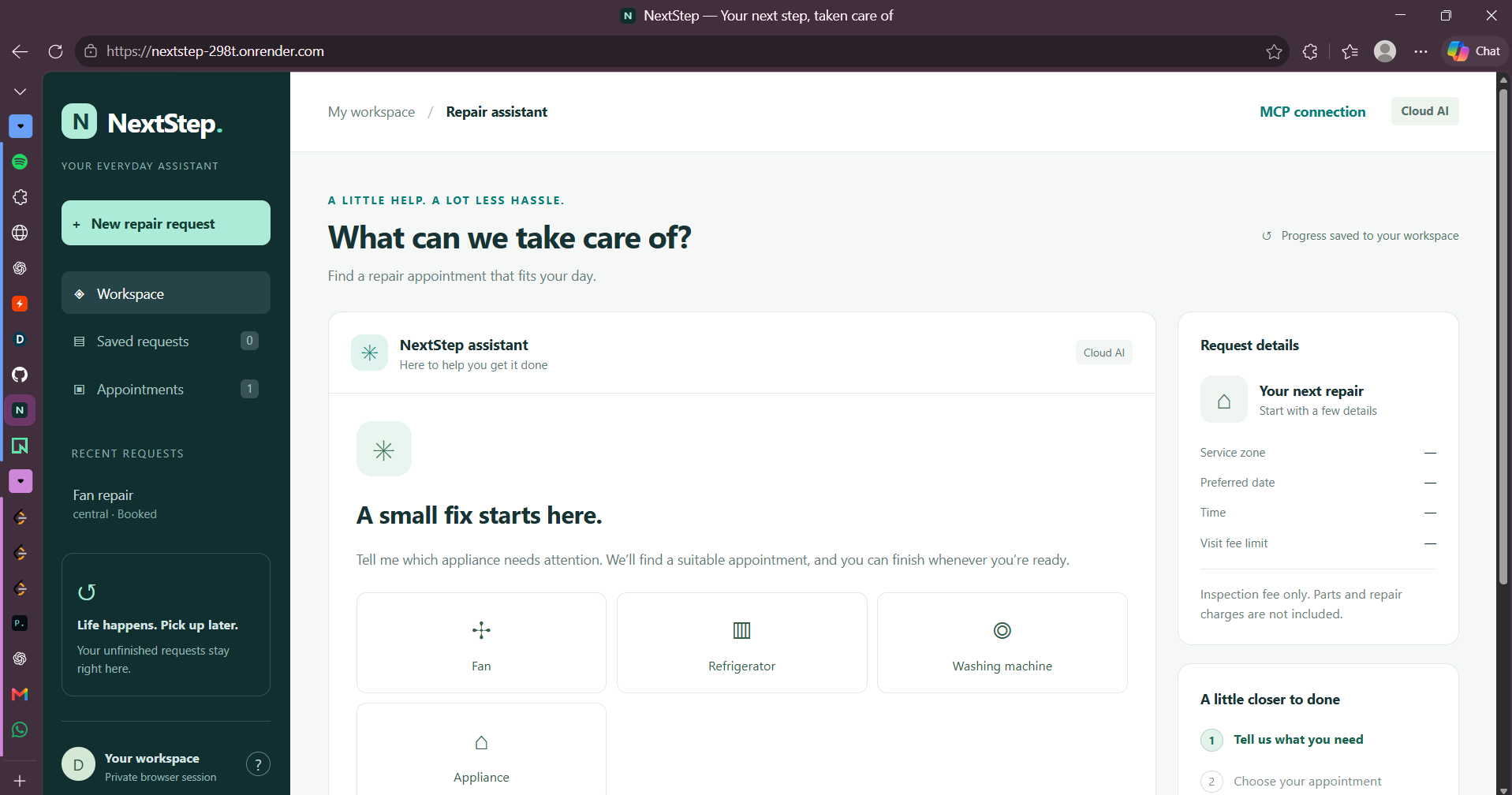
I built NextStep to make this process feel like a simple conversation. The idea was to let someone describe what they need in everyday language and help them take the next step.
What it does
NextStep is a voice-enabled repair appointment assistant. You can type or speak a request such as:
“My refrigerator is making noise. Find a visit under ₹500 tomorrow.”
It collects any missing details, finds matching appointments, and lets you review the provider, time, and visit fee before confirming. You can also change your preferences or return to an unfinished request.
Each browser session has its own workspace, keeping requests separate between users.
NextStep is a working demonstration with fictional providers. It records demo bookings but does not dispatch technicians or collect payments. Visit fees represent inspection charges, not the total repair cost.
How I built it
I built the backend using Python and FastAPI, with a browser interface made using HTML, CSS, and JavaScript.
The Web Speech API handles voice input and spoken responses. A language model accessed through Groq helps interpret conversational requests, while application code checks the details and controls appointment selection and booking.
I used Neon PostgreSQL to store requests and bookings, and deployed the application on Render.
NextStep also includes an MCP server, which gives compatible AI clients a standard way to access six tools for creating, updating, resuming, and searching repair requests and selecting appointments. I verified the deployed connection using the official Python MCP client. Final booking confirmation stays in the browser.
Challenges I faced
One challenge was handling natural speech. People say things like “central side” or “choose the third slot,” rather than using exact form labels. I worked on interpreting these requests while asking for clarification when needed.
Another challenge was preserving existing details when someone changed just one preference, such as the date or budget.
Moving from local development to a hosted application also involved database configuration and authentication troubleshooting. Testing the live MCP connection taught me how important it is to check the entire flow, including correctly copying and passing access tokens.
What I learned
I learned that a useful AI assistant needs more than good conversation. It also needs reliable data storage, clear validation, and accurate feedback about what has actually happened.
I also learned how voice features, a web application, and MCP tools can work together around the same booking logic. Most importantly, I learned to keep the user in control: selecting an appointment should not silently confirm it.
What’s next
I would like to connect real service providers, expand service areas and appliance categories, and improve voice support across browsers.
I also want to test the MCP integration with Alexa+ and other compatible assistants. The deployed MCP connection has been verified, but direct Alexa+ integration has not yet been tested.
Try NextStep
Built With
- css3
- fastapi
- groq
- html5
- javascript
- mcp-python-sdk
- model-context-protocol
- neon
- postgresql
- pydantic
- python
- render
- uvicorn
- web-speech-api

Log in or sign up for Devpost to join the conversation.