Inspiration
Many students with ADHD, anxiety, or executive-function difficulties describe the same thing: a thirty-item to-do list does not help, it freezes you. Every item looks equally urgent and none of them looks startable, so the list gets closed and nothing happens. Most to-do apps make this worse with tiny drag handles, color-only priority, mouse-only reordering, and a wall of everything at once. NextStep is built on the Taskforge idea that work should fit people, not the other way round.
Who it is for, and the barrier
User: a university student with ADHD who experiences task paralysis in front of a long list, plus keyboard-only and low-vision users who are excluded by drag-and-drop task managers.
Barrier: an overwhelming task list and an inaccessible workflow.
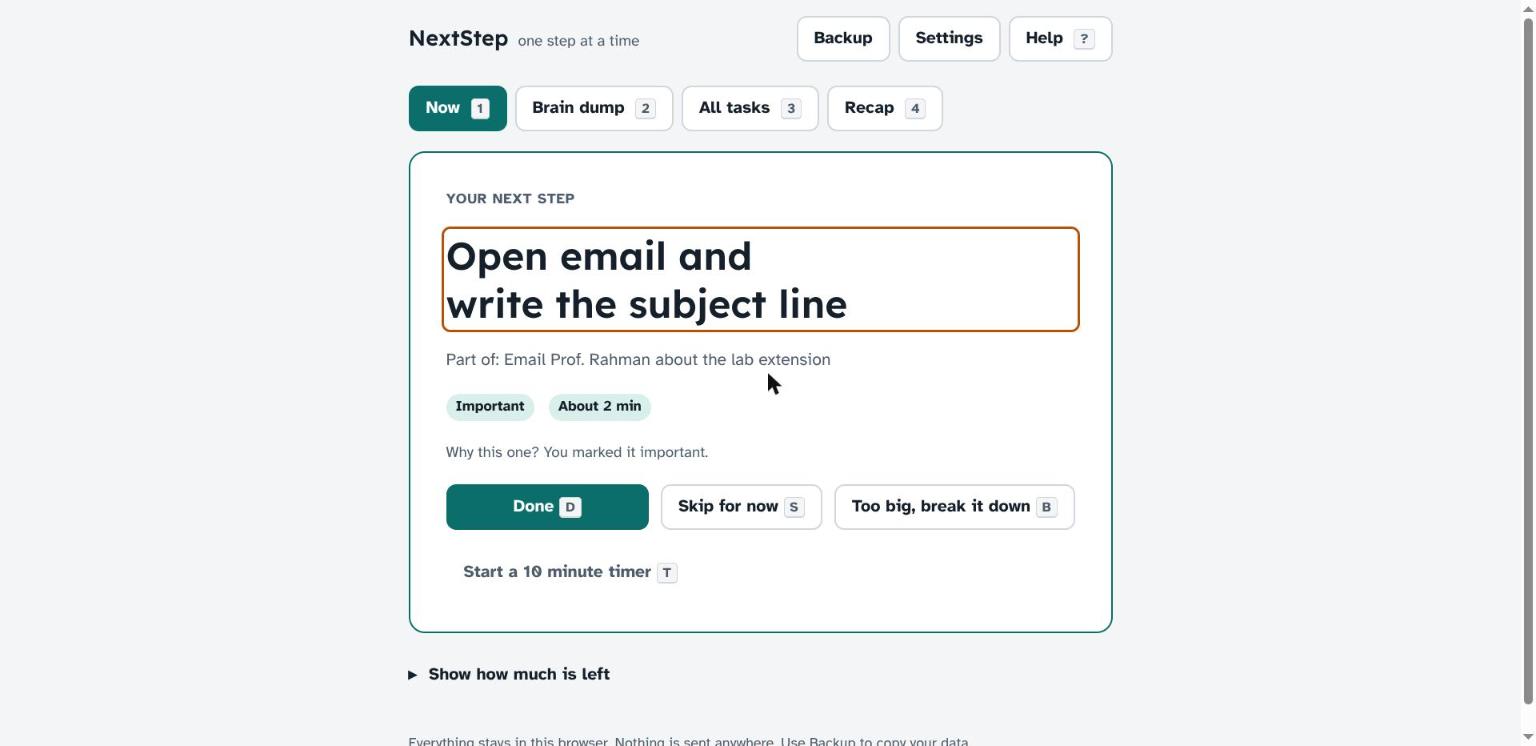
The change: from thirty undifferentiated items to one startable action with a named size, chosen by a predictable rule and operable with a single key.
What it does
- Brain dump. Type everything, one task per line. Optional hints like
5m,!, ordue:2026-10-30. - Shrink it first. Before a task can be shown, you name the very first physical action ("open the lab notes and copy the headings"). Big vague tasks never reach the screen as-is.
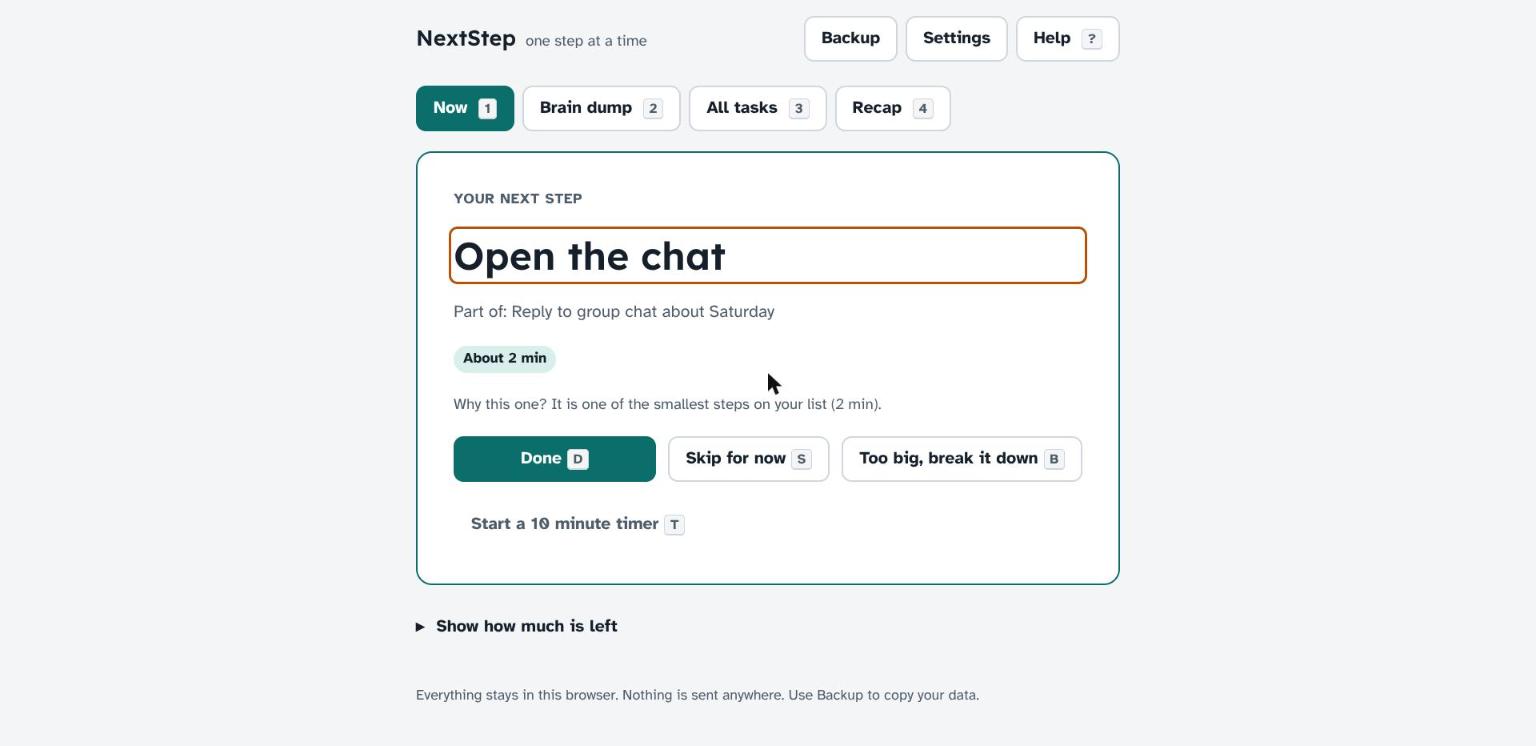
- Now view. One step, in large type, with three big choices: Done, Skip for now, or Too big, break it down. A one-line "Why this one?" explains the choice. The rest of the list is hidden unless you open "Show how much is left".
- Low-energy mode and a gentle timer. On a bad day the app prefers steps under ten minutes. The optional timer is a plain bar that announces halfway and the end to screen readers; nothing flashes and nothing auto-advances.
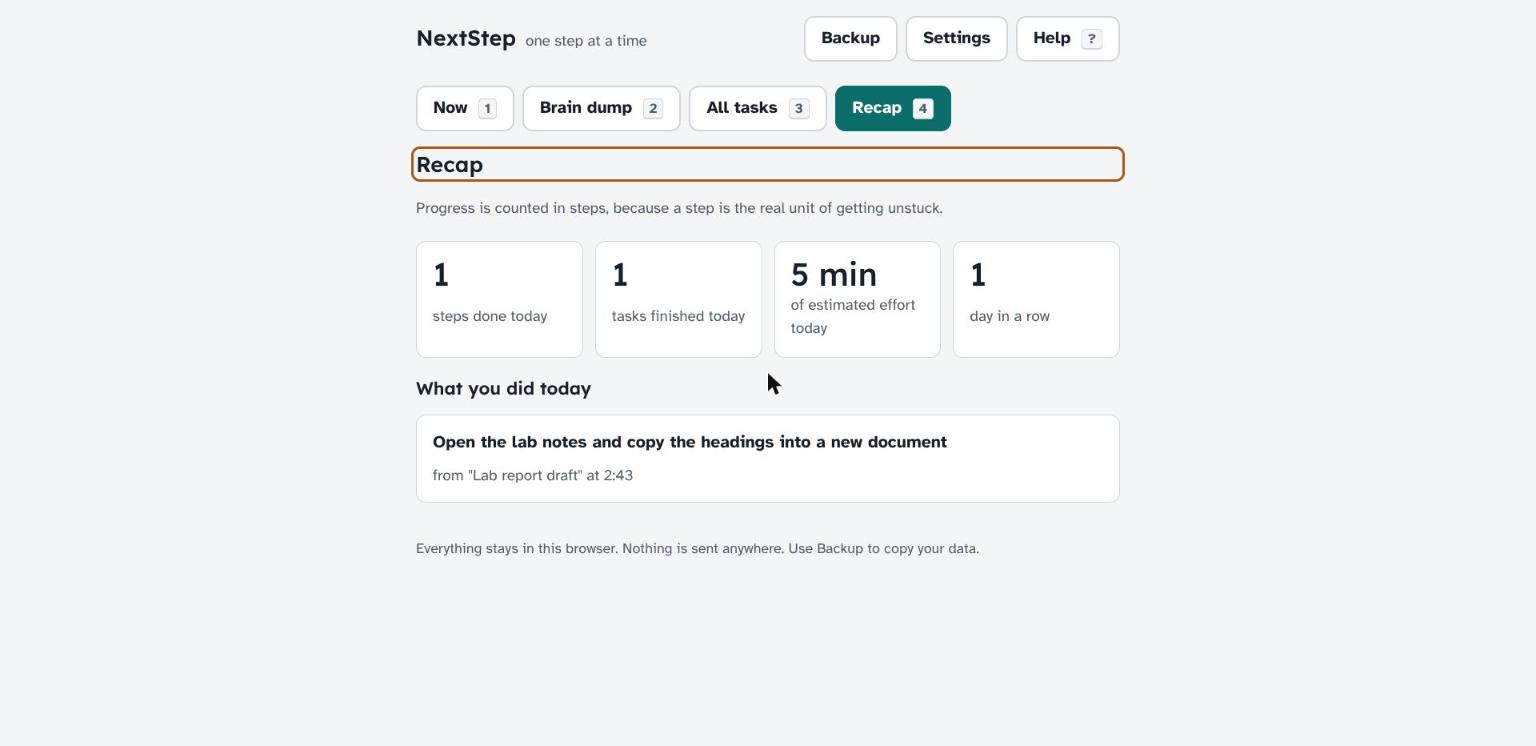
- Recap. Progress counted in steps, because a step is the real unit of getting unstuck.
Everything is keyboard-operable (1-4, D, S, B, T, ?, always with a visible button too), screen-reader friendly, works in light, dark and high-contrast themes, respects reduced motion and larger text, and runs fully offline. Data never leaves the browser; backup is plain JSON text.
How I built it
- Plain HTML, CSS and JavaScript. No framework, no build step, no dependencies. Open
index.htmland it works. logic.jsholds pure functions (parse the dump, choose the next step, split a step, explain the choice, stats) with 16 unit tests that run in the browser (tests.html) and headlessly in V8 (run_tests.py).- The next-step chooser is a transparent scoring rule: pinned, then overdue, then due within three days, then important, then smallest estimated step, then oldest. Skipped tasks go to the back for two hours instead of vanishing.
- Accessibility was built in, not added: landmarks, a skip link, a polite live region, managed focus after every action, native
<dialog>elements, 44 px targets, text labels on every status pill, noalert()orconfirm(). Typefaces are Atkinson Hyperlegible (designed for low-vision readers) and Lexend (designed for reading ease), with system fallbacks. - Design tokens drive three themes (light, dark, high contrast) and two toggles (larger text, reduce motion) on top of the OS preferences.
- A tiny Python script bundles everything into one HTML file for hosting anywhere.
Challenges I ran into
- Deciding what not to show. Hiding the task count by default felt risky, but it is the whole point: the count is what causes the freeze.
- Making low-energy mode and importance play well together. The rule I settled on: low energy outranks "important" but never outranks a due date.
- Keyboard shortcuts that never fight with typing: shortcuts are disabled inside any text field and inside dialogs, and every shortcut has a visible button.
Accomplishments I am proud of
- A working prototype you can use today from a single HTML file, with zero network calls, so it works in a basement lecture hall with no signal.
- The "shrink it first" gate, which quietly teaches the habit that makes the tool unnecessary over time.
- A chooser that explains itself in one sentence, so the rule is never a mystery.
What I learned
- The accessible choice and the calm choice are usually the same choice: big targets, one thing at a time, text labels, predictable rules.
- A tiny deterministic rule explained in one sentence beats a clever recommender nobody can predict.
- Focus management and live announcements matter more than piles of ARIA attributes.
Limitations
- Data lives in one browser's local storage. No sync, no account; backup and restore is manual JSON.
- The chooser is a fixed rule set, not adaptive. That is deliberate (predictable, explainable, offline) but it will not learn individual habits.
- Tested in Chrome on Linux with keyboard and visual checks. Not yet tested with a full screen-reader session on every platform.
- Due dates are day-granular and use the browser's local time zone.
What's next
- A proper screen-reader test pass on NVDA, VoiceOver and TalkBack.
- Optional sync via a file in the user's own cloud drive.
- Shareable step lists so a tutor or friend can pre-shrink a task for someone.
Pre-existing work and AI assistance
No pre-existing project code was reused; everything was created during the event period. The code, copy and documentation were produced with help from Claude (Anthropic) used as a coding assistant, directed and reviewed by me. Fonts are open-source from Google Fonts. The example tasks in the app are fictional.
Try it
- Open
index.htmlfrom the repo, or runpython3 -m http.server 8000in the folder and visithttp://localhost:8000/. - Tests: open
tests.html, orpip install mini-racerand runpython3 run_tests.py.

Log in or sign up for Devpost to join the conversation.