-
-
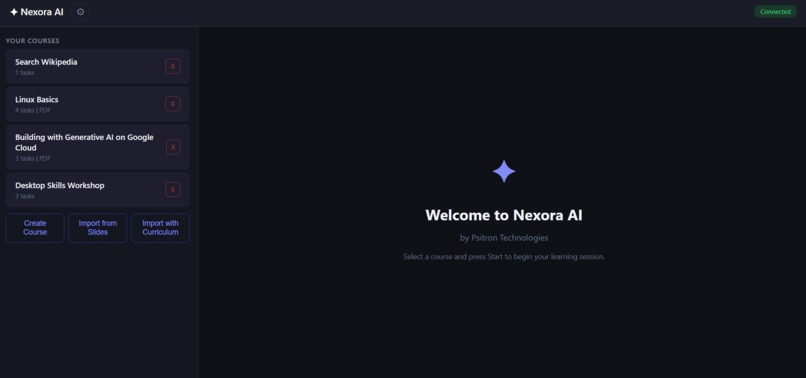
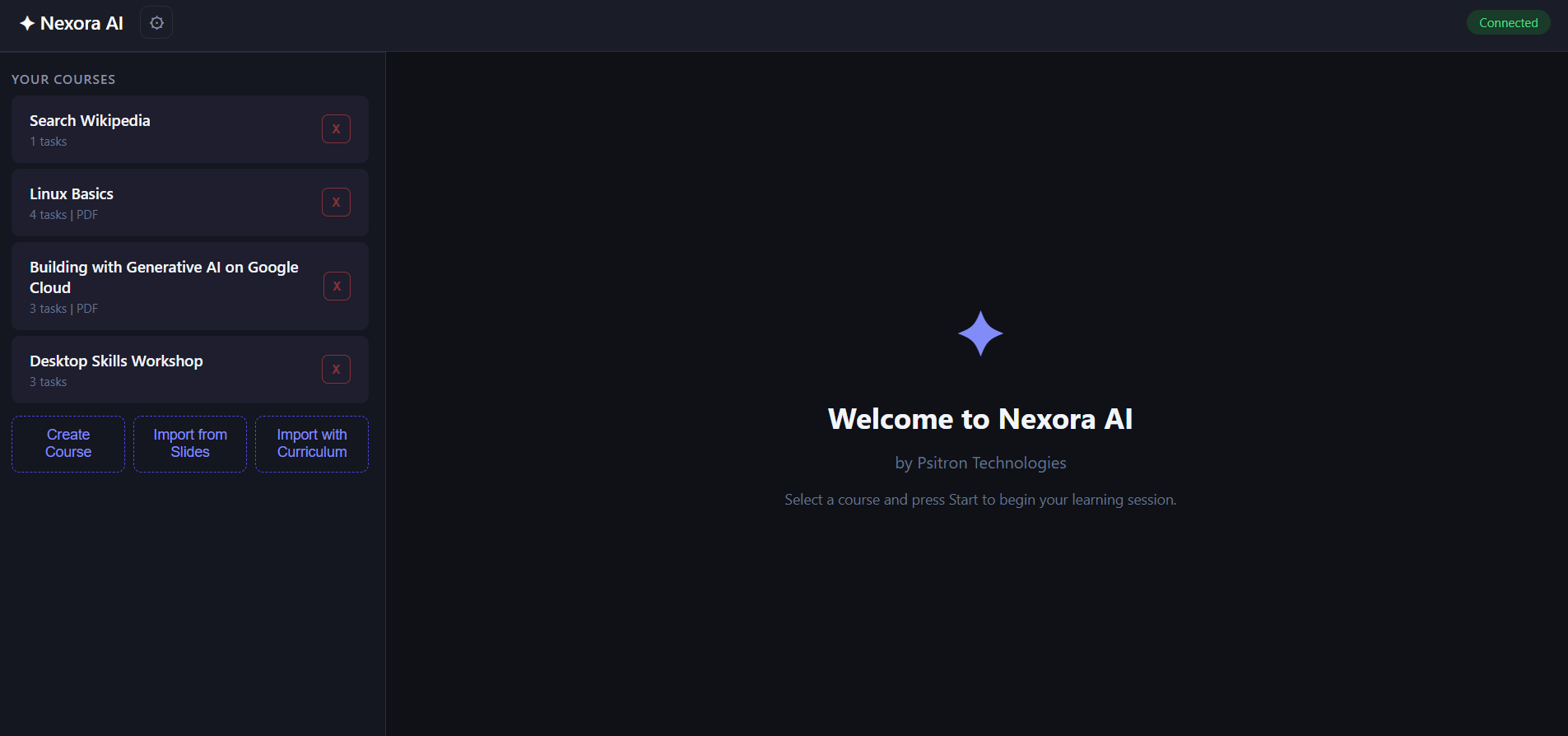
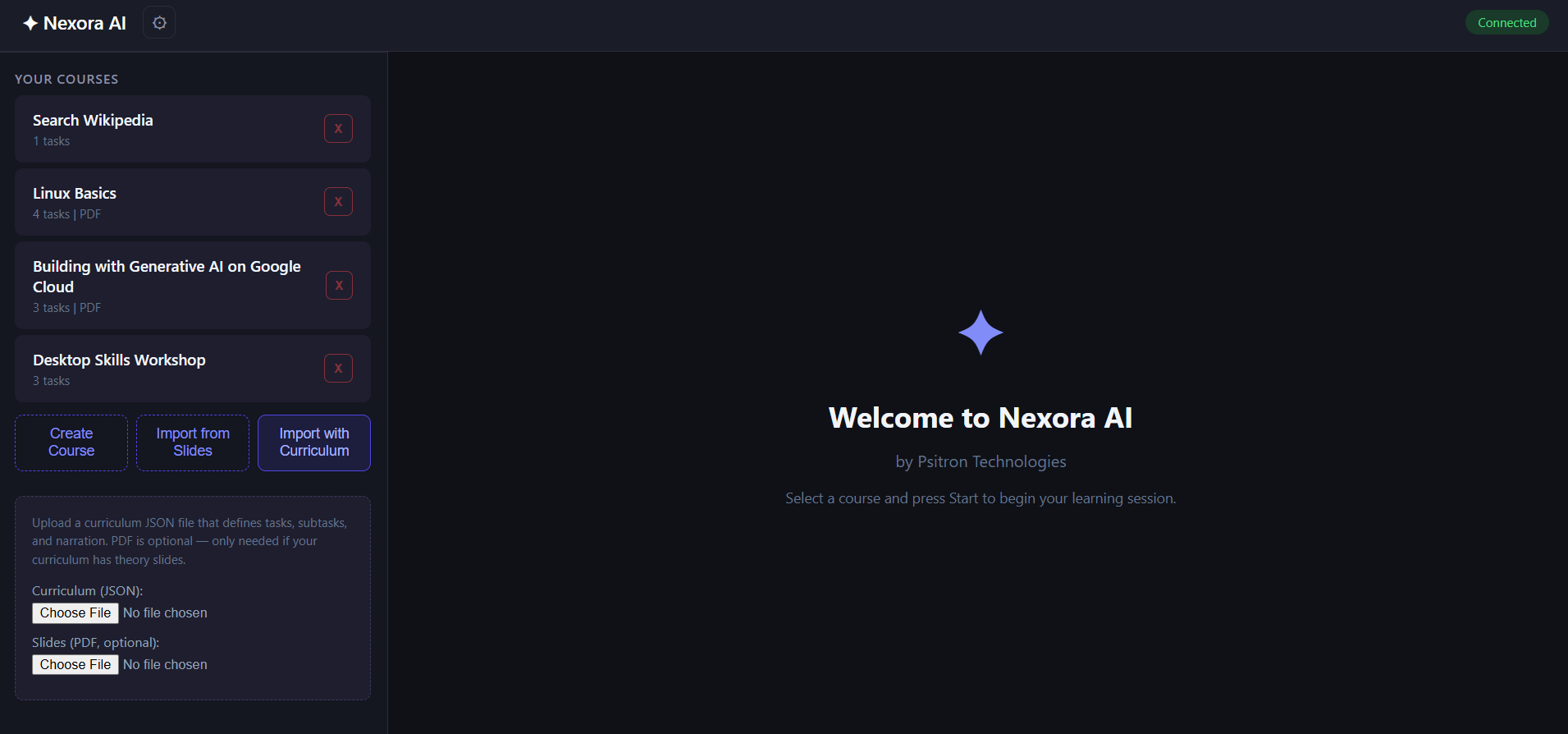
Nexora AI home page
-
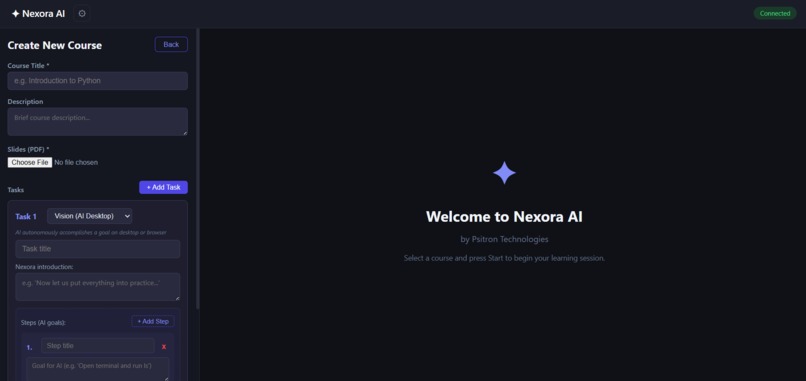
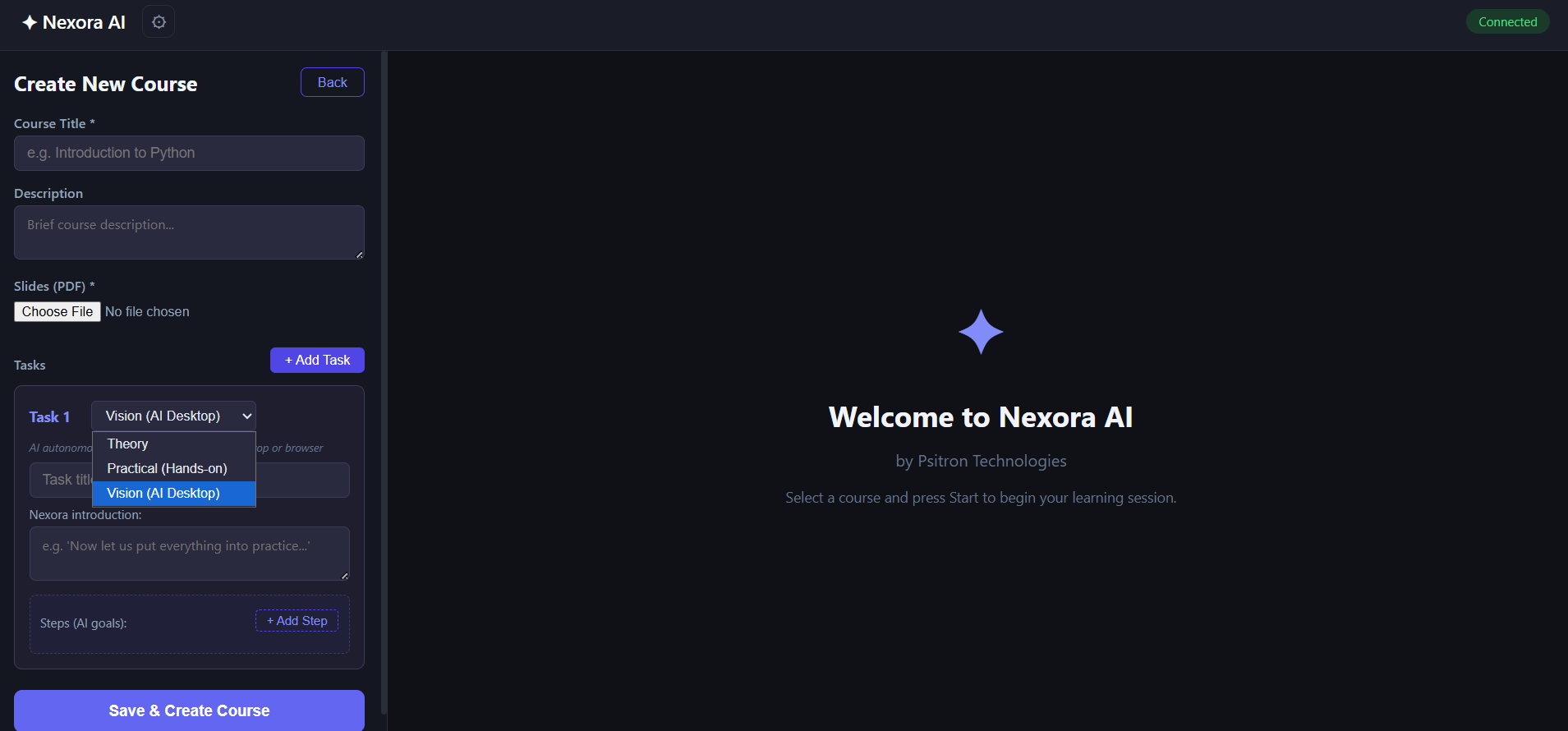
curriculum creator page 2
-
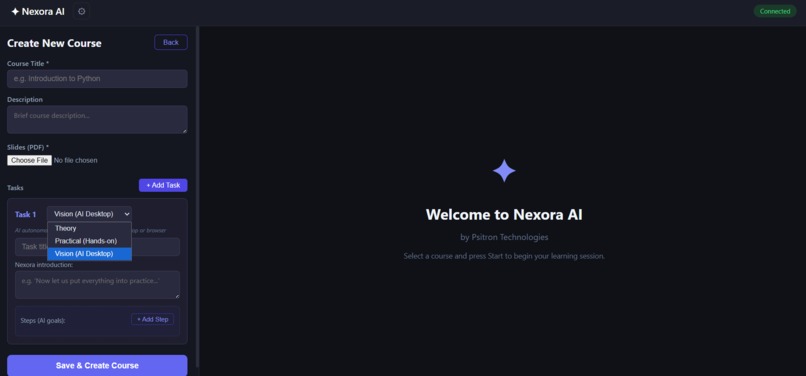
curriculum creator page 1
-
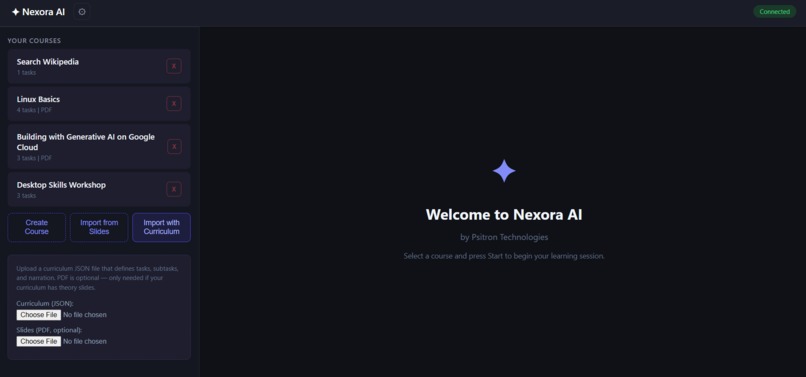
curriculum creator pdf and json
-
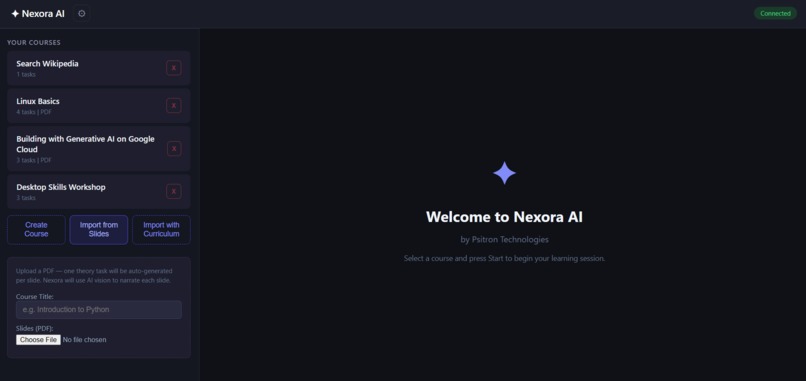
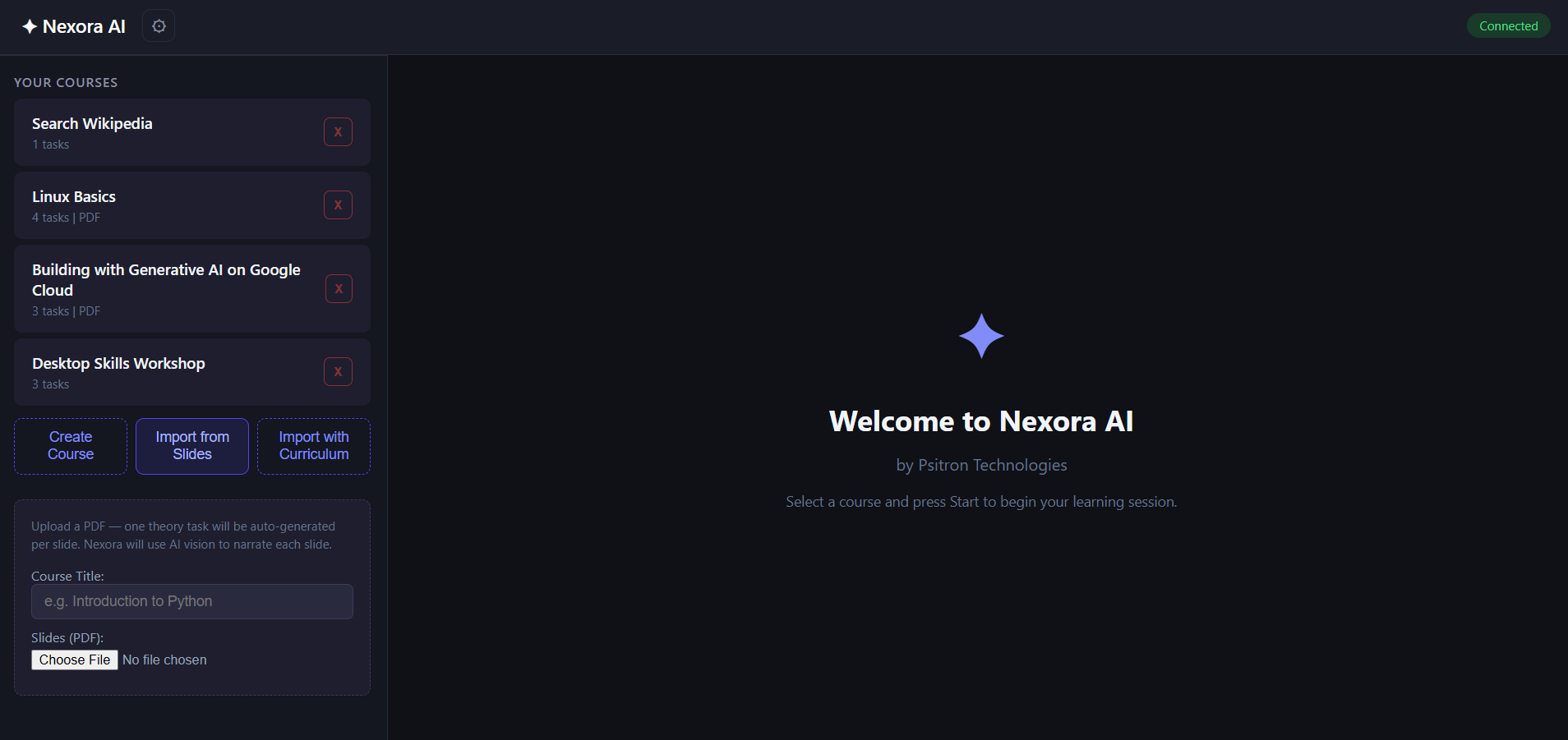
curriculum creator via pdf
-
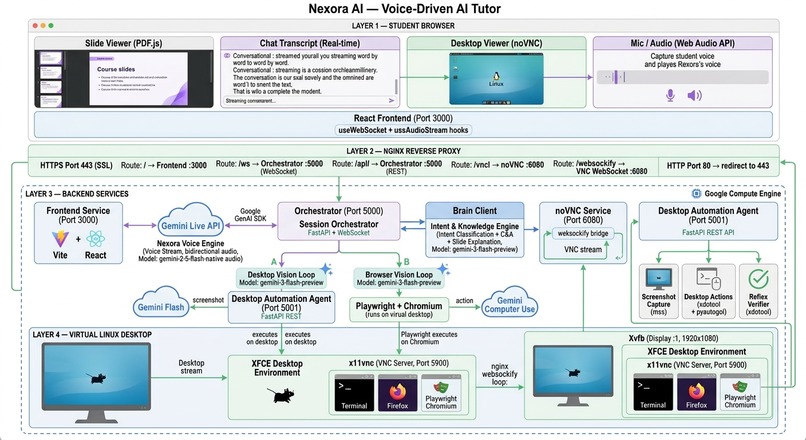
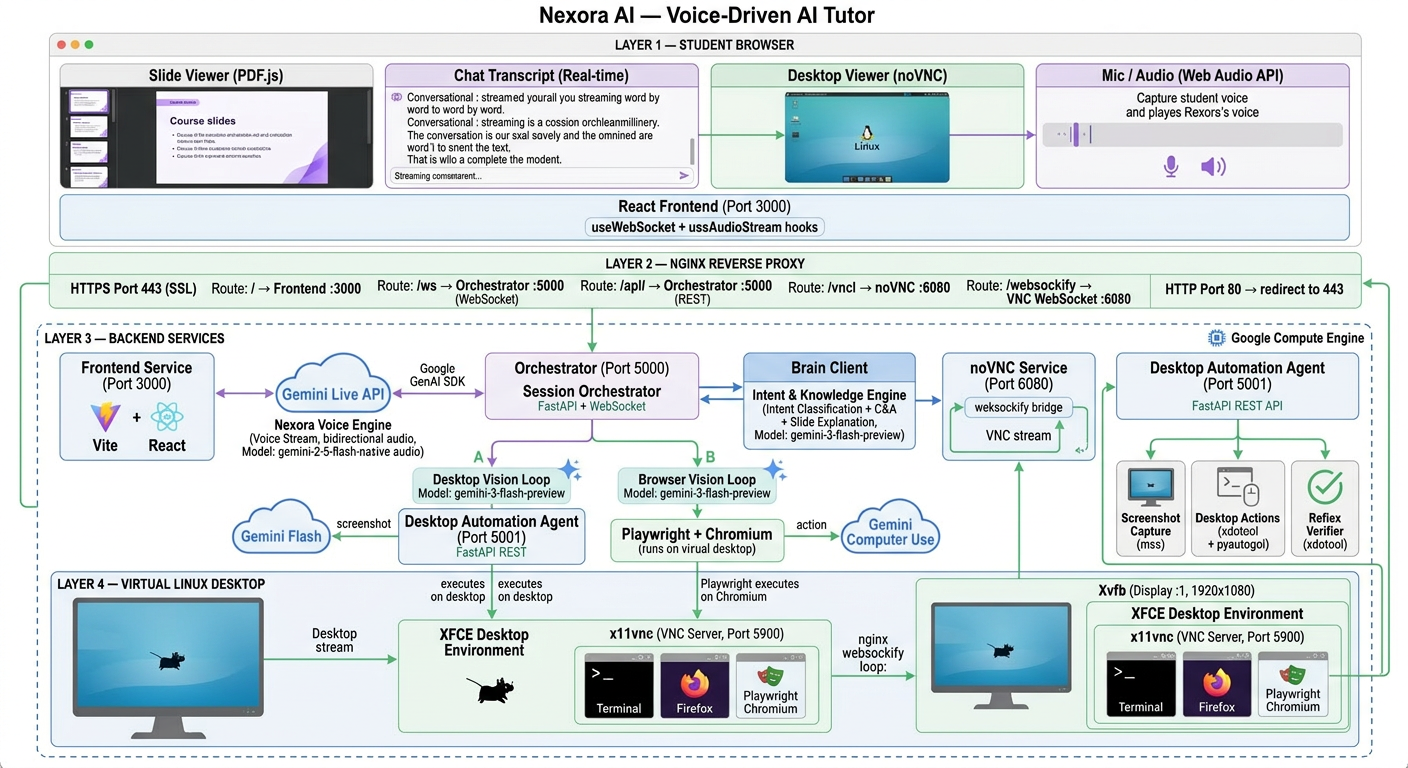
System Architecture
Inspiration
Traditional e-learning is passive — students watch pre-recorded videos and follow static instructions. We asked: what if an AI tutor could actually see the student's screen, speak naturally like a real instructor, and perform hands-on tasks live? Inspired by the Gemini Live Agent Challenge's vision of agents that See, Hear, and Speak, we built Nexora AI — a voice-driven tutor that breaks the text box paradigm entirely.
What it does
Nexora AI is an immersive AI tutoring platform where:
- Nexora speaks — Using Gemini Live API for real-time bidirectional voice, Nexora has a distinct persona and explains concepts naturally
- Nexora sees slides — Gemini Vision reads actual slide images and generates spoken explanations, not canned text
- Nexora controls the desktop — Opens terminals, runs commands, and interacts with applications by taking screenshots and planning actions
- Nexora navigates browsers — Uses Gemini Computer Use API with Playwright to navigate websites, click buttons, and fill forms
- Students interact naturally — Ask questions by voice, request repeats, or even give freestyle instructions ("Can you run the date command?") and Nexora adapts instantly
- Desktop resets automatically — After each tutorial, all windows close and the desktop returns to a clean state
The entire session flows through voice — no typing needed. The student watches Nexora demonstrate on a live Linux desktop streamed via noVNC, then interacts through conversation.
How we built it
Voice Layer: Gemini 2.5 Flash Native Audio via the Live API handles all bidirectional voice streaming. We built a custom session manager with pre-created session pools, output gating to suppress auto-responses during listening, and VAD tuning for natural speech detection.
Vision Layer: Two parallel vision loops — Desktop Vision (Agent S3 + Gemini Flash for terminal/desktop tasks) and Browser Vision (Playwright + Gemini Computer Use for web tasks). The system auto-detects which to use based on goal keywords.
Brain Layer: Gemini Flash classifies student intent in real-time (continue, repeat, question, freestyle) and generates concise answers or extracts actionable goals from natural speech.
Orchestrator: A FastAPI WebSocket server coordinates the entire flow — loading curriculum, sequencing tasks, routing between voice/vision/brain, and managing session state.
Frontend: React 18 with real-time audio streaming, word-by-word transcript display, PDF slide viewer, and noVNC desktop panel — all in a single responsive interface.
Infrastructure: Deployed on Google Compute Engine with Xvfb virtual display, XFCE desktop, nginx HTTPS reverse proxy, and automated deployment via a single deploy.sh script.
Challenges we ran into
- Gemini Live session lifecycle — Sessions close after TURN_COMPLETE, requiring pre-created session pools with silence keepalive to ensure instant reconnection
- Voice transcription accuracy — Speech was transcribed in Hindi instead of English until we added explicit
language_code="en-US"and system prompt reinforcement - Desktop reset after tutorials — Initial attempts used Agent S3's
run_commandwhich typed reset scripts into the active window via xdotool. We switched to directsubprocesscalls withwmctrlwindow management - Repeat task loops — When students asked to repeat a command, Gemini would re-execute it indefinitely. We added anti-repeat rules to the vision planning prompt
- Browser safety confirmations — Gemini Computer Use returns
safety_decision: require_confirmationwhen typing into chat interfaces, requiring acknowledgment in function responses - Frontend mic recreation delay — The microphone was being fully destroyed and recreated on every turn transition, causing 500ms-1s delays. We switched to keeping the mic stream alive and toggling a send gate
Accomplishments that we're proud of
- Freestyle mode — Students can ask Nexora to do anything on the computer outside the curriculum, and it adapts using the same vision loop
- Natural narration — Nexora rephrases technical results ("The XFCE terminal application is open") into friendly language ("The terminal is ready on your screen!")
- One-command deployment —
bash deploy.shsets up everything on a fresh GCE instance in under 10 minutes - Multi-modal integration — Voice (Gemini Live) + Vision (Gemini Flash) + Browser (Computer Use) + Desktop (Agent S3) all work together seamlessly in one tutoring session
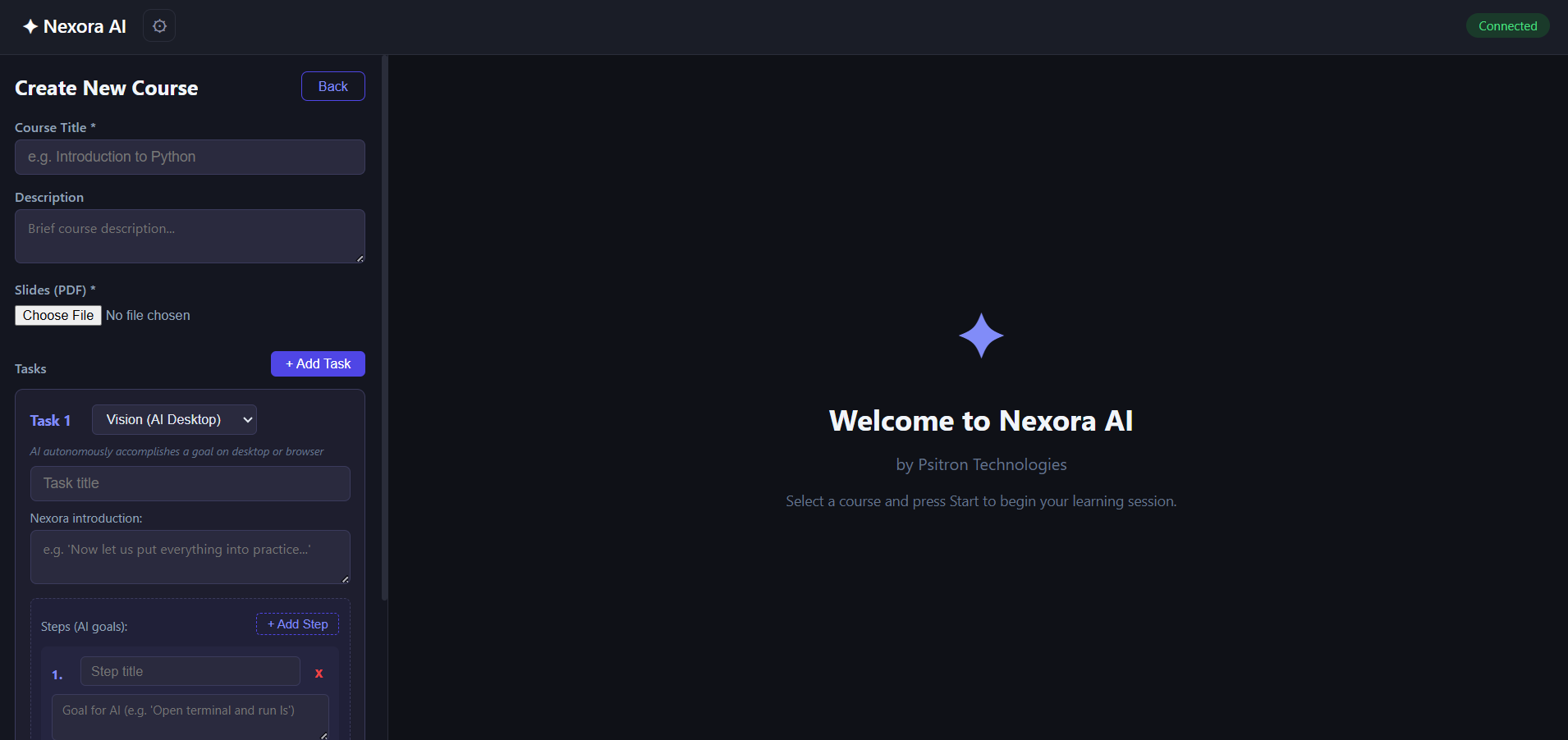
- Course creation flexibility — Upload a PDF and get auto-generated theory tasks, or build custom curricula with the visual builder
What we learned
- Gemini Live API sessions are ephemeral — you need pre-created session pools and keepalive mechanisms for reliable voice interaction
- The
audio_stream_endsignal andSessionResumptionConfigare essential for production Gemini Live apps - Vision-based desktop automation requires careful prompt engineering to prevent action loops
- Browser automation via Computer Use needs safety decision handling for communication tools
- Keeping the browser microphone stream persistent (instead of recreating per turn) eliminates the most significant UX delay
What's next for Nexora AI - Voice-Driven AI Tutor
- Multi-student support — Concurrent tutoring sessions with isolated desktop environments
- Assessment mode — AI evaluates student's own attempts and provides feedback
- Curriculum marketplace — Share and discover courses created by other educators
- Mobile support — Voice-first interface adapted for phone/tablet
Built With
- fastapi
- gce
- gemini
- genai
- javascript
- novnc
- pdf.js
- playwright
- pymupdf
- python
- react
- vite
- websocket
- wmctrl
- xdotool
- xfce
- xvfb

Log in or sign up for Devpost to join the conversation.