-
-
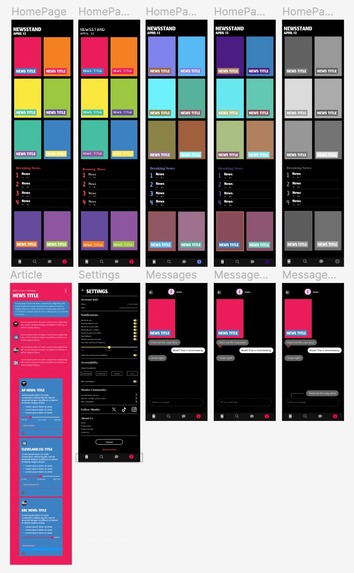
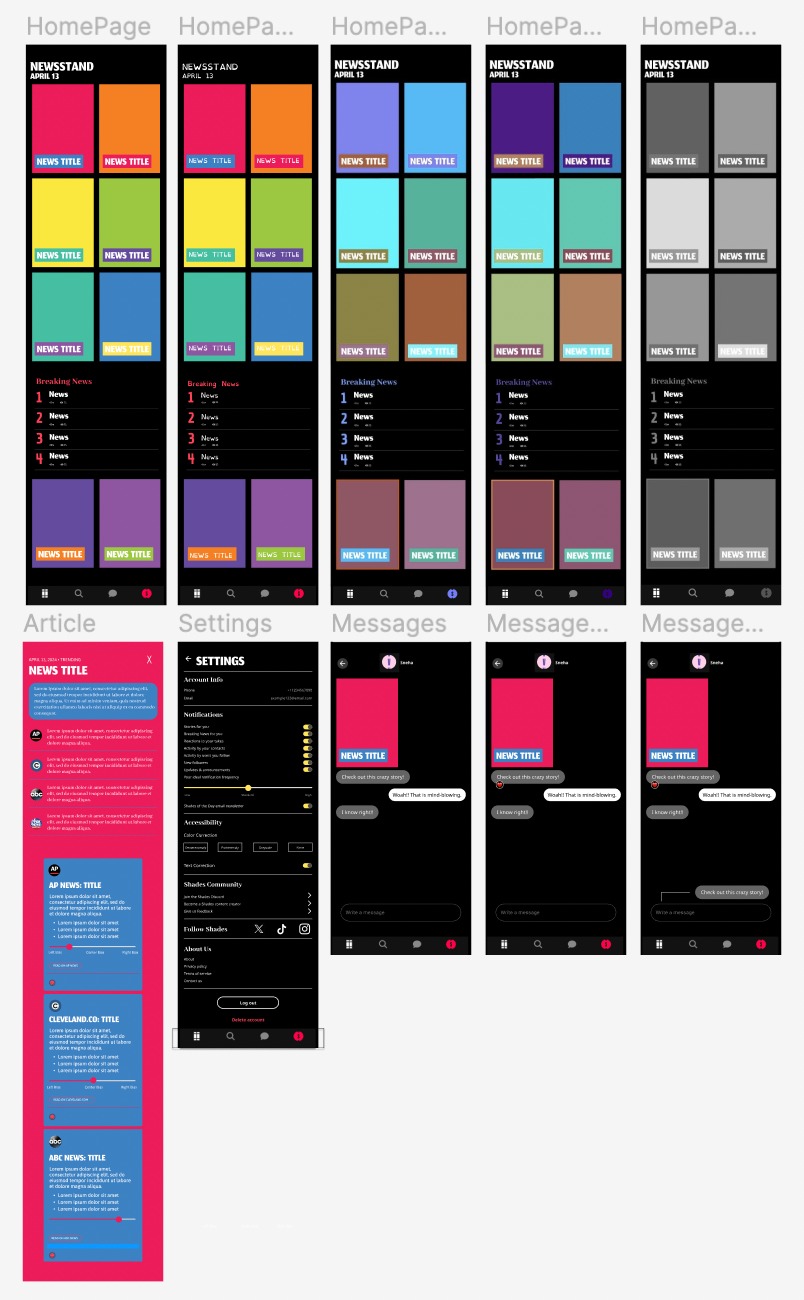
Figma board
Inspiration
Generation Z is widely known for encouraging inclusiveness and emphasizing the importance of accessibility. Since Shades is targeted towards this age group, we felt that it was important to improve the accessibility features of the app by adding features such as color blindness correction and dyslexia correction to ensure that Shades remained usable for all users. Additionally, we wanted to improve the social features of Shades to align more with other social media platforms used by Generation Z today. We did this by introducing features such as message reactions and replies, catering well to the preferences and habits of the target audience.
What it does
The new features we introduced to Shades are intended to make the app more accessible to everyone, regardless of their physical capabilities. One way we did this is by adding color blindness correction features where users can view the app in different color schemes based on the type of color blindness they may have. Similarly, we added a text correction option, where dyslexic users can choose to view the entire app in dyslexia-friendly fonts, as opposed to the default display fonts. Through these features, users can personalize the app to their comfort, making them more likely to remain users of the app. Additionally, the social aspect of the app now provides more enticement with features including message reacting and replying, allowing users to engage with the messaging features in a more dynamic and fun way. In order to make the app more informative and credible, we added a short blurb to each topic, providing a brief summary/description of the news articles as a whole. Furthermore, we added a scale under each source indicating how biased it may be, providing users with a well-rounded view of the topic.
How we built it
Given that we already had the beta version of Shades, our primary objective was to construct a prototype showcasing our new features. To do this, we mainly leveraged Figma, a collaborative web application for interface design. Figma enabled us to incorporate new features into the current application without the base code framework. In addition to Figma, we utilized resources from a GitHub repository by tsarjak and the terminal line to implement the color blindness correction feature.
Challenges we ran into
The biggest challenge we ran into was the learning curve associated with using Figma for the first time. Neither of us had ever used Figma before, so taking the time to understand the tools available, and learning how to apply them to our own features, proved to be a challenge within our short timeframe.
Accomplishments that we're proud of
Our biggest accomplishment was being able to successfully prototype all of the features we wanted using Figma, especially considering that it was our first time using this tool. Additionally, we are proud of our ideas as a whole, as we felt they were very fitting for the app and the target audience.
What we learned
While working on this project, we learned about mobile app development and the tools associated with Figma. Neither of us had ever worked on a mobile app (even prototyping), which was an interesting learning experience. Additionally, we discovered that Figma was a highly beneficial tool for design planning, and learned how to map page flow within an app, which will be useful for future mobile app development projects.
What's next for New Features for Shades
Moving into the future, our biggest goal would be to program these features into the Shades app, transitioning them from Figma to the actual code of the app. Additionally, there were some other features we brainstormed, including text-to-audio article reading, which we would look forward to implementing.

Log in or sign up for Devpost to join the conversation.