Inspiration
It started with Shapeshift, where a sentence turns into a working widget as you type. I wondered what would happen if a whole team did that on one board, at the same time.
Every project I've worked on starts the same way: someone draws boxes on a whiteboard or in Excalidraw, somebody else redraws them in Figma, and the architecture diagram lives in a third place. Dragging shapes from a palette is slow, and it's the least interesting part of planning. I wanted a board where you just say what you're building (the pages people see and the servers behind them) and it appears, live, for everyone.
What it does
NevDraw is a real-time, multiplayer board for wireframes and architecture diagrams.
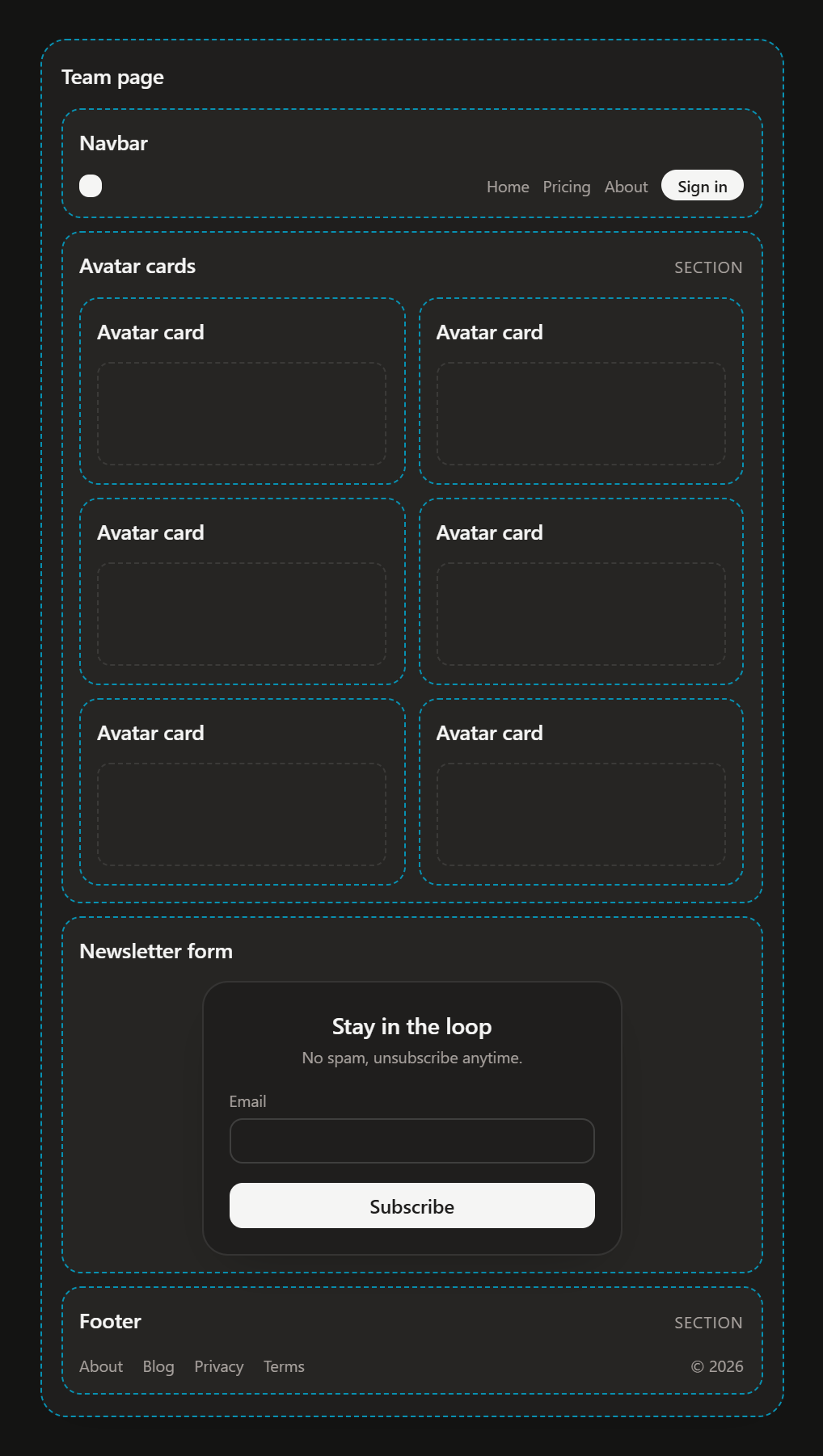
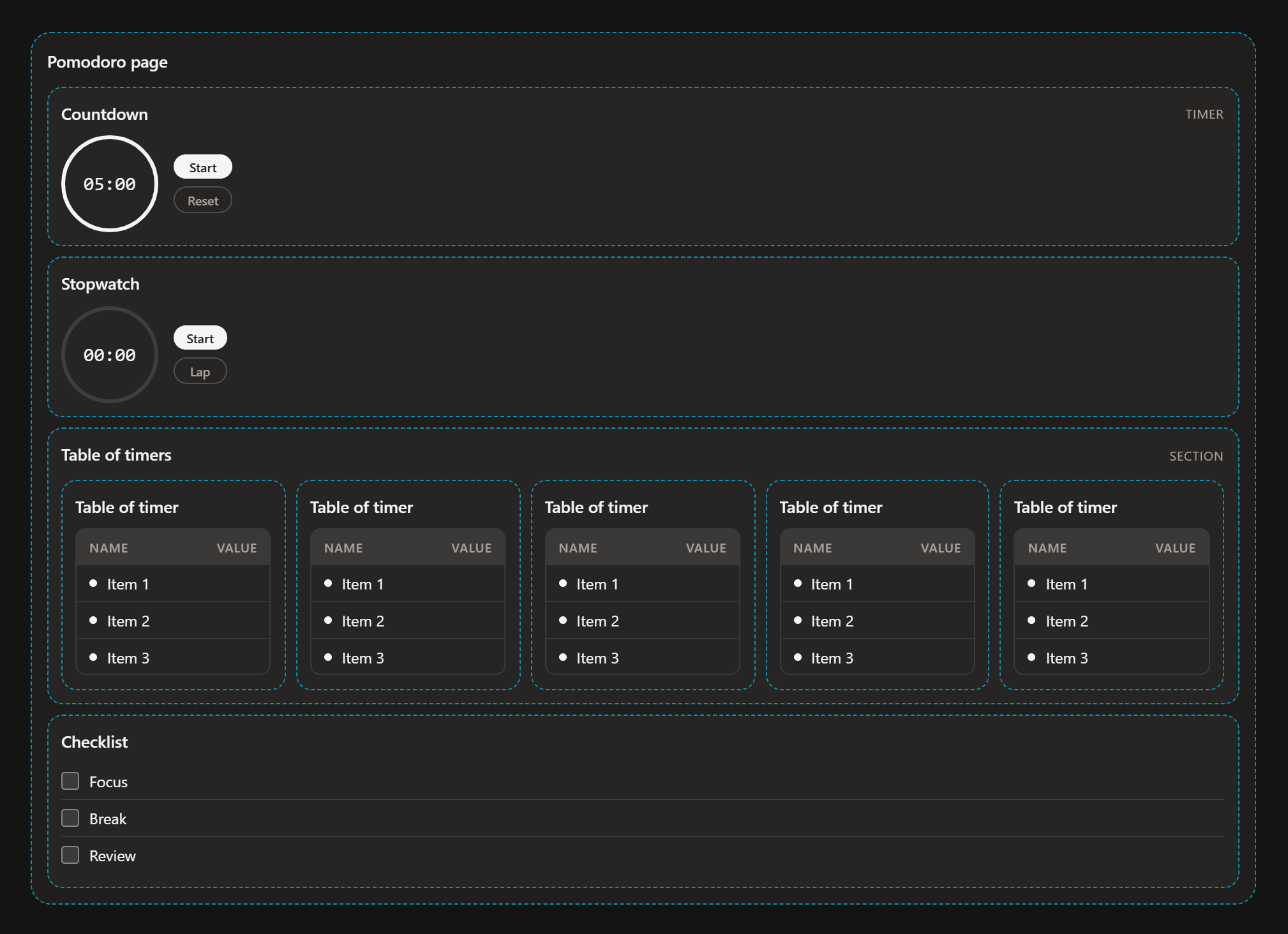
- Type it and it builds as you type. "a landing page with a navbar, a hero, three pricing cards and a footer" becomes a real wireframe made of working, colored components: clocks tick, polls vote, forms have real fields.
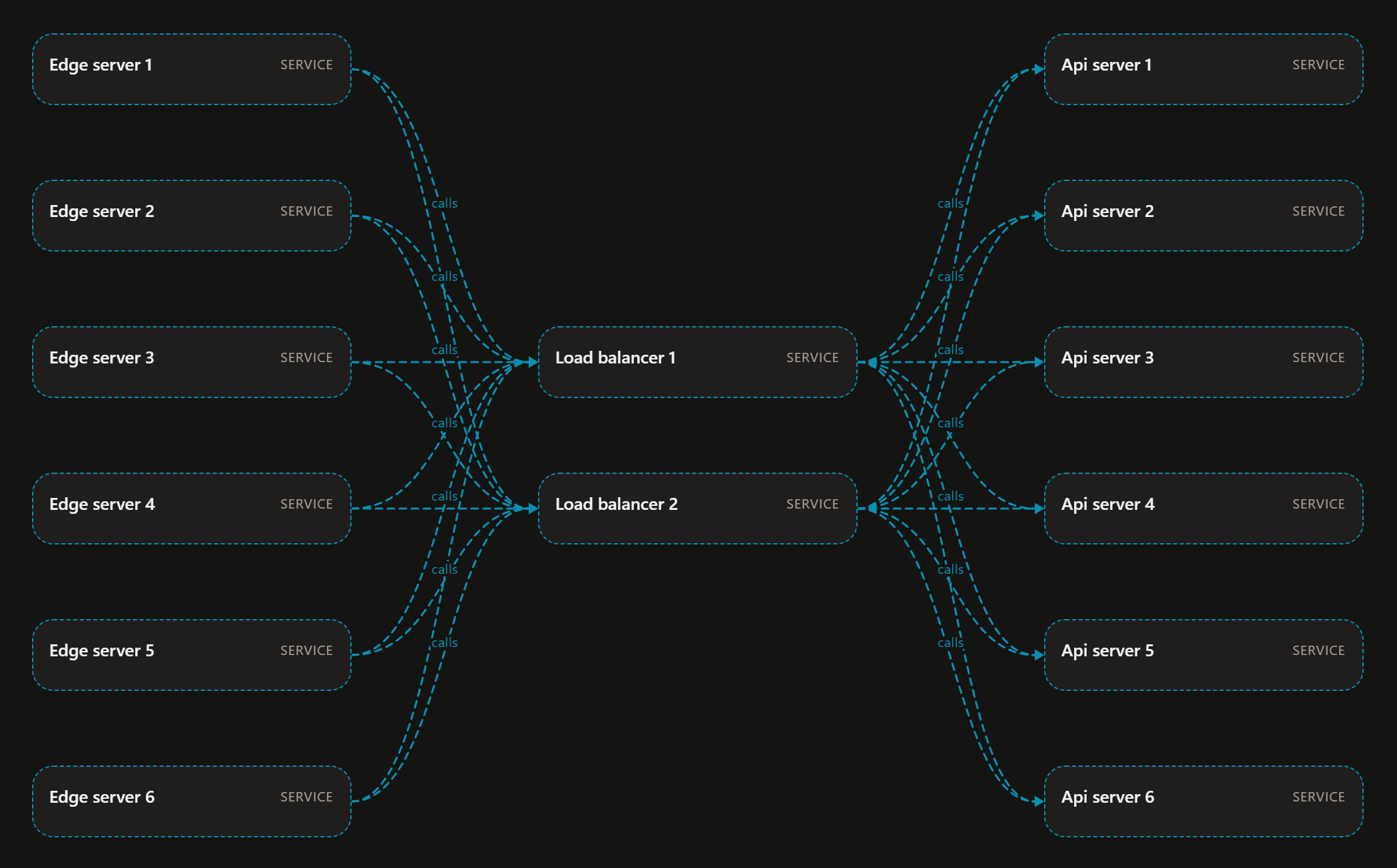
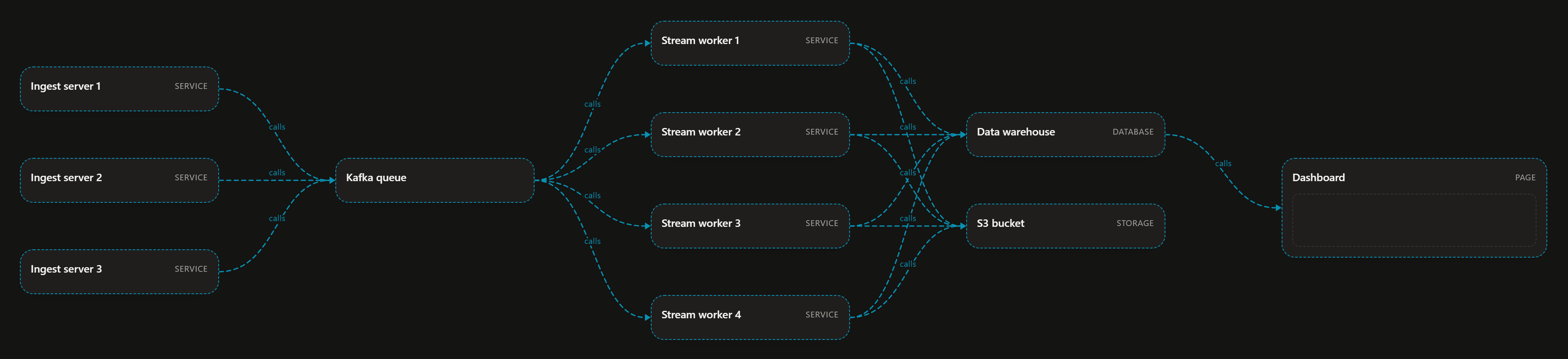
- Architecture from one sentence. "a server stack of 5 servers -> 2 load balancers -> 3 independent databases" becomes 10 nodes and every arrow between them, laid out as a clean flowchart. Groups fan out automatically: $m$ sources pointing at $n$ targets gives $m \times n$ arrows.
- Private drafts, shared commits. Your draft is dashed and only visible to you. Everyone else just sees that you're typing. Press Enter and it lands on the board for the whole team.
- Edit by talking to it. Click an element, or name it, and say "make all the independent servers red", "remove server 3", "rename email to username", "disconnect the web app and the api gateway" or "turn the hero and footer into 2 columns". Edits change only what you named and never spawn new elements.
- Step through readings. Before you commit, you can step back and forth between the different ways the input was understood.
- Draw it. Switch to drawing mode, sketch a box, a cylinder or an arrow between two elements, and it turns into a real component or connection.
- Share and export. Go remote with one click for a public link, and export to PNG or PDF.
How I built it
- Monorepo: Bun with a shared protocol package, an Effect server and a Vite + React 19 + Tailwind v4 + Motion web app.
- Real-time rooms: WebSockets with typed messages. Drafts are sent only to the person typing, and committed elements, arrows and edits go to everyone.
- "Jev decides, code computes." Every input is split into pieces, and each piece goes to Jev, a fast classification model. Jev answers structured questions: what kind of element is this, is it a container, does it belong inside the previous one, is it a group of copies? Jev only decides. Plain code computes everything that can be read straight from the text: counts, names, colors, list items, sequences like "increments of 15", and who connects to whom.
- An LLM as an optional second reading: gpt-oss-120b on Cerebras produces an alternative version you can step to, but Jev's reading is the default because it's faster and more predictable.
- Layout: connected elements are placed with a layered flowchart layout, and pages lay out their children in rows, grids and columns.
- Drawing recognition: code turns strokes into a compact description (corners, closure, aspect ratio, arrowheads, what each stroke starts and ends on), and Jev picks the component.
- Tests: over 300 tests cover the engine, the protocol, drawing recognition and layout.
Challenges I ran into
- Not hard-coding phrasings. It's tempting to write a rule for every sentence. I kept pushing the understanding into Jev's questions, plus general grammar in code: pointer words like "in which they" refer back to the element before them, and "the load balancers" reuses what was already made, typos included.
- Nesting. Jev can say "this belongs in a container" but not which one. Early on, "a navbar, a hero, …" nested each part inside the one before it. The fix was letting grammar decide which container while Jev decides whether.
- Layout while typing. Keeping elements still while you type stops flicker, but it meant a half-typed diagram could leave elements stacked on each other. Connected diagrams are now laid out fresh on every keystroke, anchored where they started, so typing ends up as tidy as pasting.
- Edits that do too much. "Rename email to username" once removed a field, and "disconnect" once removed every connection. Edits now touch only what's named, and a removal that finds nothing does nothing.
- Hand-drawn input is messy. Real mouse-drawn boxes are unclosed, X's are drawn in one stroke, and arrows miss their target. That called for snapping, building boxes from several strokes, and treating any stroke that connects two elements as an arrow.
Accomplishments that I'm proud of
- A 13-element, 19-arrow microservice architecture from one paragraph of plain English, built as you type.
- Real, working components instead of grey boxes.
- Private drafts with live presence, so several people can type at once without cluttering each other's view.
- A split between the model and code that keeps things fast (Jev answers in about 200–300 ms) and predictable.
What I learned
- Small, well-asked questions to a fast classifier beat one big "generate the whole thing" prompt, both for speed and for predictability.
- Anything that can be computed exactly (counts, colors, lists) should never be left to a model to guess.
- In real-time tools, stability matters as much as correctness: things jumping around while you type feels broken even when the final result is right.
What's next for NevDraw
- Giving Jev the full board state (parents, children, arrows) as choices, so edits like "all the servers behind the gateway" resolve from any phrasing.
- Sidebars and more page layouts.
- Better drawing recognition, and sketch-to-edit ("cross this out" to remove).
- Exporting diagrams as code (infrastructure templates or React scaffolding) from the same board.
Built With
- bun
- cerebras
- cloudflare-tunnel
- effect
- gpt-oss
- html-to-image
- jev
- jspdf
- motion
- qrcode
- react
- sqlite
- tailwindcss
- typesafe-ai
- typescript
- vite
- websockets


Log in or sign up for Devpost to join the conversation.