-
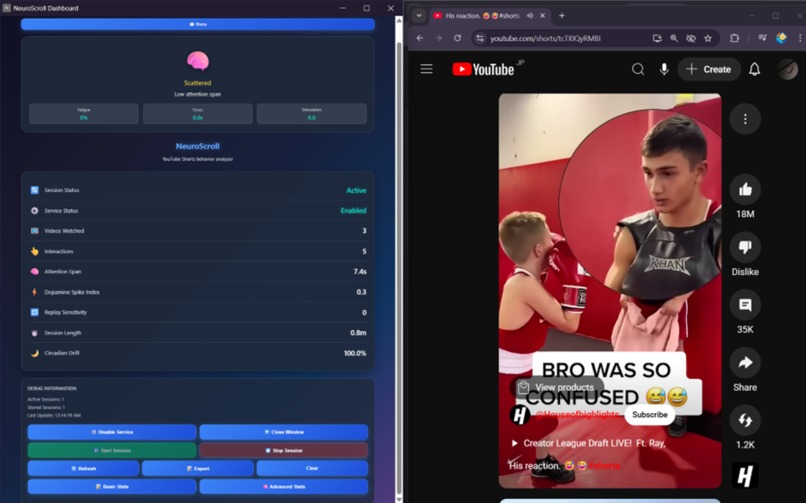
The User Interface and the Final Look
-
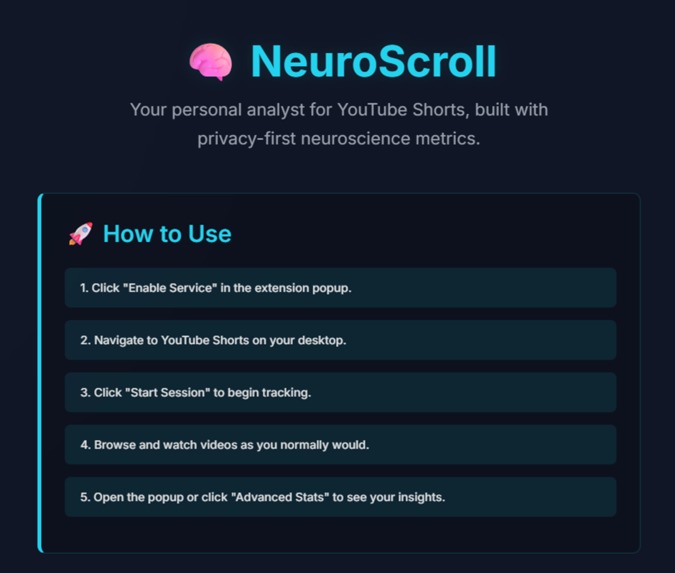
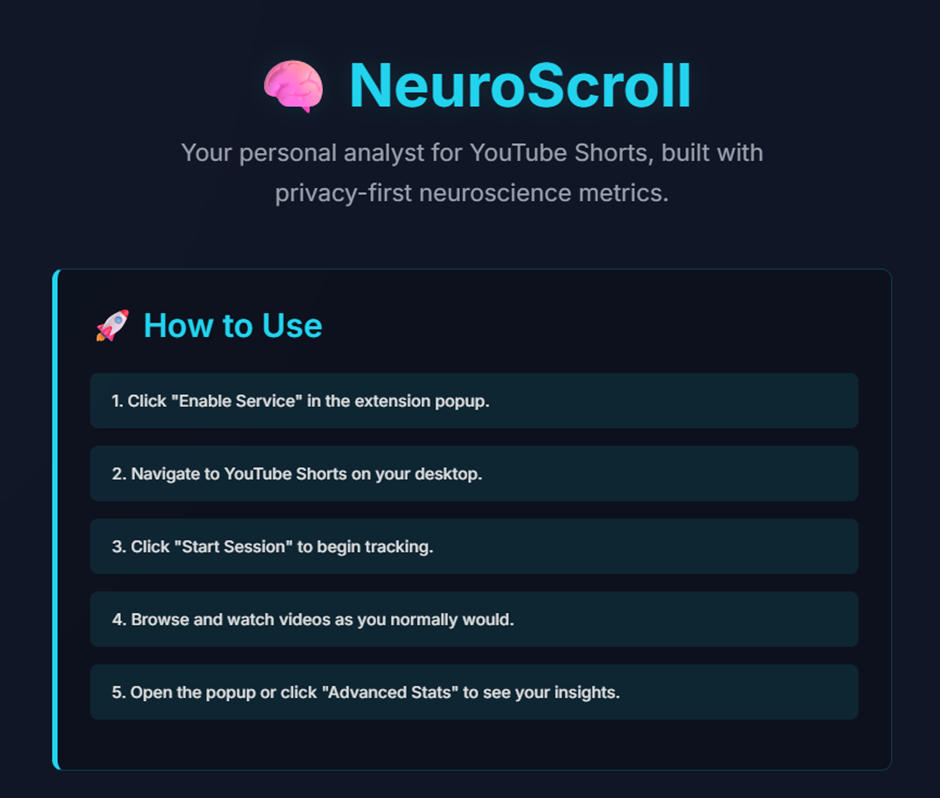
How to Use?
-
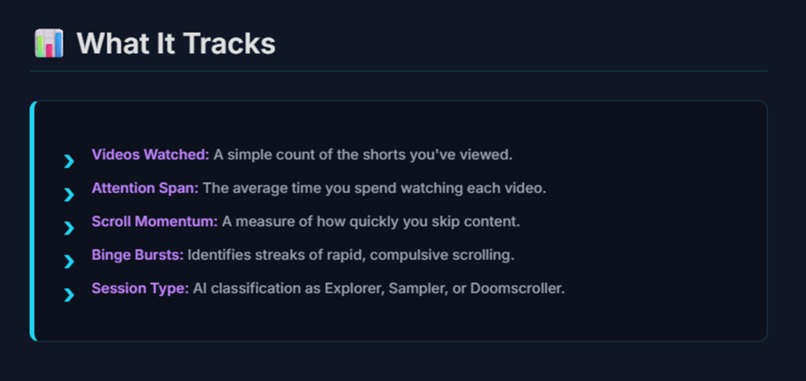
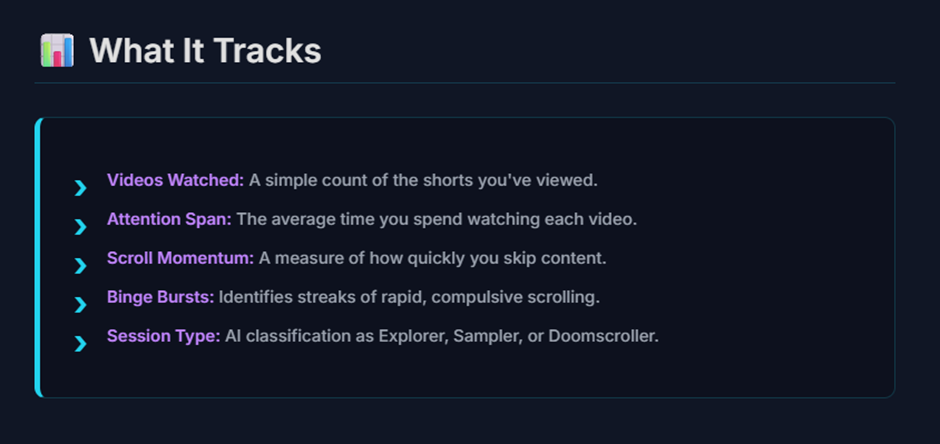
What does it track?
-
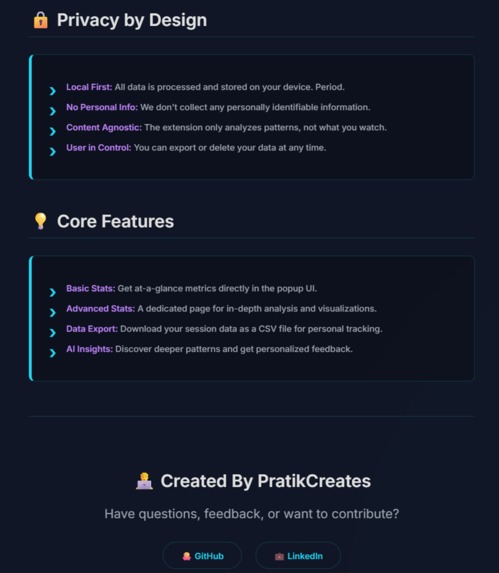
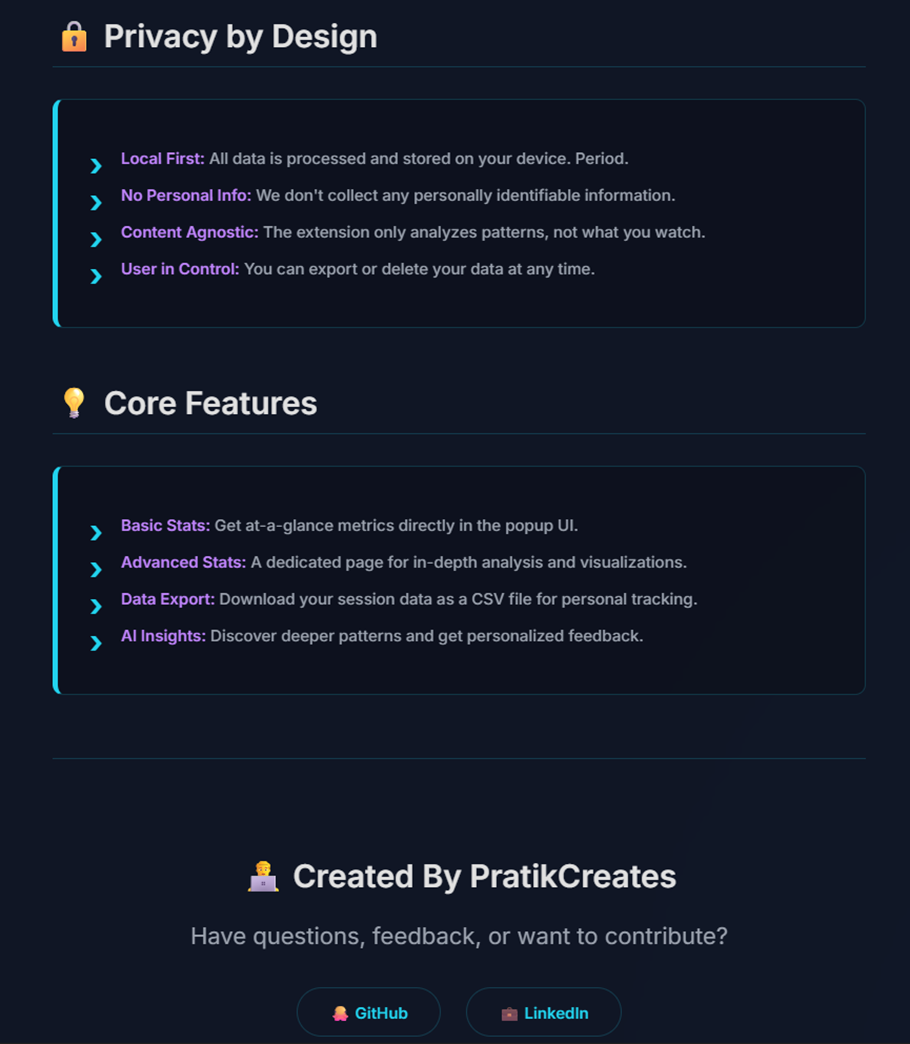
Privacy and Core features?
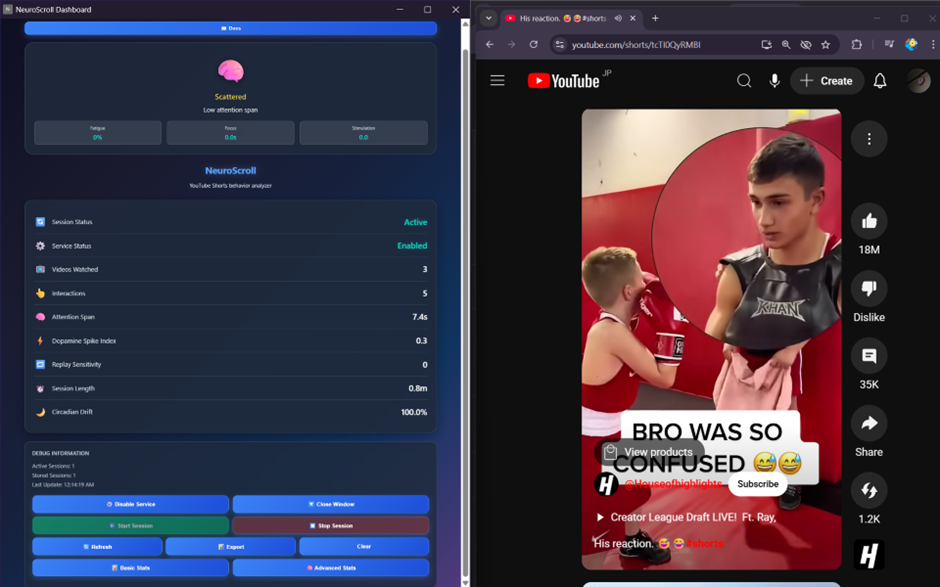
Markdown
🧠 NeuroScroll
A privacy-first Chrome extension that analyzes YouTube Shorts viewing behavior through neuroscience-based metrics.
[]




🎯 What is NeuroScroll?
NeuroScroll helps you understand your digital consumption patterns by analyzing how you interact with YouTube Shorts. Using neuroscience-based metrics, it provides insights into your attention span, scrolling behavior, and viewing habits—all while keeping your data completely private on your device.
🔑 Key Features
- 🔒 Privacy-First: All data stays on your device—nothing is sent to external servers.
- 🧠 Neuroscience Metrics: Advanced behavioral analysis using dopamine patterns and attention research.
- 📊 Real-Time Analytics: Live tracking with visualizations.
- 🤖 AI Insights: TensorFlow.js-powered session classification and recommendations.
- ♿ Accessible Design: Full accessibility support with screen readers and keyboard navigation.
- 📱 Modern UI: Dark mode interface with responsive design.
🚀 Quick Start
Installation
- Download the Extension
- Clone this repository or download the ZIP.
- Extract to your desired location.
- Build the Extension
bash npm install npm run build - Load in Chrome
- Open Chrome and go to
chrome://extensions/. - Enable "Developer mode" (top right toggle).
- Click "Load unpacked" and select the project folder.
- The NeuroScroll icon should appear in your extensions bar.
- Open Chrome and go to
Usage
- Enable the Service: Click the extension icon and enable the tracking service.
- Start a Session: Go to YouTube Shorts and click "Start Session".
- Browse Normally: Watch videos as you usually would.
- View Insights: Check your metrics in the popup or click "Advanced Stats" for detailed analysis.
- Export Data: Download your data as a CSV for personal tracking.
📊 Metrics Explained
Basic Metrics
- Videos Watched: Total count of Shorts viewed in your session.
- Interactions: Total scrolls, enters, leaves, and replays.
- Attention Span: Average time spent watching each video.
- Dopamine Index: Measures rapid content consumption patterns.
Advanced Analytics
- Scroll Momentum: Percentage of videos skipped in under 3 seconds.
- Reward Variability: Consistency of your viewing times (high variability may indicate addictive patterns).
- Binge Bursts: Streaks of 5+ rapid skips in a row.
- Engagement Half-Life: How quickly your attention drops during a session.
- Session Archetype: AI classification as Explorer 🟢, Sampler 🟡, or Doomscroller 🔴.
- Cognitive Load: Mental strain from rapid content switching.
🛠 Development
Tech Stack
- Frontend: Next.js 14, TypeScript, Tailwind CSS
- Extension: Chrome Extension Manifest V3
- AI/ML: TensorFlow.js for behavioral classification
- Testing: Jest, Playwright for E2E testing
- Build: Webpack, PostCSS
Project Structure
├── manifest.json # Chrome extension manifest ├── src/ # Core extension logic │ ├── background/ # Service worker │ ├── content/ # YouTube integration │ ├── utils/ # Shared utilities & metrics engine │ └── types/ # TypeScript definitions ├── popup-src/ # Next.js popup application │ ├── app/ # App router pages │ ├── components/ # React components │ └── hooks/ # Custom React hooks ├── popup-dist/ # Built popup files ├── tests/ # E2E and integration tests └── docs.html # User documentation
- Clone the repository
bash git clone [https://github.com/PratikCreates/neuroscroll.git](https://github.com/PratikCreates/neuroscroll.git) cd neuroscroll - Install dependencies
bash npm install - Start development
bash npm run dev - Load extension in Chrome
- Go to
chrome://extensions/. - Enable Developer mode.
- Click "Load unpacked" and select the project folder.
- Go to
🔒 Privacy & Security
Data Privacy
- Local Storage Only: All data is stored using Chrome's local storage API.
- No External Servers: Zero data transmission to external services.
- No Personal Info: Only behavioral patterns are analyzed, not content.
- User Control: Complete control over data with export/delete options.
Permissions
- activeTab: To detect when you're on YouTube Shorts.
- storage: To save your metrics locally.
- scripting: To analyze page interactions.
🤝 Contributing
We welcome contributions!
Getting Started
- Fork the repository.
- Create a feature branch:
git checkout -b feature/amazing-feature. - Make your changes and add tests.
- Ensure all tests pass:
npm run test. - Commit your changes:
git commit -m 'Add amazing feature'. - Push to the branch:
git push origin feature/amazing-feature. - Open a Pull Request.
Development Guidelines
- Code Style: Follow the existing TypeScript/React patterns.
- Testing: Add tests for new features.
- Accessibility: Ensure all UI is accessible.
- Privacy: Maintain privacy-first principles.
📄 License
This project is licensed under the MIT License - see the LICENSE file for details.
👨💻 Author
Pratik Shah
- 🐙 GitHub: @PratikCreates
- 💼 LinkedIn: PratikCreates
📈 Roadmap
- [ ] Chrome Web Store Release
- [ ] Firefox Extension Support
- [ ] Advanced AI Recommendations
- [ ] Data Visualization Improvements
- [ ] Mobile App Companion
Made with 🧠 for mindful digital consumption
⭐ Star this repo • 🐛 Report Bug • 💡 Request Feature
Built With
- manifestv3
- next.js
- tailwind
- tailwindcss
- tensorflow.js
- typescript
