-
-
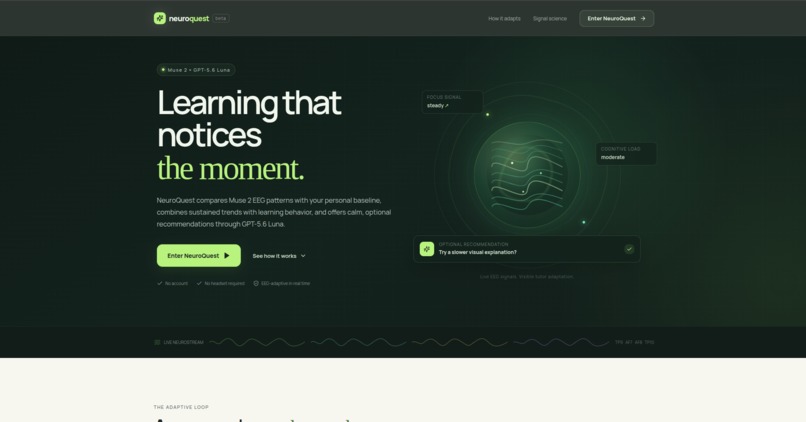
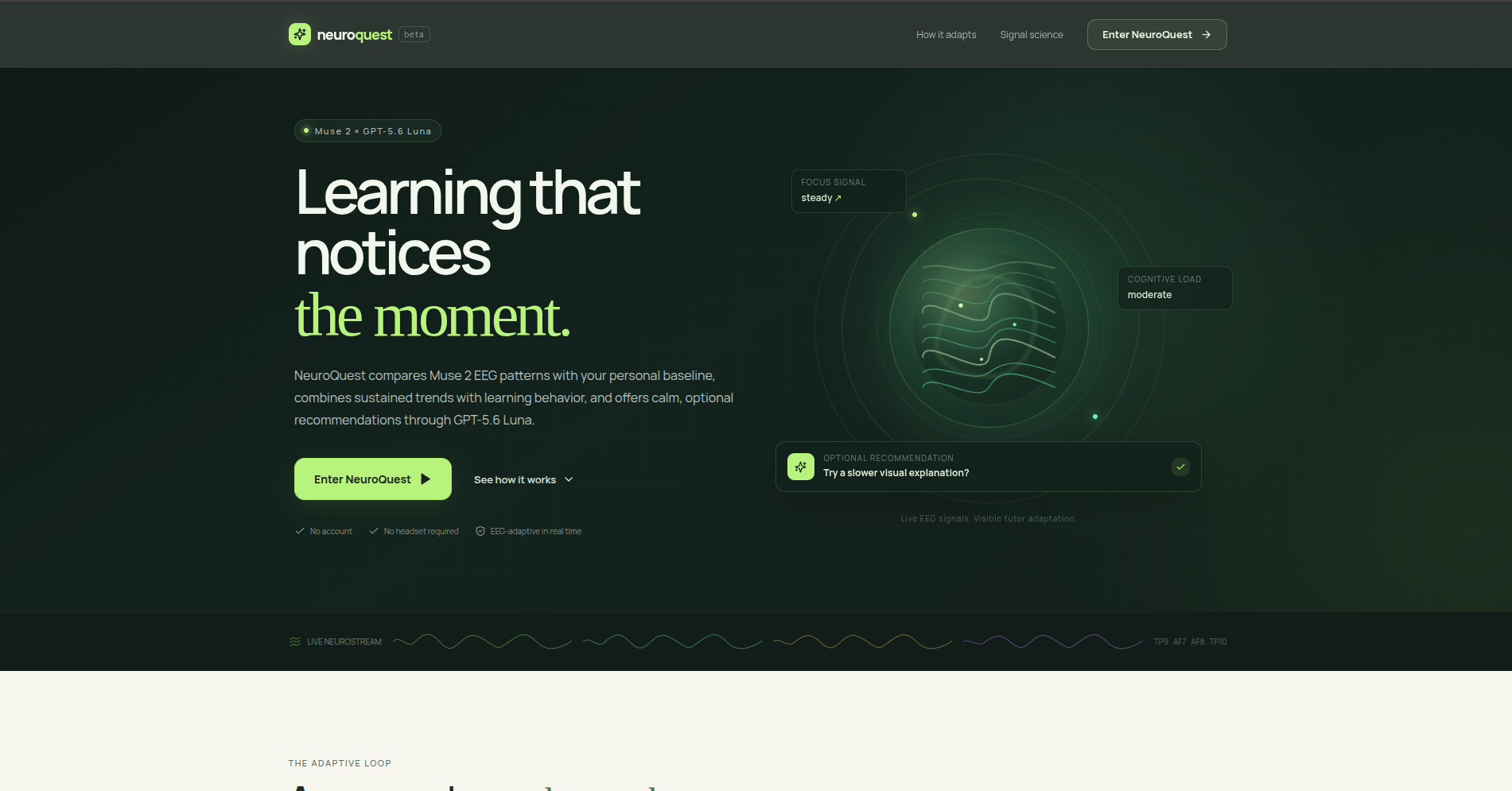
NeuroQuest combines baseline-relative EEG trends with learning behavior to offer calm, optional teaching adaptations.
-
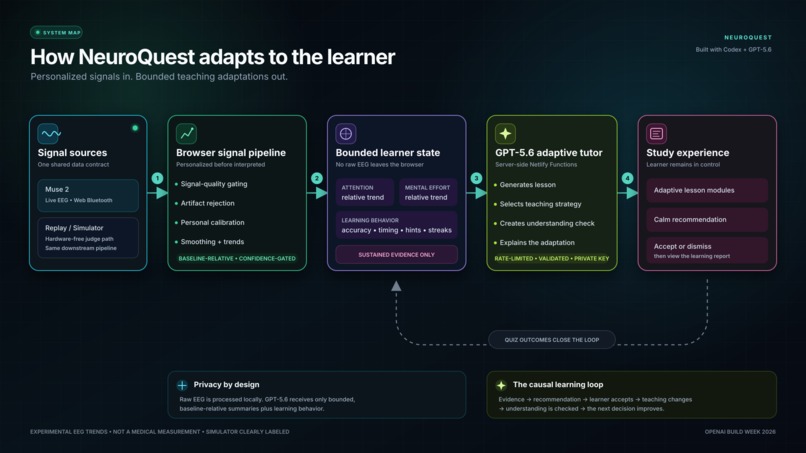
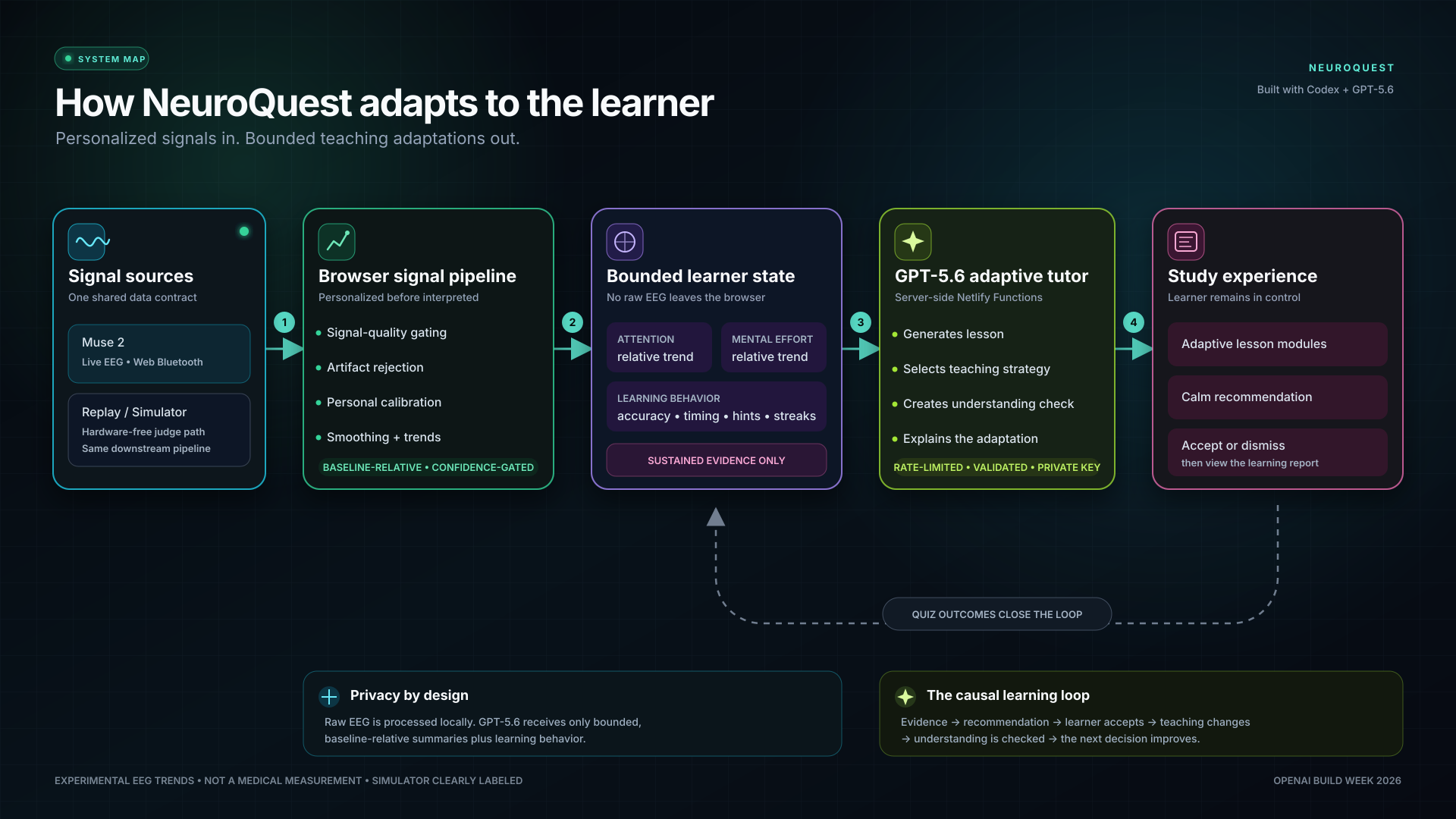
Raw EEG is processed locally. GPT-5.6 receives only bounded learner-state summaries and selects schema-constrained teaching strategies.
-
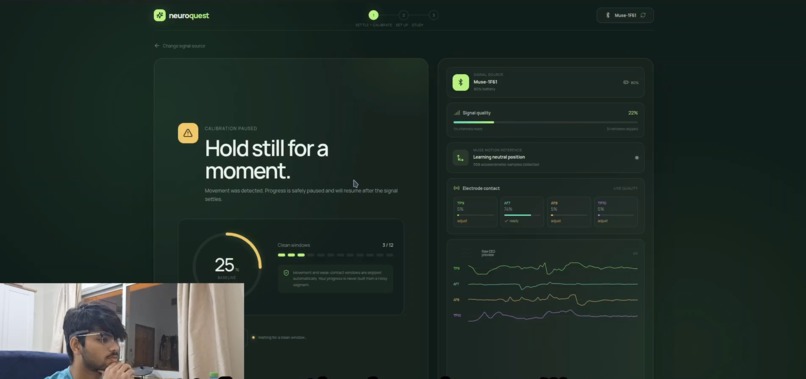
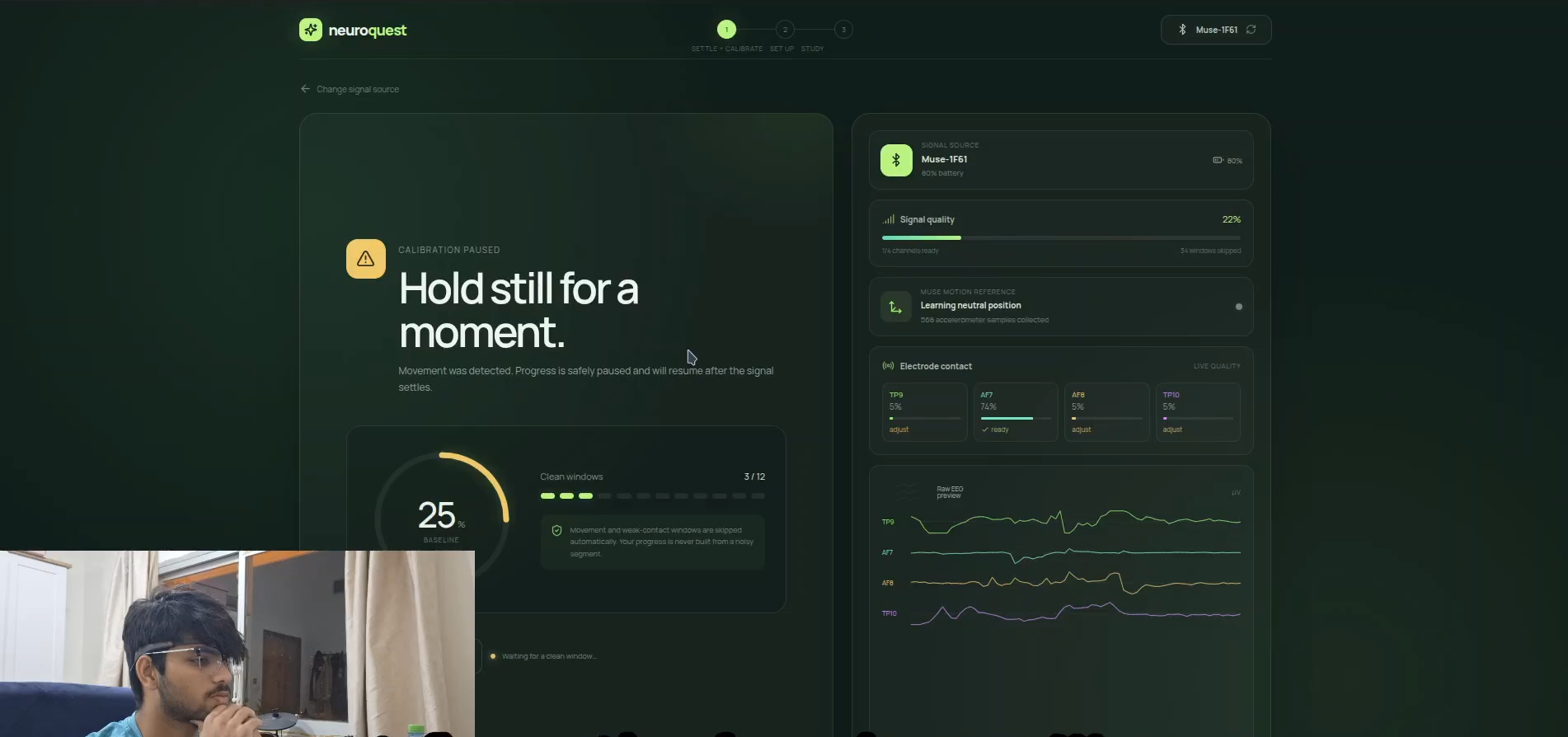
NeuroQuest establishes a personal session baseline and rejects poor-quality windows before interpreting trends.
-
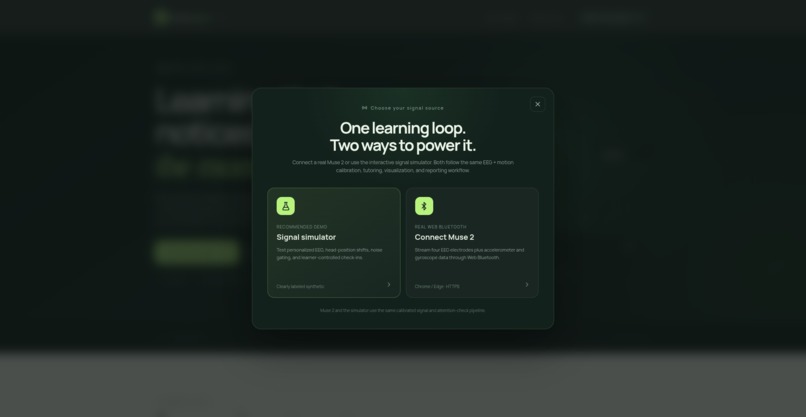
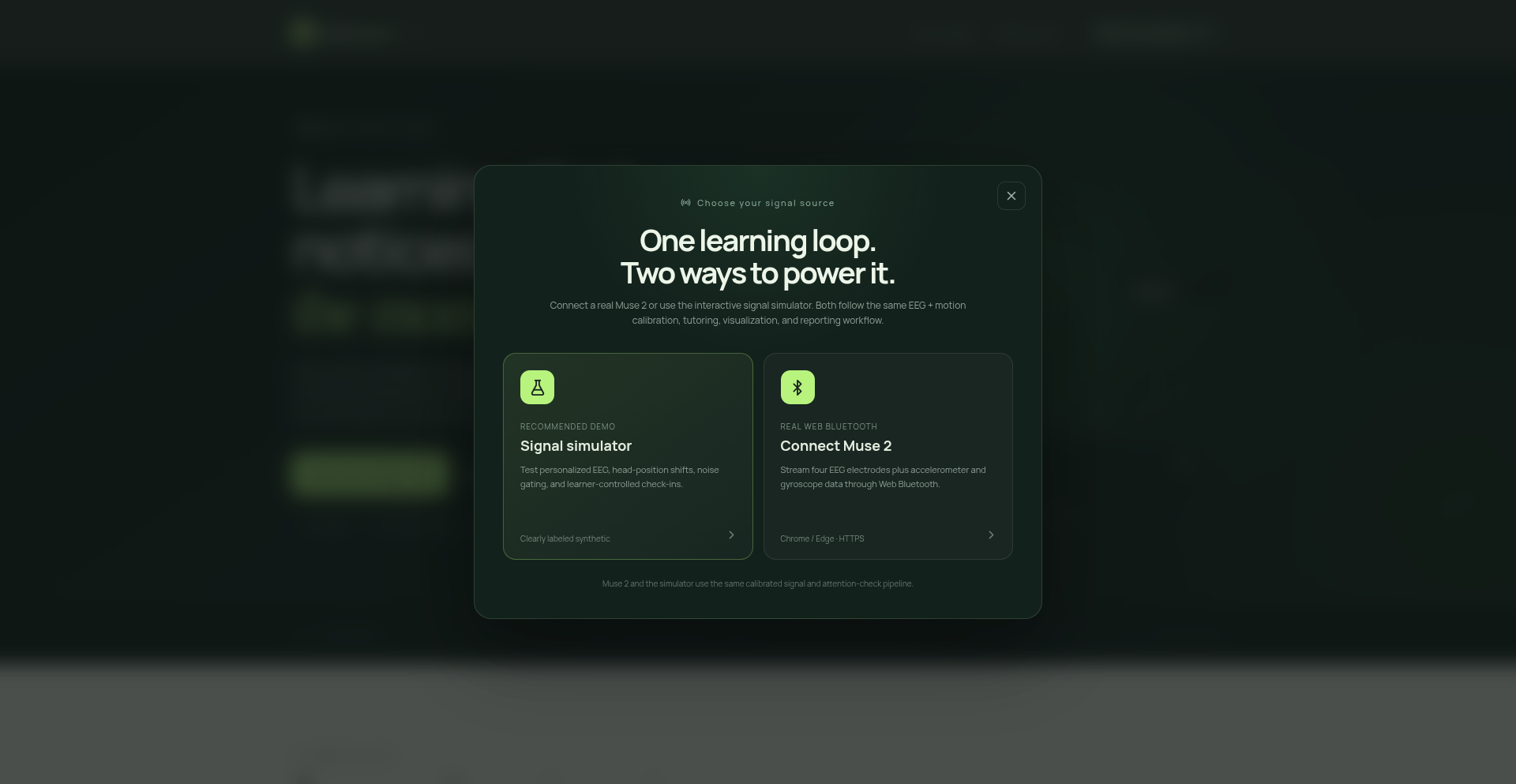
Judges can use the complete hardware-free simulator or connect a real Muse 2 through Web Bluetooth.
-
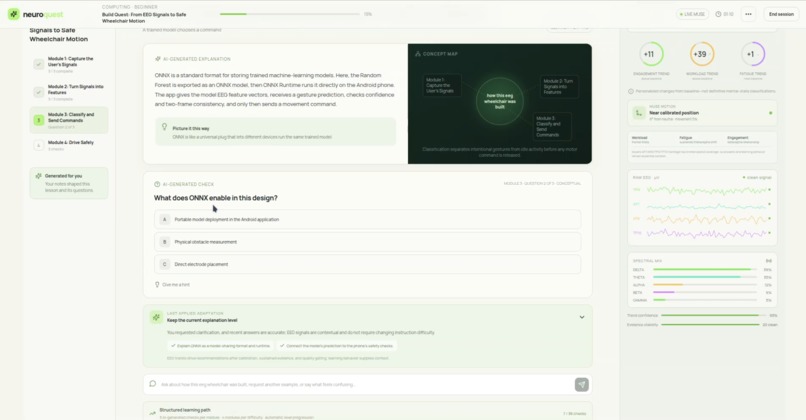
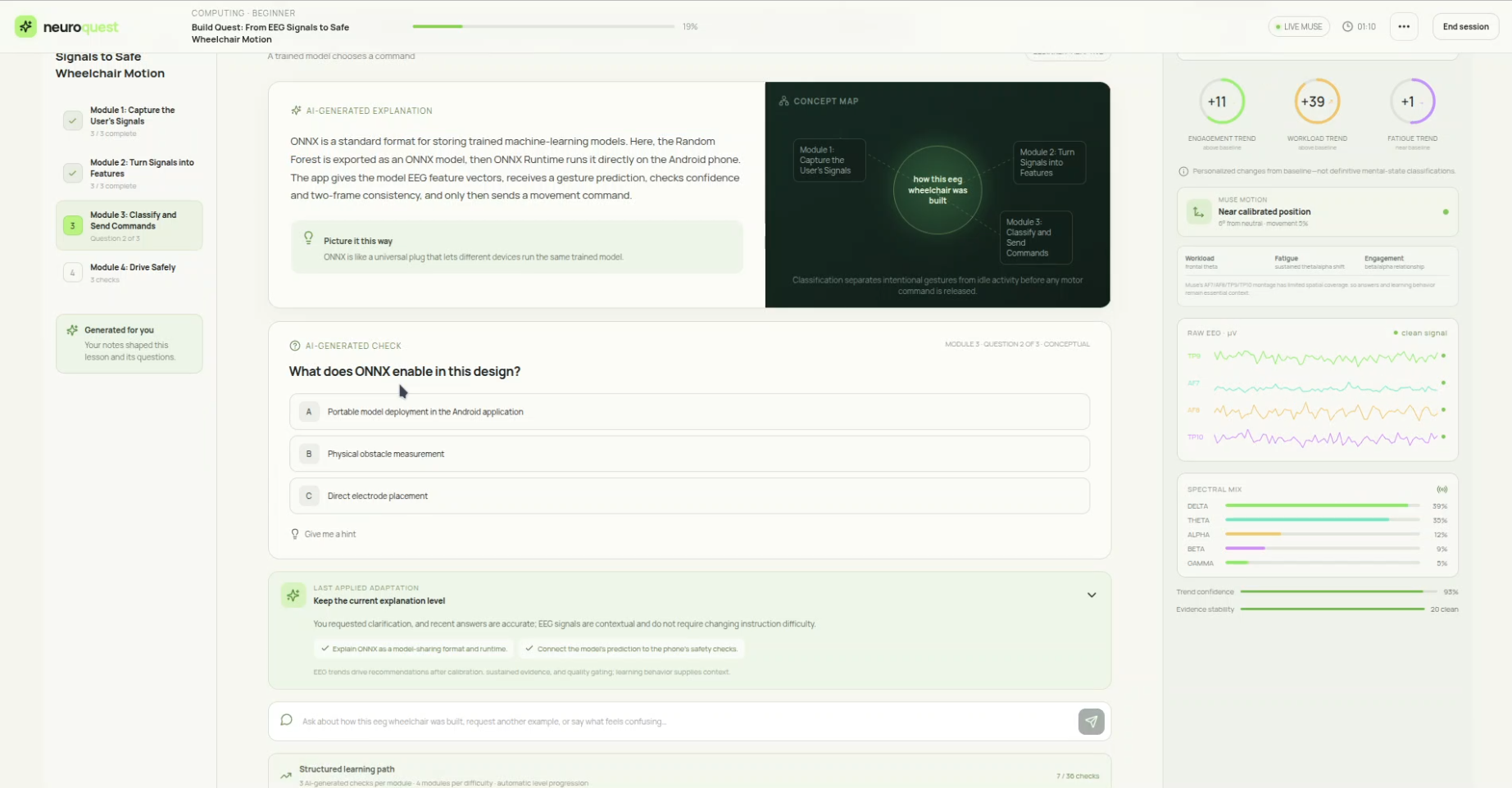
A focused learning workspace combines lesson performance with experimental, baseline-relative EEG trends.
-
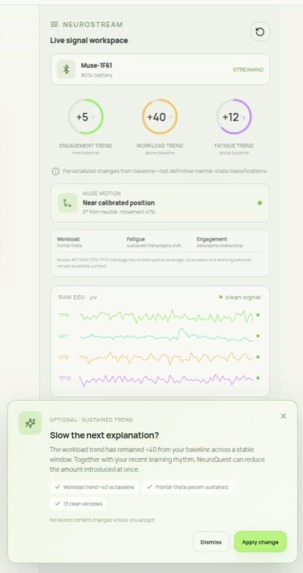
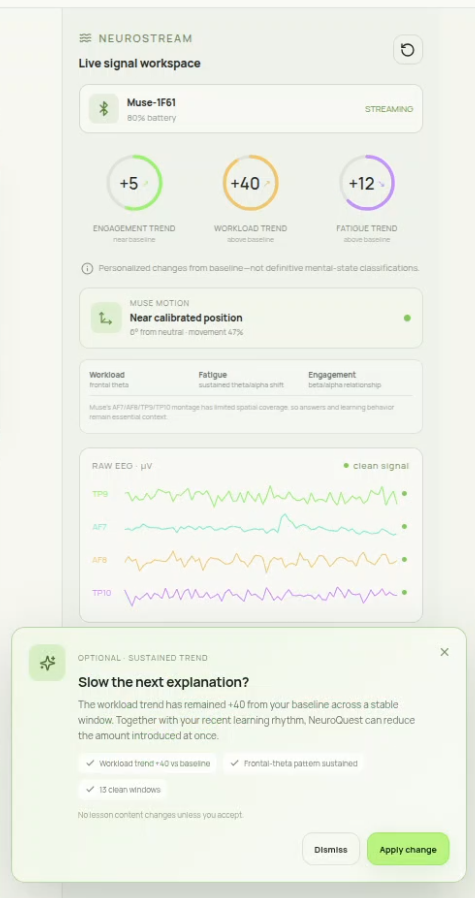
Sustained evidence produces an explainable recommendation while the learner retains control.
-
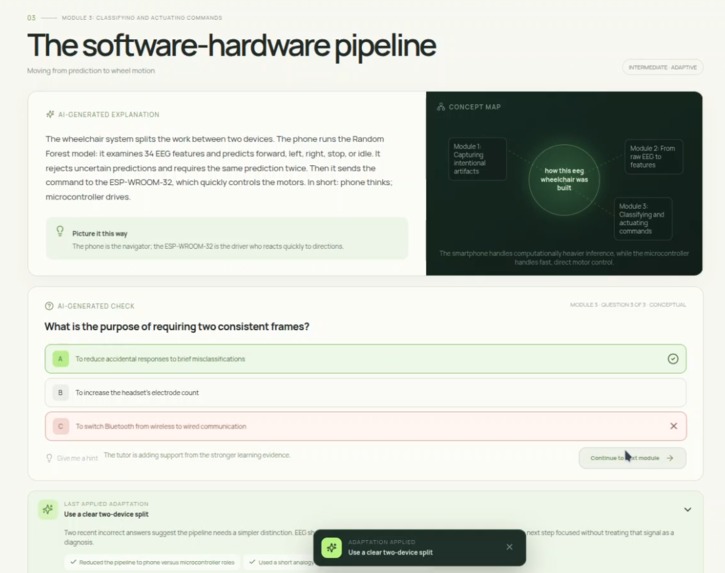
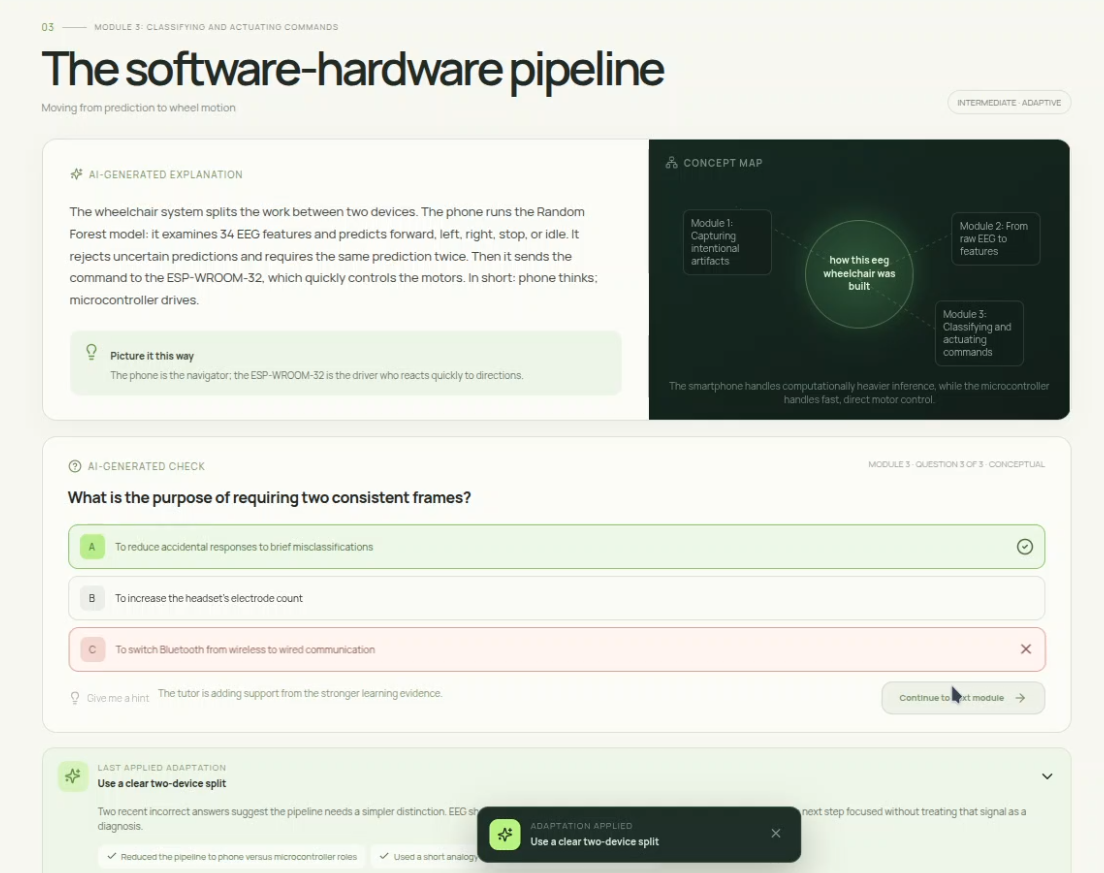
GPT-5.6 applies a bounded pedagogical strategy, such as a clearer explanation, analogy, scaffold, or pacing change.
-
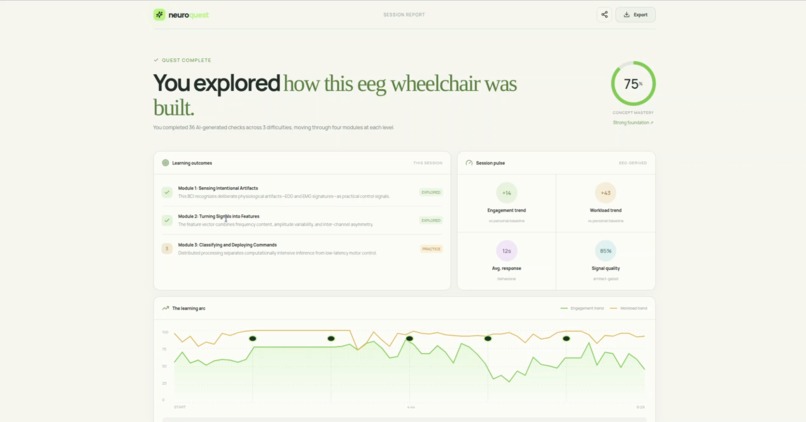
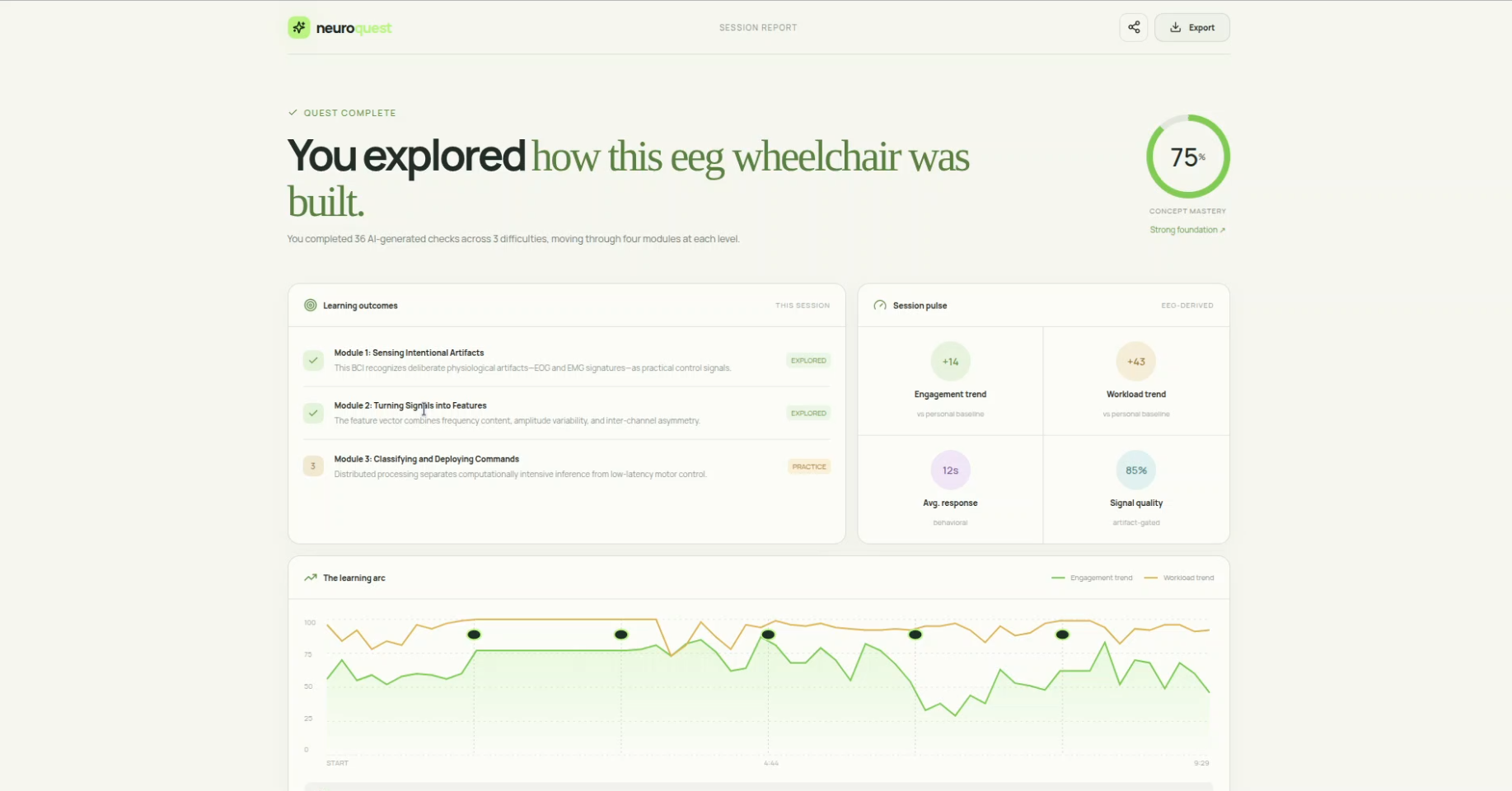
The session report connects learning outcomes with the adaptations made during the lesson.
Inspiration
I was thinking about how people study. Sometimes a lesson seems easy. Then it gets hard or confusing. Most study tools do not notice when this happens. They just keep going at the pace even if you are getting frustrated.
I wanted to try something different. What if a study tool could tell when it needs to change its approach? What if it could switch to a way of explaining things when the old way is not working?
I worked with the EEG headset Muse 2 before. I learned what it can do and what its limitations are. NeuroQuest uses EEG signals and other information like how accurately you answer questions and how long it takes you to answer questions to understand how you are doing.
What it does
NeuroQuest is a study tool that uses EEG signals and other information to help you learn. You start by telling it what you want to study and what your goal is. You can also upload notes if you want. Then you can use a headset or a simulator to start learning.
If it thinks you are getting frustrated or confused it can suggest a change. This could be explaining something in a easier way, giving you a hint or telling you to take a break.
You get to decide whether or not to accept the suggestion. The tool also explains why it made the suggestion so you can understand what is going on.
At the end of a study session you get a report that shows how you did. You can see what you got right and wrong and what the tool suggested you do differently.
How we built it
We used React and TypeScript to build the tool. We also used Muse-JS Library to connect to the Muse 2 headset and get EEG signals.
The tool processes the EEG signals and other information on your computer so your raw EEG signals are never sent to the server. The tool uses this information to make suggestions about how to help you learn better.
We also built a simulator so you can try the tool without a headset. The simulator works like the real thing but it uses simulated EEG signals.
Challenges we ran into
One of the things was figuring out when the tool should make a suggestion. If it suggests things often it can be annoying. So we had to find a balance between making suggestions and not making many.
We also had to deal with the fact that EEG signals can be noisy and affected by things. So we had to find ways to filter out the noise and make sure the tool is only responding to changes in how you are learning.
Accomplishments that we're proud of
We are proud of what we built. NeuroQuest is a study tool that can help you learn. It uses EEG signals and other information to make suggestions about how to help you learn better.
We are also proud of the fact that the tool does not send raw EEG signals to the server. This helps keep your information private.
What we learned
We learned that an adaptive system has to know when not to adapt. Just because the tool has a lot of information it does not mean it should always make a suggestion.
We also learned that EEG signals are only useful if they are personal and checked against what you're actually doing. If the tool just looks at EEG signals it might make suggestions that're not helpful.
What's next for NeuroQuest
Next we want to test NeuroQuest with users and add support for multiple EEG headsets. We want to see if it really helps people learn better and if it reduces frustration.
In the future we want to add features like the ability to track progress over time and to integrate with other study tools. We also want to make the tool more accessible, to people who do not have a Muse 2 headset.
Built With
- api
- bluetooth
- brain-computer
- codex
- eeg
- express.js
- functions
- gpt-5.6
- interface
- muse
- muse-js
- netlify
- node.js
- openai
- outputs
- react
- structured
- typescript
- vite
- vitest
- web
- zod


Log in or sign up for Devpost to join the conversation.