SkillArena: A Gamified Learning Revolution:

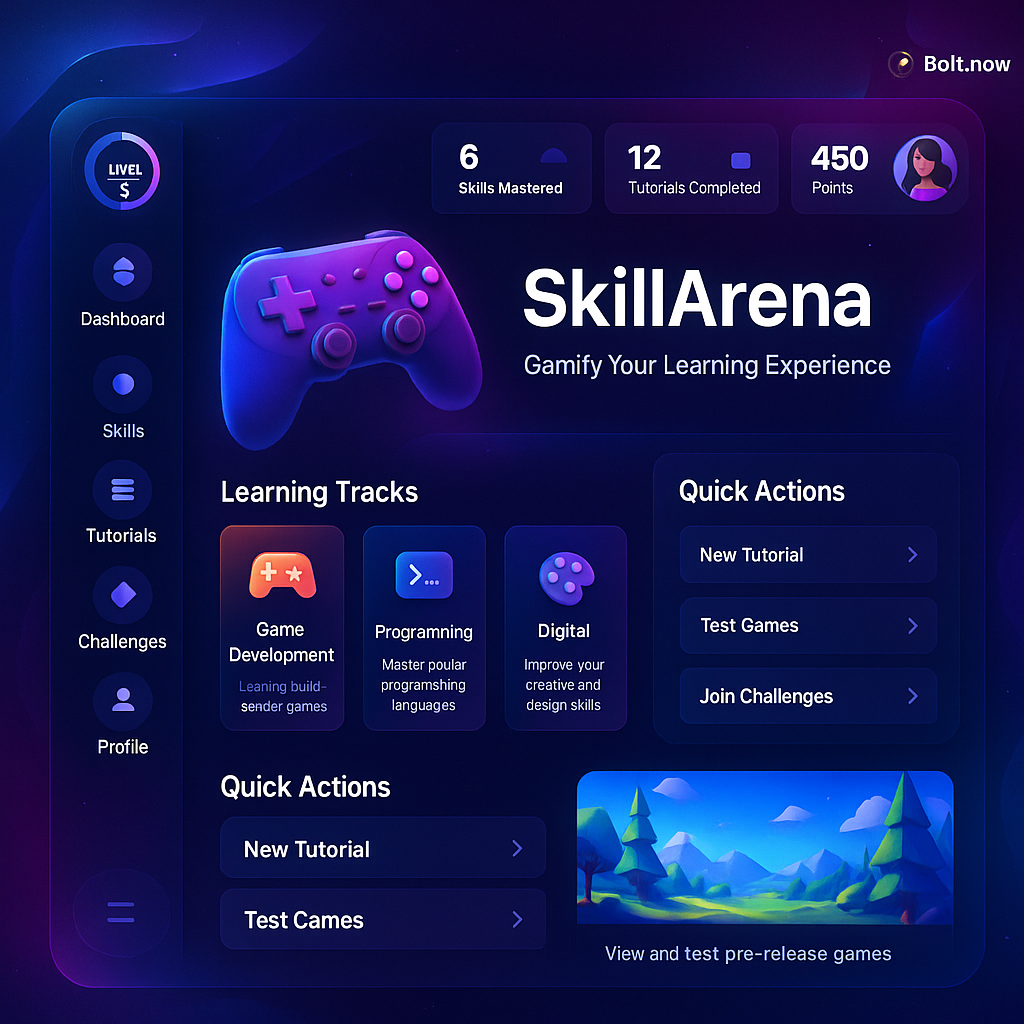
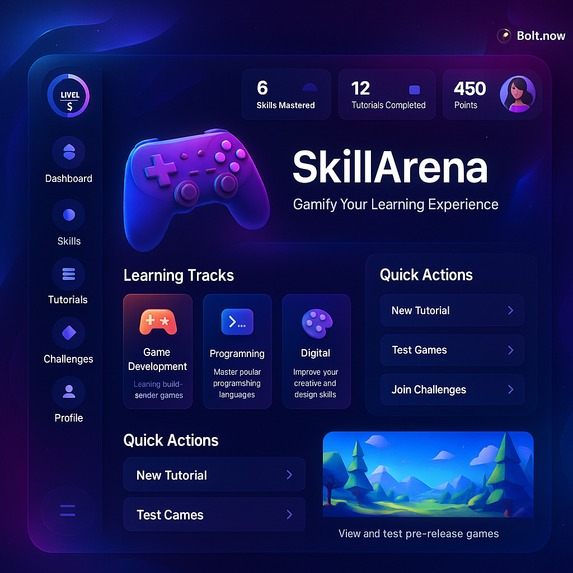
SkillArena transforms education into an electrifying, competitive arena, blending cutting-edge tutorials with real-time challenges and AI-driven insights. Built with React, JavaScript, and Python Flask, it’s the ultimate platform for mastering skills while having fun.

Inspiration

The spark for SkillArena came from our frustration with dull e-learning platforms that fail to captivate. Inspired by the thrill of battle royale games and platforms like Duolingo and Kahoot, we envisioned a futuristic arena where learners, coders, and game testers could level up skills through immersive tutorials and compete in real-time. The addition of an AI copilot powered by OpenAI to answer doubts instantly sealed our vision for a game-changing EdTech experience.

What It Does

SkillArena merges learning and gaming into an addictive experience:

. Tutorials: Structured paths in coding (Python, JavaScript), AI (chatbots, classifiers), gaming (mechanics), and vibe coding (creative, aesthetic coding).

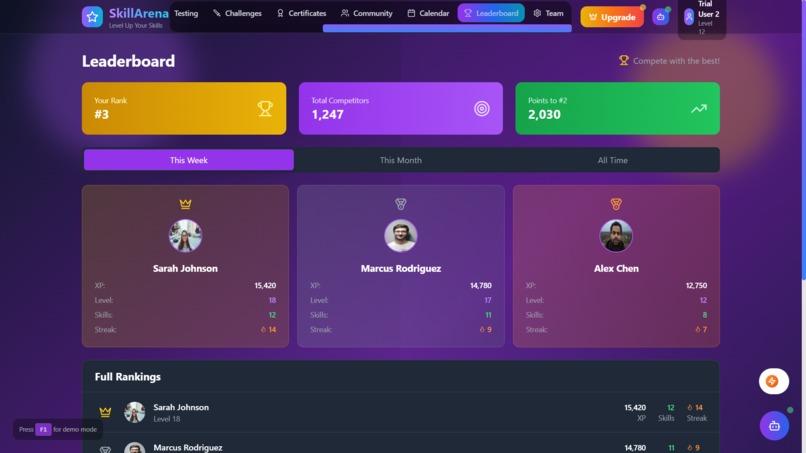
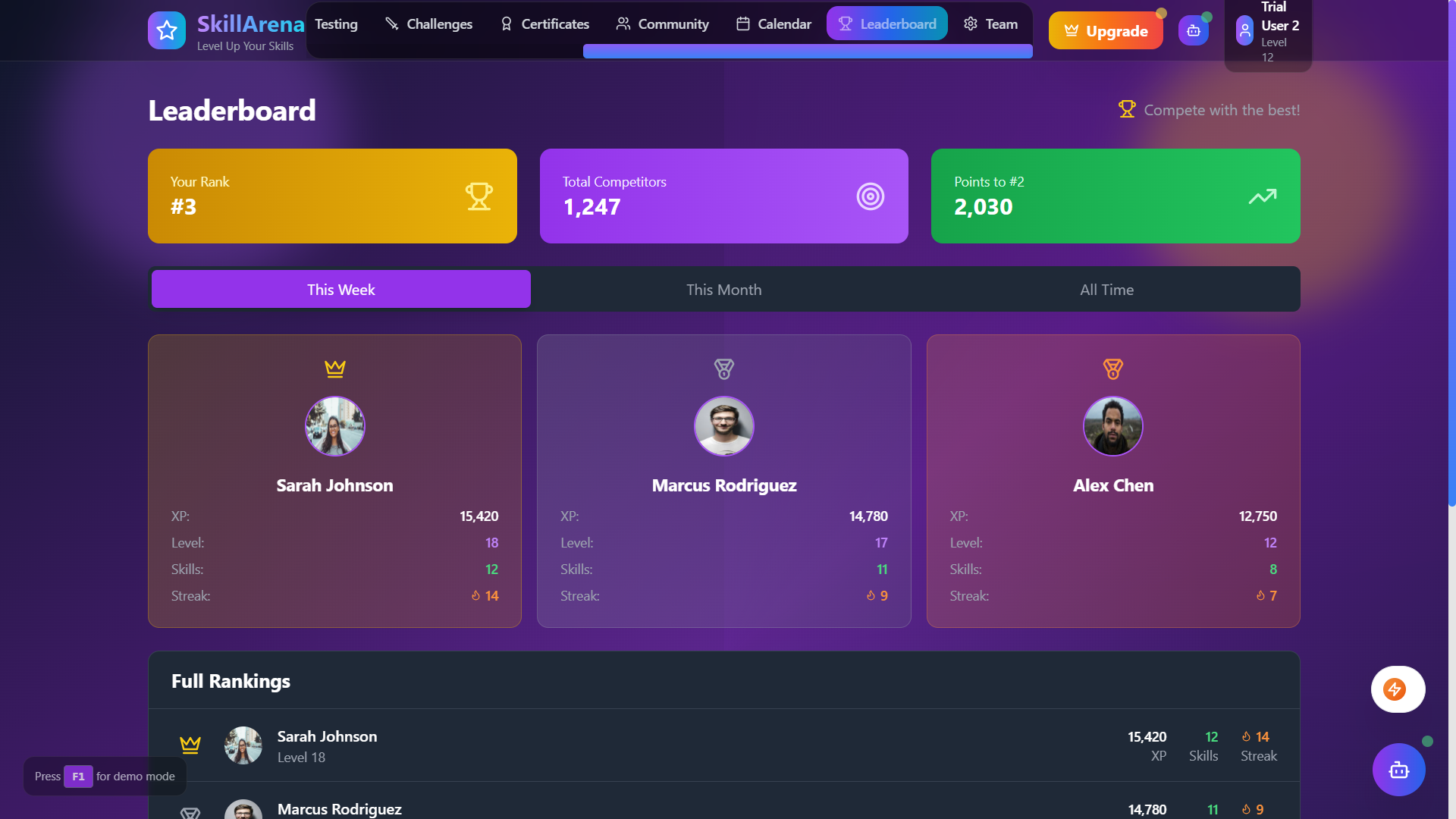
. Challenges: Real-time, battle royale-style quizzes for four players with live leaderboards.

. Game Testing: Test game prototypes, submit feedback, and earn XP.

. AI Copilot: Instant answers to questions, powered by OpenAI.

. Spectator Mode: Dynamic heatmaps visualize players’ thought processes.

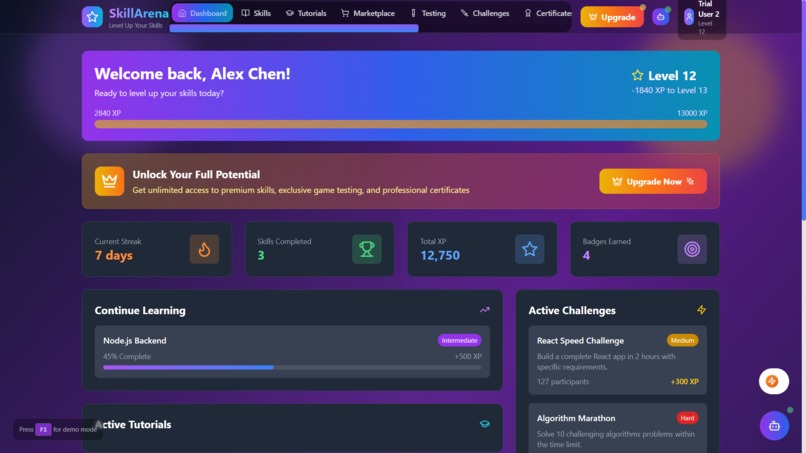
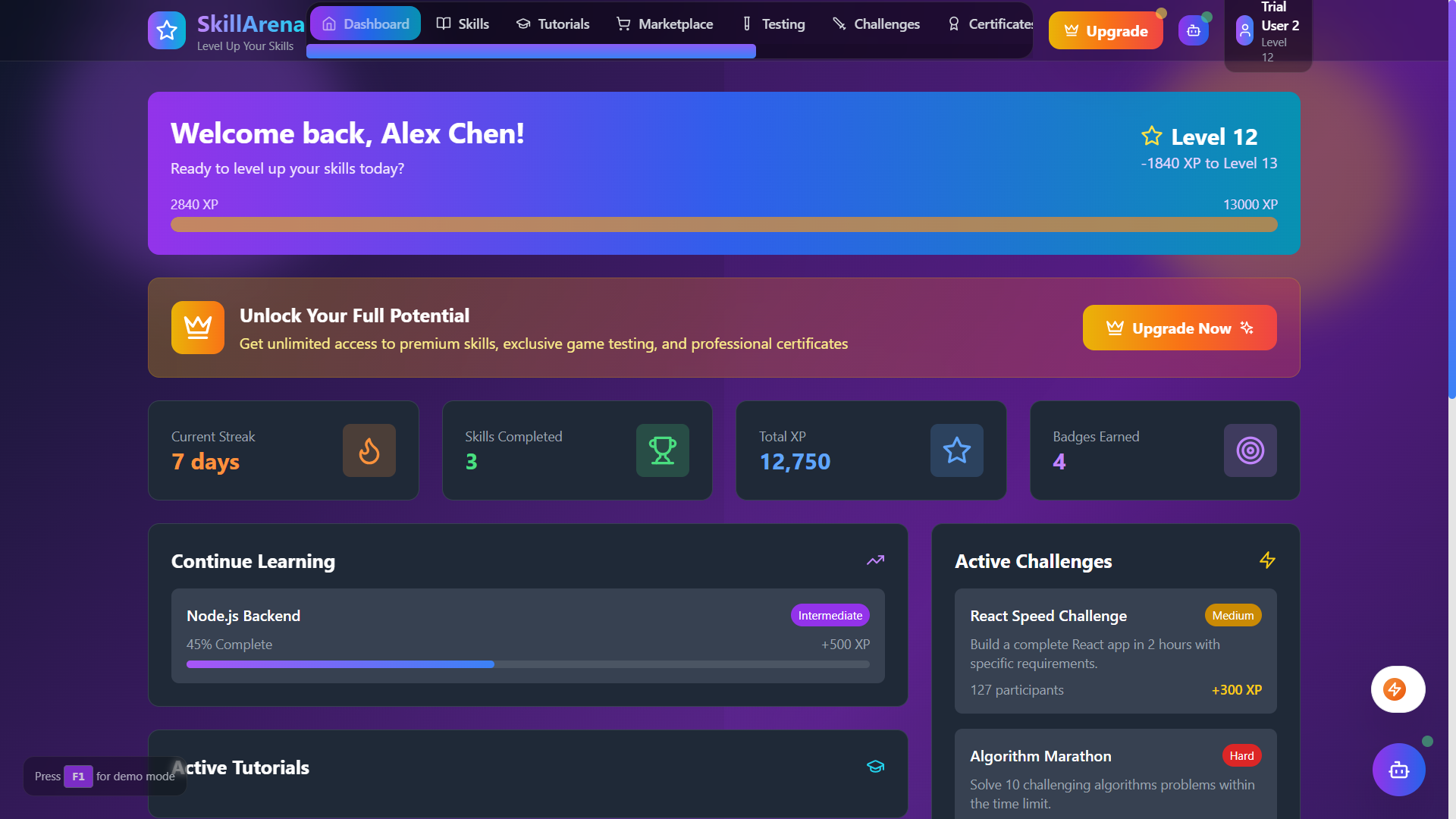
. Dashboards: Track XP, streaks, and progress with skill tree visuals.

. Achievements: Earn rare badges for milestones.

How We Built It

We crafted SkillArena with scalability and user experience in mind:

. Frontend: Used React and JavaScript for a dark-themed UI with vibrant gradients, 3D card effects, and smooth animations. React components power card-based tutorials and a skill tree.

. Backend: A Python Flask server handles authentication, progress, leaderboards, and feedback, using SQLite (with plans for PostgreSQL).

. AI Copilot: Integrated OpenAI API for real-time answers.

. Real-time Features: WebSockets enable live leaderboards and chat.

. Game Testing: Built a React module for prototype testing and rewards.

. Spectator Mode: Heatmaps via live data streams for a visual wow factor.

' ' ' // React component for AI Copilot import React, { useState } from 'react';

const CopilotChat = () => { const [question, setQuestion] = useState(''); const [messages, setMessages] = useState([]);

const sendQuestion = async () => { if (!question) return; setMessages([...messages, { sender: 'You', text: question }]); const response = await fetch('http://localhost:5000/api/copilot', { method: 'POST', headers: { 'Content-Type': 'application/json' }, body: JSON.stringify({ question }) }); const data = await response.json(); setMessages([...messages, { sender: 'You', text: question }, { sender: 'Copilot', text: data.answer }]); setQuestion(''); };

return (

{messages.map((msg, index) => (

{msg.sender}: {msg.text}

))} setQuestion(e.target.value)} placeholder="Ask a question..." /> Send ); };

export default CopilotChat; ' ' '

Challenges We Ran Into

. React-Flask Sync: Syncing React with Flask for real-time updates was tricky, solved with async JavaScript calls.

. OpenAI Limits: Managing API rate limits required prompt optimization and caching.

. Performance: Low-latency leaderboards under high loads needed lightweight JSON and WebSocket tweaks.

. UI Complexity: Balancing stunning visuals with mobile performance took multiple iterations.

. Time Crunch: Prioritizing AI copilot and spectator mode in a hackathon was a race against time.

Accomplishments That We're Proud Of

. Gamified Learning: Created an addictive experience with leaderboards, badges, and XP.

. AI Copilot: Seamlessly integrated OpenAI for instant, context-aware answers.

. Spectator Mode: Built innovative heatmaps that wowed judges.

. React UI: Delivered a polished, mobile-friendly interface rivaling top platforms.

. Game Testing: Enabled users to contribute to game development while earning rewards.

What We Learned

. React & JavaScript: Mastered component-based design, state management, and async APIs.

. Python Flask: Learned API management and real-time data handling.

. AI Integration: Gained expertise in NLP and prompt engineering with OpenAI.

. Gamification: Balanced motivation and challenge in leaderboards and badges.

. Scalability: Optimized serverless functions and queries for concurrent users.

What's Next for SkillArena

SkillArena is set to grow:

. New Skills: Add data science, cybersecurity, and AR/VR tutorials.

. Multiplayer: Scale to 100-player challenges and team competitions.

. Mobile App: Build React Native apps for iOS and Android.

. AI Analytics: Enhance personalized learning with AI-driven insights.

. Community: Add forums and social sharing for a vibrant community.

. Deployment: Transition to PostgreSQL and deploy on Heroku or AWS.

Built With

  • bolt-pro-(prototyping)-apis:-openai-api-(copilot)
  • css-frameworks/platforms:-react-(frontend)
  • flask-(backend)
  • html
  • languages:-javascript
  • planned-for-postgresql-cloud-services:-heroku-(planned)-tools:-dotenv-(environment-variables)
  • postman-(api-testing)
  • python
  • react
  • vite
  • websockets-(real-time)-databases:-sqlite-(prototyping)
Share this project:

Updates

posted an update

SkillArena - Gamified Learning & Game Testing Platform

Project Description SkillArena is a comprehensive, AI-powered gamified learning platform that transforms the way people learn game development, programming, and technical skills. The platform combines interactive tutorials, hands-on skill development, professional game testing opportunities, and a vibrant marketplace for digital assets and educational resources. Vision To create the world's most engaging and effective platform for learning game development and programming skills while providing real-world experience through professional game testing opportunities. Key Features and Functionality Core Learning Features

Interactive Skills System: 100+ comprehensive skill tracks across multiple categories Hands-on Tutorials: Step-by-step interactive tutorials with live code editors AI-Powered Assistant: 24/7 AI support for learning guidance and problem-solving Progress Tracking: Detailed analytics and progress visualization Gamification: XP system, badges, achievements, and leaderboards

Advanced AI Features

Text AI Assistant: ChatGPT-powered learning assistant for instant help Video AI Conversations: Real-time AI video agents powered by Tavus Voice AI Interactions: Natural voice conversations with ElevenLabs Multi-modal Learning: Text, voice, and video AI assistance

Game Testing Platform

Professional Testing: 100+ game testing methods and scenarios Real Earnings: Monetize your testing skills with partner studios Quality Assurance: Comprehensive bug reporting and performance testing tools Studio Partnerships: Direct connections with game development studios

Digital Marketplace

100,000+ Products: Extensive catalog of development tools, assets, and resources Educational Content: Premium courses, tutorials, and certification programs Digital Assets: 3D models, textures, audio, and game development resources Secure Transactions: Stripe-powered payment processing

Community & Competition

Challenges: 100+ coding and game development challenges Leaderboards: Global and category-specific rankings Community Forums: Connect with fellow developers and learners Team Collaboration: Team workspaces and project collaboration tools

Certification System

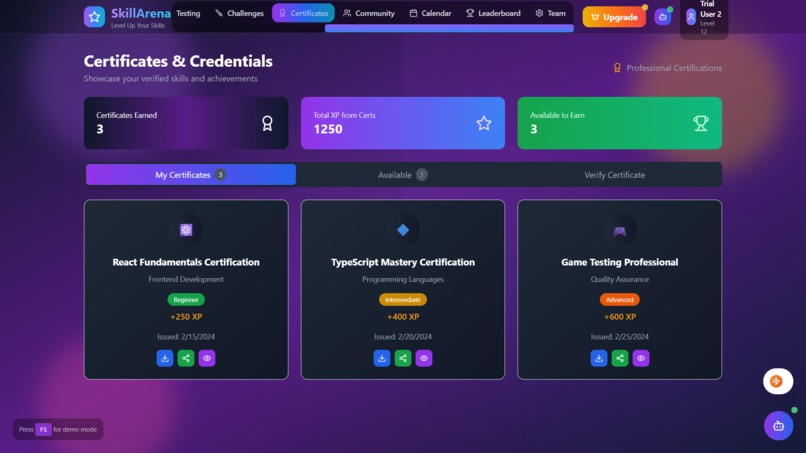
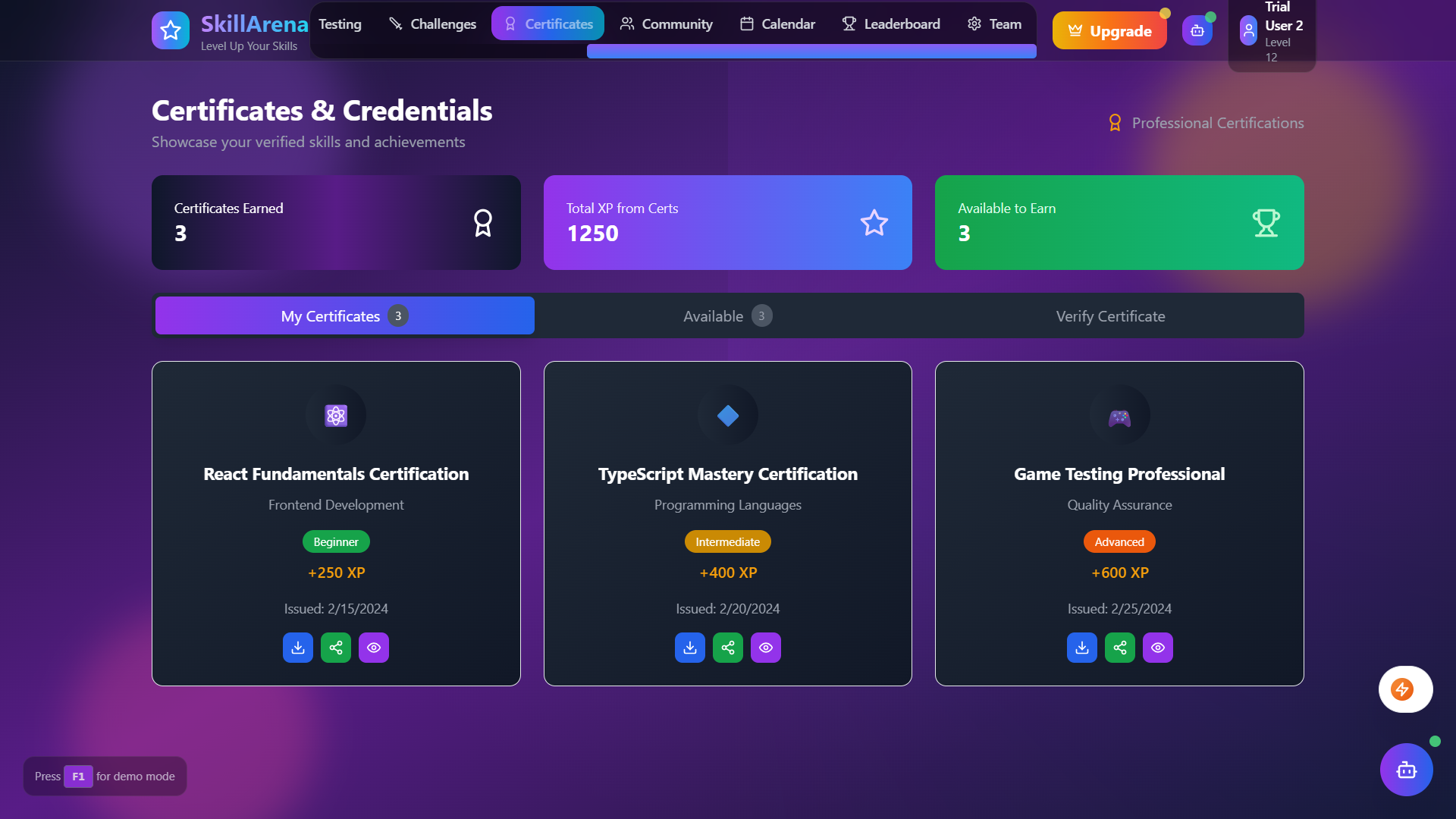
Industry Recognition: Professional certificates recognized by top studios Blockchain Verification: Tamper-proof credential verification Portfolio Integration: Showcase achievements and skills Career Advancement: Direct job placement assistance

Technologies/Languages Used Frontend

React 18.3.1 - Modern React with hooks and concurrent features TypeScript 5.5.3 - Type-safe development Vite 5.4.2 - Lightning-fast build tool and dev server Tailwind CSS 3.4.1 - Utility-first CSS framework Lucide React 0.344.0 - Beautiful, customizable icons

Backend & Database

Supabase 2.39.0 - Backend-as-a-Service with PostgreSQL PostgreSQL - Robust relational database Row Level Security (RLS) - Advanced security policies Real-time subscriptions - Live data updates

Payment & Subscriptions

Stripe 14.12.0 - Payment processing and subscription management Stripe Checkout - Secure payment flows Stripe Webhooks - Real-time payment event handling

AI & Machine Learning

OpenAI Integration - ChatGPT-powered learning assistant Tavus API - Real-time AI video conversations ElevenLabs API - Premium voice synthesis and recognition Natural Language Processing - Intelligent content understanding

Deployment & Infrastructure

Netlify - Automatic deployments and CDN Edge Functions - Serverless backend processing Environment Management - Secure configuration handling

Development Tools

ESLint - Code linting and quality assurance PostCSS & Autoprefixer - CSS processing and vendor prefixes GitHub Actions - CI/CD pipeline (when configured)

Prerequisites Before you begin, ensure you have the following installed:

Node.js (version 18.0.0 or higher) npm (version 8.0.0 or higher) or yarn Git for version control Modern web browser (Chrome, Firefox, Safari, Edge)

Installation Instructions Step 1: Clone the Repository git clone https://github.com/your-username/skillarena.git cd skillarena

Step 2: Install Dependencies npm install

or

yarn install

Step 3: Environment Configuration Create a .env file in the root directory: cp .env.example .env

Configure the following environment variables:

Supabase Configuration

VITE_SUPABASE_URL=your_supabase_project_url VITE_SUPABASE_ANON_KEY=your_supabase_anon_key

Stripe Configuration

VITE_STRIPE_PUBLISHABLE_KEY=your_stripe_publishable_key STRIPE_SECRET_KEY=your_stripe_secret_key STRIPE_WEBHOOK_SECRET=your_stripe_webhook_secret

AI Configuration

VITE_OPENAI_API_KEY=your_openai_api_key VITE_TAVUS_API_KEY=your_tavus_api_key VITE_ELEVENLABS_API_KEY=your_elevenlabs_api_key

Step 4: Database Setup

Create a new Supabase project at supabase.com Run the database migrations:

npx supabase db push

Set up Row Level Security policies (included in migrations)

Step 5: AI Services Setup OpenAI Setup

Get your API key from OpenAI Platform Add it to your .env file as VITE_OPENAI_API_KEY

Tavus Setup (Video AI)

Sign up at Tavus Get your API key from the dashboard Add it to your .env file as VITE_TAVUS_API_KEY

ElevenLabs Setup (Voice AI)

Sign up at ElevenLabs Get your API key from the dashboard Add it to your .env file as VITE_ELEVENLABS_API_KEY

Step 6: Stripe Configuration

Create a Stripe account at stripe.com Configure your products and pricing in the Stripe Dashboard Update the stripe-config.ts file with your product IDs Set up webhook endpoints for payment processing

Step 7: Start Development Server npm run dev

or

yarn dev

Visit http://localhost:5173 to see the application running. Deployment to Netlify Automatic Deployment

Connect to Netlify:

Go to Netlify Click "New site from Git" Connect your GitHub repository

Configure Build Settings:

Build command: npm run build Publish directory: dist Node version: 18

Environment Variables:Add all your environment variables in Netlify dashboard:

Site settings → Warrent variables Add each variable from your .env file

Deploy:

Netlify will automatically deploy on every push to main branch Custom domain configuration available in settings

Manual Deployment

Build the project

npm run build

Install Netlify CLI

npm install -g netlify-cli

Login to Netlify

netlify login

Deploy

netlify deploy --prod --dir=dist

Usage Instructions Getting Started

Sign Up/Login: Create an account or use the trial mode (F1 key) Explore Dashboard: Navigate through your personalized learning dashboard Choose Learning Path: Select skills, tutorials, or challenges based on your goals Track Progress: Monitor your XP, badges, and skill completion Join Community: Participate in forums and team collaboration

AI Features Usage Text AI Assistant

Click the AI assistant button in the bottom right Type your questions or use voice commands Get instant responses powered by ChatGPT

Video AI Conversations

Click the video icon in the AI assistant header Choose your preferred AI avatar Start a real-time video conversation

Voice AI Interactions

Click the microphone icon in the AI assistant header Speak naturally to the AI Hear responses in high-quality synthesized voice

Code Examples Basic Component Usage import { useState, useEffect } from 'react'; import { supabaseService } from './services/supabase';

function SkillProgress() { const [progress, setProgress] = useState(0);

useEffect(() => { const loadProgress = async () => { const user = await supabaseService.getCurrentUser(); // Load user progress }; loadProgress(); }, []);

return (

); }

AI Services Integration import { openaiService } from './services/openai'; import { tavusService } from './services/tavus'; import { elevenLabsService } from './services/elevenlabs';

// Text AI const response = await openaiService.generateResponse([ { role: 'user', content: 'How do I learn React?' } ]);

// Video AI const conversation = await tavusService.createConversation('replica-id');

// Voice AI await elevenLabsService.textToSpeech('Hello, world!', 'voice-id'); const transcript = await elevenLabsService.speechToText();

Subscription Management import { subscriptionService } from './services/subscriptionService';

// Check feature access const hasAccess = await subscriptionService.checkFeatureAccess('premiumTutorials');

// Get current subscription const subscription = await subscriptionService.getCurrentUserSubscription();

Configuration Details Environment Variables

Variable Description Required

VITE_SUPABASE_URL Supabase project URL Yes

VITE_SUPABASE_ANON_KEY Supabase anonymous key Yes

VITE_STRIPE_PUBLISHABLE_KEY Stripe publishable key Yes

STRIPE_SECRET_KEY Stripe secret key Yes

STRIPE_WEBHOOK_SECRET Stripe webhook secret Yes

VITE_OPENAI_API_KEY OpenAI API key for text AI No

VITE_TAVUS_API_KEY Tavus API key for video AI No

VITE_ELEVENLABS_API_KEY ElevenLabs API key for voice AI No

Subscription Tiers The application supports three subscription tiers:

Freemium - Basic access with limitations Premium Individual - Full access for individual learners Teams & Enterprise - Advanced features for organizations

Database Schema Key tables include:

users - User profiles and settings stripe_customers - Stripe customer mappings stripe_subscriptions - Subscription data stripe_orders - One-time purchase records

API Documentation Supabase Edge Functions Stripe Checkout POST /functions/v1/stripe-checkout Headers: Authorization: Bearer Body: { price_id: string, success_url: string, cancel_url: string, mode: 'subscription' | 'payment' }

Stripe Webhook POST /functions/v1/stripe-webhook Headers: stripe-signature: Body:

AI Services APIs Tavus Video AI class TavusService { async createConversation(replicaId: string): Promise async getReplicas(): Promise async endConversation(conversationId: string): Promise }

ElevenLabs Voice AI class ElevenLabsService { async textToSpeech(text: string, voiceId?: string): Promise async speechToText(): Promise async getVoices(): Promise }

Frontend Services SupabaseService class SupabaseService { async signUp(email: string, password: string, fullName?: string) async signIn(email: string, password: string) async signOut() async getCurrentUser(): Promise async getUserSubscription(): Promise }

SubscriptionService class SubscriptionService { async getCurrentUserSubscription(): Promise async checkFeatureAccess(feature: string): Promise<{hasAccess: boolean, reason?: string}> async checkUsageLimit(limitType: string): Promise<{withinLimit: boolean, remaining: number}> }

Dependencies and Requirements Production Dependencies { "@stripe/stripe-js": "^2.4.0", "@supabase/supabase-js": "^2.39.0", "lucide-react": "^0.344.0", "openai": "^4.24.1", "react": "^18.3.1", "react-dom": "^18.3.1", "stripe": "^14.12.0" }

Development Dependencies { "@vitejs/plugin-react": "^4.3.1", "autoprefixer": "^10.4.18", "eslint": "^9.9.1", "postcss": "^8.4.35", "tailwindcss": "^3.4.1", "typescript": "^5.5.3", "vite": "^5.4.2" }

System Requirements

Node.js: 18.0.0+ Browser Support: Chrome 90+, Firefox 88+, Safari 14+, Edge 90+ Memory: 4GB RAM minimum, 8GB recommended Storage: 1GB free space for development Microphone: Required for voice AI features Camera: Optional for video AI features

Contributing Guidelines We welcome contributions! Please follow these guidelines: Getting Started

Fork the repository Create a feature branch: git checkout -b feature/amazing-feature Make your changes Add tests if applicable Run the test suite: npm test Commit your changes: git commit -m 'Add amazing feature' Push to the branch: git push origin feature/amazing-feature Open a Pull Request

Code Standards

Follow TypeScript best practices Use ESLint configuration provided Write meaningful commit messages Include JSDoc comments for complex functions Maintain test coverage above 80%

Pull Request Process

Update README.md with details of changes if needed Update version numbers following SemVer Ensure all tests pass Get approval from at least two maintainers Squash commits before merging

Reporting Issues Please use GitHub Issues to report bugs or request features:

Use clear, descriptive titles Include steps to reproduce Provide environment details Add screenshots if applicable

License Information This project is licensed under the MIT License. See the LICENSE file for details. MIT License

Copyright (c) 2024 SkillArena

Permission is hereby granted, free of charge, to any person obtaining a copy of this software and associated documentation files (the "Software"), to deal in the Software without restriction, including without limitation the rights to use, copy, modify, merge, publish, distribute, sublicense, and/or sell copies of the Software, and to permit persons to whom the Software is furnished to do so, subject to the following conditions:

The above copyright notice and this permission notice shall be included in all copies or substantial portions of the Software.

THE SOFTWARE IS PROVIDED "AS IS", WITHOUT WARRANTY OF ANY KIND, EXPRESS OR IMPLIED, INCLUDING BUT NOT LIMITED TO THE WARRANTIES OF MERCHANTABILITY, FITNESS FOR A PARTICULAR PURPOSE AND NONINFRINGEMENT.

Contact Information/Support Development Team

Lead Developer: Your Name Project Manager: PM Name DevOps Engineer: DevOps Name

Support Channels

Documentation: docs.skillarena.com Community Discord: discord.gg/skillarena GitHub Issues: GitHub Issues Email Support: support@skillarena.com

Business Inquiries

Partnerships: partnerships@skillarena.com Enterprise Sales: enterprise@skillarena.com Media Inquiries: media@skillarena.com

Acknowledgments Open Source Libraries

React Team - For the amazing React framework Vercel - For the lightning-fast Vite build tool Supabase - For the incredible backend-as-a-service platform Stripe - For secure and reliable payment processing Tailwind Labs - For the utility-first CSS framework

AI Service Partners

OpenAI - For revolutionary AI language models Tavus - For cutting-edge video AI technology ElevenLabs - For premium voice synthesis and recognition Netlify - For seamless deployment and hosting

Contributors

All our amazing contributors who have helped shape this project The open-source community for inspiration and support Beta testers and early adopters for valuable feedback

Special Thanks

Game Development Studios - For partnering with us for testing opportunities Educational Institutions - For validating our learning approach Our Users - For making this platform a success

Resources

React Documentation TypeScript Handbook Supabase Guides Stripe Documentation Tailwind CSS Documentation Tavus API Documentation ElevenLabs API Documentation Netlify Documentation

Built with love by the SkillArena Team Website • Documentation • Community • Twitter Powered by: OpenAI • Tavus • ElevenLabs • Netlify • Supabase • Stripe

Log in or sign up for Devpost to join the conversation.