-
-
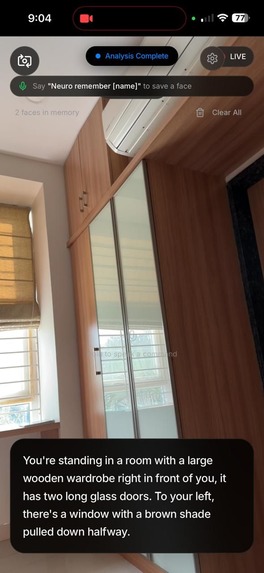
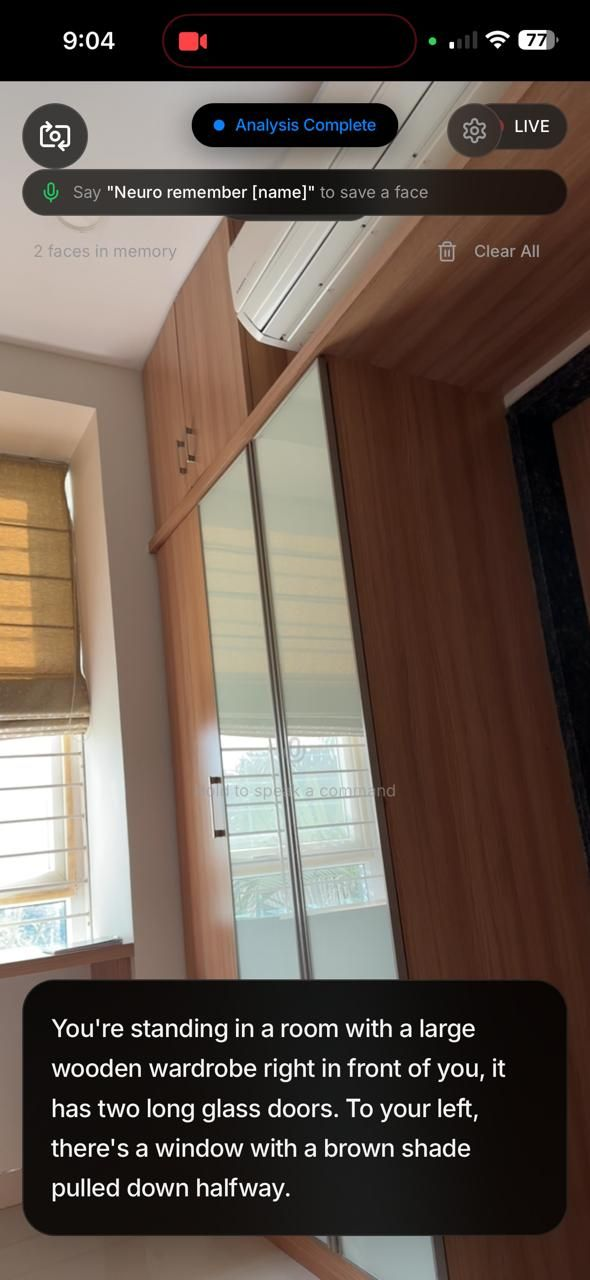
Navigation Mode: The AI scans the room and provides a natural language description of the layout to help the user orient themselves safely
-
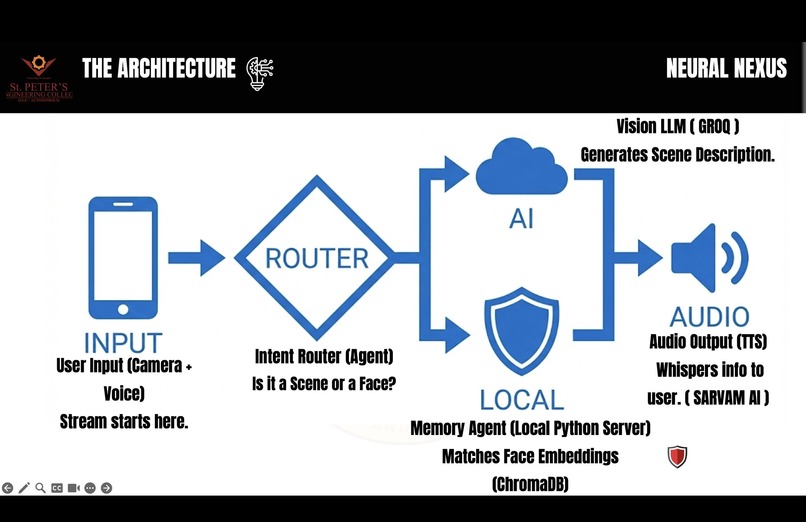
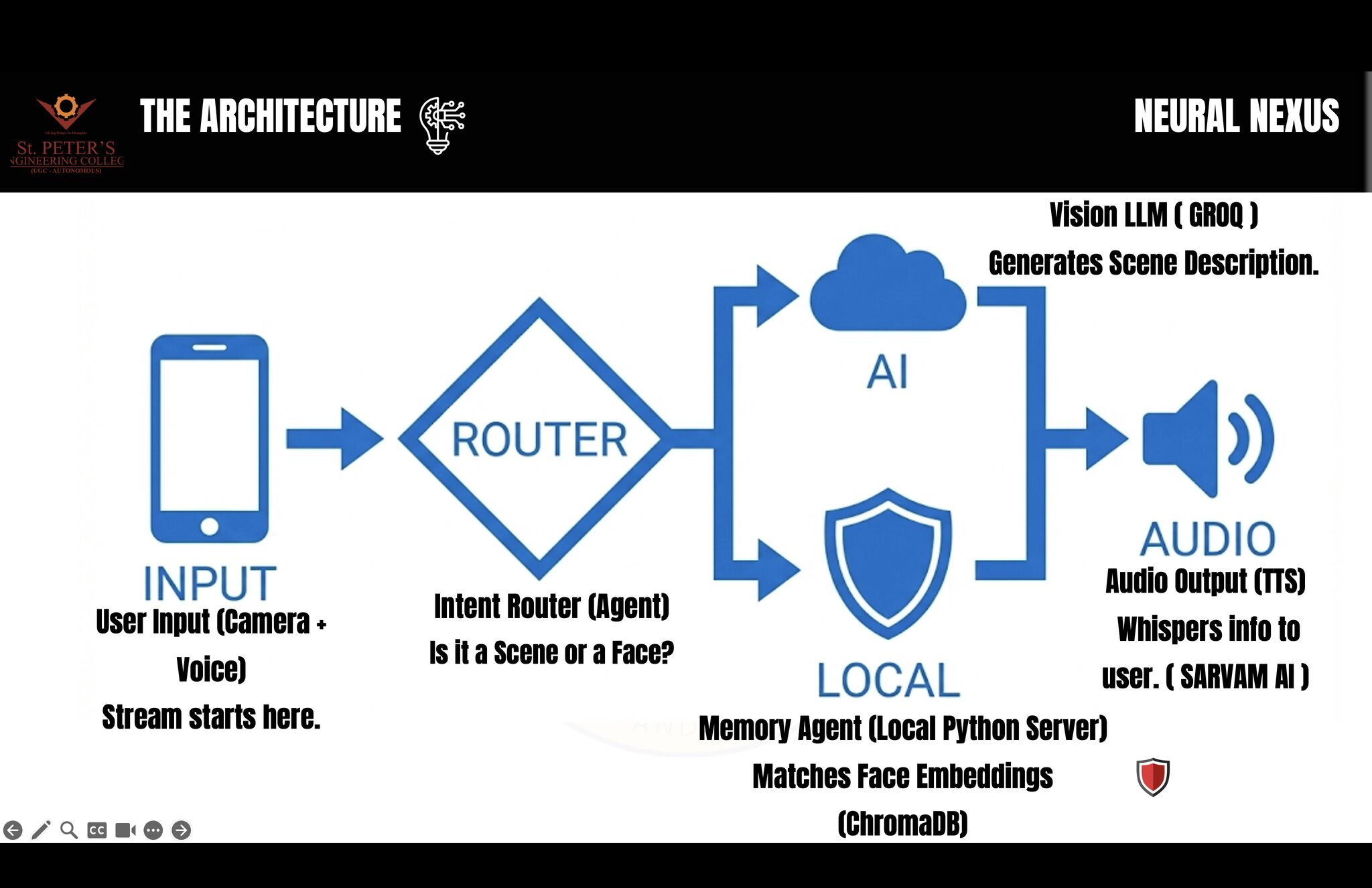
Hybrid Cloud-Edge: The 'Router' sends complex scenes to Gemini Cloud while keeping private face data 100% local on the device.
-
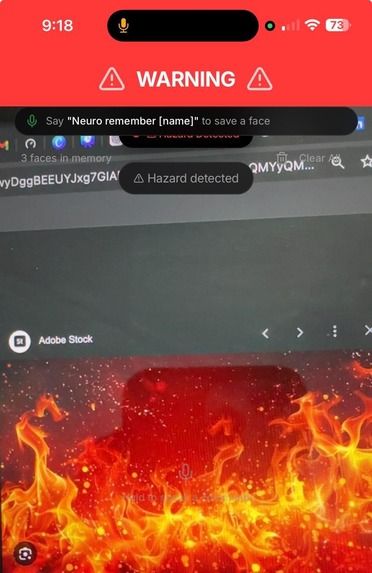
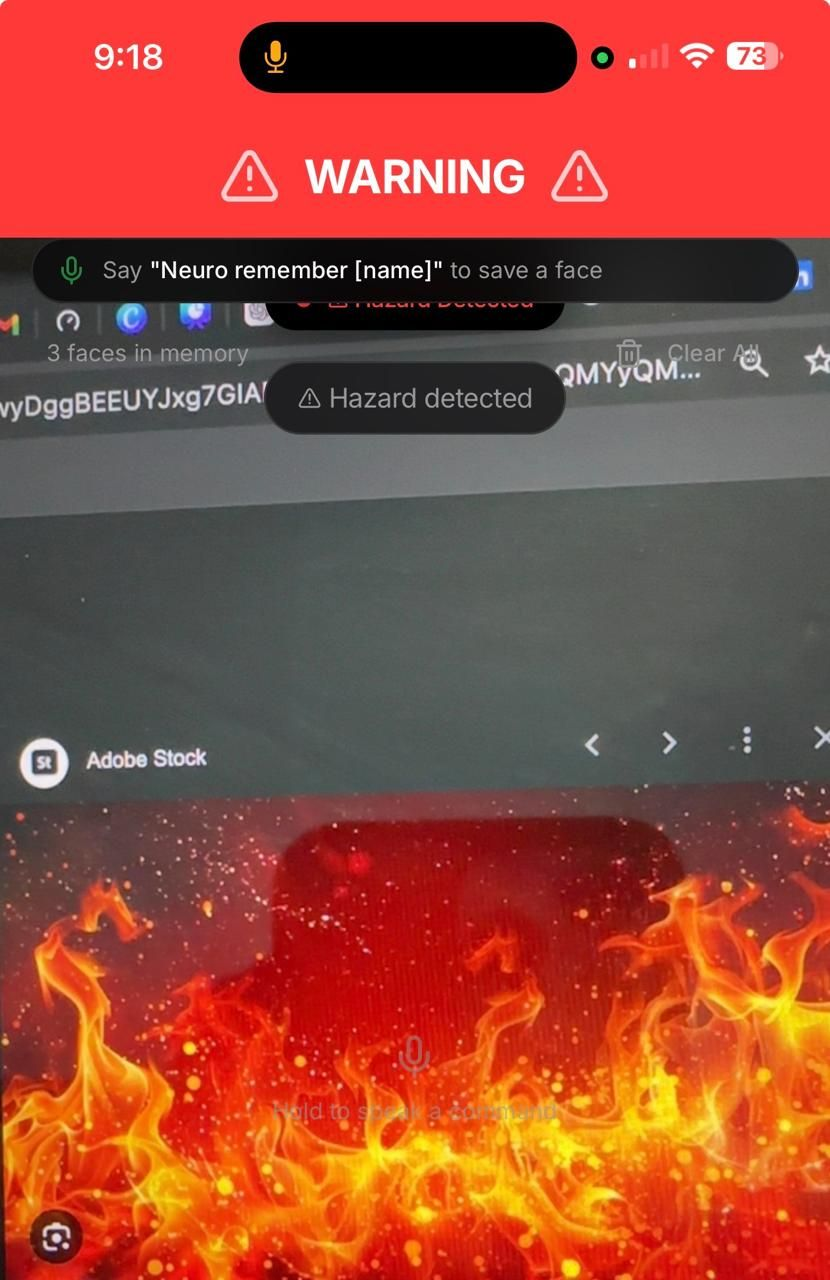
Safety First: The app detects a fire hazard via Gemini and triggers an immediate "Red Alert" screen with native haptic vibration.
-
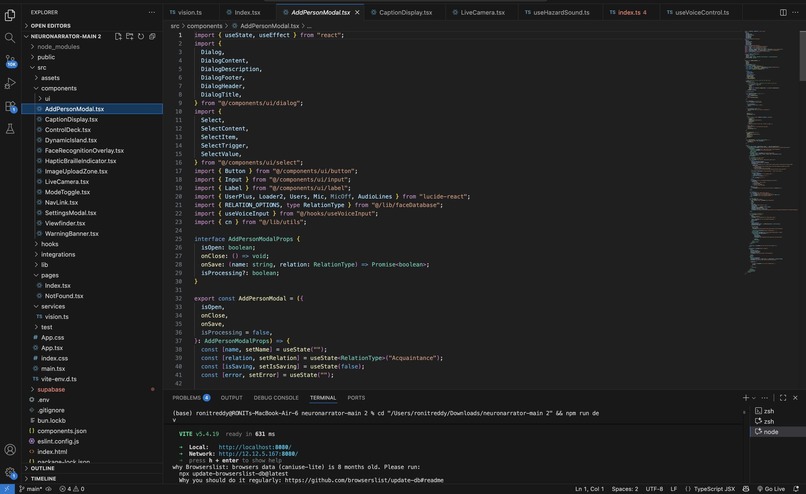
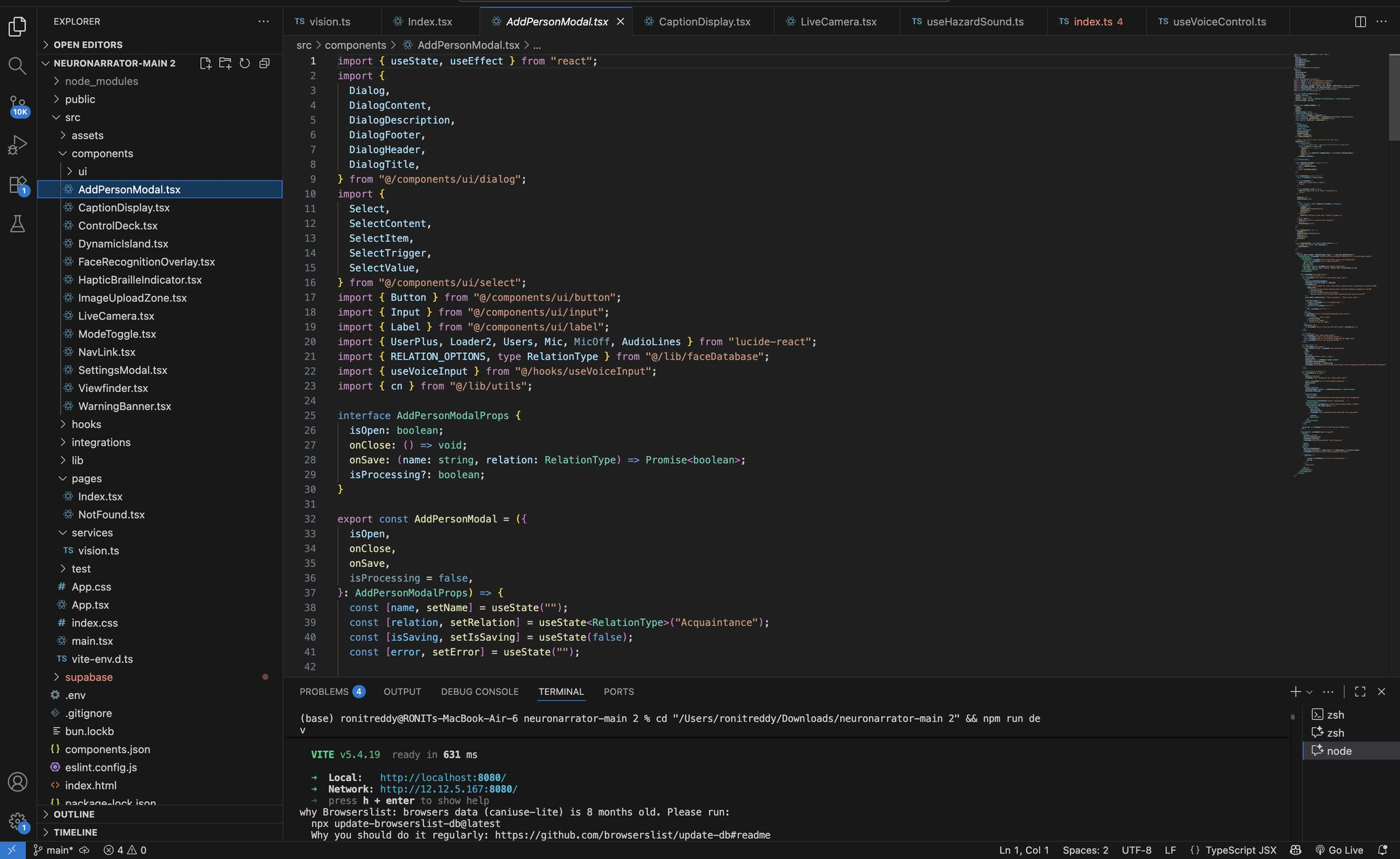
Under the Hood: Inside AddPersonModal.tsx, where we implemented client-side encryption to ensure biometric data never leaves the phone.
-
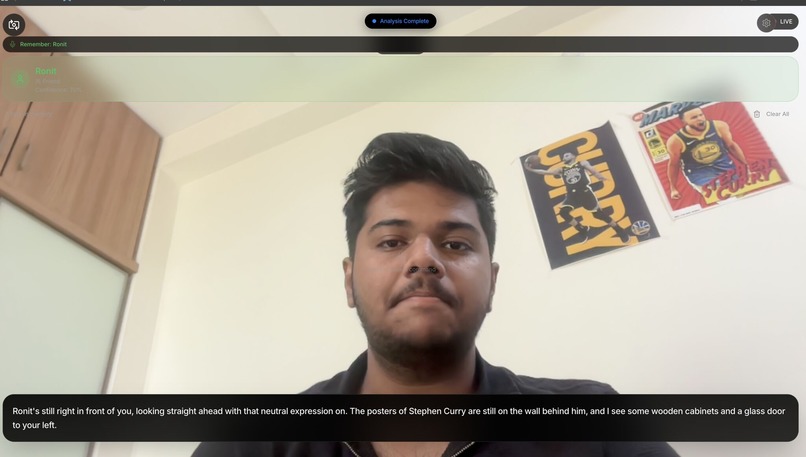
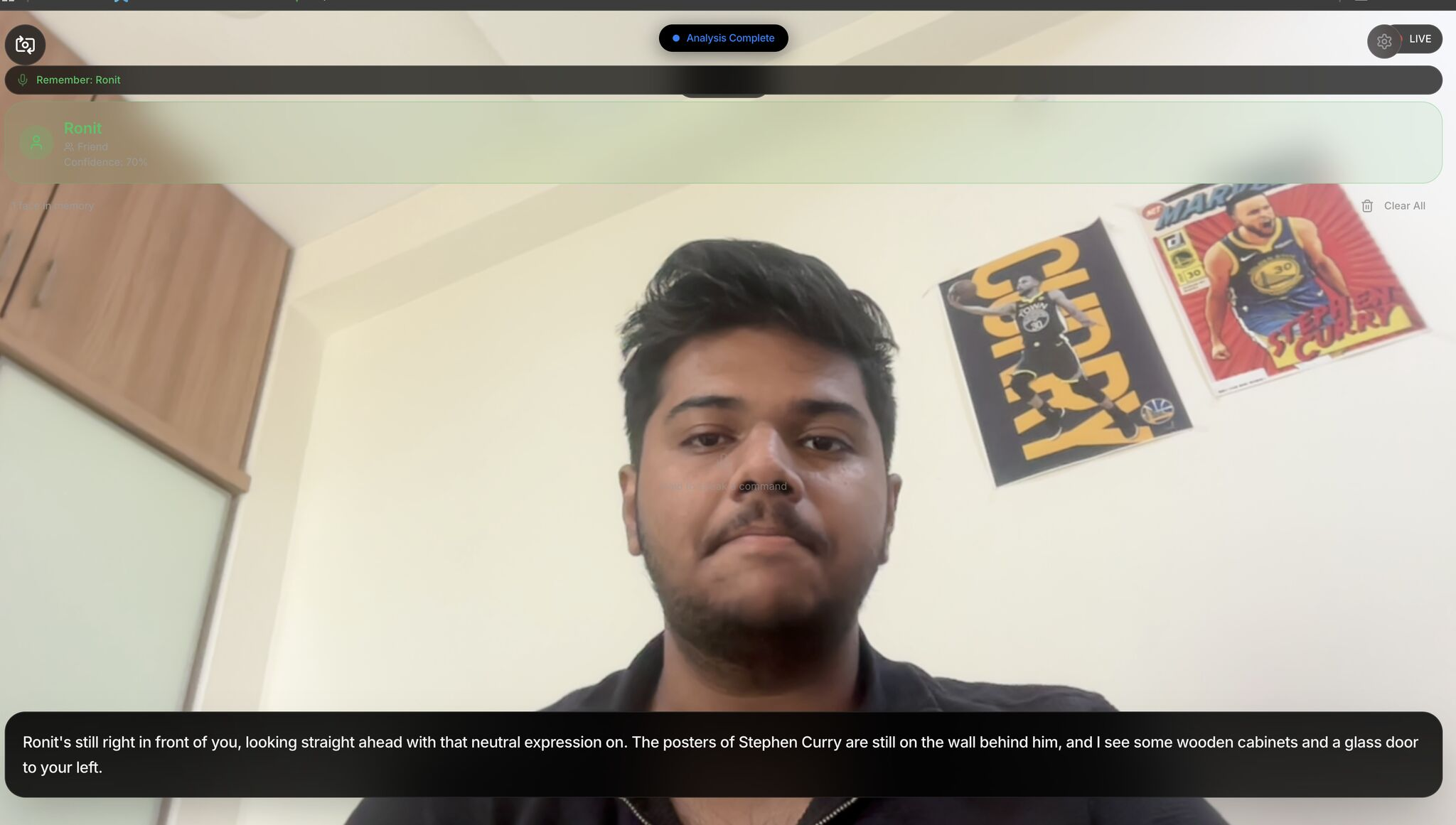
Social Mode: Edge AI recognizes a friend ("Ronit") completely offline and whispers context ("posters behind him") to the user.
Inspiration
The inspiration for NeuroNarrator came from observing a critical gap in modern assistive technology. We realized that visually impaired individuals face two distinct, equally isolating battles:
- The Navigation Challenge: The physical danger of moving through dynamic environments (e.g., "Is there a step here?", "What does this sign say?").
- The Identity Challenge: The social isolation that comes from not recognizing friends or family until they speak. This is especially painful for those suffering from memory loss or dementia.
Current market solutions force a compromise: users must either buy expensive, dedicated hardware like OrCam (costing over ( $3,000 )) or use generic AI apps that compromise privacy by sending video streams to the cloud.
We believed that one "Digital Brain" should solve both—and it should do so while keeping user data 100% private.
What it does
NeuroNarrator is a Hybrid AI Co-Pilot that acts as both a Digital Eye and a Digital Memory. It switches intelligently between two modes:
** Navigation Mode (The Digital Eye):**
- Continuously scans the environment using Google Gemini 3.
Warns users of immediate hazards (e.g., "Wet floor sign ahead", "Staircase on your right") with ultra-low latency.
Reads text and signage aloud instantly.
** Social Mode (The Digital Memory):**
Recognizes friends and family using Edge AI (running locally on the device).
Provides context beyond just a name: "This is Rahul, your grandson. (Memory: He visits every Sunday)".
Privacy First: Facial data is stored locally. No biometric data ever touches a server.
How we built it
We architected a Hybrid Cloud-Edge system to balance speed, intelligence, and privacy.
1. The "Cloud Brain" (Gemini 3) We used the Gemini 3 API for general scene understanding because of its massive context window and speed. It handles the "unpredictable" world (cars, signs, obstacles).
2. The "Edge Brain" (TensorFlow.js)
For face recognition, we refused to use cloud APIs. Instead, we implemented face-api.js (a TensorFlow wrapper) running 100% client-side in the browser. We used Dexie.js (IndexedDB) to create an encrypted local vector store.
To match faces, we calculate the Euclidean Distance between the live camera vector ( P ) and stored memory vector ( Q ):
$$ d(P, Q) = \sqrt{\sum_{i=1}^{n} (p_i - q_i)^2} $$
If ( d(P, Q) < 0.6 ), we confirm the identity as a "Known Person".
3. The Native Shell (CapacitorJS) We built the UI in React and Vite. To make it a real mobile app, we wrapped it with CapacitorJS. This allowed us to trigger the Native Taptic Engine (vibration) for hazard warnings:
import { Haptics, ImpactStyle } from '@capacitor/haptics';

const triggerHazardWarning = async () => {
  await Haptics.impact({ style: ImpactStyle.Heavy });
};
Challenges we ran into
The "Python Trap": We initially built the face recognition backend in Python (FastAPI). However, the latency of sending images to a server was too high. We had to scrap the backend and rewrite the entire recognition layer in JavaScript to run on the "Edge" (the user's phone).
Haptic Limitations: Web browsers have very weak vibration support. We had to learn Capacitor overnight to access the native iOS/Android vibration hardware for those critical "danger" alerts.
Privacy vs. Convenience: It was tempting to just use a cloud Face API, but we stuck to our ethical stance of "Offline Biometrics," even though it meant much harder coding work.
Accomplishments that we're proud of
Top 5 Finalist: Securing a top 5 rank among 1800+ teams at the NextGen AI 2026 Hackathon.
Low Latency: Optimizing the Gemini API calls to achieve responses in ( < 2s ), comparable to human reaction time.
Zero-Knowledge Privacy: Successfully building a system where a user's biometric data lives and dies on their own device, never touching our servers.
What we learned
- Edge AI is viable: You don't always need a massive GPU server. Modern phones are powerful enough to run complex face recognition models in the browser.
- Accessibility is detail: It's not just about "reading text." It's about how you deliver that info. We learned that Haptic Feedback (vibration) is often faster and safer than audio when a user is in a noisy street.
- The power of Gemini: We learned how to structure prompts for Gemini 3 to get structured JSON data back, rather than just conversational text.
What's next for NeuroNarrator
** Wearable Integration:** Moving from a handheld app to Smart Glasses for a truly hands-free experience.
** Total Offline Support:** We plan to integrate Gemini Nano to bring the general object detection on-device as well, removing the internet requirement entirely.
** Indian Context:** Integrating regional language support to help the rural visually impaired population in India.
Built With
- capacitor
- dexie.js
- face-api.js
- google-gemini
- javascript
- react
- sarvam-ai
- tailwind-css
- tensorflow.js
- vite
- web-speech-api

Log in or sign up for Devpost to join the conversation.