Inspiration
NeuroFlow came from a problem we deal with almost every day as students. You open YouTube, Reddit, or Instagram for a quick break, and suddenly a few minutes turns into half an hour. Most productivity tools only tell you how much time you wasted after it already happened. We wanted to build something that could step in while the distraction is happening and help the user get back into focus.
What it does
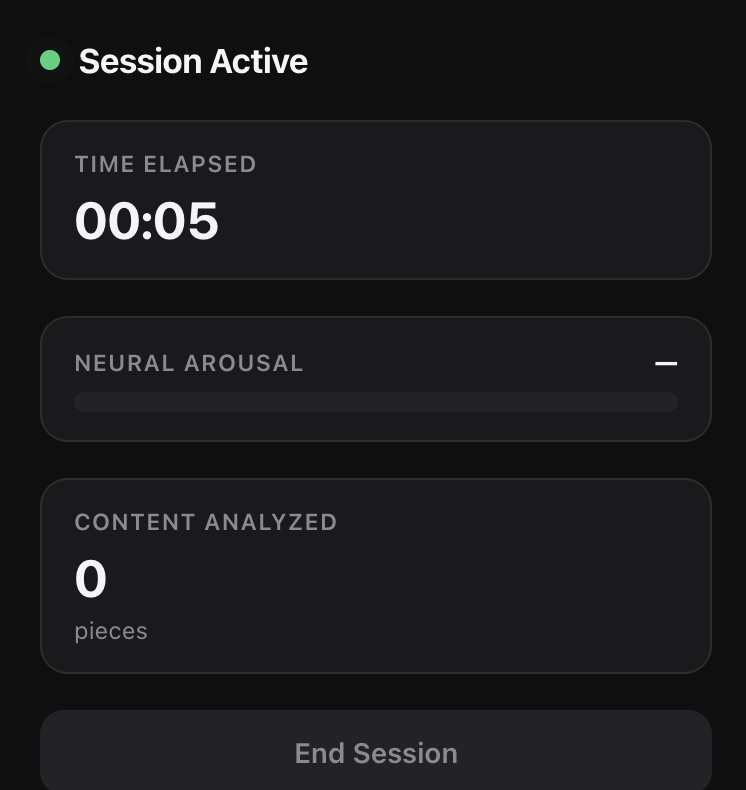
NeuroFlow is an AI powered Chrome extension that helps students stop doomscrolling before it takes over their time. When a user starts a session, the extension watches browser activity, tracks tab changes, captures the content the user actually sees, and sends that context to a backend.
The backend stores recent browsing context and uses Jac agents to decide whether the user is focused or distracted. If the agent detects a distraction loop, NeuroFlow can return a restriction command for that tab or site. To unlock the site, the user has to complete a short focus boost task, such as working in Google Docs, solving a LeetCode problem, reviewing Canvas, or sdpending time on GitHub.
How we built it
We built NeuroFlow as a Chrome extension connected to a FastAPI backend. The extension tracks tab switches, URL changes, session activity, and page behavior. We used rrweb to record browser interaction events and added our own visible content capture system so the backend understands what the user was actually looking at, not just the URL.
On the backend, we store segment summaries in SQLite. Each segment includes the site, title, duration, activity count, keywords, and key excerpts from the page. Instead of sending raw page text to the AI, we compress the browsing data into a cleaner context object.
The agent workflow runs through Jac. We built a Context Agent that reviews the recent browsing history and a Decision Agent that returns a final command for the extension. The final output tells the extension whether the user is okay or distracted, what tab or site should be restricted, and what focus boost task should unlock it.
Challenges we ran into
One of the hardest parts was figuring out how to capture useful browser context without recording the entire screen or sending too much data to an AI model. We started by tracking URLs and tab switches, but that was not enough because a URL does not always tell you what the user actually consumed. We solved this by capturing visible page content and summarizing it into key excerpts.
Another challenge was getting Jac running inside the backend. The installed Jac version had syntax differences that caused our first agent file to fail. We had to inspect the actual Jac version, test small Jac files, and rewrite the agent workflow using syntax that worked with our environment.
We also had to think carefully about privacy and cost. Instead of storing raw browser recordings or huge text samples, we store compact summaries and only send recent context to the agents.
Accomplishments that we're proud of
We are proud that NeuroFlow works as a real browser based system, not just a mockup. The extension can capture browsing context, send it to the backend, store it in SQLite, and run a Jac powered agent pipeline.
We are also proud of the agent workflow. The Context Agent looks at the user’s recent behavior, and the Decision Agent returns a structured command that the extension can act on. This makes NeuroFlow feel more like an active focus assistant instead of a basic screen time tracker.
Another accomplishment is making the system efficient. We optimized the content capture so the app sends meaningful summaries instead of massive raw text blocks.
What we learned
We learned that building an AI agent product is not just about calling an LLM. The hard part is giving the agent the right context in the right format. If the context is too small, the agent does not understand what is happening. If the context is too large, it becomes expensive and messy.
We also learned how important system design is. The extension collects data, the backend manages memory, SQLite stores context, and Jac handles the agent reasoning. Each part has a clear role.
Most importantly, we learned that agentic AI is strongest when it can take meaningful action. NeuroFlow does not just say “you are distracted.” It creates a path back to focus.
What's next for NeuroFlow
We want to improve the unlock verification system so NeuroFlow can tell whether the user actually spent focused time on a productive site. After that, we want to add a cleaner dashboard, better personalization, and more options for focus boost tasks.
Long term, NeuroFlow could become a personalized focus layer for the browser, helping students protect their attention without completely blocking the internet.
Built With
- background
- browser-content-scripts
- chrome-extensions-api
- css
- fastapi
- html
- jac
- jaclang
- javascript
- openai-api
- python
- rest-apis
- rrweb
- service
- sqlite

Log in or sign up for Devpost to join the conversation.