-
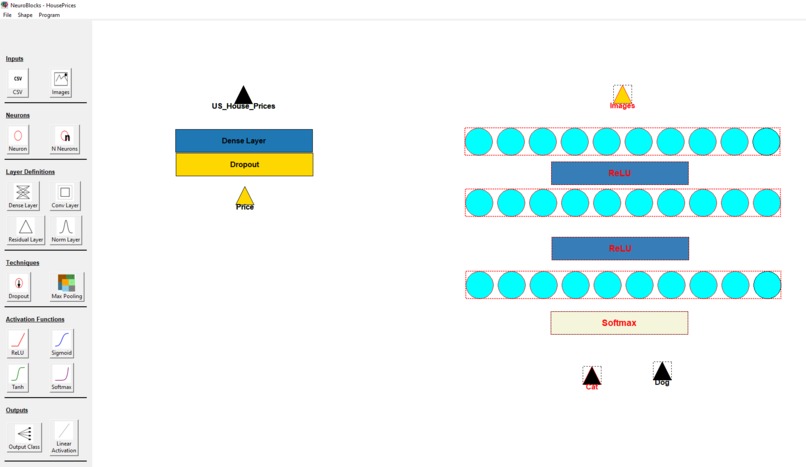
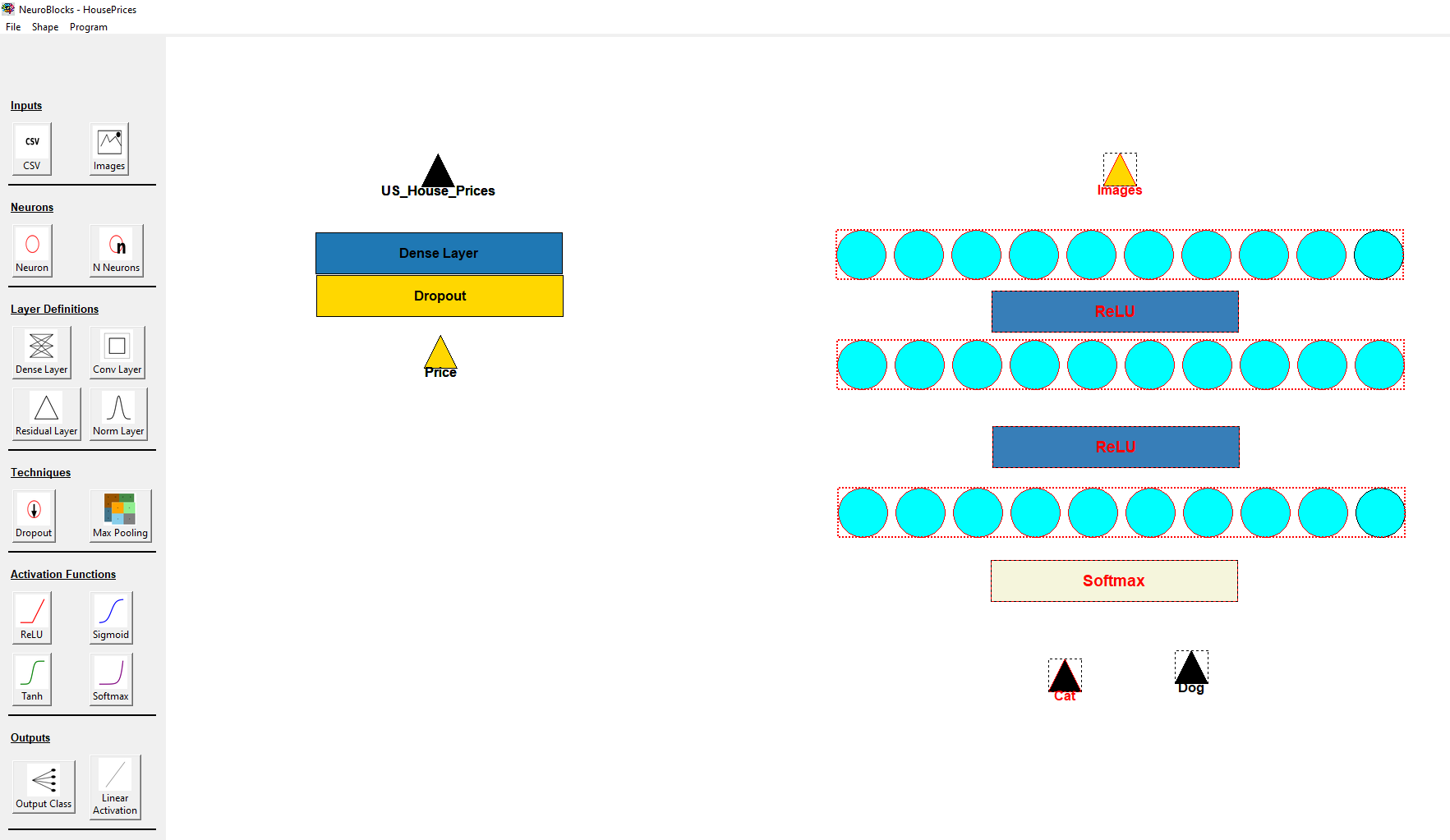
Give it a try! Even if it's not completely correct, we'll know what you're trying to do and help teach you how to get there
-
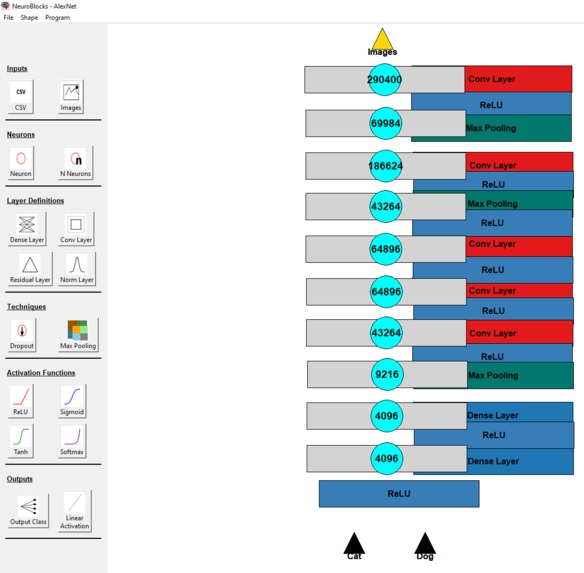
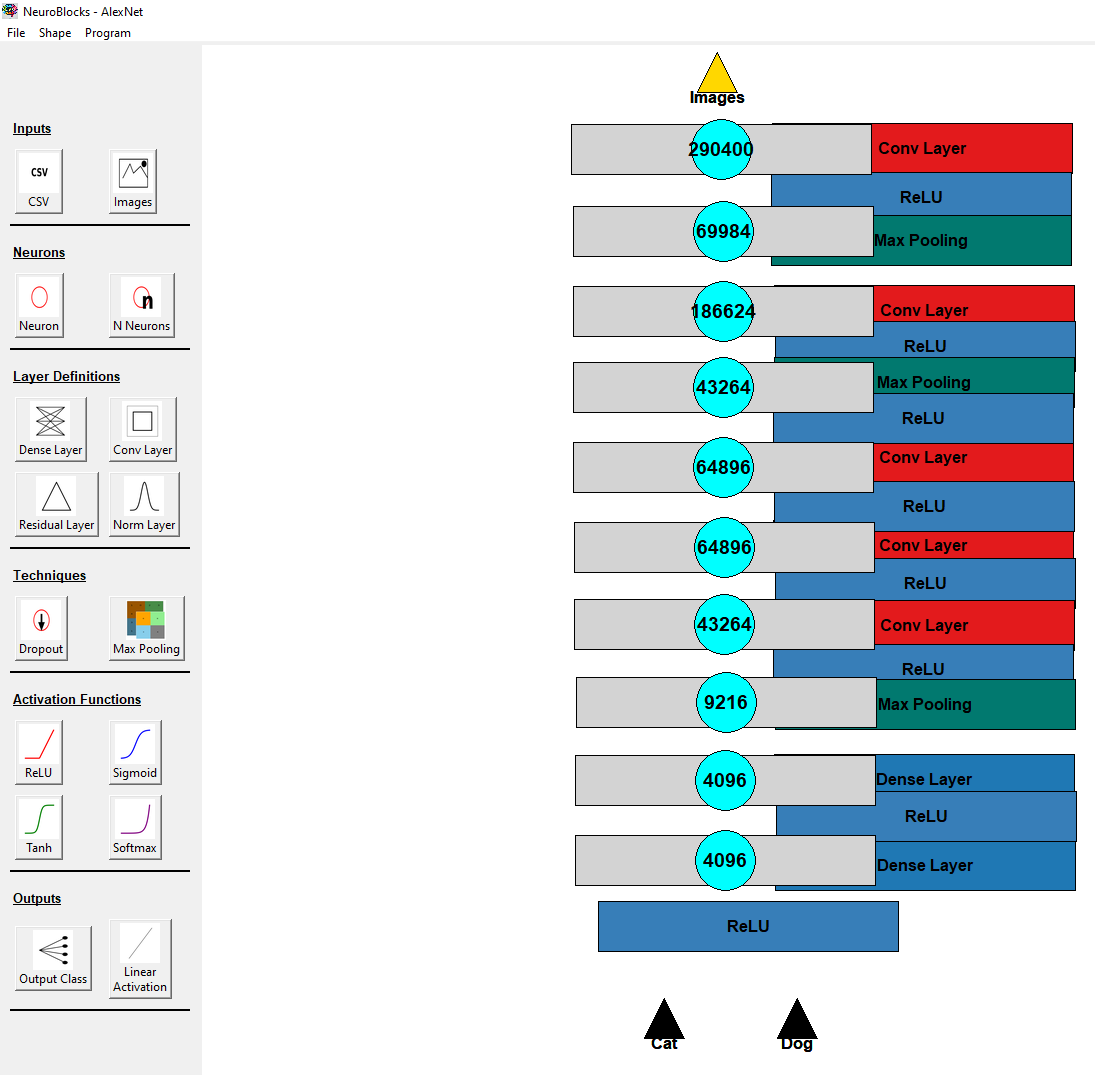
Models can get as complex as you want, example, AlexNet
-
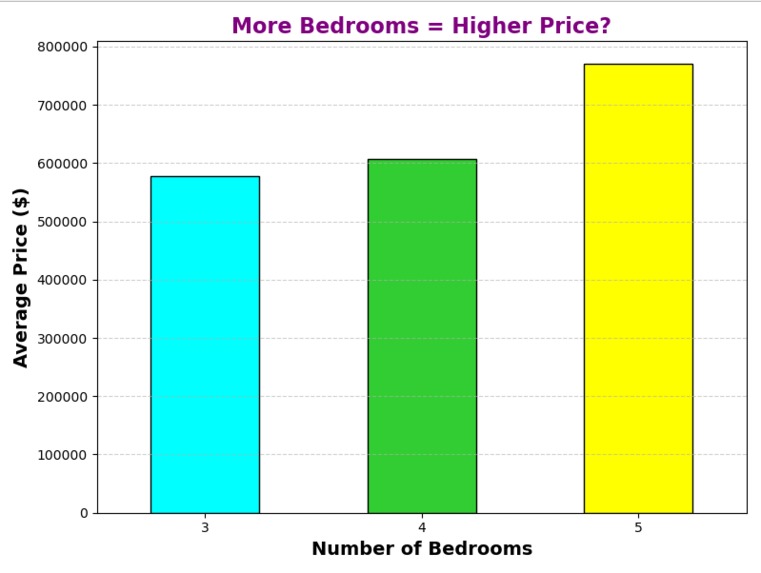
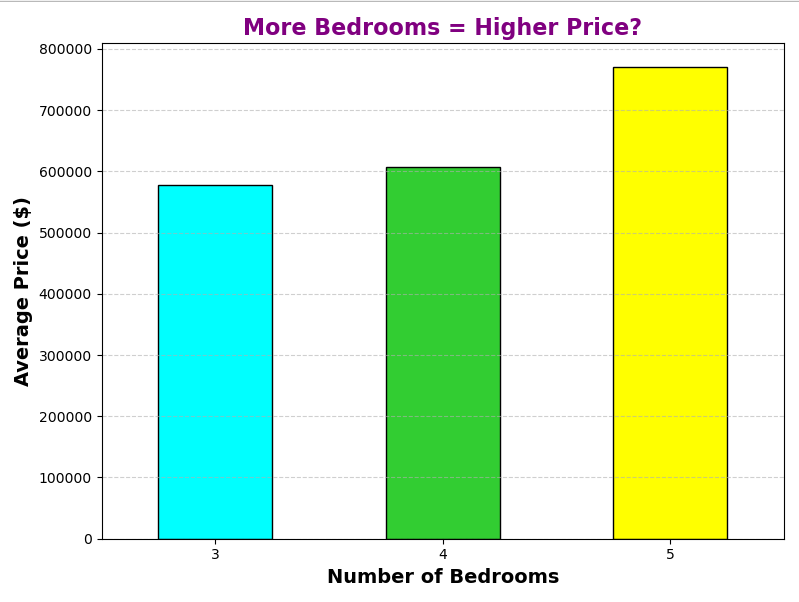
What did your model find?
-
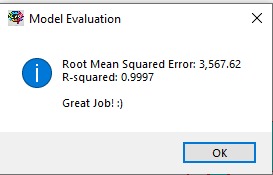
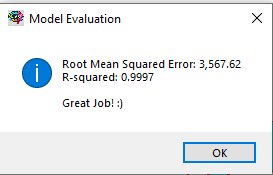
How good was the model you built?
Inspiration
I have seen Scratch used very often to teach children how to program from a young age, and it is incredibly effective. Programming is hard, yet there are 8-year-olds writing better code than me, with Scratch being their first language. Machine learning is also hard, but it doesn't have to be for those starting out. I wanted to build the Scratch for machine learning.
What it does
If you are familiar with Scratch, you'll fit right in. If you are not, that's fine; you'll pick it up. You drag and drop blocks that have meaning in a way that makes sense to you. Don't worry if it's not completely right; you are using this to learn. When you run your program, a locally based LLM visualises your model and converts that into a real program, which then runs and reveals the results. Because the LLM is local, you may experience better results if you use this on a big computer rather than a laptop; however, it also means this program works completely offline.
How we built it
Mainly a lot of tkinter, YouTube, and LLMs. I'm just one guy, and I need to drive home after this, so I did not shy away from using all resources at my disposal.
Challenges we ran into
The project can really be split in two, each with their own problems:
Building a graphical interface;
Adding shapes to the screen was not too hard. Getting them to move around, rotate, and maintain position was really hard. I believe in the final version, keyboard shortcuts and rotation still do not work. Time was also a scarce resource, and I could not delegate to someone else, so to save time, I had to implement program saving and loading functionality, which was also a pain because not everything would save as you want it to (colours, shape positions, text, grouped shapes, etc.).
The LLLM;
Running a local large language model is as magical as it is infuriating. Getting it to work as well as it does is fantastic; however, I have had to comment it out for the final demonstration, as the outputs are currently too unreliable.
Accomplishments that we're proud of
I'm proud I was able to get this project into a minimum viable product. I was concerned with how I would handle block interpretation; however, I am proud I managed to find a solution that, for the meantime, works.
What we learned
I learned a lot about Python front end, as well as how to command local large language models.
What's next for NeuroBlocks
Quite a few things:
Change the LLM interpreter with an actual interpreter.
Integrate the LLM to provide feedback to the user on how their model compares to the final model created and provide it as educational advice. Example: "Great job implementing a neural network! Don't forget, you should add the ReLU activation function between layers for making your model better at spotting patterns!"
Add more prebuilt models, as well as building blocks for less complex ones such as K-means, gradient boosting, and decision trees.
Built With
- ollama
- python
- sklearn


Log in or sign up for Devpost to join the conversation.