Inspiration
In the last couple of years, we have witnessed a drastic change in frontier technology. AI has learned to write production code, reason through complex math, and generate entire digital worlds in seconds. Yet the moment you step outside a screen, progress hits a physical wall. The next true frontier for humanity isn’t more digital software-it is bringing AI into the real world: robotics, advanced hardware, heavy infrastructure, and molecular science.
Building for that physical frontier requires more than a traditional lab. We did not set out to build a virtual tinkering space or a substitute for a physical room, we built Neuraspace to do what an actual lab cannot: use data and AI to simulate, emulate, and optimize real-world physics at scale before a single physical asset is built.
Domains governed by complex 3D mechanics, chemistry, and biology-such as EPC (Engineering, Procurement, and Construction), civil and mechanical engineering, robotics, and biotech-cannot be fully optimized on flat 2D screens alone. They demand spatial intuition working alongside heavy computation.
That conviction sparked Neuraspace: a data platform at the intersection of real-world physics, AI, and VR. By uniting physics optimization, CAD rendering, voice AI, and multi-user collaboration in one environment, Neuraspace gives builders the harness to simulate, calculate, and optimize real-world systems built for direct physical impact.
What it does
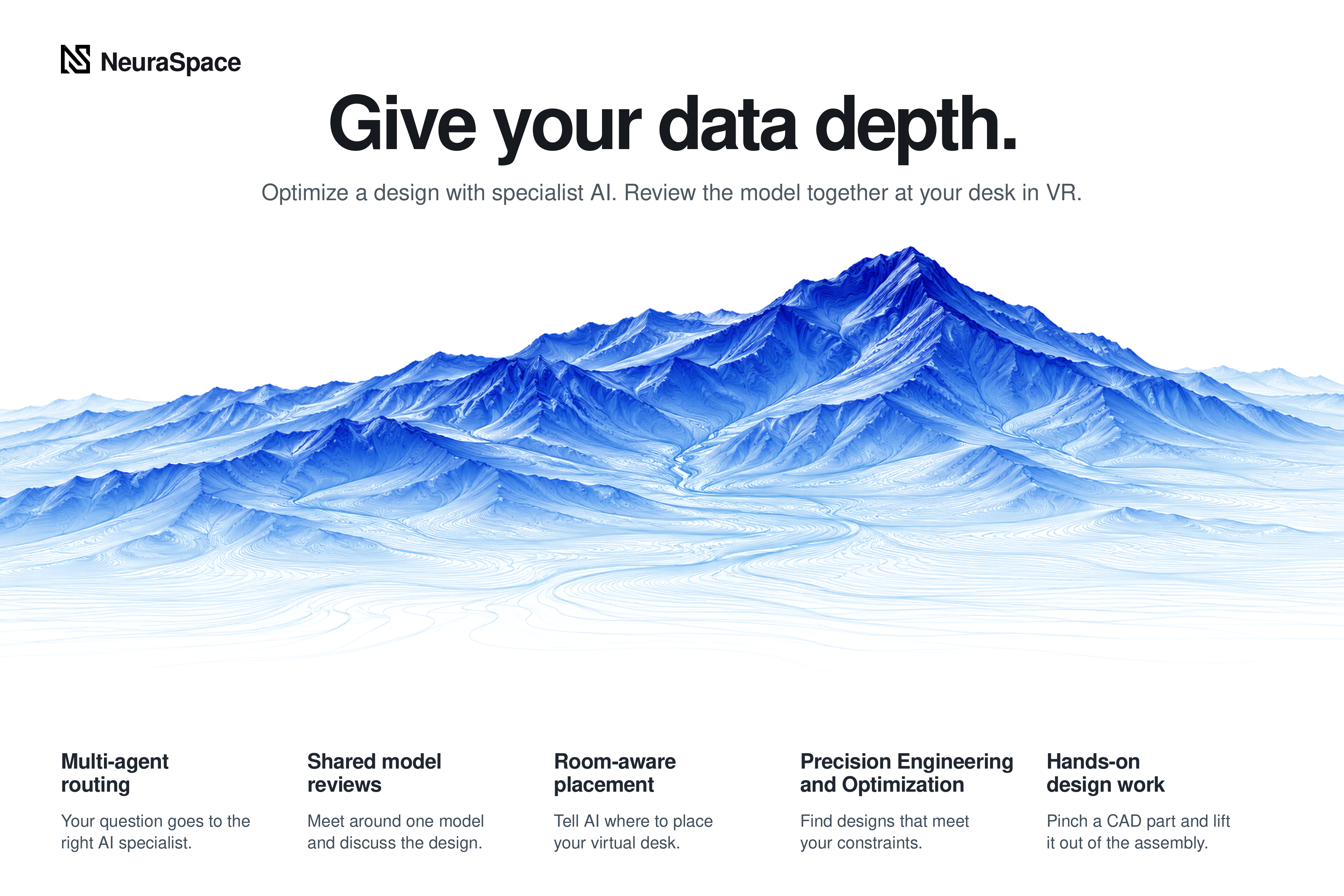
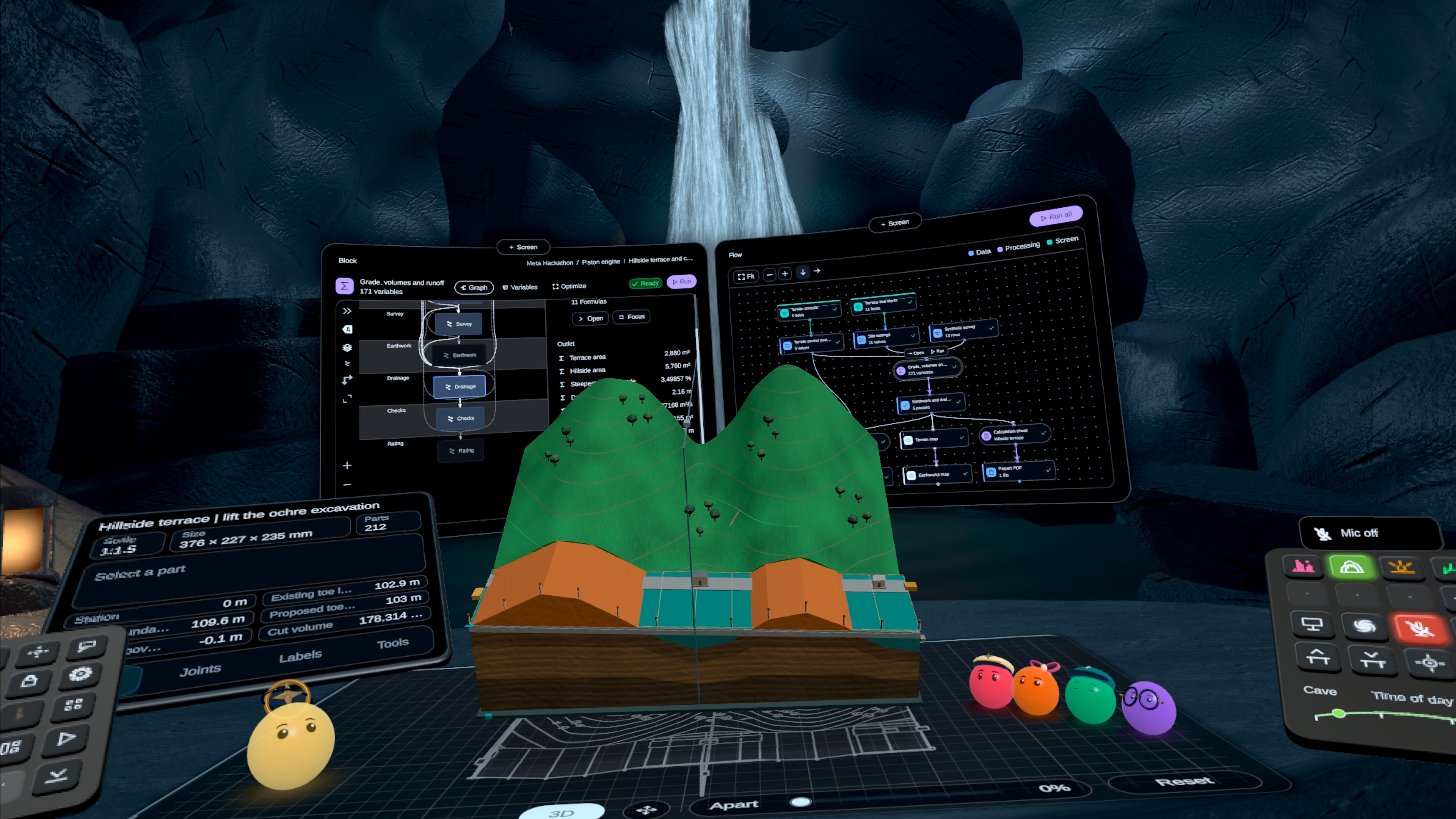
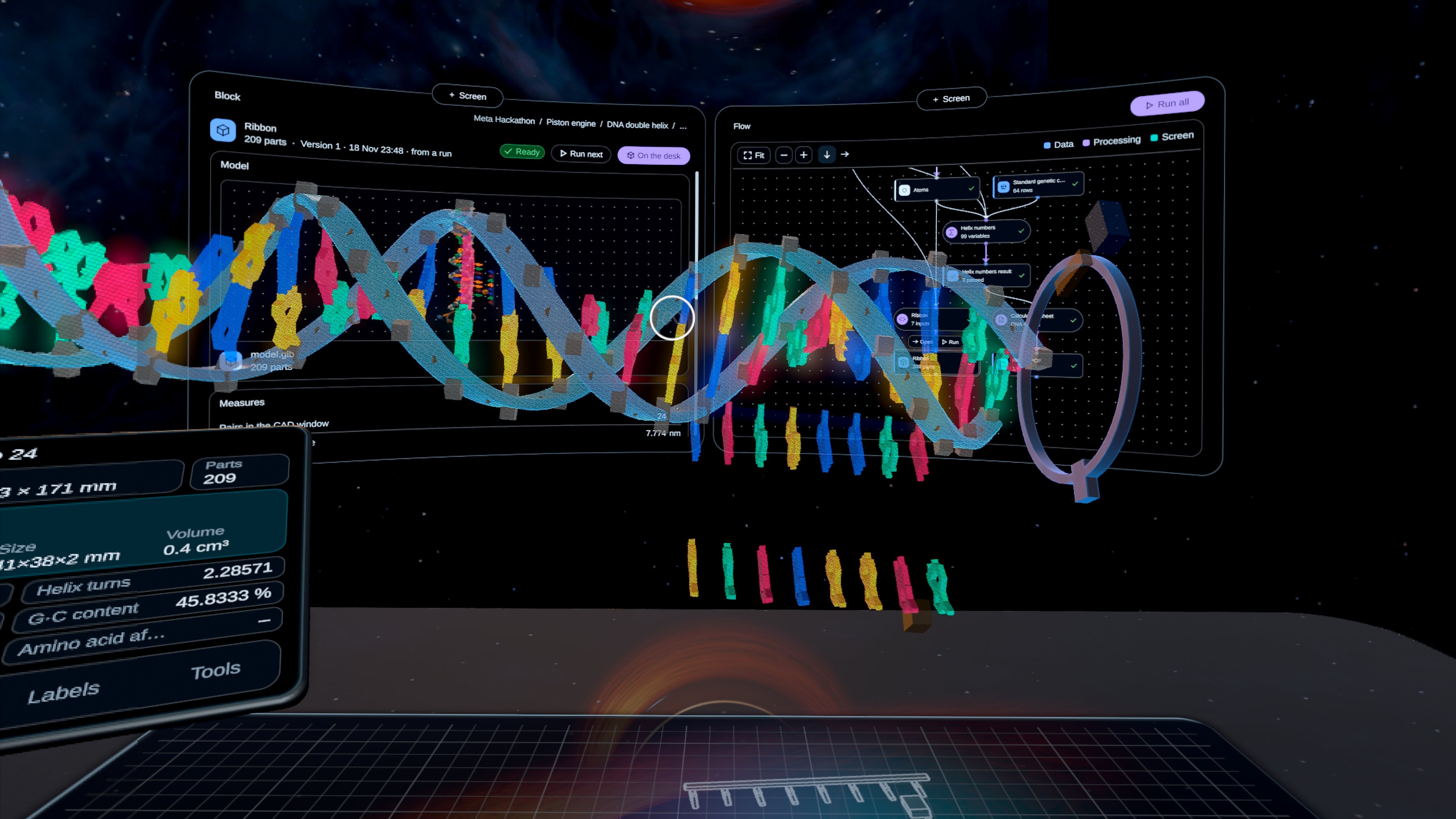
Neuraspace is a spatial workspace where a person, a team and AI agents design real-world systems together, in a headset or a browser.
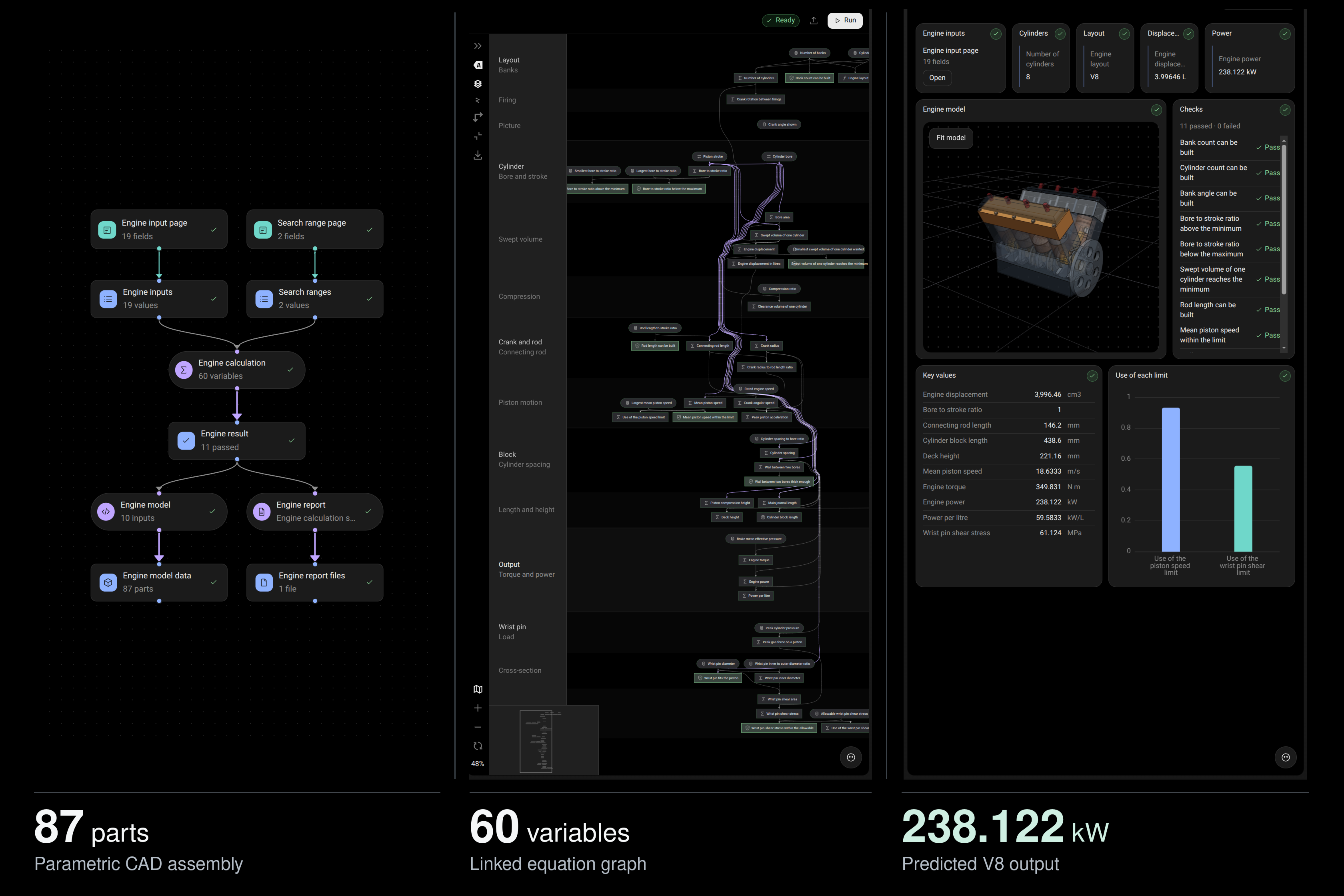
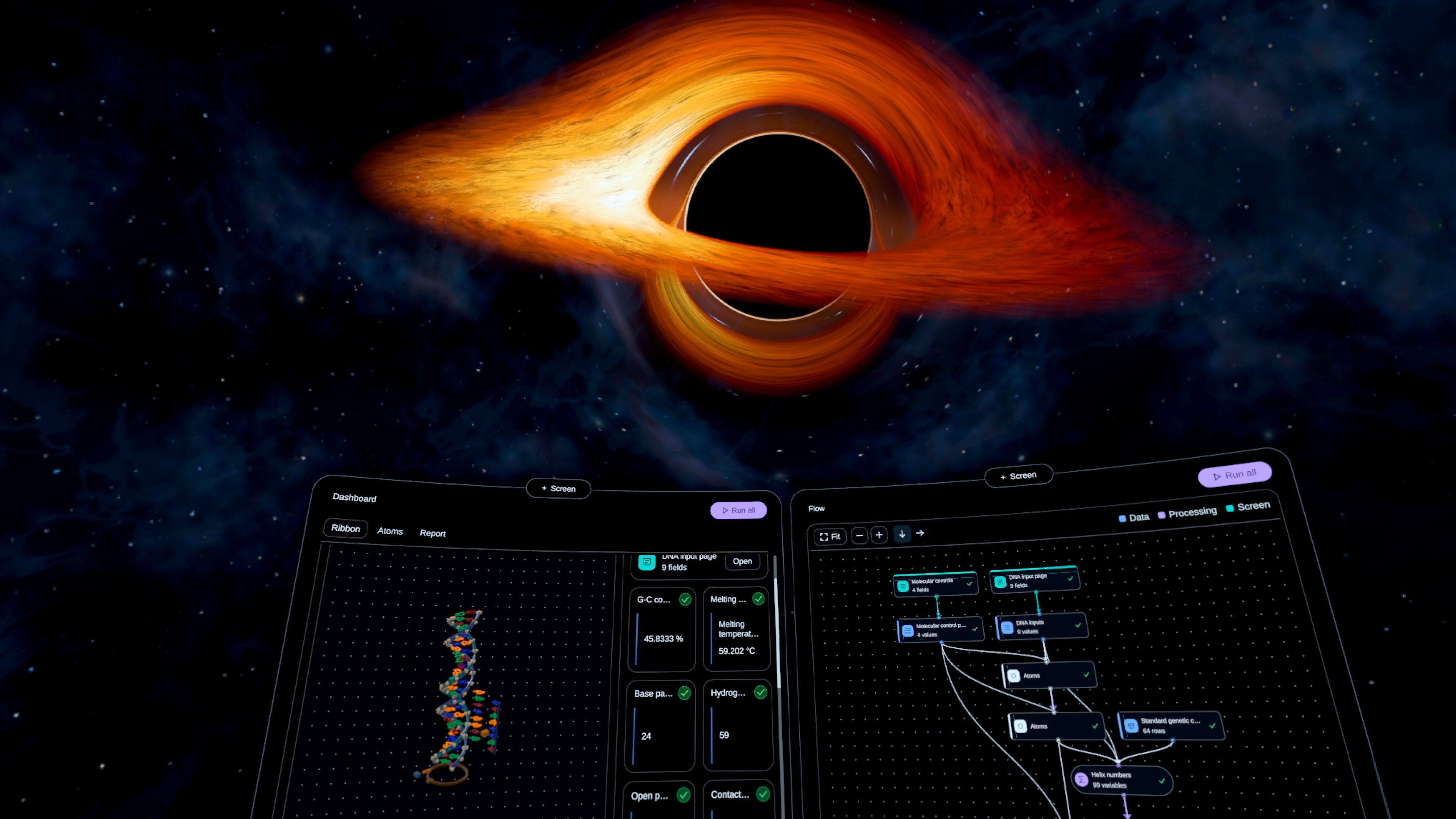
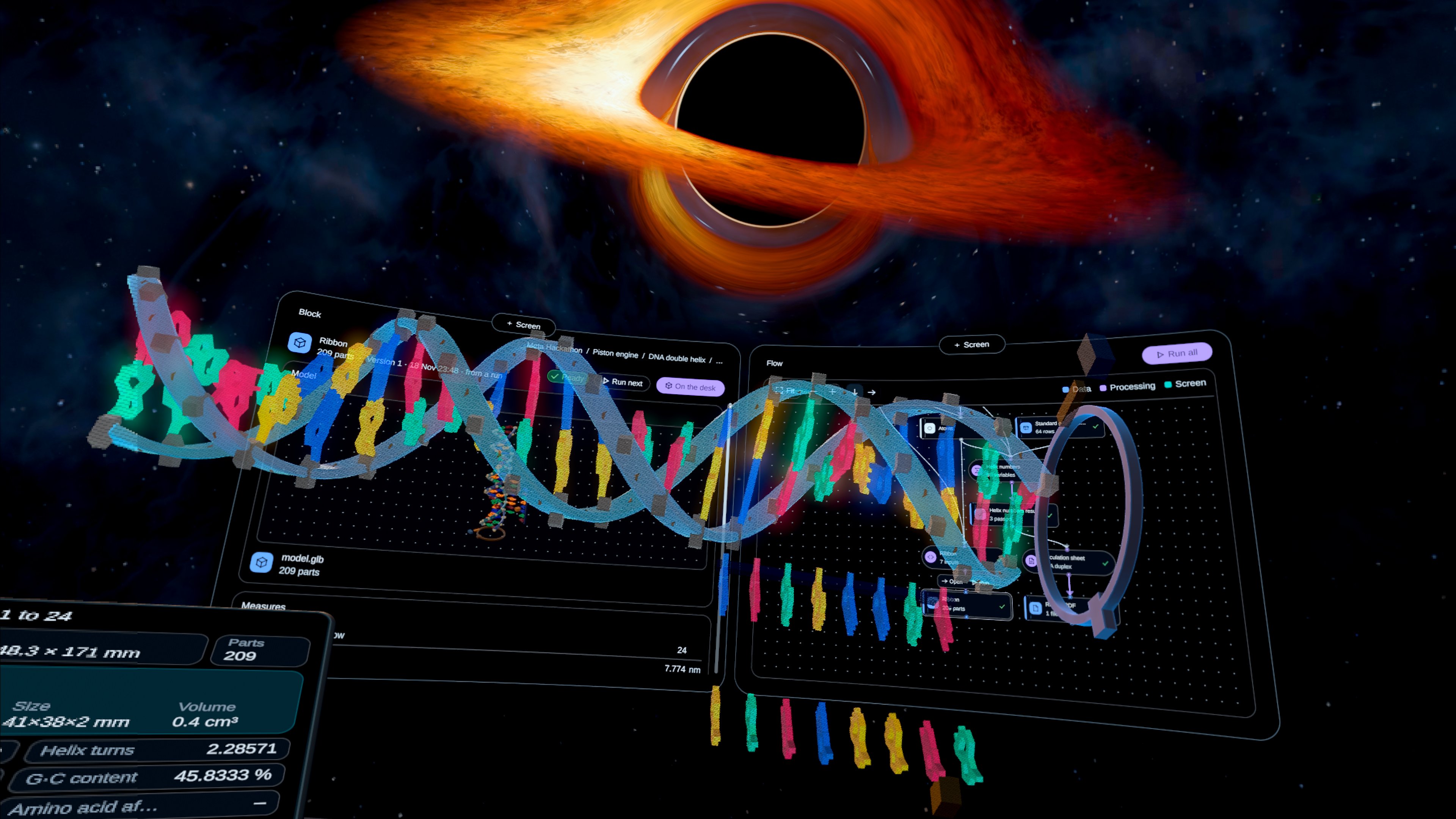
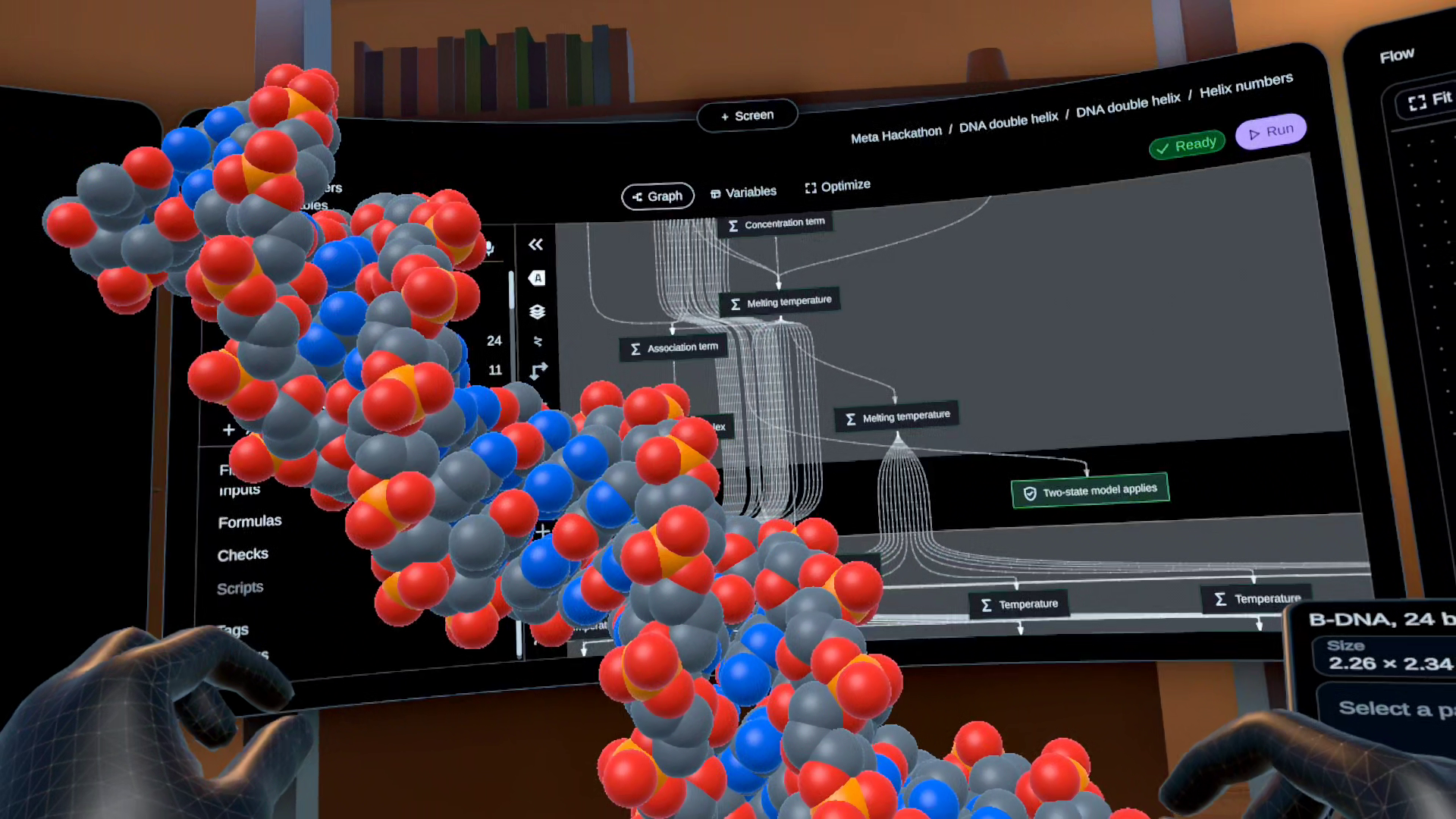
- One flow for any field. A project is a flow of blocks: data, calculations, 3D models, reports and dashboards. It works the same for an engine, a structure or a molecule.
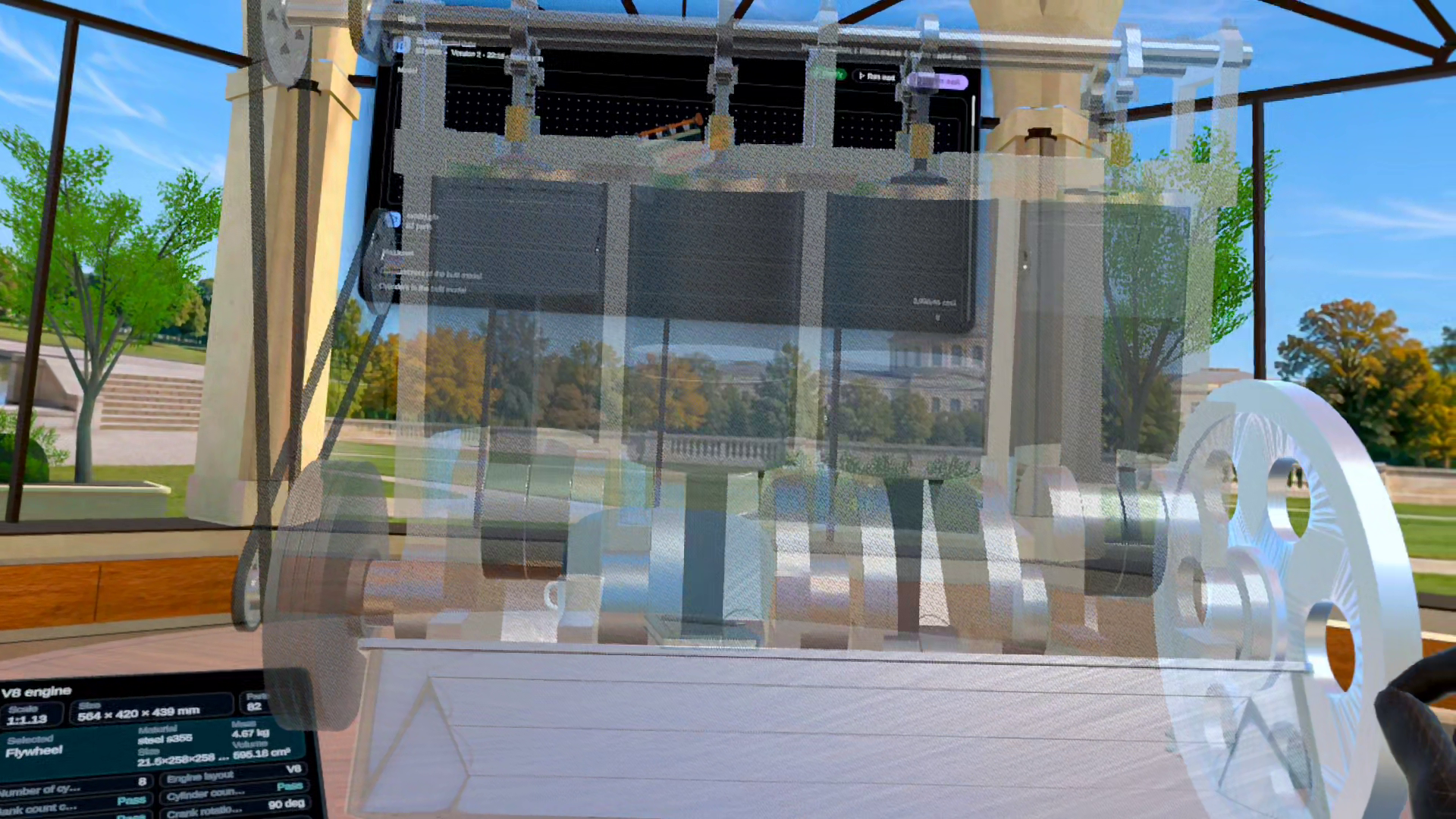
- 3D models generated from the maths. Every model is built by code from the same values the calculations just checked, so what you hold is what was verified.
- Hands-first in VR. Pinch to move screens, take an assembly apart, cut it, hide parts and press real buttons with your fingertips.
- Your real desk. The workspace stands in your own room through passthrough, or in a virtual place when you want focus.
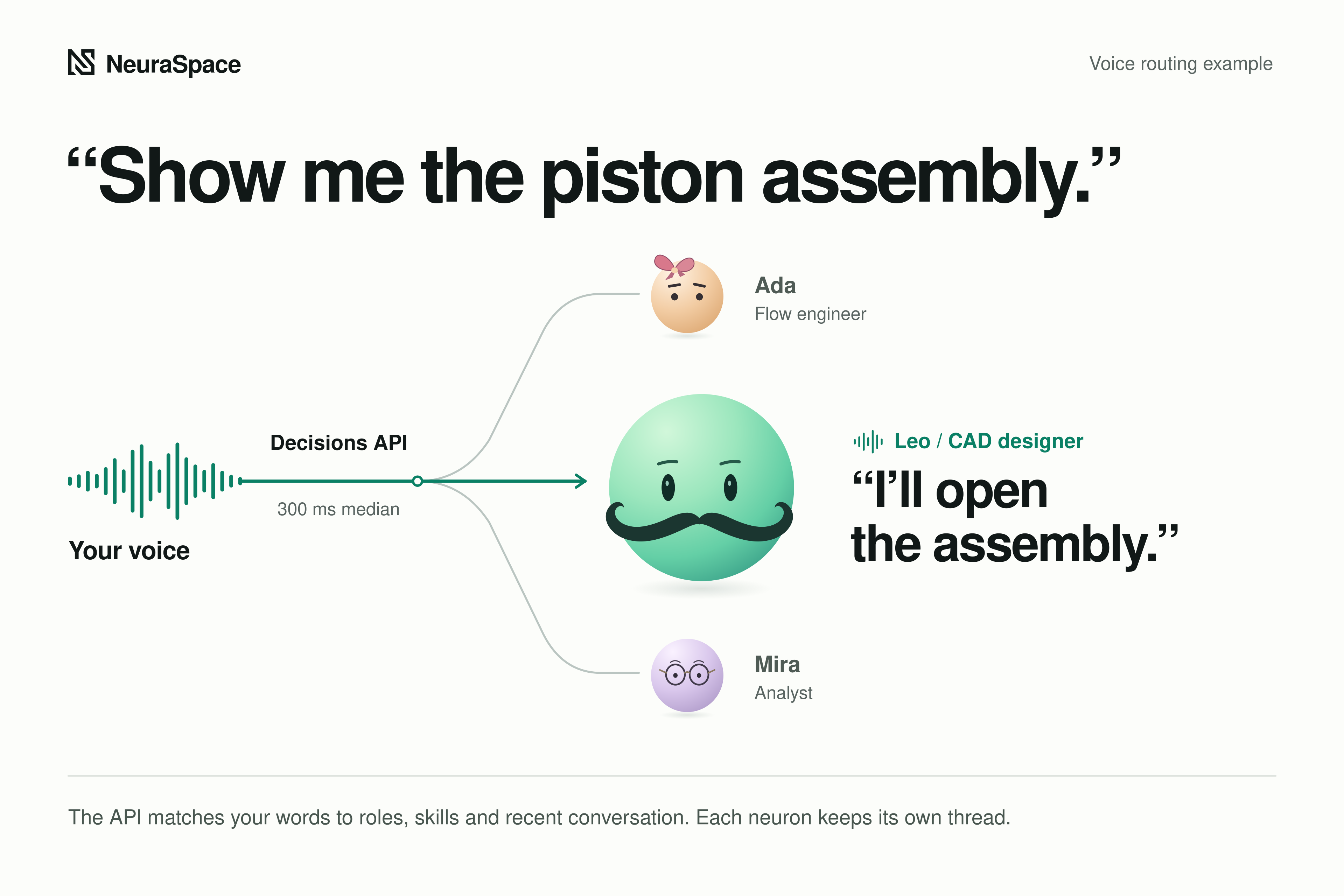
- AI agents you talk to. Each project has its own team of voice agents that know what you are looking at and can open projects, change views and work on the model.
- Meetings around one model. People in headsets and in browsers sit in the same room, talk, and see the same model in the same state.
- Start in one click. A marketplace of ready designs lets a new person, or an agent, open a working project straight away.
How we built it
Neuraspace is one platform with two faces: a native Quest 3 app and a web app on the same server and the same live documents.
A Go core owns accounts, access, documents and runs. Each kind of work is its own sandboxed service: formulas and optimization in C++, generative CAD in Python on build123d, scripts in Python, reports from LaTeX, and the AI agents in Rust. Data sits in PostgreSQL and object storage, shipped with Docker Compose on our own server.
The headset client is native Unity on the Meta XR Core SDK over OpenXR, with our own interaction layer on Meta's hand skeleton, plus passthrough, scene and spatial anchors, the passthrough camera and Meta's spatial audio. Voice and meetings run on self-hosted LiveKit, and the agents run on frontier models through our server, so no key ever reaches the headset or the browser.
Challenges we ran into
This was our first real VR application. Having only built for the web before, almost everything we knew about screens stopped working the moment we put on a headset . We had to learn hand tracking, passthrough, and headset rendering from the ground up while simultaneously building the product on top of them.
The easiest path would have been to make a web app inside a flat browser panel in VR and display generic 3D meshes. We chose not to, because a floating webpage wastes what a headset gives you, and a model that only looks right cannot be engineered. Instead, we rebuilt every screen natively in Unity for hand interactions, while generating every 3D assembly by code from the exact values the calculations just checked. Making the interface native and getting exact, buildable geometry to regenerate in seconds, cost far more time to build than anticipated, but it is the reason Neuraspace feels like a real place rather than a page.
Our next challenge was keeping the workspace usable. Neuraspace brings together flows, calculations, optimizations like genetic search, 3D models, dashboards, voice agents, and multi-user collaboration, with heavier analysis like finite element analysis (FEA). Putting all of that in front of a person without burying them with lots of information was our hardest design problem.
Some failure on the way
Powering the generative CAD pipeline also forced a difficult architectural pivot. Our initial approach was to fine-tune a Llama 3.3 70B model to generate our CAD code directly, but after many iterations, it failed due to two hard bottlenecks: a lack of domain-specific training data and limited compute. To get the engineering precision we needed, we had to pivot to frontier models. While frontier models solved the quality gap, they introduced a steep cost barrier. Because we don't have any sort of funding, running heavy multi-agents and CAD inferences on frontier APIs is expensive, which is the sole limitation preventing us from opening early access betas to everyone who wants to use Neuraspace today.
Currently its only accessible to judges through release channels but with appropriate funding we will soon launch a public beta preview
Accomplishments that we're proud of
We are most proud of taking Neuraspace from blank-slate ideation to a working spatial AI platform in just two weeks. Instead of building another passive 3D viewer or a generic virtual tinkering room, we succeeded in creating a true computational harness at the intersection of real-world physics, AI, and VR. We are proud of how seamlessly the platform unites CAD rendering, live physics optimization, conversational voice AI, and multi-user collaboration breaking the 2D screen bottleneck so teams across EPC, robotics, and biotech can step inside their data and optimize complex systems built for real-world impact.
What we learned
We learned that VR is not a bigger screen. Almost nothing from the web carried over: a button has to be something a fingertip can press, text has to be readable at arm's length, and anything that sits where your hands or a 3D model already are simply gets in the way. We learned that hands are harder than they look, because a pinch moves the very point it is aiming at and a tracker loses fingers the moment they are hidden, so every gesture had to forgive that. We learned that voice only feels natural when the AI knows what you are looking at and knows when a sound was not meant for it. And we learned that in engineering, a model that merely looks right is worthless: the picture and the calculation have to read the same number, or nobody can trust what they are holding. Most of all, we learned that the only real test is putting the headset on. Things that passed every check on a desk still surprised us in the room.
What's next for Neuraspace
While our team brought deep prior engineering experience to the table, Neuraspace was built from ideation to working prototype in just two weeks. Right now, our first priority is product refinement: tightening our simulation pipelines, optimizing performance, and making the real-time interaction between voice AI, physics, and VR seamless.
On the commercial side, our go-to-market strategy begins with EPC (Engineering, Procurement, and Construction). Heavy infrastructure is where the gap between 2D planning and 3D physical reality is most expensive, making it the ideal proving ground for Neuraspace. Once we scale within EPC, we will expand our physics and data optimization harness into robotics and mechanical engineering, and ultimately into computational biology and genetics powering the next generation of science and technology in the physical world.
Built With
- amazon-web-services
- build123d
- c#
- c++
- differential-evolution
- docker
- genetic-algorithm
- gltfast
- go
- livekit
- meta-xr-core-sdk
- meta-xr-interaction-sdk
- openai-responses-api
- openxr
- passthrough-api
- postgresql
- python
- react
- seaweedfs
- unity
- websockets